Overview

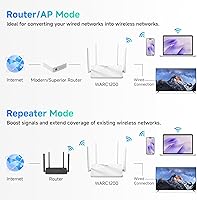
The DBIT AC1200 Dual-Band WiFi Router is a no-frills networking option from a lesser-known Chinese manufacturer, and setting honest expectations upfront actually helps this router rather than hurts it. DBIT isn't a brand you'll find at your local electronics store — but within the AC1200 class, which is Wi-Fi 5 territory, the hardware is reasonably capable for everyday use. Browsing, video calls, casual streaming — it handles all of that without drama. What gives it extra appeal is the three operating modes: Router, AP, and Repeater, letting it fill different roles depending on your setup. It won't future-proof a bandwidth-heavy household, but that was never the goal here.
Features & Benefits

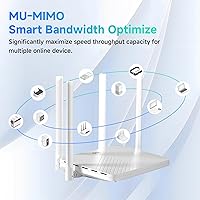
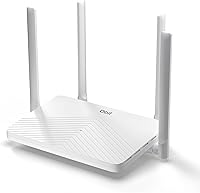
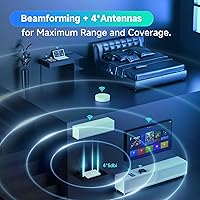
The dual-band setup splits traffic between two frequencies: the 2.4GHz band handles everyday tasks like email and web browsing, while the 5GHz band — reaching up to 867Mbps — takes care of heavier loads like 4K streaming or gaming. All four ports are full Gigabit, so wired connections won't choke on faster internet plans. Four external antennas with Beamforming focus the signal toward your devices rather than broadcasting blindly in all directions — useful, though not a cure for thick walls or large layouts. MU-MIMO lets it handle several devices simultaneously, EasyMesh allows future network expansion, and WPA2 encryption with a guest network and parental controls keep things reasonably secure.

Best For

This dual-band router fits best in compact living spaces — think studio apartments, one-bedroom units, or a small single-floor home — where it doesn't need to punch through multiple walls or reach across long distances. It's a solid step up from the cheap router your ISP threw in the box, particularly if you want wired Gigabit connections for a TV or desktop. It also works well as a secondary access point or repeater to extend an existing network. Light gamers and casual streamers will find the 5GHz band adequate. Small office setups with modest connectivity needs are a natural fit too, especially when budget is a real constraint.

User Feedback

With a 4.2-star average across roughly 150 ratings, the DBIT AC1200 lands in respectable — if not remarkable — territory. Buyers who appreciated it most tended to praise how quick and painless the initial setup was, along with stable, consistent performance over wired connections. The complaints are worth noting: several users flagged that coverage starts to thin out in larger homes, and 2.4GHz throughput is noticeably modest. The web-based interface gets mixed marks — some find it intuitive, others feel it's bare-bones. References to EasyMesh in real-world use were sparse, and mentions of firmware updates or responsive customer support were largely absent from reviews. Manage expectations accordingly.

Pros

  • All four Ethernet ports are full Gigabit, a genuine advantage for wired TV, gaming console, or PC connections.
  • Setup takes under ten minutes for most users — no app required, just a browser and the quick-start guide.
  • Three operating modes (Router, AP, Repeater) make it versatile enough for more than just primary router duty.
  • The 5GHz band handles casual 4K streaming and light gaming without dropping out under normal household conditions.
  • MU-MIMO lets several devices share the connection simultaneously without forcing them to wait in line.
  • Guest network mode keeps visitor traffic cleanly separated from your main devices and smart home gear.
  • Physical footprint is compact and the four antennas can be repositioned to tune signal direction.
  • EasyMesh support is included, giving future expansion options if you add a compatible second unit.
  • The package includes a power adapter and Ethernet cable, so you can get online straight out of the box.
  • For compact homes on a tight budget, the overall feature-to-cost ratio is hard to argue with.

Cons

  • Signal noticeably degrades through brick or concrete walls, making it a poor fit for older construction homes.
  • The 2.4GHz band delivers underwhelming throughput — smart home devices and older gadgets on that frequency may struggle.
  • No WPA3 support means security is not keeping pace with current networking standards.
  • Firmware update cadence appears very infrequent, raising concerns about long-term software support.
  • Customer support from DBIT is difficult to reach and largely absent from positive mentions in real buyer reviews.
  • The web UI looks and feels dated, and some browsers require a workaround to complete the setup process reliably.
  • Only three LAN ports limits wired expansion in setups with multiple desktop devices or entertainment hardware.
  • EasyMesh configuration is poorly documented and frequently results in buyers abandoning it for standalone use.
  • No USB port means no option for basic network-attached storage — a feature now common at this price tier.
  • The chassis runs warm during extended use, and the plastic build quality does not inspire long-term confidence.

Ratings

The DBIT AC1200 Dual-Band WiFi Router has been evaluated by our AI rating system after processing verified global buyer reviews, with spam, bot activity, and incentivized feedback actively filtered out. The scores below reflect an honest cross-section of real-world experiences — from users who were pleasantly surprised to those who ran into genuine limitations. Both the strengths and the recurring pain points are represented transparently in each category.

Value for Money
88%
For what it costs, this budget router delivers a surprisingly complete package — dual-band Wi-Fi, full Gigabit ports, and three operating modes in a single unit. Most buyers in compact apartments or starter home setups felt they got more than they paid for, especially compared to entry-level ISP hardware.
The value equation starts to wobble if you have a larger home or a growing number of wireless devices. Buyers expecting Wi-Fi 6 performance or extended range at this price tier will find the limitations quickly outweigh the savings.
Wireless Performance
71%
29%
The 5GHz band holds up well for casual 4K streaming and light gaming when devices are in the same room or one wall away. Users running a handful of devices simultaneously reported stable enough connections for daily use without noticeable drop-offs.
The 2.4GHz band is the weak link — throughput is modest even by AC1200 standards, and congestion from neighboring networks compounds the issue. Users with older smart home devices that rely exclusively on 2.4GHz occasionally flagged inconsistent connections.
Coverage & Range
62%
38%
In a studio apartment or a compact single-floor layout, the four external antennas do a reasonable job of blanket coverage without dead zones near the center of the space. Beamforming adds some directional focus that helps when your device is parked in a fixed spot.
This is where the most consistent complaints surface. In homes larger than around 1,000 square feet, signal degradation becomes noticeable — particularly through concrete or brick walls. Users in two-story homes or open-plan spaces reported needing a second unit or an extender to fill gaps.
Wired Connectivity
86%
All four ports — one WAN and three LAN — are full Gigabit, which is genuinely useful at this price point. Users who hard-wired a desktop PC, smart TV, or gaming console reported rock-solid, low-latency connections that held steady over extended sessions.
Three LAN ports is sufficient for most small setups, but anyone running a home office with multiple wired devices alongside entertainment hardware will hit the limit fast. There is no USB port for network storage, which some buyers in this category have come to expect.
Ease of Setup
84%
The web-based setup interface is straightforward enough that most non-technical users got online within ten minutes. The WPS button covers quick device onboarding, and the included quick-start guide is clear enough to follow without hunting for a YouTube tutorial.
The web UI is functional but dated-looking, and advanced users will notice the absence of features like QoS controls or detailed traffic monitoring. A handful of buyers reported the interface behaving inconsistently on certain browsers, requiring a switch to Chrome or Firefox to complete setup.
Build Quality & Design
67%
33%
The four upright antennas give it a sturdy physical presence and allow for some positioning flexibility. At just over a pound, it is light enough to tuck on a shelf or mount discreetly without needing extra hardware support.
The plastic chassis feels inexpensive to the touch, and the all-white finish shows dust readily. A few buyers noted the unit runs warm after extended use, though no reports of thermal throttling or shutdowns have been widely documented in the review pool.
Multi-Device Handling
73%
27%
MU-MIMO support means the router can serve several devices concurrently without forcing them into a queue, which matters in households with simultaneous streaming, browsing, and smart device activity. Light to moderate multi-device use was largely problem-free in buyer accounts.
Heavy multi-device loads — think ten or more active connections across both bands — start to reveal the processing ceiling. Users in shared living situations or small offices with constant simultaneous video calls flagged occasional slowdowns that pointed to the hardware hitting its limits.
Security Features
74%
26%
WPA2-PSK encryption is standard and reliable for most home environments. The included guest network mode is a practical touch — useful for separating visitor traffic from your main devices without exposing personal data or smart home gear.
There is no WPA3 support, which is becoming a baseline expectation on newer routers. Parental controls exist but are basic — more of a checkbox feature than a genuinely configurable tool for managing screen time or content filtering by device.
EasyMesh Compatibility
58%
42%
The EasyMesh support is a legitimate differentiator at this price tier, at least on paper. For users who already own or plan to buy a second compatible unit, it opens the door to a basic mesh setup without needing a proprietary ecosystem.
Real-world accounts of EasyMesh working smoothly with this unit are sparse in the review pool. Several buyers tried to configure it and either found the process underdocumented or simply fell back to using the router in standalone mode. It exists, but do not count on it as a reliable selling point.
Operating Mode Flexibility
79%
21%
The ability to switch between Router, Access Point, and Repeater modes is genuinely useful and not always guaranteed at this price level. Users who picked it up specifically to extend an existing network in AP or Repeater mode reported it working cleanly with minimal configuration.
Switching modes requires navigating the web interface, and the process is not always intuitive — especially for Repeater mode, where some users needed two or three attempts to get a stable connection. No mobile app means all configuration happens through a browser.
Software & Firmware
53%
47%
The firmware is stable enough for day-to-day use, and most buyers did not encounter crashes or unexplained reboots during normal operation. The web UI covers the essentials without overwhelming a casual user with unnecessary complexity.
Firmware update frequency appears to be low, and DBIT's long-term software support track record is unclear — a real concern for buyers thinking about a multi-year lifespan. Advanced networking features like VPN passthrough configuration or detailed logging are either absent or buried.
Brand Reliability & Support
51%
49%
For a lesser-known brand, the hardware itself has held up adequately for most buyers within the first several months of use. Units arriving defective appear to be a minority based on the review distribution.
Customer support references in the review pool are minimal, and what little feedback exists is lukewarm. DBIT does not have the established support infrastructure of brands like TP-Link or ASUS, which means warranty or troubleshooting experiences may vary significantly depending on where and how you purchased.
Package & Accessories
76%
24%
The box includes everything you need to get started: the router itself, a power adapter, an Ethernet cable, and a printed quick-start guide. No hunting for cables or adapters out of the box, which is a small but appreciated detail.
The included Ethernet cable is short — adequate for connecting directly to a modem sitting nearby, but not for routing around furniture or mounting the router on a shelf away from the wall socket. No carry pouch or cable management is included, which matters to tidy desk setups.

Suitable for:

The DBIT AC1200 Dual-Band WiFi Router is a practical pick for renters, students, and light home users who need a reliable connection without overpaying for features they will never touch. If you live in a studio apartment, a one-bedroom unit, or a compact single-floor home, this router covers your space without demanding anything complicated from you during setup. It works particularly well as a step up from the generic hardware your ISP hands out — the full Gigabit ports alone make a noticeable difference if you hard-wire a smart TV or a desktop PC. Budget-conscious home office workers who need a stable wired connection for video calls or file transfers will also find it more than adequate. The flexible operating modes mean it can pull double duty as a secondary access point or a repeater in a slightly larger setup, which adds real versatility for the price.
Not suitable for:

The DBIT AC1200 Dual-Band WiFi Router is not the right tool if your home spans multiple floors, features thick walls, or exceeds roughly 1,000 square feet of living space — range complaints are the single most consistent criticism in the review pool, and the hardware simply was not built for demanding coverage scenarios. Power users running ten or more simultaneous wireless connections, whether through smart home devices, streaming sticks, laptops, and phones all active at once, will hit the processing ceiling sooner than expected. Anyone expecting Wi-Fi 6 speeds, WPA3 security, or a polished mobile app for network management should look elsewhere — this is a Wi-Fi 5 device with a browser-only interface that has not seen consistent firmware updates. If you rely heavily on the 2.4GHz band for smart home gadgets or older devices, the modest throughput on that frequency may become a frustration. And if brand reputation and long-term after-sales support matter to you, an established name like TP-Link or ASUS in the same price range will likely give you more peace of mind.
Specifications

  • WiFi Standard: This router operates on the 802.11ac (Wi-Fi 5) standard, also supporting legacy 802.11b, 802.11g, and 802.11n devices for broad compatibility.
  • Frequency Bands: Dual-band operation covers both 2.4GHz and 5GHz simultaneously, allowing devices to connect on whichever band suits their needs.
  • Combined Speed: Maximum combined wireless throughput is rated at 1200Mbps — 300Mbps on the 2.4GHz band and 867Mbps on the 5GHz band.
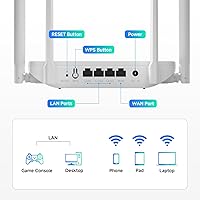
  • WAN Port: One Gigabit WAN port handles the incoming internet connection from a modem or ISP gateway at speeds up to 1000Mbps.
  • LAN Ports: Three Gigabit LAN ports allow wired device connections — such as a desktop PC, smart TV, or gaming console — at up to 1000Mbps each.
  • Antennas: Four external 5dBi fixed-position antennas work in conjunction with Beamforming technology to direct the wireless signal toward connected devices.
  • MU-MIMO: MU-MIMO (Multi-User Multiple Input Multiple Output) allows the router to communicate with several devices at the same time rather than addressing them sequentially.
  • Operating Modes: The unit supports three operating modes — Router, Access Point, and Repeater — switchable through the web-based management interface.
  • Mesh Support: EasyMesh compatibility allows this unit to pair with other EasyMesh-compatible routers to form a basic whole-home mesh network.
  • Security: Network security is handled via WPA2-PSK encryption; additional features include a separate guest network and basic parental controls.
  • Setup Method: Initial configuration is performed through a browser-based web UI, with WPS button support available for quick device onboarding.
  • Dimensions: The unit measures 9 x 6 x 6.7 inches, designed to sit upright on a shelf or desk with antennas extended vertically.
  • Weight: At 1.1 pounds, the router is lightweight enough to reposition or mount without requiring additional structural support.
  • Color: Available in white, with a smooth plastic finish across the main chassis and antenna housings.
  • In the Box: Each unit ships with the router, one power adapter, one Ethernet cable, and a printed quick-start guide.
  • Manufacturer: The router is manufactured by Shenzhen Dbit Network Equipment Co., Ltd., based in China, and listed under the DBIT brand.
  • Model Number: The official model designation is T18-21K, which may be useful for firmware lookups or support inquiries.
  • First Available: This model was first made available for purchase in January 2024, making it a relatively recent entry in the budget router category.

Related Reviews
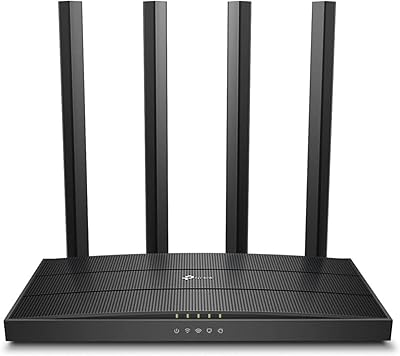
TP-Link Archer A6 AC1200 WiFi Router

76%
74%
WiFi Speed & Performance
67%
WiFi Range & Coverage
88%
Setup & Ease of Use
71%
Build Quality & Design
91%
Wired Port Performance
More
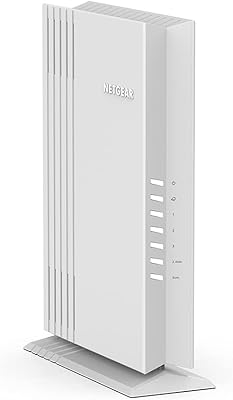
NETGEAR WAX202 WiFi 6 Dual-Band Router
84%
88%
WiFi Performance
93%
Setup & Installation
85%
App Usability
89%
Speed & Coverage
90%
Device Connectivity
More
Asus RT-AC1200 Wireless Dual-Band Router
83%
85%
Wi-Fi Performance
91%
Ease of Setup
78%
Coverage Range
88%
Parental Controls
81%
Streaming & Gaming Performance
More
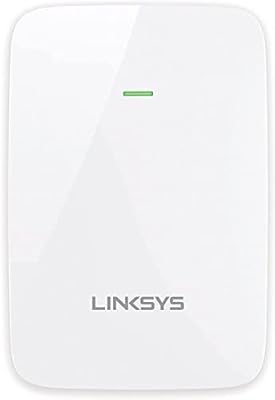
Linksys RE6350 AC1200 Dual-Band WiFi Extender
86%
91%
Setup & Installation
88%
Wi-Fi Performance
89%
Coverage Area
85%
Dual-Band Performance
84%
Streaming & Gaming
More
ASUS RT-AX1800S
ASUS RT-AX1800S
79%
88%
Value for Money
79%
WiFi Speed & Performance
74%
Coverage & Range
83%
Setup & Ease of Use
67%
Router App Experience
More
ASUS RT-AX5400 WiFi 6 Dual-Band Router

80%
84%
WiFi Speed & Throughput
71%
Coverage & Range
88%
Setup & Ease of Use
91%
Built-in Security (AiProtection)
83%
Parental Controls
More
ASUS RT-ACRH13 AC1300 Dual Band WiFi Router
86%
88%
WiFi Performance
91%
Setup and Installation
90%
Value for Money
83%
Signal Coverage
89%
Ease of Use (Mobile App)
More
ASUS ZenWiFi BD4 Dual-Band WiFi 7 Mesh Router
86%
93%
Wi-Fi Performance
89%
Setup & Installation
91%
Security Features
88%
Gaming & Streaming Performance
84%
Value for Money
More
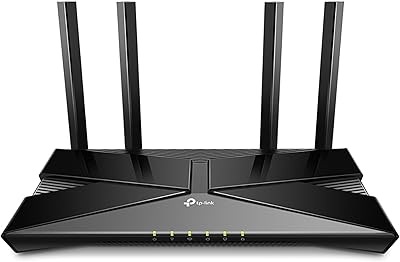
TP-Link Archer AX23 WiFi 6 Router
78%
91%
Value for Money
93%
Ease of Setup
74%
WiFi Speed Performance
67%
Range & Coverage
83%
Connection Stability
More
Linksys EA2700 Dual-Band Router
82%
84%
Wireless Performance
78%
Signal Coverage
88%
Setup & Installation
90%
Wired Connectivity
81%
Reliability
More

FAQ

It works with virtually any ISP — cable, fiber, DSL, or fixed wireless — as long as you have a separate modem or gateway to connect it to. Just plug the modem into the WAN port and you are ready to configure. There are no ISP restrictions or carrier locks on this unit.

It is genuinely straightforward. You connect the hardware, open a browser, and follow a short guided setup through the web interface. Most first-time users are online within ten minutes. The included quick-start guide covers the basics clearly, and the WPS button lets you add new wireless devices without typing in a password each time.

Yes — Repeater mode is one of the three built-in operating modes. You can configure this budget router to pick up an existing Wi-Fi signal and rebroadcast it to expand coverage in a dead zone. Just note that configuration in Repeater mode requires a bit more patience than the basic Router setup, and some users find the documentation for that mode less detailed.

For a single 4K stream on the 5GHz band, yes — 867Mbps is more than sufficient. Where it starts to show strain is when several people are streaming simultaneously or when devices are far from the router. For a one or two-person household with modest habits, 4K streaming holds up well in practice.

Under light to moderate usage, around eight to twelve devices is a comfortable range. MU-MIMO helps by serving multiple devices simultaneously rather than queuing them, but the processor in an AC1200-class router has a ceiling. Heavy households with fifteen or more active connections — especially if those include video calls or gaming — may experience slowdowns.

Wi-Fi 6 devices will connect and work fine, but they will operate at Wi-Fi 5 speeds on this router — not at their full Wi-Fi 6 potential. The hardware is 802.11ac only, so the Wi-Fi 6 capabilities of your newer device simply go unused. For most everyday tasks that is not a problem, but it is worth knowing upfront.

In an open layout with few obstructions, expect solid coverage up to around 800 to 1,000 square feet. Through multiple walls — particularly thick concrete or brick — that range shrinks noticeably. It is well-suited for a compact apartment or a single-floor home, but two-story houses or larger spaces will likely need a second unit or extender.

Yes, the guest network feature is built in and easy to activate through the web UI. It keeps visitor traffic on an isolated network segment, so your personal devices, smart home gear, and shared drives remain inaccessible to guests. It is a simple but genuinely useful inclusion at this price level.

Firmware updates are available but infrequent — DBIT does not appear to push updates on a regular schedule the way larger brands do. When updates are available, they are typically applied manually through the web interface by downloading the firmware file and uploading it in the administration panel. If keeping firmware current matters to you, this is worth factoring into your decision.

That depends on the mesh system. The EasyMesh feature is designed to work with other EasyMesh-compatible devices, but cross-brand compatibility is not guaranteed across all mesh platforms. If your existing mesh system is from a proprietary ecosystem — such as Eero, Orbi, or Google Nest — this router will not integrate into it natively. It can still be used as a wired access point in many setups, but seamless mesh integration requires EasyMesh support on both ends.