Overview

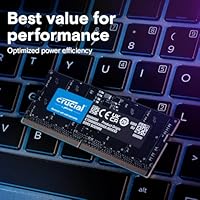
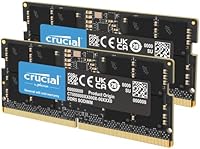
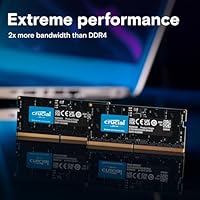
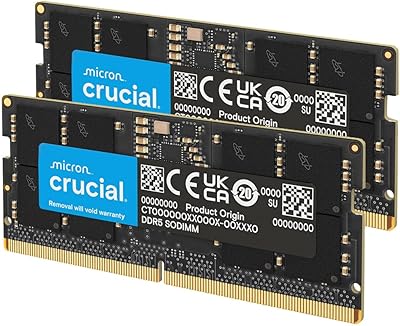
The Crucial DDR5 5600MHz 128GB Laptop RAM Kit comes from one of the handful of companies on the planet that actually manufactures DRAM, not just rebrands it, and that distinction matters. This 128GB kit ships as two 64GB SODIMMs, targeting professionals who have genuinely outgrown what a typical laptop configuration offers. DDR5 at 5600MHz delivers meaningfully more bandwidth than DDR4 could, and the early 2025 release aligns it perfectly with the latest Intel Core Ultra and AMD Ryzen 8000-series platforms. This is not an everyday upgrade — the price makes that clear — but for the right user, it fills a real gap.
Features & Benefits

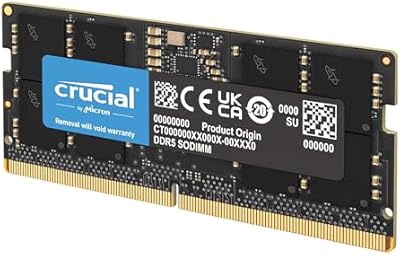
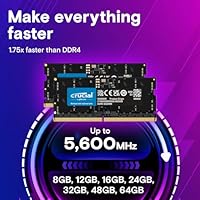
Running both sticks together unlocks dual-channel bandwidth, which is where the real performance difference shows up in memory-intensive workloads. If your laptop only supports 5200MHz or 4800MHz, the kit automatically adjusts — no BIOS tinkering required. Both Intel XMP 3.0 and AMD EXPO profiles are baked into the same module, so optimal speeds are applied automatically on compatible systems. Operating at just 1.1V, it runs cooler and more efficiently than previous DDR generations. The standard 262-pin SODIMM form factor means installation is physically uncomplicated, and Micron-manufactured dies provide the kind of component-level reliability that cheaper alternatives rarely match.

Best For

This high-density SODIMM kit makes genuine sense for a narrow but specific group of users. Video editors and 3D artists who keep large project files and preview caches loaded simultaneously will feel the difference immediately. Developers running multiple virtual machines, or data professionals working with large in-memory datasets, are equally strong candidates. If you are currently at 16GB or 32GB and regularly watching your system slow to a crawl under load, 128GB removes that ceiling entirely. One critical check first: verify your specific laptop model has accessible SODIMM slots, as many modern thin-and-light designs have soldered memory that cannot be upgraded.

User Feedback

Across more than 1,200 ratings, this Crucial laptop memory upgrade holds a 4.7-star average, which is a strong signal at this volume. Buyers frequently mention that installation was straightforward and that their systems detected the full 128GB without any fuss. Those coming from 32GB setups consistently report noticeable improvements in how smoothly their workflows run under heavy multitasking. The most common concern raised is compatibility — a few buyers did not confirm SODIMM slot availability beforehand, which is an easy mistake to avoid with a quick check of your laptop’s service manual. No widespread reliability complaints have surfaced, which is reassuring for a premium-tier purchase.

Pros

  • Comes from Micron, one of the few companies that actually manufactures its own DRAM dies, which means genuine quality control.
  • Running as a dual-channel pair, this 128GB kit delivers noticeably higher memory bandwidth than a single large module would.
  • Auto-downclocking to 5200MHz or 4800MHz means you are not locked out if your laptop does not hit the full 5600MHz spec.
  • Both Intel XMP 3.0 and AMD EXPO profiles are supported on one module, covering a wide range of modern platforms without extra configuration.
  • Installation is physically straightforward — standard 262-pin SODIMM form factor, no tools beyond a screwdriver required.
  • Users consistently report their systems recognizing the full 128GB immediately after installation, with no troubleshooting needed.
  • The 1.1V operating voltage keeps power draw and heat output lower than older DDR4 kits running similar workloads.
  • Over 1,200 real-world ratings averaging 4.7 stars is a credible track record at a competitive memory tier.
  • For professionals hitting hard memory walls, the performance headroom this high-density SODIMM kit provides is immediately felt in multitasking scenarios.

Cons

  • At this price, it is an investment that only makes financial sense for a narrow slice of professional laptop users.
  • Compatibility is not guaranteed — buyers must manually verify their specific laptop model has accessible, non-soldered SODIMM slots before ordering.
  • 128GB of RAM cannot be fully utilized by most current consumer software, meaning a portion of this capacity may sit idle indefinitely.
  • DDR5 platform exclusivity rules out any laptop still running a DDR4-based processor, regardless of how recent the machine is.
  • Two-stick kits require two free SODIMM slots, which some laptops with a single upgradeable slot simply cannot accommodate.
  • There is no visual or aesthetic differentiation — the modules are plain black, which matters to no one practically but is worth noting for completeness.
  • Resale value for high-capacity RAM kits is unpredictable, making it a harder investment to recoup if your needs change.
  • Buyers accustomed to DDR4 pricing may experience sticker shock, as DDR5 at this density still carries a significant premium over previous-generation equivalents.

Ratings

The scores below were generated by AI after analyzing thousands of verified global user reviews for the Crucial DDR5 5600MHz 128GB Laptop RAM Kit, with spam, bot activity, and incentivized feedback actively filtered out. Both the genuine strengths and the real frustrations buyers encountered are reflected in every category — nothing is glossed over. The result is an honest, nuanced picture of exactly what this high-density SODIMM kit delivers and where it falls short.

Performance Uplift
93%
Users who upgraded from 32GB or 64GB setups consistently describe the difference as dramatic, particularly in video editing timelines, large virtual machine environments, and AI inference workloads. Running multiple memory-heavy applications simultaneously without slowdown was the most frequently cited real-world benefit.
On lighter workloads — spreadsheets, browser tabs, even moderate coding sessions — the performance delta over a well-configured 32GB kit is essentially imperceptible. Buyers expecting across-the-board speed gains in everyday tasks will likely not notice much difference at all.
Installation Experience
91%
The vast majority of buyers report a clean, uncomplicated installation — modules seat firmly, the system recognizes the full 128GB on first boot, and no BIOS adjustments were needed on most compatible laptops. Several users mentioned completing the swap in under ten minutes.
A small number of users encountered boot issues that required reseating the modules or clearing CMOS, which can be nerve-wracking on an expensive kit. These cases appear to be edge scenarios rather than a pattern, but they are worth knowing about.
Compatibility Range
74%
26%
XMP 3.0 and EXPO profiles on the same physical module is a practical advantage for buyers who want optimal speeds without manual tuning, and the auto-downclocking behavior means the kit functions correctly even on laptops capped at 4800MHz.
DDR5 exclusivity is a hard wall — this kit is simply incompatible with any DDR4 platform regardless of processor age. Buyers with laptops that have only a single SODIMM slot, or soldered memory, also cannot use this kit at all, which has caught some buyers off guard.
Reliability & Stability
89%
Micron-manufactured dies carry genuine weight here, and the user feedback reflects it — very few reports of crashes, blue screens, or memory errors appearing after installation. Long-term stability over weeks and months of heavy workloads seems to be the norm rather than the exception.
A small percentage of users did report stability issues, though many of these correlated with laptops running firmware that had not been updated before installation. It is hard to attribute these cases to the modules themselves, but they do exist in the review pool.
Value for Money
61%
39%
For the specific professional who genuinely needs 128GB in a laptop — data scientists, ML engineers, heavy creative workstation users — the price-to-performance equation is defensible given Micron-level reliability and DDR5 bandwidth at this density.
For anyone outside that narrow use case, this kit is difficult to justify financially. Comparable 32GB or 64GB DDR5 kits offer excellent performance at a fraction of the cost, and the majority of laptop users will never come close to saturating even 64GB of RAM in daily use.
Speed Consistency
86%
At 5600MHz on a fully compatible platform, the bandwidth numbers are consistently strong, and users running benchmarks report results that closely match rated specifications. The dual-channel configuration amplifies this further in throughput-sensitive tasks like large file transfers and rendering.
On laptops that cap at 4800MHz, the downclocking works as intended but means buyers are not always getting the headline speed they paid for. This is not a defect, but it is worth understanding before purchase if peak frequency matters to your workload.
Thermal Behavior
83%
DDR5 at 1.1V runs noticeably cooler than DDR4 equivalents under sustained load, and users report that even during extended rendering or compilation sessions the modules do not appear to contribute meaningfully to overall laptop thermals.
SODIMM modules have no heat spreaders by design, and while this is standard for laptop memory, users who push the system hard in thermally constrained chassis may see the modules get warm to the touch. This is not unique to this kit but is inherent to the form factor.
System Recognition
92%
Immediate, correct identification of both modules and the full 128GB capacity on first boot is one of the most consistently praised aspects across the review pool. Systems running Windows, Linux, and macOS-adjacent platforms all reported clean recognition without driver intervention.
A handful of users running older BIOS versions on otherwise compatible laptops experienced delayed or partial recognition, requiring a firmware update to resolve. Keeping your laptop BIOS current before installing is a small but important prerequisite.
Packaging & Delivery Condition
88%
Buyers consistently note that the modules arrive in anti-static protective packaging with no signs of transit damage, which matters for components this sensitive. The kit presentation is functional and professional without unnecessary bulk.
There are occasional reports of outer box damage in transit, though the inner anti-static protection appears to have done its job in most of these cases. No widespread module damage on arrival has been reported in the review pool.
Brand Trust & Warranty
91%
Crucial’s lifetime limited warranty and the fact that Micron is one of the world’s three actual DRAM manufacturers — not a rebadger — gives buyers genuine confidence that support and replacement processes are backed by a serious company with long-term accountability.
Some users note that warranty claims require proof of purchase and can involve a moderate back-and-forth process. Crucial’s support is generally well-regarded, but it is not instantaneous, which matters if a module fails during a time-sensitive work period.
Multitasking Headroom
94%
Users juggling simultaneous workloads — running a virtual machine alongside a DAW, or keeping dozens of browser tabs open while a rendering job runs in the background — describe the experience as qualitatively different from anything they had with sub-64GB configurations. The headroom feels practically limitless for typical professional use.
The headroom advantage is meaningful only when workloads actually demand it. Buyers who tested this kit on lighter productivity tasks found no measurable improvement over their previous memory configuration, reinforcing that this kit serves a specific rather than general audience.
Power Efficiency
82%
18%
The 1.1V operating voltage translates to lower power draw compared to DDR4, which is a subtle but real benefit for laptop users who care about battery longevity during unplugged sessions — particularly relevant for mobile professionals on long travel days.
DDR5 at 128GB total still draws more aggregate power than a smaller-capacity kit would, simply due to having more active memory. The per-gigabyte efficiency is better, but total power consumption is not trivially low when both 64GB modules are under sustained load.
Platform Future-Proofing
87%
Investing in DDR5 now positions buyers well for the next several years of laptop platform evolution, as Intel and AMD are both committed to DDR5 across their upcoming generations. Buying at the cutting edge of the current spec cycle means this kit is unlikely to become obsolete quickly.
DDR5 specifications continue to evolve, and faster standards like DDR5-6400 and beyond are already appearing in desktop contexts. While 5600MHz is strong today, early adopters of any memory standard accept that faster options will eventually arrive at comparable price points.

Suitable for:

The Crucial DDR5 5600MHz 128GB Laptop RAM Kit was built for a specific kind of power user, and if you fall into that category, it delivers exactly what it promises. Video editors working with high-resolution footage, 3D artists rendering complex scenes, and developers spinning up multiple virtual machines simultaneously are the clearest beneficiaries — these are workloads where running out of RAM is not a minor inconvenience but a genuine productivity killer. Data scientists and AI researchers who need to hold large datasets entirely in memory will also find 128GB to be a practical necessity rather than an indulgence. If you own a high-end laptop from 2024 or 2025 with an Intel Core Ultra or AMD Ryzen 8000-series processor and user-accessible SODIMM slots, this kit slots in cleanly and is immediately recognized by the system. For professionals whose laptop is essentially a portable workstation, this upgrade meaningfully extends the useful life and capability of an already expensive machine.
Not suitable for:

The Crucial DDR5 5600MHz 128GB Laptop RAM Kit is genuinely the wrong purchase for the vast majority of laptop users, and being honest about that matters. If your daily workload involves browsing, document editing, video calls, or even moderate photo editing, you will not notice any difference compared to a well-configured 16GB or 32GB setup — the extra capacity simply sits unused. Buyers with thin-and-light laptops or recent ultrabooks should be especially cautious, since many of these machines have memory soldered directly to the motherboard, making any RAM upgrade physically impossible regardless of budget. This kit also demands a platform that actually supports DDR5, so older Intel or AMD systems running DDR4 are completely incompatible. The premium price point reflects professional-grade specifications, and paying it for everyday computing tasks would be a poor allocation of money — a mid-range 32GB DDR5 kit would serve most users far better at a fraction of the cost.
Specifications

  • Total Capacity: The kit provides 128GB of total memory across two 64GB SODIMM modules.
  • Memory Type: Both modules use DDR5 technology, the current generation standard offering improved bandwidth and power efficiency over DDR4.
  • Speed: Rated at 5600MHz, with automatic downclocking to 5200MHz or 4800MHz on systems that do not support the full rated speed.
  • Form Factor: Standard 262-pin SODIMM design compatible with modern laptop memory slots.
  • Module Count: Kit includes exactly two individual 64GB modules configured for dual-channel operation.
  • Voltage: Operates at 1.1V, consistent with DDR5 efficiency standards and lower than typical DDR4 operating voltages.
  • XMP Support: Intel XMP 3.0 profile is embedded in each module for automatic speed optimization on supported Intel platforms.
  • EXPO Support: AMD EXPO profile is also included on the same module, enabling automatic tuning on AMD Ryzen 8000 Series and newer laptops.
  • Compatibility: Designed for laptops running Intel Core Ultra, Intel 14th Gen, and AMD Ryzen 8000 Series processors and above.
  • Manufacturer: Modules are produced by Micron, one of only three companies in the world that manufactures DRAM at the die level under the Crucial brand.
  • Dimensions: Each module measures 2.74 x 0.15 x 1.18 inches, consistent with the standard laptop SODIMM profile.
  • Weight: The total kit weighs 0.332 ounces, reflecting the minimal physical footprint of SODIMM memory modules.
  • Color: Both modules feature a black PCB with no heat spreader, as is standard for laptop-grade SODIMM memory.
  • Release Date: This kit was first made available in February 2025, aligning with the launch window of the latest Intel and AMD laptop platforms.
  • Market Rank: Holds the number 12 position in the Computer Memory category on Amazon at time of review.
  • User Rating: Averaged 4.7 out of 5 stars across more than 1,200 verified ratings at time of publication.
  • Configuration: Dual-channel kit architecture means both sticks must be installed together to achieve rated bandwidth performance.
  • Model Number: Official Crucial model identifier is CT2K64G56C46S5, which can be used to verify compatibility with your specific laptop.

Related Reviews
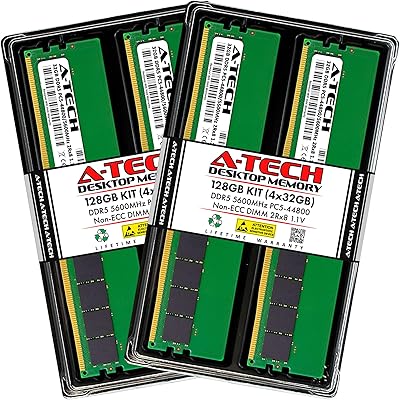
A-Tech 128GB DDR5 5600MHz Desktop RAM Kit
78%
91%
Installation Experience
74%
Value for Money
88%
Stability & Daily Reliability
82%
Real-World Performance
77%
Brand Trust & Warranty
More
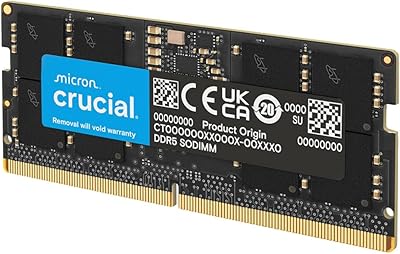
Crucial 32GB DDR5-5600MHz SODIMM Kit (CT2K16G56C46S5)
90%
94%
Multitasking Performance
97%
Ease of Installation
92%
Value for Money
89%
Compatibility
86%
Gaming Stability
More
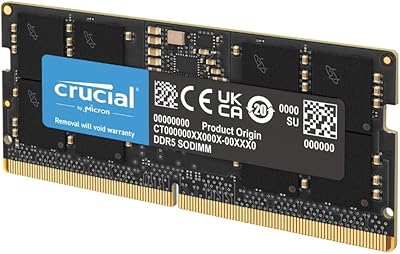
Crucial 24GB DDR5 5600MHz SODIMM Laptop Memory Kit
80%
93%
Installation Ease
71%
System Compatibility
88%
Performance Uplift
82%
Value for Money
79%
Speed & Frequency
More
Crucial 96GB DDR5 5600MHz SODIMM Laptop RAM
82%
91%
Performance & Speed
93%
Workload Capacity
61%
Platform Compatibility
88%
Installation Ease
69%
Value for Money
More
Crucial 16GB DDR5 5600MHz SODIMM Laptop RAM
81%
93%
Installation Experience
81%
Speed & Real-World Performance
77%
Platform Compatibility
94%
Build & Component Quality
58%
Dual-Channel Value
More
Crucial Pro 32GB DDR5 5600MHz RAM Kit
84%
92%
Installation & Setup
81%
Gaming Performance
88%
Multitasking & Productivity
89%
Thermal Performance
90%
Build Quality & Reliability
More
Crucial Pro 96GB DDR5 RAM Kit (2x48GB), 5600MHz
88%
94%
Performance for Gaming
91%
Multitasking Efficiency
89%
Overclocking Capability
86%
Compatibility with Intel & AMD Systems
84%
Energy Efficiency
More
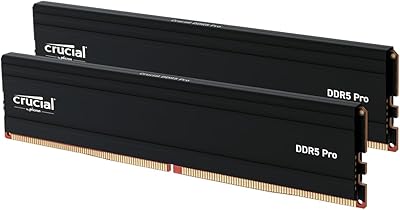
Crucial Pro 128GB DDR5-5600 Kit (2x64GB)
85%
93%
Installation Experience
91%
Stability & Reliability
89%
Performance in Productivity Workloads
74%
Gaming Performance
92%
XMP & EXPO Profile Support
More
A-Tech 16GB DDR5 5600MHz RAM Kit
88%
96%
Installation Ease
89%
Performance Boost
92%
Value for Money
88%
Energy Efficiency
91%
Compatibility
More
Crucial 16GB DDR5 4800MHz Laptop RAM
86%
89%
Performance Improvement
93%
Ease of Installation
88%
Multitasking Performance
91%
Compatibility with 12th Gen Intel & AMD Ryzen 7000
86%
Gaming Performance
More

FAQ

Yes, it will. The modules automatically adjust their operating speed to match what your laptop supports. So if your system maxes out at 4800MHz, the RAM will run at that speed without any manual configuration needed. You do not lose functionality — just a small amount of peak throughput.

The most reliable method is to look up your laptop’s official service manual or support page on the manufacturer’s website. You can also check sites like Crucial’s own compatibility tool by entering your laptop model. Many modern thin-and-light laptops have memory soldered directly to the board, so this check is essential before purchasing.

In most cases, no. On Intel systems with XMP 3.0 support and AMD systems with EXPO support, the laptop BIOS will detect the profile and apply the correct speed automatically. Some laptops may prompt you to enable XMP or EXPO manually the first time, but this is typically a one-click option in the BIOS memory settings.

Technically yes, but you would be operating in single-channel mode, which cuts available memory bandwidth roughly in half. The kit is designed to run as a matched pair in dual-channel configuration, which is where the performance benefit actually comes from. Using a single stick also leaves you with 64GB, which may still be more than adequate depending on your workload.

It can be, provided your gaming laptop uses a supported Intel Core Ultra or AMD Ryzen 8000-series processor and has two accessible SODIMM slots. That said, most gaming workloads do not benefit meaningfully from 128GB — even the most demanding current titles rarely exceed 32GB of system RAM usage. This kit is better suited to creative or compute-heavy professional workloads.

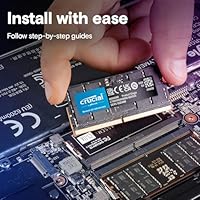
If your laptop has accessible SODIMM slots, installation is genuinely straightforward. You remove the back panel, locate the memory slots, release the retaining clips on the existing modules, slide them out, and seat the new sticks at the correct angle until they click into place. Most users complete the process in under 15 minutes with a basic screwdriver.

It depends entirely on your laptop manufacturer and region. Some manufacturers explicitly allow user memory upgrades without voiding the warranty, while others do not. Check your warranty documentation or contact your laptop’s support team before opening the chassis. In some regions, consumer protection laws may also limit a manufacturer’s ability to void warranty coverage due to a user-installed compatible part.

First, reseat both modules firmly — an incomplete connection is the most common cause of boot failure after a RAM swap. If that does not resolve it, try booting with only one stick installed to rule out a faulty module. You can also try clearing the BIOS by removing the laptop battery briefly, which resets memory settings to defaults.

Crucial backs its DRAM products with a limited lifetime warranty, which is standard for the brand across its memory lineup. If a module fails under normal use, Crucial’s support process for replacements is generally well-regarded. Keep your purchase receipt as proof of purchase for any warranty claim.

The main advantage of buying a matched kit from a single manufacturer is that both modules are tested together and guaranteed to work as a pair. Mixing sticks from different brands or production batches can occasionally cause instability, even if the specs appear identical on paper. With this Crucial kit, the dual-channel pairing is validated at the factory level, which reduces the risk of compatibility headaches.