Overview

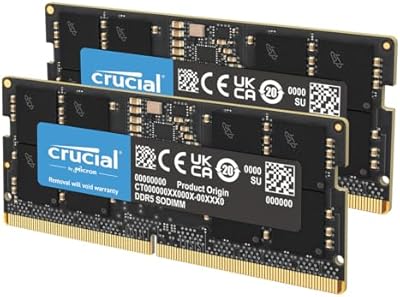
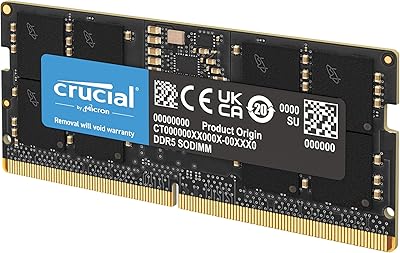
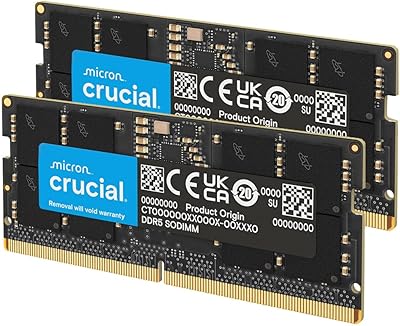
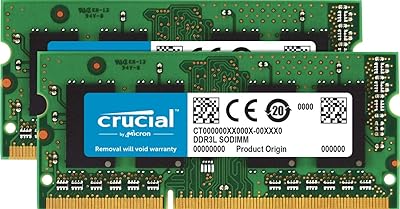
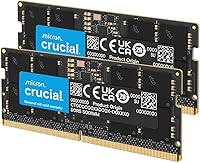
The Crucial 24GB DDR5 5600MHz SODIMM Laptop Memory Kit landed in early 2024 as a practical, no-nonsense upgrade option for the growing wave of DDR5-enabled laptops. Rather than chasing enthusiast headlines, Crucial stuck to what they do well: reliable, well-tested memory at a sensible price point. The dual-channel configuration is worth paying attention to — running two matched modules instead of a single stick unlocks noticeably better memory bandwidth in day-to-day use. Compatibility is scoped to Intel 13th Gen and AMD Ryzen 6000 series laptops and newer, so this is far from a universal fit. If your machine supports DDR5, though, this kit sits comfortably in the sweet spot of the market.
Features & Benefits

At the top end, these Crucial SODIMM modules run at 5600MHz, though they will automatically step down to 5200MHz or 4800MHz if your laptop's platform calls for it — no manual configuration needed. The SODIMM form factor is laptop-exclusive by design, and the 262-pin connection fits the DDR5 standard precisely. One underappreciated spec here is the 1.1V operating voltage, which is meaningfully lower than older DDR4 setups and contributes to slightly better thermal efficiency and battery draw during extended sessions. Being a matched kit also means you get dual-channel bandwidth from the start, rather than mixing and matching sticks of uncertain pedigree later.

Best For

This DDR5 laptop upgrade makes the most sense for people who already own a compatible machine and feel the pinch of limited memory during real work. Think video editors watching their timeline playback stutter, or students running a browser, Zoom, and a virtual machine simultaneously. Gamers on qualifying laptops can also expect a bump in frame consistency when memory bandwidth is the actual bottleneck. The 24GB total is a deliberate sweet spot — 2x12GB dual-channel while leaving more headroom than a single 16GB stick ever could. Just confirm your laptop has DDR5 SODIMM slots before ordering; these modules are not compatible with DDR4 systems under any circumstances.

User Feedback

Across nearly 4,000 ratings, this memory kit holds a strong average, and the patterns in buyer comments are telling. Most people report that the modules are recognized immediately on first boot, with no tinkering required. The jump from 8GB or 16GB stock configurations is the most commonly cited reason for satisfaction — multitasking simply feels different when memory is no longer the limiting factor. On the critical side, a recurring theme in lower-rated reviews is DDR4 vs. DDR5 confusion — buyers who ordered without verifying their slot type first. Checking compatibility beforehand, including via Crucial's own online tool, is the single step that separates a smooth upgrade from an avoidable return.

Pros

  • Plug-and-play installation — most laptops recognize the modules immediately on first boot with no BIOS changes needed.
  • Dual-channel configuration delivers noticeably better real-world performance than a single higher-capacity stick.
  • Auto-downclocking to 5200MHz or 4800MHz means it works across a wider range of DDR5 platforms without issue.
  • Low 1.1V operating voltage is gentler on battery life during extended mobile use compared to older DDR4 modules.
  • 24GB total capacity is a practical sweet spot for multitaskers who have outgrown 16GB but do not need 32GB.
  • Crucial has a long-standing reputation for consistent quality and low defect rates across its memory lineup.
  • The kit format removes guesswork — both sticks are matched and validated to run together reliably.
  • Compact SODIMM dimensions fit cleanly into most upgradeable laptop chassis without clearance concerns.
  • Strong buyer satisfaction across a large review base suggests this is not a product with hidden reliability issues.

Cons

  • Strictly limited to DDR5-enabled laptops — buyers with DDR4 systems cannot use these modules under any circumstances.
  • Not compatible with laptops that have soldered memory, which covers a significant portion of thin-and-light models.
  • The 1Rx16 rank configuration can show slightly weaker latency performance compared to higher-density 1Rx8 modules.
  • No overclocking headroom or XMP support for enthusiasts who want to push beyond rated speeds.
  • 24GB is an unconventional capacity that may leave some buyers second-guessing whether to step up to 32GB instead.
  • Crucial does not include installation tools or any physical accessories in the kit packaging.
  • Users who skip the compatibility check beforehand face a frustrating return process if their laptop turns out to be DDR4.
  • At this price tier, the value advantage over 32GB kits narrows, making the capacity trade-off worth evaluating carefully.

Ratings

The scores below were generated by our AI engine after analyzing thousands of verified global buyer reviews for the Crucial 24GB DDR5 5600MHz SODIMM Laptop Memory Kit, with automated filtering applied to remove incentivized, duplicate, and bot-generated submissions. The result is an honest, balanced breakdown that captures both the genuine strengths that make this memory kit a popular choice and the real friction points that caused some buyers to hesitate or return it.

Installation Ease
93%
An overwhelming majority of buyers report that the modules were recognized immediately on first boot without any BIOS intervention. Even users who had never opened a laptop before described the process as straightforward, with the physical slot mechanism guiding the modules in cleanly at the correct angle.
A small subset of users encountered a memory training screen on first boot, which caused brief confusion before the system completed initialization on its own. This is normal DDR5 behavior, but the lack of any included documentation left a few buyers momentarily unsure whether something had gone wrong.
System Compatibility
71%
29%
For buyers running confirmed DDR5-equipped laptops on Intel 13th Gen or AMD Ryzen 6000 platforms and newer, compatibility was rarely an issue — the modules worked as expected across a wide range of machines from major OEMs including Lenovo, ASUS, and HP.
The DDR4 versus DDR5 confusion remains the single biggest source of negative reviews. A meaningful number of buyers purchased this memory kit without verifying their slot type and discovered only after opening their laptops that their system was DDR4-based, resulting in avoidable returns and frustration.
Performance Uplift
88%
Users upgrading from 8GB or 16GB single-stick configurations consistently reported tangible improvements in everyday multitasking — browsers with 20-plus tabs, background cloud syncing, and active video calls all running simultaneously without noticeable slowdowns. The dual-channel activation from using both matched sticks made a real difference.
Buyers who were already running 16GB in dual-channel mode noticed a less dramatic improvement than those jumping from single-channel or lower-capacity setups. For lighter workloads like basic document editing or media streaming, the upgrade impact is minimal and harder to justify.
Value for Money
82%
18%
At its price point, this DDR5 laptop upgrade is generally considered fair for what it delivers — a matched, dual-channel kit from a brand with a long reliability track record, without the premium markup of higher-binned enthusiast memory. Buyers frequently cited it as the most cost-effective path to 24GB DDR5.
The gap between this kit and some 32GB DDR5 options has narrowed as DDR5 prices have dropped, leaving a few buyers wishing they had stretched the budget further. The 1Rx16 rank configuration also means it trails behind denser modules in raw bandwidth benchmarks, which some value-focused buyers found disappointing.
Speed & Frequency
79%
21%
The 5600MHz ceiling is competitive for a consumer-tier DDR5 kit, and the automatic downclocking behavior means buyers do not need to worry about mismatches with platforms that cap out at 4800MHz or 5200MHz. In practice, this makes these Crucial SODIMM modules broadly usable across the DDR5 laptop ecosystem.
Enthusiasts who specifically wanted 5600MHz operation found that many mid-range DDR5 laptops default to 4800MHz regardless of the modules installed, requiring manual BIOS adjustment — which not all OEM laptops even expose. The rated speed is a ceiling, not a guarantee.
Power Efficiency
84%
The 1.1V operating voltage drew genuine appreciation from mobile users who run their laptops unplugged for extended periods. Several buyers noted slightly longer battery endurance after the upgrade compared to their older DDR4 configurations, though the effect was modest rather than transformative.
The efficiency advantage over DDR4 is real but incremental in everyday conditions — most users would not notice the difference unless they were carefully monitoring power draw. It is a supporting benefit rather than a primary reason to upgrade.
Thermal Performance
81%
19%
Running at 1.1V, these modules generate less heat than higher-voltage alternatives, and no buyers reported unusual warmth in the memory bay area even under sustained workloads like long rendering jobs or extended gaming sessions on compatible laptops.
DDR5 in general runs warmer than the rated voltage alone might suggest due to the integrated voltage regulation circuitry on the module itself. A handful of users in high-ambient-temperature environments noted occasional throttling, though this was rare and likely tied to overall laptop cooling rather than the memory specifically.
Build & Physical Quality
87%
The modules arrived well-packaged and showed no signs of poor manufacturing in terms of PCB finish, contact gold plating, or overall rigidity. Buyers who handled both sticks before installation commented that they felt solid and consistent, consistent with what you would expect from a Micron-manufactured product.
There is no heatspreader or any thermal interface material, which is typical for laptop SODIMMs but worth noting for buyers used to desktop memory aesthetics. The bare PCB design is functional, not flashy, and a small number of buyers found it underwhelming visually compared to premium desktop kits.
Brand Reliability
91%
Crucial's reputation as a consumer-facing Micron brand carries real weight here. Defect reports across the large review base are exceptionally rare, and buyers returning to Crucial for a second or third purchase cited consistent past performance as the deciding factor. The limited lifetime warranty reinforces that confidence.
A small number of buyers reported receiving modules that were dead on arrival, which, while statistically uncommon, was frustrating given the brand's premium positioning. Crucial's warranty replacement process is generally straightforward, but the expectation of zero defects from a brand at this tier means any failure feels disproportionately disappointing.
Compatibility Documentation
58%
42%
Crucial's external compatibility checker tool is genuinely useful and was praised by buyers who discovered it before purchasing. For those who used it, it correctly identified compatible systems and removed uncertainty from the buying process.
The kit itself ships with essentially no documentation — no quick-start guide, no compatibility warning, and no reference to the online checker. Given that the DDR4 versus DDR5 confusion is the leading cause of returns, including even a simple one-page insert would meaningfully reduce buyer errors and support requests.
Dual-Channel Benefit
86%
Buyers who understood the dual-channel advantage before purchasing were consistently satisfied — the bandwidth improvement over a single-module configuration is measurable in benchmarks and perceptible in memory-intensive workloads like video exports, large spreadsheet operations, and gaming.
Users who were not aware of the dual-channel concept sometimes initially installed only one module, saw limited improvement, and left negative feedback before realizing the second stick needed to be installed. This is a user education gap rather than a product flaw, but it affected perceived satisfaction in a detectable pattern.
Upgrade Flexibility
67%
33%
The kit fills both SODIMM slots in a typical dual-slot laptop, giving users the full 24GB configuration in one purchase without the need for phased upgrades or mixing modules from different sources.
Because it occupies both slots with 12GB modules, buyers who later want to expand beyond 24GB would need to replace the entire kit rather than simply adding a third stick — which is not possible in any laptop regardless. Those eyeing 32GB or 48GB in the future should weigh this against stepping up now.
Packaging & Delivery
76%
24%
Most buyers received their order in secure, compact clamshell packaging that adequately protected both modules during shipping. The anti-static handling was appropriate, and no reports of transit damage appeared with meaningful frequency in the review base.
The packaging is purely functional with no extras — no installation guide, no removal tool, and no warranty card. For buyers new to RAM installation, a little more guidance at the point of unboxing could go a long way toward reducing mistakes and improving the out-of-box experience.

Suitable for:

The Crucial 24GB DDR5 5600MHz SODIMM Laptop Memory Kit is a strong match for anyone who owns a DDR5-enabled laptop and feels like their machine is working harder than it should during everyday tasks. Students juggling research tabs, video calls, and document editing alongside creative professionals running Lightroom, DaVinci Resolve, or light virtual machines will likely notice a real difference moving from a stock 8GB or 16GB configuration to a full 24GB dual-channel setup. Gamers on compatible platforms can also benefit, particularly in open-world titles where system memory feeds the GPU consistently. The 2x12GB kit format is a thoughtful middle ground — it activates dual-channel bandwidth without locking you into the higher cost of a 2x16GB kit, which many users simply do not fully utilize. Anyone who values a well-known brand with a long reliability track record, and does not need or want to pay a premium for exotic overclocking specs, will find this memory kit hits the right balance.

Not suitable for:

The Crucial 24GB DDR5 5600MHz SODIMM Laptop Memory Kit is completely off the table for anyone running an older DDR4 laptop, and this is the single most important thing to verify before purchasing — the two standards are physically and electrically incompatible, so there is no workaround. Buyers with ultrabooks or thin-and-light laptops where memory is soldered directly to the motherboard will also find this upgrade irrelevant, since those systems have no accessible SODIMM slots regardless of their DDR generation. Enthusiasts chasing maximum overclocking headroom or XMP-style performance profiles will want to look at higher-binned kits from brands catering specifically to that market, as these modules are not designed with tuning flexibility in mind. Desktop builders should also look elsewhere entirely, since SODIMM is a laptop-only format. Finally, anyone already running 32GB or more on a modern platform has little practical reason to consider stepping down in capacity.
Specifications

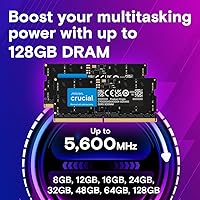
  • Total Capacity: The kit provides 24GB of total memory split across two matched 12GB DDR5 SODIMM modules.
  • Memory Type: Uses DDR5 SDRAM technology, which is a newer standard offering improved bandwidth and lower voltage compared to DDR4.
  • Speed Rating: Rated at 5600MHz (PC5-44800), with automatic downclocking support for systems running at 5200MHz or 4800MHz.
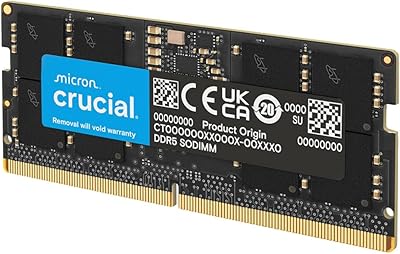
  • Form Factor: SODIMM (Small Outline Dual In-line Memory Module), the compact format designed exclusively for laptop and small-form-factor systems.
  • Pin Count: Each module uses a 262-pin connector, the standard interface for DDR5 SODIMM slots.
  • Operating Voltage: Runs at 1.1V, which is lower than the typical 1.2V of DDR4 modules and contributes to reduced heat and slightly better power efficiency.
  • ECC Support: Non-ECC (no error-correcting code), which is standard for consumer and prosumer laptop memory and appropriate for all non-server workloads.
  • Rank Configuration: Configured as 1Rx16, meaning each module is single-rank with 16 chips per row, typical for high-density DDR5 SODIMM modules.
  • Module Dimensions: Each module measures 2.74 x 0.15 x 1.18 inches, fitting cleanly into standard SODIMM bays without clearance issues.
  • Module Weight: The combined kit weighs approximately 0.332 ounces, making it negligible in terms of impact on overall laptop weight.
  • Compatible CPUs: Validated for use with Intel Core 13th Gen and newer, as well as AMD Ryzen 6000 series and newer processors with DDR5 memory controllers.
  • Channel Mode: Installing both modules together enables dual-channel memory mode, providing greater bandwidth than a single-stick configuration.
  • Model Number: The official Crucial model identifier for this kit is CT2K12G56C46S5.
  • Manufacturer: Produced by Crucial, the consumer memory division of Micron Technology, one of the largest DRAM manufacturers in the world.
  • Device Compatibility: Designed exclusively for laptops with accessible DDR5 SODIMM slots; not compatible with desktop systems or DDR4-equipped laptops.
  • Availability Date: This kit became publicly available in February 2024, coinciding with broader mainstream adoption of DDR5 laptop platforms.

Related Reviews

Crucial 96GB DDR5 5600MHz SODIMM Laptop RAM
82%
91%
Performance & Speed
93%
Workload Capacity
61%
Platform Compatibility
88%
Installation Ease
69%
Value for Money
More
Crucial 48GB DDR5 5600MHz SODIMM Laptop Memory
88%
92%
Performance in Gaming
89%
Speed for Multitasking
87%
Ease of Installation
94%
Compatibility with Intel and AMD CPUs
90%
Reliability Over Time
More
Crucial 128GB DDR5 5600MHz Laptop Memory Kit
87%
91%
Performance Boost
88%
Compatibility with Intel & AMD
84%
Ease of Installation
90%
Gaming Performance
86%
Multitasking Efficiency
More
Crucial 32GB DDR5-5600MHz SODIMM Kit (CT2K16G56C46S5)
90%
94%
Multitasking Performance
97%
Ease of Installation
92%
Value for Money
89%
Compatibility
86%
Gaming Stability
More
Crucial 16GB DDR5 5600MHz SODIMM Laptop RAM
81%
93%
Installation Experience
81%
Speed & Real-World Performance
77%
Platform Compatibility
94%
Build & Component Quality
58%
Dual-Channel Value
More
Crucial Pro 128GB DDR5-5600 Kit (2x64GB)
85%
93%
Installation Experience
91%
Stability & Reliability
89%
Performance in Productivity Workloads
74%
Gaming Performance
92%
XMP & EXPO Profile Support
More
Crucial 64GB DDR5 5600MHz SODIMM Laptop Memory Kit (CT2K32G56C46S5)
89%
94%
System Responsiveness
97%
Multitasking Capacity
91%
Installation Ease
86%
Thermal Management
78%
Value for Money
More
Crucial 8GB DDR5 4800MHz SODIMM Laptop RAM
89%
91%
Performance Boost
88%
Installation Ease
94%
Compatibility with Intel 12th Gen & AMD Ryzen 7000
85%
Power Efficiency
90%
Multitasking Support
More
Crucial 64GB DDR5 5600MHz Desktop RAM
79%
93%
Reliability & Stability
81%
Compatibility
84%
Performance at Rated Speed
91%
Installation Experience
67%
Value for Money
More
Crucial 8GB DDR3 1066MHz SODIMM RAM Kit
79%
93%
Installation Ease
91%
Long-term Reliability
88%
Value for Money
84%
Mac Compatibility
67%
Performance Impact
More

FAQ

The safest approach is to check your laptop's official spec sheet from the manufacturer's website and look for the memory type listed under technical specifications. You can also use Crucial's free online compatibility checker at crucial.com, where you enter your laptop model and it tells you exactly which memory type and maximum capacity your system supports. Do not assume based on purchase year alone — DDR4 laptops were still being sold well into 2023 and beyond.

Yes, it will. These modules are rated at 5600MHz but will automatically step down to whatever speed your system's memory controller supports — 5200MHz or 4800MHz — without any manual configuration. You will not get the full 5600MHz unless your platform specifically supports it, but the kit runs stably at lower speeds without issue.

The 2x12GB configuration exists because DDR5 chips are manufactured in 16Gb densities, and two of those per module gives you 12GB per stick. It is not an arbitrary marketing choice — it is a natural result of DDR5 chip architecture. For most users, 24GB hits a genuine sweet spot: it is meaningfully more than 16GB for multitasking, and cheaper than stepping up to a full 32GB kit.

In most cases, no. The Crucial 24GB DDR5 5600MHz SODIMM Laptop Memory Kit is designed to be recognized automatically on first boot. A small number of laptops may show a brief memory training screen on the initial restart, which is normal DDR5 behavior and completes on its own. You should not need to make any manual changes unless your laptop has a specific XMP or EXPO profile you want to enable.

Technically possible in some systems, but not recommended. Mixing modules of different capacities or manufacturers can prevent the system from running in dual-channel mode, which reduces memory bandwidth. For best results — and to get the most out of your upgrade — use both sticks from this kit together as intended.

Yes, provided the gaming laptop uses a DDR5 SODIMM memory configuration and falls within the compatible CPU generations — Intel 13th Gen and newer, or AMD Ryzen 6000 and newer. Many modern gaming laptops in this range do support user-accessible memory upgrades, though some higher-end models solder their RAM. Always verify your specific model before purchasing.

This depends entirely on your laptop manufacturer's policy. Many brands, including Lenovo, HP, and Dell, explicitly support user memory upgrades without voiding the warranty. However, some manufacturers — especially Apple and certain ultrabook lines — do not allow it at all. Check your warranty documentation or contact your manufacturer directly before opening the machine.

For most upgradeable laptops, it is a straightforward process: remove the bottom panel, locate the SODIMM slots, remove any existing modules, and insert the new ones at a slight angle until they click into place. A Phillips screwdriver is typically all you need. If you are not comfortable doing it yourself, any local computer repair shop can handle it quickly and inexpensively.

That depends heavily on what you are currently running and how much memory you had before. If you are moving from 8GB, the difference in everyday multitasking is dramatic — applications stop competing for resources and the system stops leaning on virtual memory. Moving from 16GB is more nuanced; you will notice improvements in heavier workflows like video editing, running multiple browser sessions, or using virtual machines, but lighter users may see less obvious gains.

Crucial backs its consumer memory products with a limited lifetime warranty covering manufacturing defects under normal use conditions. It does not cover damage from improper installation, static discharge, or physical mishandling. If a module fails within normal operating conditions, Crucial's support process for warranty replacements is generally well-regarded among buyers.

Where to Buy