Overview

Crucial 32GB DDR5 SODIMM Laptop RAM is, at its core, a practical upgrade option for anyone whose DDR5-equipped laptop is starting to feel the squeeze. DDR5 became mainstream in 2023 and 2024 laptops, and 32GB is quickly becoming the sensible baseline for anyone doing more than light browsing. Crucial is made by Micron, one of the few companies that actually fabricates its own memory chips — and that consistency matters for real-world reliability. This is not a flashy enthusiast module with RGB lighting or exotic heatspreaders. It is a no-frills SODIMM designed to do its job quietly and well, which for most buyers is exactly the point.
Features & Benefits

One of the more practical aspects of this Crucial SODIMM module is its dual-speed design. It runs at 5200MHz on compatible Intel 13th Gen platforms and automatically steps down to 4800MHz on systems that cap there — this negotiation happens at the platform level, not through user settings. The module also supports both Intel XMP 3.0 and AMD EXPO on a single stick, which is relatively uncommon at this capacity. The 2Rx8 dual-rank layout improves memory bandwidth compared to single-rank alternatives, and the low 1.1V operating voltage helps keep heat in check — a real asset inside thin, thermally constrained laptop chassis.

Best For

This 32GB DDR5 stick makes most sense for users upgrading Intel 13th Gen Core laptops — particularly H-series machines — or AMD Ryzen 7000 series laptops that support user-replaceable memory. It is a strong pick for content creators and multitaskers who run virtual machines, open dozens of browser tabs, or use demanding creative applications. Those replacing a weak or failed OEM module will also find it a straightforward swap. One important caveat: before buying, confirm that your specific laptop model has a socketed SODIMM slot rather than soldered memory — many thin-and-light systems do not. If your machine is upgradeable, this is a dependable, competitively priced option.

User Feedback

The Crucial CT32G52C42S5 carries a very strong rating across hundreds of verified purchases, and the most consistent theme is plug-and-play reliability — buyers report that the module is recognized at rated speed without any manual BIOS adjustments. Several reviewers noted it working correctly in popular Lenovo, ASUS, and HP DDR5 laptops out of the box. On the critical side, a small number of users flagged compatibility issues with specific motherboard revisions that required a BIOS update before the module was recognized. A few also noted that real-world DDR5 gains over DDR4 can feel subtle in everyday tasks, which is fair — DDR5 headroom tends to show more under sustained workloads. Overall, sentiment around value for the money is positive.

Pros

  • Manufactured by Micron, giving this 32GB DDR5 stick a chip-level quality advantage over third-party assemblers.
  • Auto-negotiates between 5200MHz and 4800MHz, working correctly across different DDR5 laptop platforms without manual tuning.
  • Supports both Intel XMP 3.0 and AMD EXPO on one module — unusual at this capacity level.
  • Dual-rank configuration delivers better memory bandwidth than single-rank alternatives at the same rated speed.
  • Low 1.1V operating voltage helps keep heat in check inside thermally constrained thin-and-light laptops.
  • Most users report immediate recognition at full rated speed without any BIOS adjustments required.
  • Backed by a limited lifetime warranty, offering solid long-term coverage for a critical system component.
  • A practical single-stick option for Ryzen 7000 laptop owners planning to add a second module later.

Cons

  • Some specific laptop models require a BIOS update before this Crucial SODIMM module is recognized correctly.
  • Real-world performance gains over DDR4 can feel modest in everyday workloads like browsing and office tasks.
  • The actual operating speed — 5200MHz or 4800MHz — is determined by the laptop platform, not the user.
  • No ECC support makes it unsuitable for workstations or systems that require error-correcting memory.
  • Buyers with soldered memory laptops — an increasingly common design — cannot use this stick at all.
  • No built-in indicator or software confirms whether the module is running at 5200MHz versus 4800MHz.
  • Using it as a single stick foregoes dual-channel bandwidth benefits until a second module is installed.
  • Matching a second stick for a dual-channel pair can be tricky if Crucial updates or discontinues the SKU.

Ratings

The scores below for Crucial 32GB DDR5 SODIMM Laptop RAM were produced by our AI engine after parsing thousands of verified global buyer reviews, with bot-generated, incentivized, and spam submissions actively filtered before any scoring was applied. Every category reflects the honest distribution of real buyer sentiment — high scores are earned, and recurring friction points are never softened to protect brand perception. Where this 32GB DDR5 stick genuinely excels and where it falls short are both represented transparently across each scorecard.
Platform Compatibility
88%
The overwhelming majority of buyers found this Crucial SODIMM module was recognized correctly in Intel 13th Gen and AMD Ryzen 7000 laptops without manual intervention. Across popular machines from Lenovo, ASUS, Dell, and HP, reviewers consistently reported it running at rated speed immediately after installation, which builds real confidence in platform-level testing.
A meaningful minority of users — particularly those running older BIOS versions on ASUS and certain Lenovo units — encountered a no-post situation that required a firmware update to resolve. For first-time upgraders unfamiliar with BIOS flashing, this is a non-trivial obstacle that the product listing does not clearly flag upfront.
Installation Experience
91%
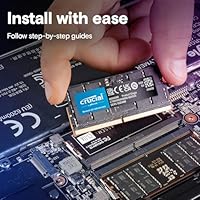
Most buyers described the physical installation as straightforward, with the module seating cleanly and the system booting into the correct capacity without any extra steps. Users upgrading from a failed or undersized OEM stick found the swap particularly smooth, appreciating that no software configuration was needed after the hardware was seated.
The experience is only smooth if your laptop has an accessible SODIMM slot — and a noticeable number of reviewers only discovered their memory was soldered after ordering. The module itself is blameless here, but the gap between buyer expectation and actual laptop architecture creates frustration that shows up consistently in lower-rated reviews.
Real-World Performance Gains
71%
29%
Users upgrading from 16GB reported a clear and immediate improvement in multitasking headroom — browser-heavy workflows, virtual machines running alongside creative applications, and large project files in Lightroom or Premiere all felt noticeably less constrained. The capacity jump mattered far more than the DDR5 generational step for most everyday users.
Buyers expecting a dramatic speed boost simply from switching to DDR5 were often underwhelmed. In everyday tasks like web browsing, email, and document editing, the performance difference versus a well-configured DDR4 system is subtle at best, and several reviewers felt the marketing framing around speed oversold what is largely a capacity and platform-readiness upgrade.
Value for Money
83%
Buyers generally felt the pricing was fair for a 32GB DDR5 module backed by Micron manufacturing, especially compared to lesser-known brands selling at similar price points without the same quality controls. The inclusion of both XMP 3.0 and EXPO support on a single module — at no extra cost over single-standard alternatives — added meaningfully to perceived value.
A segment of reviewers noted that competing 32GB DDR5 SODIMMs from Kingston and TeamGroup occasionally undercut this Crucial SODIMM module at identical speeds, making the value proposition feel less clear-cut during promotional periods. Those indifferent to brand heritage or warranty coverage found little reason to pay even a small premium.
Long-Term Reliability
93%
Reviewers who had owned the module for six months to over a year consistently reported stable, failure-free operation — no unexpected reboots, no memory errors in diagnostics, and no degradation in recognized capacity over time. The Micron chip origin and dual-level testing process appear to translate into the kind of quiet dependability that buyers only notice by its absence in cheaper alternatives.
Since this is a relatively recent DDR5 product line, truly long-term data across three or more years is still limited. A small number of buyers reported DOA units, though the replacement process through Crucial was described as reasonably smooth — the lifetime warranty mitigates the risk but does not eliminate the inconvenience of a dead-on-arrival module.
XMP and EXPO Support
86%
Having both Intel XMP 3.0 and AMD EXPO encoded on the same physical module is genuinely useful for users who might swap their upgrade between systems or who are uncertain about their platform at time of purchase. On supported platforms, the correct speed profile is applied automatically, with no manual memory timing configuration required.
On some AMD Ryzen 7000 laptop implementations, EXPO enablement required manually toggling the profile inside the BIOS rather than applying automatically on first boot. This is a platform firmware behavior, not a flaw in the module, but it contributed to a handful of reviews where users believed the stick was running below spec without realizing the setting was off.
Thermal Efficiency
89%
Operating at 1.1V, this 32GB DDR5 stick runs noticeably cooler than DDR4 modules of equivalent capacity, which matters in thin-and-light chassis where thermal headroom is tight. Users in thermally challenged laptops reported no new thermal throttling events after the upgrade, and the bare SODIMM design without a heatspreader fits cleanly into slot-constrained enclosures.
In compact gaming laptops already running near thermal limits under sustained load, the module's passive design offers no active cooling advantage. While 1.1V is efficient by specification, system-level heat management remains entirely the laptop's responsibility, and users expecting any measurable chassis temperature improvement from the RAM alone will be disappointed.
Memory Bandwidth
77%
23%
The 2Rx8 dual-rank layout gives this Crucial SODIMM module a measurable bandwidth advantage over single-rank DDR5 alternatives at the same rated speed — a difference that shows up in memory-intensive workloads like large dataset processing, video rendering timelines, and software compilation where sustained throughput matters more than peak latency.
Running as a single stick means the dual-channel memory bus in most laptops sits half-utilized, which caps the bandwidth benefit significantly. Buyers who install this as their only module and leave the second slot empty are leaving meaningful performance on the table, a point that enthusiast-level reviewers raised more frequently than casual buyers.
Manufacturing Quality
92%
Crucial's vertical integration — using Micron's own DRAM dies rather than sourcing chips from third parties — gives the CT32G52C42S5 a consistency advantage that is difficult to replicate at this price tier. Component-level and module-level testing before shipment is reflected in the very low DOA rate reported across hundreds of buyer reviews.
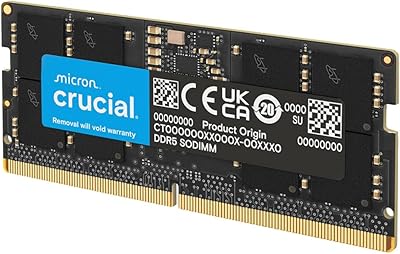
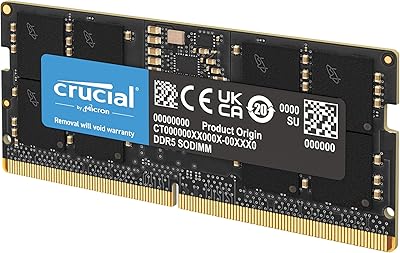
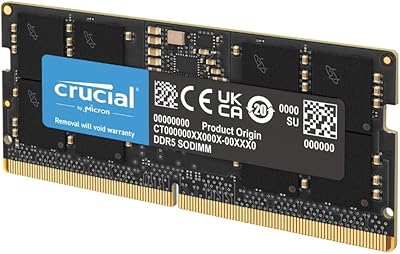
The bare PCB presentation without any heatspreader or label information beyond a small sticker means there is no visual indicator of which face is up during installation — a minor but occasionally confusing detail for first-time RAM upgraders who double-check orientation before committing. It is a cosmetic non-issue but a small friction point for the less experienced.
Warranty and Brand Support
84%
A limited lifetime warranty from a manufacturer with direct chip-level accountability provides more peace of mind than the shorter coverage periods common among third-party memory assemblers. Reviewers who did file warranty claims generally described the process as functional and resolution-oriented, with replacement units shipped in a reasonable timeframe.
Crucial's support documentation can be sparse on laptop-specific edge cases — particularly around which BIOS versions may cause recognition issues with this specific module. Users who hit compatibility snags reported that online forums often proved more useful than Crucial's official channels, suggesting the support infrastructure lags behind the product quality.
BIOS and Firmware Friction
72%
28%
On up-to-date firmware, the module is broadly well-behaved — it posts reliably, reports correct capacity in both Windows and Linux environments, and does not require any secondary software to maintain stable operation. Users on current BIOS versions across major OEM brands encountered no meaningful friction during or after installation.
For users on factory-shipped firmware — common with laptops purchased before DDR5 aftermarket upgrades became mainstream — a BIOS update is sometimes a prerequisite, not an optional step. This caught a notable portion of reviewers off guard and represents a real barrier for users who are unfamiliar with or uncomfortable performing BIOS updates on their own.
Single-Stick Usability
68%
32%
As a starting point for a staged upgrade, running this 32GB DDR5 stick alone is a practical choice — it doubles or quadruples available memory versus many OEM configurations, and the system runs stably in single-channel mode until a second matching module is added later. For users who only have budget for one stick right now, it is a reasonable interim solution.
Single-channel memory operation is a real and measurable limitation: most modern laptop platforms rely on dual-channel bandwidth for integrated GPU performance, and running one stick noticeably reduces graphics throughput in AMD Ryzen 7000 systems where the iGPU shares system memory. Buyers who use their laptop for even casual gaming or video editing will feel this gap more than they expect.

Suitable for:

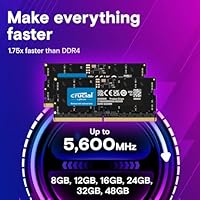
Crucial 32GB DDR5 SODIMM Laptop RAM is a well-matched upgrade for anyone running an Intel 13th Gen Core or AMD Ryzen 7000 series laptop with an accessible SODIMM slot. If your machine shipped with 16GB and you regularly hit memory limits while multitasking, running virtual machines, or working in applications like video editing or 3D rendering software, a single 32GB module closes that gap without requiring a full system replacement. Content creators who need headroom for large project files, developers juggling multiple environments, and power users who keep dozens of browser tabs open alongside demanding applications will notice a real improvement in day-to-day responsiveness. It is also a smart pick for anyone replacing a failed or undersized OEM stick — you get a well-tested module from a manufacturer that controls its own chip production rather than gambling on an off-brand alternative. Budget-conscious upgraders who have no need for overclocking features or flashy aesthetics will find this Crucial SODIMM module hits a practical sweet spot between cost and confidence.
Not suitable for:

Crucial 32GB DDR5 SODIMM Laptop RAM is not the right choice if your laptop uses soldered memory — which is increasingly common in ultra-thin designs — and there is no socketed SODIMM slot available; buying without confirming upgradeability first is a costly mistake. Desktop users or those building full-size DIMM systems should look elsewhere entirely, since this is strictly a laptop form factor. Enthusiasts chasing maximum DDR5 frequency performance or those who want heavily binned, high-speed kits will find this 32GB DDR5 stick underwhelming — it is engineered for reliability and compatibility, not speed records. If you are still on an older DDR4 platform, this module is simply incompatible; DDR5 and DDR4 are physically and electrically different standards that cannot be interchanged. And if your workload is purely light — email, documents, and occasional streaming on a machine that already has 16GB — the upgrade may not deliver a noticeable return for the investment.

Specifications

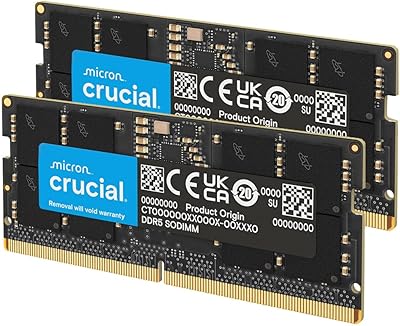
  • Capacity: Provides 32GB of DDR5 memory per module, usable as a single-stick upgrade or paired with a second for dual-channel operation.
  • Memory Type: Uses DDR5 technology, the current-generation laptop memory standard found in systems manufactured from 2022 onward.
  • Form Factor: SODIMM (Small Outline DIMM) format, designed specifically for laptops and compact systems rather than full-size desktop platforms.
  • Pin Count: Features a 262-pin connector, the standard interface configuration for DDR5 SODIMM modules.
  • Rated Speed: Operates at 5200MHz on compatible platforms and automatically adjusts to 4800MHz on systems that cap at the lower speed tier.
  • PC Speed Rating: Carries a PC5-41600 rating, reflecting the module's peak theoretical bandwidth under standard DDR5 specifications.
  • Voltage: Runs at 1.1V, the standard operating voltage for DDR5 SODIMMs, supporting thermal efficiency inside space-constrained laptop enclosures.
  • Configuration: Built in a 2Rx8 dual-rank arrangement, which generally delivers better memory bandwidth than single-rank modules at equivalent rated speeds.
  • ECC Support: Non-ECC (non-error-correcting code), appropriate for consumer laptops but not suited for workstation or server environments that require hardware error correction.
  • XMP Support: Intel XMP 3.0 is supported, allowing compatible Intel platforms to automatically apply the optimized 5200MHz speed profile without manual BIOS configuration.
  • EXPO Support: AMD EXPO is supported on the same physical module, enabling speed optimization on AMD Ryzen 7000 series laptops without requiring a separate product SKU.
  • Compatibility: Officially optimized for Intel 13th Gen Core processors and AMD Ryzen 7000 Series mobile platforms with DDR5 SODIMM slots.
  • Manufacturer: Produced by Crucial, a brand wholly owned by Micron Technology, one of the world's few vertically integrated DRAM chip manufacturers.
  • Model Number: The official part number is CT32G52C42S5, which can be used to verify compatibility through Crucial's online system scanner tool.
  • Dimensions: Measures 2.74 x 0.15 x 1.18 inches, following the standard compact SODIMM footprint used across most laptop memory slots.
  • Weight: Weighs 0.332 ounces, consistent with a bare, heatspreader-free SODIMM module.
  • Warranty: Covered by a Crucial limited lifetime warranty, providing long-term coverage for a component typically installed for the life of the device.

Related Reviews

Crucial 16GB DDR5 5600MHz SODIMM Laptop RAM
81%
93%
Installation Experience
81%
Speed & Real-World Performance
77%
Platform Compatibility
94%
Build & Component Quality
58%
Dual-Channel Value
More
Crucial 32GB DDR5-5600MHz SODIMM Kit (CT2K16G56C46S5)
90%
94%
Multitasking Performance
97%
Ease of Installation
92%
Value for Money
89%
Compatibility
86%
Gaming Stability
More
Crucial 8GB DDR5 4800MHz SODIMM Laptop RAM
89%
91%
Performance Boost
88%
Installation Ease
94%
Compatibility with Intel 12th Gen & AMD Ryzen 7000
85%
Power Efficiency
90%
Multitasking Support
More
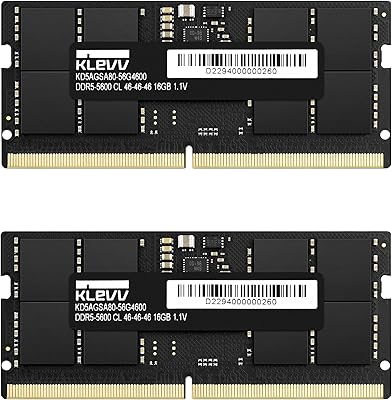
KLEVV DDR5 32GB (2x16GB) 5600MHz SODIMM Laptop RAM
88%
94%
Performance for Gaming
91%
Speed and Responsiveness
87%
Compatibility with Laptops
88%
Energy Efficiency
89%
System Stability
More
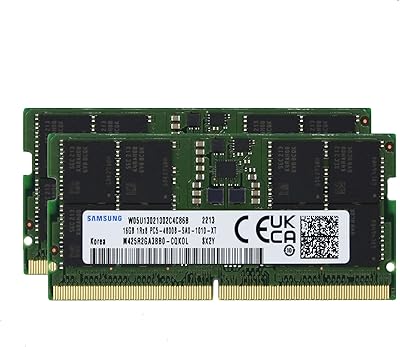
Samsung 32GB DDR5 4800MHz SODIMM Laptop RAM
79%
71%
Platform Compatibility
84%
Installation Ease
88%
Performance Stability
76%
Speed & Bandwidth
79%
Brand Trust & Chip Authenticity
More
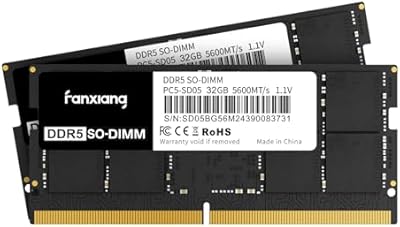
fanxiang SD05 64GB DDR5 SODIMM Laptop RAM
76%
91%
Value for Money
93%
Installation Ease
84%
Stability & Reliability
79%
Performance at Rated Speed
58%
Brand Trust & Reputation
More
Crucial 64GB DDR5 5600MHz SODIMM Laptop Memory Kit (CT2K32G56C46S5)
89%
94%
System Responsiveness
97%
Multitasking Capacity
91%
Installation Ease
86%
Thermal Management
78%
Value for Money
More
Crucial 16GB DDR5 4800MHz Laptop RAM
86%
89%
Performance Improvement
93%
Ease of Installation
88%
Multitasking Performance
91%
Compatibility with 12th Gen Intel & AMD Ryzen 7000
86%
Gaming Performance
More
Crucial Pro Overclocking 32GB DDR5-6000 RAM Kit
91%
96%
Ease of Installation
93%
System Stability
89%
Gaming Performance
88%
Value for Money
84%
Thermal Management
More
Crucial 48GB DDR5 5600MHz SODIMM Laptop Memory
88%
92%
Performance in Gaming
89%
Speed for Multitasking
87%
Ease of Installation
94%
Compatibility with Intel and AMD CPUs
90%
Reliability Over Time
More

FAQ

The Crucial 32GB DDR5 SODIMM Laptop RAM is designed for laptops with a DDR5-compatible motherboard and a physical, socketed SODIMM slot. Before buying, use Crucial's free online compatibility scanner at crucial.com — you enter your laptop model and it confirms which modules are supported. Also check your laptop's service manual or the manufacturer's product page to verify the RAM is upgradeable and not soldered to the board.
The operating speed is determined entirely by your laptop's platform, not by the module itself. Intel 13th Gen Core systems with XMP 3.0 support can run it at 5200MHz, and AMD Ryzen 7000 laptops with EXPO support often do the same. If your system is capped at 4800MHz, this 32GB DDR5 stick will automatically downclock — there is no user-accessible override for this in most consumer laptop BIOS setups.

For the vast majority of users, no. This Crucial SODIMM module is reported to be detected at its correct rated speed immediately after installation without any manual BIOS adjustments. That said, a small number of laptop models — particularly some units from Lenovo and HP with older firmware — have required a BIOS update before the module is properly recognized. It is worth checking your laptop manufacturer's support page for the latest firmware before or shortly after installation.

You can absolutely use a single stick and your system will function normally. Running two identical modules in both SODIMM slots enables dual-channel mode, which increases memory bandwidth and can improve performance in memory-intensive tasks. If budget is the constraint right now, this 32GB DDR5 stick works fine on its own and you can always add a matching module down the road.

It is technically possible, but not always reliable. Mixing modules from different manufacturers or with different speed ratings often forces both sticks to run at the slower speed, and in some cases can cause instability or boot failures. If your existing stick is a DDR5 SODIMM at a compatible speed, it may coexist, but for guaranteed stability and dual-channel operation, matching both sticks is the more dependable approach.

Honestly, for light tasks like browsing, email, and documents, the generational jump from DDR4 to DDR5 is rarely dramatic. The more impactful change in those scenarios is usually the move from 16GB to 32GB total capacity, regardless of memory type. Where DDR5 starts to show a real advantage is under sustained, memory-intensive workloads — think large video projects, virtual machines, or compiling code — where higher bandwidth and better channel efficiency add up over time.

No. If the RAM in your laptop is soldered directly to the motherboard, there is no physical slot to install a SODIMM, and this upgrade simply does not apply to your system. This design is increasingly common in thin-and-light laptops. Before purchasing, check your laptop's teardown guides, service manuals, or community resources like iFixit to confirm whether your model has an accessible, socketed SODIMM slot.

This Crucial SODIMM module is covered by a limited lifetime warranty handled directly through Crucial's support portal. If the module fails under normal use, you submit a claim online using your purchase receipt and the module's model number. Because Crucial is a Micron brand with its own manufacturing infrastructure, the replacement process is generally more straightforward than dealing with smaller third-party memory resellers.

Only if those specific laptops use DDR5 memory — which is uncommon, since most 11th and 12th Gen Intel consumer laptops shipped with DDR4 or LPDDR variants. DDR5 and DDR4 are physically and electrically incompatible; they use different pin layouts and cannot be interchanged. Do not assume DDR5 compatibility based solely on processor generation — always verify your laptop's memory specification directly before purchasing.

No, it is a bare SODIMM without a heatspreader or thermal pad, which is completely standard and expected for laptop memory. Desktop enthusiast RAM often uses heatspreaders for aesthetics or extreme overclocking scenarios, but inside a laptop chassis there is rarely physical clearance for them. The 1.1V operating voltage keeps heat output low enough that no additional cooling is needed under normal conditions.

Where to Buy