Overview

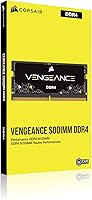
The Corsair Vengeance 16GB DDR4 2400MHz SODIMM Memory has been one of the most consistent laptop RAM upgrades available since its 2015 release — and that staying power says something. Running two 8GB sticks in dual-channel configuration rather than a single 16GB module genuinely improves memory bandwidth, which translates to snappier multitasking in everyday use. It is strictly a laptop-specific kit, so desktop builders should look elsewhere. What makes it worth considering is the combination of a trusted brand name, a massive base of real-world buyers, and a spec that still covers a wide range of mid-range and older Intel notebooks comfortably.
Features & Benefits

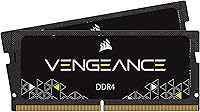
At 2400MHz with CL16 timings, this laptop memory upgrade hits a practical sweet spot for day-to-day tasks — fast enough for smooth multitasking without demanding a premium price. The kit supports Intel XMP profiles, meaning compatible notebooks can apply a modest auto-overclock without you touching any BIOS settings. That is a convenient perk, but do not expect a dramatic speed jump from it. Running at just 1.2 volts, the modules stay cool inside tight laptop chassis where heat builds quickly. No heatspreader is included, and that is by design — bare SODIMM sticks are what actually fit the confined slots found in most ultrabooks and notebooks.

Best For

This Corsair SODIMM kit is a practical choice for anyone running a 6th Gen Intel Core i5 or i7 laptop that feels sluggish on 8GB or less. Students juggling browser tabs alongside Office apps, or professionals who dabble in light photo editing, will notice a real difference day to day. It also suits DIY upgraders who want a no-fuss swap — install it, boot up, done. If you are replacing a failed single stick and want to unlock dual-channel bandwidth at the same time, this kit handles that transition cleanly. It is not the right pick for AMD-based systems or laptops with soldered, non-upgradeable memory.

User Feedback

With a 4.8-star average drawn from over 20,000 ratings, the Vengeance DDR4 kit has an unusually strong track record for a memory module. Most buyers point to hassle-free installation and an immediate improvement in how their laptop handles multiple open applications. Long-term owners consistently report stable, reliable performance after months of daily use. That said, not every review is glowing. A portion of negative feedback comes from buyers who installed the kit in non-Intel systems or laptops with soldered memory — compatibility mismatches that a quick spec check would have avoided. A handful also reported kits that were not recognized on the first boot, though those cases appear to be a small minority.

Pros

  • Matched dual-channel kit delivers noticeably better memory bandwidth compared to a single-stick setup.
  • Installation is plug-and-play on compatible Intel laptops — no BIOS changes needed in most cases.
  • Corsair is a well-established memory brand with a long track record of consistent product quality.
  • The 1.2V operating voltage keeps thermals low inside compact laptop chassis with limited airflow.
  • Over 20,000 ratings with a 4.8-star average reflects a remarkably broad base of satisfied buyers.
  • No heatspreader means the sticks fit cleanly into tight SODIMM slots without clearance issues.
  • XMP profile support allows auto-overclocking on compatible systems without any manual configuration.
  • Long-term owners consistently report stable, reliable performance across months of daily use.
  • Priced in the mainstream tier, making it accessible without sacrificing brand reliability.

Cons

  • Compatibility is narrowly optimized for 6th Gen Intel platforms, leaving AMD and older laptop users at risk.
  • 2400MHz is on the slower end by current standards and may feel limiting on workloads that scale with memory speed.
  • Laptops with soldered RAM cannot use this kit at all, and that information is not always easy to verify before buying.
  • The XMP auto-overclocking feature only activates on supported motherboards and provides a modest, barely noticeable speed bump.
  • No warranty or compatibility verification tool is bundled, so buyers must do their own homework before purchasing.
  • A small but recurring number of buyers report kits not being detected correctly on the first boot, requiring reseating.
  • The kit does not include any installation guide or tools, which may leave less experienced upgraders without direction.
  • Users upgrading non-6th-Gen Intel systems have reported unpredictable behavior, from instability to outright incompatibility.

Ratings

Our AI scoring model for the Corsair Vengeance 16GB DDR4 2400MHz SODIMM Memory was built by analyzing tens of thousands of verified global buyer reviews, with spam, bots, and incentivized feedback actively filtered out before any score was calculated. The ratings reflect real ownership patterns — where this laptop memory upgrade earns its strong reputation, and where it genuinely falls short. Both sides of the picture are represented honestly.
Compatibility
74%
26%
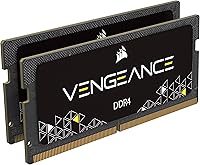
On 6th Gen Intel Skylake laptops, most buyers report the kit is recognized without any issues at first boot — no drivers, no special setup required. Users upgrading Dell XPS, Lenovo ThinkPad, and HP Spectre models on that Intel platform consistently report clean, trouble-free detection out of the box.
The compatibility window is narrow. Buyers running AMD Ryzen systems, pre-Skylake Intel machines, or laptops with non-standard memory configurations have encountered instability or outright recognition failure, making it essential to verify your exact laptop model before placing an order.
Installation Experience
93%
The physical installation process is straightforward enough that buyers with no prior hardware experience report completing it in under 15 minutes. Modules seat firmly, retention clips click clearly, and the system boots correctly on the first try in the vast majority of reported cases.
A small but recurring group of users report one stick not being detected after installation, requiring removal and reseating before the system recognized the full 16GB. There is no printed installation guide in the box, leaving first-timers relying entirely on online tutorials for guidance.
Performance Gain
88%
Upgrading from a single 8GB stick to this matched dual-channel kit produces a clearly noticeable improvement in day-to-day laptop responsiveness. Users switching between multiple apps, holding video calls while running spreadsheets, or using light editing software report their laptop handles workloads it previously struggled to manage.
Buyers expecting a dramatic speed increase on tasks like video rendering or large file compression are sometimes disappointed. The gains are most visible in multitasking scenarios rather than raw processing speed, and users with very light workflows may find the improvement more subtle than expected.
Value for Money
86%
For a mid-range price point, buyers consistently rate this Corsair SODIMM kit as a high-return investment compared to other laptop upgrades. Getting a branded, matched dual-channel pair with a lifetime warranty at this price is genuinely difficult to beat for users who want a trustworthy name behind the product.
A handful of buyers feel the price has crept up over time and that similar-spec kits from competing brands can now be found for less. Those who only need a single 8GB stick find the kit pricing less compelling since they cannot immediately put the second module to use.
Long-Term Stability
91%
Long-term ownership reviews are a clear standout for the Vengeance DDR4 kit. Buyers who have used their modules daily for one to three years consistently report no degradation in performance, no memory errors, and no unexpected crashes attributable to the RAM itself.
A small percentage of users report modules developing issues after extended use, though it is difficult to separate RAM failure from broader system problems in those cases. The lack of onboard error-correcting code means rare, random memory errors can go undetected until they eventually cause system instability.
Thermal Efficiency
89%
Running at 1.2V, these modules generate noticeably less heat than older DDR3 equivalents, which is a genuine practical benefit inside a laptop where airflow is limited. Users running demanding tasks for extended periods report their machine stays cooler than it did with higher-voltage modules previously installed.
A small number of users in very thermally constrained ultrabooks — particularly those with fanless or passive-cooling designs — report that even the modest heat from extended RAM usage contributes to occasional thermal throttling. This is more a laptop design limitation than a RAM flaw, but worth knowing.
Dual-Channel Benefit
84%
Running two 8GB sticks in matched dual-channel slots meaningfully improves memory bandwidth over a single 16GB module, and users switching from a single-stick setup tend to notice the difference. Multitasking-heavy workflows — keeping a virtual machine running alongside a browser and communication apps — respond particularly well.
The real-world benefit of dual-channel varies depending on the workload. Users who primarily run one application at a time are unlikely to notice a material difference, and some buyers feel the dual-channel advantage was oversold relative to their specific, lighter usage patterns.
Brand Reputation
94%
Corsair's decades of experience in memory manufacturing translate directly into buyer confidence. Across a massive and diverse review base, very few users express doubts about product authenticity or build quality, and the brand's responsiveness to warranty claims is regularly cited as a standout positive in owner feedback.
Brand reputation alone does not shield buyers from compatibility issues or occasional defective units. A small number of reviewers report frustrating warranty claim experiences when defects are difficult to reproduce consistently, and a few question whether the Corsair premium is truly justified given cheaper competing options.
Auto-Overclocking
63%
37%
For users on compatible Intel laptops, XMP profile support removes any need to manually configure memory speeds in the BIOS. This is a genuine convenience for buyers who would never touch BIOS settings on their own, ensuring the kit runs at its rated 2400MHz rather than defaulting to a slower JEDEC speed.
The practical performance benefit of auto-overclocking at this frequency tier is minimal in daily use, and many buyers feel the feature was overhyped relative to what it actually delivers. On laptops without XMP support, the modules default to a lower speed, and users are often unaware this has happened.
Memory Speed
71%
29%
At 2400MHz, this laptop memory upgrade covers the practical sweet spot for 6th Gen Intel laptops, which gain little from faster speeds in most workloads. For everyday tasks — email, streaming, web browsing, and Office applications — the frequency is entirely adequate and rarely becomes the performance bottleneck.
By current standards, 2400MHz is a dated specification, and buyers upgrading newer platforms will likely find it limiting. Those who later move to a more modern laptop will probably need to replace this kit entirely, since 2400MHz provides diminishing relevance as current Intel and AMD platforms scale well with faster modules.
Physical Fit
87%
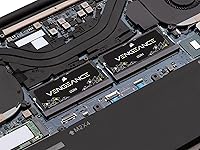
The standard 260-pin SODIMM form factor and compact dimensions mean these modules fit the vast majority of upgradeable laptops without any modification. Buyers upgrading everything from thin ultrabooks to chunkier business notebooks consistently report the sticks slot in cleanly and retention clips hold them securely without requiring force.
A small proportion of buyers discover only after purchase that their laptop uses a non-standard or soldered memory configuration that physically prevents installation. Better packaging callouts or a more prominent compatibility reminder from Corsair could prevent these avoidable returns and the frustration that comes with them.
Packaging & Documentation
68%
32%
The modules arrive in a protective blister pack that keeps them safe during shipping, and most buyers report receiving them in perfect physical condition. The minimal packaging is appropriate for a utilitarian memory upgrade that does not need to make a premium unboxing impression to justify its purchase.
There is no installation guide, compatibility checklist, or any printed resource included with the kit. For a product purchased by many first-time upgraders, the absence of even basic guidance is a recurring frustration, and the reliance on buyers independently finding online resources feels like a missed opportunity.

Suitable for:

The Corsair Vengeance 16GB DDR4 2400MHz SODIMM Memory is built for a clear and practical purpose: giving aging or mid-range Intel laptops a meaningful second life. If you own a 6th Gen Intel Core i5 or i7 notebook that struggles to keep up with a handful of browser tabs, a spreadsheet, and a video call running at the same time, swapping in this kit will genuinely change how the machine feels to use. Students who need their laptop to handle research, writing, and light multimedia work without constant slowdowns will find this upgrade well worth the effort. It also makes strong sense for anyone who currently has a single 8GB stick and wants to move to a matched dual-channel setup, which improves memory throughput beyond just doubling capacity. DIY-comfortable buyers who want a trusted brand name, a clean install experience, and no need to tinker with BIOS settings will feel right at home with this kit.
Not suitable for:

The Corsair Vengeance 16GB DDR4 2400MHz SODIMM Memory is not a universal laptop RAM solution, and being clear about that upfront will save a lot of frustration. If your laptop uses AMD Ryzen processors, has memory soldered directly to the motherboard, or predates Intel's 6th Gen Skylake platform, this kit may not work correctly or at all — compatibility is genuinely narrow here. Desktop builders should not even consider it; the 260-pin SODIMM form factor is physically incompatible with standard desktop DIMM slots. Enthusiasts chasing high-frequency RAM above 3000MHz for demanding workloads like video rendering or heavy virtualization will also find this Vengeance DDR4 kit underwhelming, as 2400MHz sits firmly in the mainstream tier. Finally, buyers expecting the XMP auto-overclocking feature to deliver a dramatic performance boost should temper their expectations — it is a convenience feature, not a meaningful speed upgrade on its own.
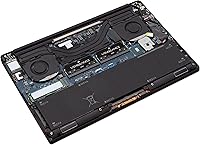
Specifications

  • Total Capacity: The kit provides 16GB of total memory across two matched 8GB modules for dual-channel operation.
  • Memory Type: Uses DDR4 SDRAM, the standard memory technology found in laptops released from 2015 onward.
  • Form Factor: Built in the 260-pin SODIMM format, designed exclusively for laptop and compact system memory slots.
  • Clock Speed: Rated at 2400MHz, a mainstream frequency well-suited for everyday productivity and multitasking workloads.
  • Latency Timings: Operates at CL16-16-16-39, representing the number of clock cycles the module takes to respond to a memory request.
  • Operating Voltage: Runs at 1.2V, keeping power draw and heat generation low inside thermally constrained laptop chassis.
  • Kit Configuration: Sold as a factory-matched 2x8GB pair, ensuring both sticks operate identically for reliable dual-channel performance.
  • Compatibility: Optimized for 6th Generation Intel Core i5 and i7 notebooks built on the Skylake platform.
  • Auto-Overclocking: Supports Intel XMP profiles, allowing compatible laptops to apply rated speeds automatically without requiring manual BIOS configuration.
  • Cooling Design: Ships without a heatspreader or active cooling, which is intentional for fitting into the tight confines of standard SODIMM slots.
  • Module Dimensions: Each stick measures 2.66 x 0.16 x 1.19 inches, conforming to the standard low-profile SODIMM physical specification.
  • Kit Weight: The complete two-module kit weighs approximately 0.564 ounces, adding negligible mass to any laptop.
  • Product Series: Part of Corsair's Vengeance lineup, a mainstream performance memory range targeting reliable everyday upgrades.
  • Model Number: The official model identifier is CMSX16GX4M2A2400C16, useful for verifying compatibility with your specific laptop model.
  • Manufacturer: Produced by Corsair, a company with over two decades of experience designing consumer and enthusiast memory products.

Related Reviews
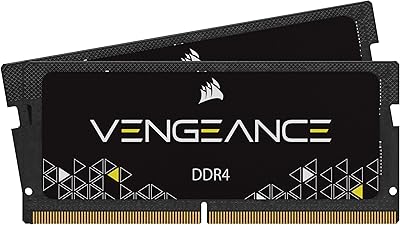
Corsair Vengeance 16GB DDR4 2933MHz Laptop RAM
81%
93%
Installation Ease
86%
Performance Uplift
71%
Compatibility Range
78%
Auto Speed Activation
91%
Stability & Reliability
More
Corsair Vengeance 32GB DDR4 SO-DIMM RAM
75%
71%
Compatibility Accuracy
89%
Installation Ease
86%
Multitasking Performance
78%
Value for Money
82%
Long-term Reliability
More
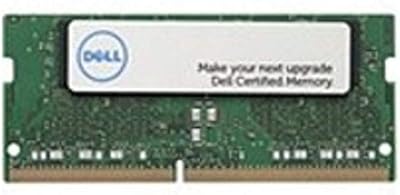
Dell 16GB DDR4-2400MHz SODIMM Memory Module
86%
88%
Performance Improvement
91%
Compatibility
85%
Ease of Installation
90%
Energy Efficiency
87%
Reliability
More
Corsair Vengeance 32GB DDR4 SO-DIMM Memory
82%
92%
Installation Ease
71%
Compatibility
84%
Performance Uplift
74%
Auto-Overclocking Reliability
91%
System Stability
More
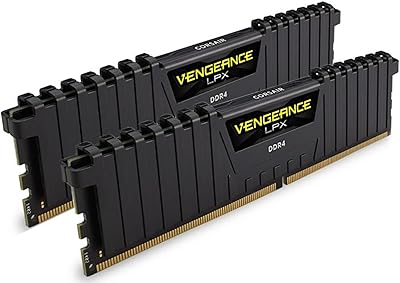
Corsair Vengeance LPX 32GB DDR4 Memory Kit
81%
93%
Installation Ease
91%
Physical Compatibility
86%
Platform Compatibility
94%
Reliability & Longevity
67%
Value for Money
More
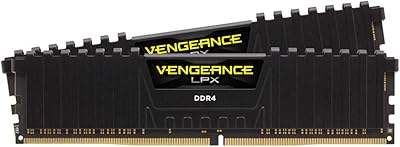
Corsair Vengeance LPX 16GB DDR4 Desktop RAM
81%
93%
Ease of Installation
88%
Compatibility
84%
Value for Money
67%
Memory Speed & Performance
89%
Build Quality
More
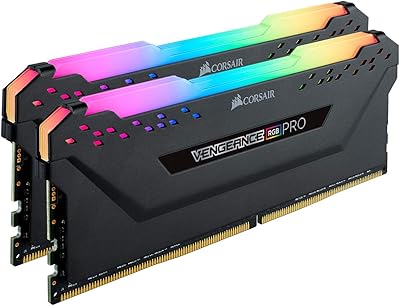
Corsair Vengeance RGB Pro 16GB DDR4 RAM
81%
88%
Memory Performance
71%
Compatibility
91%
RGB Lighting Quality
67%
iCUE Software Experience
93%
Installation Ease
More
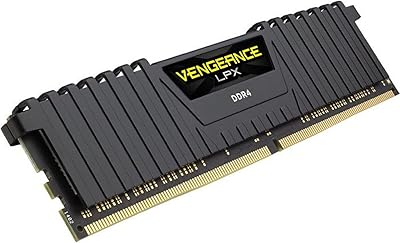
Corsair Vengeance LPX 16GB DDR4 4000MHz RAM
82%
88%
Performance
73%
Compatibility
76%
Value for Money
91%
Build Quality
87%
Overclocking Headroom
More
Corsair 16GB DDR4 2133MHz SODIMM CMSO16GX4M2A2133C15
90%
94%
Performance
91%
Compatibility with Intel Systems
88%
Ease of Installation
95%
Reliability & Stability
90%
Energy Efficiency
More
Corsair Vengeance LPX 8GB DDR4 RAM
80%
93%
Installation Experience
91%
Long-Term Reliability
84%
Compatibility Range
88%
Value for Money
86%
Physical Build Quality
More

FAQ

The safest approach is to look up your laptop's service manual or use Corsair's online compatibility checker with your exact model number. This Corsair SODIMM kit is specifically tuned for 6th Gen Intel Core i5 and i7 notebooks, so if your laptop predates that platform or uses a different processor family, compatibility is not guaranteed. When in doubt, check the manufacturer's maximum supported RAM speed and capacity before buying.

On most compatible Intel laptops, you do not. The kit includes an XMP profile that the system can read and apply automatically at boot. That said, some laptops will default to a lower speed like 2133MHz unless you manually enable the XMP profile in the BIOS. It is worth checking after installation by looking at your system information to confirm the RAM is running at its rated speed.

Technically yes, a single stick will work, but you will lose the dual-channel benefit that makes this kit worth buying. Running both sticks together in matching slots doubles the memory bandwidth, which has a real impact on how quickly your system can handle multiple tasks. If you only have one slot available, you are better off sourcing a single higher-capacity module instead.

It is not recommended. The Vengeance DDR4 kit is optimized for Intel platforms, and while DDR4 SODIMM is physically compatible with AMD systems, you may encounter stability issues or the RAM running at reduced speeds. For Ryzen-based laptops, look for a kit that explicitly lists AMD compatibility in its specifications.

That depends on how many SODIMM slots your laptop has. If it has two slots and one is empty, you could add a matching 8GB stick in theory, but mixing modules from different kits can sometimes cause instability. The cleaner solution is to remove the existing stick entirely and install this matched 2x8GB kit fresh, which ensures both slots run identical modules in proper dual-channel mode.

Yes, Corsair backs this kit with a limited lifetime warranty, which is standard for their memory products. If a module fails under normal use, Corsair's support team handles replacements. Keep your purchase receipt, as it will be required for any warranty claim.

No. Apple's MacBook lineup from that era uses soldered RAM that cannot be upgraded by the end user, and Apple does not use standard SODIMM slots. This kit is designed for Windows-based laptops with accessible, socketed memory slots.

The most likely cause is that one stick is not seated correctly. Power down completely, remove both modules, and firmly reseat them one at a time, making sure you hear the retention clips click into place on both sides. If the issue persists, test each stick individually to rule out a defective module. Also confirm that your laptop's BIOS is updated, as some older firmware versions misreport installed RAM.

For the laptops this kit targets — 6th Gen Intel notebooks used for general productivity — 2400MHz is entirely adequate. You will not notice a real-world difference between 2400MHz and 3200MHz when browsing, using Office apps, or doing light creative work. Where higher frequencies start to matter is in CPU-intensive rendering or gaming workloads, and for those use cases you would typically want a newer platform altogether.

For most laptops, you just need a small Phillips-head screwdriver to remove the bottom panel. The SODIMM slots are usually clearly marked, and the modules only insert in one direction. The whole process typically takes under 15 minutes. If you have never done it before, a quick search for your specific laptop model will likely surface a step-by-step video guide that makes it straightforward.

Where to Buy