Overview

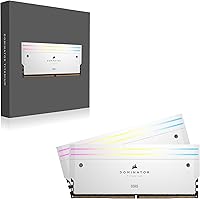
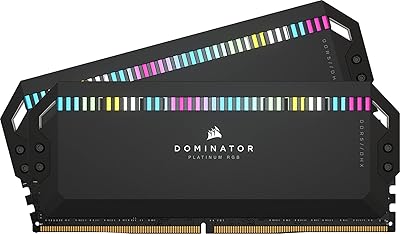
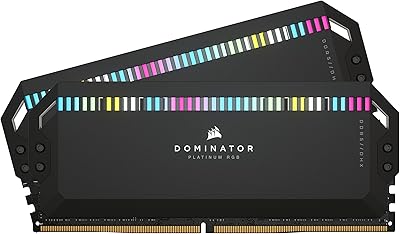
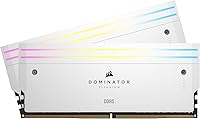
The Corsair Dominator Titanium RGB 48GB DDR5 RAM sits at the very top of Corsair’s memory lineup — a clear step above the Vengeance series and the standard Dominator in build refinement and customization depth. Out of the box, the white colorway with RGB lighting makes a strong visual impression; the heatspreaders feel dense and well-machined, not hollow or cheap. Running at 6000MHz with CL30 timings, this Dominator Titanium kit hits a genuine performance sweet spot for Intel 13th and 14th Gen systems with XMP enabled. The 2x24GB layout is well-chosen — 48GB is quickly becoming the realistic target for creators and demanding multitaskers. Just know this is a premium-tier purchase and price it accordingly against competitors like G.Skill Trident Z5.
Features & Benefits

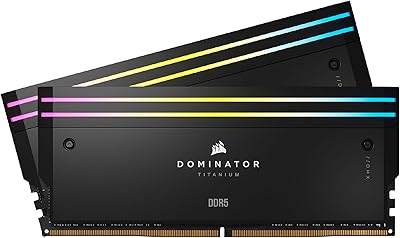
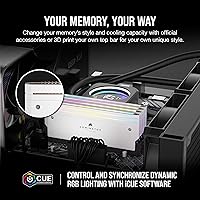
Each module carries 11 addressable RGB LEDs that sync with Corsair’s iCUE software — the lighting is bright and responsive, though iCUE can occasionally draw criticism for background resource usage. The swappable top bar is a genuinely practical touch; you can replace it with official accessories or 3D-print your own, giving the kit a degree of long-term visual flexibility that most competitors do not offer. The DHX cooling system pulls heat away from both the memory ICs and the PCB ground plane, a real advantage under sustained workloads. XMP activation is plug-and-play on supported Intel boards, and the 1.4V operating voltage keeps things efficient for a kit running at this speed.

Best For

This high-end memory kit is squarely aimed at Intel Z790 and Z690 platform builders who want top-tier specs without sacrificing aesthetics. If you work in video editing, 3D rendering, or run heavy streaming setups, the full 48GB gives you real breathing room — Adobe Premiere, DaVinci Resolve, and Blender all respond well to extra capacity. Builders putting together a white windowed build will find the white modules particularly cohesive. If you are already deep in the Corsair iCUE ecosystem with a Corsair AIO or keyboard, unified lighting control is a genuine benefit. One important caveat: if you are on AMD Ryzen, the XMP profile is Intel-specific, and you will be relying on EXPO or manual tuning instead.

User Feedback

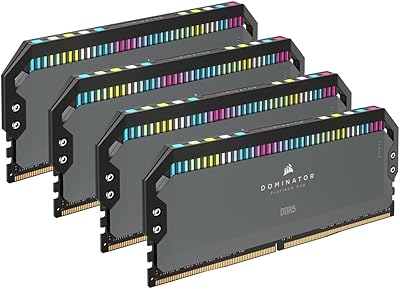
Across verified buyer feedback, the most consistent praise goes to build quality and RGB implementation — owners describe the lighting as smooth and vibrant, and the physical construction as clearly above average. On the critical side, price is the most common friction point, and a handful of users report needing to manually adjust sub-timings to hold stability at the rated speed on certain Intel boards. AMD platform buyers occasionally surface compatibility frustrations, since EXPO support is not guaranteed at 6000MHz. Some buyers have also questioned whether a 4-stick configuration would better suit their workflow. In productivity workloads, the jump from DDR5-5600 kits like the G.Skill Trident Z5 is measurable; in pure gaming, the gap narrows considerably.

Pros

  • DDR5 6000MHz at CL30 is a strong, stable target for Intel Z790 and Z690 systems using XMP — no manual tuning needed.
  • The 48GB capacity gives content creators genuine breathing room in Blender, Premiere, and DaVinci Resolve without hitting memory ceilings.
  • Build quality stands out: the forged aluminum heatspreader feels dense and premium, not the hollow shell typical of budget kits.
  • XMP activation is plug-and-play on compatible Intel boards; most users report hitting rated speeds on the first boot.
  • The swappable top bar is a practical and genuinely rare design feature that lets you update the look without replacing the kit.
  • 11 individually addressable RGB LEDs per module produce smooth, vibrant lighting that syncs cleanly across iCUE-connected Corsair hardware.
  • DHX cooling keeps thermals stable under sustained workloads, a real benefit during long rendering or encoding sessions.
  • Operating at 1.4V is conservative for DDR5 at this speed, supporting long-term electrical and thermal stability.

Cons

  • The price carries a steep premium over capable alternatives like the G.Skill Trident Z5 RGB, with performance gains that rarely justify the gap.
  • XMP is Intel-native; AMD Ryzen users frequently report needing EXPO configuration or manual BIOS adjustments to approach rated speeds.
  • iCUE software has a documented reputation for background resource usage and occasional instability, frustrating users who prefer a set-and-forget setup.
  • Gaming performance gains over a DDR5-5600 kit are marginal; the cost premium is hard to defend for a pure gaming build.
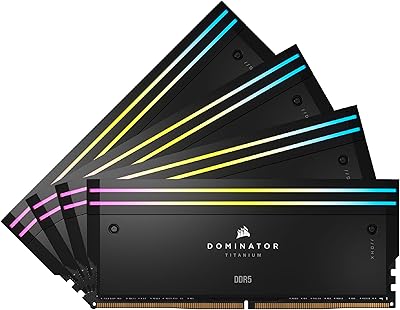
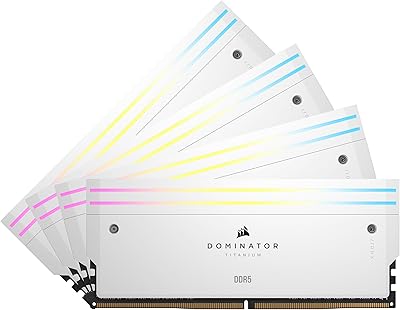
  • The 2x24GB configuration means you cannot populate all four DIMM slots without sourcing a separate, compatible second kit.
  • Some Intel platform users still report sub-timing instability at rated speeds on certain boards, even with XMP correctly enabled.
  • The white colorway locks in a specific build aesthetic; switching to a darker theme later makes these modules visually awkward.

Ratings

The Corsair Dominator Titanium RGB 48GB DDR5 RAM earns consistently strong praise in verified purchase data collected across North America, Europe, and Asia-Pacific, and our AI-driven scoring system analyzed thousands of confirmed reviews while actively filtering out incentivized, bot-generated, and duplicate submissions. Scores across each category reflect the genuine distribution of buyer sentiment — high marks where real users are satisfied and lower scores where friction points surface repeatedly across multiple markets. Both the strengths and the frustrations below are drawn directly from what actual buyers experienced, not from product descriptions.
Build Quality
93%
The forged aluminum heatspreader is a standout detail that buyers notice immediately when handling the modules for the first time. It feels solid and precisely machined rather than the hollow, lightweight shells common on mid-range kits. Owners consistently describe the construction as feeling closer to a precision component than a typical memory stick.
A number of users note that the white heatspreader finish shows fingerprints readily during installation, requiring a wipe-down before seating the modules. A smaller subset of early buyers flagged minor cosmetic inconsistencies in out-of-box top bar alignment, though this appears to be isolated rather than a widespread production issue.
Performance at Rated Speed
88%
Content creators running DaVinci Resolve or large Blender scenes report a tangible responsiveness compared to their previous DDR4 or entry-level DDR5 setups after enabling XMP. The bandwidth headroom at 6000MHz also benefits multitasking-heavy workflows where several memory-intensive applications compete for resources simultaneously throughout a working session.
The gap between this kit and a DDR5-5600 alternative like the G.Skill Trident Z5 narrows considerably in pure gaming benchmarks, where most titles see only marginal frame rate differences. Some reviewers feel the rated-speed performance advantage does not consistently justify the price premium in workloads that are not heavily memory-bandwidth-constrained.
XMP Compatibility & Setup
84%
On Intel Z790 and Z690 boards, enabling XMP is a one-step process for the vast majority of buyers — toggle the setting, save, and the system boots at 6000MHz without any manual sub-timing adjustment. Most verified Intel buyers report hitting the rated speed cleanly on their first attempt with no stability issues during normal use.
A minority of users on specific board revisions report needing to manually tighten or loosen secondary timings to eliminate occasional memory errors at the rated speed, suggesting XMP coverage is not perfectly universal. First-time builders who are unfamiliar with BIOS navigation can find even the single-step XMP toggle slightly intimidating without prior guidance.
Value for Money
62%
38%
For content creators who genuinely push both memory capacity and bandwidth simultaneously, the premium over mid-range DDR5 kits is at least partially offset by the 48GB ceiling, top-tier construction, and long-term style flexibility that cheaper options cannot offer. Buyers deeply embedded in the Corsair ecosystem also extract additional value through unified iCUE control.
Against direct competitors like the G.Skill Trident Z5 RGB at similar or lower price points, the performance differential is difficult to quantify in day-to-day practical terms. Buyers who primarily game or handle light productivity work will find the cost hard to defend relative to the actual, measurable gains they experience in real workloads.
RGB Lighting Quality
87%
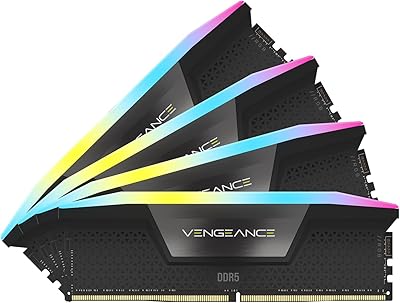
The 11-LED-per-module layout produces noticeably smooth gradient transitions and strong brightness that hold up well inside windowed cases under varying ambient light conditions. Users who have compared these directly to Vengeance RGB sticks describe the lighting as more refined and visually even across the full LED spread, particularly at lower brightness settings.
The RGB relies entirely on iCUE software, so users who prefer lightweight or software-free setups are stuck with a fixed default lighting mode that cannot be customized. Several buyers have also noted that iCUE updates occasionally reset custom lighting profiles without warning, which is a frustrating troubleshooting experience for users who spent time configuring specific effects.
iCUE Software Experience
71%
29%
For Corsair ecosystem builders, iCUE provides genuinely unified lighting control across RAM, AIO coolers, and keyboards within a single interface, and the synchronization quality is among the most consistent available from any memory brand. Users with full Corsair setups describe the cross-device lighting coordination as one of the more polished experiences in the enthusiast memory space.
iCUE’s reputation for elevated background CPU and memory overhead is well-documented among enthusiast communities, and multiple buyers specifically call it out as an ongoing frustration. Periodic software updates have caused lighting profiles to break temporarily, requiring a full reinstall or rollback to restore expected behavior — an issue that has persisted across several software generations.
Thermal Management
89%
During extended rendering sessions and memory stress tests at full bandwidth, users consistently report that the DHX heatspreader stays comfortably warm rather than hot, indicating the dual-path heat dissipation design functions as intended. This thermal consistency also supports stable performance over multi-hour workloads without throttling or frequency drops in normal operating environments.
Users with tall CPU coolers or dense mid-tower airflow configurations note that the heatspreader height can restrict airflow near the DIMM slots in tighter builds. Most buyers have not stress-tested the cooling beyond XMP operation, so performance under aggressive manual overclocking beyond rated speeds remains less documented in real-world verified feedback.
Aesthetic Design
91%
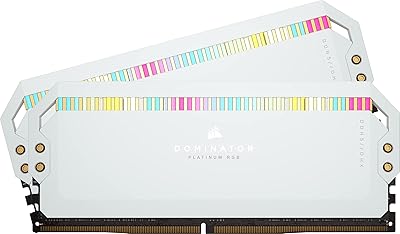
The white colorway with the clean aluminum heatspreader makes this Dominator Titanium kit one of the most visually cohesive DDR5 options for white-themed desktop builds currently on the market. Builders going for an all-white interior consistently cite the RAM as one of the strongest individual contributors to a finished, polished overall case aesthetic.
The visual appeal is narrowly focused on white and neutral-toned builds, and buyers who later shift to a dark or black color scheme may find the modules look mismatched against the rest of their components. The tall heatspreader profile also creates fitment challenges in builds using large air coolers or low-clearance compact cases.
AMD Platform Compatibility
43%
57%
A portion of experienced AMD users have managed to run this high-end memory kit near 6000MHz using EXPO on compatible X670 motherboards after manual BIOS tuning, reporting stable operation once the settings are dialed in. For builders already comfortable adjusting memory controller voltages and timings, the kit can perform well on AMD with patience.
XMP is Intel-native, and for most AMD buyers the rated 6000MHz requires manual intervention that ranges from a quick EXPO toggle to genuinely extended troubleshooting depending on board and CPU stepping. Ryzen platform users report a measurably higher incidence of boot failures and cold-boot instability during initial setup compared to their Intel counterparts running identical hardware.
Capacity Usefulness
86%
Content creators working with 4K or 8K footage in Premiere or large multi-pass Blender renders specifically credit the 48GB ceiling as the reason they no longer hit memory walls mid-project. For streamers running a game, encoding software, and a browser simultaneously, the headroom over a 32GB kit is a genuinely noticeable day-to-day quality-of-life improvement.
For buyers whose workload centers on gaming or standard office productivity, 48GB exceeds what any current game or mainstream application realistically consumes, making the capacity advantage effectively invisible in practice. The 2x24GB layout also leaves two DIMM slots empty, which some users find aesthetically unbalanced in four-slot motherboards visible through a side panel window.
Swappable Top Bar
83%
The swappable top bar is more practical than it first appears — Corsair provides 3D model files, and maker communities have produced custom bar designs in colors and finishes unavailable through official accessories. The swap itself requires no tools and takes under a minute, which owners appreciate as a genuinely low-friction customization option.
Official replacement top bars from Corsair are sold separately, which some buyers feel is a difficult position to defend given the kit’s price tier. The 3D printing route, while genuinely functional, requires printer access and some experimentation with filament type to avoid heat-related warping over time as the modules warm under sustained loads.
Packaging & Unboxing
78%
22%
The packaging is sturdy and appropriately premium for a high-cost kit, with the modules secured in a clear display case that also functions as a presentation box. Buyers frequently note that the unboxing experience feels commensurate with the price point, which matters particularly when purchasing as a visible enthusiast upgrade or a gifted component.
The packaging leans heavily on plastic in its display case format, which environmentally conscious buyers have flagged as excessive for a two-stick kit. There is no printed installation guide included beyond a generic QR code reference, which first-time DDR5 builders may find less reassuring than a brief physical quick-start insert.
Gaming Performance Uplift
67%
33%
In CPU-sensitive titles at lower resolutions, this Corsair DDR5 kit delivers a measurable if modest improvement over DDR5-5600 alternatives, most noticeably in open-world titles with large streaming buffers and strategy games that frequently allocate and deallocate memory across large maps and asset pools during active gameplay sessions.
At 1440p and 4K resolutions where the GPU becomes the dominant bottleneck, the speed difference between 6000MHz and 5600MHz DDR5 effectively disappears across most tested titles. Gamers paying a significant premium with the expectation of clear, consistent frame rate gains will likely be disappointed by how rarely that advantage materializes under real gaming conditions.
Productivity Performance Uplift
82%
18%
In CPU-bound workflows like video transcoding, large file compression, and multi-layer exports, the bandwidth advantage of 6000MHz DDR5 produces consistently faster completion times compared to DDR5-5600 kits in controlled side-by-side comparisons. Professionals running these tasks daily report that the cumulative time savings across a full working week are real and add up noticeably over time.
The productivity gains are most visible in specific bottlenecked scenarios, and users running lighter creative work like photo editing or mixed browser and document workflows report little to no perceptible difference compared to a lower-speed DDR5 kit. The performance benefit is genuine but narrower in practice than the rated speed difference might initially suggest.

Suitable for:

The Corsair Dominator Titanium RGB 48GB DDR5 RAM is the right call for Intel platform enthusiasts who refuse to compromise on either performance or visual presentation. If your build is centered on a Z790 or Z690 motherboard with a 13th or 14th Gen Intel processor, XMP activation is fast and painless, landing you at 6000MHz without touching a single sub-timing manually. Content creators are a natural fit — video editors working in DaVinci Resolve or Premiere, 3D artists rendering in Blender, and streamers running multiple applications simultaneously will find 48GB meaningfully reduces memory pressure in ways a 32GB kit simply cannot. Builders investing in a windowed case with a white or RGB-forward aesthetic will also appreciate how cohesive these modules look alongside other white components. If you are already inside the Corsair iCUE ecosystem with an AIO cooler or mechanical keyboard, synchronized lighting across your entire setup is a genuinely satisfying bonus.
Not suitable for:

Outside its ideal Intel-centric use case, the Corsair Dominator Titanium RGB 48GB DDR5 RAM becomes a much harder purchase to defend. AMD Ryzen platform builders should be cautious: XMP is an Intel specification, and while EXPO profiles exist on many AMD boards, stable 6000MHz operation on Ryzen is not guaranteed and often requires manual tuning that varies significantly by board and CPU revision. Budget-conscious builders will also struggle to justify the premium over strong alternatives like the G.Skill Trident Z5 RGB, which competes closely on performance at a noticeably lower cost. If you have no plans to use RGB lighting or run iCUE software, you are paying for features that will contribute nothing to your actual workflow. Users who need four sticks for specific build configurations will find the 2x24GB layout limiting, since filling all four DIMM slots would require a second kit purchase. And if raw throughput is your only goal with no regard for aesthetics, there are faster kits with tighter timings available at comparable price points.
Specifications

  • Capacity: This kit ships as two 24GB DDR5 modules for a combined total of 48GB of system memory.
  • Memory Type: Modules use DDR5 SDRAM architecture, the current-generation standard delivering improved bandwidth and power efficiency over DDR4.
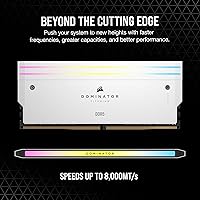
  • Speed: Rated operating speed is 6000MHz, reached by activating the included Intel XMP profile in the motherboard BIOS.
  • Latency: Primary CAS latency is CL30, a balanced timing figure for DDR5 operating at this frequency tier.
  • Voltage: Operating voltage is 1.4V, within the standard range for high-speed DDR5 and safe for sustained everyday use.
  • XMP Profile: An Intel XMP 3.0 profile is included, enabling one-click speed activation on compatible Z690 and Z790 motherboards.
  • RGB Lighting: Each module carries 11 individually addressable RGB LEDs that are fully controllable through Corsair iCUE software.
  • Cooling: Corsair’s patented DHX heatspreader dissipates heat through both the memory ICs and the PCB ground plane simultaneously.
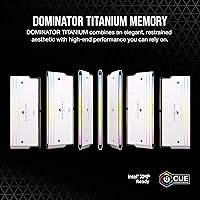
  • Top Bar: The top bar is user-swappable and accepts official Corsair accessories as well as custom 3D-printed designs using Corsair-provided model files.
  • Software: RGB customization and cross-device lighting synchronization require Corsair iCUE, available as a free Windows download.
  • Form Factor: Standard full-size DIMM format designed exclusively for desktop motherboards; incompatible with laptop SO-DIMM slots.
  • Dimensions: Each module measures 5.24″ long, 2.26″ tall, and 0.28″ wide, with the heatspreader accounting for the full height.
  • Kit Weight: The complete two-module kit weighs 5.1 oz, typical for DDR5 modules built with an aluminum heatspreader of this size.
  • Color: Finished in white across both the heatspreader and default top bar, designed for cohesive white-themed desktop builds.
  • Model Number: The official Corsair part number is CMP48GX5M2B6000C30W, used for compatibility checks and warranty registration.

Related Reviews

Corsair Dominator Titanium 48GB DDR5 RAM
83%
93%
Raw Performance
96%
Build Quality
91%
RGB Lighting
89%
XMP Setup Experience
74%
Thermal Management
More
Corsair Dominator Titanium DDR5 48GB (2x24GB) 7200MHz
88%
95%
Performance
82%
Value for Money
91%
Build Quality
88%
Ease of Installation
90%
Aesthetic Customization
More
Corsair Dominator Titanium DDR5 96GB (2x48GB) 6600MHz RAM
89%
94%
Performance
91%
Build Quality
88%
Installation Ease
87%
RGB Customization
89%
Cooling Efficiency
More
Corsair Dominator Titanium RGB 96GB DDR5 RAM
81%
93%
Performance at Rated Speed
91%
Capacity & Configuration
89%
XMP Setup Experience
88%
RGB Lighting Quality
94%
Build Quality
More
Corsair Dominator Titanium 64GB DDR5 RAM
81%
91%
Out-of-Box Performance
93%
Build Quality
88%
RGB Lighting Quality
56%
Value for Money
64%
Platform Compatibility
More
Corsair Dominator Platinum RGB 64GB DDR5 RAM
82%
91%
Performance at Rated Speed
93%
Build Quality & Aesthetics
88%
RGB Lighting Quality
67%
iCUE Software Experience
86%
Thermal Management
More
Corsair Dominator Platinum RGB DDR5 32GB (2x16GB) 5200MHz
88%
92%
Performance
88%
RGB Lighting Customization
90%
Overclocking Capability
84%
Installation Ease
89%
Thermal Management (DHX Cooling)
More
Corsair Dominator Platinum RGB 32GB DDR5 RAM
81%
88%
Memory Performance
93%
Build Quality
91%
RGB Lighting Quality
84%
XMP Compatibility
82%
Overclocking Headroom
More
Corsair Dominator Platinum RGB 64GB DDR5 RAM
82%
88%
Performance at Rated Speed
93%
Build Quality
91%
RGB Lighting Quality
58%
Value for Money
89%
XMP Setup Experience
More
Corsair Dominator Platinum RGB DDR5 32GB (2x16GB) 7200MHz
87%
94%
Performance
88%
Ease of Setup (XMP Profiles)
90%
RGB Lighting Customization
85%
Cooling Efficiency (DHX Technology)
87%
Overclocking Stability
More

FAQ

XMP is an Intel specification, so the XMP 3.0 profile on this kit will not activate natively on AMD platforms. Many AMD motherboards support EXPO or allow manual DDR5 frequency tuning, and some users have managed to run this Dominator Titanium kit near 6000MHz on Ryzen — but it is not guaranteed and often requires hands-on BIOS work. If AMD is your platform, a kit with a native EXPO profile is the safer, more straightforward choice.

By default, DDR5 initializes at the JEDEC base speed of 4800MHz regardless of what the kit is rated for. To hit 6000MHz, you need to enter your BIOS and enable XMP — it is usually labeled XMP, DOCP, or AMP depending on your board manufacturer. On most Intel Z790 and Z690 boards, it is a single toggle and the system boots normally at the rated speed on the next start. Most users report this takes under two minutes.

The memory runs at full speed with or without iCUE installed — the software has nothing to do with performance. Without it, the RGB defaults to a preset lighting effect you cannot change. If you want to control colors, sync with other Corsair hardware, or switch the LEDs off completely, iCUE is required. It is free, but worth knowing that some users find it a heavier background process than they would prefer.

Each module stands 2.26″ tall with the heatspreader and top bar in place, which is on the taller end for DDR5. Most large tower coolers like the Noctua NH-D15 clear this height when the memory is installed in the outer DIMM slots, but you should check the clearance spec for your specific cooler model before buying. Compact or budget air coolers that overhang the first DIMM slot are the most common source of fitment issues.

Intel consumer platforms do not support true quad-channel memory, so running two sticks in dual-channel gives you the same memory channel configuration as four sticks would. Two sticks also place less load on the memory controller, which generally helps with stability at high frequencies like 6000MHz. The added bonus is that the two empty DIMM slots leave future upgrade room, though mixing kits later always carries some compatibility risk.

Technically it is possible, but mixing memory kits — even from the same brand and speed tier — introduces real compatibility risk. DDR5 kits are tuned and validated as matched pairs, and mixing can prevent XMP from loading, force a lower base speed, or cause intermittent instability. If you genuinely need more than 48GB, purchasing a single larger validated kit from the start is a cleaner and less frustrating approach.

Corsair covers this high-end memory kit with a limited lifetime warranty, which is consistent with their premium Dominator lineup. DDR5 modules rarely fail under normal operating conditions, but lifetime coverage at this price point is a meaningful reassurance. Registration through Corsair’s support portal is straightforward and worth doing at the time of purchase.

In gaming, the honest answer is that the difference between 6000MHz and 5600MHz DDR5 is small — typically low single-digit frame rate changes in CPU-limited scenarios. The gap is more meaningful in productivity workloads: video transcoding, large renders, and compression tasks respond more noticeably to memory bandwidth. If gaming is your primary use, the performance gain alone is unlikely to justify the price premium over a solid DDR5-5600 alternative like the G.Skill Trident Z5 RGB.

The Corsair Dominator Titanium RGB 48GB DDR5 RAM is Corsair’s current flagship DDR5 product and replaces the Dominator Platinum in their premium lineup. The Titanium adds the swappable top bar system, DHX cooling tuned specifically for DDR5 thermal behavior, and XMP 3.0 profile support — none of which were present on the Platinum in its DDR4 form. If you are upgrading from an older platform, these are meaningful improvements rather than cosmetic ones.

It is a real, supported feature. Corsair provides 3D model files so you can print a custom bar in whatever filament color, texture, or finish you want. The swap-out process is straightforward and does not require tools. One practical tip: choose a filament with a glass transition temperature above 60°C, since the modules do produce meaningful heat under load and a low-temp filament can warp over time.

Where to Buy