Overview

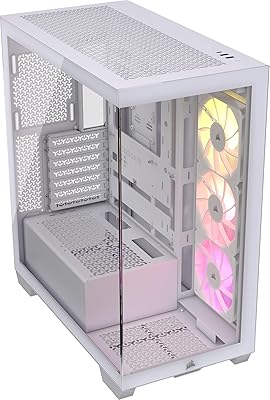
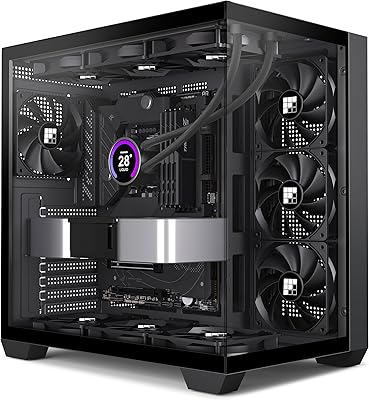
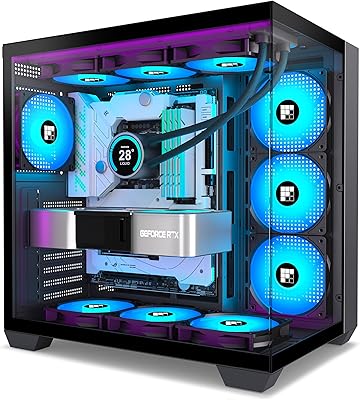
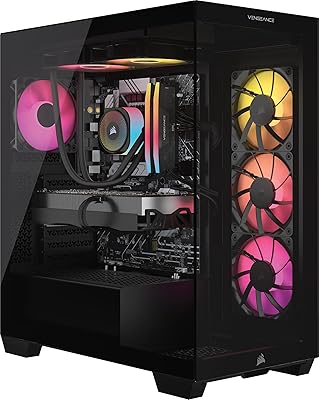
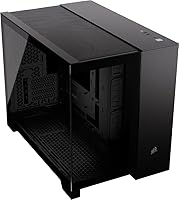
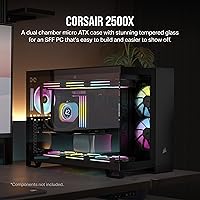
The Corsair 2500X mATX PC Case is a compact, dual-chamber enclosure built for enthusiast builders who want a polished small-form-factor rig without sacrificing style or function. What immediately separates it from the crowd is the wraparound tempered glass on both the front and side panels — most cases at this price point settle for a single glass side, so this treatment is a genuine differentiator. It sits comfortably in mid-range territory, meaning buyers should expect solid build quality and thoughtful design rather than premium extras. One forward-looking touch is its validated support for reverse-connection motherboards. Just know going in: no fans are included, so your cooling setup is entirely up to you.

Features & Benefits

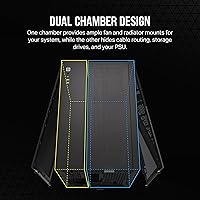
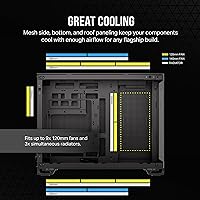
The dual-chamber design is the real backbone of this build experience. One chamber handles your motherboard, GPU, and cooling hardware; the other tucks away the PSU, drives, and every cable you never want to see again. On the cooling side, the 2500X enclosure supports up to nine 120mm fans or four 140mm fans, with radiator mounts reaching 360mm in both the roof and bottom — serious headroom for a compact chassis. The bottom-mounted PSU keeps the center of gravity low and leaves the main chamber unobstructed. Steel and tempered glass construction means the panels feel solid, not flimsy, and the wraparound glass gives you a clear, uninterrupted view of everything inside.

Best For

This compact dual-chamber chassis hits a specific sweet spot that not every builder needs, but those who do will appreciate it deeply. If you want the presence and visual impact of a larger build while keeping your desk footprint small, this case delivers. It is an especially strong pick for anyone going all-in on reverse-connection motherboards from ASUS or MSI — having a validated enclosure removes a lot of guesswork. Cable management obsessives will also feel right at home, since the second chamber does most of the hard work for you. The one caveat: you need to budget for fans separately, so this suits builders who enjoy curating their own cooling configuration.

User Feedback

With over 500 ratings and a 4.6 out of 5 average, buyer sentiment on this Corsair mATX case is broadly positive. The interior layout and cable management system get consistent praise — people frequently note how much easier it makes achieving a clean, show-ready build. Panel quality and the fit of the tempered glass are also recurring highlights. That said, a fair number of buyers were caught off guard by the weight: at 26 pounds, it is heavier than its footprint suggests, though most frame this as a sign of sturdy construction rather than a flaw. The main friction point is the no-fan policy; some feel that added cost should factor into the purchase decision from the start.

Pros

  • Dual-chamber layout makes cable management genuinely straightforward, not just theoretically possible.
  • Wraparound tempered glass on both front and side panels gives your components exceptional visibility.
  • Supports up to nine 120mm fans or 360mm radiators, offering serious cooling flexibility for a compact case.
  • Validated for ASUS BTF and MSI Project Zero motherboards, making it a reliable choice for reverse-connector builds.
  • Bottom-mounted PSU improves weight distribution and keeps the main chamber uncluttered.
  • Steel and tempered glass construction feels solid and durable, not hollow or lightweight.
  • Strong buyer satisfaction with a 4.6 out of 5 rating across more than 500 real-world reviews.
  • Compact mATX footprint is ideal for desk builds where space is genuinely limited.
  • Second chamber provides dedicated room for drives and PSU, keeping the showpiece chamber clean.
  • Letting builders choose their own fans gives full control over noise levels and airflow tuning.

Cons

  • No fans included means additional spending is required before the cooling system is functional.
  • At 26 pounds, this Corsair mATX case is noticeably heavier than most competitors in its size class.
  • Only supports Micro ATX motherboards, excluding builders with standard ATX or Mini-ITX boards.
  • Reverse-motherboard compatibility is only validated for specific ASUS and MSI platforms, not universally guaranteed.
  • The all-glass exterior requires regular cleaning to maintain its showpiece appearance.
  • Higher real-world cost once fans are factored in narrows the mid-range value proposition considerably.
  • Limited color options at launch may not suit builders with specific aesthetic themes.
  • The large tempered glass panels add fragility risk during transport or moves compared to solid-panel cases.

Ratings

The Corsair 2500X mATX PC Case earns its strong standing through consistent praise from builders worldwide, and these scores reflect an AI-driven analysis of verified purchase reviews, with spam, bot activity, and incentivized feedback actively filtered out. Ratings span everything from build quality and cooling flexibility to value transparency and real-world usability, giving you an honest picture of where this compact dual-chamber chassis genuinely delivers and where it falls short.

Build Quality
91%
Reviewers consistently describe the steel chassis as feeling dense and well-finished, with no flex or rattling once components are installed. The tempered glass panels in particular draw frequent compliments for their thickness and the precision of their fit, which is not a given at this price tier.
At 26 pounds, the case is noticeably heavy for its footprint, which can be awkward during a solo build session. A small number of buyers noted minor sharp edges along internal steel cutouts during assembly.
Cable Management
93%
The dedicated second chamber is the standout feature for most builders — it genuinely changes the experience of organizing a build rather than just offering a few cable tie points. Reviewers frequently describe achieving show-floor-level cleanliness without heroic effort, even on their first build in this chassis.
The second chamber, while spacious, can get crowded if you are running multiple storage drives alongside a large modular PSU with thick cables. A few users wished for more integrated velcro or anchor points in the routing zone.
Cooling Flexibility
88%
Support for up to nine 120mm fans and 360mm radiators in the roof and bottom gives builders exceptional headroom for a Micro ATX case. Enthusiasts running custom water loops or high-end air coolers reported that the mounting options accommodated their setups without compromise.
Since no fans are included, you are starting from zero on cooling out of the box, which adds both cost and planning time. The cooling potential is real, but it only materializes once you invest in the hardware to fill those mounts.
Tempered Glass Panels
89%
The wraparound glass treatment covering both the front and side is a genuine visual differentiator — most competitors at this price offer glass on one side only. Buyers building RGB or high-end component setups specifically called out how much better their builds look displayed in this enclosure.
Glass on two large faces means fingerprints and dust are constantly visible, requiring regular wipe-downs to maintain the intended look. Transporting or moving the case introduces more fragility risk than a solid-panel alternative.
Reverse Motherboard Compatibility
86%
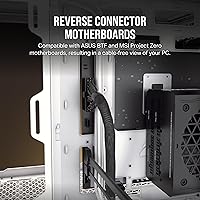
Validated support for ASUS BTF and MSI Project Zero boards is a meaningful differentiator for early adopters of reverse-connector platforms, removing the guesswork that often plagues newer motherboard formats. Builders using these boards specifically sought out this enclosure and reported a smooth, well-supported installation experience.
Compatibility is validated for those two specific platforms, and users with other reverse-connector solutions reported needing to verify fit independently. This category is still niche enough that most buyers will not use this feature at all.
Interior Layout
87%
The dual-chamber concept translates cleanly into real-world builds — the primary chamber stays genuinely uncluttered because storage and power hardware live elsewhere. Multiple reviewers noted that mid-build adjustments were easier than in single-chamber cases because there was more room to maneuver.
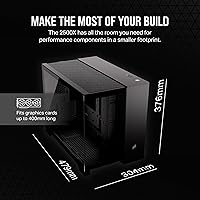
The layout is optimized for Micro ATX boards, and builders used to larger cases may find GPU clearance tighter than expected depending on card length. Component planning is important before buying, particularly for oversized coolers or long graphics cards.
Value for Money
71%
29%
The enclosure offers features — dual chambers, wraparound glass, reverse motherboard validation — that are difficult to find combined in a single case at this price point. For builders who prioritize aesthetics and cable management above all else, the value equation is favorable.
The no-fan policy means the real cost of a complete, cooled build is meaningfully higher than the purchase price alone suggests. Buyers who compare sticker prices without accounting for fan spend often feel the value proposition is weaker than it first appeared.
Ease of Assembly
79%
21%
Most reviewers described the build process as intuitive once they understood the dual-chamber workflow, with clear access points and enough room to route cables comfortably. Corsair's generally consistent hardware design means builders familiar with the brand felt at home quickly.
First-time builders occasionally found the two-chamber workflow initially confusing, particularly when deciding what goes where during the planning phase. The weight of the case also makes repositioning it on a desk during assembly less convenient than lighter alternatives.
Fan & Radiator Mounting
83%
The variety of mount positions — roof, bottom, and side — gives builders real flexibility in directing airflow rather than being locked into a single intake or exhaust configuration. Radiator mounts felt secure and aligned well with standard hardware across multiple tested configurations.
Without included fans or a fan hub, managing nine individual fan headers can become a wiring challenge depending on your motherboard header count. Some users found the bottom radiator mount less accessible during a completed build when adjustments were needed later.
PSU Placement
84%
The bottom-mount position keeps the PSU out of sightlines entirely, which complements the glass-heavy design well. Builders noted that bottom-mounted power supplies also contributed to a lower center of gravity, making the finished system feel more stable on a desk.
Very long PSUs can encroach on cable routing space in the second chamber, so it is worth checking PSU depth against available clearance before purchasing. A handful of users noted the PSU bracket required more effort to install than expected.
Noise Profile
62%
38%
Because buyers choose and install their own fans, there is real potential to build a near-silent system by selecting low-noise fan models. Builders who prioritized quiet operation specifically appreciated having full control over the acoustic outcome of their system.
With no fans included, there is no baseline noise performance to evaluate — it entirely depends on what you install. Buyers who did not research fan selection carefully sometimes ended up with louder configurations than they anticipated.
Dust Filtration
67%
33%
The case includes filtration to help protect components from dust accumulation over time, which is a reasonable inclusion at this price range. Builders in dusty environments reported that the filters caught meaningful debris over extended use periods.
The wraparound glass design means dust on the exterior panels is always visible and requires frequent attention. A subset of reviewers also noted that cleaning interior filters in a dual-chamber case takes slightly more disassembly than in simpler designs.
Aesthetics
94%
The visual impact of this enclosure is consistently described as punching well above its market tier — the wraparound glass and clean interior create a display-worthy result that buyers were genuinely proud to show off. RGB builds in particular benefit enormously from the dual-panel glass exposure.
The aesthetic is very much glass-forward and display-centric, which is a specific taste rather than universal. Buyers who prefer a closed, industrial, or understated look will find this design too visually loud for their preferences.
Packaging & Shipping
77%
23%
Most buyers received the case well-protected, with the tempered glass panels arriving intact — a genuine concern with heavy glass-heavy products during transit. Corsair's packaging for this form factor was generally considered adequate by reviewers across multiple regions.
A small number of buyers reported minor cosmetic damage to the exterior on arrival, suggesting the packaging, while generally solid, is not completely immune to rougher handling in transit. Replacement part sourcing through Corsair support was described as slow by those affected.

Suitable for:

The Corsair 2500X mATX PC Case is purpose-built for enthusiast builders who want a compact, visually impressive rig without committing to a full ATX tower footprint. If you are planning a build around a reverse-connection motherboard — such as those from ASUS BTF or MSI Project Zero lineups — this enclosure removes the compatibility guesswork entirely, since it has been validated for those platforms. Builders who care deeply about cable management will find the dual-chamber layout genuinely useful, not just a marketing checkbox, since the second chamber provides real, dedicated space for PSU installation, drive storage, and cable routing. Gamers and content creators who want strong cooling potential in a smaller chassis will also appreciate the extensive radiator and fan mount options, which give you room to grow as your thermal needs increase. This case also rewards those who enjoy curating every part of their build, since sourcing your own fans lets you optimize for noise, airflow, or aesthetics on your own terms.

Not suitable for:

Buyers expecting a plug-and-play enclosure should think carefully before committing to this compact dual-chamber chassis, since no fans are included and the total cost of a well-cooled build will be higher than the sticker price alone suggests. If you are on a strict budget and need a complete, ready-to-cool solution out of the box, the 2500X enclosure will likely feel incomplete without an additional investment in fans. The case is also heavier than most mini-tower alternatives at 26 pounds, which may be a practical concern if you move your system frequently or have desk weight limitations. Standard ATX motherboards are not supported, so anyone with a full-size board already in hand will need to look elsewhere. Finally, builders who prefer a closed, minimalist exterior aesthetic — rather than the full wraparound glass look — may find this design too display-forward for their tastes.

Specifications

  • Form Factor: The case is a Micro ATX Mini-Tower, designed to house Micro ATX motherboards in a compact footprint.
  • Dimensions: Overall external dimensions measure 18.86″ long by 11.97″ wide by 14.8″ tall.
  • Weight: The assembled case weighs 26.1 pounds, reflecting its alloy steel and tempered glass construction.
  • Materials: The chassis is built from alloy steel with tempered glass used for both the front and side panels.
  • Panel Style: Wraparound tempered glass covers the front and side simultaneously, providing an unobstructed view of internal components from multiple angles.
  • Fan Support: The case accommodates up to nine 120mm fans or up to four 140mm fans across available mount positions.
  • Radiator Support: Radiators up to 360mm can be mounted in the roof or bottom, and up to 240mm on the side panel.
  • PSU Mount: The power supply is bottom-mounted, which helps keep the main chamber clear and lowers the overall center of gravity.
  • Chamber Design: A dual-chamber layout separates the main build area from the PSU, drive storage, and cable routing space.
  • Cable Management: A fully dedicated second chamber handles all cable routing, keeping them completely out of the primary viewing area.
  • Drive Storage: Hard drives and SSDs are housed in the second chamber, freeing up space in the main build area.
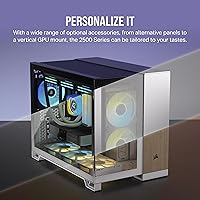
  • Motherboard Support: Compatible with standard Micro ATX boards as well as reverse-connection motherboards from the ASUS BTF and MSI Project Zero platforms.
  • Fans Included: No fans are included in the box; the cooling configuration is entirely left to the builder.
  • Color: Available in Black as the standard colorway at launch.
  • Model Number: The official Corsair model number for this case is CC-9011265-WW.
  • Release Date: This case was first made available in February 2024.

Related Reviews
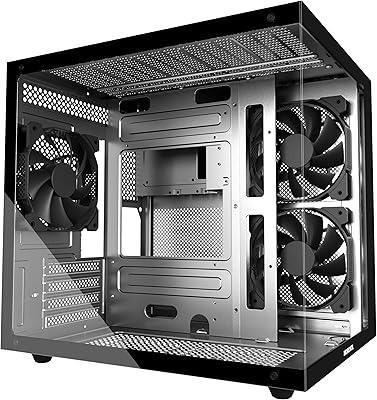
MOROVOL V3 Micro-ATX Tower PC Case
78%
88%
Tempered Glass Quality
76%
Airflow & Thermal Performance
61%
Cable Management
73%
Build Quality & Materials
91%
Value for Money
More
Corsair FRAME 4000D RS Mid-Tower Case
82%
91%
Airflow Performance
88%
Build Quality
86%
Modularity & Upgradability
83%
Fan Mounting System
78%
GPU Compatibility
More
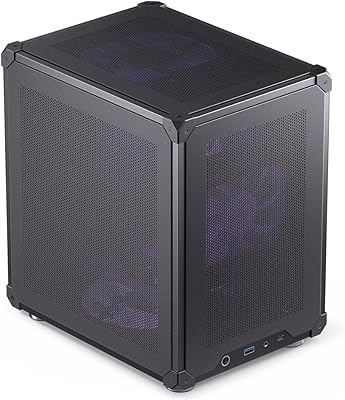
Jonsbo C6 Mini MATX Mesh PC Case
84%
91%
Airflow Performance
95%
Ease of Assembly
87%
Build Quality
88%
Cooling System Customization
65%
Cable Management
More
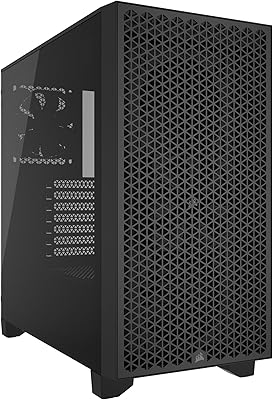
Corsair 3000D Airflow Mid-Tower PC Case
81%
93%
Airflow Performance
88%
Build Quality & Materials
91%
Thermal Management Design
84%
Cable Management
61%
Included Fans Quality
More
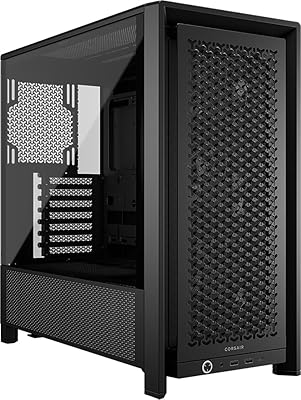
Corsair 3500X ARGB Mid-Tower PC Case
78%
93%
Aesthetic Design
91%
ARGB Lighting
88%
Build Quality
87%
Interior Space
86%
Fan Inclusion
More
FOIFKIN K6 ATX Mid-Tower PC Case
73%
88%
Value for Money
66%
Build Quality
83%
Cooling Performance
54%
Cable Management
81%
Ease of Assembly
More
FOIFKIN F300 2025 ATX Mid-Tower PC Case
76%
88%
Value for Money
91%
Aesthetic Design
79%
Cooling Performance
86%
Hardware Compatibility
58%
Cable Management
More
FOIFKIN M9 ATX Mid-Tower PC Case
76%
93%
Aesthetic Design
88%
Value for Money
76%
Cooling Performance
71%
Build Quality
58%
Cable Management
More
FOIFKIN F600
FOIFKIN F600
77%
91%
Value for Money
78%
Airflow Performance
74%
Build Quality
93%
Aesthetics & RGB Lighting
63%
Cable Management
More
MUSETEX Y6 Mid-Tower ATX PC Case
80%
93%
Aesthetic Design
84%
Tempered Glass Quality
78%
Pre-Installed Fan Quality
71%
Airflow & Thermal Performance
88%
Build & Installation Experience
More

FAQ

No, it does not. The case ships with zero fans, so you will need to purchase them separately. This is worth factoring into your overall build budget before you buy.

You can mount up to a 360mm radiator in either the roof or the bottom of the case, and a 240mm radiator fits on the side. That is a generous amount of liquid cooling flexibility for a Micro ATX enclosure.

Standard Micro ATX motherboards work just fine. The reverse-connector compatibility is an added bonus for builders using newer ASUS BTF or MSI Project Zero boards, but it is not a requirement.

The second chamber sits behind the main build area and is dedicated entirely to housing your PSU, storage drives, and cable runs. Because those elements never enter the primary chamber, you get a clean, uncluttered view of your components without spending hours tucking cables.

The panels are designed for reasonable tool-free or minimal-tool access, which is standard for Corsair cases in this range. Most users find removing and reattaching the glass panels straightforward once they have done it once or twice.

Yes, it is on the heavier side for a compact chassis. That weight comes from the steel frame and the dual tempered glass panels. Think of it as a sign of solid construction rather than a flaw, but it is worth knowing before you plan to move the system often.

The 2500X enclosure supports up to nine 120mm fans or up to four 140mm fans, depending on your configuration. Mixing sizes is possible but the exact combinations depend on where radiators and brackets are positioned.

It can be, especially if you appreciate a clean interior and are willing to plan your cable routing carefully. The dual-chamber design actually makes cable management more forgiving than a single-chamber case. That said, the no-fan situation means you need to plan your cooling from scratch, which adds a small layer of complexity for newcomers.

Fingerprints and dust do show on the glass, as they do on any tempered glass case panel. A microfiber cloth handles cleanup easily. During the build itself, it is worth removing the panels to avoid accidental scratching from tools or components.

The PSU bay is bottom-mounted and is sized for standard ATX power supplies, which is the most common form factor. Just check the length against your specific PSU specs, since very long units can sometimes be tight depending on cable routing in the second chamber.

Where to Buy

Best Buy
In stock $245.49
Newegg.com
In stock $226.99
SHI International
In stock $256.00
Corsair.com
In stock $159.99
Pana Compu
In stock $160.46
Connection
In stock $176.61
colamco.com
In stock $220.27
CompSource
In stock $220.42