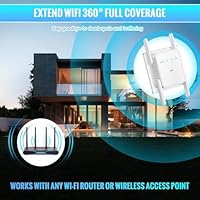
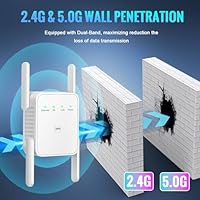
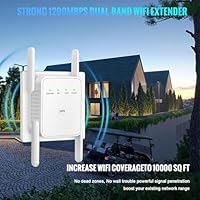
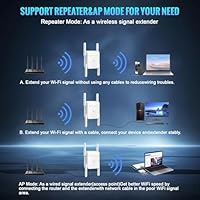
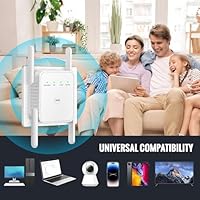
Overview

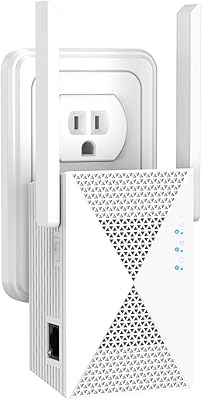
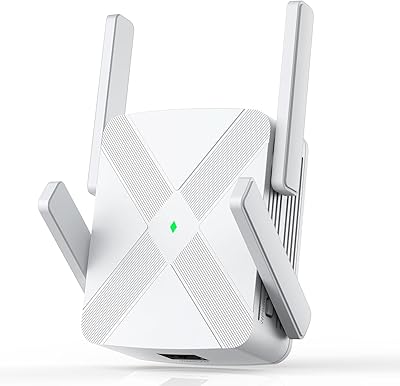
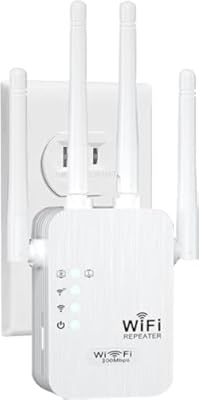
The Budobiruon WiFi Extender 1200Mbps is a compact, budget-tier signal booster that arrived in mid-2025 from a brand most shoppers won't recognize. That obscurity is worth acknowledging upfront — Budobiruon has no established track record, so you're taking a small leap of faith. What it promises is ambitious: coverage for spaces up to 10,000 square feet and support for up to 35 connected devices simultaneously. In reality, those figures represent best-case marketing numbers. The physical unit is notably small and light, plugging directly into a wall outlet, and it includes an Ethernet port — a genuinely useful addition that most competitors skip at this price point.

Features & Benefits

This signal booster runs on both the 2.4GHz and 5GHz bands, delivering a combined theoretical throughput of 1200Mbps — 300Mbps on the slower band and 867Mbps on the faster one. For everyday tasks like streaming or video calls, that split is more than adequate. Setup is refreshingly straightforward: press the WPS button on your existing router, and this range extender pairs within seconds. If WPS isn't available, a browser-based setup page handles the job without requiring any app install. You can also switch it into Access Point mode to extend a wired connection wirelessly. The Ethernet port doubles as a handy way to hardwire a smart TV or desktop that struggles with wireless.

Best For

This WiFi extender makes the most sense for people dealing with specific dead zones rather than whole-home coverage gaps. Think a basement office that barely gets signal, a garage workshop, or a back bedroom where streams keep buffering. At this price, it's a practical stop-gap solution while you decide whether a mesh system is worth the investment. The Ethernet port makes it especially useful for households that need a wired device — say, a streaming box or gaming console — connected in a room without a cable run. It's far less suited for large, multi-story homes where a single extender will struggle regardless of what the box claims.

User Feedback

Because this range extender only hit the market in mid-2025, the pool of verified buyer feedback is still relatively shallow — worth keeping in mind when weighing ratings. Early reviewers tend to praise ease of setup, particularly the WPS pairing process, which works as advertised for most standard routers. On the downside, several buyers report that real-world coverage falls noticeably short of the advertised figures, a common complaint in this category. A few mention intermittent drops during heavy use. Build quality draws mixed reactions — nothing alarming, but this isn't a device built to last years. The 180-day warranty offers some reassurance, though long-term reliability from an unfamiliar brand remains genuinely uncertain.

Pros

  • WPS setup pairs with most routers in under five minutes — no app or technical knowledge required.
  • The included Ethernet port lets you hardwire a smart TV or console in rooms without cable access.
  • Dual-band support means faster 5GHz bandwidth is available for devices that need it most.
  • Universal 802.11 compatibility works with virtually any consumer router or ISP gateway out of the box.
  • At this price point, the feature set — dual-band plus Ethernet — is genuinely competitive.
  • The compact, plug-in form factor stays flush to the wall without blocking nearby outlets.
  • 180-day warranty window gives you enough time to properly evaluate real-world performance.
  • Access Point mode adds flexibility for users who want to convert a wired connection into wireless coverage.
  • Effective as a low-cost stop-gap fix while you plan a longer-term network upgrade.

Cons

  • Real-world coverage falls well short of the advertised 10,000 square foot ceiling in most homes.
  • Connection drops under heavy multi-device load have been a recurring complaint among early buyers.
  • Brand has no established track record, making long-term reliability genuinely difficult to predict.
  • The single Ethernet port limits wired connectivity to one device at a time.
  • The wired port runs at Fast Ethernet speeds, not Gigabit, capping performance for bandwidth-heavy wired use.
  • Browser-based setup can be unreliable on certain mobile devices, particularly Android browsers.
  • No automatic band steering means devices sometimes cling to the weaker 2.4GHz network unnecessarily.
  • Customer support quality is unverified and response times have been inconsistent based on early feedback.
  • Minimal documentation in the box leaves less experienced users guessing about optimal placement and mode selection.

Ratings

The Budobiruon WiFi Extender 1200Mbps has been scored by our AI system after analyzing verified buyer reviews from global markets, with spam, bot-generated, and incentivized feedback actively filtered out. The ratings below reflect a balanced picture — where this range extender genuinely delivers and where it falls short — so you can make a confident, eyes-open purchase decision.

Ease of Setup
83%
Most buyers get this signal booster running in under five minutes using the WPS button, which pairs directly with an existing router without logging into any app or portal. For less tech-savvy households, that friction-free experience is a real win and one of the most consistently praised aspects across early reviews.
Users without WPS on older routers have to navigate the browser-based setup page, which a handful found confusing due to sparse on-screen instructions. A small number of Android users also reported the configuration page failing to load reliably on mobile browsers.
Real-World Coverage
54%
46%
In compact apartments or single-floor homes, this range extender does a reasonable job pushing signal into rooms that previously had weak connectivity — a back bedroom, a small garage, or a bathroom at the far end of a hallway. For modest square footage, it performs adequately.
The 10,000 square foot coverage figure is a marketing ceiling that real-world use rarely approaches. Buyers in multi-story homes or larger spaces consistently report signal degradation well before those limits, and thick walls or structural interference significantly compress the effective range.
Connection Stability
61%
39%
Under light to moderate load — a couple of devices streaming or browsing simultaneously — the connection holds up well enough for everyday use. Short-range placements close to the primary router yield noticeably more stable results.
Several buyers report intermittent drops during peak usage with multiple devices active, particularly on the 2.4GHz band. Heavy streaming or video calls from the extended network can produce buffering or sudden disconnects that require manually reconnecting devices.
Speed Performance
67%
33%
The 5GHz band delivers respectable throughput for a budget extender, handling HD streaming and casual gaming without obvious lag when the device is placed within a reasonable distance of the main router. Speed-sensitive tasks benefit from connecting to the 5GHz network specifically.
The 2.4GHz band — capped at 300Mbps theoretically — shows its limitations under load, and half-duplex repeater mode naturally cuts effective bandwidth. Buyers expecting near-router speeds at extended range will be disappointed; this is a budget device with budget-tier throughput ceilings.
Ethernet Port Utility
79%
21%
The single Ethernet port is one of the more practical inclusions at this price point, letting users hardwire a smart TV, streaming stick adapter, or desktop PC in a room that lacks a cable run. Buyers who used it this way rated the wired connection as noticeably more stable than relying purely on the wireless extension.
There is only one port, so households needing to connect multiple wired devices are out of luck without an additional switch. The port itself is standard Fast Ethernet rather than Gigabit, which caps wired speeds and limits its usefulness for high-bandwidth wired applications.
Build Quality
58%
42%
The unit is compact and unobtrusive — it sits flush against a wall outlet without blocking adjacent sockets in most standard outlet configurations. The white finish is clean and neutral enough to blend into most home interiors without drawing attention.
The plastic housing feels noticeably lightweight and hollow, and a few buyers questioned how it would hold up after extended periods of continuous use. For an unfamiliar brand with no track record, the build does little to inspire confidence in multi-year reliability.
Value for Money
72%
28%
As a low-cost fix for a specific dead zone problem — not a whole-home overhaul — this range extender offers fair value. The inclusion of an Ethernet port and dual-band support at this price tier genuinely exceeds what some pricier single-band alternatives offer.
The value equation weakens if the coverage falls short of your actual space or if connection stability proves unreliable over time. Spending a modest amount more on an established brand would buy considerably more confidence in longevity and performance consistency.
Dual-Band Functionality
69%
31%
Having both 2.4GHz and 5GHz available lets users direct bandwidth-hungry devices toward the faster band while leaving smart home gadgets and older devices on 2.4GHz. That band segregation, even on a budget device, is a meaningful practical advantage.
The extender does not always make band-switching intuitive for non-technical users, and some devices stubbornly latch onto the weaker 2.4GHz network. There is no automatic band steering to intelligently route devices, which is a limitation shared across most budget extenders.
Router Compatibility
81%
19%
Universal 802.11 standard support means this signal booster connects without drama to virtually any consumer router on the market — ISP-provided gateways, older N-band equipment, and modern AC routers all tested without reported compatibility failures.
A small subset of buyers with less common router firmware or ISP-specific gateway configurations reported needing extra steps to complete pairing. WPS compatibility specifically can vary depending on how an ISP has configured the gateway device.
Operating Modes
66%
34%
The ability to switch between Repeater and Access Point modes gives this extender more flexibility than strictly single-mode alternatives. The AP mode in particular is useful for users who want to convert a wired connection in a room into a wireless access point without buying a separate device.
Mode switching requires navigating the setup interface, which is not particularly intuitive. The documentation included in the box is minimal, and users who are unfamiliar with networking concepts may struggle to understand which mode is appropriate for their specific situation.
Device Capacity
63%
37%
The claimed support for up to 35 simultaneous devices is generous on paper, and light-usage households with a modest number of connected gadgets — phones, tablets, a laptop or two — will not bump into practical limits under normal conditions.
Performance degrades noticeably as the active device count climbs, particularly if multiple devices are streaming or downloading simultaneously. The 35-device claim is a theoretical ceiling; real-world saturation sets in much earlier, especially over the weaker 2.4GHz band.
Warranty & Support
62%
38%
A 180-day return or replacement window is longer than the 30 or 90-day coverage common with many budget networking accessories. The extended coverage period provides a meaningful runway to identify any performance or reliability issues before being stuck with a non-functioning unit.
The advertised 24/7 lifetime technical support is difficult to independently verify for a brand with no established service reputation. Buyers who have needed post-purchase assistance report inconsistent response times, and the quality of that support remains an open question given how recently the brand entered the market.
Brand Trust & Reliability
44%
56%
The product launched with a competitive feature set relative to its price, and the 180-day warranty at least signals some willingness to stand behind the product. For buyers willing to accept some uncertainty with a newer brand, the functional upside is real.
Budobiruon has no meaningful track record in the networking space, which makes multi-year reliability impossible to assess at this stage. Buyers who have had poor experiences with obscure no-name networking brands will find limited evidence here to change that expectation.

Suitable for:

The Budobiruon WiFi Extender 1200Mbps is a practical pick for renters and homeowners who have one specific dead zone problem to solve — a basement office that barely catches a signal, a garage workshop where video calls keep cutting out, or a back bedroom that sits just far enough from the router to be frustrating. It works well as a low-risk, low-cost experiment for households not yet ready to invest in a full mesh network overhaul. Non-technical users in particular will appreciate that setup rarely takes more than a few minutes via the WPS button, with no app downloads or account creation required. The built-in Ethernet port makes it especially handy for anyone who needs to hardwire a smart TV or streaming device in a room without a cable run. If your space is modest in size and your expectations are calibrated to budget-tier hardware, this range extender can quietly do its job without much fuss.

Not suitable for:

The Budobiruon WiFi Extender 1200Mbps is not the right tool for anyone expecting whole-home coverage in a large, multi-story property — the 10,000 square foot figure on the box is a theoretical maximum that real-world walls, floors, and interference will cut down substantially. Power users who depend on consistent, high-speed connections for remote work, 4K streaming on multiple devices, or competitive online gaming will find the bandwidth limitations and occasional stability issues genuinely disruptive. Anyone who places high value on brand trust and long-term reliability should also think twice: Budobiruon is a brand with no meaningful track record, and there is simply not enough post-purchase data yet to make confident claims about how these units perform after a year or two of continuous operation. Households with more than a handful of simultaneously active devices will likely hit performance ceilings sooner than the specifications suggest. If your situation calls for a permanent, rock-solid network infrastructure upgrade, a mesh system from an established manufacturer is the smarter long-term investment.

Specifications

  • Brand: Manufactured and sold by Budobiruon, a brand that entered the consumer networking market in mid-2025.
  • Dimensions: The unit measures 3.35 × 3.15 × 2.28 inches, making it compact enough to plug directly into a wall outlet without occupying significant space.
  • Weight: At 3.84 ounces, this signal booster is light enough that it places no meaningful strain on a standard wall outlet.
  • Frequency Bands: Operates on both the 2.4GHz and 5GHz bands simultaneously, providing dual-band wireless coverage from a single device.
  • Max Throughput: Combined theoretical throughput reaches 1200Mbps, split across 300Mbps on 2.4GHz and up to 867Mbps on 5GHz.
  • Coverage Claim: The manufacturer rates coverage at up to 10,000 sq ft, though actual performance will vary significantly based on home layout, construction materials, and interference sources.
  • Device Support: Rated to handle up to 35 simultaneously connected devices across both bands under typical household usage conditions.
  • Operating Modes: Supports two confirmed modes — Repeater and Access Point (AP) — allowing the device to extend an existing wireless network or broadcast a wired connection wirelessly.
  • Ethernet Port: Includes one Fast Ethernet port for hardwiring a single device such as a smart TV, streaming adapter, or desktop computer.
  • Setup Methods: Can be configured via WPS button pairing with a compatible router or through a browser-based interface accessed at 192.168.11.1.
  • Compatibility: Supports 802.11b, g, n, a, and ac wireless standards, ensuring broad compatibility with virtually all consumer routers and ISP-provided gateways.
  • Color: Available in white, with a neutral finish designed to blend unobtrusively into standard home interiors.
  • Power Source: Plugs directly into a standard AC wall outlet; no external power adapter or USB power source is required.
  • Warranty: Comes with a 180-day return or replacement warranty, which is longer than the 30 to 90-day coverage typical of many budget networking accessories.
  • Technical Support: The manufacturer claims 24/7 lifetime technical support availability, though independent verification of response quality and consistency is limited at this stage.
  • First Available: This range extender became available for purchase on Amazon in July 2025, meaning long-term reliability data is not yet available from the market.

Related Reviews
MIKKOA WiFi Extender 1200Mbps
85%
91%
WiFi Range and Coverage
88%
Setup and Installation
85%
Performance and Speed
82%
Build Quality and Durability
90%
Compatibility with Devices
More
AOOEPU WiFi Extender 1200Mbps
85%
88%
WiFi Coverage
94%
Ease of Setup
85%
Speed & Performance
80%
Reliability
82%
Device Capacity Support
More
FjUoLzgK M-97G WiFi Extender
74%
91%
Ease of Setup
67%
Signal Coverage
62%
5GHz Band Performance
78%
2.4GHz Band Reliability
83%
Ethernet Port Utility
More
WAVLINK AX3000 WiFi 6 Outdoor WiFi Extender
87%
94%
Outdoor Coverage
89%
WiFi Performance
90%
Weatherproof Build
86%
Installation Ease
88%
Signal Penetration
More
Hyzom WiFi Extender
Hyzom WiFi Extender
83%
89%
Coverage Range
85%
Signal Stability
83%
Device Capacity
91%
Setup & Installation
78%
Build Quality
More
Xilkoze WiFi Extender
86%
91%
Setup and Installation
88%
WiFi Coverage
84%
Performance (Speed and Stability)
92%
Compatibility with Devices
78%
Signal Range in Large Homes
More
Linksys RE7000 WiFi Extender
86%
89%
Ease of Setup
87%
Performance (Range & Speed)
91%
Dual-Band Connectivity
83%
Gigabit Ethernet Port
95%
Compatibility with Routers
More
rockspace AC2100 WiFi Extender
85%
88%
Performance
91%
Setup Process
80%
WiFi Coverage
87%
Device Connectivity
85%
Build Quality
More
Speedwave WiFi Extender 2025
84%
91%
WiFi Coverage
94%
Ease of Setup
88%
Dual-Band Performance
85%
Connection Stability
74%
Speed Consistency
More
YKMBFEQC 300Mbps WiFi Extender
83%
93%
Ease of Setup
85%
WiFi Coverage Range
88%
Dual-Band Performance
80%
Signal Stability
87%
Compatibility with Devices
More

FAQ

It should work with virtually any standard consumer router or gateway, including those provided by ISPs, as long as it supports common 802.11 wireless standards — which almost all modern routers do. WPS compatibility can occasionally vary depending on how an ISP has locked down the gateway, so if WPS does not work, the browser-based setup at 192.168.11.1 is a reliable fallback.

No app is required. The quickest method is to press the WPS button on this range extender and then press the WPS button on your main router — they should pair within about 60 seconds. If your router does not support WPS, you can connect to the extender's temporary network from any browser and complete setup by visiting 192.168.11.1.

Honestly, treat that figure as a best-case ceiling rather than a reliable expectation. Most buyers in real homes — with walls, floors, furniture, and interference from neighboring networks — see effective coverage that falls well short of that number. For a single dead zone fix in a typical apartment or house, it generally performs reasonably well; for large multi-story properties, expect limitations.

Yes, that is one of the more practical uses for the built-in port. You can run an Ethernet cable from the extender directly into a smart TV, streaming box, or even a desktop PC in a room that does not have a wall network port. Keep in mind the port operates at Fast Ethernet speeds rather than Gigabit, so it is best suited for streaming and browsing rather than large file transfers.

Some speed reduction is expected — that is a trade-off inherent to all repeater-mode extenders, not just this one. When operating as a repeater, the device uses part of its bandwidth to communicate with your main router and part to serve your connected devices, which effectively halves the available throughput in that mode. Placing the extender closer to your main router, or using Access Point mode with a wired backhaul, helps minimize this impact.

Almost certainly yes. The extender supports 802.11b, g, n, a, and ac standards, which covers every consumer Wi-Fi router produced in the past fifteen-plus years. If your router is functional and connecting other devices today, this signal booster should pair with it without issue.

In Repeater mode, the device connects wirelessly to your existing router and rebroadcasts that signal further into your home — useful when you cannot run a cable. In Access Point mode, you connect an Ethernet cable from your router or a wall port to the extender, and it creates a new wireless access point from that wired connection. Access Point mode typically delivers more stable and faster results because it does not rely on a wireless backhaul.

A mesh system uses multiple nodes that communicate with each other intelligently, handing off your device as you move through your home and maintaining more consistent speeds throughout. This range extender is a single device that rebroadcasts your existing signal — simpler and cheaper, but without the seamless roaming or intelligent load balancing that mesh systems offer. For fixing one specific dead zone, this extender is a reasonable solution; for upgrading an entire home network, a mesh system is worth the higher investment.

The manufacturer claims 24/7 lifetime technical support, but given the brand is relatively new with limited public history, it is difficult to independently confirm how responsive or effective that support is in practice. The 180-day warranty does provide a meaningful return or replacement window if the unit malfunctions, which gives you reasonable time to identify any issues before the coverage expires.

The general rule for any repeater is to position it halfway between your main router and the dead zone you are trying to reach — close enough to pick up a strong signal from the router, but far enough to extend meaningful coverage into the problem area. Avoid placing it behind large appliances, inside cabinets, or near microwave ovens and cordless phone bases, as all of these can interfere with wireless performance. A clear line of sight to the router, even partially, always helps.