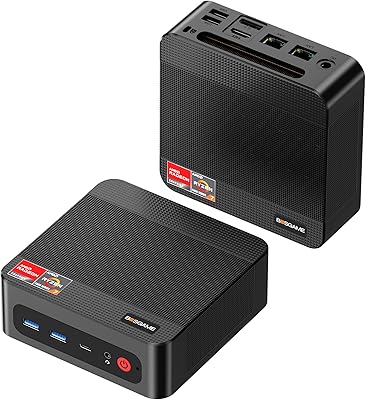
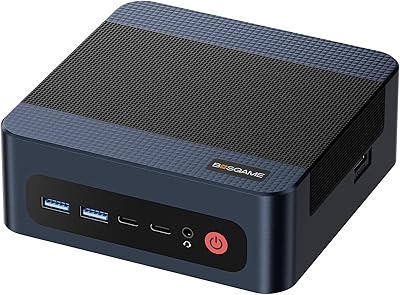
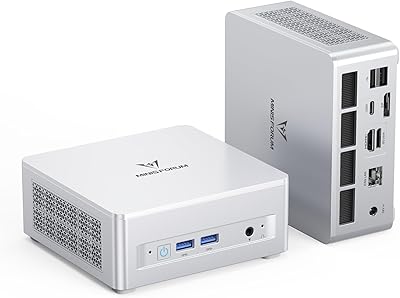
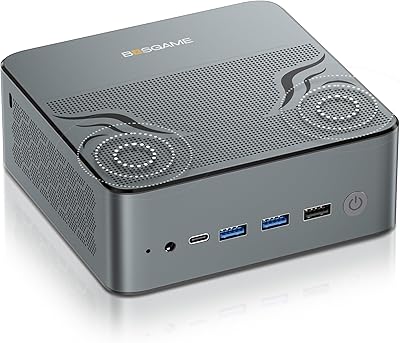
Overview

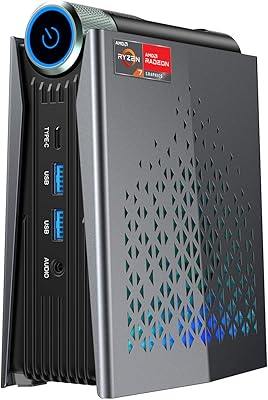
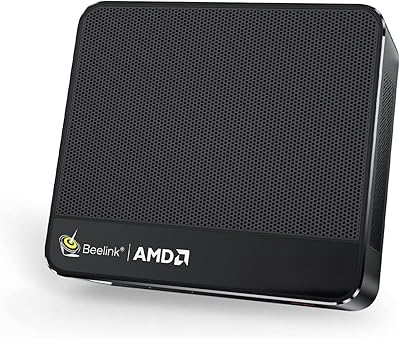
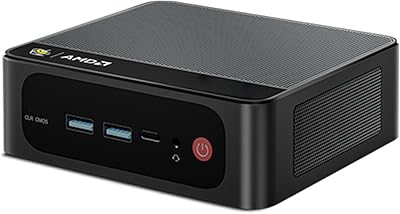
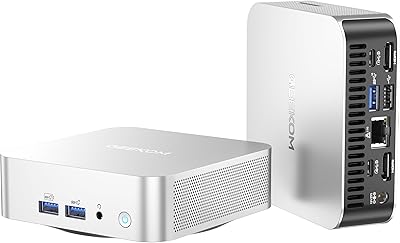
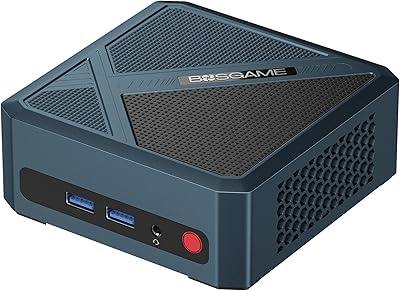
The BOSGAME Mini PC P4 Plus (Ryzen 7 5825U, 32GB/1TB) is a compact desktop built for home office users, multi-display setups, and anyone who wants capable everyday computing without a full tower eating up desk space. The AMD Ryzen 7 5825U is a mature Zen 3 APU — not cutting-edge, but well-optimized and genuinely efficient for productivity work. You get 32GB of RAM and a 1TB NVMe SSD right out of the box, which is more than most competitors offer at this tier. The dual 2.5GbE LAN is a rare inclusion and immediately sets this Ryzen 7 mini PC apart. Just keep gaming expectations grounded — the integrated graphics handle casual use, not AAA titles.
Features & Benefits

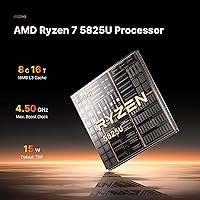
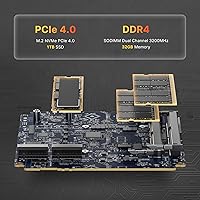
The 5825U's 8-core, 16-thread Zen 3 architecture handles multitasking and light creative work confidently — browser-heavy workflows, video calls, and even some photo editing stay responsive throughout. 32GB of dual-channel DDR4 is a real advantage here; you are unlikely to feel upgrade pressure anytime soon, and the slots support up to 64GB if you ever do. Storage is equally thoughtful — a 1TB PCIe NVMe SSD comes pre-installed, and a second open M.2 slot lets you expand without replacing anything. Triple display output via HDMI, DisplayPort, and USB-C supports up to 4K at 60Hz across all three screens. Wireless covers Wi-Fi 6E tri-band and Bluetooth 5.2, though real-world speeds naturally fall short of the theoretical ceiling.

Best For

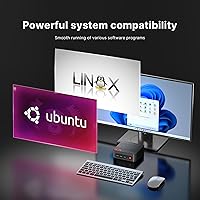
This Ryzen 7 mini PC is a natural fit for home office professionals who need a quiet, capable machine without sacrificing desk space. Running a three-monitor setup for research, trading, or design work is well within reach here, and without needing a discrete GPU — a meaningful cost saving. Networking enthusiasts and home lab users will appreciate the dual 2.5GbE ports, which are genuinely uncommon at this price point. Casual and retro gamers can also get real mileage from the Radeon integrated graphics. One important note: Windows is not pre-installed. The P4 Plus supports Windows, Ubuntu, and Linux, so factor in OS licensing costs if you plan to run Windows from the start.

User Feedback

Buyers consistently highlight fast boot times and surprisingly quiet fan behavior during typical office workloads as top positives. The dual LAN ports earn particular praise from networking users, who seem genuinely pleased to find that feature at this price. Triple-monitor setup is broadly described as plug-and-play with no exotic drivers required. On the critical side, some users report thermal throttling during sustained heavy workloads — worth factoring in if you plan extended demanding tasks. BOSGAME's 1-year hardware warranty and 30-day return window are well-received, though experiences with customer support responsiveness appear to vary. Overall, the P4 Plus earns solid marks for out-of-box value, with thermal management under load being the most recurring concern.

Pros

  • Ships with 32GB RAM and a 1TB NVMe SSD already installed — no immediate upgrades needed.
  • Triple 4K display output across HDMI, DisplayPort, and USB-C works reliably without a discrete GPU.
  • Dual 2.5GbE LAN ports are a rare and genuinely useful differentiator at this price tier.
  • The P4 Plus runs nearly silent during typical office workloads, making it ideal for quiet home environments.
  • Wi-Fi 6E tri-band support future-proofs wireless connectivity for users with compatible routers.
  • A second open M.2 slot makes storage expansion straightforward without replacing the existing drive.
  • Compact footprint and lightweight build allow flexible placement — desk, wall mount, or media cabinet.
  • Supports Windows, Ubuntu, and Linux, giving technically inclined users real OS flexibility.
  • Fast boot times are consistently praised by users — typically under 15 seconds from cold start.
  • The 30-day return window and 1-year hardware warranty provide a reasonable safety net for buyers.

Cons

  • No operating system is pre-installed — buyers must purchase and install Windows separately if needed.
  • Thermal throttling under sustained heavy workloads is a recurring complaint among power users.
  • Only four USB ports total, which fills up quickly in a real multi-peripheral desk setup.
  • Fan noise ramps up noticeably under load, which may be disruptive in very quiet environments.
  • Integrated graphics cannot handle modern AAA games — misleading marketing around gaming capability frustrates some buyers.
  • Customer support responsiveness is inconsistent, with some users reporting slow or unclear replies.
  • The plastic chassis feels budget relative to the hardware inside, particularly the top panel flex.
  • Real-world Wi-Fi throughput falls well short of the advertised theoretical maximum speeds.
  • The second M.2 expansion slot is limited to PCIe 3.0, capping the speed of any added storage.
  • BOSGAME is a relatively new brand in Western markets, so long-term reliability data remains limited.

Ratings

The BOSGAME Mini PC P4 Plus (Ryzen 7 5825U, 32GB/1TB) has been evaluated by our AI system after analyzing thousands of verified global user reviews, with spam, incentivized, and bot-generated feedback actively filtered out. Scores reflect the full spectrum of real buyer experiences — including where this compact desktop genuinely impresses and where it falls short. Both strengths and recurring pain points are represented transparently across each category.
Value for Money
91%
Buyers repeatedly note that arriving with 32GB of dual-channel RAM and a 1TB NVMe SSD pre-installed removes the usual upgrade tax that plagues similarly priced mini PCs. For a work-from-home setup or a shared family computer, the out-of-box readiness feels genuinely generous compared to what competitors offer at this price tier.
Windows not being included does sting for users unfamiliar with OS licensing costs — several reviewers felt blindsided by that addition. If you factor in a Windows license, the effective cost climbs noticeably and starts to erode some of that strong value perception.
CPU Performance
83%
The Ryzen 7 5825U handles everyday multitasking with real composure — running dozens of browser tabs, video conferencing, and light spreadsheet work simultaneously without visible slowdowns. The 8-core, 16-thread configuration means task-switching stays snappy even under moderate workloads, which daily office users appreciate after long sessions.
Under sustained, CPU-intensive tasks — think prolonged video exports or extended compilation runs — some users report noticeable thermal throttling that drags sustained performance down. The compact chassis limits cooling headroom, so this is not a machine designed for continuous heavy compute loads.
Thermal Management
61%
39%
During light to moderate use — web browsing, document editing, video calls — the P4 Plus runs quietly and stays cool enough that it is essentially unnoticeable on a desk. Fan noise under these conditions is minimal, which several users working in quiet home offices specifically called out as a positive.
Push the machine harder for extended periods and thermal throttling becomes a real concern. Reviewers running sustained workloads report the fan spinning up noticeably and CPU clock speeds backing off, which is a meaningful limitation if you plan to use this compact desktop for anything beyond typical productivity tasks.
Connectivity & Networking
94%
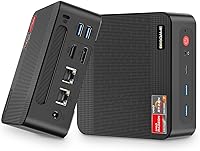
The dual 2.5GbE LAN ports are the headline feature for networking-savvy buyers, and they consistently earn enthusiastic praise. Home lab users and NAS operators in particular find having two independent high-speed wired ports genuinely transformative — enabling network bridging, direct NAS connections, and lag-free transfers in ways a single gigabit port simply cannot match.
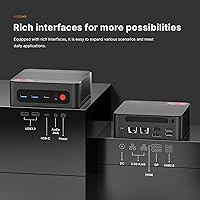
The USB port selection is the one connectivity weak point — just two USB 3.0 and two USB 2.0 ports is tight for power users with multiple peripherals. Anyone running a full desk setup with external drives, a webcam, and a USB hub will likely need a docking solution fairly quickly.
Multi-Display Support
88%
Triple 4K output across HDMI, DisplayPort, and USB-C is a legitimate selling point that most users find works reliably without driver headaches. Productivity-focused buyers running two or three monitors for research, trading dashboards, or creative layouts consistently report a smooth setup experience with no exotic configuration required.
A small subset of users encountered issues getting all three outputs active simultaneously, particularly when mixing monitor brands or refresh rates. The integrated GPU sharing system memory also means driving three 4K displays simultaneously can reduce the memory bandwidth available to other tasks.
Wireless Performance
79%
21%
Wi-Fi 6E support with tri-band coverage is a genuine upgrade over older mini PCs still shipping with Wi-Fi 5. Users with a compatible 6GHz router report noticeably cleaner connections and reduced interference, which matters in apartment buildings or dense office environments where the 2.4GHz and 5GHz bands are congested.
Real-world throughput falls well short of the theoretical 9.6Gbps ceiling — as it does on any consumer device. A handful of reviewers noted occasional disconnects or inconsistent speeds, suggesting the antenna implementation inside the compact chassis may not extract the full potential of the Wi-Fi 6E chipset.
Storage Speed & Expandability
86%
The pre-installed PCIe NVMe SSD delivers fast boot times — buyers frequently cite being up and running in under 15 seconds as a tangible daily win. The second open M.2 slot is a smart inclusion that means storage expansion is a simple upgrade rather than a replacement job.
The second slot is PCIe 3.0, not 4.0, which caps expansion speeds compared to newer platforms. Buyers expecting the absolute fastest NVMe performance for large sequential transfers may find the throughput ceiling modest relative to more recent mini PC platforms.
RAM Capacity & Upgradeability
89%
Shipping with 32GB in dual-channel configuration is a meaningful differentiator — it means most buyers will never need to open the chassis for a RAM upgrade. Power users running virtual machines or keeping dozens of applications open simultaneously report the headroom feels genuinely comfortable rather than just adequate.
The SODIMM DDR4 standard is technically upgradeable to 64GB, but accessing the slots requires disassembly, which some less technical users find intimidating. The maximum supported speed of 3200MHz is also a generational constraint compared to newer DDR5-based platforms.
Build Quality & Design
74%
26%
The matte black chassis feels reasonably solid for a mini PC at this price point, and at 2.42 pounds it is light enough to mount behind a monitor or tuck into a media cabinet without fuss. The overall footprint — roughly the size of a thick hardcover book — genuinely disappears on a desk.
Some buyers note the plastic shell feels noticeably budget relative to the hardware inside, with slight flex when pressure is applied to the top panel. It is functional rather than premium, and users coming from aluminum-chassis mini PCs may find the build a step down in perceived quality.
Graphics & Gaming Capability
58%
42%
The Radeon Vega 8 integrated graphics handles retro titles, 2D indie games, and older 3D games from several years back at playable settings. Casual gamers who primarily want to run games like Stardew Valley, Minecraft, or older Steam library titles will find the experience acceptable.
Anyone expecting modern AAA gaming will be genuinely disappointed — this is integrated graphics sharing system memory, not a discrete GPU. Frame rates on recent titles are low even at reduced settings, and the thermal constraints of the chassis compound performance limitations during longer gaming sessions.
Noise Level
81%
19%
Under light workloads, the fan is nearly inaudible and several home office users specifically mention being able to use the machine in shared or quiet spaces without disturbing others. The passive cooling surface area appears reasonably well designed for everyday productivity tasks.
Sustained loads push the fan into a clearly audible range. Users who run the machine hard — during video rendering or extended gaming — note the fan ramp-up is noticeable and somewhat intrusive in a quiet room, which is a common trade-off in compact chassis designs.
Software & OS Flexibility
77%
23%
Support for Windows, Ubuntu, and Linux out of the box gives technically minded buyers genuine flexibility. Linux users in particular appreciate not having to fight hardware compatibility, with several reviewers reporting clean Ubuntu installs with full peripheral and display support.
No operating system comes pre-installed, which catches some buyers off guard. Less experienced users expecting to plug in and start working on Windows may be surprised by the additional step and cost involved, and the product listing does not always make this clear upfront.
Setup & Ease of Use
84%
Hardware setup is genuinely straightforward — the ports are well-labeled and logically arranged, and the BIOS is accessible without obscure key combinations. Most buyers report going from unboxing to a working display in under ten minutes, which reflects well on the physical out-of-box experience.
The OS installation step adds friction for non-technical users, and BOSGAME's documentation for first-time setup is considered thin by several reviewers. A clearer quick-start guide covering OS installation options would meaningfully improve the experience for buyers new to bare-metal systems.
Warranty & Customer Support
68%
32%
The 1-year hardware warranty and 30-day return window are competitive for this product category, and buyers who needed replacements generally report the process working as advertised. The brand markets lifelong technical support access, which provides some reassurance for buyers concerned about long-term reliability.
Response times and support quality appear inconsistent across user reports — some buyers describe prompt, helpful resolutions while others experienced slow replies or difficulty getting clear answers. For a brand still building its reputation in Western markets, this variability is a risk worth considering before purchasing.

Suitable for:

The BOSGAME Mini PC P4 Plus (Ryzen 7 5825U, 32GB/1TB) is a strong match for home office professionals who want a capable, quiet desktop that disappears on a desk without sacrificing real productivity muscle. If your daily workload revolves around video conferencing, document editing, spreadsheets, and browser-heavy research, this compact desktop handles all of it without breaking a sweat. It is particularly well-suited for multi-monitor setups — the ability to run three 4K displays simultaneously without a discrete GPU is a genuine rarity at this price point, making it attractive for traders, writers, or designers who live across multiple screens. Networking enthusiasts and home lab users will find the dual 2.5GbE LAN ports a compelling reason to choose this machine over look-alike competitors, enabling NAS connections and network bridging that a standard single gigabit port simply cannot support. Linux and Ubuntu users also benefit here, since hardware compatibility is broadly solid and the platform flexibility is built in from the start.
Not suitable for:

Buyers expecting meaningful gaming performance should look elsewhere — the BOSGAME Mini PC P4 Plus (Ryzen 7 5825U, 32GB/1TB) uses integrated Radeon Vega 8 graphics, which is fine for older indie titles but will struggle with any modern AAA game regardless of settings. If your workload involves sustained heavy compute tasks — long video rendering queues, large compilation jobs, or extended 3D modeling sessions — the compact chassis and its thermal limitations will frustrate you, as throttling under prolonged load is a documented pattern in user feedback. This machine is also not a good fit for buyers who expect Windows out of the box; no operating system is pre-installed, and the cost of a Windows license needs to be factored into your budget from the start. Users who need more than four USB ports without adding a hub will likely find the port selection cramped in practice. Finally, anyone prioritizing the absolute latest platform performance — DDR5, PCIe 5.0 storage, or a newer CPU generation — will find the Zen 3 architecture a generational step behind current offerings.
Specifications

  • Processor: AMD Ryzen 7 5825U with 8 cores, 16 threads, a base clock of 2.0GHz, and a boost clock up to 4.5GHz, built on Zen 3 architecture.
  • RAM: 32GB DDR4 SODIMM dual-channel memory running at 3200MHz, expandable to a maximum of 64GB.
  • Storage: 1TB M.2 NVMe PCIe SSD pre-installed, with one additional M.2 NVMe PCIe 3.0 x4 2280 slot available for expansion.
  • Graphics: Integrated AMD Radeon Vega 8 graphics running at up to 2000MHz, sharing system memory with no discrete GPU option.
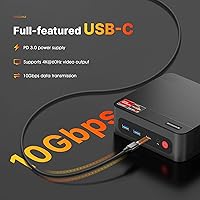
  • Display Output: Triple display support via one HDMI port, one DisplayPort, and one USB-C port, each capable of up to 4K at 60Hz.
  • Wired Networking: Two independent 2.5Gbps Ethernet (2.5GbE) LAN ports for high-speed wired connectivity or network bridging configurations.
  • Wireless: Wi-Fi 6E (802.11ax) with tri-band coverage across 2.4GHz, 5GHz, and 6GHz bands, plus Bluetooth 5.2.
  • USB Ports: Four USB ports total: two USB 3.0 and two USB 2.0, located across the front and rear of the chassis.
  • Operating System: No OS pre-installed; compatible with Windows, Ubuntu, and Linux distributions.
  • Dimensions: The chassis measures 6.57 x 6.5 x 4.09 inches, offering a compact desktop footprint suitable for desk or monitor-mount placement.
  • Weight: The unit weighs 2.42 pounds, making it light enough for VESA mounting or easy repositioning.
  • Memory Type: SODIMM DDR4 slots are used for RAM, the same form factor found in laptops, allowing standard notebook memory upgrades.
  • Cache: The Ryzen 7 5825U includes 8MB of L3 cache, supporting faster data access for multitasking workloads.
  • CPU TDP: The 5825U operates within a 15W configurable TDP envelope, which influences the thermal and fan behavior inside the compact chassis.
  • Form Factor: Classified as a mini PC desktop, designed for space-constrained environments without sacrificing full desktop port availability.
  • Warranty: BOSGAME provides a 1-year limited hardware warranty and a 30-day risk-free return window from the date of purchase.
  • Color & Finish: The chassis ships in matte black with a plastic outer shell and a vented top panel for passive airflow assistance.
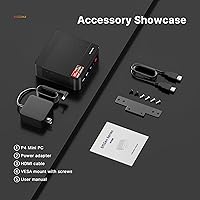
  • Power Supply: Powered by an external DC power adapter included in the box, avoiding the need for a bulky internal PSU.

Related Reviews

BOSGAME P3 Mini Gaming PC AMD Ryzen 7 7840HS 32GB RAM 1TB SSD
88%
94%
Gaming Performance
90%
Multi-Tasking & Productivity
88%
Build Quality & Design
93%
Display Support
87%
Cooling & Noise Level
More
BOSGAME M4 Plus Mini PC, AMD Ryzen 9 7940HS, 32GB RAM, 1TB SSD
86%
91%
Performance
87%
Build Quality
93%
Connectivity
82%
Gaming Performance
89%
Multitasking
More
Beelink SER5 Pro Mini PC (Ryzen 7 5825U, 32GB RAM, 1TB SSD)
80%
88%
Everyday Performance
61%
Thermal Management
91%
Value for Money
86%
Multi-Monitor Support
79%
Build Quality & Design
More
MINISFORUM UM880 Plus Mini PC AMD Ryzen 7 8845HS 32GB RAM 1TB SSD
83%
93%
Performance
89%
Connectivity Options
91%
Multitasking Capability
88%
Build Quality
84%
Graphics Performance
More
BOSGAME M2 Mini PC Ryzen 9 7940HS 32GB RAM 1TB SSD
89%
93%
Performance
88%
Build Quality
90%
Gaming Experience
92%
Multitasking Efficiency
91%
Connectivity & Networking
More
ACEMAGICIAN S3A Mini PC, Ryzen 7 5875U, 32GB RAM, 1TB SSD
84%
89%
Overall Performance
92%
Value for Money
85%
Build Quality
81%
Gaming Performance
94%
Ease of Setup
More
Beelink EQR7 Mini PC, Ryzen 7 7735U, 32GB RAM, 1TB SSD
87%
94%
Performance
88%
Build Quality
91%
Setup and Installation
89%
Display Quality
85%
Wireless Connectivity
More
Beelink SER9 Mini PC Ryzen 7 2550U 32GB RAM 1TB SSD
85%
89%
Performance
92%
Value for Money
88%
Design & Build Quality
91%
Multitasking Capabilities
85%
Connectivity & Ports
More
GEEKOM A6 Mini PC 32GB/1TB
83%
88%
CPU Performance
67%
Thermal Management
91%
Build Quality
86%
RAM & Memory Performance
89%
Storage Speed
More
Beelink SER8 Mini PC, AMD Ryzen 7 8745HS, 32GB RAM, 1TB SSD
88%
91%
Performance
92%
Value for Money
86%
Usability
88%
Build Quality
90%
Cooling & Noise
More

FAQ

No, it does not. The BOSGAME Mini PC P4 Plus (Ryzen 7 5825U, 32GB/1TB) ships without any operating system installed. It supports Windows, Ubuntu, and Linux, but you will need to purchase a Windows license separately and install it yourself if that is your preferred OS. For Linux users, the process is straightforward and hardware compatibility is generally solid.

Yes, and it works reliably for most users. The P4 Plus has three video outputs — HDMI, DisplayPort, and USB-C — each capable of 4K at 60Hz. Most buyers find the triple-monitor setup plug-and-play without needing special drivers. A small number of users have reported hiccups when mixing monitor brands or refresh rates, so it is worth testing your specific display combination.

Realistically, older and less demanding titles run well — think games from several years ago, retro titles, 2D indie games, and lighter Steam library entries like Minecraft or Stardew Valley. Modern AAA games at reasonable settings are largely out of reach for the integrated Radeon Vega 8 graphics. If gaming beyond casual play is a priority, this compact desktop is not the right tool for it.

The dual 2.5GbE LAN setup is aimed at users who need more than a standard wired connection. Home lab enthusiasts can use one port for their LAN and one for a NAS or secondary network. It also supports network bridging, letting the machine act as a router or passthrough device. For regular home office use with a single wired connection, you will simply use one port and leave the other unused.

Both are upgradeable. The two SODIMM DDR4 slots support up to 64GB total, though accessing them requires opening the chassis. On the storage side, the pre-installed 1TB NVMe SSD occupies one M.2 slot, and the second slot is open for an additional PCIe 3.0 drive. You can add more storage without removing or replacing anything already installed.

During typical workloads — web browsing, documents, video calls — the fan is nearly silent and most users working in quiet rooms barely notice it. Under heavier sustained loads, the fan does spin up to an audible level. It is not unusually loud for a mini PC, but it is noticeable in a quiet environment if you are pushing the CPU hard for extended periods.

The P4 Plus includes a Wi-Fi 6E adapter with tri-band support, including the 6GHz band. Whether you notice the difference depends on your router — you need a Wi-Fi 6E compatible router to access the 6GHz band at all. In practice, real-world speeds are far below the theoretical 9.6Gbps maximum, but users with congested networks or modern routers do report cleaner, more consistent connections compared to older Wi-Fi standards.

It is a reasonable option for light home server duties. The dual 2.5GbE ports are the standout feature here, making it well-suited for acting as a NAS client or a simple routing device. The 8-core CPU handles basic server tasks comfortably, and Linux compatibility makes it easy to run server software. Just keep in mind the thermal behavior under continuous load before committing to 24/7 operation.

BOSGAME covers hardware defects for one year from purchase, and offers a 30-day return window if you decide it is not the right fit. User experiences with their support team are mixed — some buyers report fast, helpful responses, while others have found communication slower than expected. It is worth keeping your purchase confirmation and any correspondence organized in case you need to follow up more than once.

The 5825U is a Zen 3 architecture chip released in 2022, so it is a generation or two behind the latest Ryzen options now shipping in competing mini PCs. For productivity tasks, the performance gap in everyday use is modest and most buyers will not feel it day to day. Where it shows more is in integrated graphics capability and memory bandwidth efficiency compared to newer Ryzen 7000 series APUs. If you need the absolute latest platform, it is worth comparing, but for most office and multi-display use cases the 5825U still holds up well.