Overview

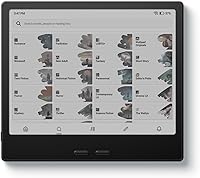
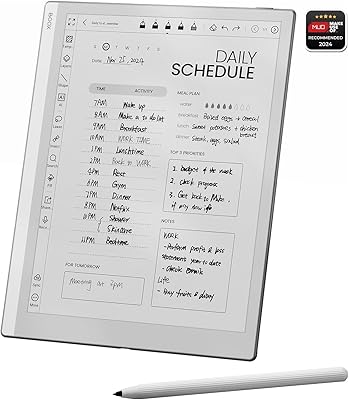
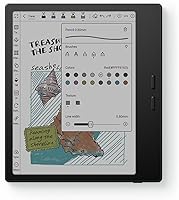
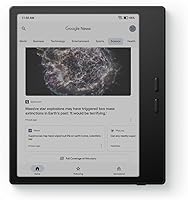
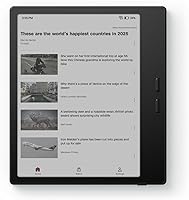
The BOOX Go Color 7 Gen II is a mid-range color E Ink tablet built for readers and light note-takers who want more than a monochrome screen without surrendering the eye-friendly qualities of e-paper. Compared to its predecessor, this generation brings the Kaleido 3 display — a meaningful upgrade that increases color accuracy and reduces the washed-out look earlier E Ink color screens were known for. Running Android 13, it also sidesteps the locked ecosystems of Kindle or Kobo entirely. Just be clear about what you are buying: this is not an iPad alternative. It is an e-paper device first, and everything about the experience flows from that fact.
Features & Benefits

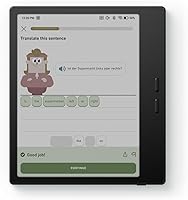
The 7″ Kaleido 3 panel delivers sharp, crisp text at 300 ppi in black and white — genuinely excellent for long reading sessions. Color resolution drops to 150 ppi, which is noticeable but acceptable for comics or illustrated content. The octa-core processor and 4GB RAM handle most Android apps without embarrassing lag, though heavy apps can occasionally stutter. The front light supports warm and cold tone mixing, making nighttime reading comfortable. Physical page-turn buttons are a small but welcome touch for anyone who reads for hours. USB-C OTG support and a microSD slot add practical flexibility that most dedicated e-readers simply do not offer.

Best For

This color E Ink tablet is a strong pick for manga and comic readers who want to reduce eye strain without giving up color entirely. Students and professionals who annotate PDFs will appreciate the active stylus compatibility, though the stylus is sold separately — plan for that added cost upfront. It also suits travelers who prioritize a lightweight, low-power device for reading and light productivity. Anyone feeling constrained by a Kindle or Kobo will find the open Android ecosystem refreshing, with access to Kindle, Libby, and other reading apps side by side. It is not a fit for streaming video or gaming.

User Feedback

Owners consistently praise the text clarity in black and white and the solid build quality for the price. The open Android experience draws frequent positive mentions, especially from users coming from locked e-readers. On the downside, buyers expecting LCD-style color vibrancy are often surprised — the Kaleido 3 palette is muted by comparison, and that adjustment takes time. The stylus situation causes real confusion: InkSense support sounds promising until you realize it ships without one and that existing EMR styluses will not work. Battery life holds up well during pure reading but drops noticeably with heavy app use, which aligns with what the hardware suggests.

Pros

  • Sharp 300 ppi black-and-white text makes long reading sessions genuinely comfortable.
  • Kaleido 3 color display is a real upgrade for manga and illustrated ebook readers.
  • Android 13 gives full access to Kindle, Kobo, Libby, and other reading apps simultaneously.
  • Physical page-turn buttons are a practical, underappreciated feature for power readers.
  • MicroSD slot and USB-C OTG support add storage flexibility most e-readers completely lack.
  • Warm and cold front light adjustment makes reading comfortable in any lighting condition.
  • At roughly 195g, this color E Ink tablet is light enough for one-handed reading on a commute.
  • 64GB of built-in storage handles even large comic and PDF libraries without constant management.
  • Open ecosystem means no vendor lock-in — sideloading and third-party apps work without workarounds.

Cons

  • The stylus is not included and EMR styluses are incompatible, adding a hidden upfront cost.
  • Color saturation is noticeably muted — buyers expecting LCD-level vibrancy will be let down.
  • App performance can lag with heavier Android apps not optimized for E Ink refresh rates.
  • Battery life drops sharply when Wi-Fi and apps are running versus pure offline reading mode.
  • The 7-inch size is slightly awkward for double-page manga spreads or large-format PDF layouts.
  • No native headphone jack requires a USB-C dongle for wired audio, which is inconvenient while charging.
  • Color resolution at 150 ppi is visibly softer than black-and-white mode, limiting detail in images.
  • Some third-party apps produce a rough visual experience due to E Ink display incompatibility.

Ratings

The BOOX Go Color 7 Gen II has been put through its paces by readers, students, and digital note-takers worldwide, and our AI has processed verified purchase reviews globally — filtering out incentivized, bot-generated, and spam submissions — to produce the scores below. The results reflect a nuanced picture: this color E Ink tablet earns genuine admiration in several key areas while drawing consistent criticism in others. Both sides are represented here without sugarcoating.
Display Quality (B&W)
91%
For plain text reading — novels, news articles, long PDFs — users consistently describe the 300 ppi black-and-white rendering as sharp and paper-like. Eye fatigue during multi-hour reading sessions is rarely mentioned, which speaks to how well the Carta1200 panel performs for its primary job.
A small number of users note that the glass cover lens introduces occasional glare in direct sunlight, which can undercut the otherwise excellent readability outdoors. It is a minor complaint but worth noting for buyers who read frequently outside.
Display Quality (Color)
67%
33%
For manga, comic panels, and illustrated ebooks, the Kaleido 3 screen delivers a noticeably improved color experience over older E Ink color generations. The 4096-color palette handles flat, high-contrast artwork reasonably well, and buyers using it specifically for illustrated content tend to be satisfied.
Color saturation is muted — that is just the reality of current E Ink color technology. Users coming from LCD tablets or iPads frequently mention that photos and rich illustrations look washed out. The 150 ppi color resolution is also visibly softer than the B&W mode, which can disappoint first-time E Ink color buyers.
Build Quality & Design
84%
The slim 6.4mm profile and 195g weight make this BOOX reader feel premium in hand relative to its price tier. Users on long commutes and frequent travelers specifically praise how easy it is to hold one-handed for extended periods without wrist fatigue.
A few buyers mention that the all-plastic chassis, while lightweight, does not inspire the same confidence as glass-backed devices. There are isolated reports of minor flex when gripping the corners firmly, though structural failures are not a recurring theme.
Performance & Responsiveness
72%
28%
The octa-core CPU paired with 4GB RAM handles core reading tasks and moderately complex Android apps with acceptable speed. Switching between the built-in reader and apps like Kindle or Libby is generally smooth, and users report that the device rarely feels sluggish during typical daily reading workflows.
Push the Go Color 7 Gen II into heavier territory — multi-tab browsing, larger annotation files, or demanding apps — and the lag becomes noticeable. Several users specifically flag that the E Ink refresh rate compounds the perception of slowness when interacting with apps not optimized for e-paper displays.
Stylus Experience
58%
42%
For users who invest in the separately sold InkSense stylus, annotation and note-taking on PDFs receives positive marks. The pressure sensitivity is described as adequate for handwritten notes and basic sketching, and the flat screen surface provides a natural writing feel.
The stylus not being included in the box is a recurring frustration — and the EMR incompatibility catches many buyers off guard, since popular third-party styluses will not work. This forces an additional purchase that some feel should have been factored into the product packaging from the start.
Battery Life
78%
22%
In pure reading mode with Wi-Fi off and the front light at moderate brightness, most users report several days of use before needing a charge — consistent with what a 2300mAh E Ink device should deliver. Light travelers and weekend readers are particularly happy with the between-charge longevity.
Battery life drops sharply when running Android apps with active Wi-Fi, background sync, or the front light at high intensity. A handful of users who use the device as a light productivity tablet rather than purely a reader say daily charging becomes necessary, which undermines the low-power appeal of E Ink.
Software & Android Ecosystem
82%
18%
Android 13 with full Google Play access is a genuine differentiator versus locked ecosystems. Users celebrate being able to run Kindle, Kobo, Libby, and Moon+ Reader side by side, and the ability to sideload apps or customize the reading environment is frequently cited as a top reason for choosing this over a standard e-reader.
Not all Android apps are optimized for E Ink displays, and the experience can feel rough around the edges with some third-party tools. A few users note that BOOX software updates, while present, sometimes introduce minor UI quirks that take a subsequent patch to resolve.
Front Light & CTM
83%
The combination of warm and cold tone adjustment — what BOOX calls CTM — is praised for making late-night reading genuinely comfortable. Users who read across different environments appreciate being able to dial in a warmer amber tone in dim rooms and switch to a cooler white light in brighter settings.
At maximum brightness, the front light can appear slightly uneven toward the edges, which a small number of users with sensitivity to lighting inconsistency find distracting. It is not a widespread complaint, but worth noting for buyers who read in very dark environments.
Format & App Compatibility
88%
The breadth of supported document formats — covering PDF, EPUB, DJVU, CBR, CBZ, DOCX, and more — is consistently praised by power readers who manage large personal libraries in varied formats. Not needing to convert files before sideloading saves real time.
CAJ format support, while listed, gets mixed reviews on reliability for users with Chinese academic documents. A couple of users also flag that complex PDF layouts with heavy graphics can render slowly or imperfectly, though this is more a hardware limitation than a software flaw.
Physical Controls
86%
The dedicated page-turn buttons are one of those features users only truly appreciate after using touch-only readers for a while. Holding the device one-handed and flipping pages without touching the screen keeps the reading experience clean and reduces accidental taps.
The button placement and feedback are generally well received, but a small subset of users with larger hands find the button positioning slightly awkward in landscape orientation. This is a minor ergonomic note rather than a functional problem.
Connectivity & Expandability
81%
19%
USB-C with OTG support means users can connect flash drives directly — useful for transferring large comic or PDF libraries without needing Wi-Fi. The microSD slot is consistently praised as a practical addition that most competitors at this tier omit.
There is no headphone jack natively; the USB-C port doubles as an audio output, which requires a dongle for wired listening. A handful of users find this inconvenient when charging and listening simultaneously, though Bluetooth 5.1 mitigates the issue for wireless headphone users.
Value for Money
74%
26%
For buyers who specifically want a color E Ink tablet with an open Android ecosystem, the price sits in a reasonable range relative to the feature set. Users upgrading from basic e-readers consistently feel they are getting meaningfully more capability for the step up in cost.
When compared to entry-level LCD Android tablets that offer sharper color and faster performance at lower prices, the value proposition requires a firm belief in the E Ink use case to hold up. Buyers who end up disappointed by color quality often feel the price was not justified for their needs.
Weight & Portability
89%
At roughly 195g, this color E Ink tablet is light enough to hold comfortably during a 90-minute commute or a long flight without the arm fatigue that heavier tablets cause. Slip-into-a-bag portability is frequently mentioned as a day-to-day practical strength.
The 7-inch form factor sits in a slightly awkward middle ground for some users — not quite pocketable like a phone, and not as immersive as a 10-inch tablet for larger manga spreads or textbook pages. For most buyers this is a non-issue, but it depends on primary use case.

Suitable for:

The BOOX Go Color 7 Gen II is built for a specific kind of buyer, and when it lands in the right hands, it genuinely delivers. Manga readers and comic enthusiasts who spend hours on illustrated content will appreciate having color on an E Ink screen that does not punish their eyes the way a backlit LCD does over long sessions. Students and professionals who annotate academic papers, legal documents, or technical PDFs will find the combination of open Android, broad format support, and active stylus compatibility genuinely useful — provided they budget for the stylus separately. Frequent travelers or daily commuters who want a lightweight, long-lasting device for reading across multiple apps and libraries without being locked into a single ecosystem will feel right at home here. Anyone who has outgrown a Kindle or Kobo and wants the freedom to run Libby, Moon+ Reader, and their own sideloaded files side by side will find this color E Ink tablet a meaningful step forward.
Not suitable for:

The BOOX Go Color 7 Gen II will frustrate buyers who walk in with the wrong expectations, and it is worth being blunt about that. If you are comparing this to an iPad or an Android LCD tablet on color quality, brightness, or app responsiveness, you will be disappointed — E Ink color is fundamentally different, and no amount of spec sheet optimism changes the muted, lower-saturation reality of Kaleido 3. Buyers who want to stream video, play games, or use graphics-intensive apps should look elsewhere entirely; this BOOX reader is not designed for those tasks and will feel sluggish in those contexts. Anyone hoping the InkSense stylus support means a stylus is in the box will be caught off guard — it is not, and your existing EMR stylus will not work either, adding an unplanned cost. Users who need vibrant photo viewing or color-accurate reference work will find the 150 ppi color resolution and limited palette a real limitation, not just a minor inconvenience.
Specifications

  • Screen: 7″ Kaleido 3 E Ink Carta1200 panel with flat glass cover lens, supporting up to 4096 colors.
  • Resolution: 1680 x 1264 pixels, delivering 300 ppi in black-and-white mode and 150 ppi in color mode.
  • Processor: Octa-core CPU handles everyday reading tasks and moderate Android app workloads.
  • RAM: 4GB of RAM provides enough headroom for multitasking between reading apps and light productivity tools.
  • Storage: 64GB of built-in storage, expandable further via the microSD card slot.
  • Operating System: Android 13, with access to third-party apps and full sideloading support.
  • Front Light: Built-in front light with CTM (Color Temperature Management) supporting both warm and cold tone adjustment.
  • Battery: 2300mAh lithium-ion polymer battery, with multi-day life during pure reading use.
  • Connectivity: Wi-Fi and Bluetooth 5.1; no cellular connectivity on this model.
  • USB Port: USB-C port supports both OTG (On-The-Go) data transfer and use as an audio output jack.
  • Stylus Support: Compatible with Active InkSense stylus only; EMR styluses are not supported, and no stylus is included in the box.
  • Physical Buttons: Includes a power button and two dedicated physical page-turn buttons for hands-free one-handed reading.
  • Audio: Built-in speaker and microphone are included; wired audio requires a USB-C adapter or Bluetooth headphones.
  • Dimensions: Measures 156 x 137 x 6.4mm (approximately 6.1″ x 5.4″ x 0.25″), with a slim, pocket-friendly profile.
  • Weight: Weighs approximately 195g (6.9 oz), making it light enough for extended one-handed reading sessions.
  • Document Formats: Natively supports PDF, EPUB, EPUB3, AZW3, MOBI, DJVU, CBR, CBZ, DOC, DOCX, TXT, FB2, CHM, RTF, HTML, PPT, PPTX, and more.
  • Image Formats: Supports PNG, JPG, BMP, and TIFF image formats for direct viewing.
  • Audio Formats: Playback support for WAV and MP3 audio files via the built-in speaker or connected audio output.
  • Aspect Ratio: 4:3 aspect ratio, which suits portrait reading of books and documents more naturally than widescreen alternatives.
  • G-Sensor: Built-in G-sensor enables automatic screen rotation between portrait and landscape orientations.

Related Reviews

RØDE VideoMic GO II Helix
86%
91%
Audio Quality
94%
Ease of Use
93%
Versatility & Compatibility
63%
Build Quality & Materials
88%
HELIX Isolation Mount
More
Goldwell Dualsenses Color Revive Color Conditioner 7.1oz
85%
91%
Effectiveness in Toning Blonde Hair
87%
Shine Enhancement
90%
Brassiness Reduction
83%
Ease of Use
80%
Texture and Feel on Hair
More
Goldwell Dualsenses Color Revive Color Giving Shampoo 7.41oz
87%
94%
Color Retention
91%
Hair Softness
88%
Fragrance Appeal
92%
Gentle Cleansing
89%
Shine Enhancement
More
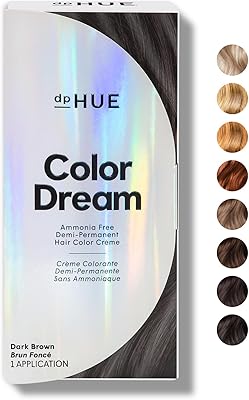
dpHUE Color Dream Dark Brown Demi-Permanent Hair Color 7.05oz
83%
88%
Color Quality & Richness
90%
Ease of Application
85%
Shine & Softness Enhancement
75%
Longevity of Color
78%
Scent During Application
More
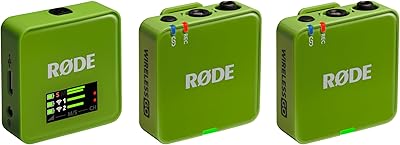
RØDE Wireless GO Gen 3
83%
91%
Audio Quality
88%
Wireless Range & Stability
93%
On-Board Recording
89%
Ease of Setup
78%
GainAssist Performance
More
BOOX Tablet Go 10.3 64GB
85%
93%
Display Quality
88%
Portability/Weight
85%
Battery Life
78%
Performance/Speed
89%
Build Quality
More
Saviland Poly Gel Nail Kit 7 Colors
87%
90%
Ease of Use for Beginners
92%
Range of Colors
89%
Durability of Nail Extensions
95%
Non-Toxic and Safe Ingredients
85%
Application Process
More
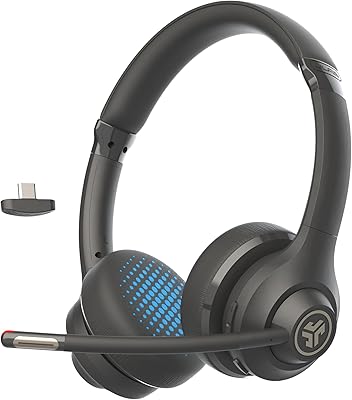
JLab Go Work Gen 2
JLab Go Work Gen 2
74%
91%
Battery Life
74%
Microphone Quality
62%
Comfort & Fit
71%
Connectivity Reliability
88%
Value for Money
More
seenda KUW01 7-Color Backlit Wired Ergonomic Keyboard
85%
89%
Ergonomics & Comfort
85%
Build Quality & Durability
90%
Backlighting Customization
92%
Ease of Setup & Use
88%
Typing Experience
More
Led-Light-Therapy 7 Color Face Skincare Wand
88%
88%
Ease of Use
92%
Effectiveness in Anti-Aging
89%
Versatility of LED Colors
90%
Portability and Design
84%
Battery Life
More

FAQ

No, it does not. The BOOX Go Color 7 Gen II supports the Active InkSense stylus, but it is sold separately. Make sure you budget for that extra purchase before you order, and double-check that the stylus you buy is InkSense-compatible — your existing EMR stylus will not work with this device.
Honestly, it is a meaningful step down in color vibrancy compared to any LCD screen. The Kaleido 3 technology produces 4096 colors, which works well for manga, comics, and illustrated ebooks with flat or high-contrast art. For photos or color-rich graphics, the palette looks noticeably muted and softer. Think of it as an improvement over no color at all on E Ink — not a replacement for a bright LCD display.

Yes. Since this color E Ink tablet runs Android 13, you have full access to the Google Play Store and can install apps like Kindle, Kobo, Libby, Moon+ Reader, and more. You can also sideload APKs directly. Just keep in mind that some apps are not optimized for E Ink displays, so the experience can vary depending on what you install.

In pure reading mode — Wi-Fi off, front light at moderate brightness — most users get several days of use from a single charge. If you are actively using Wi-Fi, running apps in the background, or keeping the front light at high intensity, expect that to drop significantly and potentially require daily charging.

E Ink displays generally handle ambient light better than LCD screens, and the Go Color 7 Gen II is no exception for black-and-white reading. However, the glass cover lens can produce some glare in direct sunlight, which a few users flag as a limitation. A matte screen protector can help if outdoor reading is a priority for you.

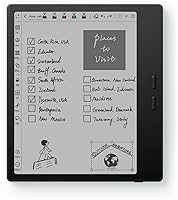
It is a capable light note-taker, but with an important caveat: you need to purchase an InkSense-compatible stylus separately, and your existing iPad or Wacom stylus will not be compatible. Once you have the right stylus, annotating PDFs and handwriting notes works well. For heavy annotation workflows involving large files, occasional performance lag has been reported by some users.

The device has a built-in speaker, so basic playback works out of the box. For headphones, you will need a USB-C to 3.5mm adapter since there is no dedicated headphone jack. Alternatively, Bluetooth 5.1 means wireless headphones or earbuds connect without any adapter at all.

For most readers, 64GB is plenty. Even large comic and manga libraries rarely fill that space quickly. If you do run low, the microSD card slot lets you expand storage easily, which is a feature many competing e-readers do not offer.

Not necessarily. The Go Color 7 Gen II has specific dimensions of 156 x 137 x 6.4mm, and cases designed for earlier BOOX models or other 7-inch e-readers may not align perfectly with the button and port placements. It is worth checking compatibility specifically for this generation before purchasing a case.

If your main frustration with a Kindle is format restrictions, app lock-in, or the lack of color, then this BOOX reader is a compelling step up. You get open Android, support for virtually every ebook format, and a color display. The trade-off is a more complex device that requires a bit more setup and familiarity with Android to get the most out of it.