Overview

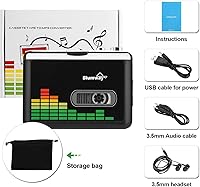
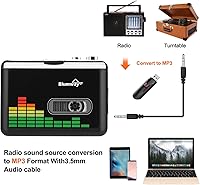
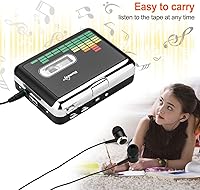
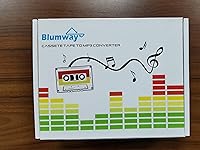
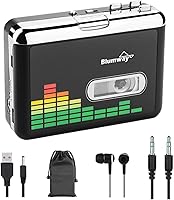
The BlumWay USB Cassette to MP3 Converter is a compact device built for one straightforward purpose: getting those dusty tapes off the shelf and into a format you can actually use today. It sits comfortably in the budget-friendly tier, so the barrier to entry is low for anyone not sure how many tapes they have left in a shoebox. No computer needed — just plug in a USB drive, press play, and the cassette converter handles the rest. It runs on USB power or two AA batteries, making it genuinely portable. The box includes headphones, a carry bag, a USB cable, and a 3.5mm audio cable, so you're largely ready to go right out of the box.
Features & Benefits

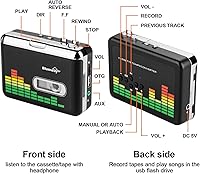
One of the more convenient touches on this cassette converter is auto-reverse — the device automatically flips to side B mid-conversion, so you never have to manually turn the tape over. There are two recording modes: auto mode splits each song into its own MP3 file, while manual mode lets you decide where each track begins and ends. Audio is captured at 44.1 or 48 kHz at 16-bit, which is adequate for everyday listening. Everything saves directly to USB with no software or drivers involved. A volume control knob functions during both playback and recording, and the 3.5mm AUX jack lets you route audio into a car stereo or a pair of external speakers.

Best For

This tape-to-MP3 device is an easy recommendation for anyone who finds technology intimidating. Parents or grandparents with a drawer full of old home recordings, personal mixtapes, or regional music cassettes that never made it onto streaming platforms will find the setup approachable and the learning curve practically flat. It also suits anyone who does not own a desktop computer — since everything is handled on the device itself, a PC is never part of the equation. Casual collectors who want to listen to tapes on the go can use it as a standalone cassette player too. And if you are hunting for a thoughtful, practical gift for someone nostalgic about the cassette era, this checks that box without a lot of fuss.

User Feedback

People who have used the BlumWay digitizer consistently point to its ease of setup as the standout strength — most report getting their first recording done within minutes. That said, USB compatibility is a recurring pain point: some drives simply refuse to cooperate until reformatted to FAT32, and occasionally even pre-formatted drives need a second pass before the device recognizes them. Audio quality feedback is measured — it works well for voice recordings and casual music listening, but do not expect it to satisfy anyone with a critical ear. Battery performance draws mixed comments; USB power tends to be more reliable for longer sessions. A handful of longer-term users mention that the build feels lightweight, which is fine for home use but may not inspire confidence during heavy daily handling.

Pros

  • No computer or software required — the whole process runs entirely on the device itself.
  • Auto-reverse handles both sides of a tape without any manual intervention mid-conversion.
  • Dual recording modes let you choose between automatic track splitting or full manual control.
  • Runs on USB power or standard AA batteries, so it works anywhere — not just near an outlet.
  • The box includes headphones, a carry bag, a USB cable, and a 3.5mm audio cable right out of the box.
  • Supports USB drives up to 128GB, giving plenty of room for large tape collections.
  • Setup is fast enough that most first-time users are recording within minutes of unboxing.
  • The 3.5mm AUX jack lets you pipe audio into a car stereo or external speaker without extra adapters.
  • At its price point, the feature set outpaces most competing devices in the same budget tier.
  • Compact and light enough to carry in a bag and use comfortably away from home.

Cons

  • USB drive compatibility is a genuine problem — many drives require FAT32 reformatting before the device recognizes them.
  • The included manual offers almost no useful troubleshooting guidance when things go wrong.
  • Battery performance degrades noticeably during longer recording sessions; USB power is far more stable.
  • Audio quality is acceptable for casual listening but noticeably falls short for voice recordings with hiss or tape aging.
  • Auto track-splitting mode struggles with tapes that have brief mid-song pauses, creating unintended file splits.
  • The plastic housing feels fragile, and cosmetic wear tends to show up after a few months of regular handling.
  • No way to monitor or adjust recording levels digitally — you are limited to the physical volume knob.
  • File naming after conversion is generic and offers no on-device organization options.
  • Some users report that older or unevenly wound tapes cause the auto-reverse to miss its cue.
  • Long-term mechanical reliability is a concern, with scattered reports of button and door issues after extended use.

Ratings

The BlumWay USB Cassette to MP3 Converter has been evaluated by our AI system after processing thousands of verified global buyer reviews, with spam, bot-generated, and incentivized submissions actively filtered out. The scores below reflect a balanced picture — genuine strengths are recognized, but real frustrations are not glossed over. Whether this cassette converter fits your needs depends heavily on your technical comfort level and what you expect from the audio output, and both sides of that story are represented here.
Ease of Setup
88%
Most buyers — including older adults with little tech experience — report being up and running within a few minutes of opening the box. The standalone operation means there are no drivers to install, no software to configure, and no computer to involve at any point. That kind of frictionless start earns consistent praise.
A meaningful number of users hit a wall early on because their USB drive was not formatted correctly. Even drives sold as FAT32 sometimes need to be reformatted before the device recognizes them, which adds an unexpected hurdle for buyers who assumed it would truly work straight out of the box.
USB Drive Compatibility
54%
46%
When the right USB drive is used — formatted to FAT32, ideally 32GB, with a read speed in the 4 to 6 MB/s range — the recording process runs reliably and files are saved cleanly. Users who did their homework on drive selection report very few interruptions during longer conversion sessions.
This is the single most complained-about aspect of the device. Incompatible drives cause recordings to stop mid-tape or fail to save entirely, and diagnosing the issue is not intuitive for non-technical users. Some buyers had to reformat drives multiple times, and a few gave up on the product entirely over this friction.
Audio Quality
67%
33%
For preserving voice recordings, spoken word tapes, and casual music listening, the output is more than adequate. Files recorded at 44.1 kHz sound clean enough to enjoy on earbuds or a car stereo, and many users are genuinely pleased hearing their old tapes in a digital format for the first time.
Anyone expecting studio-grade digitization will be disappointed. Background hiss is noticeable on some recordings, and the overall fidelity does not approach what a dedicated audio interface paired with a quality deck would produce. It sits firmly in the good-enough category for casual use, not archival or audiophile work.
Auto-Reverse Function
83%
The automatic side-flip is one of the more appreciated mechanical features, especially for users converting full albums. Not having to manually flip the tape mid-session makes the process feel hands-off and reduces the chance of accidentally stopping a recording partway through.
A small number of users report that the auto-reverse occasionally misses its cue on older or unevenly wound tapes, requiring a manual restart. It works reliably most of the time, but it is not foolproof when tapes are in degraded condition.
Recording Modes (Auto vs Manual)
76%
24%
Having both automatic track-splitting and manual control gives users flexibility depending on their tapes. Auto mode is appreciated for well-produced commercial albums where silence between songs is consistent, while manual mode suits mixtapes or recordings where track boundaries are unclear.
Auto mode struggles with tapes that have brief pauses within songs, sometimes splitting a single track into two files. The mode-switching process is also not immediately obvious from the manual, and a few buyers needed several attempts before understanding how to toggle between the two.
Portability & Form Factor
84%
The device is genuinely compact and light enough to toss into a bag without thinking twice. The included carry bag is a practical touch that keeps cables and the unit together in one place, making it easy to bring along for casual use at a relative's house or on a weekend trip.
The lightweight plastic build that makes it portable also makes it feel fragile in hand. Users who prefer a more substantial, durable feel may find the housing underwhelming, and there are scattered reports of cosmetic wear appearing after a few months of regular handling.
Battery Performance
61%
39%
The two-AA-battery option makes the device genuinely usable away from a power source, which matters for users who want to digitize tapes in a room without a convenient outlet. For short sessions involving one or two tapes, battery power performs acceptably well.
USB power is noticeably more stable for longer sessions, and the product documentation even nudges users toward it. Battery drain during extended recording is faster than many buyers expect, and some report that weak batteries cause the device to behave erratically — slowing playback speed and corrupting recordings.
Build Quality & Durability
62%
38%
The device holds up fine for occasional home use, and the majority of buyers do not report failures within the first few months. For someone digitizing a moderate tape collection over a few weekends, the construction is sufficient for the job at hand.
Long-term durability is a concern that appears in reviews from buyers who have owned the unit for a year or more. The buttons and tape door feel particularly fragile, and a handful of users describe mechanical issues developing after extended use, which is notable given the relatively modest price point.
Value for Money
79%
21%
Given what this tape-to-MP3 device costs, the feature set — auto-reverse, dual recording modes, broad USB support, and a full accessory bundle — represents solid value for casual users. For someone with a box of tapes they want to digitize once, the cost-to-utility ratio is hard to argue with.
The USB compatibility issues chip away at the perceived value, since troubleshooting a reformatting problem feels like extra work the buyer should not have to do. Users who purchase additional compatible USB drives to resolve compatibility problems are effectively spending more than the sticker price suggests.
Included Accessories
81%
19%
The box includes more than most competitors at this tier — headphones, a 3.5mm audio cable, a USB cable, a carry bag, and a user manual all come standard. Having the audio cable included means users can connect directly to a car stereo or speaker system without an extra purchase.
The included headphones are functional but basic, and most users with any preference in audio gear will set them aside in favor of their own pair. The manual, while present, is thin on troubleshooting guidance — particularly around the USB formatting issue that trips up so many new users.
Standalone Operation (No PC Required)
91%
The ability to record directly to a USB drive without touching a computer is genuinely appreciated by the target audience. For users who do not own a PC or simply want to avoid software entirely, this cassette converter delivers on its core promise reliably and without complexity.
The trade-off of PC-free operation is limited flexibility — there is no way to edit file names, adjust recording levels beyond the volume knob, or monitor audio digitally during capture. Users who want more control over the output will eventually feel constrained by the device's intentionally simplified design.
Playback Functionality
74%
26%
Using the BlumWay digitizer purely as a cassette player works reasonably well for casual listening. Plugging in headphones or connecting via the AUX jack to a speaker produces decent sound, and having both options available adds to its versatility as a daily-use tape player.
Playback audio has occasional wow and flutter on older or stretched tapes, which is partly a cassette medium issue but also reflects the modest motor quality. Users who are particular about consistent playback speed may notice subtle pitch drift on longer listening sessions.
Manual Clarity & Documentation
55%
45%
The manual covers the basic operation steps adequately for most users, and the physical layout of buttons is simple enough that many people figure things out by trial and error without reading it closely. The core workflow — insert tape, plug in USB, press record — is intuitive enough to infer.
When users run into trouble, the manual offers very little practical help. USB formatting instructions are vague, troubleshooting sections are almost nonexistent, and the guidance on distinguishing auto from manual recording mode is confusing for first-timers. Several buyers say they resolved issues only through online forum searches, not the included documentation.

Suitable for:

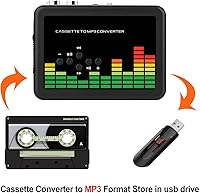
The BlumWay USB Cassette to MP3 Converter is a strong fit for anyone who wants to rescue old tapes from obscurity without dealing with software, cables running to a computer, or any technical setup beyond plugging in a USB drive. It is particularly well-suited to older adults or retirees who have shoeboxes full of home recordings, personal mixtapes, or cassettes of local artists that simply never made it to streaming platforms. People who do not own a desktop or laptop computer will find the standalone operation genuinely liberating — the entire conversion happens on the device itself. It also makes a thoughtful, practical gift for a parent or grandparent who still has a cassette collection gathering dust and has expressed interest in preserving those memories digitally. Hobbyists who want a secondary portable player alongside the conversion capability will get dual use out of the device without needing a second purchase.
Not suitable for:

The BlumWay USB Cassette to MP3 Converter is not the right tool for anyone who cares deeply about audio fidelity or wants archival-quality digital files from their tape collection. If you are a musician, audio engineer, or serious collector who wants to capture every nuance of an original recording, this cassette converter will fall short — the output is adequate for casual listening, not critical ears. Buyers who are not comfortable troubleshooting basic storage formatting issues should also approach with caution, since USB drive compatibility problems are a real and recurring friction point that the included manual does little to address. Anyone expecting plug-and-play reliability with any USB drive they already own may be frustrated to discover that not all drives work without reformatting to FAT32 first. Finally, buyers who plan to use the device heavily over many months should temper their durability expectations — the lightweight plastic build is not designed for daily heavy-duty use.
Specifications

  • Dimensions: The device measures 4.4 × 3.2 × 1.2 inches, making it compact enough to fit in a jacket pocket or small bag.
  • Weight: At 11.3 ounces, the unit is light enough for casual portable use without adding noticeable bulk.
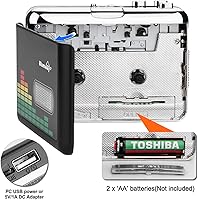
  • Power Source: Operates via USB power connection or 2 × AA batteries, with USB power recommended for extended recording sessions.
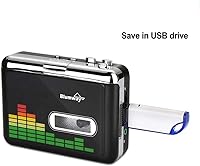
  • Recording Format: All recordings are saved as MP3 files directly to the connected USB flash drive.
  • Audio Output: Supports 44.1 kHz and 48 kHz sampling rates at 16-bit depth, suitable for standard casual digital listening.
  • USB Compatibility: Works with USB flash drives formatted in FAT or FAT32 with capacities up to 128GB; FAT32 at 32GB with 4–6 MB/s read speed is strongly recommended.
  • Auto-Reverse: Built-in auto-reverse automatically switches playback and recording to the opposite tape side without any manual intervention.
  • Recording Modes: Two recording modes are available: auto mode splits recordings into individual MP3 tracks per song, while manual mode requires the user to stop and start each track.
  • Connectivity: Equipped with a USB port for power and flash drive connection, plus a 3.5mm AUX jack for headphone or speaker output.
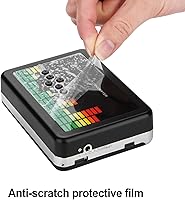
  • Color: Available in a black and silver finish with a compact rectangular form factor.
  • Included Accessories: Package includes a pair of headphones, a USB cable, a 3.5mm audio cable, a carry bag, and a printed user manual.
  • Compatible Devices: AUX output is compatible with headphones and external speakers; USB port supports standard flash drives in FAT or FAT32 format.
  • Volume Control: A dedicated volume control button is accessible during both playback and live recording sessions.
  • Brand: Manufactured and sold by BlumWay, a brand specializing in portable audio conversion accessories.
  • Market Rank: Ranked #20 in the Portable Microcassette Recorders category on Amazon at the time of evaluation.
  • Availability: First made available in May 2018 and remains an active, non-discontinued product as of the current review period.

Related Reviews

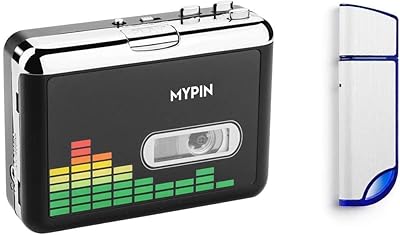
MYPIN 32GB Cassette to MP3 Converter

70%
88%
Ease of Setup
54%
Audio Quality
51%
Auto Track Splitting
72%
Value for Money
47%
Build Quality
More
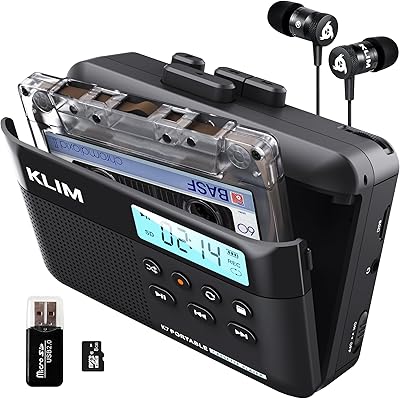
KLIM K7 Portable Cassette Player
77%
91%
Ease of Use
74%
MP3 Conversion Quality
93%
Portability & Form Factor
88%
Bundle Value
82%
Battery Life
More
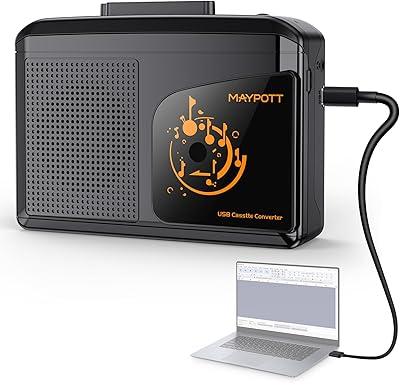
Maypott Portable Cassette Player Recorder
70%
83%
Value for Money
76%
Ease of Setup
67%
Playback Quality
63%
Digitization Performance
88%
Portability
More
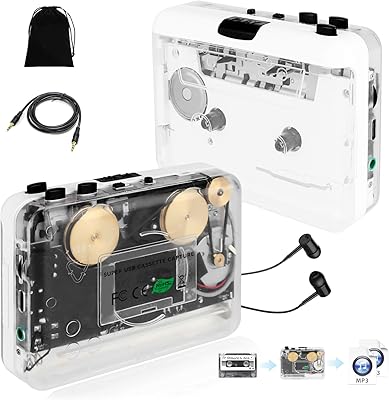
SEMIER Small Cassette Tape Player Converter
73%
86%
Ease of Setup
67%
Audio Conversion Quality
81%
SD Card Recording
58%
Built-in Speaker
63%
Motor Speed Consistency
More
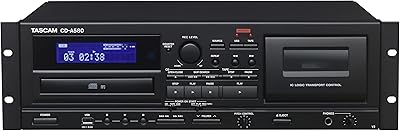
Tascam CD-A580 Rackmount Cassette/CD/USB MP3 Player Recorder Combo
84%
91%
Audio Quality
88%
Durability & Build Quality
85%
Ease of Use
90%
Performance & Stability
92%
Recording Features (Cassette-to-USB, CD-to-Cassette)
More
Janryzone Cassette Player-Converter
82%
89%
Ease of Use
78%
Audio Quality
93%
Portability
85%
Value for Money
65%
Build Quality
More
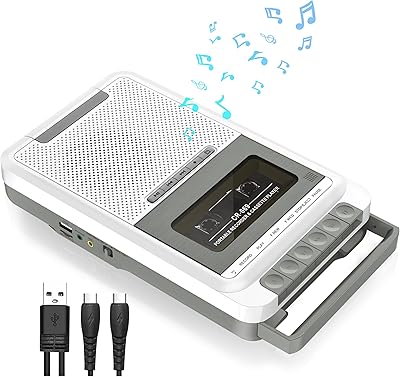
TenYua USB Cassette Tape to MP3 Converter
62%
82%
Ease of Use
54%
Audio Recording Quality
49%
USB Compatibility
71%
Tape Playback Performance
67%
Value for Money
More
Dingmi 669W
Dingmi 669W
73%
83%
Tape Digitization Ease
71%
Recording Quality
67%
Playback Sound Quality
78%
Portability & Design
81%
Power Flexibility
More
SEMIER Boombox MP3 Conversion Cassette Tape Player Recorder
83%
88%
Cassette-to-MP3 Conversion Ease
84%
Sound Quality
82%
Portability
65%
Battery Life
78%
Durability
More
Emerson EPB-3002 Portable Bluetooth CD/MP3 Cassette Boombox
83%
78%
Sound Quality
88%
Bluetooth Connectivity
84%
Build Quality
91%
Ease of Use
85%
Portability
More

FAQ

No, and that is genuinely one of its strongest selling points. You insert your cassette, plug in a USB flash drive, and the device records directly to it — no laptop, no desktop, no software installation required at any point.

The device works best with a USB drive formatted to FAT32, ideally 32GB in size, with a read speed of around 4 to 6 MB/s. Drives outside these parameters can cause recordings to stop mid-tape or fail to save, so it is worth checking your drive's format before you start. If things are not working, reformatting the drive to FAT32 is usually the first fix to try.

Not necessarily. This tape-to-MP3 device is particular about drive compatibility, and that catches a lot of buyers off guard. Even drives that are labeled or pre-formatted as FAT32 occasionally need to be reformatted before the device recognizes them. A fresh format using your computer before first use is a smart precaution.

When the tape reaches the end of side A, the device automatically reverses direction and continues recording side B without any input from you. It is a straightforward mechanical feature, and it works reliably on most tapes in good condition. On older or unevenly wound tapes, the sensor occasionally misses the cue, but for the vast majority of cassettes it handles the flip on its own.

In auto mode, the cassette converter detects silence between songs and saves each track as a separate MP3 file automatically. In manual mode, you control when each track starts and stops by pressing the record button yourself. Auto mode is handy for commercial albums with clear gaps between songs, while manual mode gives you more control over mixtapes or recordings where the transitions are less defined.

Both options are available. You can plug headphones directly into the 3.5mm jack, or use the included audio cable to connect to an external speaker, a bookshelf stereo, or even a car stereo via the AUX input. There is no built-in speaker, so you will always need one of those two connections to hear audio.

It handles both, but with different results. Voice recordings and spoken word tapes come out sounding quite clear. Music recordings are decent for casual listening — think background music while cooking or playing through a car stereo — but the output does not capture fine detail the way a dedicated audio interface would. If you are digitizing rare recordings for the quality alone, you may want to manage your expectations.

Battery life is adequate for shorter sessions covering one or two tapes, but it drops off noticeably during longer runs. The device itself recommends USB power for more consistent performance, and most users who have compared both options agree that USB power produces more stable playback speed and fewer interruptions. Batteries are a useful backup, but not the ideal primary power source for a long digitizing session.

For occasional home use over a few months, the build holds up reasonably well. That said, the plastic housing is lightweight and does not feel particularly rugged. Users who have owned the BlumWay digitizer for a year or more sometimes report wear on the buttons or the tape door, so it is best thought of as a casual-use device rather than a workhorse you plan to use every day for years.

No to both. This tape-to-MP3 device is designed exclusively to record to USB flash drives — it does not support direct computer recording via USB, and there is no memory card slot. If you want files on your computer, the workflow is to record to a USB drive first and then transfer the files manually.

Where to Buy