Overview

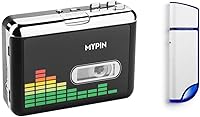
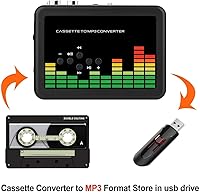
The MYPIN 32GB Cassette to MP3 Converter is a standalone digitizer that does one job well: it pulls audio straight from your old cassette tapes and saves it to a USB flash drive, no computer or software required. MYPIN is a budget-friendly accessories brand, and this device reflects that positioning — the build is basic, but the concept is genuinely useful. You get a 32GB USB drive and a pair of earphones right in the box, so you can start converting the moment it arrives. Expectations should be set accordingly: this is a practical, no-frills tool, not a hi-fi audio restoration machine.

Features & Benefits

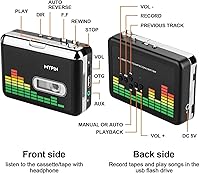
Two recording modes give you real control over how your tapes get saved. Auto mode uses silence detection to split recordings into separate MP3 files — handy for albums or audiobooks — though it can stumble on older tapes with inconsistent gaps between tracks. Manual mode puts you in the driver's seat, letting you start and stop recordings yourself. The included earphone lets you monitor playback in real time, so you can catch problems before they become permanent. An LED indicator lights up during active data transfer, which is a small but genuinely helpful touch. The converter also works with both USB 2.0 and 3.0 drives, so you are not locked into the bundled one.

Best For

This cassette digitizer is built for a specific kind of buyer, and it is worth being upfront about who that is. If you have a stack of old mixtapes, home recordings, or language-learning cassettes gathering dust, this tape-to-MP3 converter offers a painless way to rescue them. It is especially well-suited to non-technical users who want to avoid installing drivers or navigating audio software. It also makes a thoughtful gift for a parent or grandparent who owns tapes but has no practical way to preserve them. Audiophiles chasing pristine sound should look elsewhere — but for everyday archiving on a tight budget, it covers the essentials.

User Feedback

Across roughly 88 ratings, the MYPIN converter sits at 3.8 stars — a middling but telling score. Buyers who embrace it for what it is tend to appreciate how quickly they can get started; the all-in-one kit format is a recurring point of praise. The complaints are equally consistent: some users report a noticeable background hiss in converted files, and the auto-track splitting does not always fire accurately on tapes with irregular silences. A handful of reviews also question the long-term durability of the tape mechanism. None of this is surprising at this price tier, but it is honest information worth weighing before you commit.

Pros

  • No computer or software needed — just plug in the USB drive and press record.
  • Comes ready to use out of the box with a 32GB USB drive and earphone included.
  • Auto and manual recording modes give you flexibility depending on tape content.
  • The LED transfer indicator removes guesswork during active recording sessions.
  • Compatible with both USB 2.0 and 3.0 drives, so you can use your own storage too.
  • Extremely lightweight at around 32 grams, easy to store or carry with a tape collection.
  • Real-time earphone monitoring lets you catch audio problems before saving the file.
  • Straightforward setup makes it accessible to buyers with little to no tech experience.

Cons

  • Audible background hiss has been reported by multiple buyers in converted MP3 files.
  • Auto-track splitting based on silence detection misfires frequently on older or worn tapes.
  • Conversion happens in real time, so large tape collections take considerable effort to archive.
  • Build quality feels budget-grade; long-term durability of the tape mechanism is uncertain.
  • The bundled earphone is basic and not ideal for accurately monitoring audio quality during conversion.
  • Output audio quality will not satisfy anyone expecting clean, high-fidelity digital files.
  • The included USB drive is USB 2.0, which is slower for transferring large batches of files to a PC.
  • With fewer than 100 ratings total, the review pool is too small to draw firm reliability conclusions.

Ratings

The scores below for the MYPIN 32GB Cassette to MP3 Converter were generated by our AI after analyzing verified buyer reviews from multiple global markets, with spam, bot activity, and incentivized feedback actively filtered out. Each category reflects the honest consensus of real users — the wins and the frustrations alike — so you get a clear, unvarnished picture before you buy.

Ease of Setup
88%
Buyers consistently praised how quickly they could get started — insert a tape, plug in the USB drive, press record. For non-technical users who dread installation wizards and driver conflicts, that zero-software approach was repeatedly cited as the single best thing about this cassette digitizer.
A small number of users found the mode-switching logic (toggling between auto and manual via the fast-forward button) confusing without a clearly written manual. First-time users occasionally recorded entire tapes in the wrong mode before realizing the mistake.
Audio Quality
54%
46%
For archiving spoken-word content — old language lessons, personal voice memos, or audiobooks — the output quality is considered acceptable by most buyers. When the source tape is in good condition, the converted MP3 files are clear enough for casual, everyday listening.
Background hiss is the most frequently cited complaint across reviews, and it is hard to ignore on music tapes. Buyers expecting anything close to CD-quality output are regularly disappointed; at this price tier, the analog circuitry simply cannot deliver a clean signal-to-noise ratio.
Auto Track Splitting
51%
49%
When it works — typically on commercially pressed tapes with consistent, clean silence gaps between tracks — the automatic splitting feature is genuinely convenient, saving the effort of manually timing and labeling each song or chapter as a separate file.
On older, home-recorded, or worn tapes, the silence detection misfires more often than not, merging multiple songs into one file or cutting a track mid-sentence. Several buyers abandoned auto mode entirely and switched to manual after losing recordings they could not redo.
Value for Money
72%
28%
Buyers who approached this tape-to-MP3 converter with realistic expectations — basic archiving on a budget — generally felt the price was justified, especially given that a 32GB USB drive and earphones are included in the box. For a one-time digitization project, the math works out.
Users with larger collections who expected the unit to hold up through hundreds of tapes found the value proposition shakier over time. When audio quality or durability became a concern, the savings compared to a proper cassette deck with a USB audio interface started to look less significant.
Build Quality
47%
53%
The compact, lightweight body — around 32 grams — means it stores easily in a drawer or alongside a tape collection without taking up space. Some buyers appreciated that the small footprint made it easy to use on a cluttered desk or shelf.
The plastic housing feels noticeably thin and inexpensive to the touch, and several reviewers raised concerns about the longevity of the tape transport mechanism after extended use. This is not a device that inspires confidence for anyone planning heavy, repeated use over months.
Included Accessories
74%
26%
Including a 32GB USB drive and a pair of earphones right in the package means buyers can start converting immediately — no waiting for additional accessories to arrive. For gift-giving purposes especially, the all-in-one kit format was frequently called out as a thoughtful touch.
The bundled earphones are decidedly entry-level; they are functional for monitoring playback but not comfortable or clear enough for extended listening sessions. The included USB drive is also USB 2.0 only, which slows down file transfers when moving a large batch of recordings to a computer.
Compatibility
81%
19%
Support for both USB 2.0 and USB 3.0 drives gives users the freedom to use higher-capacity or faster drives they already own, which is a practical plus for anyone planning to archive a large collection. Files saved as MP3 work natively across virtually every modern device.
The device is designed exclusively for standard compact cassettes — it will not handle microcassettes or 8-track tapes. A handful of buyers discovered this limitation after purchase, which points to the need for clearer communication about tape format compatibility before buying.
Recording Reliability
63%
37%
In manual mode, the recording process is straightforward and generally consistent — what goes into the tape head comes out as an MP3 file on the drive. The LED indicator light, while simple, does its job of confirming an active recording session without ambiguity.
Some users reported unexpected recording interruptions, particularly on longer tape sides, though these instances were not universal. The reliability of the tape transport on older or tightly wound cassettes was occasionally flagged as a concern, with some tapes playing back at slightly inconsistent speeds.
Portability
83%
At roughly 32 grams, the MYPIN converter is one of the lightest options in its category, easy to slip into a bag or store in a bedside table next to a tape collection. Its compact profile makes it a practical choice for anyone working in a small space.
Portability in the literal sense — using it on the go — is limited by the need to keep the cassette stable during playback to avoid tape tangling or speed inconsistency. It is best used on a flat, stable surface rather than held in the hand during a commute.
Manual Mode Usability
76%
24%
Buyers who switched to manual mode after struggling with auto track splitting found it far more dependable for getting clean, continuous recordings. It puts the user in full control of when each file starts and stops, which matters a lot for personal voice recordings or uneven tape content.
Manual mode requires attentive monitoring for the duration of the tape — you cannot simply press record and walk away. For buyers who hoped to set it and forget it while handling other tasks, the hands-on nature of manual recording was a mild but recurring inconvenience.
File Management
67%
33%
MP3 files are written directly to the root of the USB drive with sequential filenames, making them easy to locate and drag into any music library or cloud storage folder once connected to a computer. No proprietary software or special folder structure is required.
Auto-naming of files is purely sequential with no metadata embedded, so organizing a large library of converted tapes requires manual renaming afterward. Buyers digitizing full albums found themselves spending considerable time in a file manager cleaning up track names and adding artist information.
LED Status Indicator
78%
22%
Simple as it is, the LED indicator that flashes during active recording removed a genuine source of anxiety for first-time users who were unsure whether their tape was actually being captured. Multiple reviewers specifically mentioned it as a small but reassuring feature.
The indicator only confirms that data transfer is happening — it provides no information about recording levels, remaining USB storage space, or error states. Users who ran out of storage mid-tape had no advance warning, resulting in incomplete recordings they had to redo.

Suitable for:

The MYPIN 32GB Cassette to MP3 Converter was designed for a genuinely underserved group of buyers: people who own a collection of old cassette tapes and simply want to preserve them without learning new software or buying expensive equipment. It fits particularly well for older adults who recorded personal memories, mixtapes, or home audio onto cassettes decades ago and now want those files on a modern device. Language learners and audiobook collectors who have tapes from discontinued programs will also find this tape-to-MP3 converter a practical rescue tool. It doubles as a thoughtful, easy-to-wrap gift for a non-technical parent or grandparent — the plug-and-play setup means they can use it independently without calling for help. If your priority is accessibility and convenience over audio perfection, this cassette digitizer genuinely delivers.

Not suitable for:

The MYPIN 32GB Cassette to MP3 Converter is not the right tool for anyone who cares deeply about audio fidelity. Users who want clean, hiss-free digital transfers of music they plan to listen to critically — or share publicly — will likely be disappointed by the output quality at this price tier. Sound engineers or vinyl-and-tape enthusiasts who understand concepts like signal-to-noise ratio should look at dedicated audio interfaces paired with proper cassette decks instead. The auto-track splitting feature, while convenient in theory, is not reliable enough for large archiving projects where accuracy matters tape after tape. Those with large collections expecting a fast, high-throughput workflow should also note that conversion happens in real time — a 45-minute tape takes 45 minutes to convert — and the build quality does not inspire confidence for heavy, sustained use.

Specifications

  • Brand: Manufactured by MYPIN, a brand focused on budget-tier audio and digital accessories.
  • Recording Format: Audio is saved directly in MP3 format onto the connected USB flash drive.
  • Recording Modes: Supports two modes: Auto (silence-detection track splitting) and Manual (user-controlled start and stop).
  • USB Compatibility: Works with both USB 2.0 and USB 3.0 flash drives, including drives beyond the one included.
  • Included Storage: Ships with a 32GB USB 2.0 flash drive offering approximately 29.2 to 30GB of usable space.
  • Computer Required: No computer or additional software is needed to perform tape-to-MP3 conversion.
  • Included Accessories: Package includes one pair of earphones for real-time audio monitoring during playback and conversion.
  • Status Indicator: An LED indicator light illuminates and flashes during active data transfer to confirm the device is recording.
  • Device Weight: The converter unit weighs approximately 32 grams (about 1.13 oz), making it compact and easy to store.
  • Color: Available in black.
  • Supported Standards: Output files are compatible with MP3 and MP4 playback standards.
  • PC Transfer: After recording, files on the USB drive can be transferred to a laptop or desktop computer for further use.
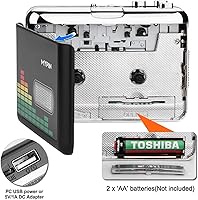
  • Power Source: The device is powered via USB connection; no separate batteries or power adapter are specified.
  • Tape Compatibility: Designed to work with standard compact cassette tapes, including music tapes, audiobooks, and personal recordings.
  • Conversion Speed: Conversion occurs in real time, meaning a 45-minute tape requires approximately 45 minutes to fully digitize.
  • Date Launched: This product was first made available on Amazon on August 31, 2020.

Related Reviews
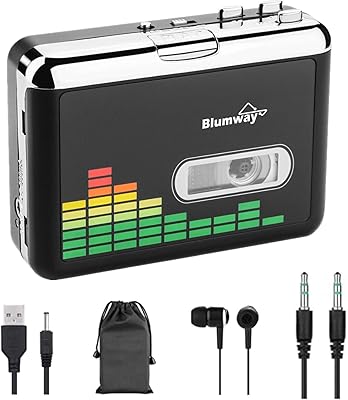
BlumWay USB Cassette to MP3 Converter
73%
88%
Ease of Setup
54%
USB Drive Compatibility
67%
Audio Quality
83%
Auto-Reverse Function
76%
Recording Modes (Auto vs Manual)
More
Maypott Portable Cassette Player Recorder
70%
83%
Value for Money
76%
Ease of Setup
67%
Playback Quality
63%
Digitization Performance
88%
Portability
More
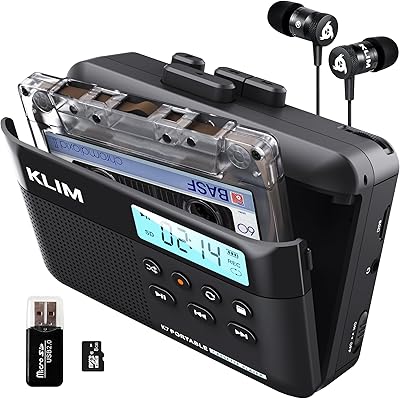
KLIM K7 Portable Cassette Player
77%
91%
Ease of Use
74%
MP3 Conversion Quality
93%
Portability & Form Factor
88%
Bundle Value
82%
Battery Life
More
SEMIER Small Cassette Tape Player Converter
73%
86%
Ease of Setup
67%
Audio Conversion Quality
81%
SD Card Recording
58%
Built-in Speaker
63%
Motor Speed Consistency
More
Janryzone Janry-304-1 Cassette to MP3 Converter
66%
71%
Value for Money
58%
Audio Playback Quality
52%
MP3 Conversion Experience
79%
Ease of Setup
47%
Build Quality
More
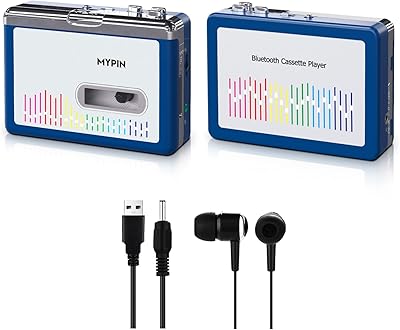
MYPIN Bluetooth Cassette Player
72%
78%
Bluetooth Connectivity
62%
Audio Quality
58%
Tape Mechanism Reliability
41%
Bluetooth 5.0 Compatibility
83%
Auto-Reverse Function
More
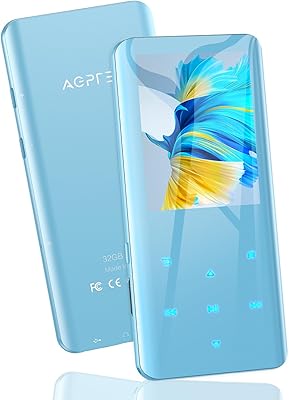
AGPTEK A09X 32GB Bluetooth MP3 Player
74%
78%
Sound Quality
82%
Bluetooth Performance
81%
Build Quality
76%
Battery Life
86%
Storage & Expandability
More
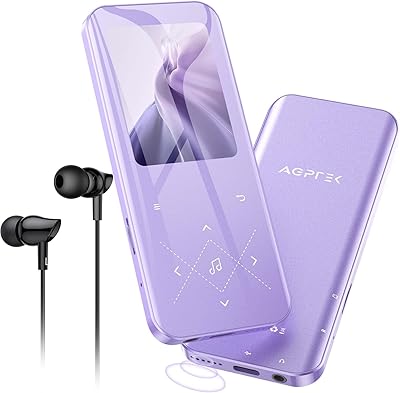
AGPTEK A19X 32GB Bluetooth MP3 Player
78%
83%
Sound Quality
67%
Bluetooth Stability
79%
Build Quality
61%
Battery Life
88%
Value for Money
More
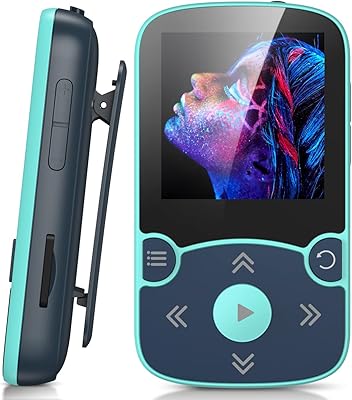
AGPTEK A65XBL 32GB Clip Bluetooth MP3 Player
70%
88%
Clip & Wearability
76%
Bluetooth Reliability
74%
Sound Quality
83%
Storage & Expandability
67%
Battery Life
More
Hotechs LX 32GB MP3 Player
71%
78%
Value for Money
67%
Sound Quality
54%
Build Quality
71%
Battery Life
83%
Ease of Use
More

FAQ

No, and that is genuinely one of its strongest points. You simply insert a cassette tape, plug in the USB flash drive, and press record. The MP3 files are saved directly to the drive with no PC, software, or drivers involved at any stage.

Conversion happens in real time, so the process mirrors the actual playback length of the tape. A standard 60-minute tape (30 minutes per side) will take 30 minutes per side to convert. There is no faster mode available.

Yes, the MYPIN 32GB Cassette to MP3 Converter works with any standard USB 2.0 or USB 3.0 flash drive. Just make sure the drive is formatted as FAT32 before you use it, as that is the required file system format for compatibility.

In Auto mode, the converter tries to detect silences between tracks and automatically saves each segment as a separate MP3 file — useful for albums or audiobooks with clear pauses. Manual mode lets you start and stop recording yourself, which gives you more control and is generally more reliable for older or worn tapes where silences are inconsistent.

For casual listening and archiving personal memories, most people find the output acceptable. That said, some users have reported a faint background hiss in converted files, which is fairly typical at this price point. If you need clean, high-fidelity audio — say, for sharing music publicly or critical listening — a more professional setup would serve you better.

No. Like any cassette player, this device plays one side at a time. You will need to flip the tape manually and start a new recording for the B-side, just as you would with any standard cassette deck.

It works reasonably well on tapes with clear, consistent silences between tracks — think commercially pressed music tapes in good condition. On older, home-recorded, or worn tapes where the gaps are faint or irregular, the silence detection can misfire, either splitting a track in the middle or merging two songs into one file. When accuracy matters, Manual mode is the safer choice.

Yes, as long as your device supports USB playback or you transfer the files first. Once the MP3 files are on the USB drive, you can plug it into any compatible car stereo, copy the files to your phone, or drag them into any music library on your computer.

It can be, yes. The setup is about as simple as it gets — there is nothing to install, no accounts to create, and no settings to configure. For someone who just wants to hear their old tapes again and save them digitally without any fuss, this tape-to-MP3 converter is one of the more accessible options available at this price tier.

This is worth being realistic about. The MYPIN converter is a budget device, and several buyers have flagged concerns about the build quality over extended use. For a modest collection of tapes — a few dozen at most — it should hold up fine. If you are planning to convert hundreds of tapes over several months, the tape mechanism may not be rated for that level of sustained workload, and a more robust dedicated cassette deck might be a smarter long-term investment.