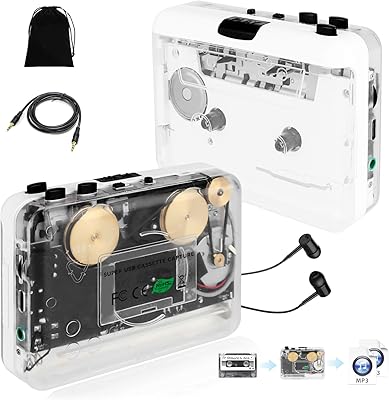
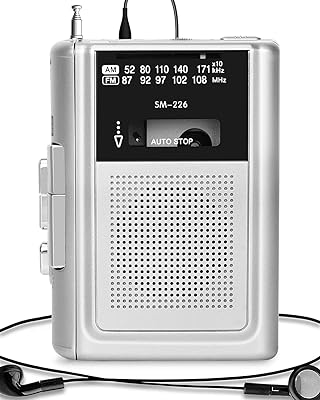
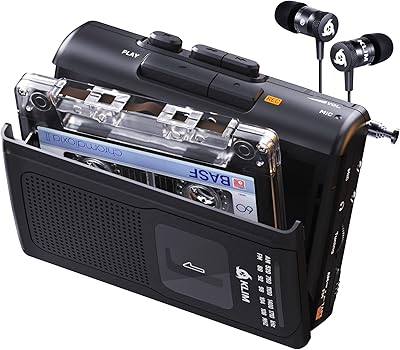
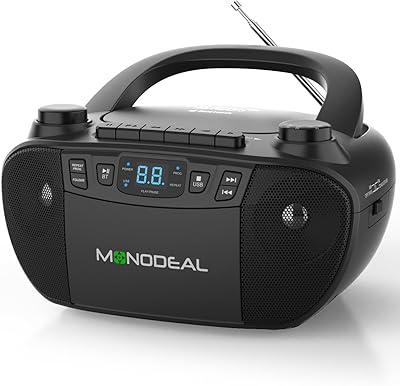
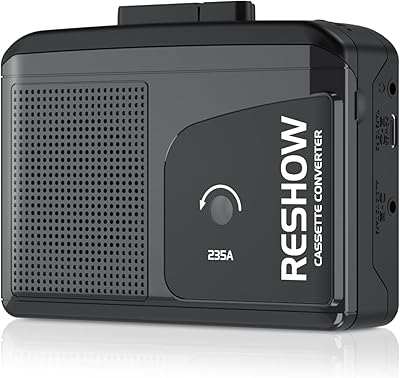
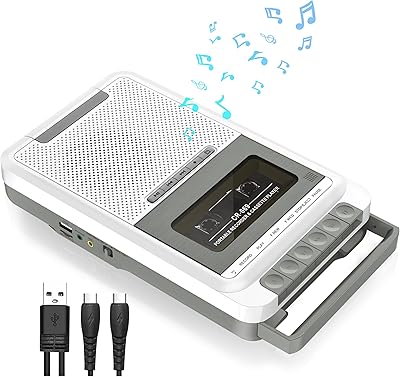
Overview

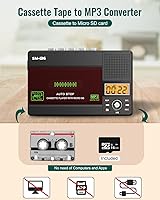
The SEMIER Small Cassette Tape Player Converter is a compact device built for anyone with a shoebox of old tapes gathering dust who genuinely wants to do something with them. It handles playback, recording, and digital conversion — either directly onto the included SD card or through a USB-C connection to your computer. The kit feels reasonably complete right away, with Audacity software, a USB reader, and a power cable all included. One critical thing to know upfront: this cassette converter works with Type I tapes only. Metal or Type IV cassettes simply won't play, so check your tape labels before buying.
Features & Benefits

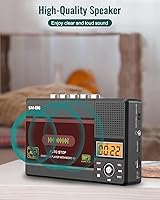
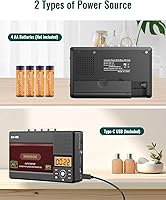
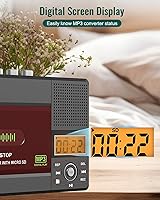
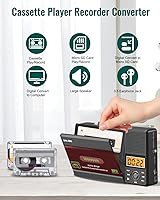
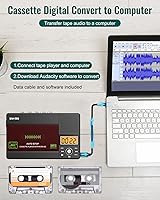
There are two ways to get your tapes into digital format with the SEMIER tape player. The simpler route: pop in the included SD card and let the device record straight to MP3 — no computer needed. For more control, connect via USB-C and use Audacity on your PC, though fair warning, Audacity has a learning curve if you have never touched audio editing software before. Day-to-day use is intuitive thanks to the LCD display and physical controls. The 2W built-in speaker handles casual listening adequately, and the 3.5mm headphone jack covers private sessions. Running on USB-C or four AA batteries keeps things flexible whether you are at a desk or on the move.

Best For

This compact tape-to-digital device makes the most sense if your primary goal is archiving old mix tapes or home recordings before they degrade any further — that is really the sweet spot. It also works well as a gift for someone who simply wants to play their old tapes again without hunting down vintage hardware. Hobbyists who want to record voice memos onto cassette will appreciate the built-in microphone. Anyone who dreads dealing with a PC will find the SD card workflow refreshingly straightforward. Just be clear about what it is not: no FM radio, no Bluetooth, no advanced deck features. For the right buyer, that is perfectly fine.

User Feedback

Buyers tend to appreciate how quickly this cassette converter gets up and running — the included accessories mean most people are not scrambling for extra cables or downloads. The SD card recording earns consistent praise for simplicity, particularly for spoken word content like old voicemails or interviews. Music digitization is a different story; some users notice audio quality limitations that a professional service would not have, so expectations need calibrating. The built-in speaker gets mixed reviews — useful for confirming playback, less convincing for actual listening. A handful of buyers flagged concerns about motor speed consistency, which can affect pitch on musical recordings. Build quality is generally seen as acceptable, though it reads as plastic rather than premium.

Pros

  • The SD card recording workflow requires no computer at all — just press record and let it run.
  • Arrives with a 16GB SD card, USB reader, Audacity software, and a power cable already in the box.
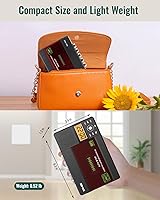
  • Compact enough to slip into a bag and light enough that portability is genuinely realistic.
  • Runs on USB-C or four AA batteries, giving you real flexibility depending on where you are working.
  • The LCD display makes it easier to navigate modes than older cassette players with no feedback at all.
  • Spoken-word recordings — voice memos, interviews, family messages — come out clear and usable.
  • The 3.5mm headphone jack delivers a noticeably better listening experience than the built-in speaker.
  • Solid ABS construction feels sturdy enough for regular desk use and occasional travel.
  • For the price, the bundled accessories add genuine value that reduces the total cost of getting started.
  • Works reliably with the vast majority of standard Type I commercial and home-recorded tapes.

Cons

  • Motor speed inconsistency can cause pitch wavering on music, especially with older or worn tapes.
  • Audacity has a real learning curve — the manual does not provide enough guidance for first-time users.
  • The built-in speaker is too thin and quiet for anything beyond basic playback confirmation.
  • Metal and Type IV tape incompatibility is a hard stop that affects some buyers unexpectedly.
  • Music digitization quality reveals audible hiss and limited dynamic range compared to proper decks.
  • No wall adapter is included — you need to supply your own USB-C power brick for desk use.
  • The microphone picks up background noise easily, limiting its usefulness in anything but quiet rooms.
  • Battery drain during extended recording sessions is noticeable and can interrupt mid-conversion work.
  • The tape deck lid feels like the most vulnerable component and raises questions about long-term durability.
  • MP3 encoding bitrate is modest, which affects audio richness when played back on better speakers or headphones.

Ratings

The SEMIER Small Cassette Tape Player Converter has been evaluated by our AI rating system after parsing verified buyer reviews from multiple global markets, with spam, bot-generated, and incentivized feedback actively filtered out. The scores below reflect a balanced picture of where this compact tape-to-digital device genuinely delivers and where real users have run into frustration. Both the wins and the friction points are represented here without bias.
Ease of Setup
86%
Most buyers report getting up and running within minutes, especially with the SD card workflow. The included accessories — card, reader, cable, and software — mean there is very little to source separately, which older or less tech-savvy users particularly appreciate.
The Audacity-based PC conversion path trips up a noticeable share of buyers who have never used audio editing software before. Instructions in the manual are considered basic, leaving some users to rely on YouTube tutorials to complete their first conversion.
Audio Conversion Quality
67%
33%
For spoken word content — voice recordings, old interviews, family messages — the output quality is considered genuinely useful and clear enough to preserve the material digitally. Users archiving sentimental recordings rather than studio music tend to be satisfied.
Music digitization is where expectations diverge sharply from reality. Several buyers noted audible hiss, mild pitch inconsistency, and a flatness in the converted audio that would not satisfy anyone with a decent ear for music. This is not a professional-grade digitizer.
SD Card Recording
81%
19%
The direct-to-SD card recording path is the standout feature for many users — no PC, no software, just press record and walk away. The included 16GB card provides substantial storage, and the process is genuinely intuitive once you understand the button layout.
A few buyers flagged that the device does not always split recordings cleanly between tape sides, requiring some manual file management afterward. The MP3 encoding bitrate is also on the modest side, which affects audio richness on playback through better speakers.
Built-in Speaker
58%
42%
The 2W speaker works adequately for confirming that a tape is playing and for casual, low-stakes listening in a quiet room. Users testing playback during setup found it convenient not to need headphones just to check if a tape is loading correctly.
At any meaningful volume, the speaker sounds thin and struggles with low frequencies. Several users described it as sufficient only for reference monitoring rather than actual enjoyment. Background noise in a typical home environment can easily overwhelm it.
Motor Speed Consistency
63%
37%
Under normal conditions with well-preserved tapes, the playback motor runs steadily enough for spoken recordings and casual listening. Users playing relatively recent or lightly used cassettes reported no obvious speed drift during short sessions.
Motor speed complaints appear regularly in longer playback sessions and with older or slightly degraded tapes. Pitch wavering — that slight warbling effect where vocals or instruments sound unstable — is a recurring issue that affects music digitization quality meaningfully.
Build Quality & Materials
71%
29%
The ABS plastic shell feels solid enough to survive regular desk use and occasional travel in a bag. The overall assembly does not creak or feel hollow, and the button feedback is acceptable for a device in this price tier.
It reads as plastic rather than premium, and the lid mechanism over the tape deck feels like the most vulnerable component over time. A few buyers expressed concern about longevity with heavy daily use, though it holds up fine for occasional archiving sessions.
Value for Money
79%
21%
The bundled accessories genuinely add perceived value — buying a 16GB SD card, USB reader, and Audacity license separately would cost a noticeable amount. For someone who just needs to rescue a box of old tapes, the overall package feels reasonably priced.
Users who expected near-professional audio output felt the value proposition weakened after hearing the results. If your primary use case is high-fidelity music digitization, the gap between this and a proper deck with a separate audio interface makes the price feel less justified.
Portability
83%
At roughly 0.52 lbs and fitting easily into a medium bag or large coat pocket, this cassette converter travels well. Battery operation on four AAs means it is genuinely usable away from a power outlet, which users at estate sales or in storage units found practical.
The AA battery requirement means you need to stock up or carry spares — rechargeable batteries are not included. A few users noted that battery drain is noticeable during extended recording sessions, which can be inconvenient mid-conversion.
LCD Display & Navigation
74%
26%
The LCD screen displays enough information — playback status, recording mode, basic indicators — to make operation feel more controlled than blindly pressing buttons on a featureless device. Users new to this type of hardware found it reassuring during setup.
The display is small and the contrast is only moderate, making it harder to read in bright outdoor light or for users with weaker eyesight. Menu navigation is functional but not intuitive; a few users needed several attempts to switch between playback and recording modes correctly.
Headphone Listening Experience
76%
24%
Through decent headphones, tape playback is a noticeably more enjoyable experience than through the built-in speaker. The 3.5mm output is clean enough for casual listening, and users revisiting old mixtapes for personal nostalgia found it perfectly adequate.
Audiophiles or anyone using higher-end headphones will pick up on background hiss and the inherent limitations of the analog-to-digital chain. This is a functional headphone output, not a high-fidelity one, and it should be treated accordingly.
Power Flexibility
82%
18%
The dual power option is genuinely practical. At a desk, USB-C keeps the device running indefinitely without draining batteries. On the move, four AAs provide real-world freedom without needing to find a power source, which is useful for users digitizing tapes in storage spaces.
USB-C powers the device but does not charge an internal battery — there is none. Some buyers assumed USB-C implied a rechargeable unit and were surprised. The dependence on disposable AAs for mobile use is a minor but recurring point of mild frustration.
Tape Compatibility
55%
45%
For users with standard Type I cassettes — which covers the vast majority of commercial pre-recorded tapes and most home-recorded tapes from the 1980s and 1990s — compatibility is total and reliable. That is genuinely the bulk of most people's collections.
The Type I-only limitation catches buyers off guard more than it should. Metal tapes and Type IV cassettes are not supported at all, which is a hard stop for users with certain high-bias collections. Clearer labeling of this restriction before purchase would prevent a meaningful share of returns.
Included Accessories
84%
Arriving with a 16GB SD card, USB reader, Audacity software, and a USB power cord, the package removes the usual friction of first-time setup. Buyers routinely call out the SD card inclusion as a genuine bonus that saves an immediate additional purchase.
The USB power cord is for data transfer and operation but not a wall adapter, so users without a USB-C wall plug need to provide their own. The printed user manual is described as sparse, and some accessories feel budget-grade even if their presence is welcome.
Microphone Recording Quality
61%
39%
For capturing voice memos, basic interviews, or ambient audio onto cassette, the built-in microphone performs adequately. Users treating it as a simple voice recorder found the sensitivity reasonable for close-range speech in quiet environments.
Background noise bleeds in easily, and recordings in anything other than a very quiet room can sound cluttered. Users hoping to record live music or group conversations found the microphone underwhelming, with limited stereo separation and noticeable room noise.

Suitable for:

The SEMIER Small Cassette Tape Player Converter is a solid pick for anyone sitting on a collection of old Type I cassettes — think commercial albums, home-recorded mixtapes, or family voice recordings from the 1980s and 1990s — who wants a practical way to preserve them digitally before the tapes degrade any further. It is particularly well-matched to older users or gift buyers who want something that works without requiring a deep dive into technology; the SD card recording path is genuinely straightforward, and the included accessories mean there is very little to figure out before getting started. Hobbyists who enjoy the tactile experience of cassette recording will also find value here, since the built-in microphone lets you record new audio directly onto tape. If your goal is archiving spoken-word recordings — interviews, voice memos, personal messages — the output quality will likely meet your expectations without disappointment. The compact size and dual power options make it a practical choice even for users who want to work through a tape collection stored in a garage, attic, or off-site storage unit.
Not suitable for:

Buyers expecting professional or near-audiophile conversion quality should look elsewhere — the SEMIER Small Cassette Tape Player Converter is an accessible consumer device, not a studio-grade digitizer, and the audio output reflects that honestly. Anyone with a collection that includes metal tapes or Type IV cassettes will hit a hard compatibility wall immediately, since the device does not support those formats at all. Music enthusiasts who care about accurate pitch, low noise floors, and faithful reproduction of their favorite albums are likely to find the results frustrating, particularly for anything other than casual archiving. Less patient users who expect plug-and-play simplicity on the PC conversion path may struggle; Audacity is a capable tool, but it has a genuine learning curve for anyone who has never worked with audio software. And if you are hoping for a device that doubles as a decent tabletop speaker for daily listening, the built-in 2W output will not deliver a satisfying experience beyond the most basic monitoring use.
Specifications

  • Brand: Manufactured by SEMIER, a consumer electronics brand specializing in compact audio devices.
  • Dimensions: The unit measures 6.3 x 3.9 x 1.2 inches, making it roughly the size of a standard paperback book.
  • Weight: The device weighs approximately 13.4 oz, which the manufacturer also lists as 0.52 lbs.
  • Body Material: The outer casing is constructed from ABS plastic, providing a lightweight but reasonably solid build.
  • Tape Compatibility: Supports Type I (normal bias) cassette tapes only; Type IV and metal tapes are not compatible.
  • Conversion Output: Audio is converted and saved in MP3 format, compatible with virtually all modern media players and devices.
  • Storage Support: Accepts SD cards for direct recording and file storage; a 16GB SD card is included in the box.
  • PC Connectivity: Connects to a Windows or Mac computer via USB-C cable for software-based conversion using Audacity.
  • Power Options: Operates on four AA batteries (not included) or via a USB-C power cable (included) for desk use.
  • Built-in Speaker: Features a 2W mono speaker for basic playback monitoring without requiring headphones or external audio output.
  • Headphone Jack: Equipped with a 3.5mm headphone output for private listening compatible with standard wired headphones.
  • Display: An LCD screen shows playback status, recording mode indicators, and basic navigation feedback.
  • Microphone: Includes a built-in condenser microphone for recording audio directly onto cassette tape or to the SD card.
  • Included Accessories: Box contains a 16GB SD card, USB card reader, USB-C power cord, Audacity software access, and a printed user manual.
  • Connectivity: USB-C port serves dual purposes: powering the device and transferring audio data to a connected computer.
  • Recording Input: Audio can be recorded via the built-in microphone or captured from tape playback directly to SD card or PC.
  • Software: Audacity, a free open-source audio editing application, is included to support PC-based tape conversion workflows.

Related Reviews

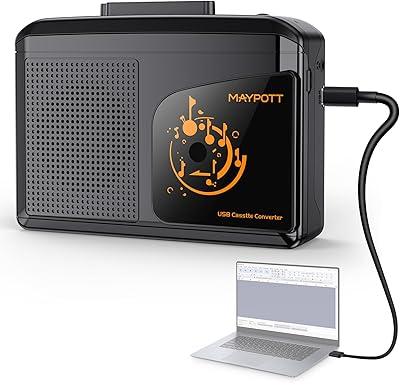
Maypott Portable Cassette Player & Tape to MP3 Converter
84%
88%
Audio Quality
90%
MP3 Conversion Ease
80%
Build Quality
91%
Portability & Size
75%
Battery Life
More
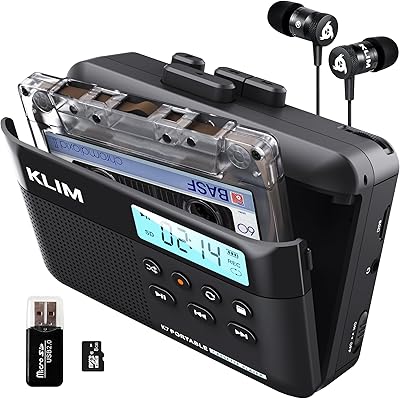
KLIM K7 Cassette Tape Player + MP3 Converter
83%
88%
Ease of Use
92%
Portability
85%
MP3 Conversion Quality
81%
Battery Life
73%
Sound Quality
More
SEMIER Boombox MP3 Conversion Cassette Tape Player Recorder
83%
88%
Cassette-to-MP3 Conversion Ease
84%
Sound Quality
82%
Portability
65%
Battery Life
78%
Durability
More
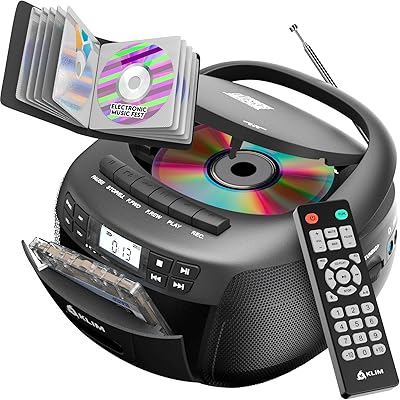
KLIM Boombox CD Player & Cassette Tape Player
82%
87%
Sound Quality
72%
Build Quality
65%
Battery Life
90%
Portability
88%
Bluetooth Connectivity
More
Janryzone Cassette Player-Converter
82%
89%
Ease of Use
78%
Audio Quality
93%
Portability
85%
Value for Money
65%
Build Quality
More
KLIM K8 Cassette Tape Player
83%
76%
Sound Quality
85%
Recording Functionality
80%
Build Quality
91%
Portability
88%
Ease of Use
More
SEMIER Portable Cassette Player Recorder
80%
92%
Value for Money
89%
Portability & Size
84%
Sound Quality
60%
Recording Quality
91%
Radio Reception
More
Retekess TR606 Cassette Tape Player Recorder
82%
91%
Value for Money
96%
Portability
82%
Sound Quality
88%
Battery Life
87%
Ease of Use
More
Reshow 235A Portable Cassette Player
74%
84%
Digital Conversion Ease
78%
Audio Quality (Headphones)
48%
Audio Quality (Built-in Speaker)
88%
USB-C Connectivity
73%
Battery Life
More
MONODEAL CD1016 Boombox
76%
88%
Ease of Use
71%
Sound Quality
76%
Bluetooth Performance
83%
CD Playback
68%
Cassette Deck & Recording
More

FAQ

You can absolutely do it without a computer. Just insert the included SD card, press the record button, and the device saves the audio as an MP3 file directly onto the card. When you are done, pull the card out and read it with the included USB adapter on any device you like. The PC path via Audacity is an option, not a requirement.

Unfortunately, no. The SEMIER Small Cassette Tape Player Converter only supports Type I, normal-bias cassette tapes. If you have Type IV or metal tapes — often labeled as such on the tape housing — this device will not play them correctly or at all. Check your tape labels before purchasing if you are unsure which type you have.
Audacity is free and capable, but it does have a learning curve for anyone who has not used audio software before. The basics — pressing record on screen while the tape plays — are manageable, but tasks like trimming silence or splitting tracks take some practice. If you find it confusing, there are plenty of beginner video guides online, and the SD card method may honestly suit you better.

For spoken word — voice recordings, family messages, interviews — the quality is genuinely useful and clear enough for archiving purposes. For music, especially anything recorded with nuance like acoustic instruments or harmonies, you will notice some limitations: light background hiss, modest dynamic range, and occasional pitch inconsistency. It is not a professional digitizer, but for sentimental preservation it gets the job done.

The device works with standard SD cards, and the included 16GB card is enough to store a large number of converted tapes in MP3 format. You can swap in a larger SD card if you prefer, though it is worth checking the device documentation or SEMIER support for the maximum supported card size before purchasing an upgrade.

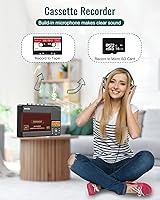
Yes, the built-in microphone lets you record new audio directly onto a cassette tape. It works best in a quiet environment for close-range voice recording — think dictation or simple voice memos. It is not well-suited to recording groups of people or anything with background noise, as the microphone picks up room ambience fairly readily.

There is no internal rechargeable battery in this device. The USB-C cable powers it while plugged in, but the moment you unplug it you need four AA batteries to keep it running. For portable use away from a power source, make sure you have batteries on hand — they are not included in the box.

Realistically, the 2W speaker is best thought of as a monitoring tool — handy for confirming a tape is playing or quickly checking a recording. In a quiet room it produces audible playback, but it sounds thin at higher volumes and lacks bass. For any proper listening session, plugging in headphones via the 3.5mm jack makes a noticeable difference.

At roughly 6.3 x 3.9 x 1.2 inches and under a pound, it fits easily into a medium bag, a large tote, or a roomy coat pocket. It is not quite small enough to pocket comfortably like a phone, but it is light and slim enough that portability is genuinely realistic for moving between rooms or taking to a storage unit.

SEMIER does offer customer support for this device, and buyers generally report that responses are helpful for basic setup questions. For any hardware issues, reaching out directly through the point of purchase is the fastest route. Keeping your order confirmation handy when contacting support will speed things up considerably.