
Overview

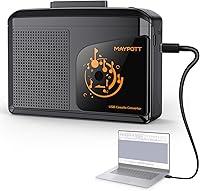
The Maypott Portable Cassette Player Recorder arrived in early 2024 as a compact, straightforward answer to a surprisingly common problem: what do you do with a closet full of old cassette tapes? This cassette converter does two things — it plays your tapes through a built-in speaker or headphones, and it lets you pipe that audio into a computer via USB-C to capture it digitally. It runs on either AA batteries or a USB-C power cable, so you are not tied to a desk. The niche is crowded, but the dual-function approach at this price point makes it worth a closer look for casual users.

Features & Benefits

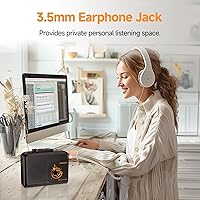
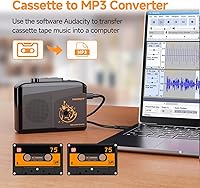
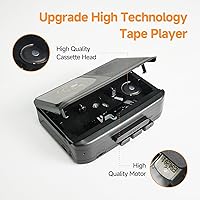
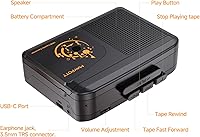
The tape head is made from metal rather than cheaper plastic composites, which matters when feeding through old or fragile tapes that cannot afford extra friction. USB-C connectivity handles the digitization side — plug the included cable into your laptop, open Audacity (a free app you will need to download separately), and the device appears as an audio input source ready to record. The 3.5mm stereo headphone jack delivers noticeably richer sound than the built-in speaker, which is mono and better suited for casual background listening. A genuinely useful extra is the AUX input, letting you route audio from a vinyl player, CD player, or radio through the device and into your computer as well.

Best For

This portable tape deck makes the most sense for anyone sitting on a pile of old mixtapes, home recordings, or secondhand cassettes they want to preserve before the tapes degrade further. It is also a low-barrier entry point for casual analog enthusiasts — people curious about the cassette format who do not want to spend much. Students and hobbyists will appreciate the AUX input flexibility for capturing audio from multiple sources beyond tapes. On the gift-giving side, it is a practical retro item that actually does something useful. If you walk or commute and want a lightweight portable player, the battery option keeps it usable well away from any power outlet.

User Feedback

With 188 ratings averaging 4.0 out of 5 stars, the Maypott tape player earns cautious approval rather than blanket enthusiasm. Buyers tend to highlight the ease of setup and the novelty of having playback and digitization in one small unit. On the critical side, a few recurring concerns are worth noting: playback speed consistency can be uneven on some units, and audio quality — while adequate — will not satisfy anyone chasing high-fidelity results. New users sometimes find the Audacity configuration a mild hurdle if they have never touched recording software before. Battery life in AA mode also draws occasional comments, with USB-C power appearing to be the more dependable choice for longer digitization sessions at home.

Pros

  • Handles both tape playback and digital conversion in a single compact unit, saving the cost of separate devices.
  • Metal tape head reduces friction on old or delicate cassettes that cheaper plastic heads might damage.
  • USB-C connectivity means the included cable works with most modern laptops without hunting for adapters.
  • AUX input lets you record audio from vinyl, CD, or radio sources — a feature many competing devices skip entirely.
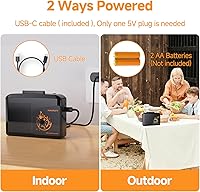
  • Runs on AA batteries or USB-C power, so you are not stuck at a desk to use it.
  • 3.5mm stereo headphone output delivers noticeably fuller sound than the mono speaker suggests the device is capable of.
  • Compact and light enough to slip into a bag for commutes or travel without adding noticeable weight.
  • At its price tier, the dual-function design offers genuine value for casual users who do not need professional results.
  • Setup is straightforward for anyone comfortable downloading Audacity and selecting an audio input source.

Cons

  • Digitization depends entirely on third-party software — Audacity must be downloaded and configured before any recording is possible.
  • Playback speed consistency has drawn complaints from some buyers, which can result in slightly warped-sounding recordings.
  • The built-in speaker is mono only, making it unsuitable for any meaningful stereo listening without headphones.
  • Audio capture quality is adequate but clearly budget-tier — do not expect clean, noise-free results on worn or old tapes.
  • No standalone recording to an SD card or internal storage; a connected laptop or PC is always required for digitization.
  • Battery life in AA mode can fall short during longer digitization sessions, making USB-C power the more practical choice at a desk.
  • New users unfamiliar with audio software may find the Audacity setup process unexpectedly time-consuming.
  • The 256 MB internal memory spec is misleading — the device does not save audio files on its own; all recording routes through the computer.

Ratings

Our AI rating system analyzed verified global buyer reviews for the Maypott Portable Cassette Player Recorder, actively filtering out incentivized, bot-generated, and duplicate feedback to surface what real users genuinely experienced. The scores below reflect an honest cross-section of satisfaction and frustration — strengths are credited where earned, and recurring pain points are not softened. If you are trying to decide whether this cassette converter fits your needs, these scorecards are built to give you a straight answer.

Value for Money
83%
For buyers who want both tape playback and basic digitization without spending much, this portable tape deck delivers a lot of functional overlap at a price that is hard to argue with. The inclusion of a USB-C cable, a metal tape head, and AUX input at this tier genuinely surprised many reviewers who expected a more stripped-down experience.
A small but vocal group of buyers felt the audio quality did not fully justify even the modest asking price, particularly after factoring in the time spent learning Audacity. Those who compared it directly to slightly pricier dedicated decks sometimes felt the gap in output quality was wider than the gap in price.
Ease of Setup
76%
24%
Plugging the device into a laptop and getting Audacity to recognize it as an input source is straightforward for anyone with basic computer confidence. Most buyers reported being up and running within fifteen to twenty minutes, which is a reasonable expectation for a USB audio device at this level.
The dependency on Audacity — a third-party program that must be downloaded and configured separately — caught a meaningful number of buyers off guard. Users who expected a plug-and-play experience with no software involvement reported frustration, and a few gave up before successfully completing their first recording.
Playback Quality
67%
33%
Through headphones, the stereo output is noticeably pleasant for a budget device — tapes sound like tapes, with the warm analog character intact. Buyers who kept expectations calibrated to the format reported genuine enjoyment replaying mixtapes and old recordings from cassettes they had not heard in years.
Playback speed inconsistency is one of the more frequently cited issues, with some units running slightly fast or slow, which gives vocals and instruments a subtly warped quality. This is less noticeable on spoken-word tapes but becomes more obvious on music, especially anything with a distinct melody or beat.
Digitization Performance
63%
37%
The core function works — connect the device, open Audacity, press play, and audio is captured to your computer in real time. For preserving old mixtapes or family recordings at a casual archive quality, the results are good enough that most buyers considered the effort worthwhile.
The captured audio quality is clearly budget-tier, with some background hiss and noise floor visible in recordings, particularly from older or worn tapes. Users hoping to produce clean, noise-free files suitable for sharing or uploading without post-processing work will likely be disappointed by what comes out of the box.
Portability
88%
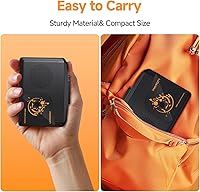
At just over nine ounces and compact enough to fit in a jacket pocket, this cassette converter earns consistent praise from buyers who wanted something they could toss in a bag for commutes, walks, or travel. The option to run on AA batteries means it is genuinely untethered when you need it to be.
The weight and size are well-suited for portable use, but buyers noted that AA batteries add a small amount of bulk and the battery door on some units felt less secure than ideal. A few users also wished the device came with a carrying pouch or clip given how often it is used on the move.
Build Quality
61%
39%
The metal tape head is a meaningful upgrade over the all-plastic internals found in many competing units at this price, and several buyers noted that tapes loaded and unloaded smoothly without any snagging. The body feels solid enough for casual daily use and does not feel hollow or cheap when held.
The overall construction still reads as budget — the plastic casing has flex to it, and the transport control buttons have a slightly mushy feel that does not inspire long-term confidence. A handful of reviewers reported issues with units after several weeks of regular use, suggesting durability over time may be a concern.
Speaker Performance
47%
53%
The built-in speaker is useful for quickly checking whether a tape is playing or previewing a recording without reaching for headphones. For low-demand use like background noise while doing chores, it gets the job done at low volume.
Being mono only, the speaker produces flat, narrow sound that does not do justice to any stereo-recorded tape. Volume headroom is also limited, and at higher settings the sound becomes noticeably thin and harsh — most buyers quickly defaulted to headphones for any listening session that lasted more than a minute or two.
AUX Input Utility
79%
21%
The AUX input is a genuinely useful feature that many buyers discovered after purchase rather than before, and reactions were consistently positive once they realized they could route a turntable or radio through the device and into Audacity for recording. It effectively turns this tape deck into a multi-source audio capture tool.
The AUX input is not prominently explained in the included manual, so many buyers never use it at all. There is also no volume control on the input side, which means signal levels from external sources can require additional adjustment within Audacity to avoid clipping or recordings that are too quiet.
Battery Life
58%
42%
AA battery mode gives buyers genuine freedom from cables during casual portable listening, and for short sessions — say, a single tape side or two — performance is adequate. Buyers who use it primarily for walking or commuting with occasional playback reported reasonable battery endurance.
Extended digitization sessions on AA batteries drain them faster than most buyers anticipated, with some reporting that a full set of batteries lasted only two or three full tape conversions before needing replacement. The consensus among frequent users is clear: use USB-C power for any serious digitization work at a desk.
Headphone Experience
81%
19%
The 3.5mm stereo output is where this portable tape deck sounds best — headphones reveal a warm, reasonably balanced stereo image that makes old mixtapes genuinely enjoyable to listen to again. Buyers who used quality headphones reported a noticeably better experience than they expected from a device at this price point.
There is no volume wheel or analog volume control on the device itself, so output volume is fixed and must be managed entirely through the headphones or the connected device. A few buyers with more sensitive in-ear monitors found the fixed output level slightly hot and wished for more granular control.
Software Integration
62%
38%
Audacity is a capable, free tool that handles the recording side well once configured, and buyers who took the time to learn the basics reported smooth, consistent results. The device is recognized reliably as a USB audio input on both Windows and Mac without requiring driver installation.
Audacity has a learning curve that feels steep to users who have never touched audio software before — setting input levels, monitoring for clipping, and exporting to MP3 are not self-explanatory steps. The included manual does not walk through the software setup in enough detail, leaving some buyers to figure things out through trial and error.
Tape Compatibility
72%
28%
Standard Type I and Type II cassettes load and play without issue for the vast majority of buyers, covering the most common formats people are likely to be pulling out of storage. The metal tape head contributes to smooth transport across a range of tape ages and brands.
A few buyers reported minor compatibility hesitation with thicker or older cassette formats, and tapes with any warping or shell damage may not seat or advance reliably. The device does not support auto-reverse, so each tape side requires manual flipping — a small but real inconvenience during longer digitization sessions.
Packaging & Unboxing
74%
26%
The device arrives well-protected, and the inclusion of the USB-C cable out of the box is a practical touch that means most buyers can get started immediately without hunting for an extra cable. The overall presentation is clean and tidy for a budget product.
The printed user manual is thin and covers only the basics, leaving gaps around software setup and AUX input usage that many buyers end up searching online to fill. There is no carrying case, protective bag, or even a quick-start guide — additions that would have meaningfully improved the unboxing experience.

Suitable for:

The Maypott Portable Cassette Player Recorder is a practical choice for anyone who has rediscovered a box of old tapes and wants a low-cost, low-effort way to either replay them or save them as digital files before they deteriorate further. If you grew up recording mixtapes or have family audio memories sitting in a drawer, this cassette converter gives you an accessible path to digitization without buying expensive dedicated hardware. It works equally well for students and hobbyists who want to experiment with analog audio on a budget, since the AUX input lets you capture audio from vinyl players, radios, and CD players too — not just tapes. Commuters and walkers who simply want to enjoy cassettes on the go will appreciate the lightweight build and the flexibility of running on batteries when no power outlet is nearby. Gift buyers will find it hits a sweet spot between novelty and actual usefulness, which is a harder balance to strike than it sounds.

Not suitable for:

The Maypott Portable Cassette Player Recorder is not the right tool for anyone who needs high-fidelity audio capture or expects studio-adjacent sound quality from their digitized recordings. The built-in speaker is mono and better suited for confirming a tape is playing than for serious listening, so if speaker audio quality matters to you, look elsewhere. Digitization also requires a computer, a free Audacity download, and a bit of patience to configure the input settings correctly — buyers who want a one-button, plug-and-play solution with no software involvement will likely find the process frustrating. If you own a large collection of professional-grade tapes or are archiving irreplaceable recordings where playback speed accuracy and audio precision are critical, a purpose-built dedicated tape deck is a more reliable investment. This portable tape deck is also not designed for heavy daily use; it is built to a budget price point, and buyers expecting long-term durability comparable to legacy tape equipment should temper expectations accordingly.

Specifications

  • Brand: Manufactured and sold by Maypott under model number PC000369.
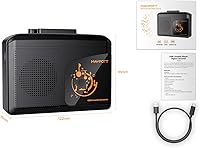
  • Dimensions: The unit measures 1.54″ deep, 4.8″ long, and 3.58″ wide, making it genuinely pocketable.
  • Weight: At 9.1 ounces, it is light enough to carry comfortably during walks or commutes.
  • Power Options: Operates on 2 AA batteries (not included) or via a USB-C cable with a 5V power supply.
  • Connectivity: Uses USB 2.0 over a USB-C port; a USB-C data cable is included in the box.
  • Headphone Jack: A 3.5mm stereo headphone jack provides full stereo audio output for private listening.
  • Built-in Speaker: The onboard speaker outputs mono audio, suitable for casual playback without headphones.
  • Tape Functions: Supports standard transport controls: play, fast forward, rewind, and stop.
  • Tape Head: Uses a metal tape head construction intended to minimize wear on old or delicate cassettes.
  • AUX Input: Includes an AUX input that accepts audio from external sources such as vinyl players, CD players, or radios.
  • Recording Method: Audio digitization is performed through a connected computer using the free Audacity software, which must be downloaded separately.
  • Supported Formats: Captured audio can be saved as MP3 or WAV files depending on Audacity export settings.
  • Compatible Devices: Works with PCs, laptops, tablets, and smartphones that support USB audio input.
  • Internal Memory: The device includes 256 MB of internal memory, though this is not used for standalone audio file storage.
  • In the Box: Package includes the cassette player unit, one USB-C charging and data cable, and a printed user manual.
  • Release Date: First made available for purchase in March 2024.

Related Reviews
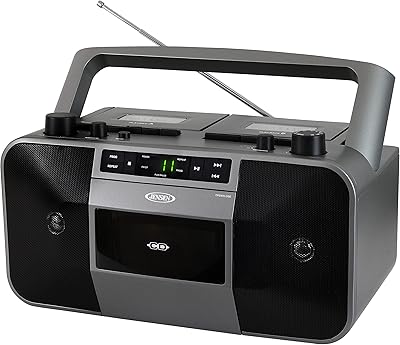
Jensen MCR-1500 Portable Stereo CD Player and Dual-Deck Cassette Player/Recorder
79%
82%
Sound Quality
88%
Portability
85%
Ease of Use
61%
Cassette Deck Reliability
90%
Radio Reception
More
Gracioso Portable Cassette Recorder Player
73%
91%
Ease of Use
84%
Value for Money
61%
Audio Playback Quality
53%
Build Quality
76%
AM/FM Reception
More
FIOLEES Portable Cassette Recorder Player
71%
88%
Portability & Size
83%
AM/FM Radio Reception
61%
Tape Playback Quality
54%
Recording Capability
69%
Speaker Performance
More
SEMIER SM-226 Portable Cassette Player
70%
84%
Value for Money
81%
Radio Reception
88%
Ease of Use
86%
Portability
63%
Recording Quality
More
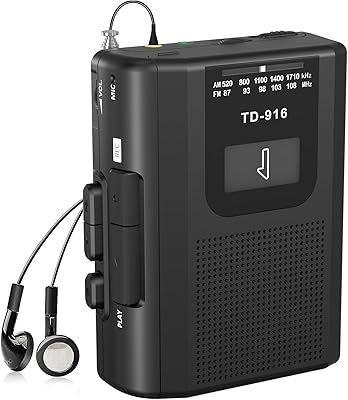
Riptunes RCS210 Portable Cassette Player Recorder
73%
88%
Ease of Use
61%
Audio Playback Quality
57%
Recording Quality
53%
Built-in Speaker Volume
67%
Build Quality & Durability
More
Ezcap Ezcap234 AM/FM Cassette Player
70%
88%
Ease of Setup
79%
Tape-to-MP3 Conversion
73%
AM/FM Reception
61%
Audio Quality
63%
Built-in Speaker
More
Reshow 235A Portable Cassette Player
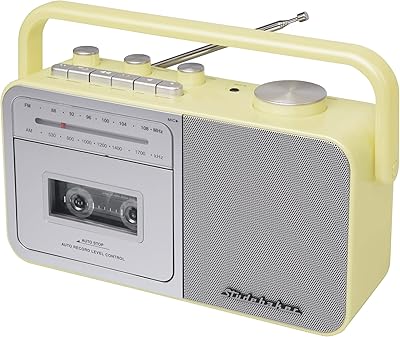
74%
84%
Digital Conversion Ease
78%
Audio Quality (Headphones)
48%
Audio Quality (Built-in Speaker)
88%
USB-C Connectivity
73%
Battery Life
More
GPO CC1 Portable Cassette Player Recorder
71%
61%
Sound Quality
58%
Build Quality
66%
FM Radio Performance
74%
Value for Money
83%
Ease of Use
More
Studebaker SB2130CS Portable Cassette Player/Recorder
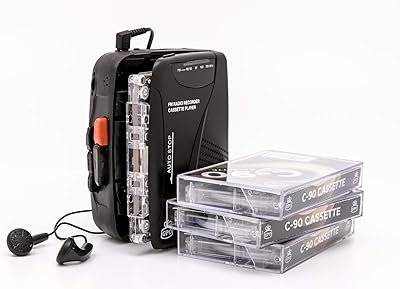
69%
88%
Ease of Use
61%
Audio Playback Quality
83%
Recording Versatility
58%
Build Quality
54%
Speaker Volume & Output
More
Jensen MCR-100
Jensen MCR-100
71%
91%
Ease of Use
63%
Recording Quality
78%
Playback Performance
61%
Build Quality
57%
Battery Life
More

FAQ

Yes, you do. The Maypott Portable Cassette Player Recorder works as a USB audio input device, so you need a recording program on your computer to capture the audio. Audacity is the recommended option — it is free to download from the official Audacity website. Once installed, you select the player as your input source and hit record while the tape plays.

Absolutely. The built-in speaker works independently of any computer connection. Just pop in 2 AA batteries, load a tape, and press play. Keep in mind the speaker is mono, so do not expect rich stereo sound — it is fine for background listening or checking whether a tape still works.

No, it does not work that way. This cassette converter is essentially a USB audio input device — the audio streams into your computer in real time while Audacity records it. Your files are saved on your computer, not on the player itself.

USB-C power is the more practical choice when you are sitting at a desk digitizing tapes, since AA batteries can drain noticeably during extended sessions. Save the battery mode for portable listening when you are away from a power source.

It should work on both, since Audacity is available for macOS and Windows and the device appears as a standard USB audio input on either platform. That said, the included manual is written with Windows steps in mind, so Mac users may need to spend a few extra minutes finding the equivalent settings in Audacity.

Yes, and this is one of the more underappreciated features of the Maypott tape player. The AUX input lets you connect an external audio source — a turntable with a preamp, a CD player, or a radio — and route that audio through to your computer for recording via Audacity, just like you would with a tape.

The headphone output is true stereo through the 3.5mm jack, which sounds noticeably better than the built-in speaker. The speaker itself is mono, so if audio quality matters for your listening sessions, use headphones.

The metal tape head is designed to be gentler on tapes than cheaper plastic heads, which is a meaningful consideration if you are feeding through old or rarely played cassettes. That said, no tape player can guarantee zero wear — if a tape is already in poor condition, preview it carefully before committing to a full playback.

Honest answer: it is adequate for preserving memories, not for audiophile archiving. The output quality depends heavily on the condition of the tape itself and how well you configure Audacity. Do not expect noise-free, studio-clean results — expect something that sounds like a cassette tape captured at a reasonable quality level, which for most people is perfectly acceptable.

It depends. The playback side is simple — insert tape, press play — and that part anyone can handle. The digitization side requires downloading Audacity and doing some basic software setup, which could be a stumbling block for someone unfamiliar with recording software. If the recipient is only interested in playing tapes rather than converting them, it makes a charming and practical gift with no software required.