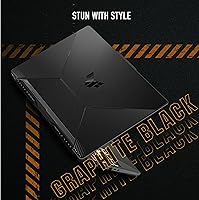
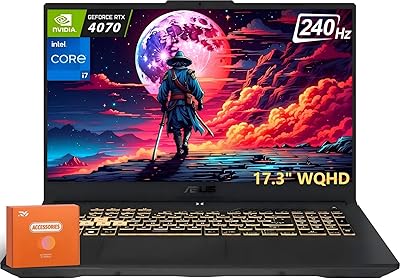
Overview

The ASUS TUF F15 Gaming Laptop lands squarely in the budget gaming space, aimed at students and casual gamers making their first real jump from integrated graphics. It doesn't try to compete with flashier, higher-end rigs — that's the ROG line's job. What the TUF lineup has always offered is practical durability, and this machine backs that up with MIL-STD-810H certification, meaning it has been tested against drops, vibration, humidity, and temperature extremes. Worth noting: it runs on a 10th-gen Intel CPU, which was already a generation behind when it launched in early 2022. At medium 1080p settings, it performs reliably — just don't expect a workstation.

Features & Benefits

The 15.6-inch panel running at 144Hz refresh rate makes a real difference the moment you load up a fast-paced shooter — motion blur drops noticeably compared to standard 60Hz screens, and the IPS-type panel keeps colors consistent across viewing angles. The GTX 1650 handles esports titles like Valorant and CS2 comfortably, often pushing well above 100fps at 1080p. Push it toward recent open-world releases at ultra settings, though, and it starts to struggle. The i5-10300H is functional for multitasking and light streaming, though it's aging against current competition. Storage loads quickly on the 512GB NVMe SSD, and Wi-Fi 6 support is a genuine plus at this price tier.

Best For

This ASUS gaming laptop is a strong fit for college students who want one machine that handles both gaming and coursework without buckling under a heavy bag. If you're moving over from a console and don't need every game running at maximum quality, the TUF F15 gives you a solid starting point. Esports players will appreciate how well the hardware handles titles like League of Legends or Valorant — competitive esports titles are genuinely its sweet spot. The user-accessible upgrade bay also appeals to buyers who want to add RAM or swap storage themselves later, without fighting the chassis or voiding anything.

User Feedback

Owners consistently praise the keyboard and display — both punch above their weight at this price point, and the chassis feels solid rather than hollow. Criticisms are fair and worth taking seriously: the base 8GB RAM runs thin when juggling multiple browser tabs alongside a game, and the 720p webcam is genuinely poor for video calls. Fan noise under gaming load is a recurring complaint — it gets loud, though temperatures tend to stay in check. Real-world battery life during gaming sits closer to two or three hours, well short of the rated figure. For productivity tasks unplugged, you will get noticeably more mileage.

Pros

  • The 144Hz display makes fast-paced competitive games feel noticeably smoother than on a standard 60Hz screen.
  • MIL-STD-810H certification offers genuine peace of mind for students and daily commuters.
  • Esports titles like Valorant and CS2 run excellently, often well above 100fps at 1080p.
  • Wi-Fi 6 support is a welcome inclusion that most rivals at this price still skip.
  • The self-cleaning dual-fan system helps prevent dust buildup, which matters for long-term reliability.
  • Build quality feels solid and purposeful — nothing flexes or creaks under normal use.
  • The keyboard is comfortable for extended typing sessions, with a useful numeric keypad included.
  • RAM and storage are user-upgradeable via a simple pop-open panel, no specialist tools required.
  • The 512GB NVMe SSD delivers fast boot and game load times without noticeable lag.
  • IPS-type panel provides consistent colors and wide enough viewing angles for shared screen use.

Cons

  • The i5-10300H is a 10th-gen chip — meaningfully behind what rival laptops now offer at similar prices.
  • Base 8GB of RAM feels tight when multitasking with a game, browser, and communication apps open simultaneously.
  • The 720p webcam produces soft, washed-out video that looks poor in most lighting conditions.
  • Fan noise under sustained gaming load is loud enough to become distracting in quiet environments.
  • Real-world gaming battery life hovers around two to three hours — far below the marketed figure.
  • 512GB fills up quickly with modern game installs, making an early storage upgrade almost necessary.
  • Port selection is limited, with only one USB 2.0 and two USB 3.0 ports and no Thunderbolt.
  • The GTX 1650 struggles with graphically demanding 2023 and 2024 game releases at any meaningful settings.
  • At roughly 6 pounds, it is on the heavier side for a laptop carried in a bag all day.
  • No SD card reader is included, which can be a minor but recurring frustration for photographers or creators.

Ratings

The scores below were generated by AI after analyzing thousands of verified global user reviews for the ASUS TUF F15 Gaming Laptop, with spam, bot-submitted, and incentivized feedback actively filtered out before scoring. Each category reflects the genuine distribution of praise and frustration real buyers reported — nothing is smoothed over or inflated to look good. Where this machine shines and where it falls short are both represented honestly.

Gaming Performance
74%
26%
For esports-focused players, the GTX 1650 punches reliably at 1080p — Valorant, CS2, and League of Legends regularly hit frame rates that genuinely take advantage of the 144Hz screen. Users coming from integrated graphics or older dedicated GPUs consistently report a meaningful step up in smoothness.
The moment you move into recent open-world or graphically demanding titles, the limitations become clear fast. Multiple users noted having to drop to low settings in games like Cyberpunk or Hogwarts Legacy just to reach playable frame rates, which feels restrictive for a machine at this price point in 2024.
Display Quality
81%
19%
The 144Hz refresh rate is a genuine highlight that users notice immediately — motion looks fluid in shooters and even in fast-scrolling web use. Color accuracy and brightness are consistently praised as above-average for a budget gaming panel, and the IPS-type panel holds up well across viewing angles during couch or desk use.
The display does not cover a wide color gamut, which matters if you do any photo editing or color-sensitive creative work alongside gaming. A handful of users also reported mild backlight bleed at the panel corners, which becomes visible during dark game scenes or movie watching.
Build Quality & Durability
86%
The MIL-STD-810H certification is not just a sticker here — users report that the chassis genuinely feels dense and resistant to flexing, even after months of daily backpack commuting. The hinge holds its angle without drift, and the overall assembly feels more solid than competing laptops in the same price range.
The bottom panel and palm rest areas use a plastic finish that attracts fingerprints and shows minor scuffs over time, which can make the machine look worn sooner than expected. A few long-term users noted the rubber feet wearing down after extended desk use, reducing stability slightly.
Processor Performance
67%
33%
For everyday multitasking — switching between a game, a browser with multiple tabs, and a Discord call — the i5-10300H handles it without stuttering or freezing. Students using this for coursework alongside light gaming report it feels responsive for typical academic workloads.
The 10th-gen chip is noticeably behind what competing laptops now ship with at similar prices. Users doing sustained tasks like video rendering, large file compression, or CPU-heavy game simulations hit a processing ceiling that newer 12th- and 13th-gen chips clear with headroom to spare.
RAM & Multitasking
58%
42%
For running a single game at a time with background apps closed, 8GB is enough to avoid obvious stuttering. Users who stuck to lighter gaming and coursework tasks reported adequate day-to-day responsiveness without needing an immediate upgrade.
In real-world mixed use — a game open alongside Chrome with several tabs, Spotify, and Discord — users consistently hit RAM pressure that causes stuttering, slow tab switching, and occasional frame drops in-game. This is one of the most frequently cited frustrations, and a RAM upgrade feels less optional and more necessary in 2024.
Storage Speed & Capacity
72%
28%
The PCIe NVMe SSD delivers noticeably fast boot times and snappy game load screens — users coming from older HDD-based laptops are consistently impressed by how quickly everything responds. Windows startup and application launches feel immediate rather than sluggish.
512GB fills up faster than most buyers anticipate; just two or three large modern game installations can consume the majority of available space. Several users flagged needing to manage storage constantly or buy an external drive within the first few months, which adds friction to the experience.
Keyboard & Typing Experience
83%
The keyboard is one of the more consistent bright spots in user feedback — key travel feels satisfying, the layout is logical, and the numeric keypad is a genuine productivity bonus for students handling spreadsheets or data entry. The backlighting is evenly distributed and readable in dim environments.
The backlight is single-zone with no RGB customization, which will disappoint buyers expecting a more premium feel. A few users with larger hands noted the trackpad placement feels slightly offset due to the numeric keypad shifting the main key cluster leftward.
Cooling & Thermal Management
76%
24%
Temperatures under sustained gaming load stay within reasonable ranges, and the self-cleaning anti-dust fan design earns genuine appreciation from users who have owned laptops for years — several noted it still ran cool after 12 or more months of regular use without a deep clean.
The fans are loud when the system works hard, and this comes up frequently in user feedback. In quiet study environments like libraries, the fan noise is intrusive enough that some users switched to lighter tasks or plugged in headphones just to avoid disturbing others.
Battery Life
53%
47%
During light productivity tasks — note-taking, browsing, and document editing at moderate brightness — users report getting four to five hours of real-world use, which is enough to survive a short school day without hunting for an outlet.
Under gaming load, battery life collapses to two or three hours at best, which means the charger is essentially non-negotiable for any extended gaming session. The gap between the rated 7.7-hour figure and actual gaming runtime is wide enough that multiple users felt genuinely misled by the spec sheet.
Webcam Quality
41%
59%
The webcam is functional for brief, casual video calls in well-lit spaces and handles basic video conferencing without outright failure. For quick check-ins or a low-stakes video meeting, it gets the job done at a baseline level.
At 720p with mediocre sensor quality, the image looks noticeably soft and washed out in anything less than ideal lighting. Students relying on this for remote classes or job interviews regularly expressed frustration that it made them look poorly on screen compared to peers with external webcams or newer laptops.
Wireless Connectivity
88%
Wi-Fi 6 support is a standout inclusion at this price tier, and users in congested network environments — dorm buildings, shared apartments — report noticeably more stable connections compared to older Wi-Fi 5 laptops. Bluetooth 5.2 pairs quickly and holds connections reliably with headsets and controllers.
The laptop offers no cellular connectivity option, and the physical Ethernet port, while present, requires an active cable setup that is not always practical for mobile users. A small number of users in older Wi-Fi 5 or 4 network environments noted they cannot yet take advantage of the Wi-Fi 6 hardware.
Port Selection
62%
38%
Having a dedicated RJ-45 Ethernet port is a thoughtful inclusion for gamers who prefer wired connections for lower latency. The combination of USB-A ports covers most standard peripherals without needing an immediate adapter purchase.
The absence of Thunderbolt, USB-C charging, or an SD card reader is a recurring complaint, especially from users who connect multiple peripherals or transfer files from cameras regularly. With only three USB ports total — one of which is the older 2.0 standard — desk setups can feel constrained quickly.
Value for Money
71%
29%
For a buyer whose primary needs are esports gaming and college coursework, this TUF F15 offers a compelling combination of durable build, fast display, and Wi-Fi 6 at a price that undercuts many competitors offering similar GPU performance. The upgrade accessibility also extends the value timeline meaningfully.
The honest problem is that the market has moved. Newer laptops with 12th-gen CPUs, better GPU options, and more RAM are now available at comparable or only slightly higher prices, making the value proposition of this ASUS gaming laptop feel less convincing than it did at launch in early 2022.
Software & Out-of-Box Setup
77%
23%
Windows 11 Home runs cleanly on this hardware, and the ASUS Armoury Crate utility provides genuinely useful fan control and performance mode switching that users appreciate for tuning the machine to their current task — quiet mode for class, performance mode for gaming.
Several users flagged pre-installed bloatware and ASUS trial software as a mild annoyance that required a cleanup session before the system felt fully theirs. The Armoury Crate app itself occasionally draws criticism for feeling cluttered and difficult to navigate for first-time users.

Suitable for:

The ASUS TUF F15 Gaming Laptop is a practical choice for college students who need one machine that can handle both coursework and casual gaming without requiring a second bag for a charger every hour. If your game library leans toward esports titles — Valorant, CS2, League of Legends, Apex Legends — this TUF F15 will handle them confidently at 1080p, often at high frame rates that actually take advantage of that 144Hz display. First-time PC gamers making the jump from console will find it a capable, no-fuss entry point that doesn't demand immediate tinkering to get running. The MIL-STD-810H certification makes it a sensible pick for anyone who carries their laptop daily and wants hardware that can take the occasional knock or temperature swing. Buyers who enjoy hands-on upgrades will also appreciate that adding RAM or swapping storage later is genuinely straightforward, keeping the machine relevant longer without a costly replacement.

Not suitable for:

If you're planning to play modern, graphically demanding titles — think Cyberpunk 2077, Alan Wake 2, or any recent open-world release at high or ultra settings — this ASUS gaming laptop will disappoint; the GTX 1650 simply isn't built for that workload in 2024. Content creators who rely on video editing or 3D rendering should also look elsewhere, since the aging i5-10300H and base 8GB of RAM will bottleneck those workflows noticeably. Anyone who needs a reliable webcam for regular video calls or remote classes will find the 720p camera a genuine frustration rather than a minor inconvenience. If you expect all-day battery life while gaming, this machine won't deliver — real-world gaming runtime sits well below the rated figure, so a power outlet needs to stay nearby. Buyers comparing laptops at this price point should also know that newer competitors now ship with 12th- or 13th-gen Intel processors, which offer meaningful performance and efficiency gains over what the TUF F15 carries.

Specifications

  • Display: 15.6-inch IPS-Type FHD panel with a 1920x1080 resolution and a 144Hz refresh rate for smooth motion during fast-paced gameplay.
  • Processor: Intel Core i5-10300H quad-core processor with a base clock of 2.5GHz and a boost clock of up to 4.5GHz.
  • Graphics: NVIDIA GeForce GTX 1650 with 4GB of GDDR6 dedicated video memory handles 1080p gaming at low to medium settings comfortably.
  • RAM: 8GB of DDR4 SDRAM running at 2933MHz, installed in a user-accessible slot that supports future upgrades.
  • Storage: 512GB PCIe NVMe M.2 SSD delivers fast boot times and quick game loading, with an accessible bay for storage expansion.
  • Battery: 90Wh 3-cell lithium-ion battery with a manufacturer-rated life of approximately 7.7 hours under mixed productivity use.
  • Operating System: Ships with Windows 11 Home pre-installed, ready to use out of the box without additional OS purchase.
  • Wireless: Wi-Fi 6 (802.11ax) dual-band with 2x2 antenna configuration, paired with Bluetooth 5.2 for peripheral connectivity.
  • Ports: Connectivity includes one USB 2.0 port, two USB 3.0 ports, one HDMI output, one RJ-45 Ethernet port, and a 3.5mm audio combo jack.
  • Webcam: Built-in 720p HD camera positioned above the display, adequate for basic video calls but limited in low-light conditions.
  • Keyboard: Full-size backlit QWERTY keyboard with a numeric keypad, designed for comfortable extended typing and gaming sessions.
  • Cooling System: Dual-fan cooling with ASUS self-cleaning anti-dust tunnels actively expel debris to maintain long-term thermal performance.
  • Durability: MIL-STD-810H military-grade certified, tested against drops, vibration, temperature extremes, and humidity for enhanced physical resilience.
  • Dimensions: Measures 14.13 x 10.08 x 0.97 inches, keeping it relatively slim for a 15.6-inch gaming chassis.
  • Weight: Weighs approximately 6 pounds (2.72 kg), which is average for a mid-range 15.6-inch gaming laptop.
  • Upgradability: Features a pop-open screw access panel that allows users to replace or expand both RAM and SSD storage without professional service.
  • Audio: Equipped with HD audio output; no discrete speaker system is specified, but a 3.5mm combo jack supports headsets and external speakers.
  • Power Input: Operates at 20 volts DC input, supplied by the included proprietary AC adapter.

Related Reviews
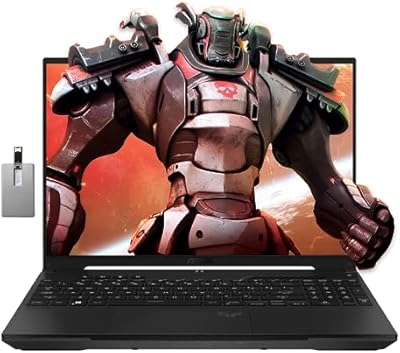
ASUS TUF A16 16-inch Gaming Laptop
74%
83%
Gaming Performance
81%
Build Quality
77%
Thermal Management
72%
Display Quality
88%
RAM & Multitasking
More
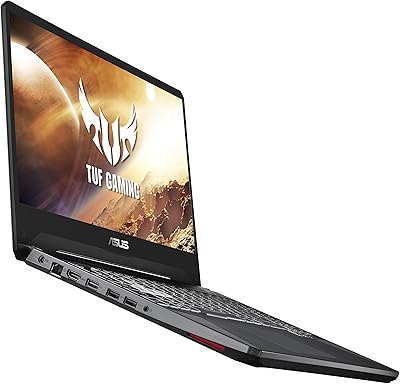
ASUS TUF FX505DT 15.6″ Gaming Laptop
70%
78%
Gaming Performance
84%
Display Quality
83%
Build Quality
76%
Value for Money
81%
Keyboard & Trackpad
More
ASUS TUF A16 Gaming Laptop
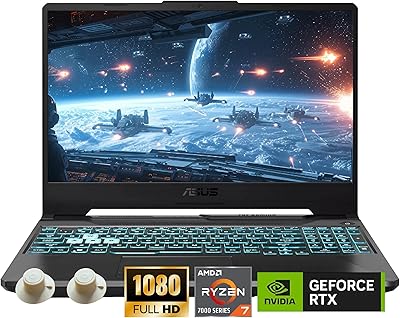
74%
84%
Gaming Performance
71%
Display Quality
83%
Build Quality
58%
Thermal Management
54%
Fan & Noise Level
More
ASUS TUF A15 Gaming Laptop, AMD Ryzen 7 7435HS, 64GB RAM, 2TB SSD
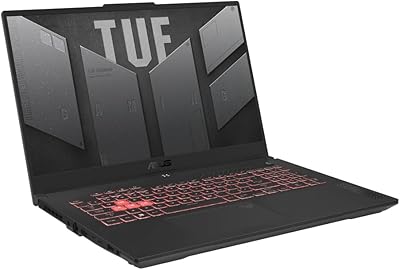
85%
92%
Gaming Performance
88%
Multitasking Capability
85%
Cooling System Efficiency
83%
Build Quality
70%
Portability
More
ASUS TUF Gaming A17 2023 Gaming Laptop
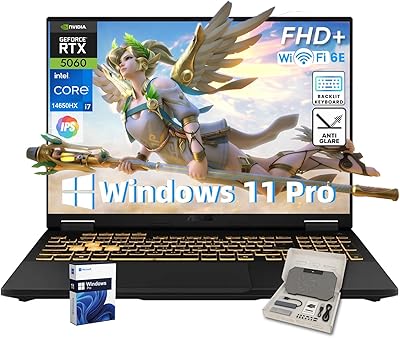
72%
88%
Gaming Performance
91%
CPU Performance
74%
Thermal Management
71%
Display Quality
83%
Build Quality
More
ASUS TUF F16 Gaming Laptop, Intel i7-14650HX, 32GB RAM, 2TB SSD, RTX 5060
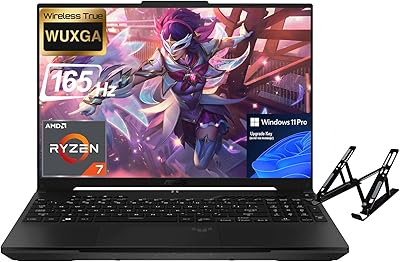
84%
94%
Performance
91%
Gaming Experience
89%
Display Quality
88%
Build Quality and Durability
86%
Cooling and Thermals
More
ASUS TUF A16 Gaming Laptop, Ryzen 7 7735HS, 64GB RAM, 2TB SSD, 16″ 165Hz
84%
94%
Performance
90%
Display Quality
75%
Battery Life
65%
Portability/Weight
88%
Build Quality
More
ASUS TUF Dash 15 2022 Gaming Laptop
69%
74%
Gaming Performance
82%
Display Quality
83%
Build Quality
61%
Thermal Management
47%
Battery Life
More
ASUS TUF F17 RTX 4070 Gaming Laptop
74%
93%
Gaming Performance
91%
Display Quality
84%
Build Quality
78%
Value for Money
34%
Battery Life
More
ASUS TUF F16 RTX 5060 Gaming Laptop
77%
91%
Gaming Performance
84%
Display Quality
88%
Build Quality
63%
Thermal Management
58%
Fan Noise
More

FAQ

It depends heavily on what you play. Esports titles like Valorant, CS2, and League of Legends run excellently at 1080p, often well above 100fps. For recent open-world or graphically demanding releases, you will likely need to drop settings to low or medium to get a playable experience. It is not a laptop for chasing ultra settings in 2024 AAA titles, but for the right game library it still holds up.

The TUF F15 supports up to 32GB of DDR4 RAM across its available slots, and the upgrade process is genuinely straightforward — ASUS includes a pop-open screw panel specifically for this. You do not need to disassemble the entire chassis. Buying an additional 8GB or 16GB stick and installing it yourself is a practical way to extend the laptop's usability without spending much.

The rated 7.7-hour figure applies to light productivity use — browsing, documents, video playback at reduced brightness. During active gaming, expect closer to two to three hours before needing to plug in. For coursework or streaming video, you might realistically get four to five hours. Keep the charger nearby if you plan to game away from an outlet.

Under gaming load, yes — the fans spin up noticeably and produce a consistent audible whir that would stand out in a quiet environment. During light tasks like browsing or writing, the machine stays reasonably quiet. If you game in a dorm room or shared space, a headset will mask it for you, but the person next to you will hear it.

It handles everyday academic workloads — word processing, spreadsheets, web research, video calls, and light photo editing — without any trouble. The keyboard is comfortable for long typing sessions, and the 144Hz display, while aimed at gaming, is pleasant to use for general computing too. Where it can feel limiting for academics is the 8GB base RAM when running many browser tabs alongside productivity apps simultaneously.

The IPS-type panel produces decent color consistency and wide enough viewing angles for comfortable everyday use. It is not a color-calibrated display for professional creative work, but for watching video, browsing, and general use it looks clean and sharp at 1080p. The 144Hz refresh rate does not hurt anything outside of gaming — it just means scrolling and animations look a little smoother.

Yes, the TUF F15 includes an HDMI output that lets you connect to any HDMI-compatible monitor or television. If you want to play at higher resolutions or on a larger screen, that is a straightforward option. Keep in mind the GTX 1650 is best suited for 1080p output — pushing 1440p or 4K will stress the GPU beyond its comfortable range.

For its price tier, this ASUS gaming laptop feels surprisingly robust. The chassis does not flex noticeably under hand pressure, the hinge is firm, and nothing rattles. The MIL-STD-810H certification is not just marketing — the design genuinely feels built to withstand the wear of being carried daily in a bag. It will not be mistaken for a premium aluminum MacBook, but it is well above what you would expect from a budget machine.

Like most consumer laptops, this one ships with some pre-installed ASUS utilities and trial software alongside Windows 11 Home. The ASUS Armoury Crate app controls fan modes and performance profiles, which is genuinely useful. The rest of the bundled software is easy to uninstall in the first hour of setup if you prefer a clean system.

If your game library is small or you play mostly esports titles, 512GB is workable. One or two large modern game installs — some of which exceed 100GB each — will eat through that space quickly. The good news is that swapping or adding an M.2 SSD is accessible and inexpensive, so an early upgrade is a realistic option rather than a complicated fix.