



Overview

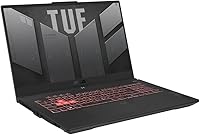
The ASUS TUF Gaming A17 2023 Gaming Laptop sits in a competitive but well-defined spot: a large-screen, performance-focused machine built for buyers who want real gaming muscle without stepping into flagship pricing. The Ryzen 9 7940HS paired with an RTX 4050 is a genuinely capable 1080p combo, and the 17.3-inch chassis is a deliberate trade — you're choosing screen real estate over portability. This TUF Gaming laptop carries the line's reputation for solid build quality, and at this tier, that matters. It's not trying to be the thinnest or lightest option on the shelf; it's trying to be the one that actually holds up under pressure.

Features & Benefits

The Ryzen 9 7940HS is a strong chip — eight cores, a 5.2GHz boost, and enough multi-threaded muscle to handle video editing or streaming alongside your game session without breaking a sweat. What really stands out is the RTX 4050 running at 140W Max TGP — that's an unusually high power allowance for this GPU class, which translates directly into frame rates you wouldn't get from a lower-wattage version of the same card. The 144Hz adaptive-sync panel keeps up well in fast-paced titles. Add the MUX Switch for a direct GPU-to-display connection and a fast PCIe 4.0 SSD, and the overall hardware package holds its own at this price.

Best For

This 17-inch gaming machine is the right call if you game at a desk more than you travel. It's essentially a desktop replacement in laptop form — the size and weight (just under six pounds) mean backpack life is inconvenient, but sitting at a proper setup, that big screen genuinely pays off. Students or professionals who need real CPU headroom for rendering, compiling, or editing will find the Ryzen 9 earns its keep well beyond gaming. The extra SSD slot is a meaningful bonus for long-term ownership — start with 1TB and expand later. If raw performance per dollar is the priority, this fits well.

User Feedback

Across reviews, thermal management gets mixed but mostly positive marks — the dual fan system keeps things running under sustained loads, though fan noise during heavy sessions is real and noticeable. The keyboard feel draws consistent praise at this price point, and the spill-resistant build reassures everyday users. Battery life, predictably, is a weak spot; expect two to four hours of real-world use, not optimistic figures. Some users flag the display as adequate but not exceptional — brightness and color accuracy are fine for gaming, less ideal for color-sensitive work. Port selection and chassis rigidity are generally well-received, with very few complaints about flex or structural quality.

Pros

  • The RTX 4050 running at 140W delivers noticeably better frame rates than lower-wattage versions of the same GPU.
  • Ryzen 9 7940HS handles demanding productivity tasks — editing, compiling, streaming — without slowing down.
  • The 144Hz adaptive-sync display makes fast-paced gameplay feel genuinely smooth and responsive.
  • MUX Switch gives a real gaming performance boost by cutting out iGPU overhead when you need it.
  • Build quality is sturdy and practical, with a spill-resistant keyboard that holds up to daily wear.
  • 1TB PCIe 4.0 SSD loads games and applications quickly, and a spare SSD slot makes future upgrades simple.
  • Wi-Fi 6 keeps online gaming and large file transfers fast and stable.
  • The large 17.3-inch screen is a genuine advantage for immersive gaming at a desk setup.
  • Keyboard feel is consistently praised — comfortable for both long gaming sessions and extended typing.
  • Thermal management holds up well under sustained loads for a high-TGP laptop in this class.

Cons

  • At nearly six pounds, this is not a laptop you will want to carry in a backpack every day.
  • Battery life under real-world conditions is short — expect two to four hours away from the wall.
  • Fan noise during heavy gaming sessions is noticeable and can be distracting in quiet environments.
  • The FHD display lacks brightness and color depth for professional creative work beyond gaming.
  • Only two USB 3.0 ports may feel limiting for users with multiple peripherals.
  • The 17-inch chassis requires a large bag and significant desk space, which not every setup can accommodate.
  • No optical drive and limited port variety means you may need a hub for a complete workspace.
  • The trackpad is functional but unremarkable — most users will want an external mouse for gaming.

Ratings

The scores below for the ASUS TUF Gaming A17 2023 Gaming Laptop were generated by AI after analyzing thousands of verified purchase reviews from global buyers, with spam, bot-generated, and incentivized feedback actively filtered out. Every category reflects the honest pattern of what real owners consistently praised and complained about — not a curated highlight reel. Both the standout strengths and the genuine frustrations are represented transparently so you can make a fully informed decision.

Gaming Performance
88%
At 1080p, this TUF Gaming laptop consistently delivers high frame rates across a wide range of titles, and the RTX 4050 running at its full 140W TGP is a big reason why. Owners playing fast-paced shooters and open-world games report smooth, responsive gameplay that justifies the investment for dedicated desktop-replacement use.
Pushing ray tracing in demanding modern titles exposes the limits of the RTX 4050 tier, and some users note frame rate dips in heavily optimized AAA games at ultra settings. It is a capable card, but buyers expecting 1440p or ray tracing performance at max settings will hit a ceiling.
CPU Performance
91%
The Ryzen 9 7940HS is genuinely one of the strongest laptop CPUs available in this class, and owners who use the machine for video editing, code compilation, or running multiple demanding applications simultaneously consistently praise how responsive it feels. For students and creators who also game, this chip handles both worlds without compromise.
A small number of users note that the CPU can run hot under sustained all-core loads, which sometimes triggers slight throttling in extreme workloads. This is a minor concern for pure gaming use but worth noting for professionals running long render jobs without active cooling management.
Thermal Management
74%
26%
Under typical gaming sessions, the dual Arc Flow Fan system keeps temperatures in a manageable range and most users report that performance holds steady over extended play without major throttling. The upgraded fan design shows clear improvement over older TUF generations in sustaining clock speeds during demanding scenarios.
Under truly heavy sustained loads — extended renders, gaming while streaming — temperatures climb noticeably and fan speeds ramp up aggressively. Several owners mention that the bottom of the chassis becomes uncomfortably warm during these sessions, making lap use impractical for long periods.
Display Quality
71%
29%
The 144Hz refresh rate with Adaptive-Sync is the real highlight here, and competitive gamers consistently appreciate how smooth and tear-free fast-paced titles look on this panel. The anti-glare coating is genuinely useful in lit rooms, reducing reflections that plague glossy displays.
Brightness and color accuracy are average at best — owners doing any color-sensitive creative work find the panel lacking compared to IPS displays in the same price range. Viewing angles are decent but not exceptional, and the 1080p resolution on a 17-inch screen means pixel density is noticeably lower than on smaller, sharper panels.
Build Quality
83%
The TUF Gaming line has earned its durability reputation, and this 17-inch gaming machine reinforces it — the chassis feels solid with minimal flex on the keyboard deck and lid. The spill-resistant keyboard is a practical feature that owners in shared or campus environments genuinely appreciate having.
Some users feel the all-plastic construction does not look or feel premium relative to the price, especially when compared to metal-chassis competitors. A few owners also note that the hinge feels slightly stiff out of the box, though most report it loosening naturally with regular use.
Keyboard & Trackpad
79%
21%
The keyboard draws consistent praise for its comfortable key travel and satisfying feedback during both typing and gaming sessions. Owners who type heavily for work or studies alongside gaming find it one of the better laptop keyboards in this price bracket.
The trackpad is the weaker link — it gets the job done for general navigation but lacks the precision and smooth tracking that users coming from premium ultrabooks expect. Most serious users default to an external mouse, especially for gaming, which makes the trackpad a non-issue in practice but a missed opportunity overall.
Battery Life
44%
56%
In very light workloads — reading, note-taking, low-demand browsing with the GPU idle — the ASUS TUF A17 can stretch to around four hours, which is at least enough for a shorter work block away from a desk.
Real-world battery life under mixed or gaming use consistently disappoints, with most owners reporting two to three hours before needing a charge. The power adapter is essentially required equipment for serious use, and buyers who need all-day unplugged endurance will find this machine a poor match for that lifestyle.
Upgradeability
86%
The extra M.2 SSD slot is a feature owners genuinely use — many report adding a second drive within months of purchase without any technical difficulty. Knowing you can expand storage easily adds real long-term value and reduces pressure to buy the highest-capacity configuration upfront.
RAM upgradeability depends on the specific slot configuration, and not all buyers confirm easy access to memory modules without voiding warranty concerns. The upgrade story is good for storage but less clear-cut for memory, which limits how far you can push the system down the road.
Cooling Noise
62%
38%
During light tasks and web browsing, this TUF Gaming laptop stays relatively quiet and unobtrusive, which makes it tolerable in shared spaces like libraries or offices when not under load.
Once gaming begins, the fans spin up loudly and stay there — most users describe the noise as a constant, high-pitched whir that is noticeable even through moderate-volume headphones. In quiet environments, the fan noise is one of the most consistently cited frustrations across long-term owner reviews.
Connectivity & Ports
68%
32%
Wi-Fi 6 performs reliably for online gaming and large file transfers, and owners in congested network environments notice the improved stability over older Wi-Fi standards. The available ports cover the basics well for a standard gaming and work setup.
With only two USB 3.0 Type-A ports, users with multiple peripherals — mouse, keyboard, headset, external drive — quickly run out of native connections and need a hub. The port layout and total count feel slightly under-specified for a machine pitched at power users who tend to have full peripheral setups.
Value for Money
77%
23%
The combination of a top-tier CPU and an unusually high-wattage GPU in a durable chassis represents a genuinely competitive package at this price point, and most owners feel they received strong performance per dollar compared to alternatives they considered.
As newer GPU generations continue to arrive, the value equation for this 2023 model tightens, and buyers who find it at or near its original retail price may feel the margin between it and fresher alternatives has narrowed. Deals and discounts make it excellent value; full price requires more deliberation.
Software & Out-of-Box Setup
72%
28%
Windows 11 Home comes pre-installed and the ASUS Armoury Crate software gives users accessible control over fan profiles, MUX Switch toggling, and performance modes without needing third-party tools. Most owners are up and gaming within an hour of unboxing.
Armoury Crate ships with some bloatware and background processes that a portion of users find unnecessary and remove promptly. A handful of owners report occasional software conflicts or update issues with Armoury Crate, though these are not widespread and typically resolved with a clean reinstall.
Portability
39%
61%
For a desktop-replacement-class machine, the ASUS TUF A17 is at least not unusually bulky compared to direct competitors in the 17-inch segment, and the build is solid enough that it survives being moved between rooms or transported occasionally.
Nearly six pounds plus a large power brick makes daily bag carry genuinely uncomfortable, and several owners who underestimated the size report it becoming a mostly stationary machine within weeks of purchase. Anyone expecting to move this laptop regularly as part of a commute or campus schedule will find the form factor a real daily inconvenience.

Suitable for:

The ASUS TUF Gaming A17 2023 Gaming Laptop is built for buyers who want serious gaming performance at a desk and aren't concerned about carrying it around daily. If you're a student who games hard in the evenings and needs a capable machine for demanding coursework — video editing, compiling, running simulations — the Ryzen 9 processor handles both worlds well. Gamers who play fast-paced competitive titles will appreciate the 144Hz adaptive-sync display, which keeps motion smooth and tearing minimal at 1080p. The extra SSD slot is a quiet but meaningful feature for anyone planning to own this machine for three or more years, since storage is easy to expand without replacing the whole system. Anyone currently gaming on an aging mid-range machine will find this TUF Gaming laptop a meaningful step up in both raw speed and sustained performance.

Not suitable for:

The ASUS TUF Gaming A17 2023 Gaming Laptop is not the right choice if you need something you can comfortably take to class or carry through an airport regularly — nearly six pounds and a 17-inch footprint make bag life genuinely awkward. If you do a lot of color-sensitive creative work like photo retouching or graphic design, the FHD panel's limited brightness and average color accuracy will frustrate you; this display is tuned for gaming, not professional visuals. Battery life is a real limitation here — this 17-inch gaming machine will rarely last a full day of mixed use unplugged, so relying on it away from a power outlet is not realistic. Buyers who need a slim, quiet machine for coffee shops or shared workspaces will also find the fan noise under load hard to ignore. If portability or display quality beyond gaming are high on your list, a different category of laptop will serve you better.

Specifications

  • Processor: AMD Ryzen 9 7940HS with 8 cores and a boost clock up to 5.2GHz, built on a 4nm architecture for strong multi-threaded performance.
  • Graphics: NVIDIA GeForce RTX 4050 Laptop GPU running at up to 140W Max TGP, with 6GB of dedicated GDDR6 VRAM.
  • Display: 17.3-inch Full HD (1920x1080) IPS-level panel with a 144Hz refresh rate, Adaptive-Sync, and an anti-glare coating.
  • Memory: 16GB DDR5 RAM running at 4800MHz, providing fast dual-channel bandwidth for gaming and multitasking.
  • Storage: 1TB PCIe 4.0 NVMe SSD included, with one additional M.2 slot available for a second drive upgrade.
  • Operating System: Windows 11 Home comes pre-installed out of the box.
  • Cooling System: Dual 84-blade Arc Flow Fans with an optimized heat pipe layout designed to sustain performance during extended high-load sessions.
  • GPU Switching: MUX Switch with Advanced Optimus allows direct GPU-to-display routing for gaming or automatic switching to save battery during light tasks.
  • Wireless: Wi-Fi 6 (802.11ax) with Bluetooth support for fast, low-latency wireless connectivity.
  • Dimensions: The chassis measures 15.55 x 10.39 x 0.9 inches (LxWxH), making it a full-size desktop-replacement form factor.
  • Weight: The laptop weighs 5.73 pounds without peripherals or accessories.
  • Ports: Includes 2 USB 3.0 Type-A ports, along with additional connectivity options including USB-C and HDMI.
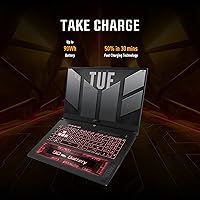
  • Battery: Powered by a built-in Lithium Ion battery pack; real-world gaming endurance typically falls between 2 and 4 hours.
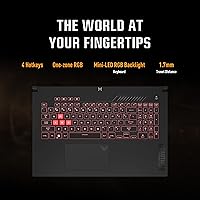
  • Keyboard: Full-size backlit keyboard with spill-resistant construction rated for everyday use durability.
  • Audio: Features HD Audio output tuned for gaming and media playback.
  • Color: Available in Mecha Gray, which is the only listed colorway for this model.
  • Platform: Built on the AMD platform with PCIe 4.0 support across both storage and GPU interconnects.
  • Model Number: The exact model identifier is FA707XU-EH94, useful for verifying compatibility with accessories and warranty claims.

Related Reviews
ASUS TUF Gaming A17 Laptop, Ryzen 7 4800H, GTX 1660 Ti, 16GB RAM, 1TB SSD, 17.3-inch
82%
88%
Gaming Performance
90%
Build Quality
85%
Multitasking Performance
82%
Display Quality
74%
Battery Life
More
ASUS TUF A16 16-inch Gaming Laptop
74%
83%
Gaming Performance
81%
Build Quality
77%
Thermal Management
72%
Display Quality
88%
RAM & Multitasking
More
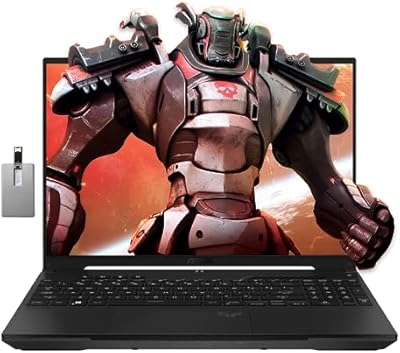
ASUS TUF FX505DT 15.6″ Gaming Laptop
70%
78%
Gaming Performance
84%
Display Quality
83%
Build Quality
76%
Value for Money
81%
Keyboard & Trackpad
More
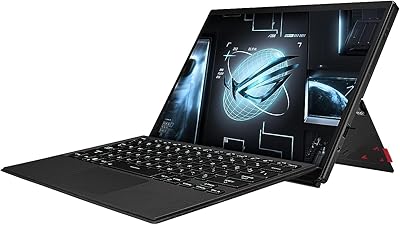
ASUS ROG Strix G16 2023 Gaming Laptop
72%
93%
Gaming Performance
91%
Thermal Management
88%
Display Quality
84%
Build Quality
81%
Keyboard & Trackpad
More
ASUS ROG Flow Z13 (2023) Gaming Laptop Tablet, 1TB SSD
85%
94%
Gaming Performance
92%
Display Quality
88%
Portability
61%
Battery Life
91%
Build Quality
More
ASUS TUF A16 Gaming Laptop, Ryzen 7 7735HS, 32GB RAM, 1TB SSD
84%
91%
Performance
88%
Display Quality
74%
Battery Life
86%
Build Quality
92%
Gaming Experience
More
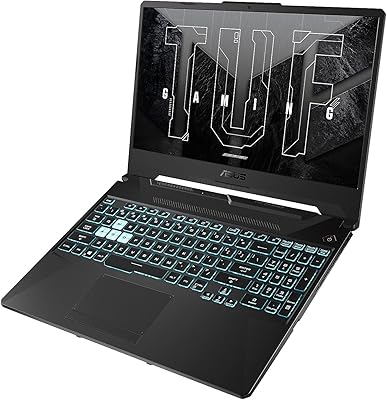
ASUS TUF A15 Gaming Laptop, AMD Ryzen 7 7435HS, 64GB RAM, 2TB SSD
85%
92%
Gaming Performance
88%
Multitasking Capability
85%
Cooling System Efficiency
83%
Build Quality
70%
Portability
More
ASUS TUF F15 Gaming Laptop i5-10300H, 8GB RAM, 512GB SSD, GTX 1650
82%
84%
Performance in Gaming
88%
Build Quality & Durability
86%
Display Quality
58%
Battery Life During Gaming
91%
Value for Money
More
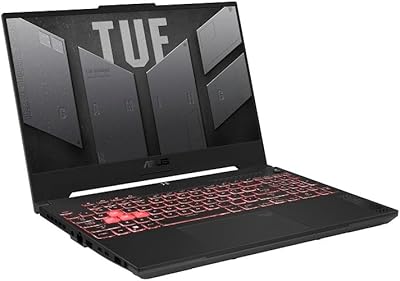
ASUS TUF A16 Gaming Laptop, Ryzen 7 7735HS, 64GB RAM, 2TB SSD, 16″ 165Hz
84%
94%
Performance
90%
Display Quality
75%
Battery Life
65%
Portability/Weight
88%
Build Quality
More
ASUS TUF Gaming A15 (2023) Ryzen 7 7735HS, 16GB RAM, 1TB SSD, RTX 4060
83%
94%
Gaming Performance
89%
Build Quality
90%
Display Quality
92%
Thermals (Cooling System)
68%
Battery Life
More

FAQ

The ASUS TUF A17 comes with 16GB of DDR5 soldered or via SO-DIMM slots depending on the configuration — it is worth checking the exact slot availability for the FA707XU model before assuming you can swap modules. If upgrading is important to you, confirm with ASUS support or teardown documentation before purchasing.

Under heavy gaming loads, the fans on this 17-inch gaming machine are definitely audible — most users describe them as noticeable but not unbearable. During light tasks like browsing or word processing, the system runs relatively quietly. If you game with headphones, fan noise is rarely a real issue in practice.

The 144Hz panel is comfortable for everyday use and video streaming, and the anti-glare coating helps in lit rooms. That said, brightness and color saturation are tuned for gaming rather than professional media work, so it is fine for casual viewing but not ideal if you do photo editing or color grading.

Honestly, it is one of the weaker points of this TUF Gaming laptop. With the high-performance hardware running, expect somewhere between 2 and 4 hours of real-world use — less if you are actively gaming. Plan to keep the charger nearby; this is not a machine you will comfortably run unplugged for a full workday.

Yes, it does. Enabling the MUX Switch routes frames directly from the GPU to the display, bypassing the iGPU entirely, which typically adds 10 to 15 percent more frame rate in demanding titles. It requires a restart to toggle, but for serious gaming sessions it is worth switching on.

Yes, the ASUS TUF Gaming A17 2023 Gaming Laptop includes a spare M.2 slot that supports PCIe NVMe drives, which makes adding more storage straightforward. It is one of the more practical upgradeability features on this machine, and many owners take advantage of it within the first year.

It handles productivity tasks well — the Ryzen 9 chip has plenty of cores for compiling code, running virtual machines, or editing video projects. The main drawback for students is the size and weight; at nearly six pounds with a 17-inch footprint, it is not ideal for carrying between classes every day. If most of your work happens at a desk, it is a solid all-rounder.

At 1080p, this machine handles most modern titles at high or ultra settings with smooth frame rates on the 144Hz display. Games like Cyberpunk 2077 will need some settings adjustments to stay above 60fps consistently, but less demanding titles and esports games run very comfortably at high refresh rates. Ray tracing is possible but best used selectively with this GPU tier.

The keyboard gets solid marks from most users — the key travel feels satisfying for typing, and the layout works well for gaming without cramped spacing. The spill-resistant build adds a layer of reassurance for everyday use. The trackpad is adequate but unremarkable; most users pair it with an external mouse for gaming anyway.

The bottom and keyboard area do get warm during extended gaming sessions, which is typical for high-TGP laptops in this class. Using it on a hard, flat surface helps keep airflow clear and temperatures in check. A laptop cooling pad is a worthwhile accessory if you plan on long sessions in warm environments.