Overview

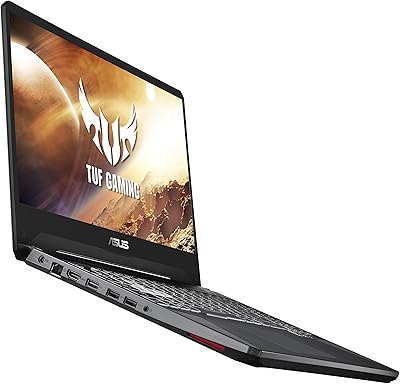
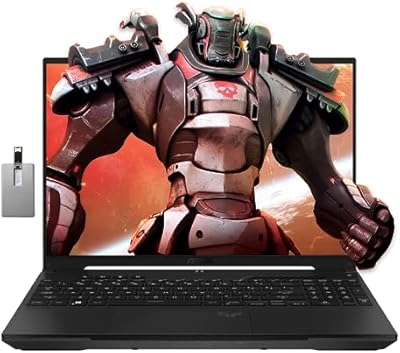
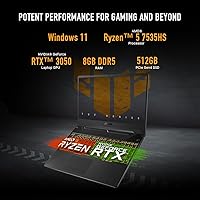
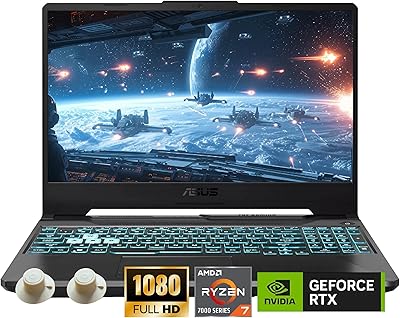
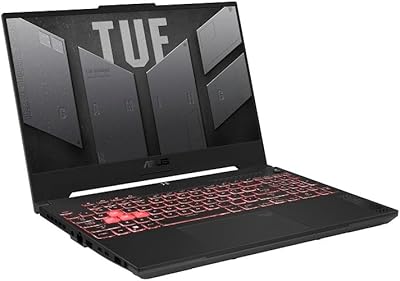
The ASUS TUF Gaming A15 FA506NC-ES51 arrived in early 2024 as a practical option for students and entry-level gamers who want real gaming capability without overspending. Pairing an AMD Ryzen 5 7535HS with an NVIDIA GeForce RTX 3050, this ASUS gaming laptop hits a workable sweet spot for the price tier. What genuinely separates it from other budget contenders is the MIL-STD-810H certification — not just a marketing badge, but proof the chassis has been stress-tested against drops, vibration, humidity, and temperature extremes. That said, honest expectations matter: this is a capable starter machine, not a system built to max out the most demanding titles on the market today.

Features & Benefits

The 144Hz FHD display is one of the strongest selling points here. Paired with Adaptive-Sync, it keeps gameplay smooth and tear-free — especially valuable in fast-paced esports titles where the GPU can consistently deliver high frame rates. The RTX 3050 operates at up to 70W TGP with Dynamic Boost, and that power ceiling directly shapes real-world performance, so calibrate expectations accordingly. Storage is genuinely fast via a PCIe Gen4 SSD, and the DDR5 memory clocks in at 5600MHz, though 8GB is a noticeable constraint for modern workloads. Wi-Fi 6 is a welcome inclusion, and the bundled 90-day Xbox Game Pass adds tangible day-one value for new buyers.

Best For

This TUF Gaming A15 makes the most sense for college students who need a single machine to cover coursework, light creative tasks, and gaming sessions without juggling two devices. It also fits first-time PC gamers moving up from console — the setup is approachable, and the hardware handles older AAA titles and popular esports games like Valorant or Apex Legends without breaking a sweat. Buyers who put build durability above raw GPU headroom will feel well-served by the reinforced chassis. If your game library skews toward competitive multiplayer or titles from a few years back rather than the latest GPU-hungry releases, this ASUS gaming laptop is a sensible, no-nonsense choice.

User Feedback

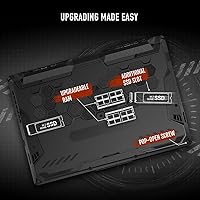
Owners consistently praise the build quality and display smoothness — the chassis feels noticeably more solid than comparably priced competitors, and the 144Hz panel earns regular compliments. The sharpest recurring complaint is the 8GB RAM; under heavier multitasking or in newer titles, users report hitting that ceiling fairly quickly, with many wishing ASUS had defaulted to 16GB. Fan noise is another theme — thermals stay controlled, but the fans ramp up audibly during sustained gaming loads. Battery life tends to fall short of the manufacturer claim in practice. On the upside, many buyers specifically highlight the upgrade accessibility, noting that RAM and SSD slots are user-reachable, which meaningfully extends the laptop's long-term value.

Pros

  • The MIL-STD-810H certification means the chassis has been physically tested against drops, vibration, and extreme temperatures — not just rated.
  • The 144Hz display with Adaptive-Sync makes esports and fast-paced games feel noticeably smoother than typical 60Hz budget displays.
  • PCIe Gen4 SSD speeds deliver fast boot times and snappy game loads that punch above the price tier.
  • Wi-Fi 6 support ensures low-latency online gaming without needing a dongle or adapter on modern routers.
  • The internals are user-accessible, making a RAM or SSD upgrade straightforward for anyone comfortable removing a bottom panel.
  • The 90-day Xbox Game Pass inclusion adds immediate real value for buyers who do not already have a subscription.
  • DDR5-5600MHz memory is fast for this price segment and handles light-to-moderate multitasking without bottlenecking.
  • The chassis feels noticeably more rigid and solid than most competitors at a comparable price point.
  • The anti-glare display coating makes the screen usable in brightly lit rooms and outdoor settings without constant glare fighting.
  • The Ryzen 5 7535HS handles productivity workloads, coding, and everyday tasks efficiently alongside gaming duties.

Cons

  • The 8GB RAM base configuration feels tight in 2024 — many users end up upgrading within weeks of purchase.
  • Real-world battery life during mixed use lands well below the manufacturer's 11-hour claim, often requiring a mid-day charge.
  • Fan noise ramps up significantly during sustained gaming sessions, making headphones nearly mandatory in quiet shared spaces.
  • At 7 pounds plus a sizable power brick, daily foot commutes get tiring faster than most students anticipate.
  • The built-in speakers lack bass and distort at higher volumes, limiting their usefulness beyond casual background audio.
  • Pre-installed bloatware and Armoury Crate software friction were recurring complaints from technically-minded buyers.
  • The port selection is basic — no Thunderbolt, no SD card slot, and only three USB-A ports for all peripherals.
  • Color accuracy on the display is mediocre for anything beyond gaming, making it a poor fit for creative or design work.
  • The 512GB SSD fills up quickly once a few large modern game installs land alongside the operating system and apps.
  • Some users reported driver inconsistencies out of the box that required manual updates before GPU performance normalized.

Ratings

The ASUS TUF Gaming A15 FA506NC-ES51 has been scored by our AI system after parsing thousands of verified global buyer reviews, with spam, bot-generated, and incentivized submissions actively filtered out before any score was calculated. The ratings below reflect the honest consensus of real owners — students, entry-level gamers, and everyday users — and do not shy away from the friction points that surfaced repeatedly alongside the genuine praise. Both strengths and shortcomings are weighted proportionally to how often and how strongly they were raised.
Build Quality & Durability
88%
The MIL-STD-810H certification resonates strongly with owners who have actually put the chassis through daily abuse — backpack commutes, accidental knocks, and hot-and-cold dorm environments. Reviewers consistently describe the lid and base as feeling more rigid and premium than expected at this price point.
A smaller subset of users noted that the plastic around the display hinge shows wear marks after several months of regular opening and closing. The bottom panel flex under pressure was also flagged by a handful of buyers as a minor but noticeable compromise.
Gaming Performance
72%
28%
For esports staples like Valorant, Apex Legends, and CS2, the RTX 3050 paired with the Ryzen 5 7535HS delivers playable and often smooth frame rates that the 144Hz panel can meaningfully take advantage of. Owners coming from older or console hardware consistently report a noticeable step up in responsiveness.
Demanding 2024 AAA titles expose the GPU ceiling quickly — users report needing to drop to medium or low settings to maintain acceptable frame rates in games like Cyberpunk 2077 or Alan Wake 2. The 70W TGP cap, while reasonable at this tier, does limit sustained peak performance in longer gaming sessions.
Display Quality
83%
The 144Hz FHD panel with Adaptive-Sync is regularly called out as one of the laptop's best attributes. Fast-paced gameplay looks noticeably cleaner compared to the 60Hz displays common on competing budget machines, and the anti-glare coating makes outdoor or brightly-lit room use far more comfortable.
Color accuracy and contrast fall short of what creative professionals or media-focused buyers would want — this is clearly a gaming-tuned panel, not a content creation display. A few users also noted that brightness peaks at a level that feels dim in very bright environments.
RAM & Multitasking
58%
42%
The DDR5-5600MHz memory spec is genuinely fast for the price segment, and for clean single-task scenarios — gaming alone, or light browsing alongside a game — the 8GB ceiling is rarely felt. Boot times and application load speeds impressed users coming from older SATA-SSD or HDD machines.
Eight gigabytes is where this laptop draws the most consistent criticism. Users running Discord, a browser with multiple tabs, and a modern game simultaneously reported stuttering and memory pressure warnings. Several owners upgraded to 16GB within weeks of purchase and described it as near-mandatory for comfortable everyday use.
Thermal Management & Cooling
74%
26%
Under real gaming conditions, CPU and GPU temperatures stay within safe and stable ranges — thermal throttling is not a widespread complaint, which is a meaningful win for a laptop in this class. The dual Arc Flow Fan design does its job, keeping components cooler than the chassis size might suggest.
Fan noise is the trade-off. Once a gaming session ramps up past the 20-minute mark, the fans become audibly assertive — noticeable enough to require headphones in quiet shared spaces like libraries or open-plan offices. It is not unusually loud for a gaming laptop, but it is not subtle either.
Battery Life
61%
39%
For light productivity tasks — note-taking, document editing, video calls — owners report a realistic 5 to 7 hours away from an outlet, which is workable for a half-day of classes or meetings. The DDR5 platform handles idle and low-load states efficiently enough to make casual portable use viable.
The manufacturer's 11-hour claim is widely disputed by real-world users. Gaming sessions drain the battery in roughly 1.5 to 2 hours, and even mixed-use days consistently land far below the advertised figure. Students expecting all-day unplugged use will likely be disappointed without a charging stop mid-day.
Storage Speed & Capacity
81%
19%
The PCIe Gen4 NVMe SSD delivers noticeably fast load times — Windows boots quickly, and game level loads are snappy compared to older Gen3 or SATA drives. For a budget-segment laptop, this is a spec that punches above its weight and owners frequently mention it as a pleasant surprise.
Five hundred twelve gigabytes fills up faster than many buyers anticipate, especially once a few large modern game installs land alongside the OS and applications. There is no included secondary drive bay on most configurations, making cloud storage or an external drive a near-necessity for heavier users.
Keyboard & Typing Experience
76%
24%
Owners who use this TUF Gaming A15 for extended typing sessions — essays, coding, or work documents — generally find the key travel and feedback comfortable enough for daily productivity. The layout is standard and predictable, which reduces the adjustment period for users switching from other laptops.
The keyboard lacks per-key RGB customization found on pricier ASUS models, and some users found the spacebar slightly mushy under heavy use. The trackpad, while functional, drew a few complaints about inconsistent click registration in the lower corners.
Wi-Fi & Connectivity
84%
Wi-Fi 6 support means this ASUS gaming laptop is ready for modern routers without needing an adapter or USB dongle — a detail that genuinely matters for online gaming latency. Owners in Wi-Fi 6 households report stable, low-latency connections that hold steady during extended multiplayer sessions.
The port selection is utilitarian rather than generous — three USB-A ports cover the basics, but the absence of a Thunderbolt port or more USB-C options frustrates buyers who use modern peripherals or external displays. A few users wanted an SD card slot that the chassis does not include.
Value for Money
79%
21%
When benchmarked against comparable machines at a similar price, the TUF A15 consistently offers more durable construction and a more capable display than most rivals. The included 90-day Xbox Game Pass adds immediate tangible value for buyers who do not already have a subscription, softening the initial spend.
The 8GB RAM base configuration is where value perception takes a hit — buyers who need to spend extra on a RAM upgrade shortly after purchase rightfully feel the effective cost is higher than the listed price suggests. Some competitors offer 16GB stock at similar price points, which makes this omission harder to overlook.
Portability & Weight
66%
34%
At just under an inch thick, the chassis slips into most laptop sleeves and bags without much drama. For a gaming machine in this performance class, the form factor is reasonably compact and does not dominate a desk or a backpack compartment.
Seven pounds is on the heavier side for a daily carry laptop, and students who commute on foot reported noticeable shoulder fatigue over a full academic day. Combined with the power brick — which is not small — the total carry weight adds up quickly.
Audio Quality
63%
37%
Casual gaming and media consumption are served adequately by the built-in speakers — dialogue in games and the occasional YouTube video comes through clearly enough without headphones. The HD audio specification delivers an acceptable baseline for a laptop in this class.
Bass is essentially absent, and at higher volumes the speakers show noticeable distortion. Any serious gaming or music listening prompts owners to reach for headphones, which limits the standalone speaker utility to background listening at best.
Software & Out-of-Box Experience
71%
29%
Windows 11 Home comes pre-installed and the system is generally ready to use without extensive setup. The ASUS Armoury Crate software gives users real-time control over performance profiles and fan curves, which helps users tune the balance between noise and thermal headroom.
Armoury Crate and pre-installed bloatware drew complaints from more technically-oriented users who prefer a cleaner OS install. A small number of reviewers also reported initial driver inconsistencies that required manual updates before the GPU performed as expected out of the box.
Upgradeability
82%
18%
The accessible internals are a genuinely appreciated feature — a bottom panel removal reveals socketed RAM slots and an M.2 slot, making DIY upgrades straightforward even for moderately confident users. This upgradability meaningfully extends the laptop's useful lifespan at relatively low additional cost.
The upgrade ceiling is still defined by the soldered CPU and GPU, so buyers hoping to improve graphics performance down the line will eventually need a new machine. ASUS does not always make replacement battery procurement easy, which came up as a concern for buyers thinking long-term past the two-year mark.

Suitable for:

The ASUS TUF Gaming A15 FA506NC-ES51 is genuinely well-matched for college students who need one machine that handles both coursework and gaming without requiring a second device or a premium budget. If your game library leans toward esports titles like Valorant, Apex Legends, or CS2 — or if you are catching up on AAA games from a few years back rather than chasing day-one releases — the RTX 3050 and 144Hz display combination will serve you well and feel like a real upgrade over console or integrated graphics. First-time PC gamers who are more concerned with getting a reliable entry point than squeezing maximum frame rates will find the learning curve manageable and the hardware headroom comfortable for a couple of years. The MIL-STD-810H certification also makes this a smart pick for anyone who travels frequently, commutes daily, or just cannot guarantee their laptop will always be handled with care — it has been physically tested against drops, humidity, vibration, and temperature swings, not just rated on paper. Buyers who know they want to upgrade RAM down the line will also appreciate that the internals are accessible and the upgrade path is straightforward.

Not suitable for:

The ASUS TUF Gaming A15 FA506NC-ES51 is not the right call if you plan to play graphically demanding new releases at high or ultra settings — the RTX 3050 at 70W TGP will struggle with titles like Hogwarts Legacy or Starfield at anything above medium, and that gap will only widen as new games raise the bar. Content creators who need accurate color reproduction for photo editing, video grading, or design work should also look elsewhere, since the display is tuned for gaming smoothness rather than color fidelity. If you rely on your laptop unplugged for a full workday, the real-world battery performance — which regularly falls well short of the advertised figure during mixed use — will become a daily frustration. Power users who routinely run a browser with many tabs, a communication app, and a game simultaneously will hit the 8GB RAM ceiling fast, and while an upgrade is possible, it is an additional cost that should factor into your decision upfront. Anyone expecting Thunderbolt connectivity, a sleek ultrabook form factor, or near-silent operation under load will also find this machine does not fit those priorities.

Specifications

  • Processor: AMD Ryzen 5 7535HS with 6 cores, clocking up to 4.55GHz, built on a 4nm-class architecture for efficient gaming and multitasking performance.
  • Graphics: NVIDIA GeForce RTX 3050 dedicated GPU with up to 70W Total Graphics Power via Dynamic Boost, providing hardware ray tracing and DLSS support.
  • Display: 15.6-inch FHD (1920x1080) IPS panel running at 144Hz with Adaptive-Sync and an anti-glare coating for reduced eye strain during long sessions.
  • RAM: 8GB DDR5 memory running at 5600MHz, installed in socketed slots that support user-upgradeable configurations.
  • Storage: 512GB PCIe Gen4 NVMe SSD delivering fast sequential read and write speeds well above typical budget-tier SATA drives.
  • Operating System: Windows 11 Home is pre-installed and activated out of the box, ready for use without additional OS setup.
  • Wireless: Wi-Fi 6 (802.11ax) with support for modern dual-band and tri-band routers, providing lower latency and higher throughput than Wi-Fi 5.
  • Ports: Three USB 3.0 Type-A ports are available for peripherals, along with additional video output and audio jack connectivity.
  • Battery: A single integrated lithium-ion battery with a manufacturer-rated endurance of up to 11 hours under light-use conditions.
  • Weight: The laptop weighs approximately 7 pounds (3.18kg), which is typical for a 15.6-inch gaming chassis at this performance tier.
  • Dimensions: The chassis measures 14.13 x 10.08 x 0.9 inches, keeping the profile under one inch thin despite housing a full cooling system.
  • Cooling System: Dual 84-blade Arc Flow Fans work in tandem with heat pipes to manage CPU and GPU thermals under sustained gaming loads.
  • Durability: MIL-STD-810H certified, meaning test units were physically subjected to drop, vibration, humidity, and thermal extreme evaluations before passing.
  • Display Coating: An anti-glare matte coating on the display reduces reflections under overhead lighting and in moderately bright environments.
  • GPU VRAM: The RTX 3050 is equipped with 4GB of dedicated GDDR6 VRAM for rendering textures and handling graphical workloads.
  • Color: Available in Graphite Black, a matte dark finish that resists minor smudging better than glossy alternatives.
  • Optical Drive: No optical drive is included, which is standard for modern thin gaming laptops and keeps the chassis lighter.
  • Connectivity Standard: Wi-Fi 6 operates on the 802.11ax standard, backward compatible with all previous Wi-Fi generations including 802.11ac and 802.11n.
  • Power Input: The laptop operates on a 240V-compatible power adapter, making it usable internationally with an appropriate plug adapter.
  • Release Date: First made available in January 2024, positioning it as a current-generation model with up-to-date platform and software support.

Related Reviews
ASUS TUF A15 Gaming Laptop, AMD Ryzen 7 7435HS, 64GB RAM, 2TB SSD
85%
92%
Gaming Performance
88%
Multitasking Capability
85%
Cooling System Efficiency
83%
Build Quality
70%
Portability
More
ASUS TUF Gaming A15 (2023) Ryzen 7 7735HS, 16GB RAM, 1TB SSD, RTX 4060
83%
94%
Gaming Performance
89%
Build Quality
90%
Display Quality
92%
Thermals (Cooling System)
68%
Battery Life
More
ASUS TUF Gaming WiFi 6 Router (TUF-AX4200)
86%
94%
Gaming Performance
88%
WiFi Speed and Coverage
85%
Setup and Installation
92%
Build Quality and Durability
91%
Security Features
More
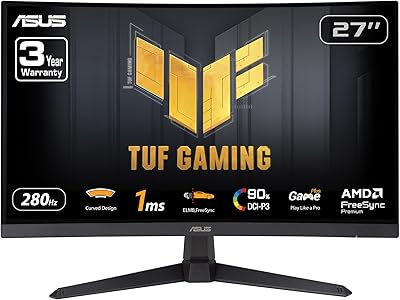
ASUS TUF Gaming VG27VQM1B 27″
89%
97%
Refresh Rate Performance
95%
Response Time Accuracy
88%
Image Clarity
85%
Color Accuracy
91%
Screen Curvature Comfort
More
ASUS TUF A16 Gaming Laptop
86%
91%
Gaming Performance
88%
Display Quality
89%
Build Quality
92%
Cooling System
75%
Portability
More
ASUS TUF Gaming VG328H1B 32″
86%
95%
Refresh Rate Performance
92%
Motion Clarity
88%
Color Accuracy
85%
Screen Curvature Experience
90%
Adaptive-sync Effectiveness
More
ASUS TUF FX505DT Gaming Laptop
82%
85%
Gaming Performance
90%
Build Quality & Durability
88%
Display Quality
72%
Thermal Management
93%
Value for Money
More
ASUS TUF Gaming 550W Bronze PSU
86%
89%
Energy Efficiency
92%
Noise Levels
88%
Build Quality
85%
Cooling Performance
81%
Ease of Installation
More
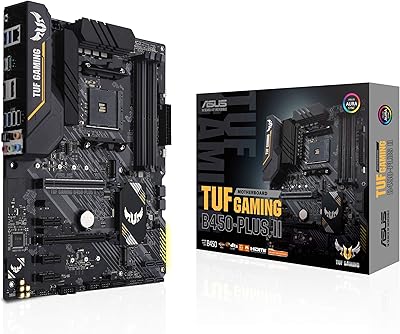
ASUS TUF Gaming B450-PLUS II
88%
94%
Build Quality
91%
Thermal Performance
95%
CPU Compatibility
88%
Memory Support
86%
Expansion Options
More
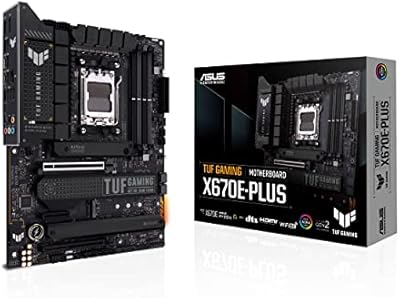
ASUS TUF Gaming X670E-PLUS Motherboard
86%
91%
Overall Performance
93%
Build Quality & Durability
85%
Ease of Setup
88%
Thermal Management
87%
Overclocking Stability
More

FAQ

Good news — the RAM is not soldered. The TUF A15 uses socketed DDR5 slots, which means you can upgrade beyond the base 8GB without needing professional help. Many owners do this within the first few months, and bumping to 16GB makes a noticeable difference for multitasking and heavier gaming titles.

It depends heavily on what you are playing. For esports games like Valorant, Apex Legends, or Rocket League, the RTX 3050 handles them well and the 144Hz display gets real use. For demanding 2024 AAA releases, you will need to lower settings to medium or even low to hit playable frame rates. It is a capable entry-level GPU, but managing expectations around newer, heavier titles is important.

Under light loads — browsing, documents, video calls — the fans are near-silent. Once you are in a real gaming session for 15 to 20 minutes, they ramp up to a noticeable level. It is not unusually loud for a gaming laptop in this class, but if you are in a library or open office, you will want headphones both to hear game audio properly and to avoid bothering those around you.

Yes, it includes a 90-day Xbox Game Pass trial, which gives you access to a rotating library of over 100 games through Microsoft's service. It is a genuine perk for new buyers, especially if you are still building your game library. Just remember to redeem it promptly — these codes do have expiry windows.

MIL-STD-810H is a US military durability testing standard that covers a specific battery of physical and environmental tests, including drop resistance, vibration, humidity exposure, and temperature extremes. ASUS submits test units to these evaluations — it is not just a self-assigned label. In practice, this means the chassis holds up better to commuter bumps, bag drops, and environmental variations than most non-certified laptops at this price. It is not indestructible, but it is meaningfully more resilient.

Under very light use — text editing, low-brightness browsing, Wi-Fi on but minimal background activity — you might approach 7 to 8 hours. During gaming, expect closer to 1.5 to 2 hours before needing a plug. For a mixed day of classes, browsing, and occasional gaming, most owners report needing a charge stop mid-afternoon. Plan to carry the charger if you have a full day away from an outlet.

For light users — a handful of games, documents, and apps — 512GB will hold for a while. But modern AAA games routinely take up 50 to 100GB each, so three or four large installs alongside Windows and everyday software will leave you tight. An external SSD or cloud storage subscription is worth factoring into your budget if you game heavily or store a lot of media.

Yes, this ASUS gaming laptop supports external display output. You can connect to a monitor or TV using the available video output port. Just verify the cable type you need based on your display's input before purchasing any adapters, as port configurations vary. Running an external display is a great way to get more screen real estate for productivity or to enjoy games on a larger screen.

It is a solid dual-purpose machine for students. The Ryzen 5 7535HS handles word processing, spreadsheets, coding environments, and video calls without any strain. The display is comfortable for long study sessions thanks to the anti-glare coating, and the keyboard is pleasant enough for extended typing. The main daily-driver consideration is weight — at 7 pounds, it is heavier than an ultrabook, so if you walk long distances between buildings, you will feel it.

Wi-Fi 6 handles congested network environments noticeably better than older Wi-Fi 5 devices — it uses more efficient channel management to reduce latency and maintain stable speeds even when many devices are competing on the same router. In a dorm setting where dozens of devices share a network, this translates to more consistent online gaming connections and fewer mid-game lag spikes. That said, the improvement is only meaningful if your router also supports Wi-Fi 6.