Overview

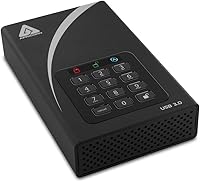
The Apricorn Aegis Padlock DT 8TB Hard Drive is a purpose-built, hardware-encrypted storage solution designed for organizations and professionals who cannot treat data security as optional. At 8TB, it pairs serious capacity with 256-bit AES-XTS encryption — a combination that remains genuinely rare among desktop external drives. Under the hood, it runs a traditional 7200 RPM spinning disk, so real-world transfer speeds reflect that reality rather than SSD performance. Connected via USB 3.0, it sits on a desk rather than in a bag — the 3.5-inch form factor and 3.4-pound weight make that clear. This is not a general consumer backup drive; it is a premium, niche tool built for specific security requirements.
Features & Benefits

What separates the Padlock DT from a standard encrypted drive is the depth of its access control architecture. Hardware-level encryption means the drive handles all cryptographic operations internally — no software installation required, no OS dependency, no exposure from driver-level exploits. Administrators get a dedicated Admin PIN mode kept entirely separate from the User PIN, so IT teams can provision and recover drives without ever touching the underlying data. Brute-force protection engages after repeated failed PIN entries, locking or wiping the drive automatically. A Data Recovery PIN provides a fallback path that keeps admin control intact. For larger rollouts, Aegis Configurator compatibility enables bulk configuration across multiple units from a single interface.

Best For

This hardware-secured hard drive is squarely aimed at environments where a data breach carries real legal or financial consequences. Think healthcare organizations navigating HIPAA compliance, government contractors handling controlled unclassified information, or legal and financial firms with strict data retention mandates. It works particularly well for IT administrators who need to centrally manage encrypted drives across a team — especially alongside the Aegis Configurator. It also suits fixed desktop workstation users who need a large, always-encrypted backup volume. If the only goal is simple local backup with no compliance mandate, far more affordable options exist. This drive justifies its cost when security requirements are genuinely non-negotiable.

User Feedback

Across roughly 96 ratings, this encrypted desktop drive holds a 4.2-star average — a solid score for a specialized security product. Buyers consistently praise the straightforward PIN setup, and many report real confidence knowing that brute-force lockout protects their data even if the drive is physically stolen. Build quality draws positive mentions throughout. On the critical side, some users question whether the price premium is justifiable against software-based solutions like BitLocker on a standard drive. Transfer speeds — expected for a 7200 RPM disk over USB 3.0 — can feel sluggish when moving large volumes. A handful of reviewers also note that the unit runs warm and produces noticeable noise during extended operation.

Pros

  • Hardware encryption operates at the drive level, requiring no software and working across any operating system.
  • Separate Admin and User PIN modes give IT teams precise control without exposing underlying data.
  • Brute-force lockout engages automatically after failed PIN attempts, protecting data even if the drive is stolen.
  • The Data Recovery PIN provides a safe backup access path without compromising the admin credentials.
  • Aegis Configurator compatibility makes bulk deployment and policy management practical for larger teams.
  • Forced PIN enrollment on first use prevents users from bypassing security during initial setup.
  • 8TB capacity is genuinely large for an encrypted desktop drive, reducing the need for multiple units.
  • Build quality consistently earns trust from verified buyers, with a solid, no-frills physical construction.
  • Encryption is always active — there is no mode where the drive operates unprotected, even accidentally.

Cons

  • The price premium is steep and hard to justify unless compliance or organizational security requirements are firmly in place.
  • Transfer speeds reflect 7200 RPM HDD performance — filling 8TB over USB 3.0 is a slow, multi-hour process.
  • The drive runs noticeably warm during extended use, which may be a concern in poorly ventilated desk setups.
  • Audible noise from the spinning disk mechanism can be distracting in quiet office or home environments.
  • Requires external power and a fixed desk position — not suited to any mobile or on-the-go use case.
  • 96 total ratings is a relatively thin review base, making it harder to assess long-term reliability trends.
  • PIN-only access means a forgotten or lost PIN without a recovery setup can result in permanent data loss.
  • Some spec labeling on the product listing is inconsistent, creating confusion about whether the drive is HDD or SSD — it is a spinning disk.
  • No USB-C connector limits forward compatibility as USB-C becomes the dominant standard on modern workstations.

Ratings

The Apricorn Aegis Padlock DT 8TB Hard Drive has been scored by our AI rating engine after a deep analysis of verified global buyer reviews, with spam, bot-submitted, and incentivized feedback actively filtered out before any scoring was applied. The results reflect a clear-eyed picture of where this hardware-encrypted desktop drive genuinely excels and where real users have run into friction. Both the standout strengths and the honest pain points are represented transparently in the category scores below.

Encryption Reliability
94%
Users working in compliance-driven environments consistently report that the always-on hardware encryption gives them a level of confidence that software-based alternatives simply cannot match. IT administrators particularly praise the fact that there is no mode in which the drive can accidentally operate unencrypted, which removes a common human-error vulnerability from the equation.
A small number of technically advanced users noted that independent FIPS 140-2 certification documentation was not always easy to locate or verify for their procurement processes. For organizations with strict certification requirements, this gap in readily available documentation created extra administrative work.
Access Control & PIN System
88%
The separation of Admin and User PIN modes is consistently cited as one of the most practical features for IT teams managing drives across a department. Forced enrollment on first use means no end user can skip the security setup, which closes a deployment gap that plagues many competing products.
Several users flagged that recovering from a forgotten PIN without a pre-configured Data Recovery PIN can result in a full data wipe — a painful lesson learned after the fact rather than during setup. The onboarding documentation around PIN recovery options could be clearer to prevent this outcome in real deployments.
Build Quality
86%
The enclosure feels solid and purposeful — reviewers consistently describe it as a no-frills, professional-grade product that does not feel like it was assembled to a consumer price point. The physical construction inspires confidence in environments where the drive may be handled by multiple users across a shared workspace.
The unit runs noticeably warm during extended read and write sessions, and a handful of users expressed concern about long-term thermal performance in poorly ventilated desk setups. The enclosure lacks active cooling, which is an acceptable trade-off at this size but one worth factoring into placement decisions.
Transfer Speed
61%
39%
For a 7200 RPM spinning disk over USB 3.0, sequential read and write speeds are about what experienced buyers expect — adequate for regular backup tasks and archival workflows where speed is secondary to security and capacity. Users who understood the HDD architecture going in reported no surprises.
Filling anywhere near the full 8TB capacity is a multi-hour commitment, and users managing large media archives or frequent full-disk backups found the throughput a real limiting factor in practice. Buyers who assumed the drive had SSD-like performance based on ambiguous product listing language were frequently disappointed.
Value for Money
58%
42%
For organizations with a genuine compliance mandate — HIPAA, government data handling, or legal data governance — the price is easier to justify because hardware encryption at this capacity tier with Admin and User PIN control is genuinely difficult to source elsewhere. Buyers in these contexts often describe it as a necessary line item rather than an indulgence.
For anyone without a specific compliance or security requirement, the price gap between this drive and a standard 8TB external HDD with software encryption is hard to rationalize. A recurring theme in critical reviews is that the cost feels steep relative to the raw storage performance delivered, especially when modern software encryption is quite robust for typical use cases.
Ease of Setup
79%
21%
Most users report that initial PIN setup is intuitive and faster than expected, particularly for a security-focused device where complex configuration is common. The forced enrollment process guides new users through the necessary steps without requiring them to consult a manual for basic operation.
Configuring advanced features — particularly setting up Data Recovery PINs, brute-force thresholds, or integrating with the Aegis Configurator for multi-drive deployment — has a steeper learning curve that a few non-technical buyers found frustrating. The documentation, while functional, assumes a baseline of IT familiarity that not all buyers share.
OS Compatibility
91%
The hardware encryption model means the Padlock DT works cleanly across Windows, macOS, and Linux without any driver installation or software dependency — a genuine advantage for mixed-OS environments. Several users specifically praised this when deploying drives across teams where not every workstation runs the same operating system.
While OS compatibility itself is excellent, users on very new machines with only USB-C ports need a USB-A to USB-C adapter since the drive ships with a standard USB-A connector only. This minor connectivity gap came up repeatedly among users with newer laptop-only setups.
Brute-Force Protection
89%
The automatic lockout mechanism after failed PIN attempts is frequently mentioned as a key reason buyers chose this drive over competitors — particularly in scenarios involving physical theft risk or shared-access environments. Knowing the drive effectively defends itself without any software running on the host system is a meaningful differentiator.
A few users noted that if the brute-force threshold is set aggressively low during Admin configuration, legitimate users who occasionally mistype their PIN can trigger a lockout unexpectedly. Getting the threshold calibration right requires some thought during initial setup rather than relying on defaults.
Noise & Acoustics
63%
37%
In typical office environments with ambient noise, the drive operates without drawing attention, and most users working in standard open-plan offices reported no meaningful distraction during normal use. The seek noise during active transfers is in line with what any 7200 RPM desktop drive produces.
Users working in quiet home offices or recording-adjacent environments flagged the drive's mechanical noise as a genuine irritant, particularly during large sequential writes. The spinning disk mechanism is simply louder than the fanless SSDs that many buyers are now accustomed to, and there is no way to reduce it.
Portability
34%
66%
The drive's desktop form factor is exactly what it claims to be, and buyers who purchased it specifically for fixed-workstation use had no complaints about the physical footprint. The 7.5 x 4.5 x 2 inch enclosure sits cleanly on a desk without taking up excessive space.
At 3.4 pounds and requiring external power, this hardware-secured hard drive is not portable in any practical sense — buyers who misread the product category and expected a travel-friendly device were consistently disappointed. If any degree of mobility is required, this drive is the wrong choice entirely.
Aegis Configurator Integration
82%
18%
IT administrators managing multi-drive deployments consistently rate the Configurator compatibility as a significant time saver, enabling standardized security policies to be pushed across many units in a single session rather than configuring each drive individually. This feature alone substantially improves the operational case for larger rollouts.
The Aegis Configurator is a separate purchase, which adds to the total cost of a fleet deployment and is not always made clear to buyers evaluating the drive on its own. For single-drive purchasers, this feature provides no benefit and contributes to a price premium they are effectively paying for unnecessarily.
Data Recovery Options
71%
29%
The existence of a dedicated Data Recovery PIN — configured separately from both Admin and User credentials — gives organizations a structured fallback path that does not compromise the overall security architecture. In enterprise settings, this kind of tiered recovery design is a meaningful operational safeguard.
The recovery PIN must be proactively configured during initial Admin setup; there is no recovery mechanism available after the fact if this step was skipped. Users who discovered this limitation only after losing access to their data reported significant frustration, pointing to a gap between the drive's capability and its out-of-box guidance.
Long-Term Reliability
74%
26%
The product has been on the market since early 2016, which gives buyers a longer track record to evaluate than most encrypted storage options at this tier. Repeat buyers and long-term owners in the review pool generally expressed continued confidence in the drive's stability and consistent encryption performance over time.
With only 96 total ratings, the dataset is relatively thin for drawing strong conclusions about long-term failure rates or multi-year reliability trends. The 7200 RPM spinning mechanism is also inherently more vulnerable to mechanical failure over time than solid-state alternatives, a concern worth factoring into backup redundancy planning.

Suitable for:

The Apricorn Aegis Padlock DT 8TB Hard Drive is built for buyers who operate in environments where data security is a legal or organizational obligation, not a preference. IT administrators managing storage across distributed teams will appreciate the Admin and User PIN separation, forced enrollment, and Aegis Configurator support — features that make scaling secure storage deployments genuinely manageable. Healthcare organizations subject to HIPAA, government contractors handling controlled unclassified information, and legal or financial firms with strict data governance policies are exactly the audience this drive was engineered for. It also works well for a security-conscious individual at a fixed desktop workstation who needs substantial encrypted backup capacity and wants protection that operates entirely independent of the host operating system. If your threat model includes physical theft, insider access, or cross-platform deployment across Windows and macOS environments, this drive addresses those concerns in a single, well-supported package.

Not suitable for:

The Apricorn Aegis Padlock DT 8TB Hard Drive is not the right call for buyers whose primary need is straightforward backup storage without a compliance or security mandate. At its price point, you are paying heavily for the hardware encryption architecture, admin controls, and enterprise management features — none of which add value if you simply need a large drive to back up family photos or archive media files. The 7200 RPM spinning disk mechanism also means transfer speeds are firmly in traditional HDD territory, so anyone expecting the throughput of a modern external SSD will be disappointed when filling or reading large volumes of data. Portability is not on the table either — at 3.4 pounds and requiring external power, this is a desk-bound device. Buyers on a tight budget who still want encrypted storage may find that a software-based solution like BitLocker on a standard external drive covers their actual risk exposure at a fraction of the cost.

Specifications

  • Storage Capacity: The drive provides 8TB of total storage capacity for large-scale encrypted data archiving and backup.
  • Encryption Standard: All data is protected using 256-bit AES-XTS hardware encryption, handled entirely by the drive's onboard controller.
  • Interface: The drive connects to a host system via USB 3.0, maintaining backward compatibility with USB 2.0 ports at reduced speeds.
  • Form Factor: Built around a 3.5-inch desktop drive platform, this unit is designed for stationary use at a fixed workstation.
  • Drive Type: The internal mechanism is a traditional spinning hard disk drive operating at 7200 RPM, not a solid-state drive.
  • Dimensions: The enclosure measures 7.5 x 4.5 x 2 inches, providing a compact desktop footprint despite the large-capacity internals.
  • Weight: The unit weighs 3.4 lbs, reflecting the full 3.5-inch desktop drive chassis and enclosure construction.
  • PIN Access Modes: The drive supports two independent PIN modes — Admin and User — allowing separate credential management for IT administrators and end users.
  • Brute-Force Defense: An automatic brute-force defense mechanism engages after a configurable number of consecutive failed PIN attempts, locking or wiping the drive.
  • Data Recovery PIN: A dedicated Data Recovery PIN can be configured by the Admin to restore drive access without exposing the primary user credentials.
  • Forced Enrollment: Admin-enforced enrollment requires any new user to set a valid PIN before the drive will operate, eliminating the option to bypass security setup.
  • Configurator Support: The drive is compatible with the Apricorn Aegis Configurator, enabling centralized policy management and bulk configuration across multiple units simultaneously.
  • OS Compatibility: Because encryption is handled entirely in hardware, the drive works with any operating system including Windows, macOS, and Linux without requiring drivers or software.
  • Manufacturer: The drive is designed and manufactured by Apricorn, a company that specializes in hardware-encrypted storage solutions for enterprise and government markets.
  • Model Number: The official model identifier for this unit is ADT-3PL256-8000, used for procurement, warranty registration, and Configurator compatibility verification.
  • Average Rating: The drive holds an average rating of 4.2 out of 5 stars based on 96 verified ratings on Amazon.
  • BSR Ranking: At the time of evaluation, this unit ranked #173 in the External Hard Drives category on Amazon.
  • First Available: The drive was first made available for purchase in February 2016, indicating a mature, well-tested product line with an established support history.

Related Reviews
Apricorn Aegis Padlock DT 10TB Hard Drive
73%
94%
Encryption Reliability
78%
PIN Authentication UX
88%
Build Quality
61%
Value for Money
59%
Transfer Speed
More
Apricorn Aegis Padlock DT 16TB Encrypted USB 3.0 Hard Drive
83%
88%
Performance
91%
Security Features
72%
Portability
89%
Ease of Setup
85%
Build Quality
More
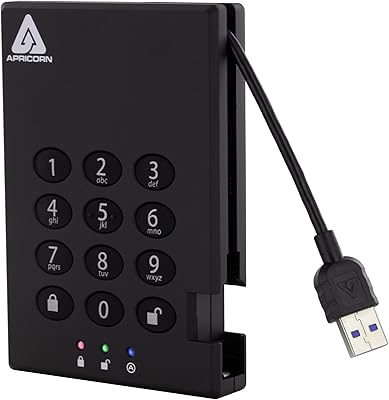
Apricorn Aegis Padlock DT 2TB Encrypted External Hard Drive
79%
96%
Hardware Encryption Strength
91%
Build Quality & Tamper Resistance
88%
PIN Access & Authentication
93%
Brute-Force Protection
84%
Admin & User Mode Flexibility
More
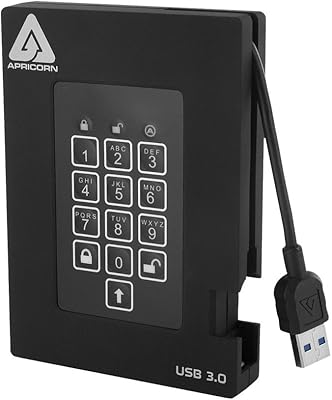
Apricorn Aegis Padlock 500GB USB 3.0 Encrypted Portable Hard Drive
88%
94%
Security Features
89%
Portability and Design
91%
Ease of Use
88%
Durability
95%
Encryption Setup
More
Apricorn Aegis Padlock Fortress 1TB Hard Drive
78%
96%
Hardware Encryption Strength
93%
FIPS Compliance Value
91%
Ease of Setup
89%
Physical Security Design
51%
Transfer Speed
More
Apricorn 6TB Aegis Padlock DT
87%
95%
Security Features
88%
Performance under Load
91%
Ease of Setup
92%
Compatibility with Operating Systems
89%
Build Quality
More
SanDisk Professional 8TB G-Drive External Hard Drive
68%
83%
Transfer Speed
88%
Build Quality
58%
Reliability
91%
Mac Compatibility
41%
Windows Compatibility
More
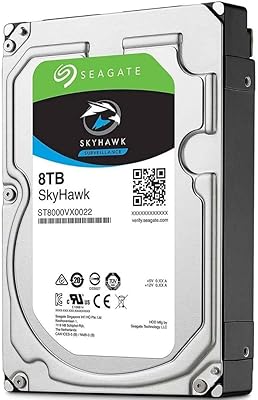
Seagate SkyHawk 8TB Surveillance Internal Hard Drive
80%
88%
Recording Reliability
84%
Workload Durability
91%
Installation Ease
79%
Multi-Drive Performance
82%
Drive Health Monitoring
More
Seagate Expansion 8TB External Hard Drive
71%
91%
Value for Money
93%
Ease of Setup
94%
Storage Capacity
67%
Transfer Speed
72%
Build Quality
More
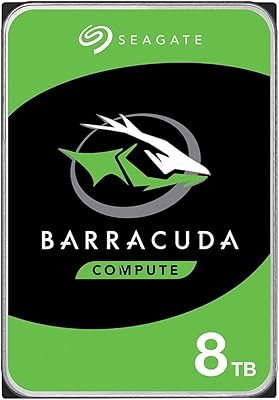
Seagate BarraCuda ST8000DM004 8TB Internal Hard Drive

73%
93%
Storage Capacity Value
67%
Reliability & Longevity
61%
Read & Write Performance
89%
Installation & Compatibility
63%
Noise & Vibration
More

FAQ

Yes, and that is one of its most practical advantages. Because the encryption is handled entirely by the drive's own controller chip, the host operating system never needs to manage it. You can plug the Padlock DT into a Windows machine, a Mac, or even a Linux workstation and it simply works — no drivers, no software installation required.

The brute-force defense kicks in automatically. After a configurable number of consecutive failed attempts, the drive locks itself. Depending on how the Admin has configured it, the drive may require an Admin PIN to unlock, or it may perform a cryptographic wipe — rendering the stored data permanently unrecoverable. This is the exact behavior you want if the drive is stolen or accessed without authorization.

No. The Admin and User PIN modes are kept functionally separate. The Admin can manage drive policies, reset credentials, and configure security settings, but the Admin PIN itself does not grant read access to the User's stored data. This separation is important in compliance environments where IT administrators need operational control without data access.

It is fundamentally different. Software encryption relies on the host CPU and OS, which means it can potentially be bypassed through OS exploits, cold-boot attacks, or forensic tools that target the running system. Hardware encryption on the Padlock DT is processed entirely on the drive's onboard chip, so the data is always encrypted regardless of what is happening on the host machine. It also cannot be disabled by accident or forgotten.

Expect typical speeds of a 7200 RPM desktop hard disk over USB 3.0 — roughly 100 to 130 MB/s for sequential reads and writes under good conditions. That is solid for a spinning disk, but meaningfully slower than an external SSD. Filling the full 8TB capacity will take many hours, so plan large transfers accordingly and avoid treating it as a high-throughput working drive.

The Aegis Configurator is a separate Apricorn device that allows IT administrators to configure and apply security policies across multiple Padlock DT drives simultaneously. If you are deploying one drive for personal use, you do not need it. If you are rolling out dozens of drives across a team with standardized PIN policies, enrollment rules, and brute-force settings, the Configurator becomes genuinely valuable and saves significant time.

That is a real risk worth planning for before deployment. Without a Data Recovery PIN configured by the Admin, a forgotten User PIN may require Admin intervention to reset — and depending on the drive's configuration, a full reset can mean the existing data is wiped as part of the process. Setting up the Data Recovery PIN during initial configuration is strongly recommended for any organizational deployment.

Some users do notice the 7200 RPM drive mechanism during active reads and writes — a faint hum or occasional seek noise is normal for a high-speed spinning disk in a desktop enclosure. It is not unusually loud, but if you are working in a very quiet environment or are sensitive to background noise, it is worth being aware of. The drive also runs warm during extended sessions, so adequate desk ventilation is a good idea.

This encrypted desktop drive is designed for direct connection to a host system, not for NAS integration. NAS enclosures typically bypass the PIN entry mechanism because they lack a compatible interface for PIN input, which would render the hardware encryption inaccessible or non-functional. Stick to direct USB connection to a computer for full, intended operation.

As a 3.5-inch desktop drive, it requires an external power supply — it does not run on USB bus power alone. This is standard for full-size desktop drives, which draw more power than a USB port can reliably deliver. Make sure you have a power outlet available at the workstation where you plan to use it, and factor in the cable management that comes with a powered desktop unit.
