Overview

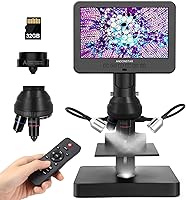
The Andonstar AD246S-P 3-Lens Digital Microscope sits in an interesting middle ground — capable enough to satisfy a serious coin collector or a student working through biology slides, yet approachable enough that a curious ten-year-old can get started without much help. What sets it apart from cheaper USB-only options is the 7-inch built-in LCD screen, which means you can actually use it without a laptop nearby. The three interchangeable lenses are the backbone of the design, letting you shift from broad surface inspection to high-magnification biological work. Keep expectations grounded, though: this is a solid hobbyist tool, not a research-grade instrument.
Features & Benefits

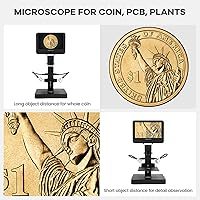
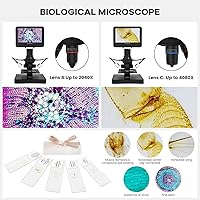
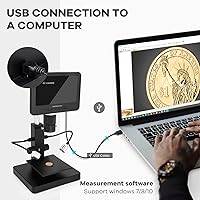
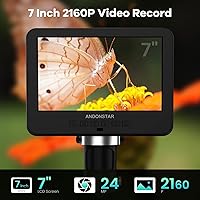
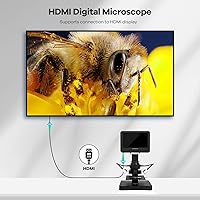
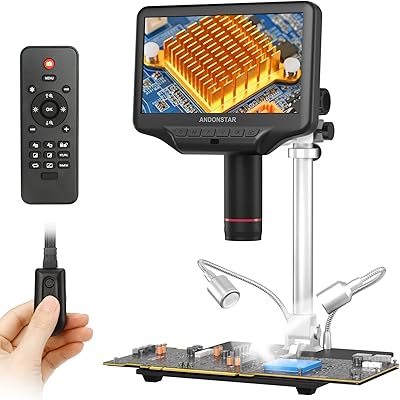
The AD246S-P's three lenses each serve a genuinely different purpose. The widest-angle lens handles lower-magnification work — think whole coins, PCB surfaces, or plant samples — while the two higher-powered lenses step up for biological slide observation, reaching up to 4080x magnification. Video capture tops out at UHD 2160P, and the HDMI output lets you push that image to a larger display, which is handy for group viewing. The eight-level LED ring light gives real control over brightness, not just an on/off toggle. A wireless remote and Windows measurement software round things out for users who want a bit more analytical depth.

Best For

This three-lens digital microscope is a natural fit for coin collectors — particularly anyone hunting error coins or studying fine mint detail — and for students working with prepared biological slides at home or in a classroom setting. Electronics hobbyists will appreciate being able to inspect solder joints without a laptop open beside them. It also works well as a standalone demo tool for teachers, since the built-in screen handles display duties on its own. That said, it suits curious adults who want their first genuinely capable microscope without committing to a steep technical learning curve or a much higher price tier.

User Feedback

Across roughly 223 ratings, the AD246S-P holds a 4.0-star average — genuine satisfaction, though tempered by a few recurring frustrations. Buyers consistently praise image clarity at mid-range magnification and how quickly the screen gets up and running out of the box. Where things get mixed is lens-swapping: it requires physically unscrewing and reattaching each lens, which some users find fiddly, especially for younger kids without adult supervision. The Windows measurement software earns positive mentions for its functionality but occasional complaints about initial setup confusion. Most buyers feel the included accessory bundle and built-in screen deliver solid value, though a sturdier build would make this an easier all-around recommendation.

Pros

  • The built-in 7-inch LCD screen means you can start observing immediately without plugging into a computer.
  • Three interchangeable lenses cover an impressively wide range, from broad surface inspection to high-magnification biological viewing.
  • UHD 2160P video recording produces crisp footage that holds up well on larger displays via HDMI output.
  • Eight adjustable LED brightness levels give genuinely useful control over lighting across different specimens.
  • The wireless remote makes hands-free image capture easy, especially during group demonstrations.
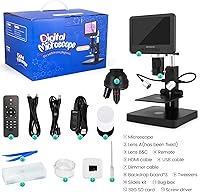
  • The included biological slide kit and accessories add real value straight out of the box.
  • Mid-range magnification image quality consistently earns praise from buyers across a wide range of use cases.
  • Setup is straightforward — the screen-based interface is intuitive enough for kids to navigate with minimal guidance.
  • Windows measurement software adds area and length calculation tools for users who want analytical capability.
  • At this price tier, the combination of a large screen, multiple lenses, and UHD recording is difficult to match.

Cons

  • Swapping lenses requires unscrewing and reattaching each one manually, which gets tedious if you switch often.
  • The plastic housing feels noticeably lightweight and does not inspire confidence in long-term durability.
  • Measurement and PC connectivity software is Windows-only, leaving Mac users without that functionality entirely.
  • First-time software installation can be confusing, with several buyers reporting unclear setup instructions.
  • The lens-swap process involves small screws that make unsupervised use by young children impractical.
  • At maximum magnification, image stability can be sensitive to minor vibrations on the work surface.
  • No battery option means this is a desk-bound tool — a power outlet is always required.
  • The focus wheel can feel imprecise at the highest magnification levels, requiring patience to dial in.
  • Customer support responsiveness has received mixed mentions, which matters if software issues arise post-purchase.

Ratings

The scores below for the Andonstar AD246S-P 3-Lens Digital Microscope were generated by our AI engine after systematically analyzing verified global buyer reviews, actively filtering out incentivized, bot-generated, and duplicate submissions to surface authentic experiences. Drawing from hundreds of real-world accounts spanning coin collectors, students, hobbyists, and educators, these ratings transparently reflect both where this three-lens digital microscope punches above its weight and where it falls noticeably short.
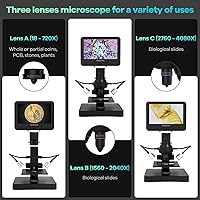
Image Clarity
82%
18%
At mid-range magnification — particularly with the lower-power lens used for coins and circuit boards — users consistently report sharp, well-defined images that hold up well on the built-in screen. Coin collectors examining mint marks and surface errors found the detail level genuinely useful for identification purposes.
At the upper magnification limits of the biological lenses, sharpness becomes harder to maintain and is sensitive to even slight vibrations on the work surface. A few buyers noted that fine biological specimens required repeated focus adjustments to get a satisfactory image.
Built-in Screen
86%
The 7-inch LCD is the feature buyers mention most positively — it makes the AD246S-P genuinely usable straight out of the box without hunting for a compatible device or cable. Students and hobbyists appreciated being able to observe specimens at their desk without a laptop crowding the workspace.
Screen brightness in well-lit rooms can make the display harder to read comfortably, and a few users wished the viewing angle were wider for group use. It is a functional screen rather than a premium one, and colors can appear slightly washed out under certain lighting conditions.
Lens Versatility
78%
22%
Having three purpose-built lenses covering 18x all the way to 4080x means buyers are not compromising — each lens is optimized for its intended task rather than being a one-size-fits-all solution. Electronics hobbyists and biology students found real value in switching between lens types for entirely different inspection needs.
The manual screw-off lens swap mechanism is the most consistently cited frustration: it slows down workflow and requires care to avoid cross-threading or dropping small components. Users who anticipated fast lens changes during a single session found the process disruptive enough to affect their overall satisfaction.
Value for Money
81%
19%
The combination of a large built-in screen, UHD video recording, three lenses, a wireless remote, and a biological slide kit at this price point strikes most buyers as a genuinely competitive package. Many noted that comparable functionality from other brands costs noticeably more.
A handful of buyers felt the plastic construction undercut the perceived value over time, especially after extended use revealed some wobble in the stand. Those who expected metal components at this tier were left disappointed when the build did not match the feature list.
Ease of Setup
77%
23%
The hardware side of setup is straightforward — unbox, plug in, and the screen is operational within minutes. Buyers who only needed the standalone screen experience reported no friction whatsoever getting up and running.
Connecting to a Windows PC for measurement software is where setup falls apart for many users: driver installation instructions are unclear, and several reviewers spent significant time troubleshooting before achieving a stable connection. First-time microscope users occasionally found the focusing system less intuitive than expected.
Build Quality
62%
38%
The unit is stable enough on a desk for routine observation sessions, and the overall assembly feels acceptable for a consumer-grade instrument in this category. Most buyers who treated it as a desktop fixture rather than a portable device had fewer complaints about rigidity.
The all-plastic housing is the most frequently cited structural concern — it feels lightweight in a way that reads as fragile rather than convenient. Some users reported minor play in the stand adjustment knob after several weeks of regular use, which affected their ability to hold a precise focus position.
LED Lighting System
84%
Eight adjustable brightness levels give users meaningful control over illumination rather than a blunt high/low toggle, and buyers working with reflective surfaces like coins found this especially useful for reducing glare. The ring light design distributes light evenly across most specimens.
At the highest brightness settings, some users noticed a slight color temperature shift that affected how biological samples appeared on screen. A small number of buyers also wished for an independent light position adjustment for specimens that required angled rather than direct illumination.
Wireless Remote
74%
26%
Educators and classroom users found the remote a genuinely practical addition — triggering image capture without touching the microscope body reduces vibration and keeps demonstrations smooth. The zoom and discoloration functions also added flexibility for group presentations.
The remote feels plasticky and lightweight, and a few users reported inconsistent responsiveness at greater distances. Battery life of the remote itself drew occasional complaints, with some buyers needing to replace batteries sooner than expected.
Video Recording
79%
21%
UHD 2160P recording is a standout spec at this price tier, and buyers who used the recording function for documentation or educational content found the footage clear and detailed enough for their purposes. HDMI output to a projector or TV worked reliably for most users.
Without a micro SD card — which is not included — recording is not immediately available out of the box, which surprised a number of first-time buyers. A few users also noted that recorded footage at maximum magnification showed more compression artifacts than expected.
PC Software Functionality
61%
39%
For Windows users who got it running successfully, the measurement software delivers genuinely useful tools: length measurement, area calculation, and image annotation expanded the AD246S-P into a more analytical instrument for those who needed it.
The Windows-only limitation immediately excludes a segment of buyers, and even on supported machines the installation process is inconsistent enough to frustrate non-technical users. Support documentation for the software is sparse, and troubleshooting often required searching third-party forums.
Kid-Friendliness
69%
31%
The intuitive screen interface and included slide kit make this Andonstar microscope an engaging hands-on tool for school-age children exploring science at home. Parents appreciated that kids could observe specimens and capture images without needing to understand any complex software.
The lens-swapping process, which involves small screws, requires adult involvement and is not suitable for independent use by younger children. The plastic stand can feel unstable if a child applies lateral pressure, and a few parents flagged durability concerns after enthusiastic handling.
Focus Mechanism
71%
29%
The focusing wheel is smooth and responsive at lower magnification levels, where most casual users spend the majority of their time. For coin and circuit board inspection, dialing in a sharp image is relatively quick once the working distance is set.
At higher magnification, the focus wheel becomes noticeably more sensitive and requires a steady hand to avoid overshooting the focal point. Several users noted that there is no fine-focus option — a single wheel handles the full range — which limits precision at the upper end.
Portability
48%
52%
At just over four pounds, the unit is light enough to move between rooms without effort, and its footprint is compact enough to store on a shelf between sessions. Users with limited desk space found it easy to set up and put away.
Mains power is a hard requirement — no battery option exists — which makes truly portable use impossible. The combination of the stand height and fixed power cable means this is fundamentally a desk-bound instrument, limiting where and how it can be used.
Accessory Completeness
76%
24%
The included biological slide kit and preparation materials give buyers a meaningful starting point for exploration, and the wireless remote being included in the base package adds value that is not always standard at this tier. Most buyers felt the box contents justified the purchase without needing immediate add-ons.
The absence of a micro SD card — needed for local video recording — is a notable gap that caught several buyers off guard. The slide preparation tools are functional but basic, and serious biology enthusiasts quickly found themselves needing a broader selection of prepared specimens.

Suitable for:

The Andonstar AD246S-P 3-Lens Digital Microscope is a strong pick for coin collectors who want to closely examine mint marks, surface errors, and fine detail without investing in professional optical equipment. It works equally well for students and younger learners who are working through prepared biological slide kits at home, since the built-in screen makes the experience immediate and engaging without requiring a laptop setup. Parents who want a genuinely capable science tool — rather than a toy-grade alternative — will find the included accessories and multi-lens design give kids real room to explore. Electronics hobbyists inspecting PCB traces or solder joints will appreciate being able to work untethered from a computer. Educators looking for a compact standalone display microscope for small group demonstrations will also get solid mileage out of the HDMI output and wireless remote combination.
Not suitable for:

Anyone expecting professional or research-grade optical performance will find the Andonstar AD246S-P 3-Lens Digital Microscope falls well short of that bar — the plastic housing and consumer-tier optics are built for hobbyist use, not laboratory precision. Buyers who want to regularly swap between magnification levels quickly will likely find the screw-off lens system tedious over time, since there is no quick-release mechanism. If your primary workflow is Mac-based, the PC measurement software is a non-starter, as it only supports Windows. Families hoping to hand this directly to very young children without supervision should reconsider — the lens-change process involves small screws that require adult involvement. And if you need a truly portable, battery-powered field microscope, this unit's size, weight, and power requirements make it better suited to a desk than a backpack.
Specifications

  • Brand & Model: Manufactured by ShenZhen Andonstar Technology Co., Ltd under the model designation AD246S-P.
  • Display: Features a built-in 7-inch LCD screen that operates independently without requiring a connected computer.
  • Magnification: Covers a range from 18x up to 4080x across three interchangeable lenses suited to different observation tasks.
  • Lens Count: Includes three dedicated lenses — one for broad low-magnification work and two for high-magnification biological observation.
  • Video Resolution: Records video at UHD 2160P, delivering sharp footage suitable for review, sharing, or archiving.
  • Connectivity: Supports HDMI output to external displays and USB connection to Windows PCs via downloadable measurement software.
  • LED Lighting: Equipped with a ring LED light source offering eight adjustable intensity levels to suit different specimens and lighting conditions.
  • Remote Control: Includes a wireless remote control that supports image capture, digital zoom, and image discoloration functions from a distance.
  • Dimensions: The unit measures 7.87″ long by 7.48″ wide by 11.81″ tall, making it a compact but stable desktop instrument.
  • Weight: Weighs 4.13 pounds, giving it enough mass to remain stable on a desk without being difficult to reposition.
  • Housing Material: The body and stand are constructed from plastic, keeping the overall weight low but with trade-offs in long-term durability feel.
  • Power: Operates at 240 volts and requires a constant mains power connection — there is no built-in battery or portable power option.
  • PC Software: Compatible with Windows operating systems only; the downloadable software enables measurement of object length, area calculation, and image annotation.
  • Included Accessories: Ships with a biological slide kit and preparation accessories, providing a ready-to-use starting point for slide-based observation.
  • HDMI Output: The HDMI port allows the live microscope feed to be projected onto a larger external screen, useful for group viewing or classroom settings.
  • Angle of View: Offers a real angle of view of 178 degrees, contributing to a wide and spatially accurate field of observation at lower magnifications.

Related Reviews
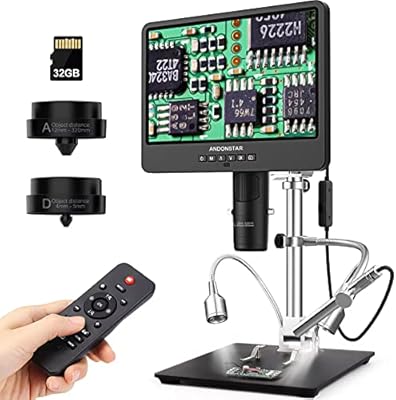
Andonstar AD249S-M 3 Lens HDMI Digital Microscope
85%
92%
Image Clarity
89%
Magnification Range
88%
Build Quality
85%
LED Lighting
78%
Stand Stability
More
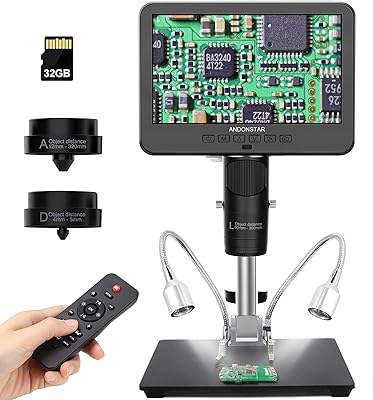
Andonstar AD246S-M 7″ 3-Lens Digital Microscope
80%
83%
Image Clarity
88%
Lens Versatility
91%
Stand & Build Quality
89%
Ease of Setup
58%
Lens Swap Workflow
More
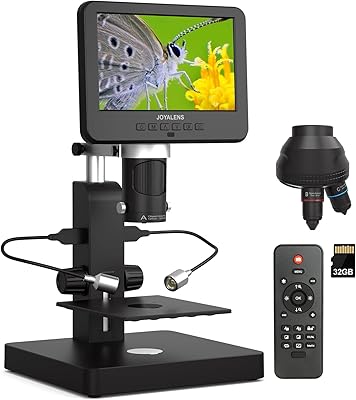
JOYALENS JL246PS 3-Lens Digital Microscope
77%
83%
Image & Screen Clarity
74%
Magnification Range
86%
Lighting System
57%
Build Quality
79%
Ease of Use
More
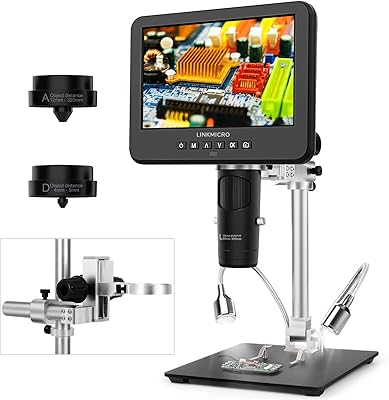
LINKMICRO LM246MS 3-Lens 7-Inch HDMI Digital Microscope
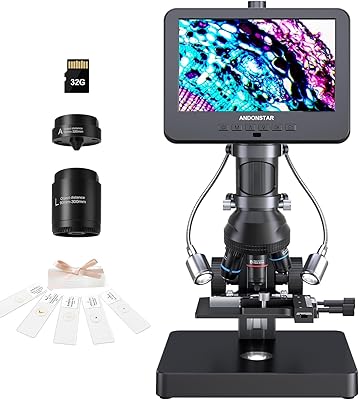
85%
88%
Image Quality
91%
Ease of Setup
85%
Build Quality
90%
Lens Versatility
74%
Display Size
More
Andonstar AD266S 7-Inch 5-Lens Digital Microscope
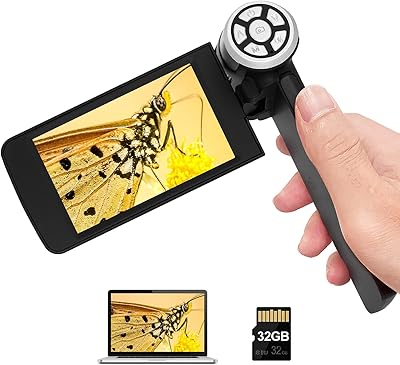
74%
83%
Image Clarity
88%
Lens Versatility
81%
Build Quality
79%
Value for Money
76%
LCD Display
More
Andonstar AD203 Handheld Digital Microscope
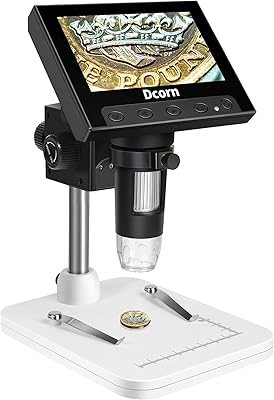
76%
91%
Ease of Use
84%
Display Quality
63%
Magnification Performance
61%
Build Quality
78%
Battery Life
More
Dcorn 4.3″ LCD Digital Coin Microscope
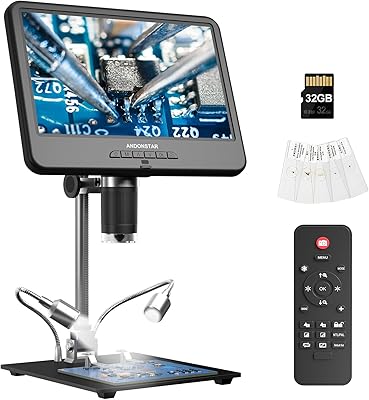
71%
84%
Value for Money
79%
Image Quality (Low Magnification)
51%
Image Quality (High Magnification)
91%
Ease of Setup
82%
LED Lighting
More
Andonstar AD210 10.1-inch Digital Microscope
80%
88%
Display Quality
73%
Magnification Performance
84%
Stand & Build Quality
79%
Image & Video Capture
68%
Storage & File Transfer
More
Hayve DM7 4.3″ Digital Microscope
78%
92%
Ease of Setup
88%
Display Quality
71%
Magnification Performance
84%
LED Lighting
58%
Build Quality
More
Andonstar AD407 Pro Digital Soldering Microscope
81%
91%
Image Clarity
93%
Build Quality
89%
Stand Stability & Adjustability
88%
UV Filter & Lens Protection
86%
Display Quality
More

FAQ

No — the built-in 7-inch screen handles display entirely on its own. You only need a Windows PC if you want to use the measurement and annotation software, which is an optional add-on to the core experience.

Each lens attaches and detaches by unscrewing it from the mount — there is no quick-release mechanism. It takes maybe a minute per swap, but it is worth doing carefully to avoid cross-threading. For casual users who stick to one lens at a time, this is rarely a big issue. If you plan to switch frequently during a single session, budget for the extra time.

Lens A, the lowest-magnification option covering roughly 18x to 720x, is the right choice for coins. It gives you a wide enough field of view to see the whole coin or zoom into a specific area like a mint mark or edge detail without losing context.

It works well with kids, but adult supervision is recommended for lens changes since it involves small screws that can be easy to misplace or overtighten. The screen interface itself is intuitive enough for school-age children to navigate on their own once set up. Think of it as a shared family tool rather than a solo kids toy.

The live screen and HDMI output work regardless of platform since they are standalone functions. However, the PC measurement software is Windows-only, so Mac users will not have access to the length, area, and annotation tools. If you primarily use a Mac, plan to work directly from the built-in screen.

The remote lets you capture images, apply digital zoom, and toggle image discoloration effects without touching the microscope body. It is particularly useful during presentations or classroom demos where you want to avoid bumping the unit while pointing something out.

Yes, the AD246S-P supports video recording at UHD 2160P resolution, typically to a micro SD card inserted into the unit. This lets you capture and save footage without needing a computer running in parallel.

At the upper end — the biological observation lenses — image quality is decent for hobbyist and educational use, but it does require patience with focus adjustment. Minor vibrations can affect clarity, so a stable, vibration-free surface helps noticeably. Do not expect the pixel-perfect consistency of a research-grade instrument.

The included biological slides and preparation accessories are a reasonable starter set — enough to explore the high-magnification lenses and get a feel for what the this three-lens digital microscope can do. Most buyers eventually pick up additional prepared slides if they find themselves going deeper into biology, but it is not necessary right away.

Several users have noted that the initial installation is not as plug-and-play as you might hope — the software requires a specific driver installation before the microscope is recognized by the PC. The instructions in the box can be vague on this point, so downloading the latest driver from Andonstar's support page before you start tends to save frustration.