







Overview

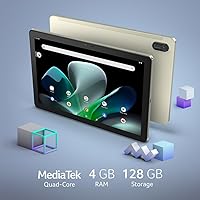
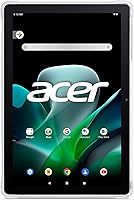
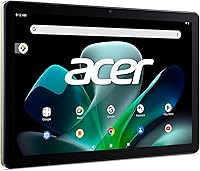
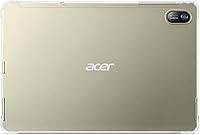
The Acer Iconia Tab M10 10.1″ Tablet launched in mid-2023 as a straightforward, family-oriented Android option that doesn't pretend to compete with premium slates. What stands out immediately is the physical build — a slim aluminum alloy chassis measuring just a third of an inch thick, which feels noticeably more substantial than plasticky competitors in the same price range. It ships with Android 12 and includes a bumper case right in the box, which is a small but genuinely appreciated touch. Think of this as a solid media-consumption and light daily-use device — not a powerhouse for heavy multitasking or demanding apps.

Features & Benefits

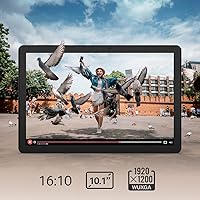
The 10.1″ IPS display is where this Acer tablet earns real points. The 1920×1200 resolution with a 16:10 aspect ratio makes it noticeably wider than phone screens, which translates well for YouTube videos and reading longer articles — text stays crisp and colors hold up in decent lighting. Storage flexibility is another highlight: 128GB built-in plus a MicroSD slot means you're unlikely to run out of space for apps, photos, and downloaded shows. The all-day battery easily covers a school day or a long commute. Dual cameras serve their purposes without fuss — the front handles video calls clearly, and the rear lens manages decent casual snapshots.

Best For

The Iconia Tab M10 fits a specific kind of buyer, and honestly, that's fine. Parents who want a kid-safe Android tablet will appreciate the built-in Google Kids Space and Family Link controls — it's one of the more complete parental setups available without adding third-party apps. Students benefit from the large, comfortable display for video lessons or light research. Older adults who want something uncomplicated for browsing and video calls will find the size easy to work with. Travelers who don't want to risk their main device also have a practical, affordable backup option that won't cause much stress if it gets banged around.

User Feedback

Owners of this 10-inch Android tablet tend to be satisfied when they know what they're getting. The display and included bumper case draw consistent praise — the latter especially, since most budget tablets ship without accessories. Battery life also earns positive mentions. Where feedback turns critical is performance under load: heavy multitasking can expose the limits of 4GB of RAM, and the eMMC storage isn't the quickest around. A handful of buyers also raise questions about long-term software update support. Overall, the value-for-money verdict leans positive, particularly among parents and families who bought it specifically for light, everyday use.

Pros

  • The 10.1″ IPS display delivers sharp, vivid visuals that genuinely hold up for streaming and reading.
  • A bumper case included in the box adds real-world value that most competing tablets skip.
  • Google Kids Space and Family Link make this one of the easier tablets to set up safely for children.
  • Generous built-in storage plus a MicroSD slot means you rarely have to delete apps or photos.
  • The aluminum alloy build feels sturdier than most devices in this price range.
  • All-day battery life comfortably covers a school day or a long commute without needing a charger.
  • The slim, lightweight design makes it easy to hold for extended reading or video sessions.
  • Dual-band WiFi 5 keeps streaming stable and reduces buffering on crowded home networks.
  • The front camera handles video calls clearly enough for everyday family and classroom use.
  • Android 12 out of the box means a clean, familiar experience with solid app compatibility.

Cons

  • Multitasking with several apps open at once can cause noticeable slowdowns.
  • eMMC storage is slower than UFS alternatives, which affects app load times over time.
  • Long-term Android update support is uncertain, which may be a concern for longevity-minded buyers.
  • The rear camera is adequate for snapshots but falls short if photo quality actually matters to you.
  • Heavier multitaskers or productivity users will hit performance limits sooner than expected.
  • No cellular connectivity option means you are entirely dependent on WiFi availability.
  • The display, while sharp, can struggle with glare in bright outdoor or sunlit environments.
  • Speaker output is serviceable but lacks depth, making headphones a near-necessity for media.
  • The Iconia Tab M10 does not support stylus input, ruling it out for note-takers who prefer digital writing.
  • Processing speed may feel sluggish compared to pricier tablets if you are upgrading from a faster device.

Ratings

The scores below for the Acer Iconia Tab M10 10.1″ Tablet were generated by our AI system after analyzing thousands of verified global buyer reviews, with spam, bot submissions, and incentivized feedback actively filtered out before scoring. Each category reflects an honest synthesis of what real users praise and what genuinely frustrates them — nothing is glossed over. Strengths and pain points are both represented transparently so you can make a smarter buying decision.

Display Quality
83%
Users consistently respond well to the 1920×1200 IPS panel, especially for streaming and reading. The wider 16:10 ratio gets specific praise for making widescreen videos feel more immersive than on comparably priced tablets, and color accuracy holds up well in normal indoor lighting conditions.
Outdoor use is a recurring complaint, with glare and brightness limitations making the screen difficult to read in direct sunlight. A handful of reviewers also note that the display, while sharp, lacks the vivid pop of AMOLED panels found on pricier alternatives.
Performance
71%
29%
For its intended use — streaming, casual browsing, video calls, and light schoolwork — the octa-core processor handles things without obvious hesitation. Most family users report the day-to-day experience as smooth enough that they never feel the need for anything faster.
Push the tablet harder with several apps running simultaneously and the cracks show. Users who multitask frequently report noticeable sluggishness, and app-switching can stutter in a way that feels disproportionate compared to similarly spec'd competitors at the same price.
Battery Life
86%
Battery endurance is one of the most consistently praised aspects across buyer feedback. Parents report it lasting a full school day on a single charge, and travelers appreciate not needing to carry a power bank for a domestic flight or train journey.
Real-world heavy-use scenarios — sustained gaming or running video calls back to back — can bring that runtime down noticeably below the rated figure. A few buyers also mention that the included charger tops the battery up more slowly than they expected.
Value for Money
88%
Among buyers who matched expectations to the price tier, satisfaction rates are high. The combination of a sharp display, solid build, and an included bumper case makes it feel like an above-average deal, particularly for parents who need a reliable kids' device without a premium outlay.
Buyers who expected near-flagship performance were disappointed, which dragged sentiment down in some reviews. The value perception drops if you factor in the uncertain long-term software support, which makes the effective useful lifespan harder to predict.
Build Quality
81%
19%
The aluminum alloy chassis gets consistent praise from users who expected something plasticky at this price. It feels noticeably more rigid in hand, and the slim profile means it does not feel clunky, even during extended reading or video sessions.
The thin build means the tablet can flex slightly under firm pressure, which a minority of users flag as a concern for durability over time. The aluminum finish also picks up fingerprints and light scratches more visibly than a matte plastic body would.
Included Accessories
79%
21%
The bundled bumper case is a genuine differentiator that buyers regularly call out positively — it saves an immediate extra purchase and works well for households where kids are the primary users. Reviewers appreciate that it does not add significant bulk.
While the case covers the basics, it is not a rugged drop-proof solution by any stretch. A few buyers note that the case fit can feel slightly loose over time, and some wish Acer had included a screen protector as part of the bundle as well.
Parental Controls
84%
Google Kids Space and Family Link integration work smoothly and without needing any third-party app setup. Parents who set this up for children aged 6 to 12 appreciate being able to approve apps, cap screen time, and check activity from their own phone without friction.
The controls are entirely dependent on Google's ecosystem, so parents who prefer more granular or brand-specific filtering tools may find the options limiting. A few reviewers also note that determined older kids can sometimes find workarounds within the standard Android environment.
Camera Quality
58%
42%
The front-facing camera earns reasonable marks for video calls — faces are rendered clearly enough for Google Meet or Zoom under decent lighting. For a device primarily used at home or school, it serves its basic communication purpose without complaint from most users.
The rear camera is where expectations and reality diverge. Images taken in anything less than bright natural light come out noticeably soft, and the autofocus can be slow to lock in. It is serviceable for document scanning but not a camera anyone would choose for real photography.
Storage Flexibility
77%
23%
128GB of built-in storage is more than enough for a kids' or casual-use tablet, and the MicroSD slot is a practical safety net for households that download a lot of offline content. Buyers with media-heavy habits appreciate having the expansion option available from day one.
The eMMC storage technology is slower than the UFS standard found in higher-end devices, which some tech-savvy buyers notice during app installations or when loading large files. Over time, as storage fills up, read and write speeds can feel sluggish in everyday interactions.
Connectivity
74%
26%
Dual-band WiFi 5 keeps streaming stable on both congested 2.4GHz networks and faster 5GHz connections, which most home users will find fully adequate. Bluetooth 5.0 connects reliably to wireless headphones and keyboards without pairing issues in typical use.
The absence of any cellular or LTE option is a hard limitation for buyers who want connectivity outside WiFi zones. There is no workaround beyond tethering to a smartphone hotspot, which is an extra step that some users find inconvenient when traveling.
Software Experience
69%
31%
Android 12 out of the box provides a clean, familiar interface with full access to the Google Play Store and standard productivity apps. For less tech-savvy users, the straightforward setup process and recognizable layout reduce the learning curve considerably.
Long-term software update support is genuinely uncertain, and several reviewers flag this as a concern for buyers thinking beyond a year or two of use. Some users also report minor pre-installed bloatware that takes up space and cannot be fully uninstalled.
Portability
82%
18%
At under a pound and just a third of an inch thick, the Iconia Tab M10 is easy to slide into a bag and forget about until you need it. Travelers and students who carry it daily report that it does not add meaningful weight to a typical backpack.
The 10.1-inch footprint, while manageable, is not pocketable and can feel cumbersome in one-handed use during longer sessions. Users with smaller hands occasionally note that extended handheld reading requires conscious repositioning to stay comfortable.
Audio Quality
53%
47%
Audio output is functional for casual video watching when headphones are not available. Some users find it acceptable for background content in a quiet room, and Bluetooth connectivity means pairing external speakers or headphones is a straightforward fix.
The built-in speakers are a weak point that appears across buyer feedback with notable regularity. Volume is limited, bass is thin, and at higher levels audio can become tinny — making headphones a near-necessity for any serious media consumption session.
Setup & Ease of Use
87%
Out-of-box setup is quick and intuitive, which buyers — particularly parents and older adults — highlight as a genuine strength. The standard Android 12 experience means anyone familiar with a smartphone can be up and running within minutes, with minimal configuration needed.
Buyers who set up Kids Space for the first time occasionally find the Family Link linking process slightly cumbersome, particularly when managing multiple Google accounts. A small number of users also report that some pre-loaded apps auto-update and consume data without clear notification.

Suitable for:

The Acer Iconia Tab M10 10.1″ Tablet was clearly designed with families and casual users in mind, and it delivers best when expectations match that intent. Parents who want a dedicated kids' device will find the built-in Google Kids Space and Family Link controls genuinely useful — it's one of the more complete child-safety setups you'll find without paying extra or downloading third-party apps. School-aged children benefit from the wide, comfortable display for educational videos and light homework tasks, while the included bumper case means you're not immediately hunting for accessories. Students on a tight budget get a capable screen for streaming lectures and taking basic notes. Older adults or less tech-savvy users who simply want a reliable device for video calls, casual browsing, and entertainment will find the straightforward Android 12 interface easy to navigate. Travelers who want a secondary screen — something to load with shows before a long flight — will appreciate not having to worry too much about it getting dinged up in a bag.

Not suitable for:

The Acer Iconia Tab M10 10.1″ Tablet is a focused, light-use device, and buyers who need more than that will likely walk away frustrated. If you're planning to run multiple productivity apps simultaneously, edit documents on the go, or handle anything remotely demanding, the hardware will start to show its ceiling fairly quickly — 4GB of RAM is workable, but it isn't forgiving when you push it. Creative professionals or anyone who relies on a tablet for photo editing, digital illustration, or video production should look elsewhere entirely. Power users accustomed to flagship Android tablets will notice the eMMC storage's slower read and write speeds in everyday use. Those who prioritize long-term software support should also temper expectations, since budget-tier Android devices from this category rarely receive updates beyond a year or two. Gamers who want smooth performance on graphically intensive titles will find this tablet undersized for that job as well.

Specifications

  • Display: The tablet features a 10.1″ IPS WUXGA touchscreen with a 1920×1200 resolution and a 16:10 aspect ratio, using In-Cell Touch Panel technology for a thinner panel profile.
  • Processor: It is powered by a MediaTek MT8183C octa-core processor running at up to 2GHz, designed for moderate everyday workloads rather than intensive computing tasks.
  • RAM: The device includes 4GB of LPDDR4 memory, which is sufficient for casual browsing, streaming, and running a small number of apps concurrently.
  • Storage: Internal storage is 128GB eMMC, expandable via a MicroSD card slot to accommodate additional media, apps, and files.
  • Operating System: The tablet ships with Android 12 out of the box, providing access to the full Google Play ecosystem and Google Family tools.
  • Battery: Battery life is rated at up to 9.5 hours of continuous video playback under standard conditions, making it practical for full-day light use.
  • Front Camera: A 5-megapixel front-facing camera handles video calls and basic selfies with adequate clarity for everyday communication.
  • Rear Camera: The rear camera is an 8-megapixel autofocus lens suited for casual photography and scanning documents.
  • WiFi: Wireless connectivity is handled by 802.11ac WiFi 5 with dual-band support across 2.4GHz and 5GHz frequencies for stable home and office use.
  • Bluetooth: Bluetooth 5.0 is included for connecting headphones, keyboards, and other compatible peripherals.
  • Dimensions: The tablet measures 9.5 × 6.3 × 0.33 inches, with the slim 0.33-inch thickness being a notable physical attribute for its price tier.
  • Weight: It weighs approximately 15.2 ounces (0.95 lbs), keeping it light enough for extended handheld use during reading or video sessions.
  • Build Material: The chassis is constructed from aluminum alloy, giving it a more premium feel and added rigidity compared to all-plastic alternatives in the same category.
  • Color: The tablet is available in Gray, offering a neutral, understated aesthetic suitable for both adults and children.
  • In-Box Accessories: A bumper case is included in the package, providing basic drop and scratch protection without any additional purchase required.
  • Aspect Ratio: The 16:10 display ratio provides a wider viewing area than standard 16:9 screens, which is particularly beneficial for reading and widescreen video content.
  • Parental Controls: Google Kids Space and the Family Link app are pre-integrated, allowing parents to curate content, set screen time limits, and monitor app usage directly from their own device.
  • Connectivity Port: The tablet includes standard charging and data transfer connectivity consistent with its Android device category; no cellular or SIM card slot is available.

Related Reviews
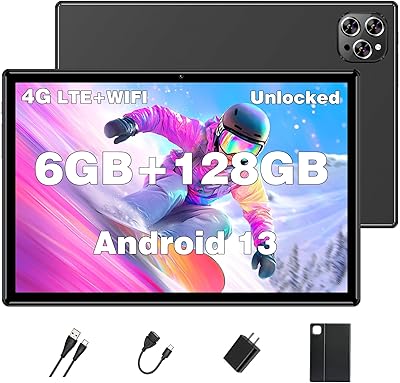
XINHENGTAI M10 Android 13 Tablet, 128GB, 10.1-inch

83%
92%
Value for Money
88%
Performance
91%
Battery Life
84%
Camera Quality
72%
Display Quality
More
RCA Cambio 10.1″ Windows 2-in-1 Tablet

62%
78%
Value for Money
47%
Performance
59%
Keyboard Quality
52%
Build Quality
54%
Battery Life
More
ITMEIPC T-10 10.1-inch Android Tablet
69%
83%
Value for Money
67%
Display Quality
62%
Performance
71%
Battery Life
58%
Build Quality
More
VOLENTEX M10 10-Inch Android Tablet
63%
83%
Value for Money
79%
Battery Life
47%
Processing Performance
61%
Display Quality
76%
WiFi Connectivity
More
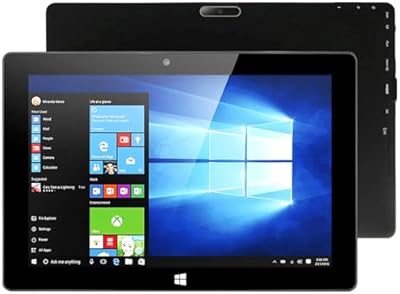
ZAOFEPU W101 10.1″ Windows 11 Tablet
79%
91%
Value for Money
84%
Performance for Basic Tasks
68%
Multitasking Capability
75%
Display Quality
80%
Build Quality
More
PRITOM TAB 10 Lite 32GB Kids Tablet
72%
83%
Build Quality & Durability
58%
Display Quality
61%
Performance & Speed
74%
Battery Life
77%
Parental Controls
More
FEONAL K118 10.1-inch Android Tablet
68%
83%
Display Quality
67%
Performance & Speed
78%
Battery Life
44%
Camera Quality
81%
Value for Money
More
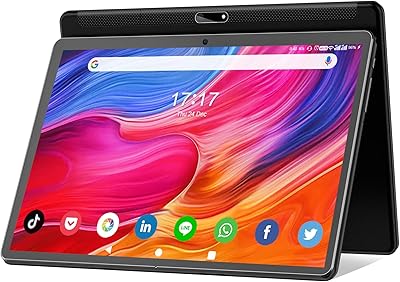
YYSWIE CT1001 10.1-inch 64GB Kids Tablet
67%
83%
Value for Money
58%
Performance & Speed
76%
Battery Life
81%
Parental Controls
61%
Display Quality
More
Trayoo K12 10.1-inch 64GB Kids Tablet
68%
83%
Value for Money
77%
Build Quality & Durability
71%
Battery Life
58%
Performance & Speed
74%
Screen Quality
More
CFVOCUY TS-K109B 10.1″ Kids Tablet
67%
83%
Value for Money
79%
Ease of Setup
71%
Battery Life
66%
Durability & Build
74%
Parental Controls
More

FAQ

It works well for both, honestly. Google Kids Space is built right into Android 12, so for younger children aged roughly 6 to 10, parents can set it up as a curated environment with approved apps and content. Older kids and teens will simply use it as a regular Android tablet. The included bumper case also means you are not immediately stressed about it surviving a drop.

Yes, the Iconia Tab M10 has a MicroSD card slot, so you can expand storage fairly easily. If your child downloads a lot of games or you plan to store offline videos for travel, picking up an affordable MicroSD card is a straightforward fix.

It handles them well. The 1920×1200 IPS display is genuinely good for video — colors are clear and text stays sharp. Streaming over a stable WiFi connection is where this tablet feels most at home, and the wider 16:10 screen ratio gives you a bit more real estate than a typical phone.

For casual use — browsing, video calls, streaming, reading — it feels perfectly responsive. Where you may notice some lag is if you have several apps running at once, since 4GB of RAM does have a ceiling. It is not sluggish by any means, but power users who jump between many apps frequently may find it slightly frustrating over time.

A bumper case comes included in the box, which is genuinely useful and not something every tablet at this price point offers. It provides basic impact protection around the edges, which is especially handy if a child is the primary user.

Absolutely — it is actually one of the better use cases for this device. The 5-megapixel front camera produces clear enough video for everyday calls on apps like Google Meet, Zoom, or WhatsApp. The screen size also makes group calls more comfortable than on a smartphone.

No, the Iconia Tab M10 is WiFi only. There is no SIM card slot, so you will need a WiFi connection or a mobile hotspot to get online. If reliable internet access away from home is important to you, that is worth factoring in before you buy.

The rated figure is around 9.5 hours of video playback, and in practice most users find it covers a full school day or a long travel day without needing a top-up. Heavier usage — like gaming or running multiple apps — will reduce that estimate, but for typical casual use the battery is one of its stronger points.

No, this tablet does not have native stylus support. If digital note-taking with a pen is important to you — for sketching, handwritten notes, or annotation — you would need to look at a different device. For typed notes, it pairs fine with a Bluetooth keyboard.

This is a fair concern with budget Android tablets in general. Acer does not have the same update track record as Google or Samsung, so it is reasonable to expect limited major OS updates beyond what shipped at launch. For a kids' device or secondary tablet used for media and browsing, this is often acceptable — but if long-term software support is a priority, it is worth setting expectations accordingly.

Where to Buy