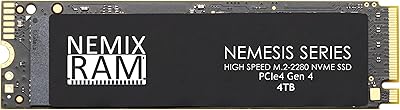
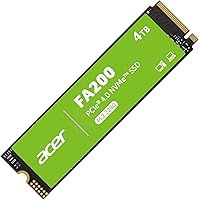
Acer FA200 4TB NVMe Gen4 SSD

Overview
The Acer FA200 4TB NVMe Gen4 SSD enters a crowded market with a straightforward pitch: serious capacity at a price that does not demand a second mortgage. The drive is manufactured by Biwin, a storage specialist that licenses the Acer name — worth knowing, since the actual engineering pedigree matters more than the badge. Four terabytes of Gen4 storage is still relatively uncommon at this price tier, giving buyers who need bulk and speed together a genuine reason to look here. That said, headline sequential numbers tell only part of the story, and real-world performance has a few nuances worth understanding before you buy.
Features & Benefits
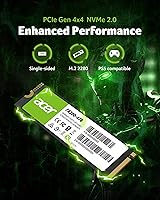
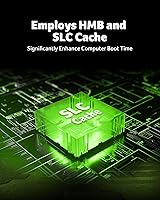
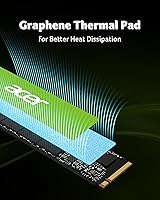
Running on a PCIe 4.0 x4 interface with NVMe 2.0 support, this Acer Gen4 drive reaches up to 7200MB/s sequential read — figures that compete with pricier flagship options. The notable trade-off is the absence of dedicated DRAM; the drive instead uses Host Memory Buffer, borrowing system RAM for controller operations. That approach works well for everyday tasks, but during large sustained writes — moving a 200GB video project, for instance — the SLC cache can exhaust and speeds drop measurably. The graphene thermal pad handles heat passively under typical loads, making a separate heatsink unnecessary for most users. Bundled Acronis True Image cloning software is a practical bonus for anyone migrating an existing system.
Best For
The FA200 4TB hits a comfortable sweet spot for several distinct buyers. PS5 owners will find it clears Sony's 5500MB/s speed threshold, and the built-in thermal pad removes the need for a separate heatsink purchase — slot it in and it works. Desktop and laptop builders who want serious capacity without managing multiple smaller drives will appreciate the breathing room 4TB provides. It also makes a strong case for anyone still running an older SATA SSD who wants a tangible, not just theoretical, upgrade. Content creators regularly moving large RAW files or 4K footage between shoots will benefit most from its burst transfer speed and generous headroom.
User Feedback
Across more than 1,600 ratings, this NVMe SSD holds a 4.5-star average — a result that reflects broad buyer satisfaction. Easy installation and noticeable speed gains in boot times and game loading are the most common points of praise. The bundled cloning software gets positive mentions, though several users found the activation process more involved than expected. On the critical side, some reviewers note that sustained write speeds fall off during large file transfers, which is consistent with the HMB-plus-SLC-cache design — not a flaw, but a known characteristic. A smaller number of lower-star reviews mention firmware quirks and compatibility hiccups on specific motherboards. Nothing disqualifying, but checking platform compatibility beforehand is a reasonable precaution.
Pros
- 4TB of Gen4 storage in a single M.2 slot keeps builds clean and eliminates the need to manage multiple drives.
- Sequential read speeds compete with significantly more expensive flagship options in this interface class.
- The built-in graphene thermal pad removes the cost and hassle of sourcing a separate PS5 heatsink.
- Backward compatibility with PCIe 3.0 slots gives the drive real flexibility across older and newer platforms.
- Bundled Acronis True Image cloning software is a genuine time-saver for anyone migrating from an existing system drive.
- Installation is consistently described as straightforward, with most buyers reporting a plug-and-play experience.
- SLC caching makes everyday transfers and app launches feel responsive under typical mixed workloads.
- The 4TB capacity tier at this price point is genuinely competitive compared to similarly specced alternatives.
- Random read and write IOPS figures are strong, supporting snappy multitasking and fast application response times.
Cons
- No dedicated DRAM means sustained write speeds fall off noticeably once the SLC cache fills during large sequential writes.
- Some buyers have reported firmware compatibility issues on specific motherboards that required troubleshooting.
- The Acronis cloning software activation process has been described as more confusing than it should be for a bundled tool.
- HMB performance is partly dependent on available system RAM, making it less predictable across different host configurations.
- Being manufactured by Biwin under the Acer brand means long-term firmware support history is shorter than established storage brands.
- A small number of users report inconsistent real-world speeds that do not match advertised peak figures under all conditions.
- No official endurance or TBW rating is prominently published, making long-term reliability harder to objectively compare.
Ratings
The Acer FA200 4TB NVMe Gen4 SSD has been evaluated using AI-driven analysis of thousands of verified global user reviews, with spam, bot activity, and incentivized submissions actively filtered out to ensure the scores reflect genuine buyer experiences. Ratings span the full spectrum of ownership — from first-boot impressions to long-term reliability observations — so both the strengths and the real friction points are represented honestly. The result is a transparent, category-by-category breakdown designed to help you decide whether this Acer Gen4 drive matches your specific workload and expectations.
Sequential Speed
Sustained Write Performance
Value for Money
PS5 Compatibility
Thermal Management
Installation Ease
Cloning Software
Random I/O Performance
Build & Form Factor
PCIe 3.0 Backward Compatibility
Long-Term Reliability
Firmware & Software Support
Noise & Vibration
Packaging & Unboxing
Suitable for:
The Acer FA200 4TB NVMe Gen4 SSD is a strong fit for anyone who needs a lot of fast storage without piecing together multiple drives or spending flagship-tier money. PS5 owners in particular get a practical deal here — the drive clears Sony's speed requirements and the built-in graphene thermal pad means you can skip the heatsink purchase entirely. Gamers with sprawling libraries across multiple titles will appreciate having 4TB of Gen4 headroom in a single slot, keeping installs organized without compromise. Content creators who regularly shuffle large RAW photo batches or multi-gigabyte video files between projects will find the burst transfer speed genuinely useful for day-to-day workflow. It also makes excellent sense for anyone still running an older SATA SSD who wants a single upgrade that delivers a dramatic, immediately noticeable step up in both speed and capacity.
Not suitable for:
The Acer FA200 4TB NVMe Gen4 SSD is not the right call for every buyer, and it is worth being clear about where it falls short. Because it relies on Host Memory Buffer rather than dedicated DRAM, sustained write performance under heavy, continuous workloads — think writing hundreds of gigabytes in a single session — will drop once the SLC cache is exhausted, which is a real limitation for professional video editors or data pipeline users who push drives hard for extended periods. Users who prioritize absolute peak sustained write consistency over capacity and price should look at DRAM-equipped drives from competitors, even if they cost more per terabyte. Those on platforms with known compatibility sensitivities should also verify motherboard support before purchasing, as a subset of buyers have reported firmware-related hiccups on specific setups. Finally, buyers who will never use more than 1–2TB would likely find better value in a smaller, DRAM-equipped Gen4 drive rather than paying for capacity they will not use.
Specifications
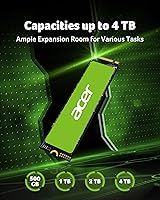
- Capacity: The drive offers 4TB of usable storage, making it one of the more spacious single-slot Gen4 options in its price range.
- Interface: It uses a PCIe 4.0 x4 interface with an NVMe 2.0 protocol, providing high-bandwidth communication between the drive and the host system.
- Form Factor: The drive follows the M.2 2280 standard, measuring 3.15 x 0.87 inches in footprint with a thickness of 0.12 inches.
- Sequential Read: Maximum sequential read speed is rated at 7200MB/s under ideal, manufacturer-specified test conditions.
- Sequential Write: Maximum sequential write speed reaches up to 6200MB/s, again under controlled benchmark conditions rather than typical mixed workloads.
- Random Read: Random read performance is rated at up to 1,000,000 IOPS, which supports fast application launches and multitasking responsiveness.
- Random Write: Random write performance is rated at up to 850,000 IOPS, contributing to snappy file system operations and database-style access patterns.
- Cache Architecture: The drive uses a combination of Host Memory Buffer and SLC caching in place of dedicated onboard DRAM, borrowing system RAM for controller metadata operations.
- Thermal Design: A graphene thermal pad is pre-applied to the drive, enabling passive heat dissipation and allowing the onboard thermal throttle system to manage temperature without an external heatsink.
- Operating Temp: The drive is rated for operation between 0°C and 70°C, covering standard desktop, laptop, and console installation environments.
- Storage Temp: Non-operating storage temperature tolerance spans -40°C to 85°C, reflecting typical NAND flash resilience during shipping and long-term storage.
- Manufacturer: The drive is produced by Biwin Storage Technology, an established NAND flash manufacturer, under a licensing arrangement with the Acer brand.
- Bundled Software: A customized edition of Acronis True Image is included, enabling drive cloning and system migration without requiring a separate software purchase.
- Compatibility: The M.2 2280 form factor is backward compatible with PCIe 3.0 x4 slots, though speeds will be limited to the host slot's maximum bandwidth in that configuration.
- Weight: The drive weighs approximately 0.212 ounces, consistent with standard NAND flash modules of this form factor and without an attached heatsink.
- PS5 Support: The drive meets Sony's minimum speed threshold for PS5 M.2 expansion slots and includes a thermal pad, satisfying the console's heatsink requirement.
- NVMe Version: NVMe 2.0 protocol support provides improved efficiency and command set features compared to NVMe 1.x devices, though most benefits are transparent to typical end users.
- Release Date: The product was first listed for sale on September 12, 2024, making it a relatively recent entrant in the Gen4 high-capacity SSD segment.
Related Reviews
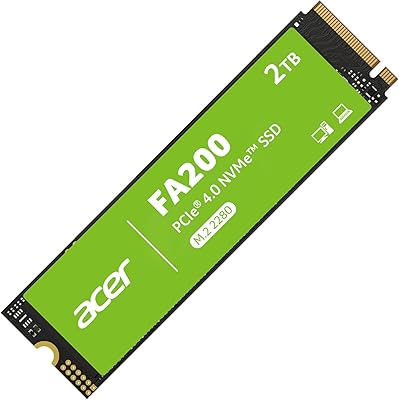
Acer FA200 2TB NVMe Gen4 SSD
Acer FA200 1TB NVMe SSD
Crucial T500 4TB Gen4 NVMe M.2 SSD
LinkMore XE600 4TB NVMe SSD
PNY CS2241 4TB NVMe SSD
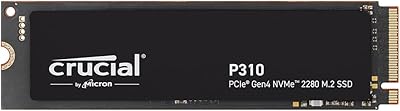
Crucial P310 4TB NVMe M.2 SSD
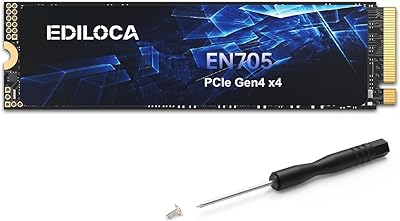
Ediloca EN705 4TB NVMe M.2 SSD
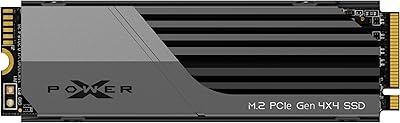
Silicon Power US75 4TB NVMe M.2 SSD
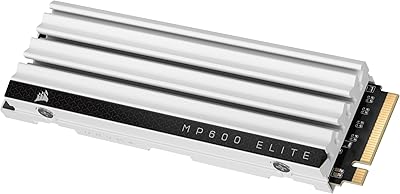
Corsair MP600 Elite 4TB M.2 PCIe Gen4 NVMe SSD