

Overview
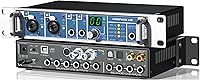
The RME Fireface UC USB Audio Interface arrived at a time when USB was just beginning to earn serious respect in professional studios, and RME used that moment to build something genuinely capable rather than merely convenient. Where earlier RME units leaned on FireWire, this RME interface made USB a credible option for 18 channels of simultaneous I/O — a real distinction at its tier. Beyond the desktop, standalone operation via the front panel means you can use it as a converter or mixer without a computer anywhere in the chain. That combination of connectivity and independence has kept the Fireface UC relevant for well over a decade.
Features & Benefits
What sets this USB audio interface apart technically starts with Steady Clock — RME's jitter-suppression system that keeps recordings clean even when clocking from an external source at high sample rates. You can track at up to 192kHz across all inputs and outputs, which matters when you need that extra headroom in post-production. The two mic preamps are digitally controlled, quiet, and paired with Neutrik Combo connectors that also accept instrument-level signals directly — no extra DI box needed. Expand the channel count through ADAT SMUX4, and manage every routing decision inside TotalMix DSP, which handles complex monitoring setups without loading your computer's CPU.
Best For
The Fireface UC is a strong match for home studio owners who want professional-grade conversion without a sprawling rack full of gear. It also suits recording engineers who regularly patch in outboard hardware — the flexible analog and digital I/O makes that kind of signal routing straightforward. Live sound operators will appreciate the standalone mixer mode, which lets the unit run independently as a converter or monitor mixer when a laptop isn't practical. If driver stability and long-term OS support rank high on your checklist, RME's reputation in that area is one of the strongest in the business.
User Feedback
Across the available reviews, the themes that surface most consistently are driver reliability and low-latency performance — on both Windows and macOS — which owners treat as near non-negotiable for professional work. The metal chassis earns frequent praise for its sturdy, road-worthy feel. On the critical side, buyers new to RME regularly flag TotalMix as a steep learning curve; the software is powerful but operates differently from most interfaces and takes real time to master. A few users also feel that two mic preamps is a lean count for this class of device. Overall, the 4-out-of-5-star rating across a modest review pool reflects a loyal, niche audience rather than broad mass-market appeal.
Pros
- Driver stability on both Windows and macOS is consistently praised and rarely causes session-stopping headaches.
- Steady Clock technology keeps recordings clean and jitter-free even when syncing to external digital gear.
- ADAT expansion lets you scale the channel count significantly without replacing the interface.
- The metal chassis feels built to last and handles the wear of regular transport without complaint.
- Universal inputs handle both microphone-level and instrument-level signals, cutting down on extra gear.
- Standalone operation via the front panel is genuinely useful for live rigs and mobile setups.
- TotalMix DSP handles complex monitor mixes without adding load to the host CPU.
- RME has a strong track record of supporting hardware with driver updates across multiple OS generations.
- Sample rates up to 192kHz are available on all I/O, including ADAT channels with SMUX4.
- The Fireface UC holds its value well over time compared to many competing prosumer interfaces.
Cons
- TotalMix has a steep learning curve that can frustrate users coming from simpler interfaces.
- Only two onboard mic preamps is a lean count given the overall investment required.
- The review pool is small, so there is limited real-world feedback to draw on for edge-case scenarios.
- At its price tier, buyers expecting a larger preamp count may feel underserved without adding an external unit.
- The interface is not truly compact — at nearly five pounds and 14 inches wide, it takes up meaningful desk space.
- No bundled software suite is included, which some competitors offer to sweeten the value proposition.
- Users unfamiliar with RME products may need significant setup time before the first clean recording session.
- Standalone mode, while useful, requires learning the front-panel menu system, which is not immediately intuitive.
Ratings
The scores below for the RME Fireface UC USB Audio Interface were generated by AI after analyzing verified owner reviews worldwide, with spam, bot activity, and incentivized feedback actively filtered out. Every category reflects the full picture — what real users genuinely appreciate and where frustrations consistently surfaced — so you can make a confident, informed decision.
Driver Stability
Audio Quality
Build Quality
Low-Latency Performance
TotalMix Software
Mic Preamp Count
Expandability
Standalone Operation
Value for Money
Compatibility
Ease of Setup
Front Panel Usability
Noise Floor
Portability
Suitable for:
The RME Fireface UC USB Audio Interface is built for users who treat audio quality and system reliability as non-negotiable rather than nice-to-have. Home studio producers who have outgrown entry-level interfaces and need rock-solid low-latency performance on a daily basis will find it a comfortable fit. Recording engineers who work with outboard preamps, compressors, or summing mixers will appreciate the flexible ADAT expansion and the ability to route signals in complex ways without fighting the software. Musicians who track at high sample rates for mastering-quality sessions, or who want the assurance that their interface will still have current drivers two operating systems from now, are squarely in the target audience. Live sound operators who occasionally need to run a standalone converter or monitor mixer without booting a laptop will also get genuine, practical value from the front-panel controls.
Not suitable for:
Buyers who are new to audio interfaces and expect a plug-and-play experience should think carefully before committing to the RME Fireface UC USB Audio Interface. TotalMix, while genuinely powerful, operates on a routing paradigm that differs from most competing software and has a real learning curve — frustration in the early weeks is common and well-documented. If your sessions rarely go beyond two or three simultaneous inputs, the 18-channel I/O and DSP routing depth represent more complexity than you will realistically use. Budget-conscious buyers who are comparing price-per-preamp will also find this RME interface underwhelming on paper, since only two onboard mic preamps are included at a premium price point. Finally, anyone heavily invested in a workflow that depends on a specific legacy driver or software integration should verify compatibility before purchasing, as RME's ecosystem, while stable, is not universally plug-and-play with every DAW configuration.
Specifications
- Connectivity: The interface connects to a host computer via USB, replacing earlier FireWire-dependent models in the RME lineup.
- Total Channels: Up to 18 simultaneous input and output channels are available depending on configuration and sample rate.
- Sample Rates: Supports sample rates of 44.1kHz, 48kHz, 88.2kHz, 96kHz, 176.4kHz, and 192kHz across all analog and digital I/O.
- Mic Preamps: Two digitally controlled, high-quality microphone preamplifiers are built in, each with individually switchable 48V phantom power.
- Input Connectors: Both mic and line inputs use Neutrik Combo connectors that accept XLR and TRS formats, and also handle instrument-level signals directly.
- ADAT Support: ADAT SMUX4 expansion is supported, enabling connection of external converter or preamp banks for additional channel capacity at high sample rates.
- DSP Mixer: TotalMix FX provides a fully integrated hardware DSP mixer with zero-latency monitoring and flexible signal routing independent of the host CPU.
- Clock System: RME Steady Clock technology actively suppresses jitter and refreshes incoming clock signals for cleaner analog-to-digital conversion.
- Standalone Mode: The unit can operate without a connected computer, functioning as a standalone converter or monitor mixer controlled via the front-panel rotary encoder.
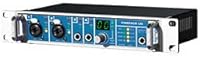
- Front Panel: A built-in display and rotary encoder allow direct adjustment of levels, routing, and settings without launching any software.
- Phantom Power: 48V phantom power is available on each mic input channel independently, allowing mixed condenser and dynamic microphone setups.
- Dimensions: The unit measures 14 x 8 x 4 inches, sized for desktop or shallow rack placement.
- Weight: The Fireface UC weighs 4.8 pounds, reflecting its solid metal chassis construction.
- OS Compatibility: Drivers are available and actively maintained for both Windows and macOS, with a long track record of support across multiple OS generations.
- Manufacturer: Designed and engineered by RME, distributed in North America by Synthax Inc.
- Model Number: The official item model number is FFUC, listed under ASIN B002N12DM2 on Amazon.
- Supported Software: TotalMix FX is the primary companion software for routing and monitoring; the interface is compatible with any ASIO, Core Audio, or WDM-compliant DAW.
- Bus Power: The Fireface UC requires an external power supply and does not operate on USB bus power alone.
Related Reviews
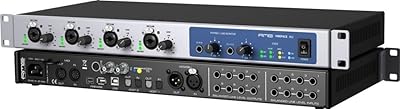
RME Fireface 802 Audio Interface

RME Fireface UFX II USB Audio Interface
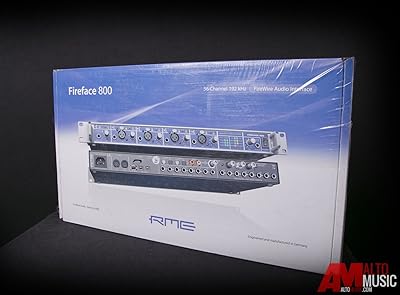
RME Fireface 800 FireWire Audio Interface
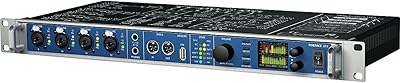
RME Fireface UFX Audio Interface
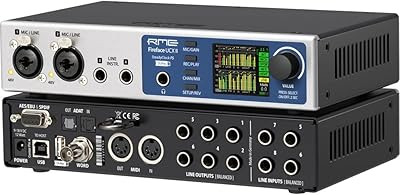
RME Fireface UCX II USB Audio Interface

M-Audio M-Track Duo

M-Audio M-Track 2X2 USB Audio Interface

Black Lion Audio Revolution 2x2 Audio Interface
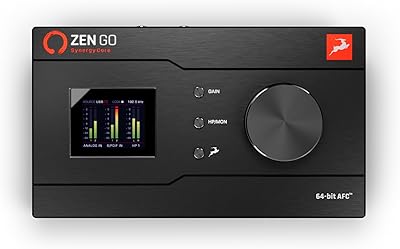
Antelope Audio Zen Go Synergy Core Interface
