Overview

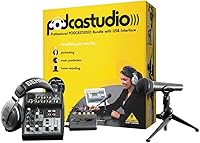
The Behringer PodcastStudio USB Podcasting Bundle is one of those rare starter kits that takes the guesswork completely out of getting on-air. Launched back in 2007, it was designed to put everything you need in a single box — USB audio interface, mixer, microphone, headphones, and downloadable software — so you never have to worry about whether your gear will play nicely together. The plug-and-play USB connection means no driver installation nightmares on Windows XP or Mac OS X. Just be aware: this is a beginner-oriented setup, not a step toward a professional studio. Age has also made some of the bundled software links unreliable, so manage expectations accordingly.
Features & Benefits

At the heart of this Behringer podcasting bundle is a 2-in/2-out USB interface that handles audio conversion without requiring a separate sound card. The onboard 5-channel mixer adds real utility — you get a dedicated mic preamp and a 2-band British-style EQ that lets you nudge your voice tone before it even hits recording software. The included suite covers both capturing audio (Audacity, Kristal Audio Engine) and podcast distribution tools. The quick-start guide is illustrated and genuinely useful for someone who has never touched a mixer before. At roughly 7 x 5 x 2 inches, it sits neatly on a desk, and having headphones bundled in means you can monitor your audio right out of the box.

Best For

This all-in-one starter kit is tailor-made for first-time podcasters who want to start recording without spending weeks researching compatible gear. It works especially well for solo hosts — think interview shows, commentary, or narrative storytelling — where a single clean mic signal is all you need. Students and home hobbyists on a tighter budget will appreciate having the interface, mixer, mic, and headphones arrive already matched to each other. If you are not particularly tech-savvy, the plug-and-play setup removes a genuine barrier. It also makes an excellent gift for someone curious about podcasting. That said, if you are running a multi-guest setup or need modern OS compatibility beyond XP-era drivers, this kit will quickly feel limiting.

User Feedback

Across more than 500 ratings, the PodcastStudio USB holds a steady 4.0 out of 5 stars, which is a fair reflection of what buyers actually experience. Ease of setup and bundle value are consistently praised — most first-timers report being up and recording within minutes of unboxing. The criticism, though, is real: the headphones are firmly entry-level, the mixer knobs feel cheap and plasticky under the fingers, and several users flag that some bundled software download links are now dead or point to outdated versions. Long-term durability and modern OS support are recurring concerns for anyone still using the unit years on. The broad consensus: treat it as a launchpad, not a long-term solution, and you will not be disappointed.

Pros

  • Everything needed to start a podcast arrives in one box, eliminating compatibility guesswork entirely.
  • Plug-and-play USB connection means setup takes minutes, not hours of driver troubleshooting.
  • The built-in mic preamp delivers clean enough voice audio for a beginner's first episodes.
  • A 2-band British-style EQ gives basic tonal control directly on the mixer, no software required.
  • Compact dimensions let the entire rig sit comfortably on a small desk without crowding the workspace.
  • Audacity is included and remains one of the most capable free recording tools available today.
  • Over 500 real buyer ratings support its reputation as solid entry-level value at this price tier.
  • The illustrated quick-start guide walks complete beginners through setup without assuming any technical knowledge.
  • Bundled headphones mean there is zero need to source a separate monitoring solution on day one.

Cons

  • The bundled headphones are entry-level at best and will frustrate anyone accustomed to proper audio monitoring.
  • Mixer hardware feels noticeably plasticky, with knobs that lack the solid feel of even mid-range gear.
  • Several bundled software download links are reported as dead, reducing the suite's out-of-the-box usefulness.
  • Officially designed for Windows XP and Mac OS X, making driver compatibility on modern operating systems uncertain.
  • Built for solo recording only — running more than one microphone through this setup quickly hits hard limits.
  • The included microphone is functional for voice but not refined enough for anyone prioritizing audio production quality.
  • Growth as a podcaster will rapidly outpace this kit, meaning an upgrade cycle starts sooner than expected.
  • Long-term durability has been flagged by multiple buyers, with hardware wear reported after only moderate use.
  • Distribution software like Podifier and PodNova is effectively obsolete by current podcasting platform standards.

Ratings

Our rating scorecard for the Behringer PodcastStudio USB Podcasting Bundle was generated by AI after analyzing verified buyer feedback from multiple global markets, with bot-generated, spam, and incentivized reviews actively filtered out. Every score reflects the honest consensus of real users — both what they found genuinely useful and the frustrations they could not ignore. We have not smoothed over the pain points, so what you get here is a transparent, balanced read on where this all-in-one starter kit earns its place and where it falls short.

Value for Money
74%
26%
For a first-timer who would otherwise need to buy a USB interface, microphone, headphones, and recording software separately, the bundle pricing represents genuine savings with zero compatibility guesswork. Most buyers in the 521-rating pool specifically call out that getting everything pre-matched in one box felt worth the outlay, especially for hobbyists and students on a tighter budget.
The value calculation gets shakier when you factor in that several bundled software tools are effectively unusable today due to dead download links. Buyers who already own any single component — even just a decent pair of headphones — will start to question whether the bundle pricing reflects what they actually need.
Ease of Setup
83%
The plug-and-play USB design is the single most praised aspect across buyer reviews — plug it in, open Audacity, and you are recording. The illustrated quick-start guide is genuinely useful and does not assume any prior knowledge, making first-time setup achievable in well under an hour for most users.
The experience gets rougher for anyone on a modern operating system, since official support tops out at Windows XP and Mac OS X, and driver-hunting on Windows 10 or 11 adds real friction. The software download process has also aged poorly, with broken links creating an unexpected roadblock right after unboxing.
Microphone Quality
67%
33%
For recording voice-only content — solo commentary, interview-style shows, or narrative storytelling — the included microphone captures a clean, intelligible signal that will not embarrass you in your first season. Users regularly report that their listeners did not complain about audio quality, which is the baseline that matters most at this stage.
The microphone shows its budget-tier origins under closer scrutiny: it lacks the warmth and presence a dedicated condenser or dynamic mic provides, and anyone upgrading from even a modest standalone mic will notice the step down. Room noise handling is also minimal, making it less forgiving in less-than-ideal recording environments.
Build Quality
58%
42%
The physical unit is compact and sturdy enough to sit on a desk and handle daily home recording use without falling apart. Most users who treat it as a starter setup rather than a professional workhorse find the construction acceptable for the price tier it occupies.
The mixer knobs are consistently flagged in buyer reviews as feeling cheap and plasticky — they wobble slightly and lack the tactile confidence of better-built equipment. Long-term durability is a recurring concern, with multiple reviewers noting signs of wear or mechanical loosening after just months of regular use.
Audio Interface
72%
28%
The 2-in/2-out USB interface handles its core job well for a beginner application — capturing a clean voice track through Audacity without audible latency is something most users achieve on their very first attempt. Not needing a separate sound card is a practical benefit that first-timers consistently appreciate.
The interface is functional rather than capable — with only two channels in and two out, it offers no room to grow into more complex recording setups. Users who start wanting to layer music beds, multiple inputs, or monitor mixes will quickly feel constrained by what the hardware can actually manage simultaneously.
Mixer Functionality
69%
31%
Having a 5-channel mixer with a dedicated mic preamp built into a beginner bundle is genuinely useful — you can adjust input gain, shape your voice tone with the 2-band EQ, and manage monitoring levels all without touching recording software. For a solo host doing basic voice recording, that level of control is more than sufficient.
The EQ bands are broad and limited, offering only rough tonal shaping rather than precise frequency control — a noticeable limitation if your recording space introduces specific problem frequencies. The 5-channel layout also sounds more versatile than it is in practice, with most users ending up relying on just one or two inputs consistently.
Bundled Headphones
51%
49%
Having headphones arrive in the box means a complete beginner can open the package and immediately confirm their audio is coming through without a separate purchase. For the basic task of checking that the microphone is active and the signal is recording, they serve their purpose adequately.
Beyond basic monitoring confirmation, the headphones fall short by nearly any measure — frequency reproduction is narrow, isolation is minimal, and wearing them through longer recording sessions becomes uncomfortable for many users. Multiple reviewers specifically mention replacing them within weeks of first use, which undermines their value as a lasting part of the kit.
Software Bundle
43%
57%
Audacity — still actively developed and free to download directly — was included from the start and remains the most useful tool in the package for actual podcast recording. Kristal Audio Engine also offered a multi-track option for users who wanted to layer audio at the time of the product's original release.
The broader software suite has aged extremely poorly — Podifier, PodNova, and Juice are relics of the early podcasting era, and several download links are reported as dead or redirecting to unrelated sites. New buyers essentially need to build their own software stack from scratch, removing what was once a core selling point of the original bundle.
OS Compatibility
47%
53%
On the systems it was designed for — Windows XP and Mac OS X — the plug-and-play USB connection works as described, with users reporting reliable hardware recognition without additional configuration. For anyone still running a dedicated legacy recording machine, it functions exactly as intended.
Official certification stops at Windows XP and Mac OS X, which means anyone on Windows 10, Windows 11, or modern macOS is stepping outside what the manufacturer supports. Driver workarounds exist and some users succeed, but compatibility failures are a real and documented risk that buyers on current systems need to account for before purchasing.
Beginner Friendliness
86%
The combination of plug-and-play connectivity, a pre-matched accessory set, and an illustrated quick-start guide creates one of the lowest barriers to entry in the podcasting hardware space. Users with zero audio engineering background consistently report feeling comfortable and ready to record within their first hour of unboxing.
The beginner-friendly experience has a hard ceiling — once a user outgrows the basics and starts asking more of the hardware, there is nowhere to go without replacing the entire setup. The lack of upgrade pathways within the existing system means growth requires replacement rather than incremental expansion.
Desk Footprint
79%
21%
At roughly 7 x 5 x 2 inches, the unit sits neatly on even a small home desk or side table without commandeering much space. This is a genuine practical advantage for apartment dwellers or students recording in shared spaces where desktop real estate is at a premium.
The compact size that aids portability also enforces hardware limitations — there is physically no room on the unit for additional inputs, larger controls, or more robust connector options. Users who want to scale up eventually find the form factor works against them when their recording ambitions outgrow what the hardware can physically accommodate.
Long-term Durability
54%
46%
For a desktop unit used for light home recording sessions a few times per week, many buyers report the hardware holding together without major issues across the first year or two of ownership. The unit stays thermally stable during extended recording sessions, which reduces one common failure point.
Knob degradation and connector loosening are among the most frequently mentioned long-term complaints in buyer reviews, suggesting the build was not engineered to withstand years of consistent daily use. Multiple buyers report hardware failures or significant wear well before the unit's usefulness would otherwise run out.
Gift Suitability
77%
23%
As a gift for someone who has expressed interest in starting a podcast, this all-in-one starter kit has a clear advantage: it removes the burden of researching compatible components and arrives looking purposeful and complete. Buyers frequently mention giving it as a birthday or holiday gift for a tech-curious friend or family member with podcasting ambitions.
Gifting this to someone running a modern computer without flagging the OS compatibility issue upfront can lead to a frustrating unboxing experience if driver problems prevent immediate use. The outdated software bundle also means the recipient may need hands-on post-gift support to find working alternatives, which takes the shine off an otherwise thoughtful present.

Suitable for:

The Behringer PodcastStudio USB Podcasting Bundle is genuinely well-suited to anyone stepping into podcasting for the first time and wanting a single purchase that covers all the bases. If you are a student, a hobbyist, or someone who has been sitting on a podcast idea but dreading the process of assembling compatible gear, this all-in-one starter kit removes that friction entirely. Solo hosts recording voice-forward content — interviews, personal commentary, or narrative storytelling — will find the microphone and 5-channel mixer more than adequate for producing clean, listenable audio. Non-technical users will especially appreciate how fast the kit comes together: plug it in via USB, follow the illustrated quick-start guide, and you are recording within the hour. It also makes a thoughtful, complete gift for someone who has expressed interest in podcasting but has no idea where to start.

Not suitable for:

The Behringer PodcastStudio USB Podcasting Bundle is the wrong tool for anyone who has moved past the very beginning of their podcasting journey. Podcasters who already own a dedicated interface or microphone will find no upgrade value here, and anyone who cares about production audio quality will quickly hit the ceiling on what the included microphone and headphones can actually deliver. Multi-guest formats are a real mismatch — this all-in-one starter kit was built around a solo workflow, and trying to run multiple voices through it creates immediate practical problems. Modern OS users should tread carefully too, as the hardware was officially designed for Windows XP and Mac OS X and may present driver issues on anything newer. The bundled software suite has aged poorly, with several download links no longer functioning, leaving Audacity as the only reliably usable recording tool in the package.

Specifications

  • Brand: Manufactured by Behringer, a Germany-based audio equipment company known for producing accessible gear for musicians and content creators.
  • Model: The official model identifier for this unit is PODCASTUDIOUSB, Behringer's dedicated all-in-one podcasting hardware bundle.
  • Dimensions: The main unit measures 6.97 × 5.28 × 1.85 inches, offering a compact desktop footprint suitable for small home recording spaces.
  • Weight: The packaged unit weighs approximately 4.85 pounds, inclusive of all bundled accessories.
  • Color: The unit ships in a single colorway: black.
  • Connectivity: Connects to a host computer via USB with plug-and-play functionality, requiring no separate audio interface card or driver installation on supported operating systems.
  • USB Interface: Features a 2-in/2-out USB audio interface that handles both input recording and stereo output monitoring simultaneously.
  • Mixer Inputs: Includes a 5-input, 2-bus mixer configuration with a dedicated mic preamp channel for clean voice signal capture.
  • EQ: Equipped with a 2-band British-style equalizer, allowing basic high and low frequency adjustments directly on the hardware mixer.
  • Accessories: Ships with a microphone and a pair of headphones, enabling users to begin monitoring and recording without sourcing any additional accessories.
  • Software Bundle: Includes downloadable access to Audacity, Kristal Audio Engine, Podifier, Juice, PodNova, and Golden Ear, covering both audio recording and podcast distribution workflows.
  • Compatible OS: Officially certified for Windows XP and Mac OS X; compatibility with more recent operating systems is not guaranteed by the manufacturer.
  • Release Date: First made available in May 2007, placing it among the earlier dedicated USB podcasting bundles on the consumer market.
  • User Rating: Holds an aggregate rating of 4.0 out of 5 stars based on 521 customer ratings.
  • Availability: As of the most recent manufacturer data, this product has not been discontinued and remains listed as available.
  • Input Channels: The integrated mixer supports up to 5 input channels, accommodating both microphone and line-level audio sources.

Related Reviews
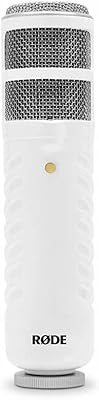
Rode Podcaster
Rode Podcaster
81%
88%
Audio Quality & Vocal Tone
92%
Background Noise Rejection
94%
Build Quality & Durability
68%
Mounting & Stand Compatibility
89%
Ease of Setup
More
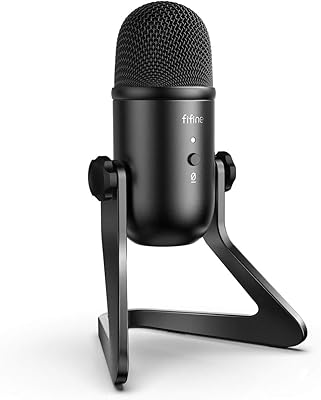
FIFINE K678
FIFINE K678
79%
78%
Audio Clarity
91%
Value for Money
83%
Build Quality
96%
Ease of Setup
67%
Gain Control
More
PROAR 970-USB Podcast Microphone
84%
87%
Sound Quality
94%
Ease of Setup
88%
Noise Cancellation
80%
Build Quality
82%
Mic Gain Control
More
Behringer UM2 USB Audio Interface
73%
88%
Value for Money
51%
Build Quality
92%
Ease of Setup
73%
Preamp Quality
47%
Input Versatility
More
Peavey USB-P
Peavey USB-P
89%
96%
Noise Isolation
94%
Build Quality
98%
Ease of Use
87%
Portability
83%
Value for Money
More
ySky 512GB Dual-Interface USB-C Flash Drive
78%
78%
Transfer Speed
91%
Dual Connector Design
88%
Build Quality
86%
iPhone 15 Compatibility
93%
Portability
More
CHHI D800 Wireless Mouse with Bluetooth, USB-A, USB-C Receiver
88%
88%
Performance
91%
Battery Life
85%
Ergonomics
90%
Connectivity Options
89%
Ease of Setup
More
UGREEN USB 3.0 Switch 15705
79%
93%
Ease of Setup
88%
Switching Reliability
91%
Remote Controller Convenience
58%
Wireless Device Compatibility
86%
Port Selection & Layout
More
HHSOET 8 Outlet Recessed Power Strip with USB-C and USB-A Ports
88%
94%
Surge Protection
89%
Ease of Installation
88%
Charging Speed
91%
Design & Space-Saving
87%
Build Quality
More
CALIONLTD USB Outdoor Power Strip with 3 Outlets and 3 USB Ports
85%
87%
Overall Performance
91%
Durability
84%
Ease of Use
92%
Waterproofing & Weather Resistance
89%
Safety Features (Surge Protection & Overload)
More

FAQ

Officially, the hardware was designed and certified for Windows XP and Mac OS X, so modern operating system support is not guaranteed by the manufacturer. A number of buyers have reported getting it working on newer versions of Windows with some manual driver configuration, though results vary. If you are running Windows 10 or 11, treat compatibility as a bonus rather than an expectation going in.

On the officially supported systems — Windows XP and Mac OS X — the USB connection is designed to be plug-and-play, so your computer should recognize the hardware automatically without a separate driver install. On newer operating systems, you may need to hunt down compatible drivers manually, which can add some friction to an otherwise quick setup process.

For a beginner recording voice-only content at home, yes — it is more than adequate to get started. Listeners to your early episodes will hear clear, intelligible audio without anything that would make them tune out. If you eventually start caring about studio-grade clarity, you will want to upgrade the mic down the line, but for getting your first episodes recorded it gets the job done.

This is a common frustration with the bundle given its age — tools like Podifier and PodNova have not been actively maintained, and several download links are reported as dead. Audacity, however, is still fully active and genuinely capable recording software that you can download directly from its official site for free. For podcast hosting and distribution, modern platforms like Buzzsprout or Anchor are far better options than the older tools originally included in this package.

Not in any practical sense, no. This all-in-one starter kit was built with solo hosts in mind, and its input configuration was not designed to handle two simultaneous microphone channels cleanly. If you are planning to sit across from a guest and record both voices at once, you will hit hard limitations quickly and would be better served by an interface with multiple dedicated preamp channels.

They are functional enough to confirm that audio is coming through and to check basic levels, but they are firmly entry-level and not something you would choose for critical listening. Do not expect the isolation or frequency detail you would get from even a modestly priced pair of dedicated studio headphones. Most users treat the bundled pair as a temporary starting point and replace them once they get more serious about their audio.

Honestly, yes — it is one of the more practical gifts you can give a podcasting beginner. Everything arrives pre-matched in a single box, the illustrated guide walks through setup clearly, and the recipient does not need any prior audio knowledge to get recording. The one thing worth flagging upfront is that some bundled software links are outdated, so pointing them toward Audacity right away saves a bit of early frustration.

The box includes the USB audio interface and integrated mixer unit, a microphone, a pair of headphones, and an illustrated quick-start guide titled 'How to Podcast.' Software access is provided via download links rather than any physical media, so you will need an internet connection to retrieve the recording and distribution tools — and be aware that not all of those links are still active.

For most people on a supported operating system, you are looking at under an hour from opening the box to recording your first test audio. The USB plug-and-play connection removes the driver step entirely on compatible systems, and the quick-start guide covers the basics clearly enough that you do not need outside help. If you skip the older bundled software and go straight to Audacity, the whole process moves even faster.

For an absolute beginner who wants to press record as quickly as possible without assembling components separately, it still holds up as a practical starting point. Its age shows in the software bundle and OS certification, but the core hardware — the mixer, interface, and mic — will get a first-timer on-air without a lot of friction. Go in knowing it is a launchpad rather than a long-term rig, and plan to upgrade individual pieces as your ambitions grow.

Where to Buy