






Overview
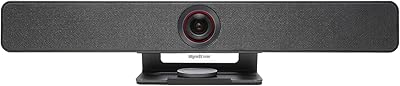
The WyreStorm FOCUS-210 sits comfortably in the mid-range of the conference room camera market, built specifically for small to medium meeting spaces rather than solo desktop use. WyreStorm is an established AV brand, and this room camera reflects that pedigree — it carries both Zoom Certified and Microsoft Teams certifications, which matters when IT teams are vetting purchases. Physically, it's compact and unassuming: a gray housing that clips onto a monitor or sits on a table, with a physical privacy lens cover included and a straightforward USB connection. Don't buy it expecting a personal webcam replacement — it's designed for the room.
Features & Benefits
The 4K CMOS sensor captures at 30fps, and in good lighting the image holds up well — faces are sharp, details readable. The standout is the 120° field of view, which is meaningfully wider than the 90° lenses common on consumer webcams; a full conference table fits in frame without anyone awkwardly leaning in. The AI auto-framing and presenter tracking work reliably in tidy, well-lit rooms — the camera pans and reframes as people move, though it can stumble in cluttered or dim environments. The dual noise-canceling mics pick up voices up to about 16 feet away, which covers most huddle rooms confidently. Treat the 8x digital zoom figure with healthy skepticism; usable clarity drops off noticeably beyond 2x or 3x.
Best For
This conference webcam makes the most sense for teams running small-to-medium meeting rooms — think a 6-to-10 person setup where one camera needs to cover the whole table. It connects via USB with no drivers required, so deployment is fast and IT headaches stay minimal. The presenter tracking feature is a genuine advantage for instructors, trainers, or anyone who leads sessions while moving around the room. Compatibility spans Zoom, Microsoft Teams, Google Meet, Webex, and several other platforms, making it a versatile single-camera solution without locking you into any one ecosystem. For anyone wanting certified hardware that performs above the budget tier without stretching into enterprise pricing, this room camera fits that gap well.
User Feedback
Buyers consistently point to AI tracking responsiveness and wide-angle coverage as the strongest selling points, with many noting how painless setup is straight out of the box. Build quality draws mixed impressions — it feels solid enough for regular use, but some buyers expected more premium materials at this price level. Mic performance earns positive marks in treated or smaller rooms, though a few users found pickup less reliable in large, echo-prone spaces. The companion app, while useful for fine-tuning tracking behavior, has drawn complaints about setup friction. Customer support responses on warranty claims appear generally positive, though response times vary. Honest takeaway: strong value for the right environment, with a few rough edges that most buyers will overlook.
Pros
- USB plug-and-play setup gets you from unboxing to a live call in under five minutes with zero driver installation.
- The 120-degree field of view fits a full conference table in frame without anyone needing to shuffle into position.
- Zoom Certified and Microsoft Teams compatible out of the box, with broad support for Google Meet, Webex, Skype, and more.
- AI presenter tracking reliably follows a moving speaker in well-lit, clean room environments — genuinely useful for training sessions.
- Dual noise-canceling mics pick up voices clearly across a 16-foot range, covering most small and mid-size meeting rooms.
- 4K image quality delivers noticeably sharper video than 1080p cameras, especially on the receiving end of a call.
- The included physical lens cover adds a simple but meaningful layer of privacy when the room is not in use.
- AI backlight compensation handles the common window-behind-the-presenter scenario better than most cameras at this price tier.
- A 2-year warranty and broad platform certifications give procurement and IT teams added confidence when deploying at scale.
- This conference webcam delivers a strong feature-to-price ratio compared to enterprise alternatives with similar AI tracking capabilities.
Cons
- Digital zoom degrades visibly beyond 2x to 3x, making the advertised 8x ceiling misleading for practical use.
- AI tracking can misfire in cluttered backgrounds or dim lighting, occasionally reframing to the wrong subject.
- The companion app setup is unintuitive and the download is not easy to locate on the WyreStorm website.
- Mic clarity drops in large, reverberant, or open-plan spaces — it is not a substitute for a dedicated room audio system.
- Edge distortion from the ultra-wide lens is noticeable when participants sit close to the camera in tight spaces.
- The plastic housing feels functional rather than premium and shows clip wear with repeated daily adjustment over time.
- 4K recording is capped at 30fps, limiting options for buyers who want both top resolution and smoother motion simultaneously.
- Customer support response times are inconsistent, with some users waiting several days for warranty or technical help.
- The lens cover is a removable clip-on accessory rather than an integrated shutter, making it easy to misplace.
- Advanced tracking and video configuration require downloading a separate app, adding friction to what is otherwise a simple device.
Ratings
The WyreStorm FOCUS-210 has been put through its paces by conference room managers, remote IT teams, and daily Zoom users worldwide — and our AI rating engine has processed that verified buyer feedback, actively filtering out incentivized reviews and bot activity, to surface what real people actually experience. Scores reflect both where this room camera genuinely delivers and where it falls short, so you can make a clear-eyed buying decision.
Image Clarity
AI Tracking Accuracy
Microphone Performance
Wide-Angle Coverage
Setup & Ease of Use
Digital Zoom Quality
Build Quality
Platform Compatibility
Backlight Compensation
Audio-Video Sync
Value for Money
Warranty & Support
Privacy Features
Frame Rate Flexibility
Suitable for:
The WyreStorm FOCUS-210 is built for small to medium conference rooms where one camera needs to cover an entire table — think a 6-to-10 person meeting space, a training room, or a dedicated huddle room used daily for Zoom or Teams calls. IT managers and office administrators who need Zoom Certified hardware that requires no driver installation will appreciate how quickly it can be deployed across multiple rooms without hand-holding. Instructors, trainers, and team leads who move around while presenting get real practical value from the AI presenter tracking, which keeps the speaker centered without anyone touching a control. Teams that run mixed-platform video calls across Zoom, Google Meet, Webex, and Teams will find the broad compatibility genuinely useful rather than a marketing checkbox. Organizations that want a capable, certified room camera without committing to enterprise-level AV spend are squarely in the target audience for this conference webcam.
Not suitable for:
If you are a solo home office worker looking for a personal desktop webcam to improve your individual video presence, the WyreStorm FOCUS-210 is not the right fit — its 120-degree field of view is engineered for rooms, not close-up single-person framing, and you will likely find it overbuilt and awkward at a desk. Buyers who need reliable optical zoom for pulling in distant whiteboards or presentation screens should look elsewhere; the digital zoom degrades noticeably past 2x or 3x, making the advertised 8x figure largely unusable in practice. Anyone deploying this in a large auditorium, an open-plan office, or an echo-heavy space will find both the tracking and the microphone performance fall short of expectations — this room camera is calibrated for enclosed, reasonably treated rooms. Users who prefer a fully integrated, app-free experience may find the companion app requirement for advanced tracking configuration an ongoing frustration. And if premium build materials are important to you at this price point, the plastic housing may feel underwhelming compared to metal-bodied competitors.
Specifications
- Resolution: Captures video at 4K (3840x2160) at up to 30fps, with higher frame rates available at lower resolutions.
- Frame Rate: Supports up to 90fps at reduced resolutions, providing smoother motion when 4K is not required.
- Field of View: Features a 120-degree ultra-wide angle lens, designed to cover a full conference table in a single fixed frame.
- Sensor: Uses a CMOS image sensor with an f/1.2 maximum aperture to improve light capture in typical office environments.
- Digital Zoom: Offers up to 8x digital zoom, though usable image clarity is best maintained at 2x to 3x magnification or below.
- Microphones: Dual built-in AI noise-canceling microphones provide a voice pickup range of up to 5m (approximately 16ft).
- Connectivity: Connects via USB with true plug-and-play operation; no driver installation is required on supported operating systems.
- Dimensions: Measures 3 x 6 x 3 inches, making it compact enough to clip onto a monitor or sit on a table in most room setups.
- Weight: Weighs 8 ounces, light enough for easy repositioning between rooms without dedicated mounting hardware.
- Color & Housing: Housed in a gray plastic enclosure designed for professional office environments rather than consumer desktop use.
- Privacy Cover: Includes a removable physical lens cover to block the camera when not in use and protect the lens from dust and debris.
- Certifications: Certified by FCC, CE, and Zoom, and confirmed compatible with Microsoft Teams for managed IT deployments.
- Platform Support: Works natively with Zoom, Microsoft Teams, Google Meet, Webex, Skype, BlueJeans, and GoTo Meeting without additional configuration.
- AI Features: Onboard AI processing enables auto-framing, presenter tracking, backlight compensation, and mic noise filtering in real time.
- Companion App: A dedicated configuration app is available for download from the WyreStorm official website, enabling advanced tracking and video adjustments.
- Focal Length: Maximum focal length is 8 millimeters, consistent with a fixed wide-angle optical design.
- Audio Formats: Supports MP3, WAV, and AAC audio formats for recorded or streamed content.
- Video Format: Records and outputs video in MP4 format when used in recording-capable configurations.
- Warranty: Backed by a 2-year manufacturer warranty with 24/7 global customer support available by contact.
- Model Number: Sold under the model designation FOCUS-210, part of WyreStorm's professional AV product lineup.
Related Reviews
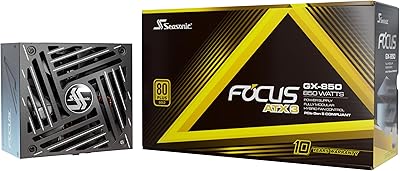
Seasonic Focus GX-850 850W Power Supply
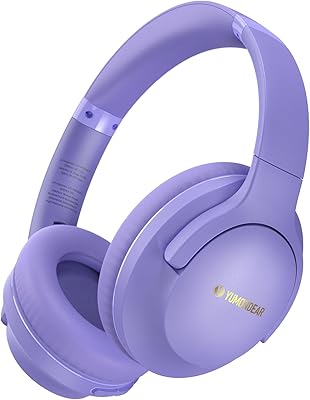
YUMONDEAR Focus 1 Over-Ear Wireless Headphones
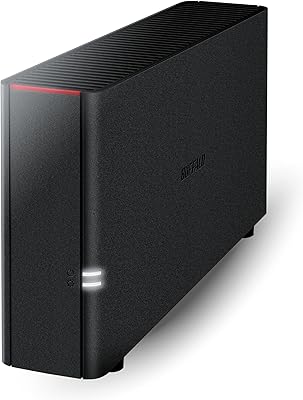
Buffalo LinkStation 210 6TB NAS Storage Device
BUFFALO LinkStation 210 2TB 1-Bay NAS
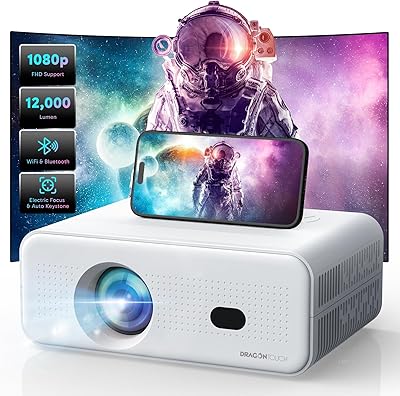
Dragon Touch L012 Mini Projector
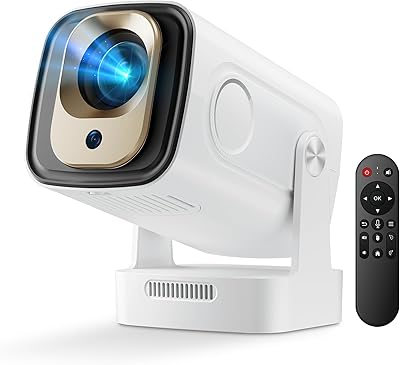
feifeaouy HY260Pro Mini Projector
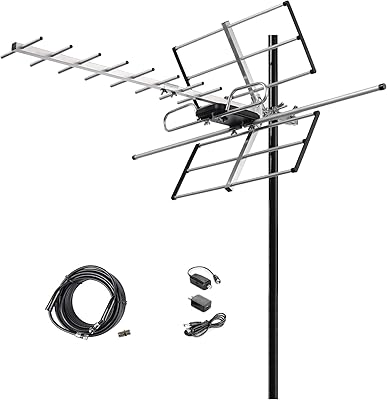
McDuory DA-210 Outdoor HDTV Antenna
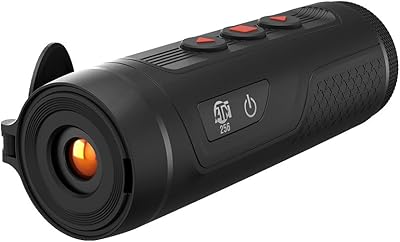
ATN BlazeSeeker-210 Thermal Monocular
OneOdio Focus A5 Wireless Over-Ear Headphones