Overview

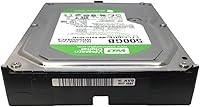
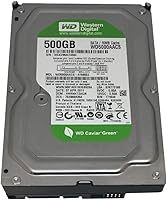
The Western Digital Caviar Green 500GB Hard Drive launched in 2008 as part of WD's energy-conscious storage lineup, and it's still quietly turning up in budget desktop builds today. Unlike the performance-first drives in WD's catalog, this one was built around lower power consumption rather than raw speed. The variable RPM spindle — WD's IntelliPower design — means the drive doesn't spin at a fixed rate, which trims heat and electricity draw but also caps throughput. If you're expecting a snappy primary drive for an operating system or daily applications, look elsewhere. This WD Green HDD is squarely a secondary or backup storage option, and it performs best when treated as one.
Features & Benefits

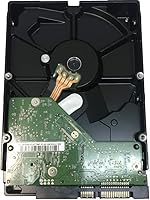
At 500GB with a 3.5-inch form factor, this Caviar Green drive fits standard desktop bays without any adapter needed. The SATA 3.0 Gb/s interface slots into virtually any motherboard from the past fifteen-plus years, which is genuinely useful for legacy system work. The 8 or 16 MB cache buffer is modest — it won't mask the drive's speed ceiling — but it handles sequential tasks like playing back stored video or offloading large archives well enough. The low operating power draw, just 0.70A on the 5V rail and 0.55A on the 12V, makes it a reasonable fit for compact cases or setups where heat management and energy efficiency carry more weight than transfer speeds.

Best For

This WD Green HDD finds its best home as a secondary storage drive in a desktop PC — not the main workhorse. It suits anyone building a low-cost home media server, adding bulk cold storage to an older machine, or simply creating a dedicated backup destination. Retro and legacy builders will appreciate how naturally it fits older SATA I and II setups. The quiet operation and low heat output also make it tempting for a small home NAS, though for drives running continuously under sustained load, WD's Red series is far better suited. Keep the workloads light and access patterns infrequent, and this desktop hard drive holds up well for the price.

User Feedback

Across 132 ratings, this Caviar Green drive holds a 4.2 out of 5 average — solid for a budget mechanical HDD that has been on shelves for years. Buyers consistently highlight the quiet, cool operation, with many noting it runs noticeably cooler than older drives they replaced. The friction tends to come from speed expectations: shoppers who assumed IntelliPower meant a consistent 7200 RPM were caught off guard by sluggish random read performance. A handful of long-term users also raised durability concerns after years of always-on use, which is worth considering for NAS applications. Stacked against WD Blue, this desktop hard drive trades throughput for lower power consumption — a reasonable trade, but only if that priority genuinely fits your setup.

Pros

  • Quiet operation makes it a genuinely unobtrusive addition to any desktop build.
  • Runs noticeably cooler than typical 7200 RPM drives, which helps in compact or poorly ventilated cases.
  • Broad SATA compatibility means it drops into almost any desktop motherboard without configuration headaches.
  • Low power draw on both voltage rails keeps electricity costs and heat output minimal over time.
  • Standard 3.5-inch form factor requires no adapters or mounting brackets in most desktop cases.
  • Solid 4.2-star average across over 130 real-world reviews reflects dependable long-term satisfaction at this price tier.
  • 500GB capacity is more than adequate for document archives, photo libraries, or secondary media storage.
  • This Caviar Green drive performs reliably for sequential workloads like storing and playing back large video files.

Cons

  • IntelliPower variable spindle speed regularly disappoints buyers who expected consistent 7200 RPM performance.
  • Random read and write speeds lag noticeably behind WD Blue drives and are nowhere near SSD territory.
  • Not well-suited for always-on NAS environments; long-term continuous use has raised durability questions among some owners.
  • The 8 or 16 MB cache buffer offers little real-world benefit for random access or mixed workload scenarios.
  • At this capacity, modern alternatives often offer better price-per-GB ratios alongside faster transfer rates.
  • Average read seek time of 8.9 ms and 5.6 ms latency feel sluggish compared to current-generation mechanical drives.
  • Age of the product line means firmware support and manufacturer resources are effectively at end-of-life.
  • This WD Green HDD is a poor choice if you ever plan to migrate your OS to it later — the performance gap becomes painfully obvious.

Ratings

The scores below reflect an AI-driven analysis of verified buyer reviews for the Western Digital Caviar Green 500GB Hard Drive, drawn from global user feedback with spam, bot-generated, and incentivized submissions actively filtered out. Every category has been weighted against real-world usage patterns — not just headline specs — so both the genuine strengths and recurring frustrations of this drive are represented honestly. Whether this WD Green HDD earns a place in your build or falls short of your needs, these ratings are designed to give you a clear, unvarnished picture.

Value for Money
78%
22%
At its typical street price, this Caviar Green drive offers a competitive cost-per-gigabyte for buyers who genuinely need bulk, light-duty storage on a budget. For desktop users adding an archive drive to an existing build, the price point is hard to argue with.
The value calculation gets murkier when you factor in that newer drives at similar prices sometimes offer greater capacity or better reliability track records. Buyers who do not specifically need this drive for legacy compatibility may find better deals elsewhere in the current market.
Read/Write Speed
47%
53%
Sequential read performance is acceptable for tasks like accessing stored video files or transferring large documents in batches, where the drive does not need to jump around the platter frequently. In these scenarios, most users reported workable throughput for the price tier.
Random read and write speeds are a consistent pain point — loading applications, accessing scattered files, or multitasking against this drive feels noticeably sluggish. The IntelliPower spindle often operates at the lower end of its RPM range, which makes the performance gap versus even a mid-range 7200 RPM drive clearly felt in everyday use.
Noise Level
88%
Quiet operation is one of the most genuinely appreciated qualities this WD Green HDD delivers. Users building home theater PCs or quiet workstations specifically called out how unobtrusive it is during both idle and sequential read tasks.
Under heavier workloads or when the drive performs longer seeks, a faint mechanical hum becomes audible in otherwise silent environments. It is not disruptive by any measure, but audiophile-grade or near-silent build enthusiasts may still pick it up.
Heat Output
86%
The lower spindle speed and conservative power draw translate directly into reduced heat generation, which real users noticed in compact builds and cases with limited airflow. Several owners reported the drive running cool to the touch even after extended sessions of sequential file access.
While idle and sequential heat is well managed, sustained mixed workloads push temperatures up more than some users anticipated. In tightly packed enclosures without dedicated drive cooling, prolonged high-activity periods can bring operating temps into a range worth monitoring.
Long-Term Reliability
61%
39%
A meaningful portion of owners reported years of trouble-free use as a secondary or backup drive, which is the context this desktop hard drive was designed for. For cold storage — drives that spin up occasionally rather than constantly — the reliability record is reasonably solid.
A recurring thread in long-term feedback involves failures or degraded performance after several years of always-on operation, particularly in NAS setups. This drive was not engineered for 24/7 continuous workloads, and pushing it into that role appears to accelerate wear in a way that shows up clearly in the review data.
Compatibility
91%
Broad SATA backward compatibility is a genuine strength — this Caviar Green drive works cleanly with SATA I, II, and III ports without jumper adjustments, making it a plug-and-play option for legacy system builders and older desktop motherboards. Almost no users reported compatibility headaches during installation.
The 3.5-inch form factor naturally limits this drive to desktop environments, and while that is by design, it rules out a large portion of potential buyers looking for a compact or portable storage solution. Laptop and mini-ITX SFF users with 2.5-inch-only bays will need to look elsewhere.
Installation Ease
93%
Standard SATA data and power connectors, a familiar 3.5-inch form factor, and no jumper configuration required for most setups make this one of the most straightforward drives to drop into an existing desktop. Even less experienced builders reported no issues during installation.
There is virtually nothing to complain about here for intended desktop use cases. The only friction a small number of users mentioned involved sourcing a compatible SATA power adapter when using older PSUs with only 4-pin Molex connectors, which is a minor and easily solved issue.
Power Efficiency
84%
The drive's conservative power draw on both the 5V and 12V rails is a tangible benefit in energy-conscious builds or systems running multiple drives simultaneously. Users consolidating several of these drives in a home NAS appreciated how little they contributed to total system wattage.
The power efficiency advantage loses some of its appeal when weighed against the speed penalty, particularly for buyers who assumed they were getting a performance-adjacent drive. Saving a few watts matters more in multi-drive arrays than in single-drive secondary storage scenarios.
Sequential Transfer Performance
63%
37%
For bulk file transfers — copying large folders of photos, archiving video projects, or backing up system images — this WD Green HDD handles sequential workloads without embarrassing itself. The cache buffer provides enough of a buffer to keep large file transfers reasonably smooth.
Sequential performance still lags behind WD Blue counterparts in the same capacity range, and the gap is noticeable when moving large batches of files regularly. Users who do frequent backups or large media transfers reported that the process takes meaningfully longer than they expected.
Build Quality
74%
26%
The drive feels solid and well-assembled, consistent with what buyers expect from a Western Digital product in this segment. Regulatory certifications — BSMI and TUV — provide some assurance around build and safety standards, and the physical construction drew no significant complaints.
Given the product's age, some units purchased today may have been sitting in distribution for an extended period, which is a legitimate concern for mechanical drives where bearing and lubricant condition matter. There is no practical way for buyers to verify the storage history of a unit before purchase.
NAS Suitability
39%
61%
For a very light home NAS — one that stores and occasionally streams media without running intense RAID rebuilds or constant read-write cycles — some users have made this drive work adequately over short to medium time horizons.
The drive simply was not designed for always-on NAS environments, and the feedback reflects that clearly. Owners who ran this Caviar Green drive continuously in a NAS reported higher-than-expected failure rates over multi-year periods, making WD Red or similar NAS-rated drives the obviously smarter investment for that use case.
Legacy System Fit
87%
For retro builders or anyone maintaining older hardware, this drive's SATA I/II compatibility and familiar 3.5-inch form factor make it one of the more straightforward options available. Users repurposing decade-old desktops found it integrated without any configuration friction.
The drive's age means it represents older platter-density technology rather than current-generation mechanical HDD engineering. Buyers with legacy systems who prioritize reliability over strict compatibility may find newer budget drives offer a better longevity outlook.
Idle Behavior
82%
18%
At idle, the drive is practically imperceptible — cool, quiet, and drawing minimal power. Users who keep their desktop running for extended periods without actively accessing secondary storage found this drive to be a considerate addition to their system.
Spin-up time from idle can feel sluggish when the drive parks its heads to save power and then needs to resume quickly. A handful of users noticed a brief lag when accessing the drive after a period of inactivity, which is a minor but real characteristic of the IntelliPower design.
Documentation & Support
52%
48%
Western Digital's general support documentation and the broader enthusiast community mean that setup guidance, firmware history, and compatibility notes for this drive are still findable online with minimal effort.
Active manufacturer support for a drive first released in 2008 is effectively nonexistent, and the original warranty coverage is long expired for most units in circulation today. Buyers running into issues are largely relying on community forums and third-party resources rather than any current official support channel.

Suitable for:

The Western Digital Caviar Green 500GB Hard Drive is a practical pick for a specific type of buyer: someone who needs affordable bulk storage for light, infrequent access rather than speed. Desktop PC owners looking to add a dedicated backup drive or cold archive alongside their primary SSD will find it slots in without fuss — standard 3.5-inch bay, SATA connection, no adapter required. It also works well for anyone repurposing an older machine for file storage or building a low-cost home media server where sequential reads matter more than snappy random access. Retro and legacy builders benefit from its broad compatibility with older SATA I and II motherboards, which can be genuinely hard to match with newer drives. If your workload is quiet, steady, and storage-oriented rather than performance-driven, this WD Green HDD delivers solid value per gigabyte.
Not suitable for:

Buyers who plan to run an operating system or frequently accessed applications from this drive should look elsewhere — the Western Digital Caviar Green 500GB Hard Drive was never designed for that role, and the variable IntelliPower spindle will make itself felt in slower load times and laggy app launches. Anyone expecting a true 7200 RPM drive based on the listed speed range will likely be disappointed; IntelliPower adjusts dynamically to conserve power, meaning real-world throughput often lands closer to the slower end of that range. Users building a NAS that will run around the clock should also think twice, as some owners have reported durability concerns after years of continuous operation — WD's Red line is purpose-built for that scenario. If you already own an SSD or a WD Blue, this desktop hard drive offers little reason to add it as a secondary read-write drive since the speed gap is hard to ignore in daily use.
Specifications

  • Model Number: The drive's official model designation is WD5000AACS, part of the Caviar Green product line.
  • Storage Capacity: Formatted capacity is 500 GB, suitable for document archives, media libraries, and secondary data storage.
  • Form Factor: Standard 3.5-inch internal form factor designed for desktop PC drive bays.
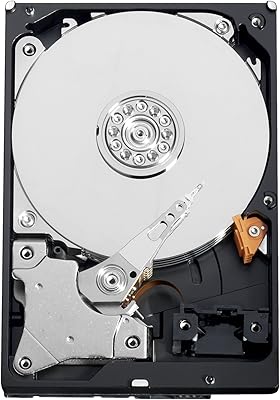
  • Drive Type: Traditional mechanical hard disk drive (HDD) using spinning platters and a read/write head.
  • Interface: Uses a Serial ATA (SATA) interface with a 3.0 Gb/s maximum data transfer rate.
  • Spindle Speed: Operates via WD IntelliPower, a variable-speed spindle that adjusts between approximately 5400 and 7200 RPM to balance performance and power consumption.
  • Cache Buffer: Equipped with either an 8 MB or 16 MB cache buffer depending on the specific unit revision.
  • Read Seek Time: Average read seek time is rated at 8.9 ms under typical operating conditions.
  • Latency: Average rotational latency is 5.6 ms, consistent with the drive's variable-speed spindle design.
  • Power (5V Rail): Draws 0.70 A on the 5V rail during standard operation, contributing to its low overall energy footprint.
  • Power (12V Rail): Draws 0.55 A on the 12V rail, making total power consumption notably lower than full-speed 7200 RPM alternatives.
  • Dimensions: Physical dimensions measure 5.75 x 4 x 1 inches, fitting all standard desktop drive cages without modification.
  • Weight: The drive weighs 1.25 pounds, within the typical range for 3.5-inch mechanical hard drives.
  • Installation Type: Designed exclusively for internal installation inside a desktop PC chassis.
  • Compatible Devices: Intended for use in desktop computers; not designed for laptops, external enclosures, or enterprise storage arrays.
  • Regulatory Approvals: Holds BSMI and TUV regulatory certifications, confirming compliance with relevant safety and electromagnetic standards.
  • Manufacturer: Produced by Western Digital, a storage industry manufacturer with decades of consumer and enterprise HDD experience.
  • Release Date: First made available in August 2008, positioning it as a legacy product that has remained in distribution for an extended period.

Related Reviews
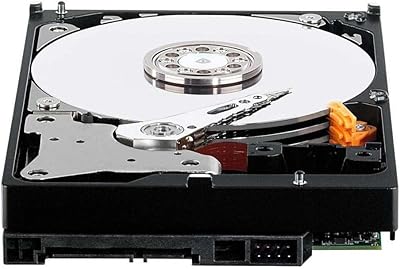
Western Digital WD15EARS 1.5TB Caviar Green SATA Hard Drive
84%
82%
Performance
90%
Energy Efficiency
88%
Noise Levels
85%
Storage Capacity
78%
Build Quality
More
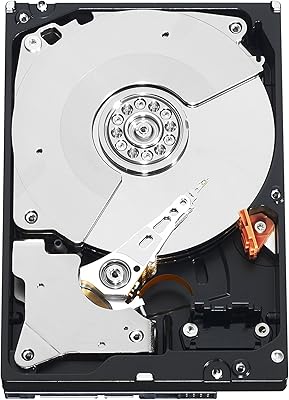
Western Digital WD5000AAKX 500GB SATA Hard Drive
84%
82%
Performance
89%
Value for Money
85%
Reliability
91%
Ease of Installation
76%
Speed (7200 RPM)
More
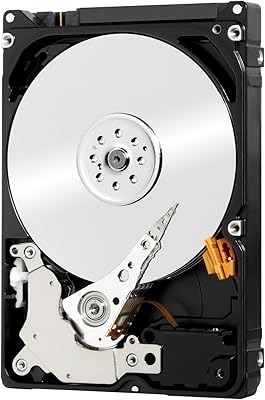
Western Digital 750GB Caviar Black SATA Hard Drive
88%
88%
Performance
92%
Reliability
91%
Speed for Gaming
90%
Durability
65%
Noise Levels
More
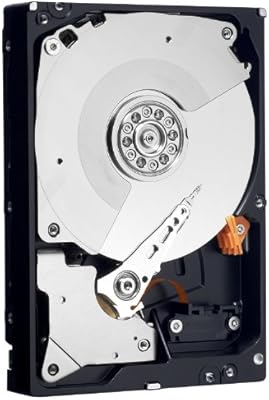
Western Digital WD Black 500GB Performance Mobile Hard Drive
88%
91%
Performance Speed
88%
Build Quality
86%
Reliability/Long-Term Use
89%
Ease of Installation
92%
Compatibility (PC/Mac)
More
Western Digital RE4 WD5003ABYX 500GB SATA2 7200rpm Enterprise Hard Drive
85%
89%
Performance in Demanding Environments
91%
Reliability and Longevity
68%
Noise Levels
88%
Data Transfer Speed
90%
Compatibility with Devices
More
Western Digital My Book Essential 500GB USB 2.0 Desktop External Hard Drive
87%
94%
Ease of Use
92%
Setup & Installation
87%
Reliability & Performance
65%
File Transfer Speed
88%
Build Quality
More
Western Digital 1TB Caviar Green WD10EADS
85%
83%
Performance
92%
Energy Efficiency
88%
Noise Level
90%
Value for Money
85%
Reliability
More
WD Caviar Green 2TB Internal Hard Drive
68%
61%
Value for Money
67%
Sequential Read Speed
62%
Sequential Write Speed
43%
Random Access Performance
83%
Noise Level
More
Western Digital WD4000FYYZ 4TB Enterprise Hard Drive
72%
88%
Long-Term Reliability
91%
RAID Performance
83%
Value for Money
58%
Condition on Arrival
82%
Throughput Speed
More
Western Digital RE4 1TB Internal Hard Drive
76%
91%
Reliability & Longevity
89%
RAID Compatibility
88%
TLER Firmware
71%
Value for Money
53%
Capacity Relevance
More

FAQ

Technically yes, but it is strongly not recommended. This WD Green HDD was built around energy efficiency rather than speed, and the variable IntelliPower spindle means Windows boot times and application load times will feel sluggish compared to a 7200 RPM drive or any SSD. Use it for secondary storage or backups, and keep a faster drive as your system drive.

Not exactly. IntelliPower is WD's term for a variable-speed spindle that adjusts RPM dynamically to reduce heat and power draw. In practice, the drive often operates closer to the lower end of the 5400–7200 RPM range during typical workloads. If you were expecting consistent 7200 RPM performance, this drive will likely fall short of that expectation.

Yes, it will. The SATA interface is backward compatible, so this drive works with SATA I (1.5 Gb/s) and SATA II (3.0 Gb/s) ports without any jumper settings or configuration changes on most boards. It also fits SATA III ports, though you will not see any speed gain from the extra bandwidth.

It can work for very light NAS use, but it is not ideal. Some long-term owners have reported reliability concerns after years of continuous operation, and the drive was not designed with 24/7 workloads in mind. If you are building a NAS that runs around the clock, WD's Red series is a much better-matched option for that environment.

Noticeably quiet, which is one of the most consistently praised aspects among real owners. The lower spindle speed means less vibration and acoustic noise compared to faster mechanical drives. Most users describe it as virtually silent during light read and write tasks.

No special hardware is needed. It uses a standard SATA data connector and a standard 4-pin or SATA power connector, both of which are found in virtually every desktop power supply made in the past fifteen years. The 3.5-inch form factor fits directly into standard drive bays without adapters.

The WD Blue runs at a consistent 7200 RPM and will outperform this Caviar Green drive on both random and sequential access speeds. The trade-off is that this WD Green HDD runs cooler and draws less power. If speed matters at all for your use case, the WD Blue is the smarter pick. If you are archiving cold files and want lower energy consumption, the Green holds its own.

WD historically offered a 2-year limited warranty on Caviar Green drives at launch. However, given the product's age and its status as a legacy item, warranty coverage from the manufacturer is effectively no longer active for new purchases. If you are buying this drive today, factor the absence of active warranty support into your decision.

Physically, yes — a standard 3.5-inch SATA enclosure will accept this drive without issue. Keep in mind the drive was designed for internal desktop installation, so while it will function in an enclosure, performance and long-term suitability for that use case may vary. Make sure your enclosure provides adequate power, as some bus-powered 3.5-inch enclosures can fall short.

For certain workloads, absolutely. Document archives, smaller photo collections, older game libraries, or a dedicated backup partition do not always need terabytes of space. That said, if you are storing large video libraries or raw media files, 500GB fills up faster than you might expect. At its price tier, this desktop hard drive still makes sense as a supplemental storage option rather than a primary volume.