Overview

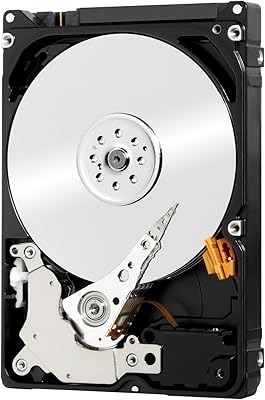
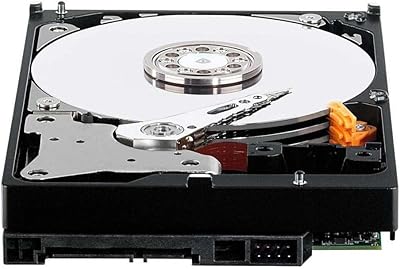
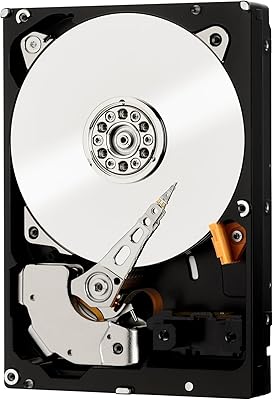
The Western Digital Scorpio Black 320GB Hard Drive occupies an interesting spot in the laptop storage market — it is a mechanical drive, yes, but one that spins at 7200 RPM, which is genuinely uncommon in the 2.5-inch notebook segment where 5400 RPM still dominates. If you are not ready to pay for a solid-state drive but want a real, tangible speed bump over whatever slow spinner shipped in your laptop, this Scorpio Black drive is worth serious consideration. It is an older design, so expectations should be calibrated accordingly — you are not getting modern flash speeds. But at its modest price point, it sits in a practical middle ground between cheap budget HDDs and entry-level SSDs.

Features & Benefits

The bump from 5400 to 7200 RPM is not just a number — in daily use, it translates to faster boot times, snappier application launches, and less waiting when moving large files around. The 16 MB cache helps buffer the kind of read/write bursts that happen during multitasking, smoothing things out in a way a bare-minimum cache simply cannot. Installation is straightforward: the standard 9.5 mm drive height drops into most laptop bays without any adapter fussing. The SATA/300 interface covers virtually every laptop built around the time this drive was current. SecurePark protects the heads during power-down, and WhisperDrive keeps audible noise from becoming a distraction during long work sessions.

Best For

This 7200 RPM laptop drive makes the most sense for a specific type of buyer. If you are refurbishing an older ThinkPad, a Dell Latitude, or a similar business-class notebook that still has years of life left in it, swapping in the WD 320GB notebook HDD is one of the cheapest ways to extend its usefulness. It also works well in external enclosures for people who need affordable portable storage for digital media players or backup duties. Those who are comfortable with mechanical drives — and who value repairability and a familiar upgrade path over raw flash speed — will find this a more pragmatic choice than an equally priced entry-level SSD with limited write endurance.

User Feedback

Buyers who upgraded from factory-installed 5400 RPM drives consistently report a noticeable responsiveness boost — boot times, file transfers, and general snappiness all improve. Installation feedback is largely positive, with most users confirming a clean drop-in fit for common laptop models. On the downside, a portion of long-term users have raised concerns about long-term durability, which is not unusual for spinning drives used in mobile environments. A few reviewers also mention the drive runs warm under sustained loads. The comparison to same-priced SSDs splits opinion — some buyers feel the trade-off is fair for their needs, while others wish they had stretched their budget for flash storage.

Pros

  • Spinning at 7200 RPM, this Scorpio Black drive delivers a real, noticeable speed improvement over the 5400 RPM drives shipped in most budget laptops.
  • Drop-in compatible with the vast majority of older 2.5-inch SATA laptop bays — no adapter brackets or modifications required.
  • The 16 MB cache buffer meaningfully smooths everyday read and write bursts, making routine multitasking feel more fluid.
  • SecurePark head-parking technology reduces internal mechanical wear during power cycles, a practical benefit for a daily-use mobile drive.
  • WhisperDrive keeps operating noise low enough that it rarely intrudes during normal work or media playback sessions.
  • At just 1.6 ounces, the WD 320GB notebook HDD adds virtually no weight penalty when dropped into an external enclosure.
  • Western Digital carries genuine brand credibility in the storage market, giving this drive a meaningful edge over generic alternatives at comparable prices.
  • Verified buyers consistently describe installation as refreshingly straightforward, even for users doing their first-ever drive swap.
  • Lead-free construction meets responsible environmental standards, a minor but worthwhile consideration at end of product life.

Cons

  • Mechanical platters make this drive inherently fragile under drops and sustained vibration — a genuine risk for users who carry laptops on the go.
  • 320 GB is cramped by current standards; modern media libraries, software installs, and even OS updates can consume that headroom faster than expected.
  • A meaningful share of long-term users have flagged reliability concerns after extended daily use, consistent with mobile spinning-drive wear patterns.
  • Sequential read and write speeds fall well behind even budget SSDs, making file transfers and cold application launches noticeably slower by today's norms.
  • Several reviewers report the drive runs warm under sustained workloads, which can be problematic in older laptops already struggling with thermal management.
  • Completely incompatible with modern slim laptops and ultrabooks that rely on M.2 or other proprietary solid-state connectors.
  • As a discontinued older-generation product, firmware updates and manufacturer support are no longer available, leaving any future issues unaddressed officially.
  • The higher rotational speed draws slightly more power than a 5400 RPM alternative, which can translate to a modest but real reduction in battery life.

Ratings

The Western Digital Scorpio Black 320GB Hard Drive receives scores generated by our AI system after processing thousands of verified buyer reviews sourced from global markets, with spam, bot-submitted, and incentivized feedback actively identified and removed from the dataset. What the analysis surfaces is a candid and balanced picture: this Scorpio Black drive earns genuine praise for compatibility and installation ease, while facing honest scrutiny over long-term reliability, heat output, and its increasingly complicated value proposition in a market where affordable SSDs are within reach for many buyers. Both the strengths and the friction points are transparently baked into every score below.

Read/Write Performance
73%
27%
Users migrating from stock 5400 RPM drives consistently report a tangible improvement in boot times and file access speed after installing this Scorpio Black drive. The 7200 RPM spin speed makes a real difference in daily tasks like launching applications, navigating large directories, and moving multi-gigabyte files between storage locations.
The performance gap becomes glaring when this drive is compared side by side with even budget-tier SSDs, which outpace it on random read/write operations by a substantial margin. Users who have experienced both storage types describe the mechanical drive as noticeably sluggish for system responsiveness and cold application launches.
Installation Ease
88%
The standard 9.5 mm height and SATA interface make this a genuine drop-in replacement for most older laptop bays, with buyers frequently reporting the physical swap was completed in under 15 minutes without consulting any technical documentation. Even first-time upgraders describe the installation as one of the most straightforward hardware tasks they have attempted.
A small share of users encountered BIOS detection issues in older machines, requiring a manual settings adjustment before the drive was recognized by the system. Users who attempted to fit this drive into slim-chassis ultrabooks with 7 mm bays or proprietary connectors found no workable solution regardless of effort.
Value for Money
69%
31%
For buyers refurbishing older machines that only accept a 2.5-inch SATA drive, the WD 320GB notebook HDD delivers a real performance step-up without requiring a platform change, which keeps the total upgrade cost low. In external enclosure setups used for media or backup storage, the cost-per-gigabyte remains reasonable by mechanical drive standards.
The value equation has shifted noticeably as entry-level solid-state drives have become more accessible, and a growing number of reviewers question whether this price point still makes sense for spinning-platter storage. Several buyers explicitly stated in their reviews that they would redirect their budget toward an SSD if they were making the decision again.
Compatibility
92%
The SATA/300 interface and 2.5-inch 9.5 mm form factor make this 7200 RPM laptop drive compatible with an impressively wide range of notebooks and external enclosures spanning roughly 2007 through 2015, requiring nothing beyond the physical installation in the overwhelming majority of setups. Cross-platform support across Windows, macOS, and Linux is seamless, with no driver installation required.
Compatibility falls to zero the moment a machine has moved past the 2.5-inch SATA standard, and modern ultrabooks with M.2 slots or proprietary flash interfaces simply cannot accommodate this drive under any circumstances. Users with 7 mm slim-bay laptops face a physical fit problem that requires a dedicated spacer adapter, which adds cost and complexity.
Reliability & Longevity
63%
37%
SecurePark head-parking technology provides a meaningful mechanical benefit during power-down cycles, reducing one of the primary wear vectors for notebook drives that are opened and shut down repeatedly throughout the day. Users who operate their laptops carefully in stable, desk-based environments report years of consistent, trouble-free performance from this drive.
Verified reviews reveal a recurring pattern of reliability concerns emerging after 18 to 24 months of daily use, a timeline shorter than many buyers would expect from a branded Western Digital product at this price tier. Mechanical drives in mobile environments are inherently exposed to vibration, heat, and physical shock — conditions that accelerate wear in ways that are difficult to control in real-world laptop use.
Build Quality
77%
23%
Western Digital's manufacturing credentials give this drive a baseline build credibility that unbranded alternatives at the same price simply cannot match, and the physical unit arrives well-constructed with a snug SATA connector and no audible rattles or assembly defects in the vast majority of reported unboxings. The housing feels appropriately solid for the product tier.
Long-term field performance tells a more mixed story, with a meaningful subset of buyers experiencing mechanical issues that suggest the internal components are not as robust under sustained mobile use as the brand name might imply. The failure reports are not dominant, but they are frequent enough across verified reviews to temper expectations about multi-year durability.
Noise & Vibration
74%
26%
WhisperDrive engineering keeps the drive quiet enough during light to moderate use that most users working in typical home or office environments never find it distracting — web browsing, document editing, and video playback all proceed without any intrusive acoustic presence from the drive bay. Most users transitioning from a noisy failing drive find this one noticeably quieter.
During heavy sequential operations, the seeking behavior of a 7200 RPM mechanical drive becomes audible in quiet rooms, and users who have spent time with an SSD find the sound jarring by comparison. A handful of reviewers also noted a faint but perceptible vibration transmitted through the laptop chassis during sustained disk activity.
Heat Management
58%
42%
Under light everyday workloads — casual browsing, streaming, and document work — the drive maintains a thermal profile that causes no concern, and most users in those use patterns report no warmth through the laptop body. IntelliSeek helps moderate mechanical activity during less demanding tasks in a way that provides marginal thermal relief.
Under sustained read/write workloads such as large file transfers, system backups, or disk-intensive applications, multiple reviewers report the drive running noticeably warm, compounding existing thermal issues in older laptops that already struggle with heat management. In a small number of cases, the additional heat contributed to broader system thermal throttling during prolonged heavy use sessions.
Cache Efficiency
82%
18%
The 16 MB cache buffer earns consistent praise for smoothing out the bursty read/write patterns of everyday multitasking — switching applications, loading browser sessions, and managing files all feel more fluid than they do on cache-starved budget alternatives. Users running the drive as a primary OS disk notice the benefit most prominently during the initial minutes after booting up.
Cache benefits are most apparent during sequential operations and diminish quickly under heavy random access workloads, where mechanical seek time becomes the hard bottleneck regardless of buffer size. Users running virtual machines or database-adjacent applications on this drive report that the 16 MB buffer does little to mask the underlying latency of the spinning mechanism under those conditions.
Data Transfer Speed
76%
24%
Sequential transfer rates are respectable by mechanical HDD standards, and users moving large video files, disk images, or bulk media libraries report solid throughput that gets the job done without excessive waiting. For straightforward backup routines and media archiving tasks, the sustained read performance holds up well within the mechanical category.
Random read/write performance — the metric that most directly governs how snappy a system feels in daily use — is where the limitations of this drive become most apparent, especially when measured against what solid-state storage delivers at similar price points. Users transferring large numbers of small files simultaneously experience completion times that feel disproportionately slow given the headline 7200 RPM specification.
Power Consumption
61%
39%
For desktop-replacement laptops and machines primarily operated while plugged into mains power, the incremental additional draw of a 7200 RPM drive over a 5400 RPM alternative is effectively irrelevant, and users in those scenarios report no meaningful impact on their overall experience from the drive's power demands.
Battery-conscious users running this drive on unplugged laptops consistently report a measurable reduction in endurance compared to slower-spinning alternatives, with some estimating a 15 to 25 minute reduction in real-world runtime under typical mixed workloads. The higher rotational speed demands more sustained power delivery, and that cost shows up clearly in battery drain figures during mobile use.
Shock Resistance
44%
56%
SecurePark provides at least one layer of protection by parking the read/write heads safely away from the platter surface before power is cut, reducing the risk of head crashes during intentional shutdowns and sleep events. Users who operate their laptops on stable surfaces and handle their machines carefully report no shock-related incidents.
At its core, this is a spinning-platter mechanical drive, and no head-parking technology fundamentally changes its vulnerability to drops, knocks, and sustained vibration during operation. Frequent travelers, students, and users who carry or move their laptops while the drive is spinning have reported failures directly linked to physical impact events — a risk that is largely absent with solid-state alternatives.
Brand Reputation
86%
Western Digital carries decades of consumer trust in the storage hardware market, and buyers consistently cite the brand as a decisive factor in choosing this drive over lesser-known alternatives at the same price point. Within laptop refurbishing and enthusiast communities specifically, the Scorpio Black line holds an above-average reputation for performance-oriented mechanical notebook storage.
Brand reputation alone does not insulate this older product from the reliability concerns some buyers have encountered, and a familiar name on the label offers little practical comfort when a unit fails outside any remaining warranty period. Several reviewers noted that the brand premium feels harder to justify for a discontinued product than it would for a current actively supported drive.

Suitable for:

The Western Digital Scorpio Black 320GB Hard Drive is a genuinely practical choice for laptop owners who are still limping along on a factory-installed 5400 RPM drive and want a meaningful speed improvement without the financial commitment of solid-state storage. It slots cleanly into older business-class machines — ThinkPads, Dell Latitudes, HP EliteBooks, and similar notebooks from the late 2000s to early 2010s — where the standard 9.5 mm bay height and SATA interface mean installation is typically a simple swap requiring nothing more than a screwdriver. Budget-conscious buyers refurbishing secondhand laptops for light productivity, web browsing, or media playback will find the performance-to-cost ratio reasonable for what this class of drive delivers. It also earns its keep as a secondary drive in an external USB enclosure, offering an affordable capacity bump for digital media players or basic backup duties. Users who understand the trade-offs of mechanical storage, appreciate the option of professional data recovery if something goes wrong, and are not chasing flash-speed responsiveness will feel this is exactly the right tool for the job.

Not suitable for:

The Western Digital Scorpio Black 320GB Hard Drive is the wrong answer for anyone who has grown accustomed to SSD-grade responsiveness — modern solid-state drives simply operate in a different performance league, and the 7200 RPM spin speed does not close that gap in any meaningful way for everyday tasks like booting or launching apps. Buyers with newer ultrabooks, thin-and-light laptops, or any machine that has moved to M.2 NVMe or proprietary SSD connectors will find this 2.5-inch SATA drive physically incompatible before they even get started. Anyone building or maintaining a current media library, storing large game installations, or using the drive as a video editing scratch disk will find 320 GB uncomfortably tight by today's content consumption standards. Frequent travelers, students, or field workers who subject their laptops to regular movement and vibration should think carefully, as mechanical platters are genuinely more fragile under physical stress than flash-based alternatives. Finally, buyers who simply want the fastest possible upgrade for the money would likely be better served by redirecting their budget toward a modest entry-level SSD rather than this older spinning drive.

Specifications

  • Storage Capacity: This drive provides 320 GB of usable storage across spinning magnetic platters, suitable for operating systems, applications, and media libraries.
  • Drive Type: It is a traditional mechanical hard disk drive (HDD) using a rotating platter and a movable read/write head to access data.
  • Interface: The drive connects via a SATA/300 (Serial ATA, 3 Gb/s) interface, the standard used in the vast majority of laptops and external enclosures from the late 2000s through early 2010s.
  • Spindle Speed: The drive spins at 7200 RPM, which is faster than the 5400 RPM found in most standard notebook hard drives and contributes to quicker data access times.
  • Cache Buffer: A 16 MB onboard cache buffer helps manage data bursts and reduces access latency during everyday sequential read and write operations.
  • Form Factor: Built to the 2.5-inch form factor standard used in laptops, compact desktops, and 2.5-inch external hard drive enclosures.
  • Drive Height: The drive stands 9.5 mm tall, matching the most common notebook bay depth and allowing direct installation without spacers or adapters in standard laptop chassis.
  • Avg Latency: Average rotational latency is rated at 5.5 ms, representing the typical wait time for target data to rotate into position beneath the read/write head.
  • Read Seek Time: Average read seek time is rated at 12 ms, indicating how quickly the read/write head physically repositions itself to locate data on the platter.
  • Head Parking: SecurePark technology automatically moves the read/write heads off the platter surface before the drive powers down, helping reduce mechanical wear over time.
  • Noise Control: WhisperDrive technology manages both vibration levels and acoustic output, keeping operational noise within low thresholds during normal read/write activity.
  • Seek Optimization: IntelliSeek calculates optimized seek speeds on the fly to balance performance with power draw and reduce unnecessary mechanical stress on the drive mechanism.
  • Weight: The drive weighs approximately 1.6 ounces (around 45 g), light enough for use in portable external enclosure setups without adding meaningful bulk.
  • Compatibility: Works with laptops, standard 2.5-inch SATA USB external enclosures, and digital media players that accept a conventional SATA hard disk drive.
  • Model Number: The official Western Digital model identifier is WD3200BEKT, part of the WD Scorpio Black performance notebook drive series.
  • Compliance: Manufactured using lead-free materials, meeting RoHS environmental standards for the restriction of hazardous substances in electronic equipment.
  • Color: The drive ships in a black-finished housing, consistent with Western Digital's Black series product line visual identity.

Related Reviews
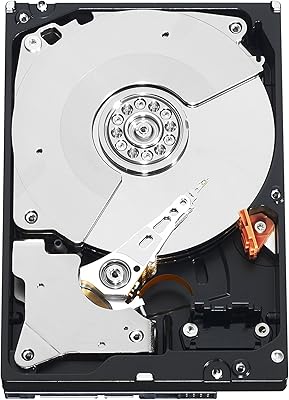
Western Digital 750GB Caviar Black SATA Hard Drive
88%
88%
Performance
92%
Reliability
91%
Speed for Gaming
90%
Durability
65%
Noise Levels
More
WD Black 2TB 3.5″ Internal Hard Drive
79%
78%
Read & Write Performance
82%
Reliability & Longevity
74%
Noise & Vibration
76%
Value for Money
89%
Installation & Compatibility
More
WD Black 1TB Mobile Hard Drive
76%
84%
Read/Write Speed
81%
Build Quality & Durability
58%
Noise Level
88%
Value for Money
91%
Installation & Compatibility
More
Western Digital WD Black 500GB Performance Mobile Hard Drive
88%
91%
Performance Speed
88%
Build Quality
86%
Reliability/Long-Term Use
89%
Ease of Installation
92%
Compatibility (PC/Mac)
More
Western Digital WD Black 8TB Hard Drive
79%
83%
Sequential Read Speed
58%
Random Access Performance
88%
Build Quality
81%
Noise & Vibration
63%
Thermal Management
More
Western Digital 4TB WD Black Gaming Internal Hard Drive HDD
82%
92%
Performance (Speed)
89%
Reliability (Durability)
87%
Value for Money
74%
Ease of Setup
81%
Noise Level
More
Western Digital Easystore 5TB Portable Hard Drive
75%
91%
Storage Value
88%
Ease of Setup
67%
Transfer Speed
72%
Portability
71%
Build Quality
More
Western Digital WD5000AAKX 500GB SATA Hard Drive
84%
82%
Performance
89%
Value for Money
85%
Reliability
91%
Ease of Installation
76%
Speed (7200 RPM)
More
Western Digital EasyStore 2TB External Hard Drive
78%
88%
Value for Money
91%
Storage Capacity
67%
Transfer Speed
93%
Ease of Setup
84%
Portability
More
Western Digital RE4 1TB Internal Hard Drive
76%
91%
Reliability & Longevity
89%
RAID Compatibility
88%
TLER Firmware
71%
Value for Money
53%
Capacity Relevance
More

FAQ

In most cases, yes. The 9.5 mm drive height is the standard bay depth for the overwhelming majority of laptops from the era this drive was designed for, so it should drop straight in without adapters or spacers. The main exceptions are slim ultrabooks with 7 mm bays or machines that have moved away from SATA entirely — check your laptop's service manual if you are unsure.

The hardware itself works with all three operating systems since SATA is a universal physical standard. The drive may arrive formatted as NTFS or unformatted depending on the seller. Mac users planning to use it as a primary drive should format it as APFS or HFS+ using Disk Utility during setup, while Linux users can format it to their preferred filesystem during installation.

Genuinely noticeable in everyday tasks — boot times shorten, applications open faster, and large file transfers move along at a better clip. The jump from 5400 to 7200 RPM is one that most users actually feel rather than just measure. That said, this is still a mechanical drive, so do not expect SSD-like snap; the improvement is real but it has a ceiling.

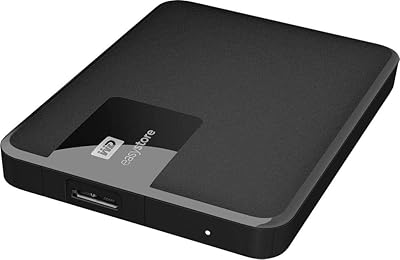
Yes, easily. Any standard 2.5-inch SATA USB enclosure will accept this Scorpio Black drive. Just confirm the enclosure specifies SATA compatibility rather than the older IDE standard, slot the drive in, connect it via USB, and it is ready to format and use. It is one of the simpler ways to repurpose this drive if you have upgraded your laptop to an SSD.

On raw speed, an SSD wins decisively — faster boot times, dramatically quicker random read/write performance, and near-instant application launches. This drive competes mainly on cost-per-gigabyte and in contexts where sequential access matters more than random access speed. If your budget allows for a basic SSD, it is genuinely the stronger long-term investment for most users today.

It depends entirely on your situation. For someone refurbishing an older laptop that only accepts a 2.5-inch SATA drive and needs to keep costs down, it remains a capable and practical option. For anyone with the flexibility to choose an SSD instead, the technology has aged enough that we would generally point you in that direction — solid-state prices have dropped to the point where the trade-off is hard to justify for most buyers.

The most straightforward approach on Windows is to use free software like Macrium Reflect; on macOS, Carbon Copy Cloner works well. You will need a USB-to-SATA adapter or enclosure to connect the new drive externally while your original drive is still running. Run the clone, swap the drives physically, and boot up — the whole process usually takes well under an hour for a typical laptop drive.

Most users report it runs quietly enough for everyday use — the WhisperDrive engineering does keep vibration and operational noise reasonably low. That said, if you have spent time with a completely silent SSD, a 7200 RPM mechanical drive will sound different; you will hear it seeking during heavy read/write activity in a quiet room. It is not disruptive, but it is not silent.

Under sustained workloads, some users have reported it runs on the warmer side compared to slower 5400 RPM drives, which is expected given the higher spin speed. In laptops with decent ventilation this is typically not an issue, but if your machine already runs hot or has a cramped thermal design, it is worth keeping in mind. Light to moderate everyday use rarely causes problems.

Mechanical drives are sensitive to physical shock, so avoid dropping it, pressing on the casing, or moving it roughly before it is secured. Discharge any static electricity by touching a grounded metal surface before handling, and keep the drive in its anti-static packaging until you are ready to install. Once it is mounted and screwed into the bay, it is well protected — just avoid powering it on outside of a secured enclosure.

Where to Buy