




Overview

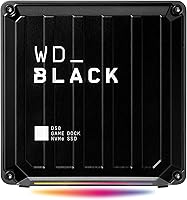
The WD_BLACK D50 1TB Game Dock SSD is one of those rare desktop accessories that solves two problems at once: it gives you fast internal-grade storage and a full docking station in a single box. Instead of juggling a separate SSD and a separate hub, you plug in one cable and everything connects through it. The idea is straightforward but the execution feels considered, especially for anyone whose desk has turned into a tangle of adapters. This isn't a casual travel drive you toss in a bag; it's a stationary hub meant to live on your desk and act as the command center for a laptop setup. Think of it as a desktop anchor point rather than a portable accessory.

Features & Benefits

Once it's set up, the speed is what stands out first. With read speeds rated up to 3,000 MB/s, loading a large game library or moving big video files feels noticeably quicker than with a typical external drive. The port selection is where this storage dock really earns its keep: two Thunderbolt 3 ports, a pair of USB-C connections, three USB-A slots, and Gigabit Ethernet mean you rarely need a separate hub again. A DisplayPort 1.4 output lets you drive an external monitor straight from the dock, and 87 watts of pass-through charging means your laptop can stay topped up through the same single cable. There's also customizable RGB lighting with 13 effects, a nice touch even if it's more about preference than function.

Best For

This setup makes the most sense for people whose workflow revolves around a single laptop that needs to do a lot at once. Gamers who want shorter load times without rebuilding their whole rig will appreciate the speed boost, especially when paired with a tidy desk instead of a pile of separate boxes. It's also a strong fit for anyone juggling multiple peripherals and an external display, since the dock handles all of that through one connection. Streamers and creators who need fast storage alongside extra USB ports for cameras, microphones, or capture cards will get real use out of it too. And if you're tired of carrying a separate charger for a Thunderbolt 3 laptop, this dock quietly takes care of that as well.

User Feedback

Reactions from people who've actually used the D50 dock tend to focus on real-world performance rather than spec-sheet numbers. Plenty of buyers mention the noticeable jump in loading speeds for sprawling game libraries, along with appreciation for how much desk clutter disappears once one cable replaces several. On the downside, a number of users note that it runs warm during long, demanding sessions, which is worth knowing if you plan to push it hard for hours. Opinions on the RGB lighting are split too; some find it a fun extra, others barely notice it's there. A handful of reviewers also point out that you need the right cable and port to actually hit full Thunderbolt speeds, so it pays to double-check your laptop's specs first.

Pros

  • Genuinely fast read speeds make loading large game libraries noticeably quicker
  • Five extra ports mean fewer dongles and a cleaner desk setup
  • One cable handles data, display, and laptop charging at the same time
  • 87W pass-through charging removes the need for a separate power brick
  • DisplayPort 1.4 output makes adding an external monitor straightforward
  • Built-in Gigabit Ethernet gives a more stable connection than relying on Wi-Fi
  • Customizable RGB lighting is a nice touch for users who like a personalized setup
  • Works across both Mac and PC, so it isn't locked to one ecosystem

Cons

  • Runs noticeably warm during long, demanding sessions
  • Requires a true Thunderbolt 3 connection and the right cable for full speed
  • Not designed for portability, since it's meant to stay on a desk
  • RGB lighting won't appeal to buyers who see it as an unnecessary extra
  • Bulkier and heavier than a typical external SSD
  • Premium positioning means it costs more than simpler storage-only drives
  • Some buyers may find the setup process less plug-and-play than expected

Ratings

Our scores for the WD_BLACK D50 1TB Game Dock SSD are generated by AI after analyzing verified user reviews from buyers worldwide, with spam, bots, and incentivized feedback filtered out before any number is calculated. What you see below reflects real patterns in how people actually use this storage dock day to day, including both the wins and the friction points. We aim for transparency here, so strengths and pain points are weighted exactly as buyers reported them.

Read/Write Speed
89%
Buyers consistently mention how much faster large game libraries and big video files load compared to their previous external drives. For anyone moving sizable project files daily, the difference is noticeable rather than marginal, especially during transfers over 50GB.
A few users note that real-world speeds depend heavily on having a genuine Thunderbolt 3 connection, and not every laptop port delivers the rated numbers. Without the right cable, performance can fall noticeably short of the advertised figures.
Port Selection
92%
Having five extra USB ports plus Ethernet and Thunderbolt in one unit means most users stop juggling separate hubs entirely. Streamers and creators in particular praise being able to plug in a camera, mic, and external drive simultaneously without running out of room.
Some buyers wish there were more legacy USB-A ports relative to USB-C, since older peripherals still dominate many setups. A small number also found the port layout on the back slightly awkward to reach when the dock sits against a wall.
Build Quality
84%
The dock feels solid and stays put on a desk thanks to its weight, which reviewers appreciate when cables are constantly being plugged and unplugged. The compact footprint also fits neatly into tighter desk setups without looking out of place.
Its density means it isn't something you want to move around often, and a handful of users mention the casing picks up fingerprints easily. It's clearly built for a stationary role rather than frequent repositioning.
Thermal Performance
67%
33%
Most casual and moderate users report no thermal issues at all during everyday file transfers or shorter gaming sessions. The internal cooling seems adequate for typical desk use without any noticeable throttling.
Buyers running sustained heavy workloads, like long render jobs or extended gaming marathons, frequently note the unit running warm to the touch. This is a recurring theme in feedback and worth factoring in if you plan on continuous heavy use.
Charging Capability
86%
The 87-watt pass-through charging gets consistent praise for letting users ditch a separate power brick entirely. For anyone working from a single laptop at their desk, replacing two cables with one is a genuinely appreciated convenience.
A few owners with higher-wattage gaming laptops mention the charging isn't always enough to keep up with demanding workloads, occasionally requiring the original charger as backup. It's solid for most laptops but not universally sufficient.
Display Output
81%
19%
The DisplayPort 1.4 output is frequently cited as one of the more convenient features, letting users add a monitor without running a separate cable to their laptop. It works smoothly for everyday productivity and casual gaming setups.
Some reviewers note that driving a single external display through the dock is straightforward, but expectations around multi-monitor support sometimes lead to confusion, since that depends on the laptop's own graphics capability rather than the dock itself.
RGB Customization
58%
42%
Users who enjoy a personalized desk aesthetic like having 13 lighting effects to choose from, and it adds a nice visual touch to an otherwise utilitarian device. It's a small bonus that some buyers genuinely enjoy.
Opinions are clearly split, with a meaningful portion of reviewers calling the lighting unnecessary or even mildly distracting. The fact that customization software is Windows-only also frustrates Mac users who can't adjust it at all.
Software Experience
62%
38%
Windows users generally find the WD_BLACK Dashboard straightforward for adjusting RGB effects and checking drive health. It's a simple, no-frills utility that does what it needs to without extra complexity.
Mac users are left without any official customization tool, which feels like an inconsistency given the dock's cross-platform compatibility. A few reviewers also mention the software feeling a bit dated compared to competing utilities.
Cross-Platform Compatibility
88%
Working reliably across both Mac and PC is a major plus for households or offices with mixed hardware. Buyers switching between work and personal laptops appreciate not needing a different dock for each system.
While core functionality transfers well between platforms, some Mac-specific limitations like the RGB software gap remind users that the experience isn't perfectly identical across operating systems.
Setup & Ease of Use
79%
21%
Most buyers describe getting up and running as simple, especially once the single Thunderbolt cable replaces a tangle of separate connections. Plug-and-play functionality works as expected for the vast majority of users.
A subset of reviewers ran into early confusion about cable requirements, not realizing a standard USB-C cable wouldn't deliver full Thunderbolt performance. Clearer guidance upfront could have prevented some of that initial frustration.
Value for Money
76%
24%
Buyers who use most of the dock's features, storage, charging, display output, and extra ports, tend to feel the price is justified given how many separate accessories it replaces. It's viewed as a genuine all-in-one investment for a serious desk setup.
Those who only wanted extra storage without the docking extras often feel they paid a premium for features they don't fully use. It's a stronger value for power users than for anyone with simpler needs.
Noise Level
91%
As a solid-state device with no moving parts, the dock runs silently even during heavy file transfers, which users specifically call out as a relief compared to older drives with audible fans or spinning platters.
There are virtually no noise-related complaints, though the lack of active cooling is part of why thermal performance becomes a separate concern during extended heavy use.

Suitable for:

The WD_BLACK D50 1TB Game Dock SSD makes the most sense for someone whose entire workflow runs through a single laptop that needs to do a lot of jobs at once. Gamers who want quicker load times on a large library will notice the difference immediately, and they'll appreciate not having a pile of separate boxes cluttering the desk. It's also a smart pick for laptop users who regularly connect an external monitor, keyboard, mouse, and other peripherals, since the dock consolidates all of that into one cable. Streamers and content creators benefit too, especially those who need fast storage alongside extra USB ports for cameras or capture devices. Anyone tired of carrying a separate charging brick for a Thunderbolt 3 laptop will find the pass-through charging genuinely useful. In short, it suits people building a semi-permanent desk setup rather than those who need something portable.

Not suitable for:

On the other hand, the WD_BLACK D50 1TB Game Dock SSD isn't a good match for anyone who needs storage on the move, since this is a desk-bound unit rather than a slim portable drive. Buyers without a genuine Thunderbolt 3 laptop or the right cable won't get full performance out of it, and that mismatch is a common source of disappointment. People sensitive to heat buildup during long, demanding sessions should also think twice, since sustained heavy use can make the unit run noticeably warm. If RGB lighting feels gimmicky to you, it's worth knowing that feature won't sway the value proposition much either way. Budget-conscious shoppers who just want extra storage, without the docking and charging extras, will likely find better value in a simpler external SSD. It's also overkill for anyone who only occasionally connects a second monitor or peripheral.

Specifications

  • Storage Capacity: This unit includes a 1TB NVMe SSD for internal storage.
  • Read Speed: Sequential read speeds reach up to 3,000 MB/s under optimal conditions.
  • Write Speed: Sequential write speeds reach up to 2,500 MB/s under optimal conditions.
  • Thunderbolt Ports: Two Thunderbolt 3 ports are included for high-speed data and daisy-chaining.
  • USB-C Ports: Two USB-C ports support 10Gb/s transfer speeds.
  • USB-A Ports: Three USB-A ports support 10Gb/s transfer speeds.
  • Video Output: A DisplayPort 1.4 output allows direct connection to an external monitor.
  • Ethernet: A built-in Gigabit Ethernet port provides a wired networking option.
  • Audio Ports: Separate audio in and audio out ports are included for headsets or speakers.
  • Charging Output: Pass-through charging delivers up to 87 watts to a connected laptop.
  • Lighting: RGB lighting includes 13 preset effects controllable through companion software.
  • Software Compatibility: RGB customization through the WD_BLACK Dashboard is available on Windows only.
  • Platform Compatibility: The dock is compatible with both Mac and PC laptops.
  • Weight: The unit weighs 3.08 pounds.
  • Dimensions: The dock measures 4.72 x 4.72 x 2.17 inches.
  • Interface Type: The primary host connection uses Thunderbolt 3 with USB 3.2 Gen 2 support.
  • Total Ports: The dock provides a total of five USB ports across USB-C and USB-A standards.

Related Reviews
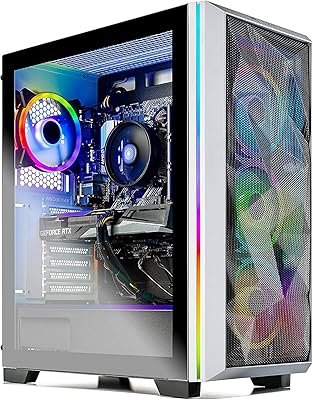
Skytech Chronos RTX 3070 Gaming Desktop
76%
88%
Gaming Performance
91%
Out-of-Box Experience
83%
Build & Internal Quality
74%
Value for Money
61%
GPU Consistency
More
Skytech Gaming Nebula RTX 3050 Gaming Desktop
75%
78%
1080p Gaming Performance
74%
Value for Money
91%
Setup & Out-of-Box Experience
82%
Build Quality
86%
CPU Performance
More
Skytech Gaming Azure 3 Gaming PC, AMD Ryzen 7 5700, NVIDIA RTX 5060, 32GB RAM, 1TB SSD
87%
92%
Performance
94%
Graphics Quality
89%
Multitasking Performance
91%
Ease of Setup
88%
Cooling System
More
Skytech Gaming Siege Gaming PC – Intel Core i7 13700F, NVIDIA RTX 4060 Ti, 32GB DDR5, 1TB SSD
87%
94%
Performance in Gaming
92%
Graphics Quality
91%
Processing Speed
88%
Cooling Efficiency
89%
Build Quality
More
Alienware Aurora R16 Gaming Desktop
77%
86%
Gaming Performance
83%
Thermal Management
81%
Build Quality
74%
Noise Levels
62%
Value for Money
More
Skytech Chronos II RTX 4070 Gaming Desktop
76%
88%
Gaming Performance
83%
Thermal Management
79%
Build Quality
71%
Value for Money
91%
Out-of-Box Experience
More
Skytech Gaming Shadow Gaming Desktop PC
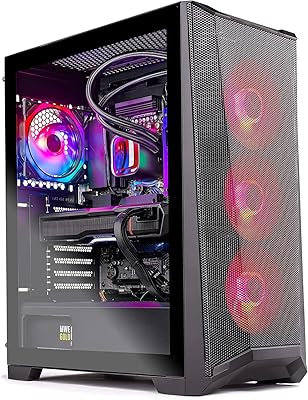
80%
88%
Gaming Performance
91%
Out-of-Box Experience
84%
Thermal Management
74%
Value for Money
77%
Build Quality
More
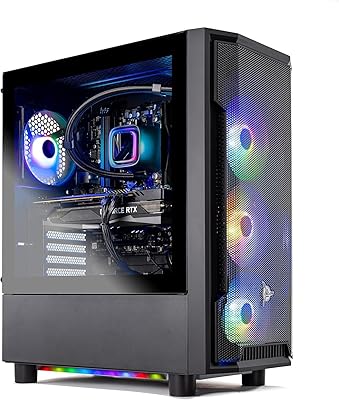
Skytech Gaming Azure 3 Gaming Desktop
78%
88%
Gaming Performance
76%
Value for Money
92%
Setup Experience
83%
Build Quality
72%
Thermal Management
More
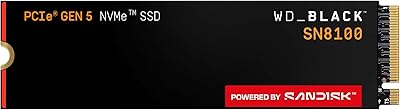
WD_BLACK SN8100 1TB NVMe SSD
78%
97%
Raw Read Performance
83%
Write Speed
76%
Real-World Gaming Impact
81%
Compatibility & Setup
62%
Thermal Management
More
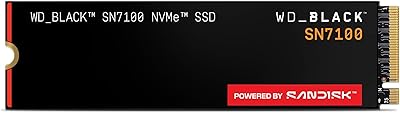
WD_BLACK 1TB SN7100 NVMe SSD
89%
94%
Read Speed Performance
89%
Write Speed Performance
92%
Power Efficiency
91%
Endurance and Longevity
87%
Value for Money
More

FAQ

You'll get the best performance with a genuine Thunderbolt 3 port, since that's what unlocks the full speed and charging capability. It can still work over USB-C on non-Thunderbolt machines, but you'll lose some of the speed and may not get full pass-through charging. Check your laptop's port specs before buying if you're unsure.

Yes, this storage dock is compatible with both Mac and PC laptops. Just confirm your MacBook has a Thunderbolt 3 port to get the full range of features, including the charging and display output.

Yes, it offers up to 87 watts of pass-through charging through the same cable that handles data and display. That's enough for most ultrabooks and mid-range laptops, though larger gaming laptops with higher power demands might still need their original charger occasionally.

Some users have reported it running warm during sustained heavy use, which is fairly normal for a compact unit packing this much hardware. It's not generally a safety concern, but keeping it in a well-ventilated spot on your desk helps.

Between the Thunderbolt 3 ports, USB-C, and USB-A connections, you've got five total USB ports plus Ethernet and audio jacks. That's usually enough for a monitor, keyboard, mouse, external drive, and a wired network connection all at the same time.

It's purely cosmetic and won't affect performance either way. If you like a personalized desk setup it's a nice extra, but if you don't care about lighting, you can simply leave it off or set it to something neutral.

Unfortunately, the WD_BLACK Dashboard software used for customizing the lighting effects is Windows only. Mac users will have access to the default lighting behavior but won't be able to adjust it through the official app.

Yes, it includes a DisplayPort 1.4 output that connects directly to an external display. This is one of the more convenient features since it means one less cable running straight to your laptop.

It can handle video editing reasonably well thanks to its fast read and write speeds, especially for working with large project files. Just keep in mind it's more of a desk-bound hub than a lightweight travel drive, so it's best suited to a fixed workstation.

Using the wrong cable is one of the most common reasons people don't get the speeds they expect. Stick with the included cable or a certified Thunderbolt 3 cable to make sure you're getting full performance from the dock.