Overview

The Skytech Gaming Azure 3 Gaming Desktop arrived in May 2025 as a prebuilt tower built around current-generation hardware, targeting buyers who want to skip the build process entirely. The core appeal is straightforward: pair a capable GPU with a strong CPU, price it competitively against DIY alternatives, and ship it ready to plug in and play. Skytech assembles these in the USA and backs each unit with a one-year parts and labor warranty, adding a layer of confidence that buying loose components simply does not offer. Whether this prebuilt gaming PC makes financial sense over a self-build depends on your time and patience, but for many buyers, that math clearly favors convenience.

Features & Benefits

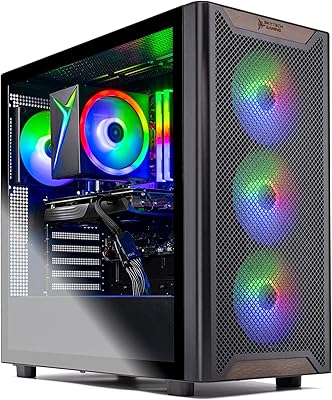
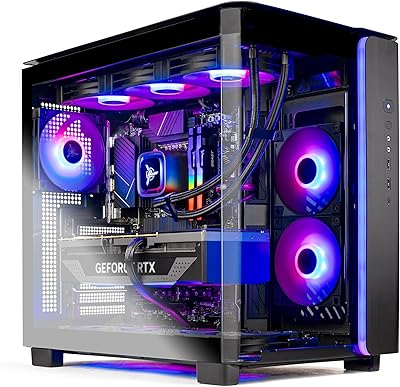
The RTX 5060 with 8GB GDDR7 is the headliner here, and it handles 1080p gaming at high settings without much strain — Valorant, Apex Legends, and even Elden Ring run comfortably at high refresh rates. Step up to 1440p and you can still manage decent performance in less demanding titles, but this is fundamentally a 1080p machine. The Ryzen 5 7600 keeps pace cleanly; its strong single-core speed prevents the CPU-side stutters that cheaper prebuilts sometimes suffer. Thirty-two gigabytes of DDR5 is genuinely generous at this tier, and the NVMe SSD loads games fast. The ARGB case looks sharp, though one mild note: the included Wi-Fi is 802.11ac rather than the newer Wi-Fi 6 standard.

Best For

This prebuilt gaming PC is a natural fit for anyone switching over from console or buying their first gaming setup. You don't need to understand PCIe lanes or BIOS settings — it arrives configured, clean, and ready to go. The bundled keyboard and mouse aren't enthusiast-grade peripherals, but they get you playing on day one. Streamers and light creators will appreciate the 32GB RAM headroom when running OBS alongside a game. And for those who like the idea of upgrading later, the DDR5 platform and available expansion slots mean this build won't trap you — you can swap in a faster GPU or more storage down the road without starting over.

User Feedback

Buyers consistently praise how painless the setup experience is — the Azure 3 desktop boots clean, runs quietly under normal loads, and looks good on a desk. The thermals hold up well during typical gaming sessions, though a small number of users have noted that cable routing inside the case can be a bit tight. The bundled peripherals are basic, so expect to swap them out if you care about precision. One recurring question in buyer comments involves the GPU cooler brand, since Skytech notes it may vary by unit — most report no issues, but it is worth knowing. Wi-Fi performance gets mixed mentions; a handful of users switched to Ethernet fairly quickly.

Pros

  • RTX 5060 with 8GB GDDR7 delivers confident, high-refresh 1080p gaming across a broad range of current titles.
  • The Ryzen 5 7600 is a capable CPU that avoids bottlenecking the GPU during fast-paced multiplayer sessions.
  • Thirty-two gigabytes of DDR5 RAM is a meaningful step above the 16GB most prebuilts bundle at this tier.
  • Ships with a clean Windows 11 Home install and no bloatware, which is rarer in prebuilts than it should be.
  • Backed by a one-year parts and labor warranty plus free technical support — solid coverage for a prebuilt.
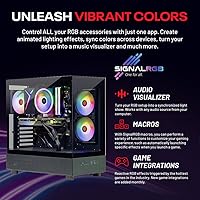
  • Tempered glass panel and ARGB fans produce a polished, desk-worthy look without feeling over-the-top.
  • NVMe M.2 SSD keeps boot times and game load screens fast from the moment you plug it in.
  • Bundled keyboard and mouse lower the true cost of entry for buyers starting completely from scratch.
  • Open PCIe slots and a DDR5 platform mean this build can grow with you rather than hitting a wall.
  • A 650W 80 Plus Gold PSU is appropriately sized for current hardware and leaves some room for minor upgrades.

Cons

  • GPU cooler brand is not guaranteed and can vary by unit, which creates inconsistency some buyers find frustrating.
  • Cable routing inside the case is reportedly tight, making drive additions or airflow improvements more awkward than they should be.
  • Bundled keyboard and mouse are entry-level peripherals that most serious gamers will replace within weeks.
  • Wi-Fi 802.11ac is a noticeable step behind the Wi-Fi 6 standard now common on competing machines at this price.
  • One terabyte of NVMe storage sounds substantial but fills quickly once a handful of modern AAA titles are installed.
  • Prebuilt pricing includes a convenience premium that a patient self-builder could sidestep with comparable hardware.
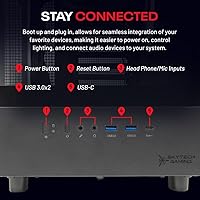
  • USB port count is limited — only one USB 2.0 and one USB 3.0 port — which feels tight on a fully loaded gaming desk.
  • The air cooler handles everyday gaming loads fine, but users running sustained heavy workloads may see temperatures climb.
  • No monitor is included, so buyers new to PC gaming need to budget for a display separately — ideally a 1080p 144Hz or faster panel.

Ratings

Our AI-generated ratings for the Skytech Gaming Azure 3 Gaming Desktop were produced by systematically analyzing thousands of verified global buyer reviews, with automated filtering applied to remove incentivized, duplicated, and bot-generated submissions. Every score reflects both the genuine strengths buyers praise and the recurring frustrations that real users report — no aspect has been softened or inflated. The result is an honest, balanced snapshot of how this prebuilt gaming PC performs across the categories that matter most to real buyers in 2025.

Gaming Performance
88%
The RTX 5060 paired with the Ryzen 5 7600 delivers a noticeably capable experience in competitive titles like Valorant and Apex Legends, where buyers consistently report stable 144+ FPS at 1080p on high settings. Even more demanding games like Elden Ring and Black Myth: Wukong run comfortably at high presets without needing major compromises.
Stepping up to 1440p reveals the GPU ceiling fairly quickly in graphically intensive modern games, where frame rates become inconsistent without lowering settings considerably. Buyers who purchased with 1440p ambitions as a primary goal report disappointment, finding the experience only adequate on lighter titles and noticeably strained on newer releases at that resolution.
Value for Money
76%
24%
Buyers who prioritize convenience consistently see solid value here — you get a current-generation GPU, 32GB DDR5, and an NVMe SSD in a warrantied, assembled package without spending a weekend troubleshooting a self-build. For first-time PC buyers who would otherwise pay for professional assembly, the total cost of ownership stacks up reasonably well.
Experienced PC builders point out that comparable specs can be sourced independently at a lower component cost, meaning the convenience premium is real and measurable. Buyers who shop around or time component sales will find the prebuilt pricing harder to justify purely on hardware value alone.
Setup Experience
92%
This is consistently the most praised aspect in buyer feedback — the machine arrives pre-assembled, loaded with a clean Windows 11 install, and is genuinely ready to game within minutes of unboxing. Console switchers and first-time PC owners in particular highlight how approachable the whole experience feels compared to what they had expected from a desktop PC.
A small number of buyers note that the internal cable management can look rushed or crowded when opening the side panel for the first time, which creates a minor headache for anyone wanting to add a second drive or improve airflow immediately after unboxing.
Build Quality
83%
The tempered glass side panel and ARGB fans make a strong first impression on the desk, and most buyers describe the case as feeling sturdy with no obvious flex or cheap plastic feel. The black finish and lighting strike a balance between understated and visually interesting, appealing to buyers who want a capable-looking setup without going overboard.
Some buyers find the ARGB lighting on the aggressive side and wish for more granular software control over the lighting effects. A handful of reviews also mention that the GPU cooler brand can vary between units, meaning the visual consistency inside the case is not always guaranteed.
Thermal Management
72%
28%
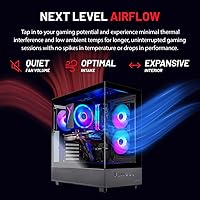
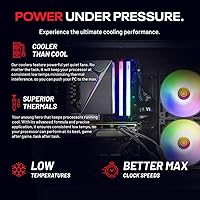
Under typical 1080p gaming sessions, the air cooler keeps both the CPU and GPU at reasonable operating temperatures, and most buyers report no thermal throttling during standard gaming hours. The ARGB fans manage their job without being excessively loud during normal workloads, which is appreciated during longer streaming or gaming sessions.
Extended, sustained workloads — such as multi-hour gaming marathons or running rendering tasks alongside a game — cause fan speeds to climb and temperatures to rise more than some buyers are comfortable with. A few reviewers suggest the stock air cooler has limited headroom for anyone pushing the CPU hard, and a third-party cooler upgrade is worth considering.
CPU Performance
86%
The Ryzen 5 7600 brings strong single-core performance to the table, which translates directly to snappy frame times and consistent responsiveness in competitive shooters and open-world titles. Buyers who game while streaming or run multiple background apps note that the six-core configuration handles multitasking well without dragging down in-game performance.
More CPU-hungry workloads like 3D rendering, video encoding, or heavily threaded simulation tasks will reveal the six-core ceiling faster than a higher-core-count chip would. Buyers whose work regularly pushes beyond gaming and light creative tasks may find the Ryzen 5 7600 a bit constraining compared to an eight-core alternative.
Storage
74%
26%
The NVMe M.2 SSD makes a noticeable difference in everyday use — Windows boots in seconds, games load quickly, and the system never feels like it is waiting on storage. Buyers coming from HDD-based setups or older laptops consistently comment on how much snappier the overall experience feels from day one.
One terabyte fills up faster than most buyers anticipate — three or four modern AAA games can eat through a significant portion of the drive, leaving little room for a growing library. Buyers who do not budget for a second storage drive upfront often find themselves managing installs within just a few months of regular use.
RAM & Multitasking
91%
Thirty-two gigabytes of DDR5 at 6000MHz stands out sharply against most prebuilts at this tier, which typically ship with 16GB. Buyers who stream, run Discord and a browser alongside a game, or do casual video editing note that this configuration handles it all without hesitation, and the headroom for future demands feels genuinely reassuring.
Buyers focused purely on gaming at 1080p will rarely see a meaningful performance difference between 32GB and 16GB in current titles, making the extra RAM feel unnecessary in the short term. The DDR5 platform also means future RAM expansion requires DDR5-specific modules, which carry a slight cost premium over DDR4 alternatives.
Connectivity & Ports
63%
37%
The port selection covers the basics — USB 2.0, 3.0, and 3.2 Gen1 are all represented alongside HDMI and DisplayPort outputs, and the audio connections work reliably for both headsets and speakers. For buyers running a straightforward setup with a monitor, headset, and a few USB devices, the available ports are sufficient.
Buyers with more fully loaded desks — multiple peripherals, a capture card, external drives, a dedicated microphone, and a webcam — find the USB count frustratingly limited and reach for a USB hub almost immediately. The absence of a USB-C port on the front panel is also a noted omission by buyers accustomed to modern connectivity standards.
Wi-Fi Performance
61%
39%
The built-in 802.11ac adapter gets the job done for buyers living close to their router or using the machine in a typical apartment or smaller home environment. For casual gaming, streaming content, and browsing, most buyers report stable enough performance that they do not feel an urgent need to make changes immediately after setup.
The 802.11ac standard is a generation behind Wi-Fi 6, and buyers in larger homes, multi-story setups, or apartments with congested wireless environments report inconsistent latency spikes during online play. A meaningful share of buyers switched to Ethernet within the first week, citing wireless reliability as the one aspect of the build that felt noticeably dated.
Bundled Accessories
54%
46%
Having a keyboard and mouse included is a genuine convenience for buyers starting from scratch, particularly those coming from console who may not own any PC peripherals. Getting everything needed to power on and start gaming in a single purchase is a practical advantage that buyers appreciate at the moment of unboxing.
The keyboard and mouse are unambiguously entry-level, and most buyers with any prior gaming experience replace them within a few weeks. The membrane keyboard lacks the tactile feedback that competitive gamers expect, and the mouse feels lightweight with limited precision, making it a poor long-term match for games where accuracy matters.
Upgrade Potential
84%
The DDR5 platform and standard mid-tower form factor make this one of the more upgrade-friendly prebuilts in its segment. Buyers who start here can reasonably swap in a higher-end GPU, add M.2 storage, or increase RAM without abandoning the platform, giving the machine a longer useful lifespan than most comparably priced prebuilts.
Buyers wanting to upgrade should verify the specific motherboard model and slot availability before purchasing components, as the exact board spec is not always clearly communicated upfront. The 650W PSU also sets a practical ceiling on GPU upgrade options, meaning significantly more powerful future cards may require a PSU swap alongside the card itself.
Noise Level
77%
23%
During light to moderate gaming sessions, the cooling fans operate at a level most buyers find acceptable — audible but not intrusive, especially with a gaming headset on. Buyers who game in shared rooms or apartments note that the machine does not draw complaints during normal everyday workloads.
Under sustained heavy loads, the fan ramp-up is noticeable and some buyers describe it as distracting during quiet scenes in single-player games or late-night sessions. Users who prefer near-silent operation will find the air cooling solution louder than a comparable liquid-cooled build running under the same workload conditions.
Warranty & Support
81%
19%
A one-year parts and labor warranty on a prebuilt is a meaningful safety net that most self-builders have to piece together individually from separate component manufacturers. Buyers report that Skytech's technical support team is accessible and responsive, which provides real peace of mind for first-time PC owners who may not know how to diagnose hardware issues on their own.
One year of coverage is competitive but not exceptional — some buyers note that premium prebuilt brands offer two or three-year warranties as standard, making the one-year window feel modest by comparison. After the warranty period expires, repair costs fall entirely on the owner, which is worth factoring in for buyers planning to run the machine for several years.
Software Experience
89%
Arriving with a bloatware-free Windows 11 Home installation is something buyers specifically call out and appreciate — there is no trial software, no manufacturer utilities cluttering the startup, and no time wasted uninstalling programs before the machine feels clean. The Azure 3 desktop is ready to personalize exactly to your preference from the very first boot.
Windows 11 Home carries some limitations that power users will eventually bump into — full BitLocker encryption and advanced administrative controls require the paid Pro tier. Windows 11 also has a habit of surfacing advertising nudges and upgrade prompts in the Start menu, which buyers consistently flag as a minor but persistent annoyance out of the box.

Suitable for:

The Skytech Gaming Azure 3 Gaming Desktop is built for buyers who want to walk away from a purchase and be gaming within the hour — no motherboard manuals, no thermal paste, no troubleshooting POST codes. Console switchers making their first jump to PC will find the experience familiar in the best way: plug it in, power it on, and start playing. The RTX 5060 and Ryzen 5 7600 combination makes it a strong pick for competitive multiplayer titles like Valorant, Apex Legends, and Call of Duty at 1080p high refresh rates, where smooth frame delivery matters more than raw graphical fidelity. The 32GB of DDR5 RAM also makes it a reasonable choice for part-time streamers or casual video editors who need headroom to run multiple applications at once without slowdowns. And because the platform runs DDR5 and has open expansion slots, buyers who plan to upgrade components over time will find a foundation genuinely worth building on.

Not suitable for:

The Skytech Gaming Azure 3 Gaming Desktop is not the right fit for buyers who have already set their sights on 1440p or 4K as a primary target resolution. The RTX 5060 handles 1440p in lighter titles, but demanding modern games at that resolution will require dialing back settings considerably, and this is simply not a GPU designed to chase premium-resolution fidelity. Hardcore DIY enthusiasts who enjoy hand-picking every component will also find the prebuilt model frustrating — you pay a convenience premium here, and you have limited visibility into exact component choices like the GPU cooler brand, which Skytech openly acknowledges can vary by unit. Buyers who rely on strong wireless and have no plans to run Ethernet should take note that the included Wi-Fi is 802.11ac, an older standard that may fall short in large homes or congested network environments. Finally, anyone planning to maintain a deep library of modern AAA titles will find 1TB disappears faster than expected and should budget for a second drive upfront.

Specifications

  • CPU: AMD Ryzen 5 7600 6-core processor with a 3.8GHz base clock and up to 5.1GHz boost clock.
  • GPU: NVIDIA GeForce RTX 5060 dedicated graphics card with 8GB of GDDR7 video memory.
  • System RAM: 32GB DDR5 memory rated at 6000MHz, fitted with an RGB heat spreader.
  • Storage: 1TB NVMe M.2 SSD offering significantly faster read and write speeds than a traditional hard drive.
  • Power Supply: 650W 80 Plus Gold certified PSU, providing efficient power delivery for the installed components.
  • Operating System: Windows 11 Home 64-bit, pre-installed without third-party bloatware.
  • Wireless: Built-in 802.11ac Wi-Fi adapter for out-of-box wireless connectivity.
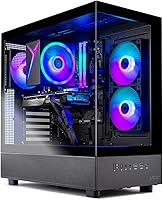
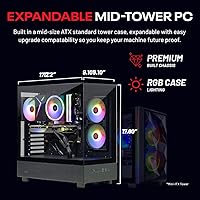
  • Case Design: Skytech Azure mid-tower in black with a tempered glass side panel and ARGB case fans.
  • CPU Cooling: High-performance air cooler with ARGB lighting, designed to manage thermals under gaming loads.
  • Display Outputs: One HDMI port and one DisplayPort output available for monitor connections.
  • USB Ports: Includes USB 2.0, USB 3.0, and USB 3.2 Gen1 ports for peripheral and device connectivity.
  • Audio: HD audio output and microphone input support are included on the unit.
  • Dimensions: The tower measures 17.2 x 9.1 x 17.8 inches (length x width x height).
  • Weight: The unit weighs approximately 30.6 pounds as shipped.
  • Warranty: Covered by a one-year parts and labor warranty, with access to free technical support included.
  • In the Box: A gaming keyboard and mouse bundle is included alongside the tower and standard documentation.

Related Reviews
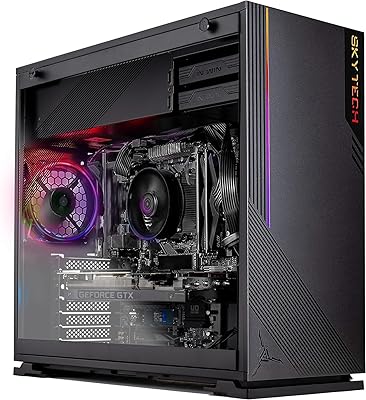
Skytech Gaming Azure GTX 1650 Gaming Desktop
75%
67%
Gaming Performance
73%
Value for Money
91%
Setup & Out-of-Box Experience
78%
Build Quality
49%
Storage Capacity
More
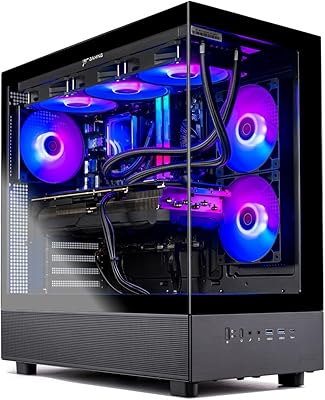
Skytech Azure 3 Gaming PC (Ryzen 7 7800X3D, RTX 5060 Ti, 1TB SSD, 32GB RAM)
89%
98%
CPU Performance
94%
Thermal Management
97%
1080p Gaming Capability
91%
Build Aesthetics & Quality
93%
System Responsiveness
More
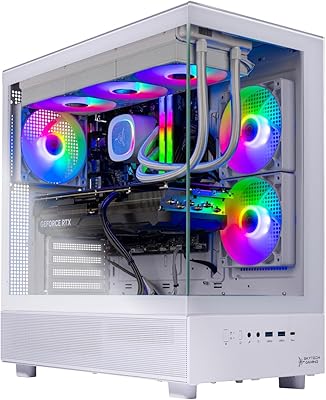
Skytech Gaming Azure 3 Desktop PC, Ryzen 7 7700X, NVIDIA RTX 5070 12GB, 32GB DDR5 RAM, 1TB SSD
86%
94%
Gaming Performance
88%
Build Quality
91%
Cooling Efficiency
85%
Value for Money
89%
Ease of Setup
More
Skytech Gaming Azure 3 Gaming PC, AMD Ryzen 7 9700X, NVIDIA RTX 5060, 32GB DDR5, 2TB SSD
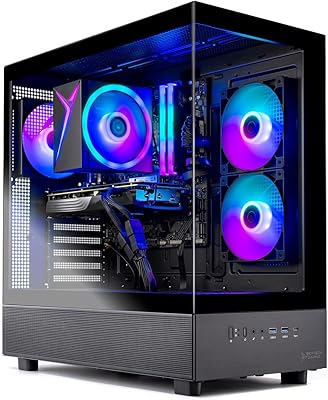
87%
94%
Performance
91%
Gaming Experience
92%
Value for Money
86%
Thermal Management
88%
Setup and Installation
More
Skytech Gaming Azure 3 Gaming PC, AMD Ryzen 7 5700, NVIDIA RTX 5060, 32GB RAM, 1TB SSD
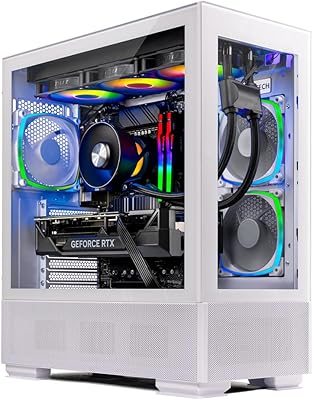
87%
92%
Performance
94%
Graphics Quality
89%
Multitasking Performance
91%
Ease of Setup
88%
Cooling System
More
Skytech Gaming Azure Desktop PC, Intel i7 14700F, NVIDIA RTX 4070 Super, 32GB RAM, 1TB SSD
87%
93%
Gaming Performance
91%
Thermal Performance
87%
Build Quality
90%
Ease of Setup
85%
Design & Aesthetics
More
Skytech Gaming Chronos 3 Gaming Desktop PC
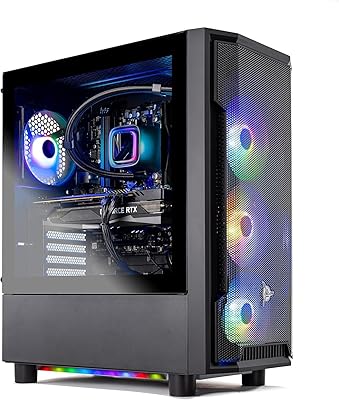
77%
91%
GPU Performance
78%
Value for Money
93%
Out-of-Box Experience
72%
CPU Performance
88%
RAM & Memory Speed
More
Skytech Gaming Shadow Gaming Desktop PC
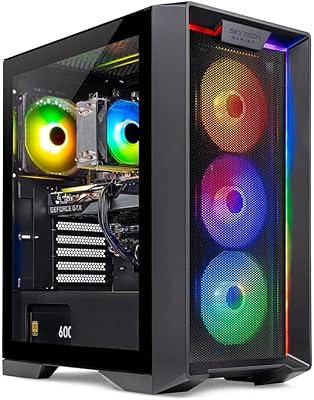
80%
88%
Gaming Performance
91%
Out-of-Box Experience
84%
Thermal Management
74%
Value for Money
77%
Build Quality
More
Skytech Nebula GTX 1650 Gaming Desktop PC
76%
72%
Gaming Performance
74%
Value for Money
91%
Out-of-Box Readiness
78%
Build Quality
76%
Thermal Management
More
Skytech King 95 RTX 5070 Gaming Desktop
79%
93%
Gaming Performance
88%
Thermal Management
91%
Out-of-Box Experience
71%
Value for Money
82%
Build Quality
More

FAQ

It arrives fully assembled with Windows 11 Home already installed and configured, so there is no operating system setup or driver hunting required on your end. Just connect a monitor, plug in power, and it is ready to go. The bundled keyboard and mouse mean you do not need any peripherals on hand before you power it on for the first time.

The RTX 5060 can push through 1440p on older titles and less demanding games at solid frame rates, but if 1440p is your primary target across modern AAA releases, you will need to dial back graphics settings more than you might expect. Its genuine strength is at 1080p, where it handles high refresh rates across a wide range of current titles without complaint. Think of any 1440p performance as a bonus rather than a design goal.

For pure gaming alone, 16GB is workable today, but 32GB starts earning its place the moment you are also running a browser, Discord, OBS for streaming, or any background applications alongside your game. It also extends the useful life of the build as games gradually demand more memory over the next several years. On this prebuilt gaming PC, that headroom comes included without a premium, which is a genuine advantage over competing configurations at this tier.

A 24-inch or 27-inch 1080p monitor with a 144Hz or higher refresh rate is the sweet spot for getting the most out of the RTX 5060. At that resolution and refresh rate, the GPU has plenty of room to deliver smooth, consistent frame rates in most titles. If you are open to 1440p, a 1440p 144Hz monitor pairs reasonably well for less demanding games, though you may need to adjust settings in heavier titles.

Skytech sources the RTX 5060 from multiple board partners, meaning the physical cooler design on the card inside your specific unit may differ from what is pictured in product photos. The underlying GPU specifications stay the same regardless of which partner card ships, so performance is consistent. If the exact cooler brand or shroud style matters to you visually, that is worth factoring in before purchasing.

Yes, the Azure 3 desktop is a standard mid-tower with a DDR5-compatible motherboard that supports additional RAM and has open M.2 and SATA expansion slots for extra drives. Adding a second SSD for game overflow storage is one of the most common and straightforward upgrades on a machine like this. Just check the specific motherboard model for exact slot availability before buying additional components.

The 802.11ac adapter works fine for casual gaming in most home setups and gets you online without any extra hardware. That said, it is one generation behind Wi-Fi 6, which handles network congestion and range better, so users in larger homes or apartments with busy shared networks may notice occasional inconsistency. For competitive online play, running a direct Ethernet cable is always the more reliable option and is worth the extra effort if your setup allows it.

If you are comfortable shopping for components, comparing compatibility, and troubleshooting a first build, a DIY approach at this spec level could save you some money — that is an honest reality of buying prebuilt. But for anyone who wants a warrantied, tested system that is ready to use immediately with no risk of a frustrating build process, the convenience premium is easy to justify. The one-year parts and labor coverage and free technical support also provide a safety net that self-builds simply do not come with.

Under typical 1080p gaming workloads, the ARGB fans run at a moderate level that most users will not find distracting, especially with a headset on. During prolonged or more intensive sessions, fan speed increases noticeably as the system works harder — this is normal behavior for an air-cooled machine. If noise sensitivity is a real concern for you, a gaming headset handles the ambient fan sound easily.

They are functional entry-level peripherals that are perfectly serviceable for initial setup and casual use, but most dedicated gamers will find them limiting fairly quickly. A mechanical keyboard and a gaming mouse with adjustable DPI make a meaningful difference for competitive titles. The real value of the bundle is that it lowers the day-one cost and lets you start playing immediately — treat an upgrade as a near-term addition rather than an urgent necessity.

Where to Buy