Overview

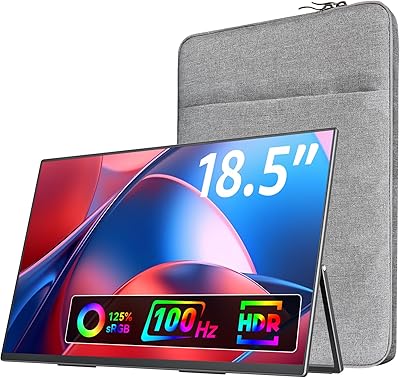
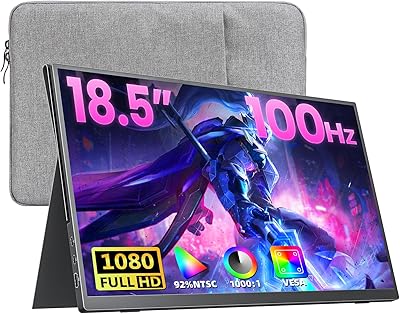
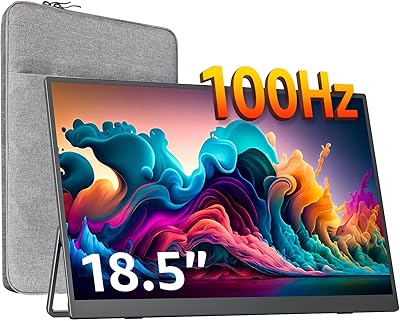
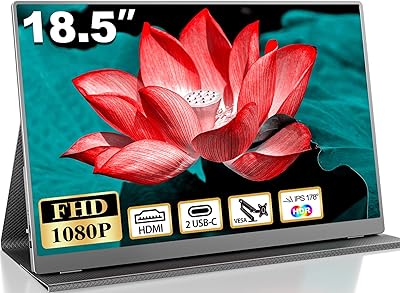
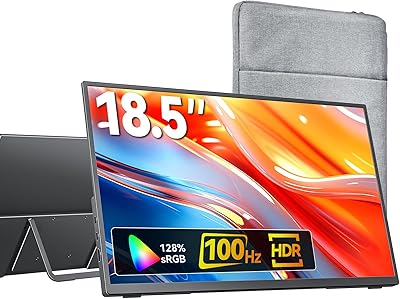
The Usparkle GS185CM1 18.5-inch Portable Monitor sits in an interesting position — big enough to feel like a real workspace extension, yet light enough to drop in a backpack without a second thought. At 2.31 pounds with a profile barely thicker than a pencil, this portable monitor competes well against similarly priced options from more established brands. Connectivity is practical: two USB-C ports and a Mini HDMI input cover most modern laptops and consoles without requiring an adapter hunt. Just keep expectations grounded — this travel display is built for productivity, casual gaming, and everyday media, not professional color grading or print production work.
Features & Benefits

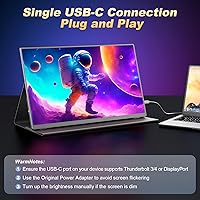
Moving from a standard 60Hz portable screen to this one's 120Hz refresh rate is genuinely noticeable — scrolling feels crisper and fast game footage tracks cleaner, even if competitive esports isn't the goal. The 125% sRGB coverage means colors read more vividly than on cheaper IPS alternatives; photos and streaming content look lively, though calibrated print work is a different conversation entirely. A single USB-C cable handles both power and video if your laptop supports Thunderbolt 3 or 4, which keeps desk setups tidy. The matte IPS panel holds up well under typical office lighting at 400 nits, though direct sunlight will still give you trouble.

Best For

This travel display earns its keep when matched to the right person. Remote workers bouncing between home, cafes, and co-working spaces will appreciate a proper second screen that actually fits in a bag. Students in dorms or libraries get a real productivity lift from the extra screen real estate. Console gamers traveling to a hotel or a friend's place will find the HDMI input and fast refresh rate genuinely useful. Developers who prefer coding in vertical orientation can flip it and it holds position well enough. Budget-conscious photo editors can lean on it for casual review work — just not final output decisions.

User Feedback

Buyers of this portable monitor generally come away pleased with the image quality and build given the price — the aluminum chassis feels sturdier than the cost suggests. Common praise focuses on screen size and how much smoother it makes single-laptop workflows. Criticism clusters around a few recurring areas: the Smart Cover stand is functional but limited in tilt angle, the built-in speakers are thin and better suited to call alerts than actual audio, and some users have hit USB-C compatibility snags with laptops that don't send video over that port. Initial setup is easy for most, though Windows users occasionally need to tweak display settings manually.

Pros

  • The 18.5-inch screen gives noticeably more working space than the typical 15-inch portable displays without adding significant bulk.
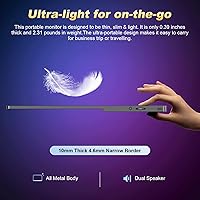
  • At 2.31 pounds and under a quarter-inch thick, this travel display genuinely fits in a standard laptop bag without rearranging everything.
  • The 120Hz refresh rate makes scrolling and fast-moving content feel cleaner and more comfortable compared to standard 60Hz portable screens.
  • Single-cable Thunderbolt 3 or 4 connection handles both power and video, keeping desk and travel setups tidy.
  • The matte IPS panel handles typical indoor office lighting well, reducing glare without washing out colors.
  • 125% sRGB coverage produces lively, accurate-looking colors for everyday media consumption and casual creative work.
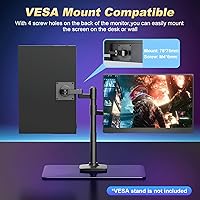
  • VESA 75x75mm mounting holes add real desk flexibility, letting users attach it to a proper monitor arm if needed.
  • The aluminum build feels solid and premium relative to the price tier, with minimal flex in the chassis.
  • Out-of-box setup is straightforward for most users — plug in via USB-C or Mini HDMI and the display is detected immediately.
  • The included Smart Cover doubles as a stand, so there is no need to buy a separate case or prop for travel use.

Cons

  • The Smart Cover stand offers only a narrow range of tilt angles, which can make finding a comfortable viewing position at a fixed desk tricky.
  • Built-in speaker volume is weak and audio quality is thin — they are not a realistic substitute for even basic external speakers.
  • Some USB-C laptops that do not support video output over that port will not work without an adapter or HDMI fallback.
  • Windows users occasionally need to manually adjust display scaling or refresh rate settings after the first connection.
  • At 18.5 inches, this portable monitor is on the larger end of truly portable — it will not fit in a slim sleeve or small daypack.
  • 400 nits of brightness is adequate indoors but falls short in bright outdoor environments or sunlit rooms.
  • The Mini HDMI port requires a specific cable that is not universally available, which can be inconvenient when the included cable is forgotten.
  • No built-in battery means the screen always needs a power source — either from the host laptop via USB-C or a separate wall adapter.
  • Color accuracy, while good for casual use, is not factory-calibrated and will disappoint users with critical color-correction needs.

Ratings

The scores below for the Usparkle GS185CM1 18.5-inch Portable Monitor were generated by AI after analyzing verified global user reviews, with spam, bot activity, and incentivized feedback actively filtered out. Each category reflects the full picture — what real buyers praised and where they ran into friction — so you can make a genuinely informed decision before purchasing this travel display.

Display Quality
83%
Most users are genuinely impressed by how sharp and vivid the IPS panel looks in everyday use — text stays crisp for long work sessions and colors in streaming content pop more than expected at this price tier. The matte finish earns consistent praise for keeping reflections under control in office and cafe environments.
A handful of buyers noticed slight backlight uniformity issues near the corners at full brightness, which becomes visible on solid dark backgrounds. Those coming from higher-end displays may also find the contrast a touch flat in very dim viewing environments.
Refresh Rate Performance
88%
The jump from 60Hz to 120Hz is something users notice immediately — scrolling through documents, navigating desktops, and playing fast games all feel noticeably smoother. Gamers connecting via PS5 or a gaming laptop specifically call out how much more responsive the screen feels during action-heavy gameplay.
Achieving the full 120Hz requires manual configuration in display settings on some Windows machines, which trips up less technical users who assume it activates automatically. A small number of MacOS users also reported being limited to 60Hz depending on their connection method and cable quality.
Portability & Form Factor
91%
At 2.31 lbs and barely a quarter-inch thick, this travel display consistently surprises buyers with how little space it takes up in a backpack alongside a laptop. Remote workers and students specifically mention it fits in standard laptop sleeves without forcing them to rearrange their bags.
At 18.5 inches, it is genuinely on the larger end of portable — users with slim satchels or smaller shoulder bags find it a tighter fit than expected. The size is the whole point for many buyers, but those prioritizing absolute compactness may occasionally wish it were an inch or two smaller.
Build Quality & Materials
84%
The aluminum alloy chassis feels noticeably more solid than the plastic-bodied competitors in the same price range, and most buyers report zero flex or creaking during travel and daily use. The overall fit and finish gives the unit a premium look that holds up well after months of regular handling.
A few users noted that the thin profile means the ports and edges feel less protected during bag transport without the Smart Cover on. Minor scuffing on the aluminum surface has been reported after extended daily commuting, though structural damage is rarely mentioned.
Connectivity & Compatibility
76%
24%
The dual USB-C and Mini HDMI combination covers a wide range of devices out of the box, and Thunderbolt 3/4 users especially appreciate the single-cable convenience that eliminates a separate power adapter from the equation entirely. Console connections via HDMI are straightforward and reliable across PS4, PS5, and Xbox hardware.
USB-C compatibility is the most common pain point — phones and laptops that lack DisplayPort Alt Mode over USB-C simply will not output video, and this catches some buyers off guard. The Mini HDMI port also requires a specific cable that is easy to forget on a trip if it gets separated from the monitor.
Stand & Ergonomics
61%
39%
The included Smart Cover stand gets the job done for casual desk setups and travel use, and buyers appreciate having a combined case and stand solution without spending extra money. For hotel desks or temporary workspaces it is usually adequate for a few hours of use.
Tilt adjustment range is narrow and the stand lacks height control, which frustrates users trying to dial in a comfortable long-session ergonomic position at a fixed desk. The hinge mechanism also feels less rigid than a dedicated stand, leading to occasional wobble when the desk surface is not perfectly flat.
Color Accuracy
77%
23%
The 125% sRGB coverage produces genuinely vibrant colors that make media consumption, casual photo review, and social media content creation look better than most portable displays at this tier. Lightroom users and hobbyist photographers tend to be satisfied using it as a secondary review screen on location.
The display is not factory-calibrated, so out-of-box color accuracy varies slightly from unit to unit and colors can read warmer or cooler than expected without manual calibration. Professional retouchers or anyone preparing work for print or broadcast will find it insufficient for final output decisions.
Brightness & Glare Handling
72%
28%
At 400 nits with a matte coating, this portable monitor handles typical indoor office and cafe lighting well, and most users working near (but not directly beside) windows report no serious visibility issues during the day. The matte surface is consistently preferred over glossy alternatives in user comparisons.
Direct sunlight or placement adjacent to a bright window will wash out the image in a way that makes extended work uncomfortable. Users who frequently move between indoor and outdoor-adjacent spaces note that 400 nits hits its ceiling faster than expected on bright days.
Audio Performance
44%
56%
Having built-in speakers at all is convenient for video calls and quick YouTube playback when headphones are not handy, and buyers in quiet environments report them being just audible enough for those use cases. As a backup audio solution during travel, they serve their limited purpose.
Volume is low and the audio sounds thin and harsh at higher levels — this is one of the most consistent criticisms across user reviews. Anyone expecting to watch movies, listen to music, or use these speakers in a noisy environment will be underwhelmed and should plan to use headphones or an external speaker.
Value for Money
86%
Buyers repeatedly describe this travel display as one of the better-value options available in the larger portable monitor category, noting that 120Hz and a solid aluminum build at this price point would have been unusual even a couple of years ago. Productivity users who compared several alternatives before buying tend to rate satisfaction highly relative to cost.
A small segment of buyers who compared it directly to pricier competitors found the stand and speaker quality gaps more noticeable at the final checkout price. If the market shifts or competing products drop in price, the value equation could tighten, but at current pricing the majority feel the trade-offs are fair.
Setup & Ease of Use
82%
18%
For most users — especially those on Windows with a Thunderbolt-capable laptop — setup involves plugging in one cable and the display is ready within seconds, which earns strong praise from buyers who expected a more complex process. The included cables cover both USB-C and HDMI scenarios without requiring an immediate shopping trip.
Windows machines occasionally default to 60Hz or incorrect scaling, requiring a quick trip into display settings that non-technical users find confusing. macOS users with certain M-series MacBooks have reported needing to experiment with cable types to achieve the expected resolution and refresh rate combination.
Gaming Performance
79%
21%
The combination of 120Hz refresh, 1ms response time, and HDMI input makes this a legitimately capable portable gaming screen for casual to mid-tier gaming scenarios, and users connecting PS5 or Xbox consoles for hotel or travel gaming consistently report positive experiences. Fast-paced titles track noticeably better than on 60Hz alternatives.
There is no adaptive sync (FreeSync or G-Sync) support mentioned, which competitive PC gamers will notice during frame rate fluctuations. The screen size and 1080p resolution also mean that sitting close during intense gaming sessions can expose pixel density limitations compared to a proper desktop gaming monitor.
Packaging & Unboxing
78%
22%
Buyers broadly report that the monitor arrives well-protected with no damage, and the inclusion of both USB-C and HDMI cables in the box is frequently cited as a thoughtful touch that avoids an immediate extra purchase. The Smart Cover being included from the start also adds perceived value at unboxing.
A few buyers noted the packaging is fairly plain and the documentation minimal, which is a minor gripe but notable for users who appreciate detailed setup guides. Accessory organization inside the box could be tidier — cables tend to be loosely packed rather than neatly organized in a dedicated compartment.
VESA & Mounting Flexibility
81%
19%
The 75x75mm VESA mount opens up a genuinely useful range of desk configurations for users who already own a monitor arm, and developers or coders who set it up in portrait mode via an arm report it transforms their desk workflow considerably. Having this option on a portable display at this price is not a given and buyers notice it.
The VESA holes are present but the monitor ships without any mounting hardware, so buyers need to source their own screws for arm attachment. The Smart Cover stand cannot be used simultaneously with a VESA arm, which means commuters who dock and undock daily need to swap setups each time.

Suitable for:

The Usparkle GS185CM1 18.5-inch Portable Monitor is a strong match for anyone who regularly works or plays across multiple locations and needs a dependable second screen that doesn't add serious weight to a bag. Remote workers and freelancers will get genuine productivity value from the larger-than-usual 18.5-inch footprint, which makes side-by-side app layouts comfortable for a full workday. Students moving between dorms, libraries, and coffee shops benefit from the single-cable Thunderbolt setup — one plug and you're running a dual-screen workflow with no power brick required. Console gamers heading to hotel rooms or friends' places will appreciate the fast 120Hz refresh and HDMI input, which handles PS4, PS5, and Xbox connections without fuss. Developers who prefer coding in vertical orientation will find the VESA mount and adjustable stand give them enough flexibility for that setup. Casual photo editors or designers on the go who need better-than-average color reproduction for review work will also find the 125% sRGB panel a step above the budget alternatives in this size range.

Not suitable for:

The Usparkle GS185CM1 18.5-inch Portable Monitor is not the right tool for buyers who need professional-grade accuracy. Photographers or video editors making final color decisions for client deliverables will find this display's color output insufficient — it performs well for casual review work, but it is not factory-calibrated and should not be trusted for print or broadcast production. Users who plan to work primarily outdoors or near windows will hit the limits of the 400-nit panel quickly; bright ambient light washes out the image noticeably. Anyone hoping for a competent audio experience from the built-in speakers will be disappointed — they handle system alerts and video calls at a push, but music or film audio should go through headphones or external speakers. Buyers who need a highly adjustable stand with wide tilt range and height control should be cautious: the included Smart Cover stand is limited in its angle options and lacks the firmness of a dedicated monitor arm. Finally, users with laptops that output video only through a proprietary connector or older DisplayPort standard should verify compatibility before purchasing, as USB-C connection issues have been reported on certain machines.
Specifications

  • Screen Size: The display measures 18.5 inches diagonally, offering more working area than the typical 15-inch portable monitors without becoming impractical to carry.
  • Resolution: Native resolution is 1920x1080 pixels (FHD), delivering sharp text and clear images suitable for productivity, streaming, and casual gaming.
  • Refresh Rate: The panel runs at 120Hz, which produces noticeably smoother motion compared to standard 60Hz portable displays.
  • Panel Type: An IPS matte panel is used, providing wide viewing angles and reduced glare under typical indoor lighting conditions.
  • Brightness: Peak brightness is rated at 400 nits, which is adequate for office and indoor environments but may struggle in direct sunlight.
  • Color Gamut: The screen covers 125% of the sRGB color space, producing vivid and reasonably accurate colors for media consumption and casual creative work.
  • Contrast Ratio: The specified contrast ratio is 2000:1, which helps distinguish shadow detail in video and gaming content.
  • Response Time: The panel has a 1ms response time, minimizing motion blur during fast-paced gaming or video playback.
  • Aspect Ratio: The display uses a standard 16:9 widescreen aspect ratio, compatible with virtually all laptop, console, and desktop video outputs.
  • Dimensions: The monitor measures 15.5 x 9.6 x 0.2 inches, making it slim enough to slide alongside a laptop in most standard backpack sleeves.
  • Weight: Total weight is 2.31 lbs, light enough for daily commuting without adding noticeable strain to a laptop bag.
  • Material: The chassis is constructed from aluminum alloy, giving the unit a solid, premium feel with minimal flex under normal handling.
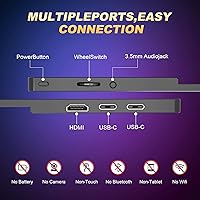
  • Ports: Connectivity includes two USB-C ports and one Mini HDMI port, covering modern laptops, consoles, and select smartphones.
  • Thunderbolt Support: The monitor supports Thunderbolt 3 and 4, allowing a single USB-C cable to carry both video signal and power simultaneously.
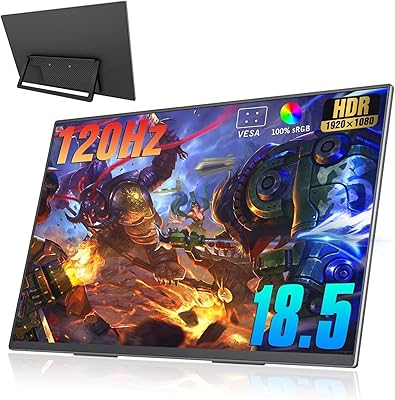
  • VESA Mount: A 75x75mm VESA pattern is built into the rear panel, enabling attachment to standard monitor arms or wall mounts.
  • Speakers: Two built-in speakers are included for basic audio output, suitable for calls and alerts but not intended for high-quality audio listening.
  • Smart Cover: An included Smart Cover functions as both a protective sleeve during transport and a folding stand for desktop use.
  • Cables Included: The package includes two USB-C to USB-C cables and one HDMI to Mini HDMI cable, covering the most common connection scenarios out of the box.
  • Model Number: The official model identifier is GS185CM1, manufactured by Usparkle.
  • First Available: This model was first made available in August 2022 and remains an active, non-discontinued product.

Related Reviews
Motyeowe 18.5 Inch Portable Monitor
86%
89%
Display Quality
94%
Portability & Design
88%
Connectivity
84%
Performance (Gaming)
91%
Ease of Setup
More
CUIUIC 18.5″ Portable Monitor
74%
83%
Display Quality
88%
Screen Size & Real Estate
58%
Portability & Weight
61%
USB-C Connectivity
72%
Build Quality & Materials
More
VisionOwl 18.5-Inch 1080p Portable Monitor
77%
91%
Screen Size & Real Estate
83%
Display Clarity & Sharpness
78%
Color Accuracy & Vibrancy
81%
Refresh Rate & Motion Performance
89%
Connectivity & Setup Ease
More
HotYeah 18.5-inch 1080P Portable Monitor
75%
83%
Display Clarity
78%
Color Vibrancy
81%
Refresh Rate & Motion
57%
Brightness & Outdoor Use
67%
USB-C Connectivity
More
Upperizon U185C 18.5″ Portable Monitor
75%
91%
Screen Size & Impact
84%
Image Quality
82%
Refresh Rate & Motion
58%
USB-C Compatibility
79%
Included Magnetic Cover
More
Cocopar T185FHLS 18.5-inch Portable Monitor
75%
83%
Display Quality
76%
Color Accuracy
58%
Brightness Performance
81%
Refresh Rate & Motion
69%
Build Quality
More
Ingnok 18.5-inch FHD Portable Monitor
72%
83%
Value for Money
91%
Setup & Ease of Use
78%
Display Quality
61%
Brightness
59%
Build Quality
More
CoolHood 18.5-inch Portable Monitor
88%
94%
Portability
88%
Display Quality
91%
Ease of Setup
85%
Gaming Performance
89%
Color Accuracy
More
Qunub 18.5-inch Portable Monitor
85%
89%
Display Quality
94%
Portability
85%
Gaming Performance
90%
Setup & Installation
88%
Build Quality
More
kksmart K-ZD185FH 18.5-inch Portable Monitor
76%
91%
Screen Size & Impact
88%
Image Quality
86%
Refresh Rate Performance
79%
Connectivity & Compatibility
72%
Portability & Form Factor
More

FAQ

Yes, as long as your MacBook supports Thunderbolt 3 or 4 over its USB-C port, a single cable handles both video and power delivery simultaneously. Most MacBook Pro and MacBook Air models from 2019 onward support this. If your Mac only has older USB-C without Thunderbolt, you may need to connect power separately.

Yes, the Mini HDMI port connects directly to PS4, PS5, Xbox One, and Xbox Series consoles using the included HDMI cable. The 120Hz refresh rate and 1ms response time are genuine assets here, making fast-paced gameplay feel notably cleaner than on a standard 60Hz portable screen.

The Smart Cover stand is functional for most casual setups, but it does have a limited range of tilt angles and is not as rigid as a dedicated monitor stand. On flat, stable surfaces it holds position fine, but it can feel slightly wobbly if you are frequently touching the screen. If you plan to use this at a fixed desk every day, attaching it to a monitor arm via the VESA mount is a better long-term solution.

It can work with Android phones and iPads that support video output over USB-C or DisplayPort Alt Mode, but compatibility is not universal. Many mid-range Android phones do not support video output over USB-C even though the port looks the same. Check your device specifications for DisplayPort Alt Mode or USB-C video output support before assuming it will work.

For most Windows 10 and 11 machines, the monitor is detected automatically with no drivers needed. A small number of users have reported needing to manually set the refresh rate to 120Hz in display settings after the first connection, since Windows sometimes defaults to 60Hz on a newly detected display.

In a typical indoor coffee shop with ambient lighting, 400 nits is generally enough. However, if you are sitting directly next to a bright window or in a space with intense overhead lighting, you may notice some glare or washout. The matte panel coating helps more than a glossy surface would, but this is not an outdoor display.

The 125% sRGB coverage makes colors look lively and well-saturated, which is a step above cheaper portable screens. For casual photo review, social media editing, or Lightroom adjustments, it performs well enough. That said, this display is not factory-calibrated, so it should not be used for final color grading, print preparation, or professional client deliverables where accuracy is critical.

Yes, the VESA 75x75mm mount makes vertical orientation easy if you use a monitor arm, and the display itself supports portrait mode through your operating system's display rotation settings. The Smart Cover stand alone does not support portrait orientation, so a monitor arm or third-party stand is required for that setup.

They are adequate for video calls and the occasional YouTube video at moderate volume, but do not expect rich or loud audio. The speakers are a convenience feature — think of them as a backup rather than a primary audio solution. For anything beyond basic call audio, a pair of headphones or a small Bluetooth speaker will serve you much better.

The package includes the monitor itself, the Smart Cover, two USB-C to USB-C cables, one HDMI to Mini HDMI cable, and basic documentation. Most buyers report the packaging is secure and the unit arrives well-protected. You should have everything needed for a standard laptop connection right out of the box, with no extra purchases required for basic use.