Overview

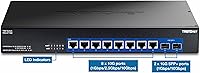
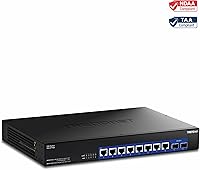
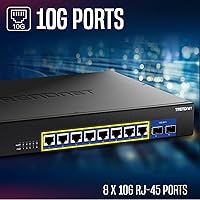
The TRENDnet TEG-S7102 10-Port 10G Unmanaged Switch sits in a practical middle ground — built for people who need real 10G speeds across multiple devices without the overhead of managed switching. Its ten-port layout pairs eight multi-gig RJ-45 ports with two SFP+ slots, keeping fiber uplink and direct server connection options open from day one. There's no CLI to learn and no web interface to configure; you rack it, cable it, and it works. For government or regulated-industry buyers, NDAA and TAA compliance is a genuine differentiator that competitors at this tier don't always offer. The lifetime warranty — covering U.S. and Canada — rounds out a compelling long-term infrastructure argument.
Features & Benefits

What stands out about this multi-gig switch in practical use is how thoughtfully the port mix is designed. The eight RJ-45 ports auto-negotiate at 1G, 2.5G, or 10G, so you're not forced to replace every device overnight — older gigabit hardware coexists with new 10G workstations without any manual configuration. The two SFP+ slots handle dedicated fiber uplinks or NAS connections without consuming copper ports. A smart variable-speed fan adjusts to thermal load, staying genuinely quiet during lighter workloads. Add 12KB jumbo frame support and a 32K MAC address table, and this switch handles storage-heavy or virtualized environments without breaking a sweat. The external power supply also helps keep internal temperatures manageable in tight rack deployments.

Best For

This 10G unmanaged switch makes the most sense for home lab builders who've outgrown gigabit and want a 10G backbone without managing VLANs or QoS policies. Small IT teams connecting a NAS, servers, and high-throughput workstations will find the port count hits a real sweet spot. Prosumers running Cat6A throughout their home and centralizing into a 1U rack shelf will appreciate the clean, compact form factor. It's also a natural fit for government or public-sector projects where NDAA and TAA compliance is a hard requirement. One honest caveat: if you need link aggregation, traffic monitoring, or VLAN segmentation, a managed switch belongs on your shortlist — the TEG-S7102 simply wasn't designed for those tasks.

User Feedback

Across more than 160 reviews and a 4.5-star average, the loudest praise centers on plug-and-play reliability — buyers consistently report the switch working correctly right out of the box. Home lab and small office users frequently highlight the build quality and port density as strong points for the price. On the critical side, some reviewers note the fan becomes noticeably audible under sustained heavy load, which may matter in quieter work environments. A handful of international buyers have pointed out that the lifetime protection is limited to the U.S. and Canada — worth confirming before purchasing. Overall, the price-to-performance sentiment is broadly positive, with most buyers feeling this unmanaged 10G option delivers where it counts.

Pros

  • Plug-and-play setup with zero configuration required — ideal for users who want 10G without the learning curve.
  • Multi-gig RJ-45 ports auto-negotiate across 1G, 2.5G, and 10G, so older devices stay useful on the same switch.
  • Two SFP+ uplink ports provide fiber or direct server connectivity without consuming copper ports.
  • 200Gbps non-blocking switching capacity means no bottlenecks even when all ports run at full speed simultaneously.
  • NDAA and TAA compliance makes this multi-gig switch a viable option for government and regulated-sector procurement.
  • Lifetime manufacturer warranty (U.S. and Canada) is a rare and meaningful commitment at this price point.
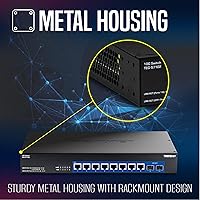
  • Solid metal construction gives the switch a durable, rack-ready feel that matches its intended professional environment.
  • Smart variable-speed fan stays quiet during typical workloads, which buyers consistently praise in real-world use.
  • 12KB jumbo frame support benefits NAS transfers and virtualization traffic where large packet sizes matter.
  • Backward compatibility with 100/1000BASE-T devices protects existing infrastructure investments during a phased upgrade.

Cons

  • No management interface at all — VLANs, QoS, port mirroring, and traffic monitoring are completely off the table.
  • Lifetime warranty coverage is restricted to the U.S. and Canada, leaving international buyers without the same protection.
  • Fan noise under sustained heavy load has been noted by some buyers, which can be disruptive in quiet environments.
  • External power adapter rather than an internal power supply adds cable clutter and occupies an extra outlet.
  • Only one fan means a single point of thermal failure in a switch intended for always-on rack deployments.
  • No link aggregation support limits uplink bandwidth options when connecting to upstream switches or routers.
  • 32K MAC address table, while adequate for most SMB use, may become a constraint in larger or more complex network topologies.
  • Ten ports is a hard ceiling — there is no stacking or expansion path if your device count grows beyond that quickly.
  • No console or web access makes troubleshooting port-level issues harder without additional diagnostic hardware.
  • At this price, some buyers may reasonably expect at least a basic web GUI, which competing brands occasionally include.

Ratings

The scores below reflect our AI-driven analysis of verified buyer reviews for the TRENDnet TEG-S7102 10-Port 10G Unmanaged Switch, drawn from hundreds of real-world purchases across home labs, small business deployments, and government installations worldwide — with spam, incentivized, and bot-flagged submissions actively filtered out. Both the strengths that keep buyers recommending this multi-gig switch and the friction points that prompt complaints are transparently represented in each category score.

Ease of Setup
96%
Buyers consistently describe unboxing and going live in under ten minutes — rack it, cable it, done. For home lab builders who just want 10G switching without reading a manual, this plug-and-play experience is exactly what they came for, and it shows in how frequently reviewers mention it unprompted.
The complete absence of any configuration interface, while a selling point for most, frustrates the small subset of buyers who expected at least a basic web GUI for port monitoring. There is genuinely nothing to configure, which is a dealbreaker if your environment requires any traffic management at all.
Port Density & Layout
88%
Eight multi-gig copper ports paired with two SFP+ slots hits a practical sweet spot for connecting a NAS, a server, several workstations, and still having uplink flexibility left over. Reviewers running mixed-speed environments — say, a 10G NAS alongside 2.5G access points and older 1G desktops — praise how cleanly the auto-negotiation handles everything without intervention.
Ten ports is the hard ceiling, and a few buyers note they outgrew the switch faster than expected after adding devices. The lack of any expansion or stacking capability means your only option when you hit port saturation is adding a second unmanaged switch, which complicates cable management.
Throughput & Performance
91%
Real-world transfer speeds between connected NAS and workstations consistently hit the ceiling of what the attached devices support, with no observable bottlenecking at the switch level. Buyers running virtualization workloads and large backup jobs across multiple simultaneous 10G links report stable, consistent throughput without dropped packets or slowdowns.
A small number of buyers report occasional link instability with certain third-party 10G NICs, particularly at 2.5G negotiation speeds, though this appears tied to NIC firmware rather than the switch itself. At very high sustained loads across all ports simultaneously, a handful of reviewers noted minor packet loss that disappeared after allowing the unit to cool slightly.
Build Quality
84%
The all-metal chassis feels solid and rack-ready out of the box, with port spacing wide enough for standard RJ-45 connectors without crowding. Most buyers comment favorably on the overall fit and finish, noting it looks and feels appropriate for a professional rack environment rather than a consumer-tier product.
The external power adapter is a recurring irritant for buyers who want a clean rack build — a brick dangling outside the unit feels like a design compromise at this price tier. A few reviewers also noted that the LED indicators, while functional, are dim in brighter environments and can be hard to read at a glance.
Fan Noise & Thermals
71%
29%
During typical mixed workloads — a NAS transfer here, some virtualization traffic there — the smart fan stays genuinely quiet, and many buyers in home office or basement lab settings report they forget the switch is running. The variable-speed design does its job well at moderate loads, which covers the majority of real-world usage patterns.
Under sustained, high-load conditions across multiple ports simultaneously, the fan spins up noticeably and several reviewers describe it as disruptive in quiet home environments. A single fan also means there is one thermal failure point in a unit intended for always-on operation, which gives some buyers pause for critical deployments.
Value for Money
82%
18%
For buyers who need 10G switching with NDAA and TAA compliance plus a lifetime warranty, the price-to-feature ratio is genuinely competitive — alternatives offering the same compliance credentials and port count tend to cost meaningfully more. Home lab buyers without compliance requirements also broadly feel the switch delivers honest 10G performance for the investment.
Buyers comparing this against managed 10G switches at a modest premium sometimes feel the unmanaged limitation diminishes the value argument, especially when VLAN or monitoring capability would round out their setup. International buyers further subtract value once they factor in the warranty not covering their region, effectively making it a standard limited-term purchase.
SFP+ Port Utility
79%
21%
Having two dedicated SFP+ ports for uplinks or direct server connections without sacrificing copper ports is a practical design choice that real buyers put to good use, particularly for connecting fiber runs between floors or buildings. Reviewers using direct attach copper DAC cables to servers report clean, stable 10G links without any compatibility headaches.
TRENDnet does not bundle any transceivers or DAC cables in the box, so buyers who are new to SFP+ connectivity face an additional purchase to get those ports operational. Compatibility with off-brand SFP+ modules is broadly fine but not guaranteed, and a few reviewers report having to try multiple third-party modules before finding one that negotiated correctly.
Backward Compatibility
93%
The auto-negotiation across 1G, 2.5G, and 10G works reliably with the wide range of hardware buyers bring to it, including older gigabit switches, NAS units, and network printers that have no business being at 10G but need to stay connected. This makes the transition from a gigabit network genuinely gradual rather than forced.
A small number of buyers with very old 100BASE-TX devices report occasional negotiation hiccups, though these are edge cases rather than systemic issues. There is no manual port-speed override available since the switch is unmanaged, so if a device negotiates to the wrong speed, there is no software fix available.
Rackmount Design
86%
The 1U form factor with a bundled rack kit allows for immediate, clean rack installation without sourcing additional brackets. Buyers who have integrated this multi-gig switch into a structured cabling setup appreciate how compact and unobtrusive it is, especially in half-depth or shallow wall-mount enclosures.
The external power supply creates a cable management headache in tighter rack setups, as the brick needs somewhere to live outside the 1U footprint. Port placement on the front panel with power at the rear works fine in most rack orientations, but a few buyers mounting in wall enclosures found the cable routing awkward.
NDAA & TAA Compliance
94%
For procurement officers and IT managers in government, defense-adjacent, or regulated industries, having NDAA and TAA compliance built in from the factory removes a significant barrier to approval. Buyers in these sectors repeatedly highlight compliance as the primary reason they chose this switch over competitors with comparable specs.
The compliance certification is only relevant to a specific buyer segment, and general consumers pay a price that partially reflects this certification without necessarily benefiting from it. Buyers outside the U.S. and Canada get no practical compliance benefit since the relevant regulations apply domestically.
Warranty & Support
77%
23%
The lifetime manufacturer warranty for U.S. and Canadian buyers is a meaningful long-term commitment that distinguishes this switch from competitors offering only one- or two-year coverage. Several reviewers specifically mention the warranty as the tipping point in their purchase decision when comparing similarly priced alternatives.
The lifetime protection explicitly excludes international buyers, which is a significant omission that some overseas reviewers feel is inadequately disclosed at the point of sale. TRENDnet support experiences in reviews are generally positive but inconsistent — some buyers report fast, knowledgeable responses while others describe longer wait times during peak periods.
Power Efficiency
73%
27%
The smart fan and variable-speed design contribute to a reasonably lean power draw under typical loads, and buyers running home labs on metered circuits appreciate that the switch is not a constant heavy consumer. At lighter workloads, the combination of thermal management and efficient switching silicon keeps energy use noticeably below the 40W ceiling.
The external adapter, while functional, is less efficient than an internal power supply in terms of overall energy conversion, and a few environmentally conscious buyers have flagged this. Under full load across all ten ports simultaneously, the 40W draw is not alarming but is on the higher end for a fanless or near-silent alternative.
Cable Management
66%
34%
The front-facing port layout keeps active connections organized and visible, and the port spacing accommodates standard RJ-45 boots without forcing cables into awkward angles. For buyers with pre-planned rack layouts, the physical footprint is predictable and easy to work around.
Several reviewers flag the external power brick as a recurring cable management complaint — it forces an extra cable run that most rack-mounted switches avoid with internal PSUs. In tightly packed racks with many patch cables, accessing rear-side power while managing front-side copper and SFP+ connections simultaneously can get cramped quickly.

Suitable for:

The TRENDnet TEG-S7102 10-Port 10G Unmanaged Switch is a strong fit for home lab enthusiasts who are ready to move past gigabit speeds but have no interest in managing VLANs, traffic policies, or firmware-level configuration. Small business IT teams running NAS appliances, file servers, or high-throughput workstations will find the eight multi-gig RJ-45 ports cover most real-world device counts without needing a second switch. The two SFP+ slots add genuine flexibility for fiber backbone uplinks or dedicated server connections, which is a meaningful advantage in a compact 1U form factor at this price tier. Prosumers who have already wired their space with Cat6A will get the most out of the auto-negotiating ports, since devices running at 2.5G or 10G can coexist with older gigabit hardware on the same switch. Government agencies and regulated-industry buyers will also find the NDAA and TAA compliance a practical necessity rather than a marketing footnote, as procurement requirements in those sectors are strict and non-negotiable.
Not suitable for:

The TRENDnet TEG-S7102 10-Port 10G Unmanaged Switch is simply not the right tool for anyone who needs network-level control over their traffic. If your environment requires VLANs for guest isolation, QoS for VoIP or video conferencing priority, link aggregation for bonded uplinks, or SNMP monitoring for visibility into port-level activity, you need a managed switch — full stop. Buyers outside the United States and Canada should also factor in that the lifetime warranty protection does not extend to their region, which changes the long-term value calculation considerably. Anyone running a dense rack with limited ventilation should be aware that the fan can become audible under sustained heavy loads, which may be an issue in open-office or home environments where noise levels matter. Finally, if ten ports isn't enough headroom for your current or near-future device count, scaling up means adding another switch entirely, since there is no stacking capability here.
Specifications

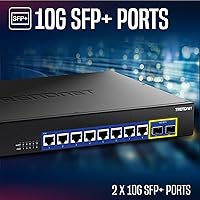
  • RJ-45 Ports: Eight 10GBASE-T RJ-45 ports auto-negotiate at 1Gbps, 2.5Gbps, or 10Gbps, accommodating a mix of legacy and modern devices on the same switch.
  • SFP+ Uplinks: Two 10G SFP+ slots support 1Gbps or 10Gbps transceivers for fiber uplinks or direct high-speed connections to servers and NAS appliances.
  • Switching Capacity: Non-blocking switching fabric delivers 200Gbps of total throughput, ensuring no port starves another even at simultaneous full-speed operation.
  • Forwarding Rate: The switch processes packets at 144.8 million packets per second using a 64-byte packet size benchmark, suitable for high-density traffic environments.
  • Jumbo Frames: Jumbo frame support up to 12KB reduces CPU overhead on connected hosts during large file transfers and storage or virtualization workloads.
  • MAC Address Table: A 32K MAC address table allows the switch to handle large numbers of unique device identifiers without performance degradation in complex network segments.
  • RAM Buffer: A 2MB packet buffer helps absorb short-duration traffic bursts and smooth throughput during periods of uneven load across ports.
  • Cooling System: One smart variable-speed fan adjusts its rotation rate based on internal temperature, reducing audible noise and energy draw during lighter workloads.
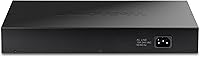
  • Power Supply: The switch uses an external power adapter rather than an internal supply, with a maximum draw of 40W under full operating load.
  • Dimensions: The metal chassis measures 13″L x 9″W x 1.73″H, occupying a single 1U slot in any standard equipment rack.
  • Weight: At 5.6 lbs, the unit is light enough for solo rack installation while remaining solid and stable once mounted.
  • Operating Temp: Rated for operation between 0°C and 40°C (32°F to 104°F), covering typical indoor data closet and home lab environments.
  • Compliance: The switch meets both NDAA and TAA requirements, making it eligible for U.S. government and regulated-industry procurement projects.
  • Warranty: TRENDnet provides lifetime manufacturer protection for buyers in the United States and Canada; this coverage does not extend to international purchasers.
  • Backward Compat.: All RJ-45 ports are backward compatible with 100BASE-TX and 1000BASE-T devices, so existing gigabit hardware connects without adapters or configuration.
  • Form Factor: The rackmount design ships with a rack kit included, allowing immediate installation into standard 19-inch equipment racks without additional hardware.
  • Case Material: The enclosure is constructed from metal, providing structural rigidity and passive heat dissipation to complement the active cooling fan.
  • LED Indicators: Per-port LED indicators show link status and activity, giving a quick visual reference for connectivity without requiring any management software.

Related Reviews
TRENDnet TEG-S750 5-Port 10G Switch
86%
88%
Performance
94%
Setup & Installation
85%
Build Quality
90%
Compatibility
92%
Quiet Operation
More
TRENDnet TEG-S762 6-Port 10G Network Switch
83%
88%
Value for Money
94%
Ease of Setup
83%
Port Configuration
81%
Build Quality
67%
Thermal Management
More
TRENDnet TEG-S16DG 16-Port Gigabit Switch
84%
96%
Ease of Setup
91%
Build Quality
89%
Network Performance
97%
Noise Level
84%
Value for Money
More
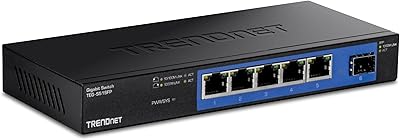
TRENDnet TEG-S350 5-Port 2.5G Network Switch
78%
88%
Value for Money
91%
Network Performance
94%
Ease of Setup
86%
Build Quality
97%
Noise Level
More
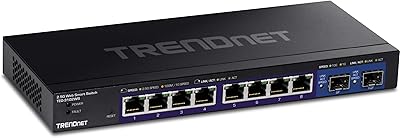
TRENDnet TEG-3102WS Multi-Gig Web Smart Switch
86%
91%
Port Speed & Multi-Gig Performance
88%
Build Quality & Hardware Design
94%
Fanless & Noise Level
71%
Web Management Interface
83%
10G SFP+ Uplink Capability
More
TRENDnet TEG-S51SFP 5-Port Gigabit Switch
86%
91%
Build Quality
96%
Ease of Setup
98%
Noise Level
72%
Thermal Management
74%
Port Count & Layout
More
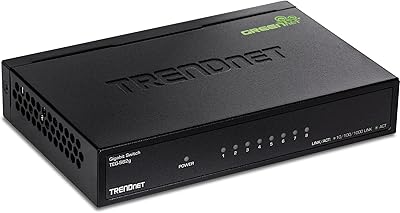
TRENDnet TEG-S82G 8-Port Gigabit Switch
82%
97%
Ease of Setup
88%
Build Quality
96%
Noise Level
91%
Port Performance
89%
Energy Efficiency
More
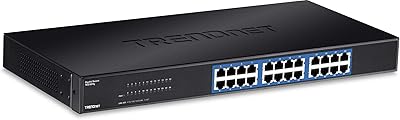
TRENDnet TEG-S24g 24-Port Gigabit Switch
82%
91%
Reliability & Longevity
94%
Ease of Setup
88%
Build Quality
67%
Thermal Management
89%
Port Density & Performance
More
TRENDnet TEG-S17D 16-Port Gigabit Switch
86%
91%
Build Quality
96%
Ease of Setup
88%
Network Performance
89%
Port Count & Density
74%
Thermal Management
More
NICGIGA S25-0802 10-Port 2.5G Unmanaged Ethernet Switch
81%
91%
Value for Money
93%
Ease of Setup
88%
Network Performance
89%
Fanless & Noise Level
82%
Build Quality
More

FAQ

Not at all. This is a fully unmanaged switch, which means there is no web interface, no CLI, and no setup wizard. You connect power and cables, and it starts forwarding traffic immediately. If your environment requires VLANs, QoS, or port mirroring, you would need a managed switch instead.

You need Cat6A or better to reliably reach 10Gbps over copper. Cat6 can work at shorter distances, but for runs up to 100 meters, Cat6A is the safe and recommended choice. Cat5e and standard Cat6 are limited to 1Gbps at typical cable run lengths.

Yes, all eight RJ-45 ports auto-negotiate down to 1Gbps or 2.5Gbps, so your older devices connect without any issues. You don't have to upgrade everything at once — the switch handles a mixed environment naturally.

The SFP+ slots accept standard 10G SFP+ transceivers running at either 1Gbps or 10Gbps. TRENDnet-branded modules work without question, and most industry-standard third-party SFP+ modules are broadly compatible, though it's worth confirming before purchasing off-brand options.

At light to moderate loads, the smart fan is quiet enough that most buyers don't notice it. Under sustained heavy traffic — say, running all ports near capacity for extended periods — the fan does spin up and becomes more audible. For a home office or bedroom lab, that occasional spin-up is worth factoring in.

No, the lifetime manufacturer protection applies only to purchases in the United States and Canada. If you are buying from outside those regions, the warranty terms differ, and you should contact TRENDnet directly to understand what coverage applies in your country before purchasing.

Absolutely, and this is one of the most common use cases for this multi-gig switch. You can run a 10G SFP+ direct attach cable or a 10GBASE-T copper connection between the switch and a NAS with a compatible port, delivering full 10Gbps throughput for fast local backups and media streaming.

No, link aggregation is a managed-switch feature and is not available on this unit. If bonded uplinks are a requirement for your setup, you will need to look at a managed switch that supports IEEE 802.3ad LACP.

The package includes the switch itself, a 1.5-meter power cord, a quick installation guide, and a rackmount kit with the necessary brackets and screws for standard 19-inch rack installation. No SFP+ transceivers are included.

Under typical workloads it stays reasonably cool, and the smart fan helps regulate internal temperature proactively. The rated operating ceiling is 40°C ambient, which covers most indoor environments. If you are deploying it in a poorly ventilated enclosure or a warm server room, making sure there is adequate airflow around the unit is a sensible precaution.

Where to Buy