Overview

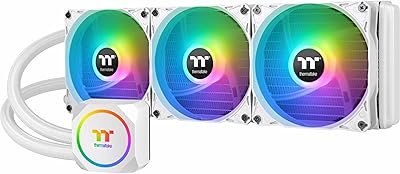
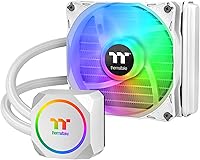
The Thermaltake TH120 ARGB 120mm AIO Liquid Cooler sits in a crowded space — affordable all-in-one cooling with enough style to justify its spot in your build. The Snow Edition white colorway is a genuine draw for builders chasing a clean, monochromatic aesthetic without spending extra on custom loops. Broad socket support across Intel LGA1700, LGA1200, and AMD AM5 and AM4 means it fits most modern platforms without adapter headaches. It holds a top-25 ranking in its water cooling category, which signals real staying power. Just go in with clear eyes: a 120mm radiator has a hard thermal ceiling and will struggle with high-TDP chips under sustained workloads.
Features & Benefits

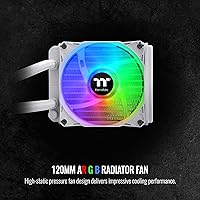
The ARGB setup is more thoughtful than you might expect at this price point. Both the pump head and the radiator fan carry ARGB LEDs that hook into ASUS Aura, Gigabyte RGB Fusion, MSI Mystic Light, and ASRock Polychrome via a standard 5V header — and if your board lacks one, the included standalone ARGB controller covers you with 7 light modes and 8 color presets. The copper base plate handles heat transfer reliably, and the low-profile pump head rarely conflicts with taller RAM kits. The fan peaks at 2500 RPM pushing around 59 CFM — audible under load but not grating — with a noise ceiling that sits at a reasonable 28 dB.

Best For

This Thermaltake cooler makes the most sense for a specific type of builder. If you are putting together a white-themed PC build and want liquid cooling without a steep investment, the Snow Edition checks that box cleanly. It performs best with processors in the 65W to 95W TDP range — think mainstream Core i5 or Ryzen 5 chips running at stock or mild overclocks. If your case physically cannot accommodate a 240mm or larger radiator, this is a practical, space-conscious solution. It also works well as a first AIO upgrade for anyone stepping off a stock cooler. Users already in the ASUS, MSI, or Gigabyte RGB ecosystem will find the lighting integration especially convenient.

User Feedback

Across buyer reviews, two things come up consistently: installation is straightforward, and the all-white finish genuinely looks sharp inside a matching case. Where opinions split is thermal performance — owners running mid-range CPUs at stock settings report comfortable temperatures, but users pushing hotter chips or sustained workloads hit the limit fast. Pump noise gets occasional mentions, usually at startup, though most report it settles within minutes. RGB sync works reliably for many buyers, but a handful using certain board firmware versions have hit software conflicts worth knowing about before purchasing. Long-term reliability concerns are rare but not absent. Against competing 120mm options, most buyers land on good value — provided expectations around raw cooling capacity stay realistic.

Pros

  • The all-white Snow Edition finish is one of the few affordable options purpose-built for white PC builds.
  • Installation is beginner-friendly, with clear instructions and hardware for both Intel and AMD platforms.
  • The included standalone ARGB controller means RGB lighting works even on boards without a 5V header.
  • Native sync with ASUS Aura, Gigabyte RGB Fusion, MSI Mystic Light, and ASRock Polychrome covers most major motherboard ecosystems.
  • The low-profile pump head avoids clearance conflicts with taller RAM kits — a practical win in compact builds.
  • Copper base plate provides solid heat transfer for mainstream CPU workloads without exotic materials.
  • At 28 dB under normal operating conditions, the TH120 ARGB is acceptably quiet during everyday tasks.
  • Wide socket compatibility across current and legacy Intel and AMD platforms makes it a versatile option for existing rigs.
  • Strong sales rank in its category suggests reliable availability and a well-supported product lifecycle.
  • Good value proposition for budget-conscious builders who want liquid cooling aesthetics without overspending.

Cons

  • A 120mm radiator simply cannot keep pace with 125W-plus processors under sustained all-core loads.
  • Fan noise at peak 2500 RPM is noticeable in quiet rooms, which may bother noise-sensitive users.
  • RGB software sync can be unreliable on certain motherboard firmware versions, requiring manual troubleshooting.
  • The standalone ARGB controller, while useful, adds cable clutter inside smaller cases.
  • Long-term durability data is mixed — a small but consistent subset of buyers report pump reliability concerns after extended use.
  • No tool-free mounting mechanism; installation requires standard hardware assembly that some beginners may find fiddly.
  • Single-fan 120mm radiator offers limited upgrade headroom if you later switch to a higher-TDP processor.
  • Overclockers will outgrow this cooler quickly, making it a short-term solution for performance-focused builds.

Ratings

Our AI rating system analyzed thousands of verified global purchases of the Thermaltake TH120 ARGB 120mm AIO Liquid Cooler, actively filtering out incentivized, duplicate, and bot-generated feedback to surface what real builders actually experience. The scores below reflect a balanced synthesis of both consistent praise and recurring frustrations — nothing is inflated, and the pain points are called out as clearly as the strengths. Whether you are a first-time AIO buyer or a seasoned builder evaluating this cooler for a specific build, these ratings are designed to give you an honest picture before you commit.

Thermal Performance
67%
33%
For mainstream processors running at stock settings — Core i5, Ryzen 5, and comparable chips — the TH120 ARGB keeps temperatures in a comfortable range during gaming sessions and mixed productivity workloads. Users building around 65W to 95W TDP chips consistently report stable thermals without throttling under typical daily use.
Push this cooler with a high-TDP processor or sustained all-core loads and the 120mm radiator surface area becomes a real bottleneck — temperatures climb quickly and stay elevated. Multiple buyers running Core i7 or Ryzen 7 chips at load report hitting thermal limits that a larger radiator would have avoided entirely.
Build Quality
74%
26%
The pump head feels solid, the tubing is adequately stiff without being brittle, and the radiator fins are cleanly constructed for a product at this price point. Most buyers note that the physical assembly inspires reasonable confidence during installation, with no obvious flex or cheap-feeling components out of the box.
A subset of long-term owners has reported pump reliability concerns after extended use, which is a pattern worth noting even if it represents a minority of units. The fan blades, while functional, feel slightly lightweight compared to premium cooler fans in a higher tier.
Aesthetics & Design
88%
The Snow Edition white colorway is genuinely well-executed — the pump head, radiator frame, fan, and tubing all match closely, making it one of the few affordable AIOs that works naturally in an all-white build without looking like an afterthought. Buyers assembling themed systems consistently call out the visual cohesion as a standout quality at this price.
The white finish on the tubing can show minor discoloration over time in some units, and the aesthetic appeal is largely irrelevant if your build has a non-windowed case. A small number of buyers also note that the pump head lighting, while attractive, can be slightly uneven in color distribution at certain angles.
RGB Lighting Quality
81%
19%
The ARGB ring on the pump head is bright and visually sharp, and the radiator fan lighting complements it well during sync. Buyers who are already inside the ASUS Aura or MSI Mystic Light ecosystem report the lighting integration working cleanly once configured, producing smooth color transitions that match other ARGB components.
Sync reliability is not universal — a meaningful number of buyers have hit firmware-related conflicts where the lighting either defaults to a static color or refuses to sync with motherboard software without manual troubleshooting. Updating the motherboard BIOS or RGB software often fixes it, but it is an extra step that should not be necessary.
RGB Software Compatibility
63%
37%
When the software sync works, it integrates smoothly into the major RGB ecosystems — ASUS Aura, Gigabyte RGB Fusion, MSI Mystic Light, and ASRock Polychrome are all officially supported. The included standalone controller is a practical fallback that genuinely covers buyers on boards without a 5V header.
Software compatibility is inconsistent enough across motherboard generations and firmware versions to be considered a real risk for buyers who have not upgraded their BIOS recently. Some users report spending significant time troubleshooting sync issues that were ultimately traced to software version conflicts rather than hardware faults.
Noise Level
72%
28%
During light gaming and general desktop use, the fan operates at moderate speeds and blends into background system noise without drawing attention. The rated 28 dB ceiling is accurate under low-to-medium loads, and most buyers describe the cooler as a non-issue acoustically during everyday tasks.
At full 2500 RPM under heavy load, the fan is clearly audible — not harsh, but noticeably present in a quiet room. A recurring complaint in user reviews involves initial pump noise at startup, which usually settles within minutes but can be unsettling for first-time AIO users who are not expecting it.
Installation Ease
83%
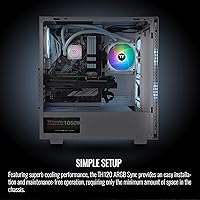
The mounting hardware covers a wide range of Intel and AMD sockets in a single package, and the installation sequence is logical enough that first-time builders report completing it without major issues. The low-profile pump head also reduces the usual stress around RAM clearance, which is a common frustration with competing units.
The instruction manual is functional but sparse, with some buyers finding the illustrations ambiguous for specific socket configurations. Without a platform-specific installation video as a reference, the experience can feel uncertain at the backplate attachment step, particularly for LGA1700 first-timers.
Socket Compatibility
91%
The breadth of socket support is one of this cooler's strongest practical attributes — covering Intel from LGA1150 through LGA1700 and AMD from FM1 all the way to AM5 means it works across nearly every consumer platform from the past decade. Buyers upgrading an existing system appreciate not needing to purchase a new cooler with each platform transition.
While the hardware is included for all supported sockets, some older platform brackets feel generic in fit, and users on legacy sockets occasionally report less secure-feeling mounts compared to the more precisely engineered modern socket brackets. This is a minor concern for most but worth noting for anyone on AM3 or FM-era boards.
Value for Money
79%
21%
Relative to competing 120mm AIOs at the same price point, the TH120 ARGB delivers more in terms of RGB integration, white colorway availability, and socket breadth than most direct alternatives. Buyers stepping up from stock air coolers consistently rate the perceived upgrade in both thermals and aesthetics as worthwhile for the spend.
The value calculation shifts once buyers compare it against slightly pricier 240mm AIOs, which offer meaningfully better thermal performance for a modest price increase. For users who later realize the 120mm radiator is insufficient for their workload, the cost of replacing it erodes the initial savings.
Pump Reliability
61%
39%
The majority of buyers report the pump operating quietly and consistently over the short to medium term, with no performance degradation during the typical warranty period. For users who keep CPU workloads moderate, the pump appears to handle day-to-day demands without issue.
A statistically notable subset of buyer reviews flags pump reliability concerns after 12 to 18 months of use, including reports of increased noise and, in a smaller number of cases, coolant-related failures. This pattern is not unique to Thermaltake at this price tier but is frequent enough to be a legitimate concern for buyers prioritizing long-term reliability.
Fan Performance
71%
29%
At 59.28 CFM, the included fan moves adequate air across the 120mm radiator surface for mainstream thermal loads, and the static pressure characteristics are sufficient for standard radiator fin densities. Buyers using this cooler in well-ventilated cases report consistent airflow behavior without unexpected thermal spikes at idle or moderate load.
The fan is a functional inclusion rather than a standout component — buyers with high-end fan preferences often replace it with a quieter or higher-static-pressure unit for better results. At peak RPM, the airflow-to-noise ratio is acceptable but falls behind premium fan options that competitors bundle at higher price points.
RAM Clearance
84%
The low-profile pump head design is a deliberate and effective choice — most buyers with standard and even taller-than-average DDR4 and DDR5 RAM kits install it without clearance conflicts. This is a genuine quality-of-life improvement over older AIO pump head designs that frequently conflict with high-profile memory.
Edge cases exist, particularly with XL-sized coolers or boards where the first DIMM slot sits unusually close to the CPU socket. Buyers using extreme-profile RAM should measure clearances before purchasing rather than assuming compatibility based on the general low-profile claim.
Packaging & Accessories
76%
24%
The box arrives with all necessary mounting hardware for supported platforms, thermal paste pre-applied or included, and the standalone ARGB controller — a more complete package than some competing units that ship with minimal accessories. Buyers consistently note that nothing critical is missing from the box on arrival.
The packaging protection is adequate but not generous — a few buyers report minor cosmetic damage to the white fan or radiator frame from transit, which is more visible on a white product than it would be on a black one. The manual, while present, could benefit from clearer platform-specific diagrams.

Suitable for:

The Thermaltake TH120 ARGB 120mm AIO Liquid Cooler is a natural fit for builders who want the look of liquid cooling without committing to a high-end budget. It genuinely shines in white or snow-themed builds, where matching aesthetics across components matters and most affordable AIOs only come in black. Users running mainstream processors — Core i5 or Ryzen 5 chips in the 65W to 95W TDP range at stock or modest settings — will find the thermal performance more than adequate for everyday workloads including gaming and light content creation. First-time AIO buyers benefit from its straightforward installation process and wide socket support, covering Intel LGA1700 through older LGA1155 and AMD from AM5 all the way back to AM2. If your case has a single 120mm fan slot and no room to grow, this cooler fills that constraint without compromise. Builders already using ASUS, Gigabyte, MSI, or ASRock motherboards get the added convenience of native RGB sync with no extra hardware needed.
Not suitable for:

Buyers expecting this 120mm AIO to handle serious thermal loads will hit a wall fairly quickly. The TH120 ARGB is not the right tool for high-TDP processors — think Core i9 or Ryzen 9 chips — especially under sustained all-core workloads like video rendering or heavy compilation tasks, where a 240mm or 360mm radiator is genuinely necessary, not just preferable. Overclockers chasing maximum performance headroom should look elsewhere; the radiator surface area simply cannot dissipate heat fast enough at aggressive voltages. Users on motherboards with non-standard or older RGB headers may also run into software friction, as sync reliability can vary depending on firmware version and board generation. Anyone building a long-term, upgrade-focused workstation who plans to eventually run a more powerful CPU will likely find themselves replacing this cooler sooner than expected. If silence is a strict priority at peak load, the fan ramp at 2500 RPM is noticeable enough to be a consideration in quiet environments.

Specifications

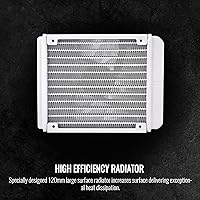
  • Radiator Size: The cooler uses a 120mm single-fan radiator designed for cases with limited space or a single top/rear 120mm fan mount.
  • Fan Speed: The included radiator fan spins at up to 2500 RPM, balancing airflow delivery with manageable operating noise.
  • Airflow: At peak speed, the fan moves approximately 59.28 cubic feet per minute of air across the radiator surface.
  • Noise Level: The system operates at a rated maximum of 28.2 dB, which is relatively quiet during light loads but noticeable at full fan speed.
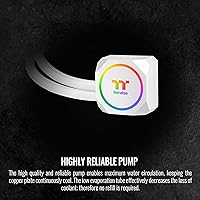
  • Base Material: The water block uses a copper base plate to maximize thermal conductivity between the CPU heat spreader and the coolant loop.
  • Pump Connector: The pump connects via a 3-pin connector, making it compatible with standard fan headers on modern motherboards.
  • ARGB Voltage: The ARGB lighting system runs on 5V and is compatible with standard 5V 3-pin ARGB headers found on most current motherboards.
  • RGB Controller: An included standalone ARGB controller offers 7 lighting modes and 8 preset colors for users whose motherboards lack a 5V ARGB header.
  • RGB Compatibility: Lighting synchronization is supported natively through ASUS Aura Sync, Gigabyte RGB Fusion, MSI Mystic Light, and ASRock Polychrome software.
  • Intel Sockets: Supported Intel sockets include LGA1700, LGA1200, LGA1156, LGA1155, LGA1151, and LGA1150, covering platforms from Sandy Bridge through Alder Lake and Raptor Lake.
  • AMD Sockets: Supported AMD sockets include AM5, AM4, AM3+, AM3, AM2+, AM2, FM2, and FM1, spanning multiple generations of Ryzen, Athlon, and FX processors.
  • Dimensions: The overall unit measures 10.51 inches long by 8.47 inches wide by 5.39 inches tall, including the radiator and pump head assembly.
  • Weight: The complete cooler assembly weighs 1.65 pounds, which is typical for a 120mm AIO and poses no unusual stress on standard motherboard mounting hardware.
  • Model Number: The official model identifier for this Snow Edition variant is CL-W346-PL12SW-A, useful for warranty registration and finding replacement parts.
  • Color Variant: This specific unit is the Snow Edition, featuring an all-white pump head, radiator frame, fan blades, and tubing for cohesive white build integration.
  • Cooling Method: The cooler uses a closed-loop liquid cooling system, circulating coolant between the CPU water block and the radiator via a low-profile integrated pump.
  • Power Connector: The system draws power through a standard 3-pin fan connector, requiring no additional power cables or adapters beyond what a typical motherboard fan header supplies.

Related Reviews

Thermaltake TH360 ARGB 360mm AIO Liquid Cooler
78%
81%
Thermal Performance
63%
Noise Level
88%
RGB Lighting Quality
84%
Build Quality
61%
Installation Experience
More
Montech HyperFlow ARGB 360 AIO Liquid Cooler
87%
90%
Cooling Performance
85%
Noise Level
92%
Ease of Installation
88%
Compatibility with Intel & AMD
91%
Warranty & Long-Term Reliability
More
AsiaHorse WK-A360 ARGB AIO CPU Liquid Cooler 360mm
87%
94%
Cooling Performance
88%
Noise Levels (Under Load)
75%
RGB Aesthetics
90%
Installation Ease
92%
Build Quality
More
ASUS ROG RYUO III 360 ARGB AIO Liquid CPU Cooler
87%
94%
Cooling Performance
91%
RGB Customization
75%
Installation Ease
90%
Build Quality
88%
Noise Level
More
ASUS ROG RYUO III 240 ARGB AIO Liquid CPU Cooler
88%
94%
Cooling Performance
88%
Noise Level
91%
Aesthetic Appeal
75%
Ease of Installation
92%
RGB Customization
More
ASUS ROG Strix LC III 360 Cooler
82%
88%
Thermal Performance
79%
Noise Levels
84%
LCD Display
57%
Software Experience
92%
Build Quality
More
Lian Li Galahad II Lite 360mm Cooler
82%
83%
Thermal Performance
91%
Build Quality
74%
Noise Level
79%
Installation Experience
88%
Cable Management
More
Cooler Master MasterLiquid 360L Core 360mm
82%
88%
Thermal Performance
74%
Pump Quality & Reliability
91%
Installation Experience
83%
Noise Level
86%
Value for Money
More
Cooler Master MasterLiquid ML240L V2 AIO Cooler
77%
78%
Thermal Performance
91%
Installation Experience
63%
Pump Noise & Vibration
82%
Fan Performance
88%
ARGB Lighting
More
Cooler Master 240 Elite Liquid White CPU Liquid Cooler
85%
91%
Cooling Performance
84%
Noise Levels
92%
Ease of Installation
89%
Build Quality
88%
aRGB Lighting Effect
More

FAQ

Most mid-tower cases support at least one 120mm fan mount, typically at the rear exhaust position, which is exactly where this cooler is designed to install. Check your case specs to confirm it has a rear or top 120mm mounting point and at least 55mm of clearance for the radiator thickness plus fan. If your case manual lists 120mm radiator support, you are almost certainly fine.

Yes, the Thermaltake TH120 ARGB 120mm AIO Liquid Cooler officially supports the LGA1700 socket used by 12th and 13th Gen Intel Core processors, including Alder Lake and Raptor Lake chips. The mounting hardware for LGA1700 is included in the box, so no separate adapter purchase is necessary.
Yes, AM5 socket support is included. The mounting hardware accommodates the AM5 retention mechanism used by Ryzen 7000 series processors. Just make sure to use the correct bracket from the included hardware set when installing on an AM5 board.

Absolutely. The included standalone ARGB controller handles that scenario directly. It plugs in independently and lets you cycle through 7 light modes and 8 color presets using a physical button, so you are not dependent on any motherboard software to use the lighting features.

At peak fan speed — around 2500 RPM — it is audible but not aggressive. Most users describe it as a light whoosh rather than a sharp whine. In a closed case during normal desktop use or light gaming, it blends into general system noise fairly well. If you are in a near-silent environment and your CPU is consistently pushing the fan hard, you will notice it.

The pump head on the TH120 ARGB sits low by design, which helps in most builds with high-profile RAM. That said, clearance is always case- and board-specific. If your RAM modules are particularly tall and your first DIMM slot sits very close to the CPU socket, it is worth measuring before committing. Most standard 44mm tall DDR4 and DDR5 kits install without issues.

It depends heavily on how you use the system. At stock settings and for tasks like gaming or general productivity, a 120mm AIO can handle most i7 and Ryzen 7 chips without thermal throttling. However, if you are running extended all-core workloads — video encoding, 3D rendering, heavy compilation — those processors generate sustained heat loads that a 120mm radiator will struggle to dissipate efficiently. A 240mm or 360mm AIO would be a more appropriate choice for those use cases.

For the majority of users on current ASUS, Gigabyte, MSI, and ASRock boards, sync works without major issues once configured in the respective RGB software. That said, a small number of buyers have reported inconsistencies linked to specific motherboard firmware versions. If sync fails initially, checking for a motherboard BIOS or software update is usually the first troubleshooting step that resolves it.

Installation is straightforward by AIO standards. The package includes all mounting hardware for supported Intel and AMD sockets, and the steps follow a standard process: apply thermal paste, attach the backplate, mount the pump head bracket, seat the water block, and connect the fan and pump cables. The instructions are clear enough for a first-time builder, though watching a platform-specific installation video beforehand never hurts.

Some buyers report a soft gurgling or clicking sound from the pump immediately after installation — this is usually air in the loop and typically clears up within the first hour of operation as the system runs and the coolant settles. Rotating the case slightly or tilting it gently can help trapped air bubbles move toward the radiator. If the noise persists beyond a few hours, it is worth contacting Thermaltake support, as the unit may have a manufacturing defect.

Where to Buy