Overview

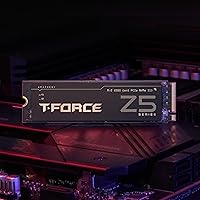
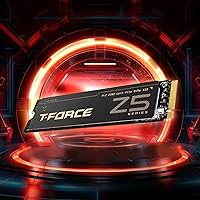
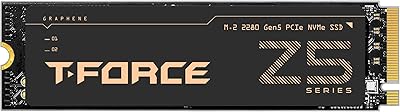
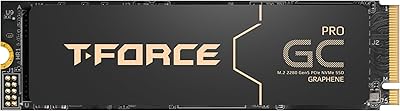
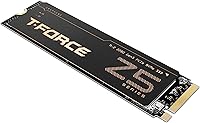
The TEAMGROUP T-Force Z540 1TB NVMe SSD targets enthusiasts who want genuine PCIe Gen5 throughput without the premium price tag of flagship options. Powering it is the Phison E26 controller — the same chip found in most credible Gen5 drives — which gives its speed claims real footing. A graphene heat spreader adds thermal practicality; it's thin enough to coexist with your motherboard's OEM heatsink without any clearance headaches. That said, be clear-eyed: this drive demands a PCIe 5.0 M.2 slot to deliver on its potential. Drop it into an older board and you're paying for speed you'll never see. A 4.3-star rating and a top-300 rank in Internal SSDs suggest buyers are largely satisfied with what they're getting.

Features & Benefits

The headline numbers — 11,700 and 9,500 MB/s sequential read and write — sound enormous, and for the right workloads they translate into real time savings. Transferring large video project files or exporting RAW photo libraries is where you'll actually feel the difference. In gaming, the honest answer is that load time gains over a solid Gen4 drive tend to be modest, though asset streaming in open-world titles does benefit from the extra bandwidth. The Phison E26 pairs with dedicated DRAM and SLC caching, keeping performance from collapsing during sustained writes — something budget drives without DRAM routinely fail at. The 3D TLC NAND is a quiet but important advantage; it outlasts QLC alternatives in endurance and write consistency, which counts when this is your primary OS drive.

Best For

The Z540 Gen5 drive makes the most sense if you're building or upgrading around a Ryzen 7000-series or 13th/14th-gen Intel platform — anything with a native PCIe 5.0 M.2 slot. It's a strong pick for creative professionals doing heavy video editing or 3D work, where sequential write headroom actually shows up in daily use. Gamers chasing the fastest possible load times will find it satisfying, with the caveat that the gap versus top Gen4 drives is narrower in-game than benchmarks suggest. If you want serious Gen5 performance without paying the brand tax of the most prominent names, this T-Force SSD hits a reasonable sweet spot. Just don't drop it into a PCIe 3.0 or 4.0 system expecting a transformation — you'll be leaving most of its capability untapped.

User Feedback

Real-world feedback on the Z540 1TB skews positive, with buyers consistently noting that benchmark results hold close to the advertised sequential figures under sustained loads — not always guaranteed with Gen5 drives. The graphene heatspreader earns specific praise for sitting flush under OEM motherboard covers without adding any height. The other side of the ledger: a portion of users report thermal throttling in cases with limited airflow, which is a category-wide challenge for Gen5 drives, not unique to this one — adding a third-party heatsink is worth considering if your case runs warm. Installation is described as straightforward, though a few buyers note they wish they had verified their slot's Gen5 compatibility beforehand. Long-term data remains thin given the product's age, but the five-year warranty provides meaningful reassurance.

Pros

  • Real-world sequential speeds consistently approach the advertised figures under sustained workloads, not just in short-burst benchmarks.
  • The Phison E26 controller paired with DRAM cache prevents the steep performance drop-offs that plague budget drives during extended writes.
  • 3D TLC NAND delivers meaningfully better endurance and write consistency than QLC alternatives available at a comparable price point.
  • The ultra-thin graphene heatspreader sits flush under OEM motherboard covers without adding any clearance issues.
  • A five-year limited warranty is a strong commitment at this tier and provides genuine long-term purchase confidence.
  • E2E Data Protection guards against silent data corruption, which genuinely matters when the drive handles your primary OS and work files.
  • Standard M.2 2280 form factor ensures broad compatibility across modern desktops and laptops equipped with a Gen5 slot.
  • Installation is consistently described by buyers as smooth and headache-free right out of the box.

Cons

  • Requires a PCIe 5.0 M.2 slot — buyers on older platforms pay for Gen5 speeds they will never actually see.
  • Gen5 drives run significantly hotter than Gen4 alternatives, and thermal throttling is a real risk in poorly ventilated cases.
  • At 1TB, the capacity may feel limiting for users managing large game libraries or growing media archives.
  • In actual gaming sessions, load time gains over a strong Gen4 drive are often marginal and rarely perceptible.
  • No heatsink is included in the box, so buyers in warm builds may need to factor in the cost of an aftermarket solution.
  • Long-term reliability data is still sparse given the drive's relatively recent market entry.
  • A handful of buyers report wishing they had double-checked PCIe 5.0 slot availability on their specific board before purchasing.
  • The price premium over top-tier Gen4 options is only justifiable if the platform and workload genuinely take advantage of the extra bandwidth.

Ratings

The TEAMGROUP T-Force Z540 1TB NVMe SSD scores below were generated by our AI after analyzing verified buyer reviews from across the globe, with spam, bot, and incentivized submissions actively filtered out. Each category score reflects the real distribution of user sentiment — not marketing claims — so both the strengths buyers consistently praise and the frustrations they have genuinely encountered are represented here. The result is a grounded, category-by-category picture of what this drive actually delivers across a wide range of real-world builds and use cases.

Sequential Read Speed
93%
Buyers running benchmarks and real-world file transfer tests consistently report speeds that approach or hit the rated 11,700 MB/s ceiling on compatible Gen5 platforms. For workloads like loading large game assets or pulling footage during an edit session, those numbers translate into a noticeable reduction in wait time compared to any Gen4 drive.
Achieving peak figures requires not just a PCIe 5.0 slot but also a clean thermal environment — users in warm builds occasionally report speeds falling short of the rated ceiling due to throttling before a read test even completes. The gap to Gen4 in shorter, everyday read bursts is also narrower than the raw numbers imply.
Sequential Write Speed
91%
The 9,500 MB/s write rating is backed by the Phison E26 and a well-sized SLC buffer, and users exporting large video projects or moving multi-gigabyte archives find the drive holds pace through the bulk of those operations without a sharp mid-transfer slowdown. Creative professionals in particular call out the write consistency as a meaningful step up from their previous drives.
Once the SLC buffer fills during extremely large sustained writes — think bulk media ingest spanning several hundred gigabytes — speeds settle at native TLC levels, as they do on virtually every consumer SSD. A small number of reviewers note this drop is more pronounced on the 1TB variant than it would be on a 2TB model with a proportionally larger buffer.
Sustained Write Consistency
84%
The dedicated DRAM cache combined with an SLC write buffer gives this drive a meaningful edge over budget alternatives during prolonged write workloads. Users who have compared it side-by-side with QLC or DRAM-less drives comment that the speed floor during sustained transfers is noticeably higher and far more predictable under real work conditions.
After the SLC buffer is exhausted on the 1TB model, native TLC write speeds take over and the pace drops — acceptable for most users, but those running constant large-volume data ingest tasks will feel it. Buffer replenishment time after a heavy write session is something a handful of enthusiast testers have flagged as slower than ideal.
Thermal Management
62%
38%
The graphene heatspreader genuinely earns its place: users in mid-tower cases with decent airflow or with their motherboard built-in heatsink cover installed report that temperatures stay within a manageable range during typical gaming and desktop workloads. The ultra-thin design also means it stacks cleanly under OEM covers without adding clearance problems.
In compact or poorly ventilated builds — small form factor cases and enclosures without dedicated M.2 cooling — thermal throttling is a recurring complaint that directly undercuts the performance buyers paid for. Gen5 drives run significantly hotter than Gen4 predecessors, and the Z540 Gen5 drive is no outlier; the heatspreader alone is not sufficient protection in the most demanding thermal scenarios.
Value for Money
78%
22%
Buyers on modern Gen5 platforms broadly agree that the Z540 1TB offers a competitive price-to-performance ratio for the category — legitimate Phison E26 performance with TLC NAND, without the premium attached to the most prominent brand names. For an enthusiast builder who wants credible Gen5 speeds without overspending, the positioning hits a reasonable sweet spot.
For anyone on a Gen4 or older platform, the value case breaks down entirely — a strong Gen4 drive at a lower price delivers comparable real-world results. Even on Gen5 systems, some buyers feel the per-gigabyte cost is harder to justify at 1TB and suggest stretching to a 2TB option for better long-term storage headroom.
Platform Compatibility
67%
33%
The standard M.2 2280 form factor means the drive slots cleanly into any compatible desktop or laptop with a Gen5 M.2 port, and buyers who purchase it for the correct platform report a completely friction-free physical fit. It is backward compatible with older slots as well, offering some flexibility for buyers who plan to upgrade their motherboard in the future.
The core limitation is that PCIe Gen5 M.2 slots are still far from universal — many mainstream and budget motherboards simply do not have one, and using this drive in an older slot wastes most of its speed advantage. A notable share of negative reviews traces back to buyers who skipped the compatibility check, which is an avoidable but unfortunately common mistake.
Gaming Performance
73%
27%
On Gen5-equipped rigs, gamers loading expansive open-world titles or hopping between several large games report snappier asset streaming and somewhat reduced initial load times compared to their previous Gen4 drives. The sequential read headroom is genuinely useful in games that aggressively stream from storage in real time rather than preloading everything into system RAM.
The honest reality is that for most current game titles, the measurable load time improvement over a well-specced Gen4 SSD is modest — often a second or two — and many players would not notice it in normal sessions. Several reviewers who upgraded primarily for gaming performance came away underwhelmed relative to what the specification numbers had led them to expect.
Creative Workload Performance
89%
Video editors, photographers, and 3D artists consistently cite this as the area where the Z540 Gen5 drive is most tangibly faster — exporting a 4K timeline, batch-processing RAW files, or scrubbing through high-bitrate footage benefits directly from the sequential bandwidth on offer. Users who moved from Gen4 to this drive specifically for creative work report the highest levels of satisfaction.
The gains are most pronounced for professionals handling very large file sizes on a regular basis; for hobby-level creators working with smaller projects, the real-world improvement over a capable Gen4 drive is more modest than the specification gap suggests. Users on Gen5 laptops also note that sustained creative workloads push temperatures higher and require active fan management to avoid throttling.
Endurance & Longevity
83%
The 3D TLC NAND is a meaningful choice at this price tier — buyers who research storage carefully appreciate that TLC cells handle write cycles better than QLC alternatives, making this a more defensible option for primary drives used in write-intensive scenarios like frequent large backups or active scratch disk work. The 5-year warranty reinforces that long-term confidence.
Actual long-term durability data from real-world users is still forming given the drive's relatively recent release, so definitive multi-year conclusions are still emerging. A number of enthusiast reviewers also note they would prefer the rated TBW (terabytes written) figure to be displayed more prominently in marketing materials, as it is a key spec for evaluating endurance before purchase.
Warranty & Support
81%
19%
The 5-year limited warranty is one of the longer coverage periods in this product category, and buyers recognize it as a genuine commitment rather than a token gesture. Reviewers who have contacted support describe the process as reasonably responsive, particularly for RMA cases where the defect was a clear manufacturing issue that fell squarely within warranty terms.
Some users report that warranty claims require patient documentation of the defect, which becomes a friction point when dealing with subtle performance degradation rather than an outright failure. A small number of international buyers also flag inconsistencies in local support responsiveness compared to what they have experienced from larger, more established SSD brands with deeper regional support infrastructure.
Random I/O Performance
77%
23%
For OS responsiveness, application launches, and general multitasking, this T-Force SSD holds up well in daily desktop use — the DRAM cache delivers consistent random read figures that keep the system feeling snappy during typical tasks like booting, switching between open applications, and loading browser sessions with many tabs active simultaneously.
Random write performance at queue depth 1 — the condition that most closely resembles real desktop use — is competent but does not represent the area where this drive most distinguishes itself from the Gen4 competition. Buyers who run storage benchmarks expecting the same margin of superiority they see in sequential results may find the random I/O figures less dramatic than anticipated.
Build Quality & Design
86%
The graphene heatspreader gives the drive a premium feel without adding bulk, and buyers consistently note that it sits flush under OEM motherboard heatsink covers without any conflict — a design decision that reflects practical attention to real installation scenarios. The overall fit and finish is in line with what enthusiast-tier internal components should deliver at this price level.
There is no RGB or visual customization on offer, which will not matter to most buyers but may disappoint those building display-forward systems where aesthetics under a side panel play a role. A small number of users also describe the graphene coating as feeling slightly more delicate to handle during installation compared to a traditional machined aluminum heatspreader.
Installation Experience
88%
Buyers across skill levels describe the physical installation as smooth and predictable — the standard form factor means no surprises, and the ultra-thin heatspreader does not complicate the fit under most heatsink covers. First-time M.2 installers and experienced builders alike report getting the drive recognized and running quickly on confirmed Gen5 platforms without any compatibility headaches.
The most common friction point is not the installation itself but the pre-purchase step of confirming which specific M.2 slot on a given motherboard is actually Gen5-capable, since many boards run their multiple slots at mixed speeds. Several buyers skipped this check and inadvertently used a Gen4 slot, leading to disappointing benchmark results that were entirely avoidable with a quick spec check.
Software & Firmware
72%
28%
The drive functions reliably out of the box without requiring any proprietary management software, which suits the majority of buyers who prefer a straightforward plug-and-play experience. Firmware updates issued by TEAMGROUP have been noted by technically inclined reviewers as relatively simple to apply and effective at delivering minor performance and stability refinements.
TEAMGROUP does not offer a dedicated SSD management utility with the same depth of features found in tools from larger competitors — functions like drive health monitoring, secure erase, and firmware flashing require third-party utilities or manual processes. For less technical buyers, this absence occasionally creates confusion when they want basic visibility into drive health and remaining lifespan.
Out-of-Box Experience
85%
The packaging is clean and the drive arrives ready to install without unnecessary accessories to sort through. Buyers appreciate that the graphene heatspreader comes pre-applied, removing one setup decision entirely and making the drive ready for immediate drop-in installation into a bare M.2 slot or directly beneath a motherboard heatsink cover.
No installation guide, mounting screw, or setup accessories are included in the box, which is standard for the category but can leave first-time builders searching for basic guidance online. A simple compatibility card highlighting the PCIe Gen5 slot requirement would prevent some of the post-purchase frustration that buyers on mismatched platforms have reported.

Suitable for:

The TEAMGROUP T-Force Z540 1TB NVMe SSD is purpose-built for builders and upgraders who are already on — or actively moving to — a platform with a PCIe 5.0 M.2 slot, such as Intel 13th/14th-gen or AMD Ryzen 7000-series motherboards. Enthusiasts who want to extract every bit of throughput from a modern rig without paying a premium for the most prominent brand names will find the value proposition here genuinely compelling. Creative professionals are another natural fit — anyone who routinely moves large video files, exports RAW photo batches, or works with heavy 3D project assets will notice the sustained write performance in ways that casual users simply won't. Gamers on cutting-edge platforms will appreciate the faster asset streaming in open-world titles, though they should go in with tempered expectations about outright load-time improvements over a strong Gen4 drive. For anyone building a new high-end PC from scratch who wants one drive to handle the OS, apps, and large media workloads, the Z540 1TB checks the right boxes.

Not suitable for:

The TEAMGROUP T-Force Z540 1TB NVMe SSD is genuinely the wrong choice for anyone running an older platform. If your motherboard tops out at PCIe 4.0 or 3.0, this drive will still function — but you'll be paying for Gen5 speeds you'll never actually use, while a well-priced Gen4 drive would deliver nearly identical real-world performance for less money. Buyers in compact builds or cases with poor airflow should also think twice; Gen5 drives as a category run hot under load, and without adequate ventilation or a supplemental heatsink, thermal throttling is a genuine risk that eats into the performance you paid for. If 1TB feels tight for your workload and you were hoping to stretch capacity, QLC-based alternatives offer higher capacities — though that trade-off comes with its own endurance concerns. Finally, anyone looking for a straightforward budget storage upgrade will find that this drive sits at a price point that only makes sense if you have the modern platform to back it up.

Specifications

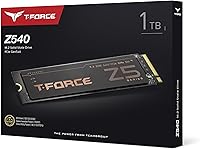
  • Capacity: The drive provides 1TB of usable storage for operating systems, applications, and large media files.
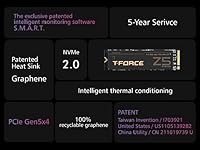
  • Interface: Connects via PCIe Gen5x4 with NVMe protocol, utilizing the full bandwidth of current-generation consumer M.2 platforms.
  • Form Factor: Follows the standard M.2 2280 footprint at 22mm wide and 80mm long, fitting the vast majority of desktop and laptop M.2 slots.
  • Sequential Read: Rated for sequential read speeds of up to 11,700 MB/s under optimal conditions on a PCIe Gen5 host platform.
  • Sequential Write: Rated for sequential write speeds of up to 9,500 MB/s, placing it among the fastest consumer NVMe drives currently available.
  • Controller: Powered by the Phison E26 chip, the same controller used across the majority of credible PCIe Gen5 consumer SSDs on the market.
  • Cache Type: Uses a dedicated DRAM cache paired with an SLC write buffer to sustain consistent performance during prolonged sequential and random write operations.
  • NAND Type: Built on 3D TLC (Triple-Level Cell) NAND, which offers better write endurance and long-term reliability compared to QLC NAND at a similar price tier.
  • Heatspreader: Equipped with an ultra-thin graphene layer in a hexagonal honeycomb structure that conducts heat away from the controller without adding significant height to the module.
  • Warranty: Covered by a 5-year limited warranty from TEAMGROUP, applicable to manufacturing defects under normal operating conditions.
  • Data Protection: Includes end-to-end data protection that monitors integrity across the full transfer path to prevent silent data corruption.
  • Compatibility: Compatible with desktops and laptops equipped with a PCIe Gen5 M.2 slot; backward compatible with PCIe 4.0 and 3.0 slots at correspondingly reduced speeds.
  • Installation: Designed for internal installation, secured by a single M.2 retention screw in the host device's M.2 slot.
  • Weight: The drive weighs approximately 1.06 oz (30g), typical for an M.2 2280 SSD with a thin heatspreader attached.
  • Dimensions: Measures 3.15 x 0.87 x 0.15 inches (approximately 80 x 22 x 3.8mm), consistent with the standard M.2 2280 specification.

Related Reviews

TEAMGROUP T-Force Z540 1TB NVMe SSD
76%
94%
Sequential Speed Performance
67%
Thermal Management
78%
Sustained Write Consistency
61%
Compatibility & Platform Requirement
74%
Value for Money
More
TEAMGROUP T-Force G50 1TB NVMe M.2 SSD
82%
88%
Sequential Read Speed
83%
Sequential Write Speed
93%
PS5 Compatibility
81%
Thermal Management
79%
Build & Physical Quality
More
TEAMGROUP T-Force A440 2TB NVMe SSD
83%
93%
Sequential Performance
84%
Real-World Speed
88%
Thermal Management
86%
Value for Money
87%
PS5 Compatibility
More
TEAMGROUP T-Force G50 512GB NVMe SSD
84%
88%
Read Speed Performance
71%
Write Speed Performance
93%
PS5 Compatibility
84%
Thermal Management
91%
Installation Experience
More
TEAMGROUP Vulcan Z 1TB SATA SSD
79%
93%
Value for Money
78%
Read & Write Performance
67%
SLC Cache Behavior
88%
Installation & Compatibility
74%
Long-Term Endurance
More
TEAMGROUP T-Force GC PRO 4TB Gen5 NVMe SSD
80%
88%
Sequential Speed Performance
83%
Thermal Management
81%
Sustained Write Consistency
67%
Compatibility & Setup Experience
74%
Value for Money
More
TEAMGROUP MP44L 1TB NVMe SSD
89%
94%
Performance
96%
Speed (Read/Write)
85%
Heat Management
91%
Installation Ease
92%
Compatibility
More
TEAMGROUP MP33 PRO 1TB NVMe SSD
88%
93%
Performance
91%
Read Speed
88%
Reliability
87%
Write Speed
85%
Installation Ease
More
TEAMGROUP T-Force Vulcan Z 2TB SSD
85%
85%
Performance for Everyday Tasks
92%
Installation Ease
91%
Value for Money
88%
Compatibility with Laptops and Desktops
90%
Durability and Build Quality
More
TEAMGROUP T-Force Vulcan Z 512GB SSD
80%
93%
Value for Money
86%
Read Speed Performance
78%
Write Speed Performance
94%
Installation Ease
88%
Long-Term Reliability
More

FAQ

Yes — to reach the advertised speeds, your motherboard needs a PCIe 5.0 M.2 slot. The TEAMGROUP T-Force Z540 1TB NVMe SSD will physically fit in older PCIe 4.0 or 3.0 slots, but it will operate at those slower speeds instead, which largely defeats the purpose of buying a Gen5 drive. Check your motherboard specifications carefully before purchasing.
It can be, particularly in compact cases with limited airflow. Gen5 drives as a category run hotter than Gen4 predecessors, and this T-Force SSD is no exception to that pattern. If your case has reasonable ventilation or your motherboard includes a built-in heatsink cover, most everyday workloads should be fine. For small form factor or poorly ventilated builds, adding a third-party heatsink is genuinely worth considering.

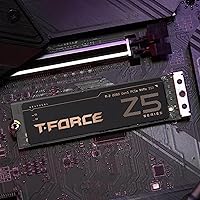
No — and this is one of the more practical aspects of the Z540's design. The graphene layer is thin enough that it does not add meaningful height to the module, so the motherboard's OEM heatsink cover should sit flush on top without any clearance issues. You do not have to choose between using one or the other.

Honestly, in most current titles the difference is smaller than the spec numbers imply. Sequential bandwidth matters most for large sustained transfers — loading sprawling open-world maps or streaming high-resolution assets. Straightforward game load times from Gen5 versus a strong Gen4 drive are often a matter of a second or two, which most players will not notice. The Z540 Gen5 drive shows its real advantage more clearly in creative and file-transfer workloads.

It depends heavily on what you install. Modern AAA titles routinely exceed 100GB each, so a 1TB drive fills up faster than most people anticipate once the OS, apps, and a handful of large games are on board. If you plan to keep six or more big titles installed simultaneously, you will find yourself managing space fairly often. For a secondary or scratch drive alongside a larger primary, 1TB is comfortable.

Only if your laptop has an M.2 slot running PCIe Gen5, which remains uncommon in most consumer laptops at this point — the majority still use Gen4 or Gen3. The drive will fit physically in any standard M.2 2280 slot, but you should confirm your laptop's exact M.2 generation support before buying, or you will be paying for bandwidth you cannot use.

In practical terms, it prevents the drive from slowing down sharply when you copy large files or run multiple write-heavy tasks at once. Drives without a DRAM cache can hit a performance wall once their smaller SLC buffer fills, resulting in noticeably inconsistent speeds. With the Z540 1TB, that drop-off is far less severe, which translates to more predictable performance across real workloads rather than just benchmark runs.

The 5-year limited warranty covers manufacturing defects under normal use conditions. For claims, you would contact TEAMGROUP directly through their official support channels, and registering the product after purchase can simplify the process. Keep in mind that the warranty does not cover physical damage or data recovery, so maintaining a regular backup routine is still important regardless of warranty coverage.

The process is straightforward for anyone who has handled an M.2 drive before — angle it into the connector, press it down flat, and secure it with the retention screw. The most important step is confirming beforehand which of your board's M.2 slots actually runs at PCIe Gen5, since many motherboards have multiple slots operating at different speeds. After that, a fresh OS install or a clone from your existing drive is all that remains.

TLC NAND stores three bits per cell versus QLC's four, meaning each cell endures fewer write cycles per operation. In practice, TLC drives handle sustained write workloads better and maintain their rated endurance over a longer period of use. If you write large amounts of data regularly — video editing, frequent large backups, or virtual machine workloads — TLC is the more durable long-term choice at this price tier.