Overview

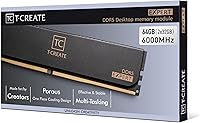
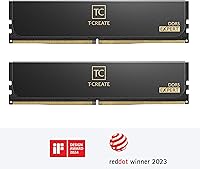
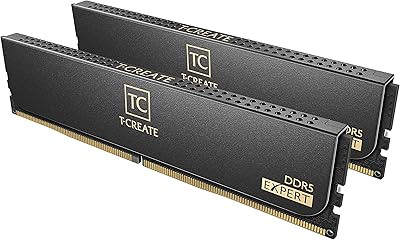
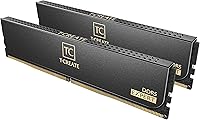
The TEAMGROUP T-Create Expert 64GB DDR5 RAM Kit sits comfortably in the enthusiast tier of desktop memory — a high-capacity dual-channel kit built for users who routinely push their systems hard. Running two 32GB modules in tandem, it targets the kind of workloads where having enough memory bandwidth actually makes a measurable difference. At 6000MHz with CL34 latency, it clears a noticeable bar above entry-level DDR5 specs without requiring manual tuning. TEAMGROUP has built a solid reputation among PC builders who care about reliability without overpaying for flashy aesthetics, and this kit reflects that positioning fairly well.
Features & Benefits

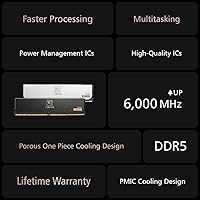
At the heart of this 64GB DDR5 kit is a combination that genuinely works well for memory-intensive tasks. The 6000MHz CL34 configuration delivers strong throughput for applications like video editing and 3D rendering, where slower kits create real bottlenecks. Both Intel XMP 3.0 and AMD EXPO profiles are baked in, which means you get the rated speed with a single BIOS toggle — no manual fiddling required. The 10-layer PCB reduces signal interference, which matters during sustained workloads rather than short bursts. Operating at 1.35V, power draw stays reasonable, and the lifetime warranty provides long-term peace of mind that budget kits rarely offer.

Best For

This overclocking RAM set makes the most sense for content creators and workstation builders who routinely handle large project files — think multi-camera edits in DaVinci Resolve, complex Blender scenes, or heavily layered Photoshop workflows. It pairs especially well with AMD Ryzen 7000 or Intel 13th and 14th Gen platforms where XMP or EXPO support is properly implemented. If you are building a system meant to last several years and want to avoid mismatched modules down the line, buying a matched 64GB kit from day one is a cleaner approach. That said, casual gamers or general-use PC builders will find 64GB is well beyond what their workloads actually require.

User Feedback

With nearly 1,900 ratings averaging 4.7 out of 5, the T-Create Expert memory kit has earned a consistent track record across a large buyer pool. The most common praise centers on hassle-free XMP and EXPO activation — most users report stable boot behavior right after enabling the profile in BIOS. The low-profile UDIMM design gets positive mentions for clearing large air coolers without clearance issues. On the critical side, a smaller subset of buyers has flagged compatibility issues with certain motherboard and BIOS combinations, particularly on early platform revisions. A few also note that competing kits at similar speeds can undercut this on price, making value a mildly debated point.

Pros

  • 6000MHz with CL34 latency delivers real throughput gains for bandwidth-heavy creative workloads.
  • Both Intel XMP 3.0 and AMD EXPO profiles are supported, covering the two dominant desktop platforms.
  • Enabling the rated speed is a single BIOS toggle — no manual timing adjustments needed.
  • The 10-layer PCB contributes to stable signal integrity during extended, demanding sessions.
  • Low-profile UDIMM design clears most large air coolers without clearance headaches.
  • A lifetime warranty backs the kit, which is uncommon at this capacity tier.
  • Operating voltage sits at 1.35V, keeping thermals and power draw sensible for high-frequency DDR5.
  • Nearly 1,900 real-world ratings averaging 4.7 out of 5 reflects consistent buyer satisfaction at scale.
  • Buying a matched 64GB kit upfront avoids the risk of mixing modules with different revisions later.

Cons

  • Some users on certain motherboards report needing BIOS updates before the XMP or EXPO profile stabilizes reliably.
  • A handful of buyers have flagged boot instability on early platform revisions that required additional troubleshooting.
  • Competing 64GB DDR5 kits at similar speeds occasionally undercut this kit on price, making value a genuine comparison point.
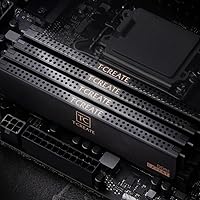
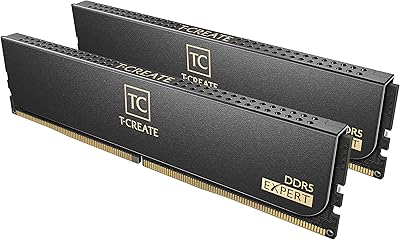
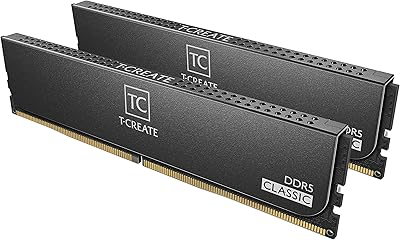
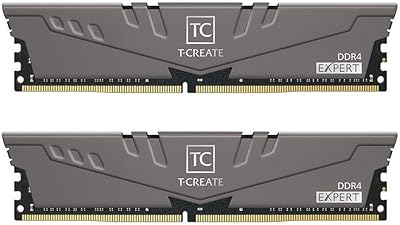
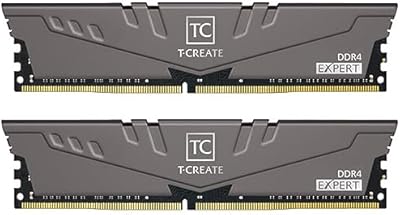
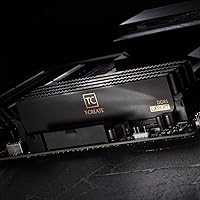
  • The plain black UDIMM design offers no RGB or visual customization for builders who care about aesthetics.
  • At 64GB total, this overclocking RAM set is significant overkill for any gaming-focused build regardless of budget.
  • DDR5 platform costs overall remain high, and this kit assumes you are already committed to a compatible board and CPU.
  • Limited color options mean it will not suit builders trying to match a specific themed system aesthetic.

Ratings

Our AI rating system analyzed thousands of verified global purchases of the TEAMGROUP T-Create Expert 64GB DDR5 RAM Kit, actively filtering out incentivized, bot-generated, and duplicate submissions to surface what real buyers actually experienced. The scores below reflect both the genuine strengths enthusiasts praise and the friction points that show up consistently across critical reviews. Nothing is padded — where pain points exist, they are reflected honestly in the numbers.

Out-of-Box Performance
91%
The vast majority of users report hitting the rated 6000MHz speed simply by enabling XMP or EXPO in BIOS — no manual timing work needed. For content creators who just want the kit to run as advertised from day one, that reliability is a meaningful advantage over kits that require coaxing.
A smaller but notable subset of buyers — particularly on AM5 boards with older BIOS versions — found the profile did not activate cleanly on first boot. Those users needed firmware updates before the kit stabilized, which adds friction that should not exist at this price tier.
Memory Bandwidth
88%
At 6000MHz with CL34 latency, this overclocking RAM set delivers throughput that users running DaVinci Resolve exports or heavy Blender scenes describe as genuinely faster compared to their previous 4800MHz kits. Bandwidth-sensitive workloads are where the frequency uplift translates into measurable time savings.
For general desktop tasks — web browsing, document editing, light multitasking — the speed advantage over cheaper DDR5 kits disappears entirely. Buyers expecting across-the-board responsiveness improvements in mixed workloads may find the real-world gains narrower than the spec sheet implies.
Platform Compatibility
79%
21%
Supporting both Intel XMP 3.0 and AMD EXPO in a single kit gives this 64GB DDR5 kit genuinely broad appeal across the two dominant desktop platforms. Builders who spec AMD today but might switch to Intel next build cycle appreciate not being locked into a single ecosystem.
Some early-adopter AM5 users and a handful of Z690 board owners flagged compatibility issues that required BIOS updates or slot repositioning to resolve. The QVL situation for DDR5 at high frequencies remains imperfect industry-wide, and this kit is not entirely immune to those headaches.
Build Quality
93%
The 10-layer PCB design earns consistent praise from technically minded buyers who understand what it means for signal integrity during sustained workloads. Modules feel solid and well-manufactured, with no reports of physical defects or loose contacts in the large review pool.
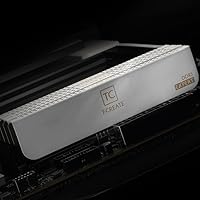
The plain matte black aesthetic, while clean, leaves builders chasing a themed or RGB-accented build with nothing to work with. There is no heat spreader with aggressive styling, which some enthusiasts feel does not justify the price visually compared to flashier competing kits.
Thermal Management
84%
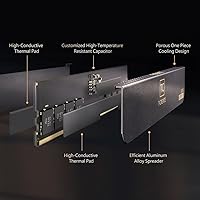
Running at 1.35V keeps heat generation in a reasonable range even during extended rendering sessions, and users with good airflow report no throttling or instability from thermals alone. The heat spreader does its job without requiring active cooling solutions.
A few users running the kit in tightly packed cases with limited airflow noted temperatures climbing higher than expected during sustained all-core workloads. The heat spreader design is functional rather than exceptional, and there is no active cooling option for extreme use cases.
Installation Experience
86%
Most buyers describe installation as straightforward — the modules seat firmly, the BIOS profile activation is a single toggle, and the system boots cleanly. For builders who have dealt with finicky DDR5 kits before, the relative smoothness here is appreciated.
The BIOS update requirement that some users encountered before the kit would post at rated speed adds an unwelcome step for less experienced builders. A small number of users reported needing to try different DIMM slot configurations before achieving stability.
Capacity Value
74%
26%
For workstation users and serious content creators, getting a matched 64GB dual-channel kit from a single reputable source is genuinely convenient and avoids the risks of mixing modules later. The peace of mind of a cohesive, validated kit has real practical value for production workflows.
At 64GB, buyers who overestimate their actual memory needs end up paying a significant premium for headroom they never use. Competing kits occasionally undercut this on price at the same speed tier, and the value proposition weakens considerably outside of genuinely memory-hungry professional workflows.
Warranty Coverage
96%
The lifetime warranty is one of the strongest in the desktop memory market and comes up frequently in positive reviews as a trust signal. Buyers doing long-term workstation builds especially appreciate knowing they are not on a fixed replacement clock.
The warranty process has not been widely stress-tested across the review pool since failure rates appear low, so real-world claims handling speed is harder to evaluate. A lifetime warranty also means little if the company's support infrastructure changes significantly years down the line.
Cooler Clearance
89%
At 1.26 inches tall, the low-profile UDIMM form factor clears the base fins of virtually every mainstream tower cooler on the market without repositioning or compromise. Users pairing this with large Noctua or Thermalright coolers consistently report zero clearance conflicts.
The low-profile design means there is no option for tall, visually striking heat spreaders if aesthetics matter to your build. Buyers who want a more imposing memory presence in a windowed case will find this kit visually underwhelming by design.
Stability Under Load
87%
Extended stress testing reports from technically detailed reviewers describe the kit as rock-solid once the XMP or EXPO profile is confirmed stable on boot. Users running 24-hour renders or overnight batch exports report no crashes or memory errors attributable to the kit itself.
The caveat is that stability on the first boot is not guaranteed on every board, and some users had to run BIOS-level troubleshooting before the kit fully settled. That initial hurdle, while solvable, means the out-of-box stability story is strong but not universal.
Dual-Channel Efficiency
91%
Running as a matched two-module kit ensures the memory controller treats both sticks as an optimized pair, which matters for bandwidth-sensitive applications. Users migrating from single-channel or mismatched configurations report noticeable throughput improvements in content creation workloads.
There is no option to expand this kit to higher capacities while maintaining the same matched configuration, which is a limitation for users who anticipate needing 128GB in the future without replacing everything they already own.
Value for Money
71%
29%
For buyers who genuinely need the full 64GB capacity at 6000MHz with a lifetime warranty and solid platform support, the price is justifiable relative to what competing kits with similar specs cost. The total package — speed, capacity, warranty, and compatibility — compares reasonably well to alternatives.
For anyone who does not fully utilize 64GB in their workflows, the price premium over a 32GB kit is difficult to rationalize. Occasional price drops on competing kits narrow the gap further and make this a tougher sell unless you specifically need the T-Create Expert feature set.

Suitable for:

The TEAMGROUP T-Create Expert 64GB DDR5 RAM Kit is built for users whose workloads genuinely demand both high capacity and strong memory bandwidth. Content creators working in DaVinci Resolve, Adobe Premiere, or Blender will notice real benefits — large project timelines, complex node graphs, and multi-layer compositions all benefit from having ample headroom rather than constantly hitting memory limits. Enthusiasts building systems around AMD Ryzen 7000 or Intel 13th and 14th Gen processors will appreciate the plug-and-play nature of the XMP 3.0 and EXPO profiles, which bring the kit to its rated 6000MHz with minimal setup friction. Workstation builders who plan to keep their machines running for several years and want a matched, high-quality dual-channel kit from day one — rather than upgrading piecemeal later — will find the single-kit approach both practical and cost-effective. The lifetime warranty adds a layer of long-term confidence that matters when you are building a system meant to handle serious professional tasks.
Not suitable for:

The TEAMGROUP T-Create Expert 64GB DDR5 RAM Kit is simply the wrong tool for a large portion of the desktop PC market, and it is worth being blunt about that. Gamers, even enthusiast ones running the latest titles at high frame rates, will see essentially zero benefit from 64GB over a well-tuned 32GB kit — games do not come close to using that capacity, and the extra spend is wasted. General home or office users who browse, stream, and run productivity apps are similarly overserved; a 32GB DDR5 kit at a lower price point would handle those workloads with room to spare. Budget-conscious builders may also find that competing 64GB kits at similar speeds undercut this kit on price without meaningfully sacrificing performance in everyday use. Finally, users on older platforms or boards with early BIOS revisions should verify compatibility carefully before buying, as some have reported stability hurdles that require BIOS updates to resolve.

Specifications

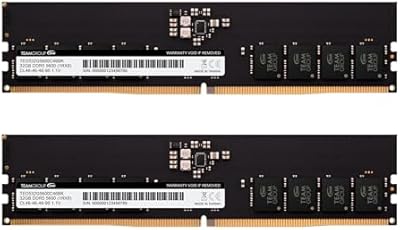
  • Capacity: The kit provides 64GB of total memory across two 32GB DDR5 UDIMM modules designed for dual-channel operation.
  • Memory Type: Uses DDR5 SDRAM technology, the current-generation standard offering higher bandwidth and lower base voltage compared to DDR4.
  • Speed: Rated at 6000MHz (PC5-48000), which sits well above baseline DDR5 speeds and benefits throughput-heavy applications meaningfully.
  • Latency: CL34 primary latency is well-tuned for the 6000MHz frequency, keeping response times competitive at this speed tier.
  • Voltage: Operates at 1.35V, which is standard for high-frequency DDR5 and does not place unusual demand on your power delivery system.
  • PCB Layers: Built on a 10-layer printed circuit board that reduces electrical interference and supports signal integrity under sustained workloads.
  • Form Factor: Standard UDIMM form factor ensures broad compatibility with desktop motherboards that feature DDR5 memory slots.
  • XMP Support: Includes an Intel XMP 3.0 profile, allowing supported motherboards to reach the rated 6000MHz speed via a single BIOS setting.
  • EXPO Support: Also carries an AMD EXPO profile for Ryzen 7000 series platforms, enabling the same plug-and-play frequency activation.
  • Dimensions: Each module measures 5.24 x 0.28 x 1.26 inches, with a low-profile height that clears most large air CPU coolers.
  • Weight: The full kit weighs 3.52 ounces, which is typical for a two-module DDR5 set of this capacity.
  • Color: Available in a plain matte black finish with no RGB lighting, keeping the aesthetic clean and utilitarian.
  • Warranty: Backed by a lifetime warranty from TEAMGROUP, covering manufacturing defects for the full lifespan of the product.
  • Model Number: The official model identifier is CTCED564G6000HC34BDC01, useful for cross-referencing compatibility lists and support documentation.
  • Compatible Devices: Designed exclusively for desktop PCs; this kit is not compatible with laptops, servers, or workstations using ECC or SO-DIMM slots.

Related Reviews

TEAMGROUP T-Create Expert Overclocking 32GB DDR5 7200MHz RAM Kit
88%
94%
Performance
89%
Overclocking Support
91%
Stability Under Load
90%
Compatibility with Intel & AMD
75%
Temperature Management
More
TeamGroup T-Create Expert 96GB DDR5 RAM
76%
88%
Raw Performance
84%
XMP/EXPO Reliability
79%
Capacity Value
74%
Overclocking Headroom
86%
Build & Module Quality
More
TEAMGROUP T-Create Classic 10L 64GB DDR5 Kit
82%
88%
Value for Money
94%
Memory Capacity
86%
Platform Compatibility
91%
Installation & Setup
67%
Latency & Timings
More
TEAMGROUP T-Create Expert DDR5 32GB (2x16GB) 6000MHz
83%
88%
Performance at Rated Speed
91%
XMP 3.0 & EXPO Compatibility
86%
Build Quality & PCB
84%
Value for Money
82%
Thermal Performance
More
TEAMGROUP T-Create Expert DDR5 48GB 6400MHz RAM
83%
88%
Performance
91%
Ease of Setup
76%
Compatibility
71%
Value for Money
89%
Stability & Reliability
More
TEAMGROUP T-Force Vulcan 64GB DDR5 Desktop RAM
84%
88%
Value for Money
93%
XMP & EXPO Activation
91%
System Stability
72%
Motherboard Compatibility
86%
Build & Physical Quality
More
TEAMGROUP T-Create Expert 16GB DDR4 Desktop RAM
83%
93%
XMP Stability
91%
Value for Money
89%
Long-Term Reliability
74%
Motherboard Compatibility
86%
Performance at Rated Speed
More
TEAMGROUP T-Create Expert 32GB DDR4 RAM Kit
85%
93%
XMP Compatibility
91%
Stability & Reliability
88%
Performance at 3600MHz
92%
Value for Money
89%
Ease of Installation
More
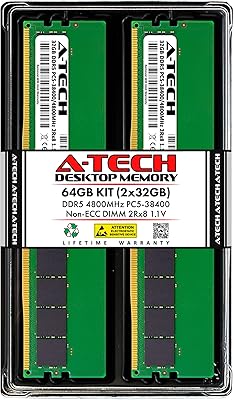
A-Tech 64GB DDR5 4800MHz Desktop RAM Kit
74%
83%
Value for Money
88%
Installation Ease
74%
Compatibility
91%
System Stability
78%
Performance at Rated Speed
More
TEAMGROUP Elite DDR5 64GB Kit 4800MHz
87%
94%
Performance
89%
Energy Efficiency
72%
Compatibility
91%
Installation Ease
88%
Stability & Reliability
More

FAQ

Not much, actually. Once the modules are seated, go into your BIOS and enable either the XMP or EXPO profile depending on your platform — Intel boards use XMP 3.0, AMD Ryzen 7000 boards use EXPO. After saving and rebooting, the kit should run at the full rated speed without any manual timing adjustments.

Yes, as long as your motherboard supports DDR5 and has EXPO in the BIOS, which most Ryzen 7000 compatible boards do. Just make sure your board firmware is reasonably up to date, since early BIOS versions on some AM5 boards had DDR5 compatibility quirks that were resolved through updates.

Honestly, for the majority of users it is overkill. If you are gaming, streaming, or doing general productivity work, 32GB is plenty headroom. Where 64GB earns its place is in genuinely heavy workloads — multi-camera video edits, large 3D scene files, running multiple virtual machines, or keeping massive datasets in memory during processing.

Technically possible in some cases, but not recommended. Mixing modules from different kits — even the same brand — can cause stability issues or prevent XMP and EXPO profiles from working correctly. If you need more capacity later, it is cleaner to replace the entire kit than to mix and troubleshoot.

At 1.26 inches tall, these modules sit low enough to clear almost all mainstream air coolers without any conflict. Only extremely wide cooler base fins that extend very close to the DIMM slots would be a potential issue, and that is relatively rare.

TEAMGROUP's lifetime warranty covers defects in materials and workmanship for the life of the product. It does not cover physical damage from improper installation or static discharge, so make sure you handle the modules carefully during install. For genuine defects, TEAMGROUP's support process is generally regarded as straightforward.

The T-Create Expert line in this configuration does not include RGB lighting — it is designed for a clean, professional aesthetic rather than a gaming-focused visual build. If RGB is important to your setup, TEAMGROUP does offer other product lines with lighting, but this specific kit is not one of them.

The TEAMGROUP T-Create Expert 64GB DDR5 RAM Kit is compatible with Intel 12th Gen (Alder Lake) and newer platforms that support DDR5, including 13th Gen (Raptor Lake) and 14th Gen boards. Just confirm your motherboard specifically supports DDR5 rather than DDR4, as some boards in those generations offered both.
The difference is most visible in bandwidth-intensive tasks rather than everyday desktop use. Applications like video encoding, rendering, and large data compression benefit from the higher throughput that 6000MHz provides. For web browsing or office work, you likely would not notice a meaningful difference in daily use.

A small but notable subset of buyers has reported boot instability on certain motherboards, particularly with older BIOS versions. Before purchasing, it is worth checking your board manufacturer's memory compatibility list (QVL) and ensuring your BIOS is updated to a recent stable release. Most reported issues were resolved after firmware updates rather than being hardware defects.

Where to Buy