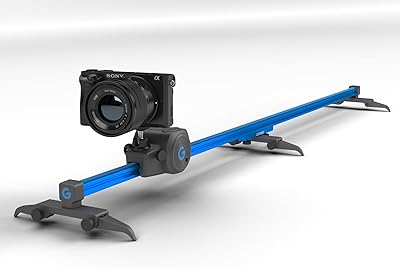
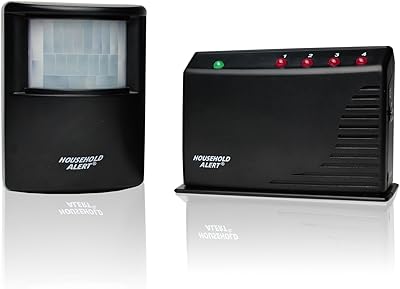
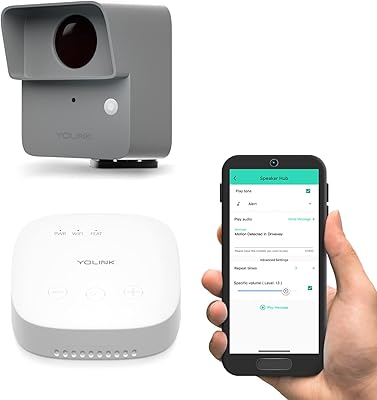
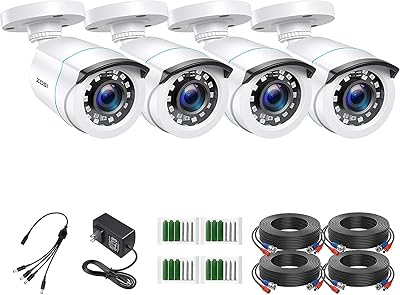
Overview

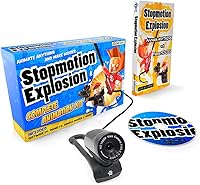
The Stopmotion Explosion HD Stop Motion Animation Kit has been around since 2012 — and the fact that it's still selling strong over a decade later is worth noting. This beginner animation set bundles everything a newcomer needs: a dedicated camera, proprietary software, and a physical instructional book, all in one box. It sits at a mid-range price point, putting it in direct competition with the DIY smartphone approach. But unlike cobbling together free apps and improvised rigs, this kit offers a cohesive, purpose-built experience aimed squarely at hobbyists, classrooms, and curious kids — not professional studios.
Features & Benefits

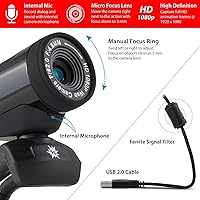
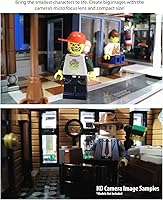
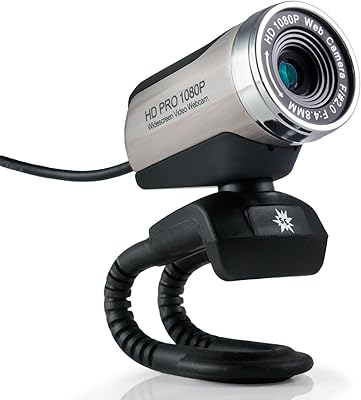
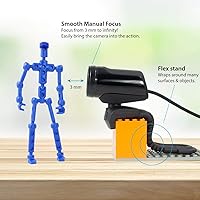
The camera at the heart of this animation kit shoots at a full 1920x1080 resolution and sits low to the table — genuinely useful when you're framing a LEGO scene or positioning clay figures. The easy-focus ring is a practical touch; older kids and adults will appreciate it, though younger children may need some help dialing it in. The camera connects via USB and stays put, with no wobbling or disconnecting mid-shoot. The Stopmotion Explosion Animator software runs on Windows and macOS, installs from disc or a free download, and requires zero account creation. The accompanying book covers clay, toys, armatures, and brickfilms, backed by an online tutorial library for visual learners.

Best For

This stop motion bundle clicks best with a fairly specific audience. Kids around age 8 and up can engage with the software and follow the book's instructions, especially with a parent or teacher nearby for trickier concepts. Teens tend to get the most independent value — they can dig into armature building and more complex techniques without much hand-holding. Homeschool families and after-school programs will find it ready to use straight out of the box, with no extra purchases required. LEGO enthusiasts in particular benefit from the camera's low-profile design, which is clearly built for tabletop brickfilm setups. This is not the right pick for anyone chasing broadcast-quality results.

User Feedback

Across more than 500 ratings, this beginner animation set holds a 4.1-star average — solid, though not without caveats. Buyers consistently praise how quickly the kit gets a child up and running, and many highlight how approachable the software is without constant adult supervision. Camera image quality earns positive remarks for the price tier too. On the flip side, some users have flagged macOS compatibility concerns with newer OS versions, so Mac households should confirm current software support before buying. A handful of reviewers also mention the USB cable feeling flimsier than expected. Compared to free smartphone apps, most buyers feel the dedicated camera and structured materials justify the cost — though that trade-off is personal.

Pros

  • Everything needed to start animating arrives in one box — no hunting for compatible accessories or extra downloads.
  • The 1080p camera produces genuinely sharp footage for a beginner-tier kit, especially in well-lit tabletop setups.
  • No account creation or subscription is required to install or use the animation software.
  • The low-profile camera body is well-suited for LEGO and clay tabletop scenes where clearance matters.
  • Free online tutorials supplement the physical book, giving visual learners a practical alternative learning path.
  • The kit has maintained consistent sales since 2012, suggesting the manufacturer is not abandoning the product anytime soon.
  • At under 1.5 pounds, the whole bundle is easy to transport between classrooms, workshops, or rooms at home.
  • Kids aged 8 and up can follow the instructional book with minimal adult help, making it a realistic independent activity.
  • The software is available as a free download, so reinstalling after a computer change is straightforward.

Cons

  • macOS compatibility on newer system versions has been flagged by multiple users and is not clearly resolved.
  • The USB camera cable feels flimsy to some buyers and may not hold up well to heavy classroom use over time.
  • The proprietary software has a ceiling — motivated teens will outgrow it faster than the camera itself.
  • Very young children will likely need adult assistance with the focus ring, reducing its independence as a kids activity.
  • The CD-ROM delivery method feels outdated on modern laptops, many of which no longer have optical drives.
  • Buyers already using polished free smartphone apps may not feel the dedicated hardware justifies the added cost.
  • The instructional book, while helpful, does not go deep enough for learners who progress quickly past the basics.
  • There is no mention of ongoing software updates, which raises questions about long-term support and OS compatibility.
  • The kit does not include any physical animation props, clay, or figures — those must be sourced separately.

Ratings

Our AI-generated scores for the Stopmotion Explosion HD Stop Motion Animation Kit were produced by analyzing hundreds of verified global buyer reviews, with spam, bot activity, and incentivized submissions actively filtered out. The result is a transparent breakdown that reflects both what this beginner animation set genuinely does well and where real users have run into frustration. Every category below is grounded in actual purchase experiences, not manufacturer claims.
Ease of Setup
83%
Most buyers report having the camera connected and the software running within 15 to 20 minutes of opening the box, which is a realistic expectation for a kit aimed at families and educators. The no-registration download option removes a friction point that frustrates parents setting this up with kids nearby.
A subset of users, particularly those on newer macOS systems, have hit compatibility snags during installation that required troubleshooting beyond the printed instructions. The CD-ROM delivery also slows things down for anyone without an optical drive, since they have to hunt down the download link independently.
Camera Image Quality
78%
22%
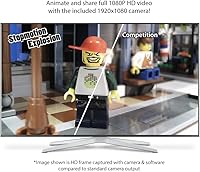
For a webcam bundled into a hobbyist kit, the 1080p output holds up well under decent lighting conditions, producing crisp enough frames to make finished LEGO and clay animations look genuinely polished when shared online. Users consistently mention being pleasantly surprised by the sharpness relative to the price tier.
In low-light environments the image degrades noticeably, which matters because stop motion setups are not always in brightly lit rooms. The camera also lacks autofocus, so getting the focal point right for very small subjects requires patience and some trial and error, especially for younger users.
Software Usability
74%
26%
The Stopmotion Explosion Animator interface is intentionally minimal, and for beginners that is actually an advantage — kids can figure out the core capture-and-playback loop without reading a manual. Teachers using this in classroom settings appreciate that students can start producing frames within a single session.
The software has a noticeable ceiling: once a user gets past the basics, the lack of advanced features like audio syncing, timeline editing, or layered compositing becomes a real limitation. Several teen and adult users describe outgrowing the software faster than the camera itself, which nudges them toward third-party tools.
Build & Hardware Quality
61%
39%
The camera body itself feels adequately solid for home and light classroom use, and the low-profile form factor is genuinely well thought out for tabletop shooting scenarios where a tall camera would obstruct the animation subject.
The USB cable is the most frequently cited hardware complaint — multiple buyers describe it as thin and prone to wear, particularly in shared environments where it gets plugged and unplugged repeatedly. For a kit that positions itself as classroom-ready, the cable durability does not match that use case well.
Value for Money
76%
24%
Compared to piecing together a dedicated animation camera, compatible software, and structured learning materials separately, the bundled approach offers genuine savings in both cost and research time. For parents who want a gift that does not require extra purchases, the all-in-one nature is a real selling point.
Users who already own a decent smartphone with a free stop motion app installed will feel the value proposition less acutely — the incremental benefit of the dedicated camera and software is real but not dramatic enough to feel like an obvious upgrade at the price point for every buyer.
Instructional Book Quality
69%
31%
The physical book covers a wider range of animation styles than most beginners expect — LEGO brickfilming, clay animation, armature construction, and toy animation each get dedicated attention, giving the reader a genuine sense of the craft's breadth rather than a single narrow tutorial track.
Reviewers who progress quickly through the beginner sections tend to find the book runs out of useful content faster than they would like, with limited coverage of intermediate techniques like replacement animation or multi-camera setups. The online tutorials help fill some of this gap but are not comprehensive enough to fully compensate.
Online Tutorial Support
71%
29%
The free tutorial library is a meaningful supplement to the book, particularly for visual learners who absorb techniques better by watching than reading. Parents of younger children especially appreciate having video guidance they can queue up alongside a session to keep the child on track.
The tutorial library has not appeared to grow significantly in recent years, and some users note that the production quality and depth of older videos feel dated compared to what is freely available on YouTube. It supports the kit well enough at the entry level but does not scale with more ambitious projects.
macOS Compatibility
52%
48%
When the software runs cleanly on macOS, users report a stable and responsive experience with no meaningful performance difference compared to the Windows version, which matters for households that run exclusively on Apple hardware.
This is a recurring pain point that drags the score down considerably — buyers on macOS Monterey, Ventura, and Sonoma have reported crashes, failure to detect the camera, or outright inability to launch the software. The manufacturer has not communicated a clear resolution timeline, which leaves Mac buyers taking a real gamble.
Focus Ring Usability
66%
34%
The upgraded focus ring design is noticeably easier to operate than older webcam manual focus mechanisms, and for teens and adults it functions reliably once they understand what focal distance their setup requires for a given subject size.
For children under 9 or 10, the focus ring requires a level of fine motor control and conceptual understanding of focal distance that can be frustrating in practice. Several parents note that adjusting focus becomes a sticking point that interrupts the creative flow of a session rather than enabling it.
Camera Stability
81%
19%
The USB connection keeps the camera physically tethered to the computer in a way that eliminates the micro-movements between shots that plague smartphone-based setups. For frame-by-frame work where even a millimeter of camera drift ruins a sequence, this is a meaningful practical advantage.
The kit does not include a dedicated camera arm or mounting rig, so users are responsible for positioning the camera stably above their set, which often means improvising with books or household objects. A purpose-built arm would make this a significantly more complete physical setup.
Portability
84%
At under 1.5 pounds total and with compact box dimensions, the stop motion bundle is easy to carry between a bedroom, a classroom, and an after-school workspace without any special case or bag. Educators who move between rooms or buildings particularly appreciate not having to haul bulky equipment.
Portability is only meaningful when the destination has a compatible computer, since the camera requires a wired USB connection to function and cannot operate standalone or paired with a tablet. This limits the flexibility of the kit in environments where laptop access is not guaranteed for every student.
Age-Appropriateness
73%
27%
For the 10-to-16 age bracket, this animation kit hits a strong balance between accessible and genuinely educational, giving kids a real creative tool rather than a toy-grade approximation of one. The book and software together support sustained engagement across multiple projects rather than a single afternoon of novelty.
Marketing suggests suitability for a broad age range, but users with children under 8 consistently report that key elements — the focus ring, the book instructions, and the software interface — require more adult mediation than expected, reducing the kit's effectiveness as an independent activity for that younger group.
Classroom Durability
57%
43%
The overall kit design is thoughtful for educational environments, with software that requires no ongoing licensing, no internet connection after installation, and no student accounts — all genuine advantages for schools managing IT overhead and privacy concerns around minors.
Hardware durability in shared settings is where this kit shows its consumer-grade origins most clearly. The USB cable and camera connector are not built to withstand the daily handling of 20 to 30 different students, and replacement parts are not easy to source if the cable fails mid-year.
Longevity & Product Support
63%
37%
The fact that this kit has been on the market since 2012 without being discontinued signals that the manufacturer has maintained at least a baseline level of product stewardship, and the free software download means buyers are not dependent on a physical disc forever.
Active development of the software appears to have slowed, and there is no public roadmap or changelog that gives buyers confidence that OS compatibility issues will be addressed promptly. For a product that depends on software to function, the lack of transparent update communication is a genuine long-term risk.

Suitable for:

The Stopmotion Explosion HD Stop Motion Animation Kit is a strong match for families, educators, and young creatives who want a structured, ready-to-use entry point into stop motion animation. Kids aged 8 and up can get started with real guidance — the included book and online tutorials remove the guesswork that typically frustrates beginners working from scratch. Teens especially thrive with this kit, as they can independently explore more advanced techniques like armature building or LEGO brickfilming without needing constant adult support. Homeschool parents and after-school program coordinators will appreciate that the entire setup requires no subscriptions, no account registrations, and no additional software purchases. For LEGO enthusiasts specifically, the low-profile camera design is a practical advantage that purpose-built smartphone rigs rarely replicate as cleanly. If your goal is a self-contained, educational creative tool that fosters real storytelling and technical thinking, this animation kit checks the right boxes.

Not suitable for:

The Stopmotion Explosion HD Stop Motion Animation Kit is not the right choice for buyers expecting professional-grade output or long-term creative scalability. Serious animators — even at the intermediate level — will quickly find the proprietary software limiting compared to industry-adjacent tools like Dragonframe. Mac users running recent versions of macOS should investigate current software compatibility before purchasing, as some buyers have reported stability issues that have not been consistently resolved. Parents of very young children, say under 7 or 8, may find the focus ring and book instructions require more adult involvement than expected, reducing the kit's value as an independent activity. Anyone already comfortable with free smartphone stop motion apps who does not need the physical camera or printed materials may find the cost hard to justify. And if you are buying this for a child who is uncertain about the hobby, the investment feels riskier compared to testing the waters with a free mobile app first.

Specifications

  • Camera Resolution: The included camera captures video and frames at 1920x1080 full HD resolution, suitable for producing sharp stop motion footage on standard displays.
  • Focus Mechanism: An upgraded easy-focus ring allows manual focal adjustment directly on the camera body, designed to be operable without additional tools.
  • Camera Profile: The camera uses a low-profile body design that sits close to the shooting surface, making it practical for tabletop LEGO and clay animation setups.
  • Connectivity: The camera connects to a computer via USB and is designed to stay securely attached during shooting sessions without accidental disconnection.
  • Software Name: The kit includes the proprietary Stopmotion Explosion Animator application, which handles frame capture, onion skinning, and basic animation sequencing.
  • Software Delivery: The software can be installed via the included CD-ROM or downloaded directly from the manufacturer's website at no additional cost.
  • Registration Required: No user account creation or product registration is required to download or activate the animation software.
  • OS Compatibility: The software is compatible with Windows 7, Windows 8, and Windows 10, as well as macOS version 7.1 and later.
  • Included Book: A physical copy of the Stopmotion Explosion instructional guide is included, covering animation techniques for clay, LEGO, toys, action figures, and custom armatures.
  • Online Tutorials: The manufacturer provides a free library of online video tutorials that supplement the printed book for users who prefer visual instruction.
  • Kit Dimensions: The complete kit measures 8.8 x 5.7 x 2.3 inches, making it compact enough to store in a drawer or carry in a school bag.
  • Kit Weight: The full package weighs 1.34 pounds, keeping it lightweight and easy to transport between locations.
  • Animation Subjects: The kit and instructional materials are designed to support animation using LEGO bricks, modeling clay, action figures, toys, and wire-based armature characters.
  • Manufacturer: The kit is designed and sold by Stopmotion Explosion, a company that has specialized in beginner animation products since at least 2012.
  • Market Availability: The product was first listed in July 2012 and has not been discontinued by the manufacturer as of the most recent available data.
  • Sales Rank: This animation kit holds a Best Sellers Rank of approximately #209 in the Webcams category on Amazon, reflecting sustained and consistent buyer demand.
  • Average Rating: The kit carries an average customer rating of 4.1 out of 5 stars based on over 512 verified ratings on Amazon.
  • QuickTime Requirement: The software does not require Apple QuickTime to be installed on the host computer, which simplifies setup on both Windows and Mac systems.

Related Reviews

HUE Animation Studio ASC001
80%
91%
Ease of Setup
83%
Software Quality
67%
Camera Image Quality
78%
Build Quality & Durability
71%
Carry Case & Portability
More
Stopmotion Explosion SMC02 1080p Webcam
73%
78%
Image Clarity
51%
Low-Light Performance
83%
Manual Focus Control
62%
Microphone Quality
58%
Build Quality & Feel
More
Grip Gear MovieMaker Motion Control Camera Slider
79%
93%
Portability & Form Factor
91%
Ease of Setup
78%
Motion Smoothness
54%
Motor Noise
82%
Build Quality
More
Skylink HA-434RTL Motion Alert and Alarm System Kit
81%
88%
Value for Money
84%
Ease of Setup
82%
Range Performance
91%
Alarm Sound & Effectiveness
79%
Build Quality
More
YoLink LoRa Outdoor Motion Sensor Starter Kit
75%
93%
Wireless Range
88%
Ease of Setup
67%
App Reliability
62%
False Trigger Rate
79%
Battery Life
More
ZOSI 4-Pack 1080p Bullet Security Cameras
73%
84%
Daytime Image Quality
61%
Night Vision Performance
82%
Weatherproof Durability
78%
Ease of Installation
56%
DVR Compatibility
More
Fookoo II 10-Inch Wired Backup Camera System
78%
83%
Image Clarity (Daytime)
61%
Night Vision Performance
91%
Monitor Screen Size
88%
Waterproofing & Durability
47%
Installation Complexity
More
Convenience Kits International Men's 11 Piece Travel Kit & Women's 10 Piece Deluxe Travel Kit
86%
89%
Convenience of Travel Size
91%
Ease of Use
96%
TSA Compliance
87%
Quality of Included Brands
93%
Compactness & Portability
More
AmpliFi HD Mesh WiFi System
78%
93%
Ease of Setup
74%
WiFi Coverage & Range
78%
Network Performance & Speed
91%
Hardware Design & Build
86%
Mobile App Quality
More
TUBeauty Lash Lift Kit Eyelash Perming Kit
84%
89%
Effectiveness of Lash Lift
86%
Ease of Application
91%
Duration of Results
92%
Suitability for Sensitive Skin
88%
Value for Money
More

FAQ

This is honestly one of the more important questions to ask before buying. The software was designed for macOS 7.1 and later, but some users have reported stability issues on more recent macOS releases. Before purchasing, it is worth checking the manufacturer's website directly for any updated compatibility notes or software patches, especially if your Mac is running a version from 2021 onward.

Yes, the manufacturer offers a free download of the Stopmotion Explosion Animator software directly from their website, so no disc drive is needed. No account creation is required either, which keeps the process fairly painless.

Most kids around 8 to 10 can engage with the software and follow the book with some parental guidance nearby. Teens aged 12 and up typically get the most out of it independently, as they can handle the focus ring adjustments and more advanced techniques in the book without much help. For younger children, expect to be more hands-on during the first several sessions.

The camera connects via standard USB, so it may work with third-party applications that support USB webcam input. That said, the camera is designed and optimized to work with the bundled software, and full compatibility with other programs is not guaranteed by the manufacturer.

It is actually one of the stronger points of this beginner animation set. The low-profile camera body sits close to the surface, which is exactly what you want for tabletop LEGO scenes. The stable USB connection also means the camera is not going to shift between frames, which matters a lot when you are working with small figures.

No, the stop motion bundle includes only the camera, software, and instructional book — no physical animation materials are included. You will need to supply your own clay, LEGO sets, or other figures, which most buyers already have on hand.

Free smartphone apps are a perfectly valid way to start, and if a child is just testing whether they enjoy animation, that is a reasonable first step. What the Stopmotion Explosion HD Stop Motion Animation Kit offers that apps typically do not is a dedicated camera that stays fixed to your computer, a structured curriculum through the book and tutorials, and software designed specifically around a seated, desktop workflow rather than a handheld one. For anyone serious about the craft, that structure tends to make a real difference.
A handful of buyers have flagged the USB cable as feeling lighter or less robust than expected, particularly in classroom environments where equipment gets handled frequently. It holds up fine for home use with reasonable care, but if you are buying this for a group setting with multiple kids, it may be worth having a backup cable that matches the camera's connector type.

Yes, the Stopmotion Explosion Animator software supports exporting completed animations as video files so they can be shared or edited further. The specific export formats available are best confirmed on the manufacturer's current software documentation, as options may have changed with software updates.

No subscriptions or registration fees are involved. The software is a one-time download or disc install, the tutorials are free online, and there are no in-app purchases built into the animation software. What you pay upfront is what the product costs in total.

Where to Buy