SmartSee Miracast 1080P Wireless Display Adapter
Overview
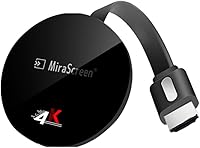
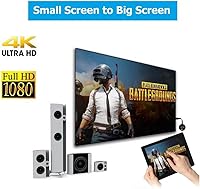
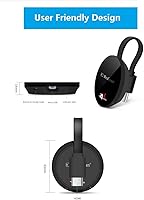
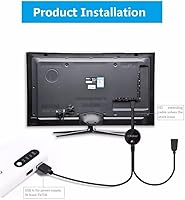
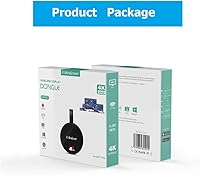
The SmartSee Miracast 1080P Wireless Display Adapter is a compact, pocket-sized dongle that plugs into any HDMI port and mirrors your phone, tablet, laptop, or Mac to the big screen — no cables, no subscriptions required. It supports Miracast, AirPlay, and DLNA, which covers a solid spread of devices without locking you into one ecosystem. This is the second-generation model, upgraded with a dual-core 1.6GHz chipset over the original, and it has been around since 2018 with regular OTA firmware updates. Think of it as a pure screen mirroring tool, not a standalone smart TV box — that distinction matters before you buy.
Features & Benefits
The dual H.265/HEVC decoder handles up to 4K input, though you will see clean 1080p output through the HDMI connection in most real-world situations. Setup runs through the EZMira companion app, which cuts down the initial pairing headache — especially on iOS. Android users get the better end of the deal: casting YouTube, Netflix, and Hulu Plus is supported via Google Home, but iOS users should know that paid streaming apps will not cast. One meaningful limitation is the 2.4GHz-only Wi-Fi radio. In a crowded apartment or office network, that single band can introduce lag or dropped connections that a 5GHz option would have avoided.
Best For
This Miracast dongle works best for people who want a low-cost, no-monthly-fee way to put their phone or laptop on a bigger screen. It is a strong pick for Android users who want to cast streaming content without extra hardware, and for teachers or office workers who present from a phone or tablet and need quick, cable-free display sharing. The wireless display adapter also suits travelers carrying their own HDMI-equipped portable monitor, or anyone with a car display that accepts HDMI input. It is less suited for iOS users who rely heavily on subscription apps, or Windows users who have not confirmed their machine supports Miracast natively.
User Feedback
Across 158 ratings, the SmartSee stick holds a 3.5-star average — respectable but clearly not universal. Android users tend to be the most satisfied, pointing to straightforward setup and solid value for a budget accessory. The complaints cluster around predictable pain points: iOS users frustrated that paid apps simply do not mirror, Windows users who discover their PC lacks native Miracast support only after unboxing, and buyers in dense Wi-Fi environments who notice intermittent lag. A smaller number of reviewers question whether OTA updates consistently deliver on the promise. Overall, if your expectations match what this dongle genuinely does, most users seem satisfied enough to keep it.
Pros
- No subscription or monthly fee required — just plug in and mirror your screen
- Supports Miracast, AirPlay, and DLNA, covering most Android, iOS, Mac, and Windows devices
- Android users can cast YouTube, Netflix, and Hulu Plus through Google Home with no extra hardware
- The EZMira companion app makes initial setup noticeably easier than pairing manually
- Automatic OTA firmware updates keep the dongle compatible as phone operating systems evolve
- Dual H.265/HEVC decoding delivers clean 1080p output on any HDMI TV or monitor
- Second-generation chipset runs more reliably than earlier Miracast sticks at this price tier
- Compact enough to carry in a laptop bag or travel kit without adding noticeable bulk
- Works with car displays that have HDMI inputs, which is a genuinely useful niche feature
Cons
- iOS users cannot cast paid streaming apps — a hard limitation that affects a large portion of potential buyers
- The 2.4GHz-only Wi-Fi radio is a real liability in congested home or office networks
- Windows compatibility is not guaranteed and requires the user to confirm Miracast support beforehand
- At 158 reviews and a 3.5-star average, real-world reliability appears inconsistent across different setups
- No 5GHz band means there is no workaround for interference issues without changing your environment
- Some users report pairing difficulties on first setup, particularly on Windows machines
- OTA update performance is inconsistent according to a portion of reviewers who expected more timely fixes
- This dongle only mirrors your device screen — it cannot independently run apps or stream on its own
Ratings
Our AI rating engine analyzed verified global buyer reviews for the SmartSee Miracast 1080P Wireless Display Adapter, actively filtering out incentivized, bot-generated, and suspiciously brief submissions to surface what real users actually experienced. The scores below reflect the full spectrum of feedback — where this wireless display adapter genuinely delivers and where it frustrates — so you can make a purchase decision with clear eyes.
Ease of Setup
Android Compatibility
iOS Compatibility
Windows Compatibility
Streaming Stability
Video Quality
Latency
Build & Portability
OTA Firmware Updates
Value for Money
App Experience
Presentation Use
Customer Support
Suitable for:
The SmartSee Miracast 1080P Wireless Display Adapter is a practical pick for Android users who want to mirror their phone or tablet to a TV or monitor without paying for a subscription service or a more capable streaming box. Teachers and office presenters will find real value here — plug it into a classroom projector or conference room display, connect via the EZMira app, and you can share your screen wirelessly in under a minute. Travelers who carry a portable HDMI monitor benefit from its small footprint and zero-cable convenience. It also suits anyone whose car dashboard has an HDMI input and wants to mirror GPS or media without a dedicated head unit upgrade. If you are simply replacing an older, slower first-gen Miracast dongle and want a modest chipset bump without spending much, this wireless display adapter delivers exactly that.
Not suitable for:
The SmartSee Miracast 1080P Wireless Display Adapter is a poor fit for iOS-first households that rely on Netflix, Disney+, or other paid streaming apps — those simply will not cast from an iPhone or iPad, full stop. Windows users should verify their machine explicitly supports Miracast before ordering, since many older or budget laptops lack it, and discovering that post-purchase is a frustrating waste of time. Anyone living in a dense apartment building or a busy office with a congested 2.4GHz Wi-Fi environment will likely encounter lag, stuttering, or dropped connections, since this Miracast dongle offers no 5GHz band option. It is also not the right tool for buyers expecting a standalone smart TV experience — it has no independent app store or remote; it only mirrors what is already on your connected device. If you need rock-solid, low-latency performance for gaming or fast-moving video, the limitations of this budget-tier adapter will show.
Specifications
- Brand: Manufactured and sold under the SmartSee brand.
- Form Factor: Compact TV stick design that plugs directly into an HDMI port on a TV, monitor, or projector.
- Connector: HDMI output connector for connection to any compatible display device.
- Wi-Fi Band: Operates exclusively on the 2.4GHz Wi-Fi band; 5GHz is not supported.
- Protocols: Supports Miracast, AirPlay, and DLNA wireless display protocols.
- Chipset: Powered by a dual-core 1.6GHz processor, representing a second-generation hardware upgrade.
- Video Decode: Supports dual H.265/HEVC hardware decoding for efficient high-resolution video processing.
- Max Resolution: Capable of decoding up to 4K content at 3840 x 2160 pixels.
- Output Resolution: Delivers standard output at 1080p resolution via the HDMI connection.
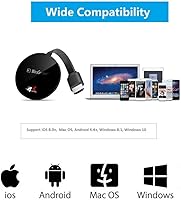
- OS Compatibility: Compatible with Android 4.4 and above, iOS 9.0 and above, macOS 10 and above, and Miracast-enabled Windows 8.1 and above.
- Companion App: Uses the EZMira app to simplify device pairing and connection management.
- Streaming Support: Supports casting YouTube, Netflix, and Hulu Plus on Android devices via the Google Home app; paid streaming apps are not supported on iOS.
- Firmware Updates: Receives automatic over-the-air firmware updates from SmartSee cloud servers when connected to Wi-Fi.
- Dimensions: Measures 2.05 x 2.05 x 0.51 inches, making it pocket-sized and portable.
- Weight: Weighs 2.11 ounces, light enough to carry in any laptop bag or travel kit.
- User Rating: Holds an aggregate rating of 3.5 out of 5 stars based on 158 customer ratings on Amazon.
- Sales Rank: Ranked #694 in the Streaming Media Players category on Amazon at time of review.
- Availability: First listed for sale on May 29, 2018, and not discontinued by the manufacturer as of this review.
Related Reviews
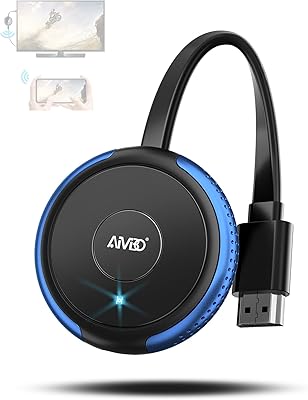
AIMIBO Q3ZL 4K Wireless Display Adapter
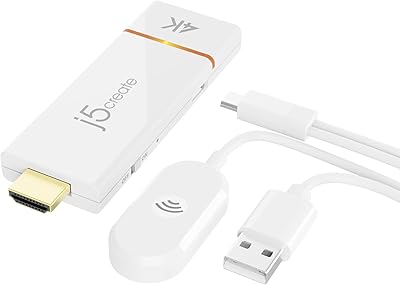
j5create JVAW76 ScreenCast 4K Wireless Display Adapter
Belkin SoundForm Adapt Over-Ear Headset
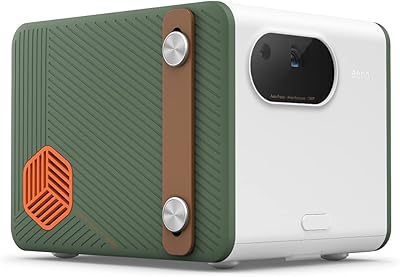
BenQ GS50 1080p Wireless Outdoor Projector
Geekee CG6F Outdoor Battery Security Camera
Weeryyi Wireless HDMI Transmitter and Receiver 1080p
Sunweyer SW12 Lite Wireless CarPlay Adapter
EDUP EH-WD9905 Wireless HDMI Transmitter and Receiver
HubFlashy M9 Outdoor Wireless Security Camera