Sling Media Slingbox SOLO TV Streaming Device
Overview
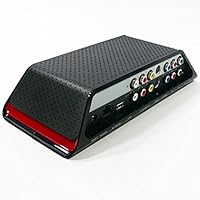
The Sling Media Slingbox SOLO TV Streaming Device arrived in 2007 with a straightforward premise: let you watch your home TV from anywhere with no monthly fee. That one-time purchase model was genuinely rare at the time, and it still is. The Slingbox SOLO connects to your DVR, cable box, or satellite receiver and streams whatever is on — live — to your laptop or phone over the internet. It supports both HD and standard-definition sources, which gave it broad appeal. The catch today is that Sling Media has discontinued it, so you are shopping refurbished or third-party stock. That is worth factoring in before you buy.
Features & Benefits
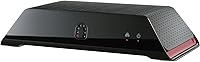
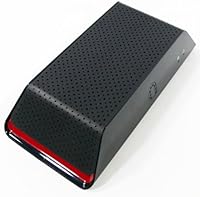
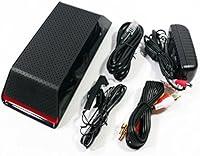
The hardware side of this place-shifting box is where it still holds up well. It accepts Component, Composite, S-Video, and RCA inputs, covering a wide range of older A/V equipment that many households still rely on. Crucially, the full pass-through connections mean your existing TV setup keeps working exactly as it did — no rewiring, no disruption. The Clip+Sling feature lets you record short TV segments and share them online, which is a nice bonus. Opting for a wired Ethernet connection rather than Wi-Fi makes a real difference in stream stability, especially on slower upload speeds. The box itself is compact enough to disappear behind an entertainment unit.
Best For
The SOLO streaming device makes the most sense for a fairly specific type of buyer. Frequent travelers who want to catch their home cable or satellite lineup — sports, local news, whatever the subscription includes — will find this box delivers that access without an extra monthly bill. It is also a good fit for anyone running older A/V gear, since the range of supported connectors is broader than most modern streaming sticks. Budget-conscious shoppers comfortable with refurbished hardware will find value here, provided they go in with realistic expectations about aging software support. It is less suited to households needing multi-room or simultaneous multi-device streaming.
User Feedback
Across nearly 600 ratings, the Slingbox SOLO holds a 4.1 out of 5 — respectable for hardware that has been on the market since 2007. Buyers tend to highlight two things: how surprisingly painless the initial setup is, and how well the remote control feature works once it is running. Being able to change channels or adjust DVR settings from a hotel room is the part that genuinely earns loyalty. On the downside, a meaningful number of users report that app and software support has deteriorated on newer operating systems and mobile platforms. If you are buying used, go in treating this as aging hardware — capable, but with a real ceiling on its long-term outlook.
Pros
- No recurring monthly fees — you pay once and stream your home TV wherever you have internet access.
- Broad connector support covers Component, S-Video, Composite, and RCA inputs for legacy A/V setups.
- Full pass-through connections keep your existing TV and home setup completely undisturbed.
- Remote control over your connected DVR or cable box works reliably, even from across the country.
- Wired Ethernet connectivity delivers a noticeably more stable stream than Wi-Fi-dependent alternatives.
- Setup is straightforward enough that most users are up and running without technical frustration.
- The Clip+Sling feature lets you capture and share TV segments — a genuinely useful bonus for sports fans.
- Compact form factor tucks neatly behind an entertainment center without adding clutter.
- A 4.1-star average across nearly 600 long-term reviews reflects durable real-world satisfaction.
Cons
- Discontinued by the manufacturer, meaning no new firmware, no official support, and no guarantee of app longevity.
- Companion apps are no longer maintained for many current operating systems and mobile platforms.
- Streaming quality depends heavily on your home upload speed — slow connections produce frustrating results.
- Sourcing a unit requires navigating third-party sellers and refurbished stock, with no manufacturer warranty.
- Only one source device can be connected at a time, with no multi-room or simultaneous streaming capability.
- Older supported OS list means buyers on current Windows, iOS, or Android versions face real compatibility risks.
- Server-side dependencies create a vulnerability — if Sling Media discontinues backend services, the box stops working remotely.
- No Wi-Fi connectivity means your router must be physically close to your TV or you need a long Ethernet run.
Ratings
Our AI rating system analyzed verified global user reviews for the Sling Media Slingbox SOLO TV Streaming Device, actively filtering out incentivized, spam, and bot-generated feedback to surface what real buyers actually experienced. The scores below reflect a transparent synthesis of both the genuine strengths this place-shifting box delivers and the real frustrations users have encountered — particularly around aging software support and modern device compatibility. No score has been inflated; what you see here is an honest picture of where this hardware earns its reputation and where it falls short.
Remote Streaming Performance
Remote Control Functionality
Setup & Installation
Software & App Support
Hardware Build Quality
Connector Compatibility
Value for Money
No Subscription Model
Modern OS Compatibility
Mobile Device Support
Network Stability
Pass-Through Functionality
Long-Term Reliability
Clip & Share Feature
Suitable for:
The Sling Media Slingbox SOLO TV Streaming Device is a practical pick for anyone who travels regularly and wants to keep watching their home cable, satellite, or DVR lineup without paying for a second service. If your entertainment setup relies on older A/V equipment — think component or composite connections, legacy cable boxes, or aging satellite receivers — the broad connector support here covers ground that most modern streaming sticks simply ignore. It also works well for households where one person travels for work and wants to stay caught up on recorded shows or live local sports without worrying about regional blackouts or streaming app restrictions. The no-subscription model is a genuine advantage for budget-conscious buyers who are tired of recurring charges; you pay once and the hardware does its job. For users comfortable sourcing refurbished or used electronics and willing to accept some uncertainty around long-term software support, this place-shifting box still offers meaningful value in a narrow but real use case.
Not suitable for:
The Sling Media Slingbox SOLO TV Streaming Device is a poor fit for anyone expecting the plug-and-play simplicity or ongoing manufacturer support that comes with current-generation streaming hardware. Because Sling Media has discontinued this model, there is no guarantee that companion apps will remain functional on modern smartphones, tablets, or operating systems — and for some users, that day has already arrived. Anyone running a current iPhone, Android device, or modern Windows or macOS setup may find the software ecosystem has moved on without them. Households wanting to stream to multiple devices simultaneously, or those without a wired Ethernet connection near their TV setup, will run into real performance and compatibility walls. Buyers who want peace of mind from a warranty, active firmware updates, or responsive customer support should look elsewhere entirely — this is a product you are buying on its past reputation, not its future.
Specifications
- Brand: Manufactured by Sling Media, a pioneer in place-shifting TV technology.
- Model Number: The unit carries the official model designation SB260-100.
- Dimensions: The device measures 11.6 x 9.6 x 3.5 inches, compact enough to fit behind most entertainment centers.
- Weight: At 2.2 pounds, the hardware is lightweight and easy to position near your A/V setup.
- Color: Available in black, designed to blend with standard home theater equipment.
- Connectivity: Uses a wired Ethernet connection to your home network router for the most stable streaming performance.
- Video Inputs: Accepts Component, Composite, and S-Video inputs, covering a wide range of legacy and modern A/V source devices.
- Audio Inputs: Supports RCA stereo audio input, compatible with standard two-channel audio from connected source devices.
- Pass-Through: Full A/V pass-through ports allow your TV to continue functioning normally while the device streams simultaneously.
- Compatible Sources: Works with DVRs, cable set-top boxes, satellite receivers, and DVD players as the source video device.
- Supported OS: Officially supports Windows XP and Vista, Mac OS, Windows Mobile, Symbian, and Palm OS platforms.
- Mobile Support: Designed for Windows Mobile, Symbian, and Palm OS-based phones; modern smartphone platforms are not officially supported.
- Clip+Sling: Includes the Clip+Sling feature, which allows users to capture short TV segments and share them online.
- Subscription Model: Requires no ongoing monthly subscription; remote viewing access is included with the one-time hardware purchase.
- Manufacturer Status: This product has been officially discontinued by Sling Media and is no longer in active production.
- First Available: The device was first made available for purchase in September 2007.
- User Rating: Holds an average rating of 4.1 out of 5 stars based on approximately 589 Amazon customer ratings.
- Sales Rank: Ranked around number 539 in the Streaming Media Players category on Amazon at time of last recorded data.
Related Reviews

Sling Media Slingbox 500 TV Streaming Box
ONN 100026240 4K Streaming Device
Xiaomi Mi Box S Android TV 4K HDR Streaming Media Player
Bose Solo 5 TV Soundbar
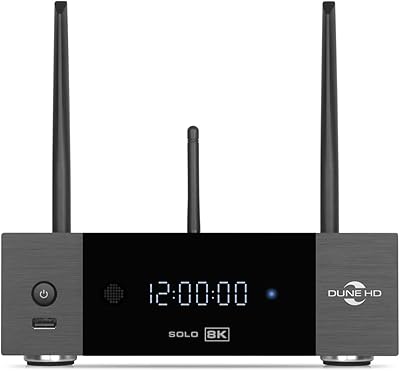
Dune HD Solo 8K Media Player
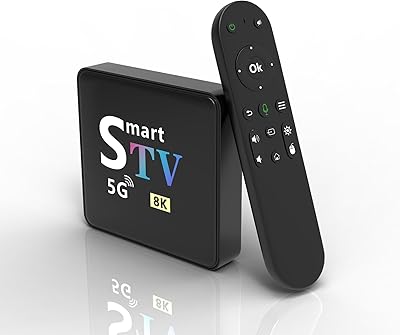
YFDSPSM M9-8K Streaming Media Player
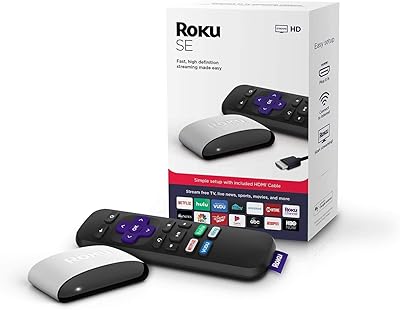
Roku 3903 SE Streaming Media Player
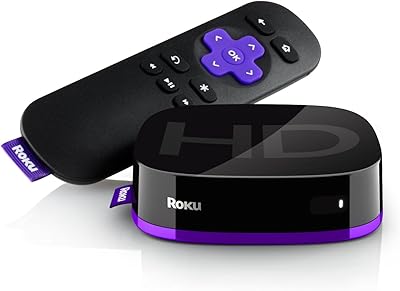
Roku Express HD Streaming Media Player
Roku Streambar 9102MX Spanish Edition