Sling Media Slingbox 500 TV Streaming Box
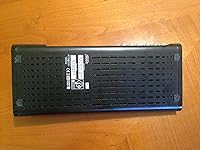
Overview
The Sling Media Slingbox 500 TV Streaming Box is a place-shifting device built to take whatever is playing on your home cable or satellite box and broadcast it over the internet to virtually any screen you own. Connect it to your existing TV setup via HDMI, point it at your router, and you can watch your local sports channel from a hotel room across the country. Launched in October 2012, it was aimed at cable subscribers who wanted flexibility without abandoning their existing service. Worth knowing upfront: mobile viewing requires purchasing the Slingplayer app separately, which catches quite a few buyers off guard.
Features & Benefits
The Slingbox 500 outputs at full 1080p resolution over HDMI, so when connected to a TV or monitor at home, the picture holds up well. Built-in Wi-Fi means you can tuck it near your cable box without running an Ethernet cable across the room. The interface is genuinely thought through — a Gallery View and live sports layout makes browsing channels feel less like navigating a settings menu and more like actual TV. An integrated YouTube app surfaces recommendations based on what you are currently watching. Critically, you can also control your physical cable box remotely, not just stream passively, which makes the experience feel complete rather than limited.
Best For
This place-shifting device makes the most sense for people who travel regularly and refuse to give up access to their home cable lineup — think regional sports broadcasts or local news simply unavailable through standard streaming subscriptions. It also suits households with a single cable box where multiple viewers want to watch different things in different rooms. Cord-cutters who kept a satellite package for live sports will get real mileage here. That said, buyers who are not comfortable configuring router and port settings may hit a frustrating wall early on, so it helps to go in with realistic expectations about the setup process.
User Feedback
Owners who got the setup right tend to praise this home TV streamer for its reliable remote access and solid picture quality once everything is properly configured. The hardware earns marks for durability, with many units running steadily for years. On the downside, the separate cost of the Slingplayer mobile app is a recurring complaint — many buyers feel it should be included. Router compatibility and NAT configuration have tripped up a significant share of users, and customer support experiences are described as inconsistent at best. Some long-term owners have also raised questions about firmware update consistency and uncertainty around the platform's ongoing support going forward.
Pros
- Lets you watch your actual home cable or satellite lineup from anywhere with an internet connection.
- Full 1080p output delivers sharp picture quality when the network conditions cooperate.
- Built-in Wi-Fi means no Ethernet cable required for most standard home setups.
- You can actively control your cable box remotely, not just passively watch a stream.
- The Gallery View and live sports layout make channel browsing feel intuitive rather than clunky.
- Compatible with Windows, Mac, iOS, and Android, covering virtually every device most users own.
- Hardware has proven durable, with many owners reporting reliable operation over multiple years.
- Integrated YouTube app with context-aware recommendations adds genuine extra utility.
- Gives single-cable-box households an affordable way to watch in multiple rooms simultaneously.
Cons
- The Slingplayer mobile app costs extra and is required for phone or tablet viewing — this is not clearly flagged at purchase.
- Initial setup involving router configuration and NAT settings is genuinely difficult for non-technical users.
- The platform dates back to 2012, and long-term software support is not guaranteed.
- Customer support has received consistently mixed to negative feedback from owners who ran into problems.
- Streaming quality is heavily dependent on your home upload speed, which can make the experience inconsistent.
- No cable or satellite subscription means this device has zero practical use.
- Firmware update history has been irregular, leaving some units on aging software for extended periods.
- The physical footprint at over 16 inches wide is bulkier than most modern streaming accessories.
Ratings
The scores below reflect an AI-driven analysis of verified global user reviews for the Sling Media Slingbox 500 TV Streaming Box, with spam, bot-generated, and incentivized feedback actively filtered out before any scoring was applied. Ratings are drawn from real ownership experiences spanning multiple years, capturing how this place-shifting device performs across setup, daily use, and long-term reliability. Both the strengths that keep loyal users satisfied and the friction points that frustrate newcomers are transparently reflected in every category score.
Remote Access Reliability
Setup & Installation
Streaming Video Quality
Mobile App Experience
Build Quality & Durability
Value for Money
Channel Browsing Interface
Remote Control Functionality
Wi-Fi Performance
Platform Longevity
Customer Support
Cross-Device Compatibility
Ease of Everyday Use
Suitable for:
The Sling Media Slingbox 500 TV Streaming Box is a strong fit for cable or satellite subscribers who spend significant time away from home and refuse to lose access to their local channel lineup. Frequent business travelers, in particular, will appreciate being able to pull up regional sports broadcasts or hometown news from a hotel room as easily as sitting on their couch. It also works well for households that have a single cable box but need to serve multiple viewers in different rooms, effectively extending one subscription without paying for additional cable outlets. Sports fans who rely on regional network coverage — the kind that streaming-only services routinely blackout — will find genuine value here. Technically comfortable users who are willing to spend time on initial router configuration will get the most consistent, satisfying experience out of this place-shifting device.
Not suitable for:
Buyers who are not comfortable navigating router settings, port forwarding, or NAT configuration should think carefully before purchasing the Sling Media Slingbox 500 TV Streaming Box, as the initial setup can be a real obstacle without some networking knowledge. Anyone expecting a complete out-of-the-box experience on their phone or tablet will also be caught off guard, since the Slingplayer mobile app is sold separately and adds a meaningful extra cost on top of the hardware price. People who have already cut the cord entirely and no longer pay for a cable or satellite subscription will find this home TV streamer essentially useless, since it streams your existing service rather than replacing it. Those looking for a modern, actively developed platform with guaranteed long-term software support should also weigh the risks, given the device was released in 2012 and questions around firmware continuity persist. Finally, users with slow or unstable home internet connections may find the remote viewing experience too unreliable to justify the investment.
Specifications
- Brand: Manufactured by Sling Media, a company specializing in place-shifting and remote TV access technology.
- Model Number: The unit carries the official model designation SB500-100.
- Form Factor: Designed as a compact TV box intended to sit alongside an existing cable or satellite receiver.
- Dimensions: The device measures 16.38 x 3.13 x 10 inches, making it wider than most modern streaming accessories.
- Weight: The unit weighs 1.22 pounds, light enough to reposition easily during installation.
- Resolution: Supports full HD 1080p output via HDMI for high-definition viewing on a connected display.
- Connectivity: Built-in Wi-Fi allows wireless connection to a home network without requiring a dedicated Ethernet cable.
- Connector Type: Uses an HDMI connector to link the device to a television, monitor, or AV receiver.
- Controller Type: Operated via button controls on the unit, with full remote management available through the Slingplayer app.
- OS Compatibility: Compatible with Windows and Mac computers, as well as iOS and Android mobile devices via the Slingplayer app.
- Supported Services: Integrates with YouTube, Blockbuster, Cinemanow, Daily Motion, Free Sat, and Free View services.
- Batteries: Requires 2 AAA batteries, which are used for the included infrared remote control blaster.
- Color: Available in black, designed to blend with standard home entertainment equipment.
- Release Date: Originally launched in October 2012, positioning it as one of Sling Media's flagship place-shifting units of that era.
- Mobile App: Mobile viewing on phones and tablets requires the Slingplayer app, which is sold separately and not included with the hardware.
Related Reviews
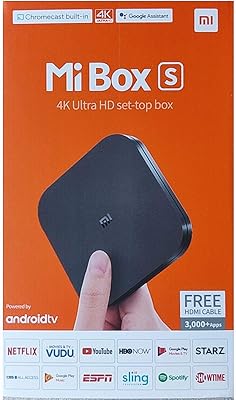
Xiaomi Mi Box S Android TV 4K HDR Streaming Media Player
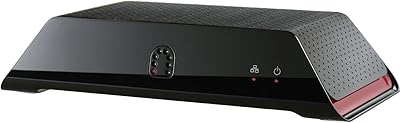
Sling Media Slingbox SOLO TV Streaming Device
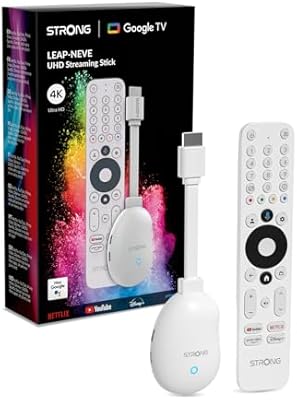
Strong LEAP-NEVE 4K Streaming Stick
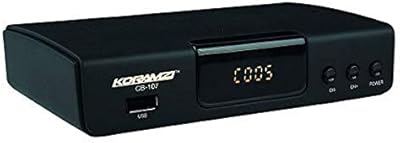
Koramzi CB-107 ATSC Digital TV Converter Box
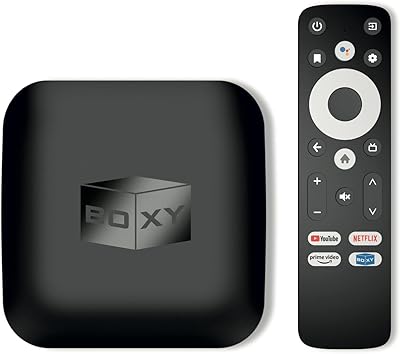
BOXY Android TV Streaming Box
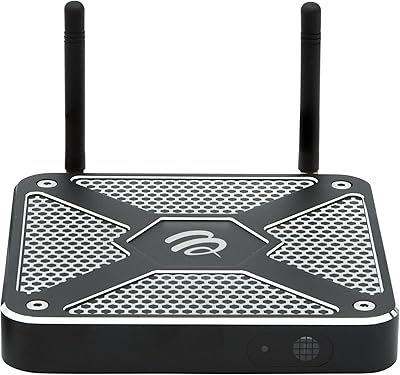
BuzzTV X5 Android TV Box
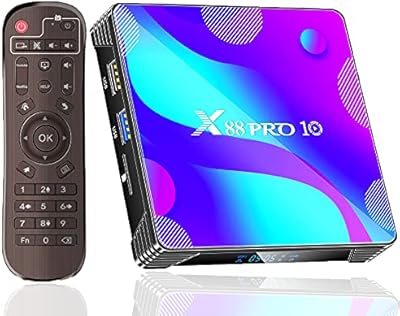
EASYTONE X88 Pro 10 Android TV Box 2GB/16GB
Octastream Elite Max IV
Ematic AT103B Digital TV Converter Box