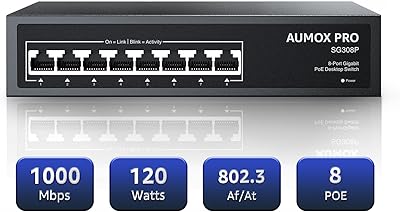
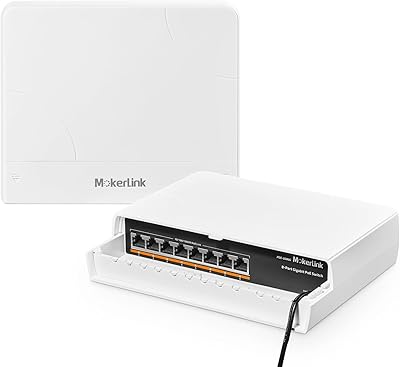
Overview

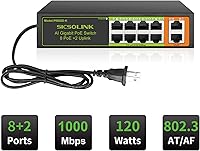
The SICSOLINK 8-Port 120W Gigabit PoE+ Switch entered the market in mid-2024 as a straightforward, no-frills option for home security setups and small office networks that need to power multiple devices without complexity. Eight of its ten ports deliver Power over Ethernet, while the remaining two serve as uplink connections to routers or NVRs. The chassis is compact metal, fanless, and light enough to sit on a desk or mount to a wall without drama. SICSOLINK isn't a household name in networking, but this switch has been picking up attention from DIY installers and budget-conscious buyers who just need something that works right out of the box.

Features & Benefits

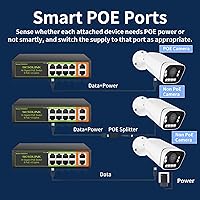
What makes this unmanaged gigabit switch worth a closer look is how much it handles on its own. Both 802.3af and 802.3at PoE standards are supported, giving it broad compatibility with third-party cameras, access points, and VoIP phones right away. Each port detects how much power a connected device actually needs and adjusts accordingly — you never touch a setting. The fanless design keeps things completely silent, which matters more than people expect when the switch lives near a desk or inside a living room cabinet. Feeding both data and power through one cable per device also cuts down noticeably on the wiring mess that security camera installs tend to create.

Best For

This PoE+ switch is a natural fit for anyone building a home security system with four to eight IP cameras running through an NVR — it handles that use case cleanly and without overspending. Small offices that need to add VoIP phones or a wireless access point without running separate power adapters will find it equally practical. Keep in mind that each port can supply up to 30W, but the 120W total is shared across all eight PoE ports, so if you're running eight high-draw devices simultaneously, plan accordingly. For standard camera and phone setups, though, the budget holds up without issue.

User Feedback

Buyers who have actually deployed this unmanaged gigabit switch tend to lead with the same observation: it just works immediately, no driver installs, nothing to configure, no surprises. For a plug-and-play PoE switch at this price point, that matters a lot to non-technical users. On the flip side, a handful of reviewers have noted the chassis gets noticeably warm under sustained full-load conditions — not a deal-breaker, but something to consider if the switch lives in an enclosed space with poor airflow. Long-term reliability is harder to verify given the brand's limited history; the one-year performance guarantee is honest but modest. Email support responses appear timely, though some buyers would prefer a phone option.

Pros

  • Zero configuration needed — plug in your devices and everything powers up without touching a single setting.
  • Eight PoE+ ports cover most home camera or VoIP deployments without buying separate power injectors per device.
  • Fanless design runs completely silently, making it well suited for living rooms, bedrooms, and quiet office spaces.
  • Supports both 802.3af and 802.3at standards, so compatibility with most third-party PoE devices is rarely an issue.
  • The all-metal chassis feels solid and functions as passive cooling without adding meaningful bulk or weight.
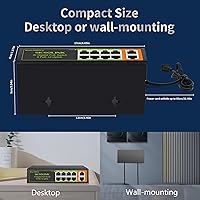
  • Wall-mount and desktop installation options give real flexibility in tight spaces where rack mounting is not practical.
  • Single-cable runs for each device reduce power adapter clutter and make camera or phone installs noticeably cleaner.
  • Gigabit speeds across all ten ports at this price point represents genuinely strong value for basic deployments.
  • Intelligent per-port power detection handles mixed PoE and non-PoE devices automatically, without any manual configuration.

Cons

  • No management interface means you cannot monitor traffic, set VLANs, or prioritize bandwidth for any connected device.
  • The 120W shared power pool becomes a real constraint when multiple high-draw devices are running simultaneously.
  • SICSOLINK is a newer brand with a limited long-term reliability track record, which remains a genuine unknown.
  • The one-year minimum performance guarantee is notably short compared to established networking brands offering two or three years.
  • Technical support is email-only with no phone option, which can slow resolution for users facing urgent connectivity issues.
  • The chassis can get noticeably warm under sustained heavy load, particularly in enclosed or poorly ventilated spaces.
  • Only two uplink ports limit redundancy options and make integrating this switch into larger network setups impractical.
  • No link aggregation or SFP uplink support restricts how this unmanaged gigabit switch fits into growing network architectures.

Ratings

The scores below reflect an AI-driven analysis of verified buyer reviews for the SICSOLINK 8-Port 120W Gigabit PoE+ Switch, drawn from global purchase data and actively filtered to exclude incentivized, bot-generated, and duplicate submissions. Each category is scored based on aggregated real-world experience across a wide range of deployment scenarios — from home camera installs to small business networking setups. Both where this PoE+ switch earns genuine praise and where buyers consistently run into friction are reflected transparently in the ratings that follow.

Ease of Setup
93%
Buyers consistently report that getting this switch running takes under five minutes with zero technical knowledge required. There are no drivers, no web portal, and no configuration menus to navigate — connecting devices to the PoE ports immediately brings them online, which is exactly what first-time network builders need.
Because there is genuinely nothing to configure, advanced users who want to confirm port-by-port link status have no feedback mechanism beyond the physical indicator lights on the chassis. A few buyers noted they initially mistook a failed cable for a device issue, with no logs or interface to consult for diagnosis.
Value for Money
89%
At this price tier, getting a 10-port gigabit switch with 8 active PoE+ ports and a metal chassis is objectively strong value — most comparable budget options sacrifice either port speed or enclosure quality. Buyers upgrading from older 100Mbps non-PoE switches routinely describe this as a significant functional jump for a modest outlay.
The value calculus shifts when you factor in the short one-year warranty and the uncertainty around long-term durability from a newer brand. If the unit fails after the guarantee period, replacing it cuts into the savings that made it attractive in the first place.
PoE Power Delivery
82%
18%
The per-port intelligent detection works reliably in practice — connecting a mix of 802.3af cameras and 802.3at access points on the same switch causes no conflicts, and each device receives the power it needs without manual intervention. For a typical home security setup with six cameras drawing around 8-12W each, the 120W budget handles the load comfortably.
The gap between the theoretical maximum (8 ports x 30W = 240W) and the actual 120W shared ceiling catches some buyers off guard when they try to run a fully loaded mix of high-draw devices. Anyone connecting PTZ cameras or heated outdoor units near that 30W per-port ceiling will hit the budget limit before filling all ports.
Heat Management
61%
39%
Under typical light-to-moderate loads — four to six cameras drawing under 15W each — the chassis stays at a manageable temperature and the passive cooling approach holds up well. The metal body conducts and disperses heat more effectively than plastic-shell alternatives would in the same deployment scenario.
Under sustained full-load conditions, multiple reviewers noted the chassis gets uncomfortably warm to the touch, raising real questions about thermal stress on internal components over time. Installing this switch in an enclosed space without airflow — such as a sealed AV cabinet or crowded wiring closet — significantly amplifies that thermal risk.
Long-term Reliability
57%
43%
Units in continuous use since the product's mid-2024 launch are showing no widespread early-failure reports, which is at least a positive early signal for a newer brand entering a competitive category. The metal chassis and passive cooling — with no fan motor to wear out — remove one of the more common hardware failure points found in budget switches.
A one-year minimum performance guarantee is notably conservative compared to the two-to-three-year warranties standard on comparable switches from established brands like TP-Link or Netgear. SICSOLINK's limited market history means there is no multi-year reliability dataset to draw on, and buyers making long-term infrastructure decisions are carrying real uncertainty.
Port Performance
84%
Gigabit speeds across all 10 ports hold up well for home and small office traffic — buyers simultaneously streaming NVR footage to local storage and running VoIP phones report no noticeable throughput degradation under normal conditions. Auto-negotiation handles mixed-speed devices without any manual speed configuration.
Because this is a fully unmanaged switch, there is no visibility into actual port throughput or error rates, meaning diagnosing slow performance requires external tools. A small number of users in high-density environments with heavy simultaneous transfers noted occasional slowdowns they could not definitively trace back to the switch itself.
Build Quality
78%
22%
The all-metal enclosure is a genuine differentiator at this price point — it feels more substantial than the plastic-shell alternatives common in budget networking gear and doubles as a passive heatsink. Buyers who have previously dealt with flimsy plastic switches note the chassis holds up to regular handling without any creaking or flexing.
The fit and finish is functional rather than refined — port labeling is basic and the overall construction, while solid, lacks the polish of higher-tier brands. A handful of users also noted the included power cord feels lightweight relative to the switch body, which raised minor durability concerns.
Noise Level
96%
Fanless operation is not just a spec checkbox here — buyers consistently call out the complete silence as one of the most appreciated real-world aspects of owning this switch. Installed in bedrooms, home offices, and small recording studios, it blends into the background entirely, with zero fan noise or coil whine reported across user feedback.
The silence comes at a thermal cost — passive cooling works well in open-air installations but becomes a concern in sealed equipment closets or under-desk enclosures with restricted airflow. The trade-off is acceptable for most users, but heat management relies entirely on the surrounding air circulation the installation provides.
Device Compatibility
86%
Supporting both 802.3af and 802.3at standards covers the vast majority of PoE devices on the market, and buyers report successfully connecting cameras from brands including Hikvision, Reolink, Dahua, and Amcrest without any compatibility issues. The auto-detect behavior also allows non-PoE devices to connect on any port for data-only use without configuration.
A small number of buyers report minor friction with passive PoE devices that fall outside the active 802.3af/at negotiation framework, so confirming voltage compatibility before connecting is advisable. Devices requiring 802.3bt (PoE++) at more than 30W per port are not supported and should not be connected to this switch.
Power Budget Flexibility
63%
37%
For the most common deployment scenario — six or fewer standard IP cameras drawing under 15W each — the 120W shared budget handles the load with room to spare, and intelligent per-port detection allocates available power efficiently without any user intervention. Buyers running four to six cameras on this switch rarely encounter power constraints in real-world use.
The 120W ceiling becomes a genuine design constraint for anyone trying to run all 8 ports simultaneously with higher-draw devices like PTZ cameras or outdoor units with heating elements. There is no way to prioritize power delivery to specific ports, so the switch makes its own allocation decisions when the total budget is stretched.
Installation Flexibility
81%
19%
The ability to wall-mount or place flat on a desk makes this switch adaptable across a range of installation scenarios — buyers have mounted it cleanly behind NVRs, under desks, and on closet walls where a larger rack-mounted unit would be impractical. At 1.1 pounds and with a compact footprint, it adds no meaningful burden to any installation.
Mounting hardware is not confirmed to be included in the box, which has caught a few buyers off guard on installation day. The 33.46-inch power cord also limits placement distance from a power outlet, requiring an extension cable in some installation spots.
Brand & Support
62%
38%
Email support responses within 24 hours is a reasonable commitment for a budget-tier networking product, and buyers who have reached out report receiving relevant technical guidance rather than scripted generic replies. For a switch this operationally simple, the majority of users never need to contact support at all.
The absence of any phone support option is a genuine frustration for buyers who encounter setup problems and prefer real-time troubleshooting — email threads can stretch problem resolution over multiple days. SICSOLINK's limited brand footprint also means that community forums and crowdsourced troubleshooting resources are sparse compared to major established networking brands.
Cable Simplicity
88%
Running a single Ethernet cable per device for both power and data dramatically reduces installation clutter — buyers who previously managed a separate power adapter per camera describe the difference as night and day, particularly for ceiling runs and wall-mounted deployments. Users consistently identify this single-cable approach as the most noticeable practical improvement of moving to a PoE switch.
The PoE advantage applies only to the 8 dedicated PoE ports; the 2 uplink ports carry data only, so any device connected there still requires an independent power supply. Buyers who assumed all 10 ports delivered power have occasionally noted confusion during initial setup when uplink-connected devices failed to power on.
Port Count & Layout
83%
Eight PoE+ ports plus two dedicated uplinks is a well-balanced configuration for home security and small office deployments — it covers the maximum camera count most residential NVR systems support while keeping both uplink ports free for a router and the NVR simultaneously. The physical port layout is clearly labeled and intuitive for first-time users to navigate.
For businesses that anticipate network growth, 8 PoE ports can become limiting faster than expected — adding a ninth camera requires purchasing an additional switch or a larger unit. There is no SFP slot or fiber uplink option, which restricts integration into more complex multi-building or longer-run network architectures.
Network Management
44%
56%
For users who genuinely do not need network management — which covers most home users and many small offices — the absence of a configuration interface removes the risk of misconfiguration entirely. There is no firmware to update, no admin panel to maintain, and no learning curve involved in getting devices connected and keeping them running.
The complete absence of management functionality — no VLAN support, no QoS, no port mirroring, no SNMP, and no access to link statistics — makes this switch fundamentally incompatible with any environment requiring network segmentation, traffic shaping, or monitoring. IT professionals and growing businesses that anticipate needing managed features will outgrow this unmanaged gigabit switch quickly.

Suitable for:

The SICSOLINK 8-Port 120W Gigabit PoE+ Switch is purpose-built for a specific kind of buyer, and it genuinely delivers within that scope. Homeowners adding four to eight IP cameras to an NVR-based security system will find this switch handles the job cleanly, without requiring any networking background or configuration work. Small business operators who need to power VoIP handsets or a wireless access point in a quiet reception area, small retail space, or home office will also get real utility here. DIY installers who want to eliminate the cost and clutter of individual PoE injectors per device will appreciate how dramatically a single switch simplifies the installation. If silent operation matters — in a bedroom, recording space, or medical front desk — the fanless design is a genuine practical advantage, not just a spec-sheet checkbox. This switch is the right fit when your connected devices are well within the 120W shared power envelope and plug-and-play simplicity is more valuable than advanced traffic control.
Not suitable for:

The SICSOLINK 8-Port 120W Gigabit PoE+ Switch is not the right tool for anyone who needs network management capabilities, and that limitation is non-negotiable. IT professionals or network administrators who rely on VLANs, port mirroring, QoS prioritization, or traffic monitoring will find nothing here to work with — it is fully unmanaged with no software interface of any kind. The shared 120W power budget also becomes a hard ceiling if you plan to run eight high-draw devices at once; the per-port maximum of 30W sounds generous, but the total pool caps out well before all ports are fully loaded, and under-powered devices can behave unpredictably. Buyers who expect a warranty lasting longer than a year, or who need phone-based technical support for fast issue resolution, should note that the brand's current support model does not offer either. Anyone making a long-term infrastructure investment for a business environment may also want to consider a more established manufacturer with a proven multi-year reliability record before committing.

Specifications

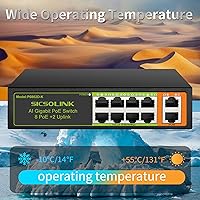
  • Total Ports: The switch provides 10 RJ45 ports in total: 8 PoE-capable ports for powered devices and 2 dedicated uplink ports for connecting to a router, modem, or NVR.
  • PoE Power Budget: Total PoE power output is capped at 120W shared across all 8 active PoE ports simultaneously.
  • Per-Port Power: Each individual PoE port can supply a maximum of 30W, sufficient for most IP cameras, VoIP phones, and standard wireless access points.
  • PoE Standards: Fully compliant with IEEE 802.3af (up to 15.4W per port) and IEEE 802.3at (up to 30W per port) active PoE standards.
  • Network Speed: All 10 ports support auto-negotiating 10/100/1000Mbps (Gigabit) Ethernet speeds to match each connected device automatically.
  • Port Interface: Every port uses a standard RJ45 connector, compatible with Cat5e, Cat6, and Cat6a Ethernet cables.
  • Management Type: Fully unmanaged with no web interface, configuration software, or admin panel; operates on a true plug-and-play basis.
  • Chassis Material: The enclosure is constructed entirely from metal, providing structural durability and functioning as a passive heatsink during operation.
  • Cooling Method: Passive fanless cooling keeps the unit completely silent at all times, relying on the metal chassis for heat dissipation.
  • Mounting Options: Supports both flat desktop placement and wall-mount installation, accommodating a range of installation environments and space constraints.
  • Dimensions: The unit measures 5.23 x 2.63 x 1.29 inches, making it compact enough for desk surfaces, shelves, or wall-mounted positions.
  • Weight: The switch weighs 1.1 pounds, light enough for wall mounting without requiring heavy-duty anchoring hardware.
  • Power Cord: Includes a 33.46-inch power cord for the AC power connection to a standard wall outlet.
  • Compatible Devices: Designed to work with IP cameras, network printers, servers, VoIP phones, and wireless access points that support standard PoE or operate as non-PoE data devices.
  • Warranty: SICSOLINK guarantees the switch will perform reliably for a minimum of one year from the date of purchase.

Related Reviews
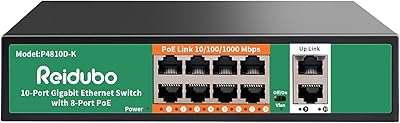
Reidubo P4810D-K 8-Port Gigabit PoE Switch
78%
93%
Ease of Setup
88%
PoE Reliability
67%
Power Budget Adequacy
82%
Build Quality
61%
VLAN Functionality
More
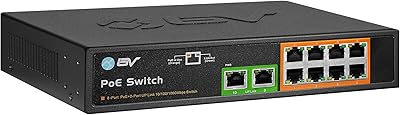
YuanLey 8-Port 120W Gigabit PoE Switch
80%
91%
Value for Money
94%
Ease of Setup
78%
PoE Power Delivery
83%
Build Quality
74%
Thermal Performance
More
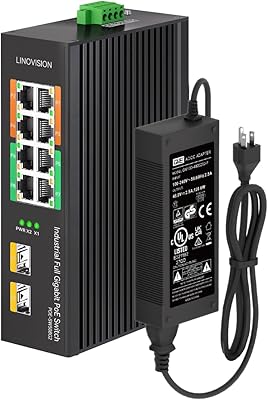
AUMOX PRO SG308P 8-Port PoE Gigabit Switch
80%
93%
Ease of Setup
88%
PoE Reliability
67%
Power Budget Adequacy
81%
Build Quality
97%
Noise Level
More
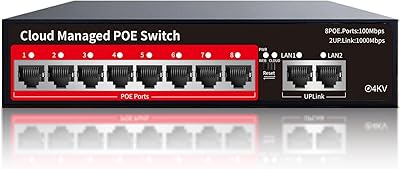
BV-Tech POE-SW802G 8-Port Gigabit PoE+ Switch
79%
94%
Ease of Setup
88%
PoE Reliability
67%
Power Budget
61%
Build Quality
91%
Value for Money
More
LINOVISION POE-SW508G Industrial 8-Port PoE++ Switch

77%
91%
Power Delivery
88%
Build Quality
93%
PoE Watchdog
84%
Installation Ease
86%
Thermal Performance
More
YuLinca 6-Port Gigabit PoE Switch with 4 PoE+ Ports
87%
95%
Ease of Installation
88%
PoE Functionality
91%
Build Quality
87%
Performance and Speed
94%
Fanless Operation (Noise)
More
Loocam LNA-SPG1008 8-Port Gigabit PoE Switch
80%
94%
Ease of Setup
76%
PoE Power Delivery
83%
Build Quality
88%
Compatibility
71%
Extended Transmission Range
More
STEAMEMO 8-Port 120W Managed PoE+ Switch
80%
91%
Value for Money
83%
PoE Power Delivery
88%
Ease of Setup
79%
Build Quality
52%
Port Speed Performance
More
Cqenpr 8-Port 120W Outdoor Gigabit PoE Switch
80%
93%
Ease of Installation
88%
Weatherproof Durability
84%
PoE Power Delivery
79%
AI Watchdog Reliability
82%
Surge & Lightning Protection
More
MokerLink 8-Port Outdoor Gigabit PoE Switch
81%
93%
Ease of Setup
84%
Build Quality
81%
PoE Performance
77%
Weather Resistance
89%
Gigabit Throughput
More
NETGEAR GS308EP
NETGEAR GS308EP
81%
88%
PoE+ Performance
91%
Ease of Setup
74%
Build Quality
82%
Network Management Features
93%
Value for Money
More

FAQ

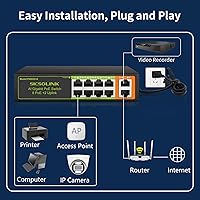
No software, drivers, or configuration of any kind is required. Connect one of the two uplink ports to your router, plug your cameras or other devices into the PoE ports, and the switch handles everything automatically. There is no admin panel, no app, and nothing to configure.

Not simultaneously at maximum draw. While each port supports up to 30W individually, the total power budget across all 8 PoE ports is 120W combined. In practice, most standard IP cameras consume between 5W and 15W, so a typical 6-to-8-camera setup sits well within that limit. Just add up your devices' power requirements before assuming every port can run at full 30W.

No. The switch uses intelligent per-port power detection and only sends power to a device if it identifies that device as PoE-compatible. Plugging in a regular laptop, desktop, or printer will result in a normal data connection with no power delivery to that port.

Yes, for data transmission you can use any of the 10 ports regardless of PoE. If you want to power non-PoE cameras through this switch, you would need to add an inexpensive PoE splitter between the switch and each camera — the splitter separates the power and data signal at the camera end. Without a splitter, the cameras would simply use their own existing power adapters and connect to the switch for data only.

The product documentation states compatibility with passive PoE devices in addition to active IEEE 802.3af and 802.3at devices. That said, passive PoE does not include the handshake negotiation that active PoE uses, so it is worth confirming your passive device is rated to accept the output voltage before connecting to avoid any risk of hardware damage.

Under moderate load it stays warm but not hot — within a normal range for passively cooled electronics. Under sustained full load, especially in a poorly ventilated or enclosed space, it can get noticeably warm to the touch. Leave a few inches of clearance around the chassis and avoid enclosed cabinets with no airflow, and heat should not be a practical issue for most users.

The switch does support wall mounting based on its design, but mounting hardware is not confirmed to be included in the box from available product information. It is a good idea to have basic screws or a small bracket ready before installation day rather than assuming everything you need is in the package.

Yes, the two uplink ports are designed to connect to different upstream devices — such as a router and an NVR — simultaneously. They function as standard Gigabit data ports without PoE, so they are well suited for linking to existing network equipment or splitting the switch between two separate upstream connections.

The switch is covered for a minimum of one year, and SICSOLINK offers email-based technical support with a stated 24-hour response time. There is currently no phone support option, so if you anticipate needing hands-on real-time troubleshooting, keep that in mind. For most issues with an unmanaged switch, problems tend to be straightforward — a device not powering up or a cable fault — and are generally resolved quickly without deep technical back-and-forth.

It works well for light small-business scenarios — a boutique retail counter, a small medical reception area, or a multi-desk home office running a few IP cameras and phones. Where it falls short for business use is the lack of any management features: no VLANs, no QoS, no port monitoring, and no traffic segmentation. If your network needs any of those capabilities, or if uptime reliability over several years is a hard requirement, a managed switch from a more established brand would serve you better.