Overview

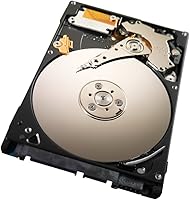
The Seagate ST500LM021 500GB Laptop Hard Drive is a no-frills internal upgrade aimed at anyone who needs more storage without spending a lot. At 2.5 inches and just 7mm tall, it slides into thin and light notebooks without issue. What separates it from many budget drives is the 7200RPM spin speed — most stock laptop HDDs run at 5400RPM, so the performance difference is real and noticeable day to day. It connects via SATA 6Gb/s but works fine with older 3Gb/s ports too. With over 2,700 buyer ratings and a ranking inside the top 150 internal hard drives, it has earned a solid reputation for reliable, straightforward storage.
Features & Benefits

The 7200RPM motor is the headline here — it means faster load times and snappier file transfers compared to the 5400RPM drives that ship in many budget laptops. The 32MB cache helps buffer reads and writes, keeping things moving during everyday tasks like opening large files or running multiple programs. Seagate's QuietStep design keeps vibration and noise impressively low for a spinning drive. Ramp Load technology parks the heads off the platters when idle, reducing wear over time. The slim 7mm profile fits ultrabook-style enclosures, and the SATA interface covers both newer and older laptop motherboards without needing adapters.

Best For

This 500GB HDD makes the most sense for someone giving an older laptop a second life — if the original drive is slow or nearly full, swapping it out for this Seagate laptop drive is a practical fix that costs far less than a comparable SSD upgrade. Students and everyday users who mostly work with documents, photos, and video playback will find 500GB more than adequate. It also works well as a secondary drive in laptops with a dual-bay setup. If long-term reliability over intensive workloads is the priority, the HDD trade-offs are worth weighing, but for light-to-moderate use, the value is hard to argue with.

User Feedback

With a 4.6-star average across more than 2,700 reviews, this 500GB HDD clearly resonates with buyers. The most consistent praise centers on how painlessly it installs — plug it in, boot up, and the system recognizes it right away. Quiet operation comes up often too, which tracks with the QuietStep design. On the downside, some buyers raise concerns about long-term reliability, which is a fair point for any spinning drive under regular use. A few reviewers also flag that some listings ship as used or refurbished units, so checking the seller condition carefully before purchasing is worth the extra minute.

Pros

  • 7200RPM spin speed is genuinely faster than the 5400RPM drives found in many stock laptops.
  • QuietStep technology keeps operational noise low enough that you rarely notice it running.
  • Slim 7mm height fits ultrabook-style and thin laptop chassis without modification.
  • SATA 6Gb/s interface works with older 3Gb/s ports too, covering a wide range of laptops.
  • Ramp Load protection reduces platter wear during idle periods, supporting longer drive life.
  • Installation is plug-and-play — most buyers report immediate BIOS recognition with no extra steps.
  • The 2-year manufacturer warranty offers reasonable coverage for a budget storage upgrade.
  • 32MB cache helps buffer everyday read and write tasks, keeping performance smoother under light loads.
  • At 500GB, there is ample room for documents, media libraries, and standard software installations.
  • Strong buyer satisfaction across thousands of reviews signals consistent real-world reliability.

Cons

  • Boot and application load times are significantly slower than any comparable SSD option.
  • Some third-party listings ship refurbished or used units, making condition verification essential before buying.
  • Mechanical drives carry a higher long-term failure risk than solid-state alternatives, especially under frequent movement.
  • 500GB may feel limiting if you store large video files or game libraries locally.
  • Spinning drives are more vulnerable to damage from drops or physical shocks than SSDs.
  • Performance under heavy multitasking or simultaneous file transfers can feel sluggish compared to modern storage.
  • Heat output is slightly higher than SSDs, which can matter in already-warm laptop enclosures.
  • No hardware encryption is included as a standard feature, which may matter to security-conscious buyers.

Ratings

The scores below were generated by AI after analyzing thousands of verified global reviews for the Seagate ST500LM021 500GB Laptop Hard Drive, with spam, bot-submitted, and incentivized feedback actively filtered out. Each category reflects the honest consensus from real buyers — the strengths are acknowledged where earned, and the friction points are called out just as plainly. Nothing here is rounded up to look good.

Value for Money
88%
Buyers consistently point to this 500GB HDD as one of the most cost-effective ways to upgrade an aging laptop, particularly when SSD pricing feels out of reach. For students or light users, the price-to-capacity ratio is hard to beat, and most feel they got exactly what they paid for.
A small but vocal group of buyers note that the gap between this drive's price and entry-level SSDs has narrowed enough to make the comparison worth doing. At the budget end, a few felt the long-term value weakens if the drive fails within a couple of years.
Installation Ease
91%
The install experience is one of the most praised aspects across buyer feedback. Most users report that the drive is recognized by the BIOS immediately after insertion, with no driver hunting or manual configuration needed — a real confidence boost for first-time upgraders.
A handful of users running older systems with legacy BIOS firmware reported minor initialization hiccups, though these were typically resolved with a firmware or settings update. The process itself is straightforward, but some buyers expected clearer bundled instructions.
Read/Write Speed
76%
24%
The 7200RPM spin speed gives this drive a real edge over the 5400RPM alternatives that ship in many budget laptops. Buyers upgrading from slower stock drives notice faster file transfers and snappier application responses in everyday use.
Against any SSD, including budget options, the mechanical speed ceiling is obvious — boot times and large file operations are noticeably slower. Users doing heavy multitasking or working with large media files will feel this limitation fairly quickly.
Noise & Vibration
83%
QuietStep technology earns consistent praise from buyers who were replacing noisier drives. Most report that under typical workloads — browsing, streaming, document work — the drive is nearly silent and does not create perceptible vibration through the laptop chassis.
Under sustained heavy reads or writes, a faint mechanical hum becomes audible in quiet environments. A few buyers with noise-sensitive workflows found it distracting during late-night work sessions, though this is typical behavior for a spinning drive at 7200RPM.
Build & Durability
69%
31%
The drive's slim 7mm form factor holds up well in standard laptop bays, and the Ramp Load feature provides meaningful protection during idle periods by parking the heads off the platters. Buyers using it in secondary bays report stable, uninterrupted operation.
Long-term durability concerns appear regularly in reviews, particularly from buyers beyond the one-year mark. Mechanical drives inherently carry higher failure risk than SSDs, and some users reported failures after moderate daily use — a real consideration for anyone without a backup routine.
Compatibility
92%
The combination of a 2.5-inch form factor, 7mm height, and dual SATA 6Gb/s and 3Gb/s support covers an impressively wide range of laptops. Buyers across a broad spectrum of notebook brands and models report clean, immediate compatibility without adapters.
A small number of buyers with very thin ultrabooks found their chassis only accommodates even slimmer drives or proprietary connectors. Mac users on post-2013 models also discovered the drive does not work with Apple's proprietary storage interfaces.
Capacity
79%
21%
For everyday computing — storing documents, photo libraries, coursework, and a modest media collection — 500GB is a comfortable amount of headroom. Students and casual users in particular report that it meets their needs without requiring constant management.
Power users, gamers, or anyone storing large video files will find 500GB limiting within a year or two of regular use. Several buyers mentioned they wished they had purchased a larger capacity drive, particularly as local storage needs tend to grow over time.
Thermal Performance
71%
29%
Under light-to-moderate workloads, the drive runs at a reasonable temperature and does not contribute meaningfully to laptop heat. Most users in everyday scenarios report no thermal issues during normal use.
Extended heavy use — long file transfers, running virtual machines — can push temperatures higher than SSDs would in the same workload. Buyers with laptops that already run warm noticed increased fan activity when the drive was under sustained load.
Packaging & Condition
62%
38%
Buyers purchasing new units from first-party sellers generally report clean, well-packaged drives that arrive without cosmetic damage. The drive itself is compact enough that transit risks are relatively low when packed properly.
This is a weaker point in the overall picture. A recurring complaint involves third-party listings shipping used or refurbished units without clear condition disclosure. Several buyers received drives with visible wear or pre-existing data, which understandably eroded trust.
Shock & Drop Resistance
58%
42%
Ramp Load parking does offer some passive protection during light movement and idle periods, which helps in typical laptop carry scenarios like commuting or moving between rooms.
As a spinning mechanical drive, it is genuinely more vulnerable to physical shock than any SSD alternative. Buyers who use their laptops in active or outdoor environments — and have experienced drops or heavy jostling — report a higher incidence of issues compared to solid-state options.
Software & Setup Support
74%
26%
Most buyers find that modern operating systems handle detection and formatting without any additional software. For cloning workflows, the drive pairs cleanly with free third-party tools, and users report no compatibility issues during OS installations.
Seagate's bundled software support is not a meaningful differentiator here. Buyers who wanted guided setup tools or data migration utilities had to source them independently, which added friction for less technically experienced users.
Warranty Coverage
73%
27%
A 2-year manufacturer warranty provides a reasonable safety net for most buyers, covering defects and early failures within a meaningful window. Buyers who needed to use it generally report the claims process as functional, if not effortless.
Two years is below what some competing drives offer, and buyers who experience failures just outside the warranty window have no recourse. A longer coverage period would significantly strengthen the long-term value case for this drive.

Suitable for:

The Seagate ST500LM021 500GB Laptop Hard Drive is a practical pick for anyone looking to breathe new life into an older notebook without spending heavily. If your laptop shipped with a slow 5400RPM drive or a cramped 250GB disk, this is a straightforward, cost-effective swap that delivers a noticeable real-world improvement. Students managing coursework files, photo libraries, and video collections will find 500GB comfortable for everyday needs. It also fits well in laptops with a dual-drive bay where a secondary storage drive makes sense alongside a primary SSD. Hobbyists or IT folks refurbishing machines for resale or personal reuse will appreciate the slim 7mm profile and wide SATA compatibility, since it drops into a broad range of laptop models without fuss.
Not suitable for:

The Seagate ST500LM021 500GB Laptop Hard Drive is not the right choice for buyers who prioritize raw speed above everything else. Compared to even a budget SSD, any spinning hard drive will feel slower on boot times and application launches — that gap is real and consistently reported by users who have made both upgrades. If your workflow involves frequent large file transfers, video editing, or running virtual machines, the mechanical nature of this drive will become a bottleneck. Power users and creative professionals should invest in solid-state storage instead. Additionally, anyone buying from a third-party listing should verify the condition carefully, as some available units are refurbished or used, which introduces uncertainty around remaining drive lifespan. If storage longevity under heavy daily use is a core concern, a new SSD is a more reliable long-term investment.

Specifications

  • Brand: Manufactured by Seagate under the Laptop Thin product series.
  • Model Number: The exact model identifier for this drive is ST500LM021.
  • Capacity: This drive provides 500GB of raw storage for documents, media, and applications.
  • Rotational Speed: The platters spin at 7200RPM, which is faster than the 5400RPM standard found in many stock laptop drives.
  • Cache: A 32MB buffer cache helps manage data flow during read and write operations.
  • Form Factor: The drive uses a 2.5-inch form factor standard to laptop internal bays.
  • Height: At 7mm tall, it fits slim and ultrabook-style laptop chassis that cannot accommodate thicker 9.5mm drives.
  • Interface: Connects via SATA 6Gb/s and is backward compatible with SATA 3Gb/s ports.
  • Dimensions: Physical dimensions measure 3.96 x 2.8 x 0.3 inches (L x W x H).
  • Weight: The drive weighs 3.17 ounces, making it light enough for portable laptop use.
  • Installation: Designed for internal installation inside compatible laptop hard drive bays.
  • Compatible Devices: Built specifically for use in laptops and notebook computers with a standard SATA HDD bay.
  • Special Features: Includes QuietStep vibration-reduction technology and Ramp Load head-parking for reduced wear.
  • Warranty: Seagate covers this drive with a 2-year limited manufacturer warranty.
  • Platform: Compatible with PC-based laptops running Windows or Linux operating systems with a SATA interface.

Related Reviews
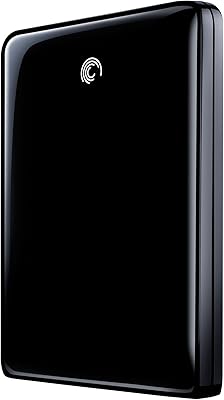
Seagate FreeAgent GoFlex 500GB External Hard Drive
76%
91%
Portability & Form Factor
88%
Modular Interface System
93%
Ease of Setup
58%
Transfer Speed (USB 2.0)
74%
Build Quality & Durability
More
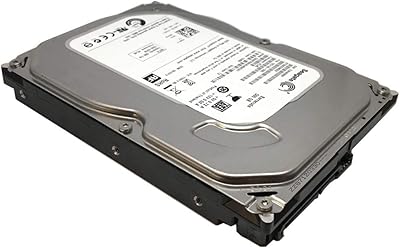
Seagate BarraCuda ST500DM002 500GB Internal Hard Drive
71%
83%
Value for Money
91%
Installation Ease
67%
Read/Write Performance
72%
Long-Term Reliability
88%
Compatibility
More
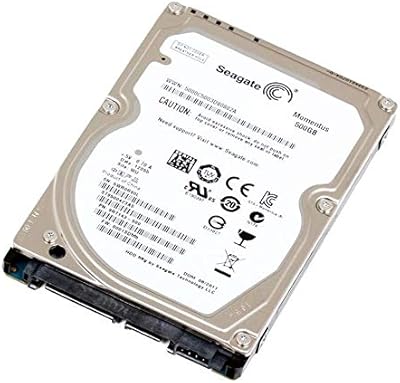
Seagate Momentus ST9500423AS 500GB 2.5″ Internal Hard Drive
85%
88%
Performance
90%
Durability (G-Force Protection)
85%
Power Efficiency
92%
Speed (7200 RPM)
82%
Compatibility with Laptops
More
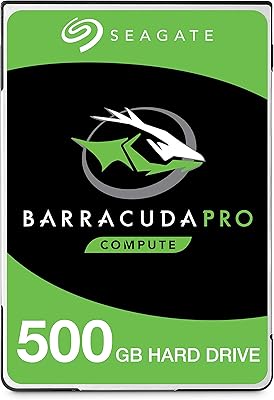
Seagate BarraCuda Pro 500GB 2.5-inch Internal Hard Drive
87%
94%
Performance
92%
Read/Write Speed
88%
Reliability
87%
Value for Money
90%
Build Quality
More
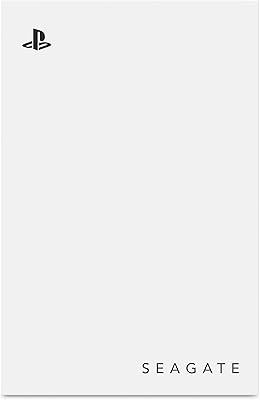
Seagate Game Drive for PlayStation 2TB
79%
94%
Ease of Setup
91%
Storage Capacity
93%
PS4 Compatibility
72%
PS5 Compatibility
74%
Transfer Speed
More
Aiolo Innovation A4 500GB Portable Hard Drive

81%
91%
Value for Money
93%
Portability & Form Factor
94%
Ease of Setup
67%
Transfer Speed (Real-World)
74%
Console Compatibility
More
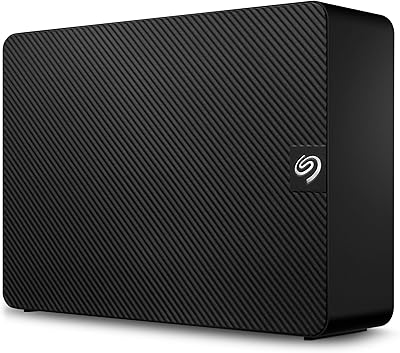
Seagate Expansion 22TB External Hard Drive
81%
94%
Storage Capacity
88%
Performance (Transfer Speed)
91%
Ease of Setup
87%
Reliability (Data Recovery Services)
83%
Compatibility (Windows and Mac)
More
HWAYO 500GB 2.5-inch Portable External Hard Drive
72%
93%
Ease of Setup
91%
Portability
58%
Transfer Speed
82%
Value for Money
63%
Build Quality
More
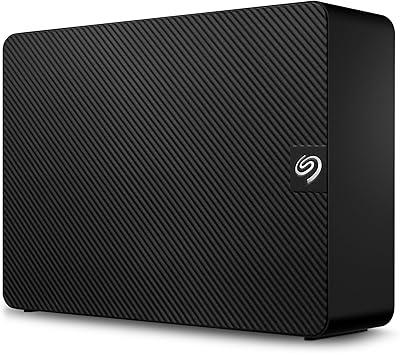
Seagate Expansion 24TB External Hard Drive
71%
93%
Value for Money
97%
Storage Capacity
91%
Ease of Setup
68%
Transfer Speed
72%
Build Quality
More
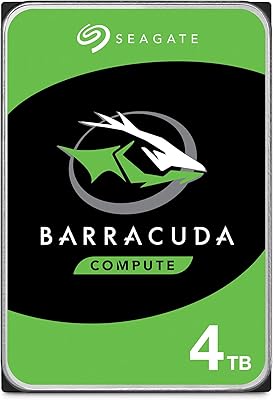
Seagate BarraCuda 4TB Internal Hard Drive
87%
86%
Performance
90%
Reliability
93%
Setup & Installation
95%
Storage Capacity
72%
Data Transfer Speed
More

FAQ

As long as your laptop has a 2.5-inch internal SATA bay and supports drives up to 7mm in height, it should fit without any adapters or bracket changes. Most thin and standard laptops made in the last decade meet those requirements, but it is worth double-checking your specific model's bay depth before ordering.

Very likely yes, if your original drive runs at 5400RPM. This Seagate laptop drive spins at 7200RPM, which translates to quicker file access and slightly faster load times for applications and large files. It is still a mechanical drive though, so do not expect SSD-level speed.

Yes, the drive is backward compatible with SATA 3Gb/s interfaces. You will not get the full 6Gb/s throughput, but it will work reliably with older laptops without any special setup.

Yes, in most cases a new or refurbished drive will need to be formatted before your operating system can use it. During a fresh OS installation the setup process handles this automatically, or you can format it manually through your system's disk management utility if using it as a secondary drive.

When the drive is idle or powered down, Ramp Load parks the read/write heads off the platter surface onto a ramp structure. This reduces the chance of the heads scratching the platters during vibration or movement, which helps extend the drive's working life over time.

It is worth paying close attention to the condition listed by the seller. A certified refurbished unit from a reputable seller can be fine, but a used drive has an unknown wear history. If longevity matters to you, buying new from a verified seller is the safer option.

Most buyers report that the QuietStep design keeps noise to a minimum — you are unlikely to hear it during typical tasks like browsing or document work. Under heavier reads or writes you may notice a faint mechanical sound, but it is generally quieter than older laptop drives.

It can work in older MacBook models that use a standard 2.5-inch SATA drive bay, such as pre-2013 MacBook Pros. However, newer Macs use proprietary SSD connectors and are not compatible. Always check your specific Mac model's storage interface before purchasing.

Mechanical hard drives typically have a lifespan of three to five years under regular use, though many last longer with light workloads. This 500GB HDD includes protective features like Ramp Load that help reduce unnecessary wear, but it is still a good idea to back up important data regularly regardless of drive type.

Yes, cloning is a straightforward way to move your existing setup to the new drive without reinstalling your operating system. Free tools like Macrium Reflect or Clonezilla work well for this. You will need a 2.5-inch USB enclosure or SATA-to-USB adapter to connect the ST500LM021 externally during the cloning process.