





Overview

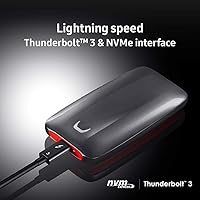
The Samsung X5 2TB Thunderbolt 3 Portable SSD is Samsung's first NVMe-based portable drive built specifically for creative professionals who can't afford to wait. At its premium price point, it's not trying to compete with everyday external storage — it's aimed squarely at people who treat time as a billable resource. The drive has a distinctive look: a full metal body with a glossy top and a red stripe that signals it means business. With 2TB of capacity as the flagship option in the X5 lineup, there's real room to work. One critical note upfront: you need an actual Thunderbolt 3 port to get anywhere near the advertised speeds — a regular USB-C connection won't cut it.

Features & Benefits

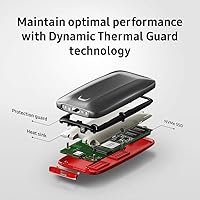
The headline numbers — 2,800MB/s read and 2,300MB/s write — translate into real-world results that are hard to argue with. Offloading a 100GB RAW video project takes roughly 35 seconds rather than several minutes on a conventional drive. The full metal build handles drops of up to 2 meters, and the non-slip base keeps it stable on a desk during transfers. Samsung's Dynamic Thermal Guard helps manage heat during sustained workloads, though the drive will still get noticeably warm. AES 256-bit hardware encryption is available for anyone carrying sensitive files. At 5.3 oz and pocket-sized dimensions, this portable NVMe drive travels well. No Type-A adapter is included, which matters if your setup is older.

Best For

This Thunderbolt SSD was built with a specific user in mind: someone shooting or editing 4K or 8K footage who needs to pull files fast on set or in a graded suite. It's equally at home as a portable backup drive for Mac or PC users who have Thunderbolt 3 ports and move large project files regularly between machines. Journalists, legal teams, or anyone carrying confidential material will appreciate the hardware encryption options. That said, if your laptop only has USB-A ports, this drive will not perform as advertised — and if budget is a concern, more affordable NVMe alternatives exist. The Samsung X5 rewards those who can fully leverage what it offers.

User Feedback

Across more than 700 ratings, the Samsung X5 holds a 4.4 out of 5 — solid, though not without caveats. The most common praise centers on build quality and the fact that real-world transfer speeds hold up close to what Samsung advertises, assuming you have the right hardware. On the other side, a notable number of buyers discovered after purchase that their USB-C port wasn't actually Thunderbolt 3, which is a frustrating and avoidable surprise. Heat during transfers comes up regularly too — not a dealbreaker, but worth knowing. A few longer-term owners have also flagged that newer competing drives now offer comparable speeds at lower prices, which puts pressure on the value case for this portable NVMe drive.

Pros

  • Real-world transfer speeds closely match advertised benchmarks when paired with a proper Thunderbolt 3 host.
  • 2TB of capacity gives creative professionals serious room to store large RAW and video project files.
  • The full metal build feels genuinely premium and holds up well to the bumps of daily professional use.
  • Drop resistance up to 2 meters adds meaningful peace of mind for on-set or travel workflows.
  • AES 256-bit hardware encryption protects sensitive files without requiring third-party software.
  • Dynamic Thermal Guard helps maintain consistent performance during sustained high-volume transfers.
  • Compact and light enough at 5.3 oz to carry without thinking twice about it.
  • A 3-year limited warranty offers reasonable long-term coverage for a professional storage device.
  • The non-slip base keeps the drive stable and grounded during active desktop transfers.

Cons

  • Requires a true Thunderbolt 3 port to reach advertised speeds — a common and costly misconception at purchase.
  • No USB Type-A adapter included, which limits plug-and-play flexibility across older machines.
  • The drive gets noticeably warm during extended high-speed transfers, even with thermal protection active.
  • Newer competing drives on the market now offer comparable speeds at significantly lower prices.
  • The glossy top surface attracts fingerprints and scratches easily, dulling the premium look over time.
  • Password protection setup and firmware updates require extra steps that less technical users may find frustrating.
  • The premium price is difficult to justify for anyone whose workload does not regularly push large file transfers.
  • No Type-C to Type-A cable in the box means older desktop users need to source an adapter separately.

Ratings

Our AI-generated scores for the Samsung X5 2TB Thunderbolt 3 Portable SSD are derived from deep analysis of verified global buyer reviews, with spam, bot activity, and incentivized feedback actively filtered out before scoring. Each category reflects the honest distribution of real user sentiment — strengths and frustrations weighted equally. The result is a transparent, balanced picture of where this portable NVMe drive genuinely excels and where it falls short for different types of buyers.

Transfer Speed
94%
Among verified buyers with proper Thunderbolt 3 setups, real-world speeds consistently land close to the advertised ceiling. Editors offloading a 100GB RAW shoot on location report the process taking well under a minute — a dramatic difference from USB-based drives they had used previously.
A meaningful portion of buyers never experience these speeds because they plug the drive into a USB-C port that lacks Thunderbolt 3 support, resulting in performance that feels underwhelming relative to the price paid. The speed advantage is real, but entirely contingent on the right host hardware.
Build Quality
91%
The full metal chassis feels immediately premium out of the box — buyers frequently describe it as one of the most solid-feeling portable drives they have owned. The non-slip base earns specific praise from users who run transfers on cluttered desks or angled surfaces.
The glossy top surface scratches and collects fingerprints faster than most users expect, which dulls the premium aesthetic fairly quickly in a working bag environment. A few buyers noted the red accent strip can show wear around the edges after extended daily carry.
Portability
88%
At 5.3 oz and roughly the size of a thick business card holder, the Samsung X5 slips into a jacket pocket or gear pouch without occupying meaningful space. Photographers and videographers cite it as one of the few high-performance drives that genuinely disappears into a kit bag.
The drive is slightly thicker than some competing portable SSDs in the same performance tier, which a small number of minimalist-leaning users noticed. It is not a dealbreaker by any measure, but buyers used to ultra-thin drives may register the difference.
Drop & Shock Resistance
83%
The 2-meter drop rating backed by a shock-resistant internal layout gives on-set professionals genuine confidence when working in chaotic environments. Several buyers specifically mentioned surviving accidental desk drops or bag tumbles without any data loss or drive damage.
Lab-tested drop ratings do not account for edge-on impacts or falls onto sharp surfaces, and a handful of buyers reported cosmetic damage from real-world drops even within the rated height. The internal protection is solid, but the outer shell can dent or chip under unlucky impact angles.
Thermal Management
71%
29%
Dynamic Thermal Guard does meaningful work during typical professional transfers, keeping the drive functional and largely throttle-free during the kinds of single-large-file operations that video editors perform most often. Most users running standard workflows never hit a heat wall.
Extended back-to-back transfers — the kind a DIT might run during a long shooting day — cause the drive to run noticeably warm, and some users report minor speed dips during those sustained sessions. In a sealed, unventilated pouch or bag, heat buildup accelerates faster than expected.
Compatibility
62%
38%
For buyers with confirmed Thunderbolt 3 or Thunderbolt 4 ports, setup is plug-and-play with no drivers needed on modern macOS or Windows systems. Cross-platform support is solid once the interface requirement is met, and the exFAT default formatting works natively on both operating systems.
Thunderbolt 3 compatibility is the single biggest source of negative reviews for this portable NVMe drive. A notable segment of buyers discovered post-purchase that their USB-C port did not support Thunderbolt, and no adapter can bridge that gap. The absence of a USB fallback mode makes this a hard requirement, not a preference.
Value for Money
58%
42%
For professionals whose time has a direct dollar value and who regularly move massive files, the speed premium genuinely translates to hours saved per week. Repeat buyers in the creative industry consistently rate the investment as worthwhile when viewed through the lens of a professional tool rather than consumer storage.
The market has shifted since this drive launched, and newer competing Thunderbolt SSDs now offer comparable or faster performance at meaningfully lower prices. Buyers who compare the Samsung X5 against the current competitive landscape often feel the price-to-performance ratio no longer justifies the premium.
Software & Security
76%
24%
AES 256-bit hardware encryption is a genuine differentiator for professionals who carry sensitive client files or confidential source material. The hardware-level implementation means encryption does not noticeably impact transfer speeds, unlike software-based solutions.
The password setup utility requires firmware to be current, and a subset of users report the process being less intuitive than expected, particularly on Windows. The zero-recovery policy if a password is forgotten is technically correct but catches some buyers off guard who did not read the setup instructions carefully.
Included Accessories
61%
39%
The included Thunderbolt 3 Type-C to Type-C cable is good quality and long enough for comfortable desktop use without pulling the drive off a surface. Having a dedicated cable in the box means buyers do not need to source a compatible one separately on day one.
The lack of a Type-C to Type-A adapter is a recurring complaint, especially from buyers who move between a newer Thunderbolt-equipped laptop and an older desktop with only Type-A ports. A pouch or carry case is also absent, which feels like an oversight at this price point.
Read Speed Consistency
89%
On compatible hardware, sustained read speeds hold remarkably close to peak figures across an entire large transfer, which is not always the case with competing drives that burst fast and then drop off. Video editors pulling long footage clips directly from the drive report smooth, uninterrupted playback.
Speed consistency degrades noticeably when the drive is already warm from a prior heavy transfer session. Users who run multiple sequential large transfers without a cool-down period will see more variance in read speed than fresh benchmark numbers suggest.
Write Speed Consistency
84%
Write speeds under sustained loads hold up well for the types of workloads this drive targets — backing up multi-gigabyte project files or writing large media exports directly to the drive from an editing timeline works reliably without stalling.
A small number of power users running continuous write-heavy workloads over long periods report the write speeds settling at a lower sustained plateau than the peak figures. This is a common NVMe behavior, but worth knowing for anyone planning uninterrupted multi-hour recording workflows.
Setup & Ease of Use
87%
For users with the right hardware, setup is genuinely plug-and-play — connect the cable, and the drive mounts immediately without drivers, configuration, or software on both macOS and Windows. The experience is clean and frictionless in the intended use case.
The experience falls apart for buyers who are unclear on their port type before purchasing. There is no visual indicator or automatic fallback that alerts a user they are connected via USB rather than Thunderbolt, which means some buyers use the drive for weeks without realizing they are not getting full speed.
Warranty & Support
78%
22%
A 3-year limited warranty is competitive for a premium portable SSD and gives professional buyers reasonable assurance that the investment is protected over a realistic ownership period. Samsung’s brand support infrastructure is generally reliable for warranty claims.
Some buyers report that firmware update requirements tied to warranty coverage create friction, particularly on older operating systems. The warranty terms also note that physical damage from drops — despite the drive’s rated drop resistance — may fall outside covered conditions depending on the assessment.

Suitable for:

The Samsung X5 2TB Thunderbolt 3 Portable SSD was built for professionals where transfer speed directly affects their workflow and, ultimately, their income. Video editors and cinematographers working with 4K or 8K RAW footage will feel the difference immediately — moving a large project file that would take several minutes on a standard drive happens in under a minute here. It also makes strong sense for photographers, motion graphics artists, and post-production teams who shuttle large assets between a workstation and a client suite regularly. Anyone who needs hardware-level encryption alongside top-tier speed — journalists protecting source material, legal teams carrying confidential documents — will find the security features genuinely useful rather than a checkbox addition. The key requirement is a real Thunderbolt 3 port on your host machine; if you have one and your daily work revolves around moving large files fast, this drive is a credible professional tool.

Not suitable for:

The Samsung X5 2TB Thunderbolt 3 Portable SSD is a poor fit for anyone whose computer lacks a dedicated Thunderbolt 3 port — plugging it into a standard USB-C port will not deliver anywhere near the advertised speeds, which effectively means you are overpaying for performance you cannot access. Budget-conscious buyers looking for reliable everyday storage will find the premium price hard to justify when more affordable NVMe alternatives handle routine tasks perfectly well. Users who only need to back up documents, photos, or light media files will find the speed advantage largely irrelevant for their workload. The drive also runs warm during extended high-speed transfers, which may be a concern in tight, unventilated bags or cases during long editing sessions. If your workflow does not genuinely demand the top tier of portable SSD performance, the value case here is thin.

Specifications

  • Storage Capacity: This drive offers 2TB of usable NVMe flash storage, making it the highest-capacity option in the X5 lineup.
  • Interface: Connects via Thunderbolt 3, which runs over a USB Type-C connector but requires a true Thunderbolt 3 port on the host device to reach peak speeds.
  • Read Speed: Maximum sequential read speed reaches up to 2,800MB/s under Thunderbolt 3 with compatible hardware.
  • Write Speed: Maximum sequential write speed reaches up to 2,300MB/s, suitable for writing large uncompressed video files in real time.
  • Dimensions: The drive measures 4.7 x 2.4 x 0.8 inches, compact enough to fit in a shirt pocket or a small equipment pouch.
  • Weight: At 5.3 oz, this portable NVMe drive is light enough for daily carry without adding noticeable bulk to a bag.
  • Build Material: The outer shell is full metal with a glossy top surface and a non-slip rubberized base to prevent desk movement during use.
  • Drop Resistance: The drive is rated to withstand accidental drops from up to 2 meters, backed by a shock-resistant internal chassis.
  • Thermal Protection: Dynamic Thermal Guard technology monitors and regulates internal temperature during sustained transfers to reduce the risk of performance throttling.
  • Encryption: AES 256-bit hardware encryption is built in and can be activated with an optional user-set password for protecting sensitive data.
  • Cable Included: The package includes one Thunderbolt 3 Type-C to Type-C cable; no Type-C to Type-A adapter is included in the box.
  • OS Compatibility: Compatible with Windows 7 and later, macOS 10.9 and later, and Android 4.4 (KitKat) and later.
  • Color: Available in a Gray and Red colorway, with a red accent stripe running along the metallic body.
  • Warranty: Samsung covers this drive with a 3-year limited warranty from the date of purchase.
  • Form Factor: Designed as an external portable SSD intended for use outside of a computer chassis, with no installation or power cable required.
  • Password Protection: Optional password protection can be set up through Samsung's software utility to restrict unauthorized access to stored data.

Related Reviews
SABRENT Rocket XTRM Plus 2TB Portable SSD
85%
93%
Transfer Speed
91%
Build Quality
62%
Value for Money
84%
Thermal Management
94%
Portability
More
Samsung T7 Portable SSD 2TB
87%
93%
Performance & Speed
89%
Build Quality & Durability
91%
Compatibility
88%
Security Features
90%
Portability & Design
More
Samsung T9 2TB Portable SSD
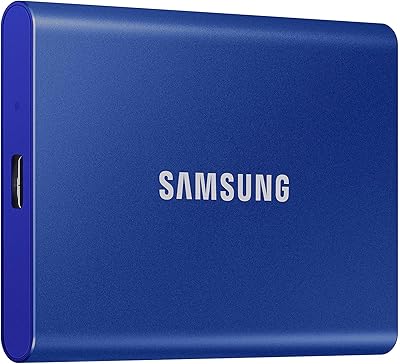
78%
91%
Transfer Speed
88%
Speed Consistency
86%
Build Quality
87%
Compatibility
83%
Thermal Management
More
Samsung T5 EVO 2TB Portable SSD
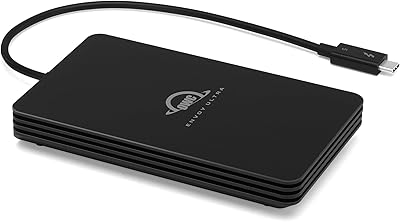
82%
76%
Transfer Speed
83%
Build Quality
93%
Portability
91%
Compatibility
94%
Ease of Setup
More
OWC Envoy Ultra 2TB Thunderbolt 5 Portable SSD

85%
94%
Transfer Speed
91%
Build Quality
78%
Thermal Management
88%
Portability & Form Factor
86%
Compatibility
More
Cable Matters USB4 40Gbps M.2 NVMe Enclosure
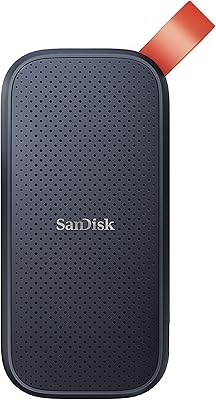
80%
88%
Data Transfer Performance
83%
Build Quality & Materials
79%
Thermal Management & Cooling
91%
Portability & Form Factor
74%
Compatibility Range
More
SanDisk Portable SSD 2TB External Drive
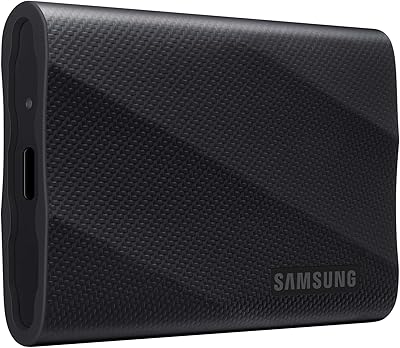
78%
83%
Transfer Speed
88%
Build Quality
93%
Portability
81%
Value for Money
61%
Thermal Management
More
ORICO B5PLUS 2TB Portable External SSD
74%
94%
Portability
78%
Transfer Speed
73%
Build Quality
81%
Value for Money
91%
Plug-and-Play Ease
More
Samsung T1 Portable 500GB SSD
85%
91%
Performance
89%
Data Transfer Speed
88%
Build Quality & Durability
94%
Portability & Size
84%
Setup & Installation
More
PNY RP60 2TB Portable SSD
79%
83%
Transfer Speed
91%
Build Quality
88%
Durability & Protection
93%
Portability
62%
Host Compatibility
More

FAQ

You specifically need a Thunderbolt 3 port. While the connector is physically USB Type-C, Thunderbolt 3 is a distinct protocol that runs at much higher bandwidth. Plugging the Samsung X5 2TB Thunderbolt 3 Portable SSD into a standard USB-C port will still work, but you will only get USB 3.1 speeds — a fraction of what the drive is capable of. Always check that your port has the Thunderbolt lightning bolt symbol before buying.

Look for a small lightning bolt icon next to the USB-C port on your device. Most MacBook Pro models from 2016 onward include Thunderbolt 3. On Windows PCs, it is less universal — check your laptop’s spec sheet or the manufacturer’s website and search specifically for Thunderbolt 3 support, not just USB-C.

It does get warm, especially during long, sustained transfers. That is normal behavior for a high-performance NVMe drive in a compact metal enclosure. Samsung’s Dynamic Thermal Guard helps regulate temperature and reduce throttling, but if you are running back-to-back large transfers in a hot environment, you may notice a small dip in speed. For most professional workflows, this is not a practical issue.

Yes, and this is one of the strongest use cases for this portable NVMe drive. The read speeds are fast enough to handle multi-stream 4K RAW or even 8K footage directly from the drive in most editing applications, including Premiere Pro and DaVinci Resolve, provided your Thunderbolt 3 connection is solid.

Password protection is set up through Samsung’s software utility and is straightforward to configure. The important caveat is that the encryption is hardware-based, meaning if you forget your password, there is no back door — your data will be inaccessible. Make sure to store your password somewhere secure before enabling this feature.

Yes. Thunderbolt 4 is backward compatible with Thunderbolt 3 devices, so the Samsung X5 will work at full speed on a Thunderbolt 4 port. USB4 ports vary in implementation, but those that support Thunderbolt protocols should also work at full speed. When in doubt, check that the port explicitly supports Thunderbolt 3 or higher.

No external power source is needed. The drive draws all the power it requires directly through the Thunderbolt 3 cable from your host device. This keeps the setup clean and portable — one cable, and you are connected and powered.

The T7 and T9 use USB connections, which makes them far more universally compatible but significantly slower. For someone who just needs a fast, reliable drive for general file storage and backups, the T7 or T9 offers much better value. The X5 is the right choice only if you genuinely need maximum transfer speed and have the Thunderbolt 3 hardware to support it.

The full metal body and shock-resistant internal design are real engineering choices, not just marketing language. That said, drop resistance ratings are tested under controlled lab conditions, and real-world drops on concrete corners or at awkward angles can still cause damage. It is more durable than most portable drives, but treating it carefully is still the smarter habit.

The drive typically ships formatted in exFAT, which is readable and writable on both macOS and Windows without any reformatting. If you plan to use it exclusively on a Mac and want to take advantage of native macOS features, you can reformat it to APFS or HFS+, but out of the box it should work cross-platform without any setup.

Where to Buy