
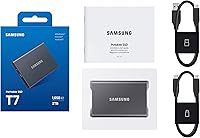
Overview

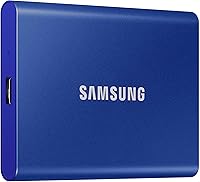
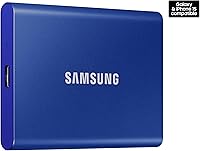
The Samsung T7 2TB Portable SSD sits in a competitive sweet spot — fast enough for professional workflows, compact enough to disappear into a shirt pocket, and backed by a brand with serious storage credibility. When Samsung released the T7, it addressed real complaints about the T5: notably slower transfer speeds that left video editors drumming their fingers. The aluminum unibody shell feels genuinely premium — thin, rigid, and nothing like the plastic-bodied alternatives cluttering this price range. At 2TB, this portable SSD gives you enough headroom for a working project library, a full photo archive, and a game or two without constantly juggling files. That said, it is not the right pick for everyone, and knowing who it suits matters.

Features & Benefits

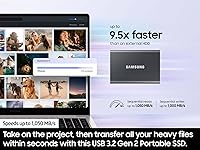
Speed is where the T7 earns its keep. Transfers can hit 1,050 MB/s read — but that figure assumes your host device has a USB 3.2 Gen 2 port running at 10Gbps. Plug it into an older USB-A port and real-world speeds drop noticeably, so it is worth checking your setup first. For those working with compatible hardware, moving a 10GB video project takes seconds rather than minutes. The drive also supports AES 256-bit hardware encryption through Samsung's Magician software, which is a low-friction way to protect sensitive files. Drop it from six feet and it should survive — a realistic assurance for students and travelers. iPhone 15 users can record ProRes 4K at 60fps directly to this Samsung drive, which is a rare capability at this size.

Best For

This portable SSD is most at home with people who move files for a living — or close to it. Video editors shuttling 4K or 6K footage between a field laptop and a desktop workstation will actually feel the speed difference compared to slower drives. Photographers with large RAW libraries benefit from the storage depth at 2TB. Students get a reliable daily backup that fits in a pencil case. Gamers can expand storage for PC game libraries, though console compatibility varies by platform. Frequent travelers will appreciate the rugged build and light weight; at just over 2 ounces, this Samsung drive barely registers in a bag. Mobile filmmakers using iPhone 15 hardware have an especially compelling use case given the direct recording support.

User Feedback

Across thousands of long-term reviews, a few patterns emerge. On the positive side, buyers consistently note that the T7 delivers on its speed promises over time — not just out of the box — and the compact build holds up well with regular use. The included adapter cable bundle is a small but appreciated touch that many competitors skip. Where things get more mixed: several users point out that this Samsung drive has no water resistance rating, which rivals in this tier sometimes offer. A handful report real-world speeds falling short of advertised peaks when using certain laptop USB-C ports. Long-term reliability looks solid based on extended user reports, and warranty support from Samsung has generally been described as straightforward, though not exceptional.

Pros

  • Sustained read speeds up to 1,050 MB/s make large file transfers genuinely fast in everyday use.
  • The solid aluminum unibody construction feels premium and holds up well after months of regular handling.
  • At just over 2 ounces, the T7 is light enough to forget it is even in your bag.
  • Both USB-C to USB-C and USB-C to USB-A cables are included, covering most port configurations out of the box.
  • AES 256-bit hardware encryption protects sensitive files without noticeably slowing down transfer performance.
  • Direct ProRes 4K at 60fps recording from iPhone 15 is a rare and practical feature for mobile creators.
  • Drop tested to six feet, it offers meaningful physical protection for commuting and travel use.
  • Works across PC, Mac, Android, and iPhone without reformatting between devices.
  • Long-term user reports consistently point to reliable performance well beyond the first year of ownership.
  • Samsung Magician software adds password protection without requiring any third-party applications.

Cons

  • No IP dust or water resistance rating, which some competing drives at this price tier do provide.
  • Peak speeds require a USB 3.2 Gen 2 host port; older hardware will bottleneck performance significantly.
  • Real-world write speeds occasionally fall short of advertised figures depending on the host device and file size.
  • Samsung Magician software, needed for encryption setup, does not support all operating systems equally well.
  • The drive can run noticeably warm during extended high-speed transfers, which some users find concerning.
  • Console compatibility is limited; not all gaming platforms support it for expanded storage without extra configuration steps.
  • No attached or integrated cable means one more small accessory to track and avoid misplacing.
  • The 2TB variant carries a higher price than smaller-capacity competitors offering similar speed ratings.

Ratings

After analyzing thousands of verified global user reviews for the Samsung T7 2TB Portable SSD — actively filtering out bot-generated, spam, and incentivized submissions — our AI-generated scores reflect an honest, weighted picture of real ownership experiences across a wide range of buyers and use cases. From professional video editors to traveling students, the scores below capture both the strengths that consistently earn praise and the genuine pain points that hold this drive back in specific contexts. No category has been softened or inflated; strengths and limitations are weighted equally.

Transfer Speed
88%
Buyers who plug the T7 into a USB 3.2 Gen 2 port consistently report that it delivers on its speed claims — large 4K project folders that used to take several minutes now transfer in under two minutes. Video editors in particular highlight how noticeably it outpaces older USB drives in back-to-back daily use.
The catch is that peak speeds are only achievable through a USB 3.2 Gen 2 host port — users on older laptops with USB 3.0 connections report speeds closer to 400 MB/s, a significant gap from the advertised figure. A handful of users also note inconsistency when connecting through certain USB-C hubs and docks.
Build Quality
92%
The aluminum unibody shell is a consistent highlight in long-term reviews — buyers note that after a year or more of daily bag-tossing, the drive still looks nearly new with only minor cosmetic scuffs. The chassis rigidity feels premium compared to plastic-bodied drives competing in the same price range.
A small number of buyers report that the aluminum surface shows scratches more visibly than matte-finish alternatives, particularly in the blue color variant. The lack of any rubberized grip or textured surface means the drive can slide on smooth desktops, which a few users found mildly frustrating during active use.
Portability
94%
Reviewers across commuting and travel contexts repeatedly describe this as one of the smallest and lightest drives they have owned at this capacity — at just over 2 ounces, it disappears into a shirt pocket or laptop sleeve without adding bulk. Photographers and students especially appreciate not needing a separate protective pouch.
There is no integrated cable or clip, so the included USB-C cables become another small item to track in a travel kit. A few users who came from drives with attached connectors found this slightly less convenient, though most acknowledge it is a minor trade-off given the overall form factor.
Value for Money
74%
26%
For buyers who genuinely need fast portable storage at 2TB and have a USB 3.2 Gen 2 port to take advantage of it, the T7 delivers competitive performance for the price — frequent users note that the speed-to-size ratio justifies the premium over slower alternatives. The dual-cable inclusion adds meaningful practical value.
Buyers without USB 3.2 Gen 2 hardware argue the value equation weakens considerably, since competing drives offer similar real-world speeds at lower prices for their setup. Several users also point out that rival options at this tier now include IP water resistance, making the T7 feel slightly behind on features per dollar.
Long-Term Reliability
86%
A notable share of reviewers who have owned the T7 for over a year — including photographers and videographers using it daily — report no performance degradation or hardware failures, which stands out favorably against budget-tier alternatives. Samsung's in-house NAND and firmware appear to contribute meaningfully to consistent longevity.
A small but present number of reviews describe sudden drive failures, typically in units that experienced heavier-than-average thermal stress over extended periods. Several users also express frustration that data recovery support from Samsung is limited once a hardware failure occurs outside the warranty window.
Compatibility
89%
Users across PC, Mac, Android, and iPhone 15 contexts consistently report that the drive works without driver installs or reformatting headaches — a meaningful time-saver for people who move regularly between platforms. Cross-device workflows like editing on a MacBook and reviewing on an Android tablet operate reliably out of the box.
Console compatibility draws mixed feedback — PS5 users looking for native next-gen game storage find the T7 unsuitable for that purpose, and Xbox Series X users face similar restrictions for optimized titles. A smaller subset of users also encountered recognition issues with specific older USB hub configurations.
Software & Encryption
71%
29%
Users who engage with Samsung Magician appreciate that AES 256-bit encryption can be activated without third-party tools, and the password setup process is described as intuitive by most Windows users. Drive health monitoring through the software provides added reassurance for those relying on it for critical daily project backups.
Mac users consistently report a noticeably reduced feature set in the macOS version of Samsung Magician, which frustrates creative professionals operating in that ecosystem. Several reviewers also highlight that there is no password recovery path — forgetting the encryption password triggers a mandatory full drive reset and permanent data loss.
Drop & Shock Resistance
83%
The 6-foot drop protection is backed by real buyer accounts — students and commuters regularly describe accidental falls from desks, bags, and car seats with no resulting damage or data loss. The aluminum shell absorbs impact meaningfully without the flexing or cracking that characterizes thinner plastic enclosures.
Drops onto sharp concrete corners or at awkward angles have occasionally produced cosmetic damage even in cases where the drive itself continued working, per a minority of reviewers. The drive also lacks corner reinforcement or a protective bumper, which comparable drives in this category sometimes include for additional drop confidence.
Heat Management
67%
33%
The aluminum shell functions as a passive heatsink, conducting warmth away from internal components during transfers — most users describe the surface as warm but not uncomfortable to hold during typical 10 to 20-minute sessions. For casual and occasional use, heat is rarely flagged as a meaningful concern.
Prolonged high-speed transfers — particularly large 4K ingest sessions or near-full capacity backups — cause the drive to become noticeably hot, with some users reporting thermal throttling that reduced speeds partway through the operation. Continuous recording workflows in warm ambient environments generate the most vocal complaints about this behavior.
Water & Dust Resistance
38%
62%
The aluminum enclosure offers a degree of passive protection against brief, incidental moisture contact that a fully plastic case would not, and a small number of users report surviving accidental minor exposure without damage. In controlled, dry indoor environments, the absence of an IP rating rarely surfaces as a practical issue.
There is no official IP dust or water resistance rating — a genuine and recurring complaint from outdoor users, hikers, and anyone working in unpredictable weather, where competing drives at similar price points sometimes carry IP65 or IP68 certification. Several buyers specifically note switching away from the T7 after moisture damage that a rated alternative would have prevented.
Setup & Ease of Use
91%
The vast majority of buyers describe the experience as plug-and-play — no driver installation, no formatting choices, just connect and go on both Mac and Windows. Travelers and students with no interest in configuration particularly appreciate how little friction exists between unboxing and productive first use.
Activating encryption requires downloading Samsung Magician separately, which surprises buyers who expect the feature to be immediately accessible without additional software. A smaller segment of users found the Samsung Magician interface unintuitive, particularly those on macOS who encountered reduced functionality compared to the Windows experience.
Video Recording Support
82%
18%
iPhone 15 users who shoot ProRes video report that direct-to-drive recording works exactly as advertised, with stable throughput during extended 4K at 60fps sessions that would otherwise overflow internal phone storage. Mobile filmmakers consistently describe this as a practical workflow differentiator that sets this portable SSD apart at its size.
The feature is strictly limited to iPhone 15 and 16 models — users with earlier iPhones or Android video cameras frequently express disappointment that direct recording is not supported on their devices. A small number of iPhone 15 users also report occasional dropped connections during very long recording sessions in warm ambient conditions.
Cable & Accessories
78%
22%
Including both a USB-C to USB-C and USB-C to USB-A cable is a consistently appreciated packaging detail — buyers note it means they can connect to virtually any modern device immediately without hunting for adapters. Cable quality is described as sturdy and reliable by the clear majority of reviewers.
Both cables are relatively short, which a segment of buyers finds limiting when the host device is not immediately adjacent — no longer cable option is included in the box. The drive also ships without a protective carrying pouch, which several users flagged as a notable omission for a product positioned at a premium price point.

Suitable for:

The Samsung T7 2TB Portable SSD is built for people whose work or creative life genuinely demands fast, reliable file movement on the go. Video editors who regularly shuttle large 4K or 6K project folders between a laptop and a desktop workstation will notice the speed advantage immediately compared to slower USB drives. Photographers archiving large RAW shoots, students backing up course files, and traveling professionals who cannot afford data loss will all find the 2TB capacity and durable aluminum shell well-matched to their needs. iPhone 15 users who shoot ProRes video have a particularly compelling reason to consider it, since the T7 supports direct 4K recording at 60fps — a feature most drives at this size simply do not offer. Gamers looking to expand PC storage libraries will also get solid value from the drive's sustained read speeds. If your workflow involves plugging into different machines across PC, Mac, Android, and iOS regularly, the broad out-of-the-box compatibility removes a meaningful amount of day-to-day friction.

Not suitable for:

The Samsung T7 2TB Portable SSD is a poor match for anyone who needs an external drive that can withstand genuinely harsh environments — it carries no official IP rating for dust or water resistance, which some competing drives at this price point do offer. If you plan to use it near water, on dusty job sites, or in gear that regularly takes rain and mud, that gap deserves serious consideration before buying. Users with older computers limited to USB 3.0 or USB 2.0 ports will not come close to realizing the drive's peak transfer speeds, making the speed premium largely irrelevant for their setup. Budget-focused buyers should also weigh whether 2TB is genuinely needed right now, since smaller capacity options exist at significantly lower prices if the storage depth is not an immediate requirement. Anyone who needs wireless access, a built-in hub, or simultaneous multi-device connectivity will find this portable SSD too straightforward for those use cases.

Specifications

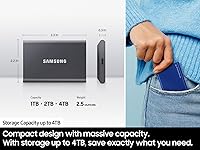
  • Storage Capacity: This reviewed variant offers 2TB of usable storage, suitable for large video project libraries, extensive photo archives, and expanded game data.
  • Read Speed: Sequential read speeds reach up to 1,050 MB/s when connected to a host device with a USB 3.2 Gen 2 port running at 10Gbps.
  • Write Speed: Sequential write speeds reach up to 1,000 MB/s under ideal conditions, though real-world figures vary depending on file type, host port, and thermal state.
  • Interface: Uses USB 3.2 Gen 2 (10Gbps) with backward compatibility for USB 3.1, 3.0, and 2.0 connections, which deliver reduced but functional transfer speeds.
  • Connector: USB-C port on the drive; two cables are included in the box — one USB-C to USB-C and one USB-C to USB-A.
  • Dimensions: Measures 3.3 x 2.2 x 0.3 inches, roughly the footprint of a standard business card and thin enough to sit flat in a jeans pocket.
  • Weight: Weighs 2.08 oz (approximately 59g), light enough to carry in a bag or pocket daily without adding meaningful bulk.
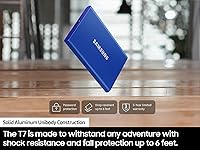
  • Build Material: Constructed from a solid aluminum unibody shell that provides structural rigidity and passively assists with heat dissipation during sustained transfers.
  • Drop Resistance: Tested to survive drops from up to 6 feet (approximately 1.8 meters) onto hard surfaces under standard test conditions.
  • Water Resistance: Carries no official IP dust or water resistance rating, meaning it is not designed to tolerate immersion, heavy rain, or sustained moisture exposure.
  • Encryption: Supports AES 256-bit hardware encryption, enabled and managed via Samsung Magician software on compatible operating systems.
  • Software: Compatible with Samsung Magician for encryption setup, firmware updates, and drive health monitoring; availability varies slightly by operating system.
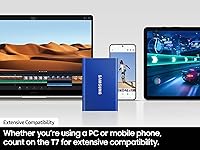
  • Compatibility: Works natively with Windows PCs, macOS, Android devices, and iPhone 15 and 16 without requiring reformatting between platforms.
  • Video Recording: Supports direct capture of 4K ProRes video at 60fps from iPhone 15 models via USB-C, enabled by the drive's sustained write performance.
  • Warranty: Covered by a Samsung 3-year limited warranty against manufacturing defects under normal operating conditions, excluding physical damage.

Related Reviews
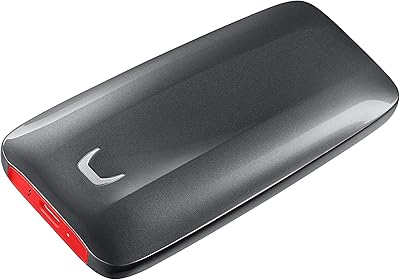
Samsung X5 2TB Thunderbolt 3 Portable SSD
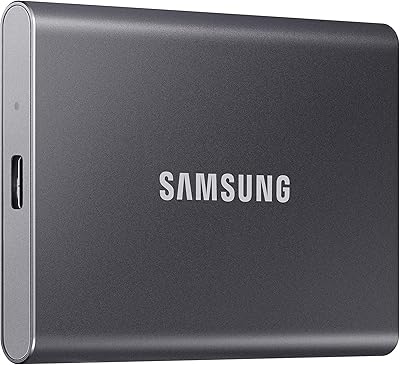
79%
94%
Transfer Speed
91%
Build Quality
88%
Portability
83%
Drop & Shock Resistance
71%
Thermal Management
More
Samsung T7 4TB Portable SSD
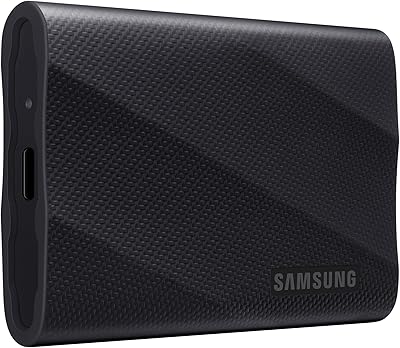
82%
91%
Transfer Speed
93%
Build Quality
94%
Portability
67%
Value for Money
63%
Thermal Management
More
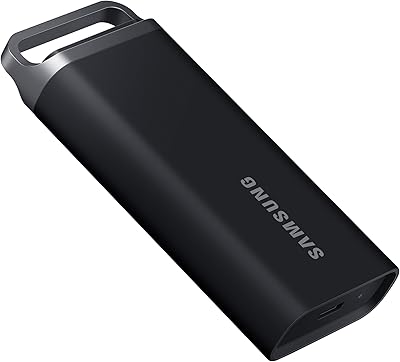
Samsung T9 2TB Portable SSD
78%
91%
Transfer Speed
88%
Speed Consistency
86%
Build Quality
87%
Compatibility
83%
Thermal Management
More
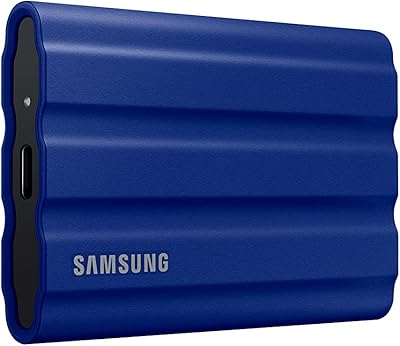
Samsung T7 Shield 1TB Portable SSD
83%
91%
Transfer Speed
88%
Build Quality
93%
Durability & Protection
82%
Portability
89%
Compatibility
More
Samsung T5 EVO 2TB Portable SSD
82%
76%
Transfer Speed
83%
Build Quality
93%
Portability
91%
Compatibility
94%
Ease of Setup
More
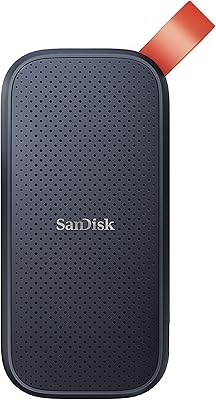
SanDisk Portable SSD 2TB External Drive
78%
83%
Transfer Speed
88%
Build Quality
93%
Portability
81%
Value for Money
61%
Thermal Management
More
TEAMGROUP PD1000 2TB Portable External SSD
82%
86%
Read Speed Performance
67%
Write Speed Performance
91%
Build Quality
93%
Durability & Ruggedness
94%
Portability
More
Samsung T9 Portable SSD 4TB
87%
92%
Transfer Speed
89%
Build Quality
88%
Portability
90%
Compatibility
85%
Durability
More
fanxiang PS2100 2TB Portable External SSD
79%
83%
Transfer Speed
88%
Build Quality
91%
Durability & Protection
87%
Portability & Design
84%
Value for Money
More
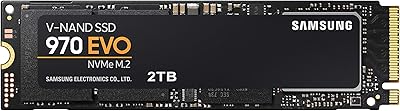
Samsung 970 EVO 2TB M.2 NVMe SSD
86%
93%
Read Speed Performance
88%
Write Speed Consistency
91%
Reliability & Longevity
74%
Thermal Management
86%
Software & Ecosystem
More

FAQ

Yes. The T7 ships pre-formatted as exFAT, which both macOS and Windows can read and write to without any setup. Just plug it in and it mounts on your desktop. If you want to activate the encryption features, you will need to download Samsung Magician separately — it is available for macOS, though its feature set is slightly more complete on Windows.

Yes, and this is worth being honest about. The advertised 1,050 MB/s read speed only applies when connected to a USB 3.2 Gen 2 port operating at 10Gbps. Older USB 3.0 ports will realistically deliver speeds in the 350 to 500 MB/s range — still faster than a traditional hard drive, but well short of the headline figure. Check your laptop or desktop port specs before assuming you will reach peak performance.

If you have an iPhone 15 or 16, yes. You can connect the T7 via USB-C and record ProRes 4K at 60fps directly from the native camera app onto the drive. Earlier iPhones lack either the USB-C port or the sustained throughput required for this to work reliably, so it is genuinely an iPhone 15 and 16 specific benefit rather than a general iPhone feature.

No — and this is a real limitation worth knowing before you buy. The drive has no official IP rating for water or dust resistance. It can handle a 6-foot drop onto hard flooring, but rain, trail dust, or a splash near a water source are different hazards entirely. If wet or dirty outdoor conditions are part of your plan, look for a drive with a certified IP65 or IP68 rating instead.

Download Samsung Magician from Samsung's website, install it, and follow the prompts to enable AES 256-bit hardware encryption and create a password. The process takes only a few minutes. One thing to keep in mind: if you forget the password, there is no recovery option — the drive must be reset, which wipes all data. Set a password you will actually remember or store it somewhere secure.

Partially, but with caveats. The PS5 does not support USB drives for running PS5 native titles — that requires the internal M.2 expansion slot — though you can use this portable SSD to archive and transfer PS4 games. On Xbox Series X, you can play Xbox One titles from it, but Xbox Series X optimized games require the proprietary expansion card. Check your console's current firmware documentation for the most accurate compatibility details.

It warms up noticeably during sustained high-speed transfers, which is normal behavior for NVMe-based drives in a compact enclosure. The aluminum shell actually helps conduct heat outward rather than letting it build up internally. Most users describe it as warm to the touch rather than hot. That said, give it some airflow during long backup sessions rather than burying it under other gear on a desk.

On a compatible USB 3.2 Gen 2 host, 100GB of sequential data — like a single large video file — can move in under two minutes at peak throughput. Mixed file transfers with lots of smaller clips or documents will take longer due to per-file overhead, regardless of the drive's raw speed rating. For video editors moving project folders, the improvement over an older USB drive or spinning hard drive is substantial and immediately noticeable.

For most 4K workflows using compressed codecs like H.264 or H.265, the Samsung T7 2TB Portable SSD works well as an active project drive with room to spare. However, if you shoot high-bitrate formats like RAW, ProRes, or BRAW, those files are dramatically larger and 2TB can fill faster than you expect. Many professionals use it as a fast scratch or working drive rather than a permanent archive, which is where the 2TB capacity really hits its stride.

The T7 comes with a 3-year limited warranty from Samsung covering manufacturing defects under normal use conditions. Claims are handled through Samsung's support website, and the process is generally reported as straightforward for clear hardware failures — just keep your proof of purchase accessible. Physical damage from drops or misuse is not covered, so the drive's drop-resistance testing and the warranty are two separate things and should not be confused.