Overview

The Samsung M378A1K43CB2-CRC 8GB DDR4 Memory Module is a straight-talking OEM desktop RAM stick — no RGB, no fancy heatspreader, just solid DRAM from the company that actually fabricates its own chips. One thing worth clarifying upfront: this is a full-size desktop DIMM, not a laptop SO-DIMM, which is a distinction that trips up more buyers than you'd expect. It runs at DDR4-2400 MHz, which sits at the entry level of the DDR4 spectrum — honest, capable, and priced to match. The aqua green PCB is a minor visual quirk, and the 1.2V operating voltage reflects modern efficiency standards rather than any exotic engineering.
Features & Benefits

At 2400MHz, this Samsung DDR4 stick won't win benchmarks against high-frequency kits, but that's not the point. What it does well is run cool, quiet, and consistent — the 1.2V operating voltage keeps power draw in check, which matters in small form factor builds or systems that run all day. Samsung fabricates its own DRAM chips, which means the silicon quality and binning consistency are tighter than many third-party brands relying on outside suppliers. The 8GB capacity on a single stick is a practical choice, too: it leaves an open slot for a matching module down the line, letting you hit 16GB dual-channel without replacing what you already have. No ECC, no XMP — just plug-in desktop DDR4.

Best For

This OEM desktop RAM module makes most sense for a specific kind of buyer. If you're upgrading a budget desktop build from 4GB, or pairing two sticks to reach a 16GB dual-channel configuration, this is a practical, no-drama choice. It's a strong fit for office machines and productivity setups where reliability matters more than raw speed. Small IT shops sourcing dependable memory in volume will appreciate the consistent OEM provenance. It's also particularly well-suited to older Skylake and Kaby Lake platforms, which natively support DDR4-2400 without any compatibility gymnastics. And if you're replacing a failed stick and need an exact Samsung OEM match, the part number makes sourcing straightforward.

User Feedback

With a 4.7-star average across 250 ratings, this 8GB DIMM has earned its reputation through straightforward reliability rather than flashy specs. The most common praise centers on plug-and-play installation — buyers report no BIOS adjustments needed, which is exactly what you want from workhorse memory. Thermal performance also gets regular mentions; users running it through long workdays note it stays cool without issue. On the flip side, a handful of buyers with windowed cases mention the aqua green PCB looks out of place — a cosmetic gripe, nothing functional. Worth noting: no XMP support means overclocking isn't on the table, so enthusiasts chasing high-frequency performance should look elsewhere. A few buyers also recommend verifying authenticity against Samsung's official part number before purchase.

Pros

  • Samsung fabricates its own DRAM chips in-house, giving this stick a consistency edge over third-party assembled modules.
  • Plug-and-play installation is the norm — buyers consistently report no BIOS adjustments needed right out of the box.
  • The 1.2V operating voltage runs cooler and draws less power than older DDR3 memory, helping in all-day workloads.
  • Starting with a single 8GB stick leaves a free slot open for a future dual-channel upgrade to 16GB total.
  • A 4.7-star average across 250 real-world ratings reflects strong, consistent reliability over time.
  • Standard full-size DIMM form factor fits virtually any ATX or micro-ATX desktop motherboard without compatibility concerns.
  • No heatspreader or RGB adds cost overhead — the price reflects the DRAM itself, nothing more.
  • OEM provenance makes this 8GB DIMM a dependable sourcing option for IT shops needing authentic Samsung memory at scale.

Cons

  • DDR4-2400 is entry-level by today's standards; users on modern platforms may notice a meaningful bandwidth gap versus faster kits.
  • No XMP profiles are included, so there is no supported path to run this stick above its rated 2400MHz speed.
  • The aqua green PCB is an unusual color that can clash visually with black or white-themed windowed builds.
  • Buyers should verify authenticity carefully, as counterfeit OEM memory exists in the market under convincing part numbers.
  • This is a desktop DIMM only — it will not fit any laptop or small-form-factor system using SO-DIMM slots.
  • Running in single-channel mode at first means half the memory bandwidth of a matched pair; dual-channel requires purchasing a second stick.
  • Not suitable for servers or workstations requiring ECC memory for error correction and data integrity protection.
  • Gaming performance headroom is limited at 2400MHz; modern AMD Ryzen and newer Intel platforms respond noticeably to faster memory.

Ratings

Our AI-driven scoring for the Samsung M378A1K43CB2-CRC 8GB DDR4 Memory Module was generated by analyzing verified purchase reviews from buyers worldwide, with automated filtering applied to remove spam, incentivized feedback, and bot activity. Every score reflects honest consensus — both what real users genuinely value and where the module consistently falls short — giving you a transparent, unvarnished view before you commit. No category was padded or softened; if buyers raised a consistent concern, it shows up here.
Compatibility
93%
Across hundreds of real-world builds, this OEM desktop RAM module slots in and works — full stop. Skylake and Kaby Lake desktop systems in particular recognize it immediately at boot, and buyers report the same smooth experience across a wide range of ATX and micro-ATX motherboards. No compatibility surprises, no head-scratching memory detection failures.
A small number of buyers using niche server-adjacent boards or pre-DDR4 platforms have run into issues, but those mismatches are typically down to the platform rather than the module itself. Laptop owners who purchase this by mistake also flag incompatibility, which is entirely a form factor confusion rather than a product defect.
Installation Ease
96%
Plug it in, power on, done. Buyers across all skill levels — from first-time builders to seasoned IT technicians — consistently note that no BIOS changes or memory training cycles are needed for this stick to register at its full 2400MHz. It's the kind of effortless install experience you hope for every single time.
The rare negative installation reports tend to trace back to bent pins, incorrect seating, or mismatched slot placement rather than any defect in the module. A small number of first-generation AMD Ryzen users also note that their platform required a BIOS update before DDR4-2400 would initialize reliably.
Stability & Reliability
94%
Long-term stability is where this Samsung DDR4 stick genuinely earns its stripes. Buyers running it through full office workdays, rendering sessions, and light gaming report zero crashes or memory errors over months of continuous use. In-house Samsung chip fabrication plays a real role — quality control at the wafer level tends to produce far fewer outliers.
A small fraction of buyers — fewer than would be statistically unusual for any DRAM product — report dead-on-arrival units or early failures. These instances are rare enough not to dent the overall reliability picture, but they do reinforce the importance of verifying authenticity before trusting a module in a production or business-critical machine.
Chip Quality
91%
Samsung is one of the few memory brands that actually manufactures its own DRAM dies from scratch rather than sourcing chips from third parties and rebranding them. That vertical integration means tighter consistency between modules from the same production batch — a real advantage when buying two sticks that need to behave identically in a dual-channel configuration.
The main risk to chip quality here isn't Samsung's manufacturing — it's the grey market. Counterfeit modules carrying the Samsung label but using inferior third-party chips have been documented, which is why verifying the part number against Samsung's official database after purchase is a genuinely important step, not just a formality.
Value for Money
88%
For buyers who just need dependable desktop memory without paying a premium for RGB lighting or high-frequency binning they'll never use, this OEM module lands at a sensible price point. You're essentially getting Samsung's own chips — the same silicon that populates enterprise-configured systems — without the brand markup of a boxed retail memory kit.
If your system supports faster DDR4 speeds (3200MHz or above), buying a 2400MHz module is a quiet value compromise — you're paying for bandwidth you can't fully utilize and may want to replace sooner than expected. Performance-per-dollar improves noticeably at the DDR4-3200 tier, which is often priced only marginally higher in practice.
Thermal Performance
87%
Running at 1.2V without a heatspreader, this 8GB DIMM stays noticeably cool even during prolonged workloads. Buyers who leave their machines running for hours in office environments consistently describe it as barely warm to the touch after extended use — a genuine benefit in compact or poorly ventilated builds where heat accumulation is a real concern.
Without a heatspreader, the bare PCB has no passive thermal protection against heat spikes in poorly cooled cases — a minor but real concern in cramped or unusually hot environments. There's also no visual temperature indicator, so users running heavy sustained workloads without monitoring software won't have any passive feedback on the module's temperature behavior.
Speed Performance
64%
36%
For the workloads this module is actually designed for — office applications, web browsing, document editing, and light multitasking — DDR4-2400 provides enough throughput to keep things moving smoothly without noticeable stutter. Users upgrading from a 4GB DDR3 system will feel a meaningful real-world improvement that goes beyond raw clock speed alone.
At 2400MHz, this module sits at the bottom of the DDR4 performance ladder. Gamers, video editors, and anyone running memory-intensive creative applications will see measurable differences when comparing against DDR4-3200 or DDR4-3600 kits — differences that compound further as software demands continue to grow over a multi-year ownership cycle.
Power Efficiency
83%
The 1.2V operating standard is one of the genuine everyday wins of DDR4 over older DDR3 modules. In all-day office machines or systems running 24/7, the reduced power draw contributes to slightly lower energy use and helps keep internal temperatures in check — small gains that genuinely add up in a home office or business context.
Power efficiency advantages at the memory level are fairly modest in absolute terms — the savings don't compare to gains from upgrading a CPU or PSU. Users in high-performance builds pushing their systems hard with GPU-heavy workloads will barely notice the memory's power contribution either way.
Overclocking Headroom
18%
82%
There's really nothing here for overclockers — which is exactly the point, since this module isn't trying to be something it isn't. For buyers who want memory that runs at its rated speed indefinitely without manual tuning, the complete absence of XMP complexity is actually a feature rather than an oversight.
There are zero XMP profiles on this module and no officially supported mechanism for running it above 2400MHz. Enthusiasts wanting to extract extra performance through memory overclocking will need to look elsewhere — this stick simply wasn't designed with that use case in mind, and pushing it manually risks instability with no warranty recourse.
Dual-Channel Potential
79%
21%
Starting with a single stick and adding a matching module later is a genuinely smart approach for budget builders, and this OEM RAM module supports that upgrade path cleanly. A second identical stick in the correct paired slot unlocks dual-channel mode, roughly doubling usable memory bandwidth and noticeably improving multitasking on platforms that benefit from it.
Running as a solo stick means operating in single-channel mode, which leaves half your potential memory bandwidth unused from day one. Buyers unaware of this may wonder why their system underperforms relative to matched-pair builds — and sourcing an exact OEM match months after initial purchase can be tricky if availability has shifted.
Form Factor Fit
89%
The standard 288-pin DIMM footprint means this stick will physically seat in virtually any desktop motherboard released since DDR4 launched in 2015. Whether it's a full-sized ATX board with eight memory slots or a compact micro-ATX build with two, the dimensions and pin configuration are entirely standard with no adapter or modification required.
The DIMM form factor is desktop-only — laptop users who purchase this incorrectly have no recourse without a return. Some ultra-compact mini-ITX cases also have tight clearance above the memory slots, and without a low-profile heatspreader, the bare PCB height should still be verified against case specifications before purchase.
Authenticity Assurance
61%
39%
Samsung provides an official part number lookup tool that allows buyers to cross-check the model string on the label against their production database — a legitimate and functional verification method. Buyers who purchase from reputable, established sellers and check the part number on arrival consistently report no authenticity concerns whatsoever.
Counterfeit Samsung OEM memory is a documented problem in the secondary market, with convincing fakes that pass visual inspection but underperform or fail prematurely. This isn't a Samsung manufacturing issue — it's a distribution problem — but buyers sourcing from grey-market or unverified third-party listings take on authenticity risk that many other memory brands face less acutely.
Aesthetic Design
52%
48%
The bare PCB without a heatspreader keeps this OEM module slim and unobtrusive in systems where aesthetics simply aren't the priority. For office machines or workhorses tucked inside opaque tower cases, the clean minimal profile is perfectly appropriate — nothing to snag airflow, nothing that needs to coordinate with a planned interior color scheme.
The aqua green PCB is a genuinely polarizing detail for builders with windowed side panels or themed builds. There's no RGB option, no heatspreader variant, and no aesthetic flexibility here — the teal-green color will visually clash against almost any black, white, or red interior scheme without exception.
OEM Provenance
92%
There's something genuinely reassuring about memory sourced from the same company that supplies Dell, HP, and Lenovo for factory system builds. This 8GB DIMM carries the same OEM origin as modules found in professionally configured office machines, meaning buyers get factory-tier reliability without going through a system integrator or paying a retail brand premium.
OEM provenance cuts both ways: because these modules weren't always intended for retail sale, packaging and documentation are typically minimal or absent. Buyers expecting a branded box, a warranty card, or printed installation instructions will find none of that — just a bare module in anti-static packaging, with the assumption you already know how to handle it.

Suitable for:

The Samsung M378A1K43CB2-CRC 8GB DDR4 Memory Module is a strong match for buyers who want dependable, no-fuss desktop memory without paying a premium for features they'll never use. It's particularly well-suited to Intel Skylake and Kaby Lake builds — those 6th and 7th generation platforms that run DDR4-2400 natively, so you get stable operation right out of the gate without any BIOS gymnastics. Office workers, students, and everyday productivity users will find it handles web browsing, document work, and light multitasking comfortably without any drama. Small IT teams and system integrators who need consistent, authentic Samsung memory for multiple machines will appreciate the reliable OEM sourcing. If you're starting with a single 8GB stick and planning to add a matching module later to hit 16GB in dual-channel mode, this is a sensible and low-risk starting point.

Not suitable for:

The Samsung M378A1K43CB2-CRC 8GB DDR4 Memory Module is honest about what it is — and what it isn't. If you're building a gaming PC or a workstation where memory speed genuinely moves the needle, DDR4-2400 is at the low end of the performance spectrum, and faster kits at DDR4-3200 or above will serve you better on modern AMD Ryzen or 12th-gen-and-newer Intel platforms. There are no XMP profiles here, so if overclocking memory is part of your plan, look elsewhere. This is a full-size desktop DIMM — it physically cannot fit a laptop's SO-DIMM slot, so notebook upgraders need to search in a different direction entirely. Anyone running a server or data-critical workstation that requires ECC memory for error correction will also need to pass on this module. Finally, builders with windowed cases and a strict color scheme may find the aqua green PCB an unwelcome visual surprise.

Specifications

  • Capacity: This module provides 8GB of DDR4 SDRAM on a single stick, sufficient for mainstream desktop computing and everyday multitasking.
  • Memory Type: Uses DDR4 SDRAM technology, the standard for desktop platforms introduced from 2015 onward and broadly supported through current-generation boards.
  • Speed: Operates at a rated clock speed of 2400 MHz (PC4-19200), placing it at the entry tier of the DDR4 performance spectrum.
  • Form Factor: Full-size 288-pin DIMM designed exclusively for desktop motherboards; it is physically incompatible with laptop SO-DIMM slots.
  • Voltage: Runs at 1.2V, the standard low-voltage specification for DDR4, which produces less heat than older DDR3 modules rated at 1.5V.
  • ECC Support: Non-ECC configuration, meaning no error-correcting code is applied, making it appropriate for standard consumer desktops rather than servers or workstations.
  • Configuration: Unbuffered (UDIMM) design, compatible with mainstream consumer desktop motherboards without requiring registered or load-reduced buffer support.
  • Rank & Width: Single-rank, x8 organization (1Rx8) as encoded in the Samsung model number, a common arrangement for 8GB desktop modules.
  • Latency: Rated at CL17 timings (17-17-17) at 2400 MHz, which is standard for entry-level DDR4-2400 unbuffered modules.
  • PCB Color: Features a distinctive aqua green PCB, a cosmetic characteristic of Samsung OEM desktop memory production runs with no bearing on performance.
  • Dimensions: Measures 5.2 x 0.2 x 1.34 inches, conforming to the standard full-size DIMM profile compatible with ATX and micro-ATX desktop cases.
  • Weight: Weighs 0.634 oz (approximately 18g), consistent with a bare, heatspreader-free desktop memory module.
  • Manufacturer: Designed and produced by Samsung, a company that fabricates its own DRAM dies in-house rather than sourcing chips from third-party suppliers.
  • Model Number: Official Samsung part number is M378A1K43CB2-CRC, with the model string encoding capacity, rank configuration, speed grade, and revision.
  • Availability: First listed in September 2017 and remains an active, non-discontinued component available through retail and OEM supply channels.
  • Market Rank: Ranked #539 in the Computer Memory category on Amazon, reflecting consistent and ongoing demand for this OEM module.
  • User Rating: Holds a 4.7 out of 5 star average across 250 customer ratings, indicating strong real-world satisfaction for a component in its class.

Related Reviews
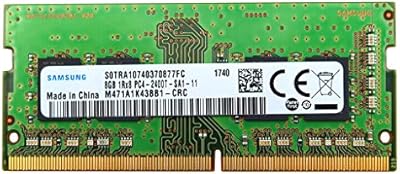
Samsung M471A1K43BB1-CRC 8GB DDR4 2400MHz So-DIMM Memory
86%
88%
Performance Boost
94%
Ease of Installation
92%
Value for Money
80%
Compatibility
89%
Power Efficiency
More
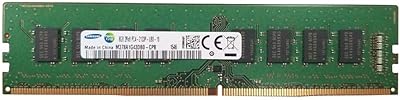
Samsung M378A1G43DB0-CPB 8GB DDR4-2133 Memory
84%
94%
Installation Ease
89%
Build Quality
91%
Compatibility
61%
Speed Performance
92%
Stability & Reliability
More
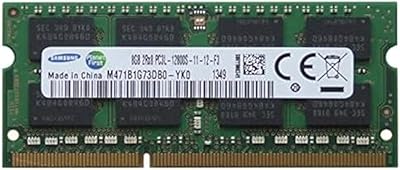
Samsung 8GB DDR3 1600MHz SO-DIMM Laptop RAM
79%
88%
Value for Money
93%
Installation Ease
71%
Compatibility
92%
Reliability & Longevity
82%
Performance Impact
More
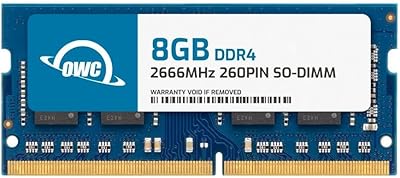
OWC 8GB DDR4 2666MHz SODIMM Laptop RAM
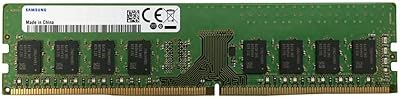
81%
93%
Installation Ease
88%
System Compatibility
74%
Performance Uplift
91%
Warranty & Support
78%
Value for Money
More
Samsung M378A2K43CB1 16GB DDR4 2666MHz Desktop RAM
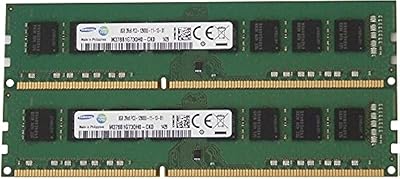
73%
93%
Compatibility
91%
Long-Term Reliability
89%
Plug-and-Play Setup
86%
Value for Money
67%
Memory Speed
More
Samsung 16GB DDR3 PC3-12800 Desktop Memory Kit
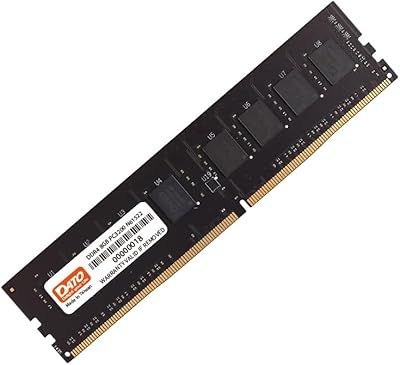
80%
88%
Compatibility
93%
Installation Ease
91%
Stability & Reliability
78%
Performance Uplift
74%
Value for Money
More
DATO 8GB DDR4 3200MHz Desktop RAM
77%
88%
Value for Money
92%
Installation Ease
84%
Compatibility Range
86%
Long-term Stability
58%
Latency Performance
More
Samsung M471A2K43BB1-CPB 16GB DDR4-2133 SoDIMM Laptop Memory
78%
88%
Compatibility
92%
Reliability & Stability
91%
Installation Experience
76%
Performance Impact
79%
Value for Money
More
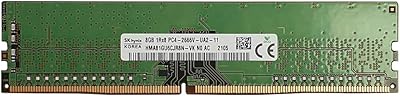
Hynix 8GB DDR4-2666MHz RAM Module
86%
88%
Performance
94%
Compatibility
91%
Ease of Installation
90%
Value for Money
85%
Energy Efficiency
More
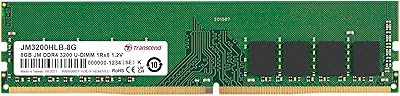
Transcend JM3200HLB-8G 8GB DDR4 Desktop RAM
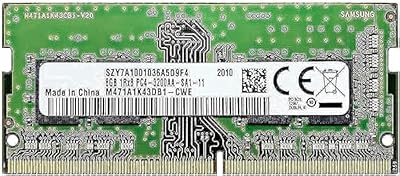
74%
91%
Value for Money
88%
Compatibility
86%
Installation Ease
74%
Memory Speed
61%
Latency Performance
More

FAQ

Yes, Skylake and Kaby Lake platforms both support DDR4-2400 natively, which is exactly what this module is rated for. In most cases you can install it and boot without adjusting a single BIOS setting. It's one of the more compatibility-friendly memory speeds for that generation of hardware.

Essentially, yes. The Samsung M378A1K43CB2-CRC 8GB DDR4 Memory Module is an OEM-grade DIMM — the type Samsung supplies directly to major PC manufacturers for factory system builds. Buying it through retail gives you the same in-house Samsung silicon you'd find inside a pre-configured office machine.

Absolutely, and it's a genuinely worthwhile upgrade when you're ready for it. Installing a second matching stick in the correct paired slot on your motherboard enables dual-channel mode, which effectively doubles available memory bandwidth. Check your motherboard manual for the right slot pairing — it's usually slots 2 and 4, not 1 and 2 side by side. The difference in memory-intensive workloads is real and measurable.

It can work, but with an important caveat. Early Ryzen generations were famously sensitive to memory speeds, and DDR4-2400 is at the slower end of what benefits those CPUs. For Ryzen 3000 series and newer, the module will function, but you'd be leaving bandwidth on the table compared to a DDR4-3200 kit. If you're building on AMD, faster memory is worth the small additional cost.

For light to moderate use — browsing, email, documents, and video streaming — 8GB can manage Windows 11 reasonably well. That said, if you habitually run many browser tabs alongside other applications, you'll start to notice memory pressure. Adding a second matching stick to reach 16GB total gives significantly more headroom for modern multitasking and is a straightforward upgrade path.

No, unfortunately it won't. This is a full-size 288-pin desktop DIMM, and laptop memory slots use a shorter SO-DIMM form factor that is physically different. You'll want to search specifically for a DDR4 SO-DIMM when shopping for notebook memory upgrades.

There's no officially supported way to do so. This module ships without an XMP profile, which is the standard mechanism for running memory above its base rated speed on consumer platforms. Some users attempt manual timing adjustments in the BIOS, but that's outside the design specification and comes with no guarantee of stability. If overclocking is part of your plan, purpose-built kits with XMP support are the more appropriate starting point.

Samsung provides an official part number lookup tool on their memory and storage website where you can cross-reference the model string printed on the module label against their product database. An authentic stick will display the full model number clearly on a clean label. A handful of buyers have flagged that counterfeits do circulate in the market, so purchasing from a reputable seller and verifying the part number after delivery is a sensible precaution.

Not at all. The aqua green color is simply a characteristic of Samsung's OEM desktop memory production line for this particular model family and carries no meaning in terms of performance tier or quality grade. It's a purely cosmetic detail. That said, if you have a windowed side panel with a strict color scheme, it's worth knowing the color stands out a bit against more neutral black or white builds.

If your existing stick is a matching Samsung module at the same speed, adding a second 8GB stick is almost always the smarter move — you unlock dual-channel mode, retain your existing hardware, and typically spend less overall. If your current RAM is a different brand or runs at a different speed, a fresh matched pair of 8GB sticks gives you the cleanest dual-channel configuration. A single 16GB module also works, but you won't gain dual-channel bandwidth until you add a second matching stick alongside it.