Overview

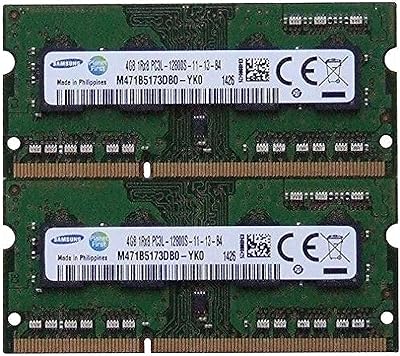
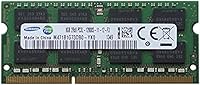
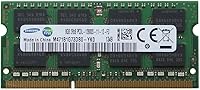
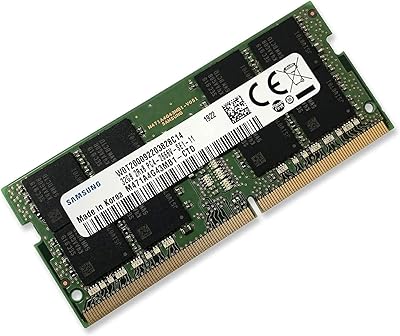
The Samsung 8GB DDR3 1600MHz SO-DIMM Laptop RAM is about as close to a sure thing as you get in the memory upgrade market. Samsung isn't some boutique label slapping its name on chips it sourced elsewhere — the company actually fabricates its own DRAM, the same chips that ship inside laptops from Dell, HP, and Lenovo straight from the factory. That background matters. What you're buying is OEM-grade hardware at a retail price, in the SO-DIMM form factor made for laptops, mini-PCs, and compact NUCs. The 1.35V low-voltage spec is a quiet but practical perk for anyone who watches their battery runtime. Don't expect overclocking headroom or RGB flair — this is commodity RAM done correctly.

Features & Benefits

Running at 1600MHz (PC3-12800), this SO-DIMM module hits the standard speed that most DDR3 laptop platforms were designed around, so you won't be underfeeding your chipset or chasing marginal gains from higher-rated sticks your board can't use anyway. The low-voltage 1.35V operation genuinely runs cooler than a standard 1.5V module — it won't revolutionize your battery life, but for a laptop running warm or a NUC in a tight enclosure, that lower thermal output is worth noting. 8GB of capacity is where most everyday workloads finally stop complaining: browsers with a dozen open tabs, a spreadsheet, a PDF, background cloud sync — all handled without the stuttering that 4GB users know too well. The physical dimensions are compact and standard, meaning installation is a straightforward slot-and-click affair.

Best For

This laptop RAM upgrade makes the most sense for owners of DDR3-era machines — think mid-range notebooks from roughly 2011 through 2015 — who are running short on memory but aren't ready to replace the whole system. Students and remote workers who live in a browser with multiple apps open in the background will notice the difference going from 4GB to 8GB immediately. IT professionals managing fleets of business laptops also gravitate toward Samsung for the brand consistency and reliability track record. That said, one critical caveat: always verify your specific laptop model supports DDR3L (1.35V) before ordering. Some machines from that era only accept standard 1.5V DDR3, and a few require DDR4 entirely — wrong generation RAM simply won't seat or post.

User Feedback

With over 4,100 ratings and a 4.7-star average, this Samsung memory stick sits in rare territory for commodity hardware — most generic RAM modules don't inspire people to leave reviews at all, let alone positive ones. The dominant theme across the feedback is how uneventful installation tends to be: slots in, laptop boots, BIOS detects it immediately, no fiddling required. Buyers report success across a wide range of machines from Dell, HP, Lenovo, and Asus. The negative reviews are a small but consistent cluster, mostly around voltage confusion — a handful of buyers received modules that weren't recognized, often tracing back to a DDR3 versus DDR3L mismatch on their specific board. Long-term owners frequently cite years of flawless operation, which says more about reliability than any spec sheet.

Pros

  • Samsung fabricates its own DRAM chips, giving this module a quality consistency edge over budget third-party brands.
  • Runs at 1600MHz (PC3-12800), the standard speed most DDR3 laptops were specifically optimized to use.
  • The 1.35V low-voltage operation produces less heat than a standard 1.5V module, which matters in tight laptop enclosures.
  • Going from 4GB to 8GB noticeably reduces slowdowns when juggling a browser, office apps, and cloud sync simultaneously.
  • Installation is plug-and-play — most laptops recognize this SO-DIMM module at boot without any BIOS configuration.
  • With over 4,100 ratings averaging 4.7 stars, the reliability track record is unusually strong for commodity memory.
  • Long-term buyers report years of trouble-free use, suggesting this laptop RAM upgrade holds up well over time.
  • Compatible with a wide range of popular laptop brands including Dell, HP, Lenovo, and Asus.
  • At just 0.32 oz, the module is easy to handle during installation even in slim or cramped chassis.

Cons

  • DDR3L voltage compatibility is a genuine minefield — some DDR3 laptops refuse to run 1.35V modules reliably.
  • DDR3 as a platform is approaching end-of-life, meaning this upgrade extends a machine's usefulness but does not future-proof it.
  • 8GB is a practical floor, not a ceiling — power users running VMs or heavy creative workloads will outgrow it quickly.
  • A small number of buyers report units not being recognized at boot, with no clear pattern across affected machines.
  • Returns can be complicated if incompatibility stems from the buyer's own system specs rather than a defective unit.
  • No official compatibility list is published, leaving buyers to do their own verification research before ordering.
  • Memory slot access varies significantly by laptop model — some require removing the entire bottom panel, adding real complexity.
  • Single-module purchases may leave dual-channel bandwidth benefits unused if your laptop supports paired memory slots.

Ratings

The scores below represent an AI-driven analysis of thousands of verified buyer reviews for the Samsung 8GB DDR3 1600MHz SO-DIMM Laptop RAM, with spam, bot activity, and incentivized feedback actively filtered out to surface genuine user sentiment. Each category is scored independently based on what real buyers actually experienced — not manufacturer claims — so standout strengths and recurring frustrations are represented with equal weight. The result is a category-by-category breakdown designed to help you judge whether this SO-DIMM module is the right fit for your specific machine and workload.

Value for Money
88%
Getting Samsung-fabricated DRAM at this price point is genuinely strong value — you are not paying a brand premium so much as paying for chips made by the same company that supplies HP, Dell, and Lenovo from the factory. Users upgrading aging laptops consistently describe the performance-per-dollar as hard to beat for a DDR3 module.
A handful of buyers who ended up with an incompatible system felt the value proposition collapsed entirely once they factored in return shipping costs. DDR3 pricing can also fluctuate unpredictably as a legacy standard with shrinking supply, occasionally pushing the module into less compelling territory depending on when you buy.
Installation Ease
93%
The most common theme across thousands of reviews is how uneventful the installation process is — open the memory access panel, press the module into the slot at a slight angle, push flat until the clips engage, done. Most buyers report the entire swap from box to working system takes under ten minutes, even for first-timers with no prior hardware experience.
Installation difficulty is entirely tied to the laptop model rather than the module itself — some machines require removing a keyboard or navigating a tight chassis before the SO-DIMM slot is even accessible. No instructions of any kind are included in the packaging, leaving first-time upgraders to search for model-specific tutorials online before they can proceed.
Compatibility
71%
29%
Across reported use cases, this SO-DIMM module works cleanly in a very wide range of DDR3-era laptops from Dell, HP, Lenovo, Asus, and Toshiba — buyers who verify compatibility beforehand almost universally report immediate recognition with no configuration needed. IT administrators particularly appreciate the high success rate when deploying across standardized fleets of business hardware.
The persistent weak point is the DDR3 versus DDR3L voltage divide — some older laptop boards strictly require 1.5V DDR3 and will not reliably run a 1.35V module, resulting in unrecognized boot states with no useful error message. This single issue accounts for the majority of negative reviews and represents a genuine risk for anyone who skips the compatibility check before purchasing.
Reliability & Longevity
92%
Among the most striking patterns in buyer feedback is how many users installed this module years ago and returned specifically to mention it is still running without a single issue. Since Samsung manufactures the silicon itself rather than assembling from third-party ICs, quality consistency is noticeably stronger than budget alternatives — and long-term buyers point to exactly that track record.
The small percentage of early failures tends to cluster around compatibility mismatches rather than defective chips, making it genuinely difficult to isolate true manufacturing defects from user-error returns. There is also no published warranty documentation accompanying the module at retail, which leaves buyers uncertain about their recourse if something does go wrong years after installation.
Performance Impact
82%
18%
Users who upgraded from 4GB report a noticeably more responsive machine almost immediately — reduced tab-switching lag, faster app loading, and an end to constant disk thrashing are the most frequently cited improvements. For students juggling a document editor, a video call, and a handful of browser tabs simultaneously, the difference between 4GB and 8GB in daily use is genuinely substantial.
Users already running 8GB before the upgrade report no change, which occasionally surfaces as a disappointed review from someone who misdiagnosed their actual bottleneck as RAM. Running demanding applications simultaneously — video editing software, multiple virtual machines, or large browser datasets — will hit the 8GB ceiling quickly and expose the limits of this capacity in heavier workloads.
Thermal Efficiency
84%
Running at 1.35V, this laptop RAM upgrade draws less power and produces less heat than standard 1.5V DDR3 modules under identical load conditions. Users running laptops on battery for extended sessions — students in long lectures, remote workers away from a power outlet — sometimes note that the machine runs slightly cooler and the fans engage less frequently.
The thermal benefit is real but marginal in practice — most buyers will not notice a measurable difference in battery runtime compared to a standard 1.5V module during typical everyday tasks. The advantage is most meaningful in passively cooled or thermally constrained machines where even a modest reduction in heat output has an outsized effect on sustained system stability.
Build Quality
89%
Samsung's in-house chip fabrication results in a module that feels meaningfully more consistent than no-name alternatives, with uniform PCB construction and tightly controlled chip placement across production batches. Buyers report that the module seats cleanly and firmly in the slot every time, without the loose fit or misaligned notch issues occasionally associated with cheaper aftermarket sticks.
There is no heatspreader or physical shielding — standard for SO-DIMMs but worth noting for buyers handling the module repeatedly during bench testing or fleet deployments. Beyond basic chip markings, there is minimal labeling on the PCB, which offers no visual reassurance to first-time installers who want to confirm they have the correct module oriented and seated properly.
Brand Credibility
94%
Samsung is not simply a brand name applied to memory — it is the actual chip manufacturer supplying DRAM to the broader laptop industry, including the very machines buyers will be installing this module into. Buyers frequently cite this provenance as a key reason they chose it over cheaper alternatives, and the ratings across thousands of reviews reflect a level of trust that is genuinely rare for commodity hardware.
The brand name does not guarantee a smooth experience if the buyer skips the compatibility homework — Samsung has no control over which specific laptop slot the module ends up in. Some buyers also report paying a modest premium specifically for the Samsung label, only to discover that unbranded OEM modules built around the same chip families are available at lower prices through other channels.
BIOS Recognition
87%
One of the most consistently praised aspects of this SO-DIMM module is how reliably the system BIOS detects the correct 8GB capacity at boot without any manual intervention or firmware updates. This matters especially for non-technical users doing a first-time upgrade who have no interest in navigating firmware settings or running memory diagnostic utilities.
The fraction of buyers who experience non-recognition at boot — even after correct physical installation — often cannot resolve the issue without some technical knowledge, since most BIOS error messages are not specific about whether the root cause is voltage, capacity, or a physical seating problem. These cases are uncommon, but they consistently generate the most frustrated and detailed negative reviews.
Multitasking Uplift
83%
For users who run their laptop as a daily workhorse — a dozen browser tabs alongside a messaging app, a spreadsheet, and background cloud sync — the upgrade to 8GB delivers tangible relief from the memory pressure that makes 4GB machines feel painfully sluggish. Students writing assignments while keeping multiple reference tabs open report the improvement as immediately and unmistakably noticeable.
Users already running 8GB before upgrading report no improvement, which occasionally surfaces as a frustrated review from someone who misdiagnosed their bottleneck. Running several demanding applications at once — video editing, multiple virtual machines, or large in-browser data tools — will hit the 8GB ceiling quickly and reveal the limits of this capacity for heavier professional workloads.
Capacity Adequacy
64%
36%
At 8GB, this module crosses the threshold where most everyday computing tasks stop being actively constrained by memory — web browsing, email, video calls, document editing, and light media viewing all run comfortably without constant paging to disk. For users running Windows 10 or a lightweight Linux distribution on a budget laptop, this capacity provides a meaningful and practical overhead.
In the current computing landscape, 8GB is increasingly a floor rather than a ceiling — modern browsers, Windows 11, and cloud-connected productivity apps consume more RAM with each update cycle, leaving heavier users feeling constrained faster than expected. On most DDR3 laptops, 16GB total is the platform ceiling, which limits future upgrade headroom if workloads continue to grow.
Memory Speed
76%
24%
1600MHz is the optimal speed rating for DDR3 platforms — it matches the rated maximum for the overwhelming majority of DDR3 laptop chipsets, meaning the module actually runs at its full intended speed without being throttled down by an incompatible host controller. Unlike buying an overspec'd stick the system silently ignores, this module delivers its rated performance on every compatible machine.
In absolute terms, DDR3-1600 is a dated memory standard — it delivers a fraction of the bandwidth available from modern DDR4 or DDR5 platforms, and that gap becomes noticeable in memory-intensive workloads like large dataset processing or rapid asset loading. This is purely a legacy upgrade path, and buyers should not expect it to compete with contemporary memory performance benchmarks.
Packaging & Docs
58%
42%
The module arrives in anti-static packaging that adequately protects it during shipping, and the minimal presentation is entirely appropriate for a technical component that will be installed inside a chassis rather than displayed. Experienced IT technicians and repeat upgraders appreciate the no-frills approach since the packaging is discarded immediately after installation anyway.
There are no installation instructions, no compatibility reference, and no documentation of any kind included in the box, which is a genuine frustration for first-time upgraders who expected at least a basic guidance card. The product listing itself also offers minimal compatibility information, leaving less experienced buyers without the context needed to make a fully confident purchase decision.
Platform Longevity
47%
53%
Upgrading to 8GB extends the productive service life of a DDR3 laptop by removing the memory bottleneck, which can meaningfully defer a full system replacement for users whose machine is otherwise in decent working order. For cost-conscious buyers who need another year or two of reliable performance from an aging but functional laptop, this is a proportionate and practical investment.
DDR3 is approaching true end-of-life — chips are no longer produced at scale, availability is shrinking, and the laptops that rely on it are gradually drifting outside mainstream software support windows. Buying into this ecosystem is a temporary extension of service life, not a future-proof strategy, and buyers should factor that trajectory honestly into their decision before upgrading.

Suitable for:

The Samsung 8GB DDR3 1600MHz SO-DIMM Laptop RAM is the right call for anyone trying to extend the useful life of a DDR3-era machine — particularly notebooks built between 2011 and 2015 running Intel Core i3, i5, or i7 processors. If your laptop currently has 4GB and shows its age with sluggish browser performance or slow app switching, the jump to 8GB will produce an immediate, noticeable improvement in everyday responsiveness. Students and remote workers running communication tools, office suites, and a handful of browser tabs simultaneously will feel the difference right away. IT administrators managing business laptop fleets also benefit from sourcing memory from a manufacturer that actually fabricates its own chips — Samsung supplies DRAM to the broader industry, which translates into consistent quality control and a reliable accountability chain. The 1.35V low-voltage design is an added bonus for anyone who relies heavily on battery power, as it runs cooler and draws marginally less energy than a standard 1.5V stick.

Not suitable for:

The Samsung 8GB DDR3 1600MHz SO-DIMM Laptop RAM is the wrong purchase if your laptop uses DDR4 or DDR5 memory, which is standard on virtually all machines built from around 2016 onward — there is no adapter that bridges the gap between memory generations. Even within DDR3 systems, not every machine will accept a 1.35V low-voltage module; a meaningful portion of older laptops are spec'd for standard 1.5V DDR3 only, and confusing these two variants is the most common reason buyers end up with a module their system will not recognize. Anyone hoping for overclocking capability, XMP profiles, or aggressive performance tuning should look elsewhere entirely — this is a standard JEDEC module with no enthusiast-facing features. Desktop PC builders also need to rule this out immediately, since the SO-DIMM physical format is incompatible with the full-size DIMM slots found in desktop motherboards. Finally, if your laptop already has 8GB and the slowdown is being driven by an aging CPU or a mechanical hard drive rather than RAM, this upgrade simply will not move the needle.

Specifications

  • Capacity: Provides 8GB of DDR3 SDRAM for active system memory, sufficient for smooth everyday multitasking on supported platforms.
  • Memory Type: DDR3 SDRAM — the third generation of double data rate synchronous dynamic RAM, distinct from and incompatible with DDR4 or DDR5.
  • Form Factor: SO-DIMM (Small Outline Dual In-line Memory Module) format, designed specifically for laptops, mini-PCs, and compact NUC systems.
  • Speed: Operates at 1600MHz with a PC3-12800 designation, indicating a theoretical peak memory bandwidth of 12,800 MB/s.
  • Voltage: Runs at 1.35V, classified as DDR3L (low-voltage), which generates less heat than standard 1.5V DDR3 modules under load.
  • Pin Count: Features a 204-pin edge connector, the standard interface for all DDR3 SO-DIMM laptop memory modules.
  • Bus Width: Operates on a 64-bit memory bus, consistent with all single-channel DDR3 SO-DIMM configurations.
  • Error Correction: Non-ECC (non-error-correcting code) memory, which is the standard type used in consumer and business laptops.
  • Dimensions: Measures 3.1 x 1.6 x 0.3 inches, fitting standard laptop SO-DIMM memory slots without modification or adapters.
  • Weight: Weighs 0.32 oz, making it straightforward to handle during installation even in slim or cramped laptop chassis.
  • Manufacturer: Produced by Samsung, a company that fabricates its own DRAM integrated circuits for both OEM partners and retail markets.
  • Compatible Devices: Designed for laptops and mini-PCs equipped with DDR3 or DDR3L SO-DIMM slots, with widely reported compatibility across Dell, HP, Lenovo, and Asus systems.
  • Memory Standard: Complies with the JEDEC DDR3 specification, ensuring broad interoperability with DDR3-certified laptop platforms.
  • Module Count: Sold as a single module; purchasing two identical sticks enables dual-channel operation on laptops with two available SO-DIMM slots.
  • Release Date: First made available in April 2014 and remains in active production, not discontinued by Samsung.

Related Reviews
Samsung 8GB DDR4 3200MHz SO-DIMM Laptop RAM
83%
86%
Performance
79%
Compatibility
91%
Value for Money
93%
Installation Ease
89%
Reliability
More
Kingston ValueRAM 8GB DDR3 1600MHz ECC RAM
81%
91%
Reliability & Stability
67%
Compatibility
83%
Value for Money
88%
ECC Error Correction Performance
89%
Ease of Installation
More
Samsung M471A1K43CB1-CTD 8GB DDR4 Laptop RAM
84%
93%
Installation Ease
88%
Compatibility
91%
Reliability & Stability
84%
Multitasking Performance
89%
Value for Money
More
Samsung 8GB DDR3 PC3L-12800 SODIMM RAM
78%
93%
Installation Ease
91%
Brand & Chip Reliability
87%
Value for Money
76%
Performance Impact
62%
Mac Compatibility Range
More
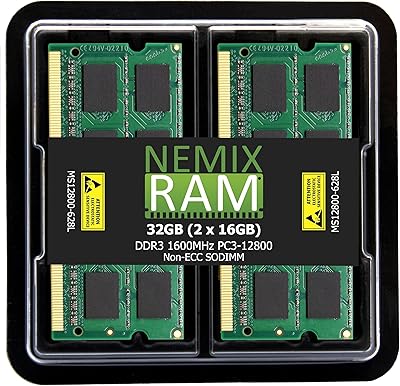
NEMIX RAM 32GB (2x16GB) DDR3 1600MHz SODIMM Laptop Memory Kit
85%
88%
Performance Improvement
92%
Ease of Installation
85%
Compatibility with Laptops
90%
Energy Efficiency
91%
Value for Money
More
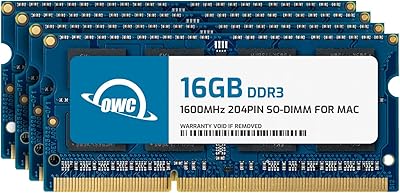
OWC 64GB (4 x 16GB) DDR3 1600MHz SO-DIMM Memory RAM Upgrade
82%
91%
Performance Boost
75%
Ease of Installation
94%
Compatibility
89%
System Stability
80%
Energy Efficiency
More
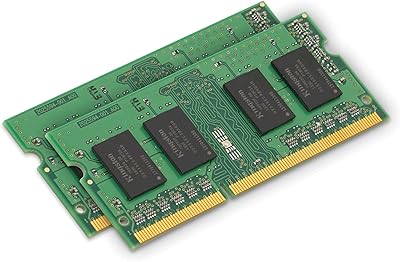
Kingston 16GB Kit (2 x 8GB) DDR3 1600MHz SODIMM Laptop Memory
88%
88%
Performance Boost
91%
Ease of Installation
85%
Compatibility with Laptops
92%
Energy Efficiency
80%
Build Quality
More
Samsung Galaxy Book Odyssey Intel Laptop 15.6″, i7, 8GB RAM, 512GB SSD
84%
89%
Performance
91%
Battery Life
87%
Gaming Experience
85%
Display Quality
72%
Portability/Weight
More
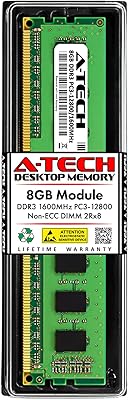
A-Tech 8GB DDR3 1600MHz RAM for Dell OptiPlex 9020 9010 7020 7010 3020 3010 XE2
88%
89%
Overall Performance
94%
Compatibility
91%
Ease of Installation
88%
System Stability
90%
Build Quality
More
NEMIX RAM 16GB DDR3 1600MHz SODIMM
86%
88%
Performance Boost
91%
Ease of Installation
85%
Compatibility
90%
Energy Efficiency
84%
Build Quality
More

FAQ

The Samsung 8GB DDR3 1600MHz SO-DIMM Laptop RAM is compatible with the majority of DDR3-era laptops, but you should confirm three things before ordering: that your machine uses DDR3 (not DDR4 or DDR5), that it accepts SO-DIMM modules, and that it supports 1.35V low-voltage memory. A quick search of your laptop's model number plus the word 'memory specs' usually turns up the answer in under two minutes and can save you a return shipment.

DDR3 runs at 1.5V, while DDR3L (the L stands for low-voltage) runs at 1.35V — this module is a DDR3L type. Most DDR3L sticks are designed to function at both voltages, so they generally work fine in standard DDR3 slots too. However, a small percentage of older laptops have strict voltage tolerances that can cause the module not to be recognized, which is why checking your specific model's memory specs beforehand is so important.

That depends on your laptop's design. Some machines have two SO-DIMM slots, meaning you can slot this in alongside your existing module to reach 12GB total. Others have only one slot, in which case you would need to remove the original stick and replace it entirely with this one. Check your laptop's service manual or the manufacturer's memory upgrade page to find out how many slots you have before deciding.

No — SO-DIMM modules use a 204-pin connector and a shorter physical footprint than desktop DIMMs, which use a 240-pin (DDR3) or 288-pin (DDR4) full-size format. The two connector types are physically incompatible, and no adapter bridges the gap. Desktop users need to look for a full-size DIMM module instead.

It can work in certain older Mac models — specifically MacBook Pros from roughly 2008 through early 2012 that used user-accessible DDR3 SO-DIMM slots. Most Apple laptops from mid-2012 onward have memory soldered directly to the board and cannot be upgraded at all. Always cross-reference your exact Mac model and year against Apple's memory upgrade documentation before purchasing any RAM.

In almost all cases, no. The overwhelming majority of buyers report that after installing this SO-DIMM module, their laptop boots normally and the BIOS immediately detects the new capacity without any manual configuration. If you see a one-time message at boot about a hardware change or memory configuration, simply confirm and continue — that is completely normal behavior after swapping or adding a RAM module.

Start by reseating it — power off completely, remove the module, and press it firmly back into the slot until the retaining clips snap into place. If it still is not detected, verify that your specific laptop supports DDR3L (1.35V); some boards are strict about voltage. If your machine has two slots, try the module in the other one. If none of that helps, the most likely culprit is a voltage incompatibility between this DDR3L stick and your board rather than a defective unit.

Yes, if your laptop has two SO-DIMM slots and supports dual-channel memory, installing two identical modules will enable dual-channel operation and improve memory bandwidth. That said, the real-world difference between single and dual-channel on a DDR3 laptop is modest for typical everyday use like browsing, documents, and video calls — you will likely notice the raw capacity increase far more than the bandwidth change.

Samsung does not just brand memory — it manufactures the DRAM chips itself, the same components that end up inside laptops shipped by Dell, HP, Lenovo, and others straight from the factory. That vertical control over chip production means tighter quality tolerances and fewer consistency issues compared to brands that source ICs from various third-party fabs. For something as foundational as system memory, buying from the actual chip maker is a meaningful difference.

If the laptop otherwise runs well and is held back primarily by insufficient memory, then yes — going from 4GB to 8GB on a DDR3 machine can dramatically reduce the constant disk swapping and app slowdowns that 4GB causes under modern workloads. DDR3 is not a current standard, but if your machine does not support anything newer, replacing the whole system just to get newer RAM rarely makes financial sense for light to moderate users. Just make sure the rest of the machine — the CPU, storage drive, and battery — is in reasonable shape, since RAM alone will not compensate for failing components elsewhere.