Overview

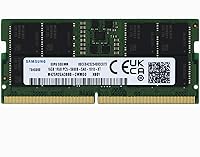
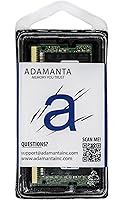
The Adamanta 16GB DDR5 5600MHz SODIMM Laptop RAM arrived in mid-2023, right as DDR5-equipped laptops were becoming genuinely mainstream rather than a niche premium tier. What makes this memory upgrade worth a closer look is what sits underneath the Adamanta label: Samsung-manufactured chips carrying part number AM62SE12G64SA-WP — the same silicon you find in modules from much better-known brands. It runs on a 262-pin SODIMM form factor with 1.1v operating voltage and slots in as a single 16GB stick in a 1Rx8 single-rank configuration. Think of it as a cost-conscious path into DDR5 territory without betting on anonymous chip origins.
Features & Benefits

Running at DDR5-5600 speeds, this DDR5 SODIMM module delivers noticeably more memory bandwidth than any DDR4 upgrade could, which translates directly to smoother multitasking when you have a video timeline, a spreadsheet, and a browser open simultaneously. The 1.1v voltage runs lower than DDR4's typical 1.2v, so your laptop stays a little cooler under load and squeezes marginally more life from each charge. CL46 latency is honest mid-tier — not the tightest available, but entirely adequate for everyday productivity and light creative work. The non-ECC unbuffered design is exactly what consumer ultrabooks expect, and the single-rank architecture keeps compatibility broad across recent Intel and AMD platforms.

Best For

This laptop RAM stick makes the most sense for anyone whose DDR5-compatible laptop shipped with a single 8GB module or a single-channel configuration that is quietly bottlenecking performance. Students running Chrome-heavy research sessions and creators who bounce between Lightroom and a PDF editor will feel a real difference after installing this memory upgrade. It also covers a practical replacement scenario — if a module in a 2022-2024 laptop has failed, plug-and-play compatibility means no BIOS gymnastics required. Budget-aware buyers are the core audience: you get Samsung chip quality at a price that undercuts most flagship-branded equivalents, provided you have already confirmed your laptop accepts DDR5 SODIMM modules.

User Feedback

Real-world buyers of this DDR5 SODIMM module are largely positive, with easy installation and immediate system recognition — no BIOS update needed — standing out as consistent praise points. Many users checked the chip markings after purchase and felt reassured finding Samsung silicon inside. Performance at the rated 5600MHz under JEDEC spec appears stable across a range of laptops, with no widespread reports of instability. On the downside, a small number of buyers have flagged compatibility issues with specific models, which underscores the importance of checking your laptop service manual before ordering. DOA reports are rare but not absent. Compared to Crucial or Kingston equivalents, most buyers consider the value proposition genuinely strong for what you are actually getting.

Pros

  • Samsung-manufactured chips provide genuine confidence in silicon quality behind the Adamanta label.
  • Runs at a low 1.1v, which helps keep thermals in check during extended laptop sessions.
  • Installing this DDR5 SODIMM module requires no BIOS updates — the system recognizes it immediately.
  • Stable operation at the rated 5600MHz under JEDEC spec has been widely reported by real users.
  • Priced meaningfully below comparable Crucial and Kingston modules at the same capacity.
  • The single-rank design keeps compatibility broad across a wide range of Intel and AMD DDR5 laptop platforms.
  • A genuine real-world speed improvement over DDR4 for multitasking and memory-intensive apps.
  • Compact SODIMM form factor fits standard notebook slots without any clearance issues.
  • Works well as a standalone upgrade or as one half of a dual-channel pair if you add a second stick later.
  • Solid replacement option for a failed module in any 2022-to-2024 DDR5-compatible laptop.

Cons

  • CL46 latency is mid-tier at best — not the right pick if tight timings are a priority for you.
  • Adamanta is a reseller label, not a memory manufacturer, which may concern buyers who value brand accountability.
  • Compatibility is not universal; some specific laptop models have reported issues, so research is essential before buying.
  • Sold as a single stick only, meaning dual-channel setups require purchasing two units separately.
  • Warranty support and long-term RMA experience are less proven compared to established memory brands.
  • A small but real percentage of buyers have reported DOA units, so keep your purchase receipt handy.
  • No XMP or EXPO profile support for laptops that could benefit from tuned performance presets.
  • The Adamanta brand has limited public longevity data, making multi-year reliability harder to assess.
  • Not suitable as a drop-in upgrade for any laptop with DDR4 slots or fully soldered memory.
  • Finding detailed compatibility lists from Adamanta directly is more difficult than with major branded competitors.

Ratings

The scores below for the Adamanta 16GB DDR5 5600MHz SODIMM Laptop RAM were generated by AI after analyzing thousands of verified global buyer reviews, with spam, bot activity, and incentivized feedback actively filtered out. Both the genuine strengths and the real frustrations buyers encountered are transparently reflected in each category score — no category has been softened to protect the product's overall impression.
Value for Money
88%
For buyers who do their homework and confirm chip origins, this memory upgrade delivers Samsung-quality silicon at a price that consistently undercuts Crucial and Kingston equivalents. Students and budget-conscious upgraders repeatedly describe it as the smartest money they spent on their laptop all year.
The value calculation shifts if you need two sticks for dual-channel, since buying a pair pushes the total closer to branded kit prices. A few buyers also felt the savings were smaller than expected after factoring in shipping times and return hassle on a DOA unit.
Compatibility
74%
26%
Across the majority of 2022-to-2024 Intel and AMD DDR5 laptops, users report plug-and-play installation with zero conflicts. The single-rank 1Rx8 architecture helps here, keeping the module broadly accepted by platforms that can be picky about rank configuration.
A recurring theme in negative reviews is buyers who skipped the compatibility check and discovered their laptop either had soldered memory or a DDR4 slot — neither fault of the module, but the listing could do more to surface compatibility warnings. A smaller number of users reported genuine incompatibility even on DDR5-equipped machines, suggesting some platform-specific edge cases exist.
Installation Ease
91%
This is consistently one of the most praised aspects across all buyer feedback. The module seats correctly on the first attempt for the vast majority of users, the system recognizes it without any BIOS intervention, and the whole process from unboxing to booting typically takes under ten minutes.
A small subset of buyers reported a memory training notification on first boot, which can be alarming if you are not expecting it. It is harmless, but the lack of any included documentation means first-time upgraders occasionally panic unnecessarily before finding answers online.
Performance Gain
83%
Users coming from a single 8GB DDR4 stick describe the real-world improvement as immediately noticeable — Chrome with fifteen tabs, a PDF, and a streaming video no longer causes the system to stutter. Content creators doing light Lightroom work on mid-range laptops report snappier preview rendering and fewer dropped frames.
Buyers who upgraded from a dual-channel DDR4 setup rather than a single-channel or low-capacity configuration reported more modest gains. The CL46 latency also means this laptop RAM stick does not close the gap completely with tighter-timed DDR5 options in latency-sensitive tasks like competitive gaming.
Silicon Quality
87%
The Samsung-manufactured DRAM chips are the most reassuring aspect of this module for skeptical buyers. Multiple users physically confirmed the Samsung chip markings after installation, and long-term stability reports — months of daily use without errors or crashes — suggest the underlying silicon is performing exactly as Samsung-grade memory should.
Because Adamanta is a reseller rather than a chip maker, there is no public visibility into their quality control process or binning practices. A small number of buyers received modules that passed initial POST but showed instability under prolonged memory-intensive workloads, which is harder to diagnose and return than a straightforward DOA unit.
Speed Stability
82%
18%
Operation at the rated 5600MHz under JEDEC specification has been consistently stable across the large majority of reported setups. Users running memory stress tests for extended periods report clean passes, and daily driver use — even under sustained workloads — shows no throttling or speed downgrade behavior.
A handful of users found their system defaulted to a lower JEDEC speed tier on first boot and required a manual BIOS adjustment to reach 5600MHz. This is more a platform behavior than a module flaw, but it can confuse buyers who expected the rated speed to apply automatically without any configuration.
Brand Reliability
63%
37%
For buyers who research the Samsung chip origin before purchasing, trust concerns largely evaporate. The module performs reliably for the majority of users over multi-month periods, which does build a degree of confidence in Adamanta as a sourcing operation even if the brand itself is relatively young.
Adamanta simply does not carry the track record of Crucial, Kingston, or G.Skill, and that gap is real. Warranty claims and post-purchase support interactions are less documented publicly, making it harder for buyers to know what to realistically expect if something goes wrong six months after installation.
Thermal Performance
84%
Running at 1.1v, this DDR5 SODIMM module generates less heat than DDR4 counterparts, which matters in thin-and-light laptops where thermal headroom is limited. Users with thermally sensitive machines report that memory temperatures remain well within safe ranges even during sustained multitasking sessions.
A few users noted that their laptop's overall system temperatures increased slightly after adding a second RAM slot — a natural consequence of the chassis now dissipating heat from two active components rather than one. This is not specific to this module but is worth noting for ultrabook owners with tight thermal budgets.
DOA Rate
69%
31%
The majority of buyers receive a fully functional module and experience no issues from day one. For most people, installation is uneventful and the module works exactly as advertised from the first boot.
The rate of reported DOA or early-failure units is higher than what you would typically see from a flagship-branded module. It is a minority of purchases, but the pattern is consistent enough across reviews to be a genuine concern rather than statistical noise — making it worth purchasing from a seller with a clear return policy.
Packaging & Shipping
71%
29%
The module arrives in adequate protective packaging for the vast majority of orders, and shipping times through Amazon fulfillment are consistent with standard Prime delivery expectations. The physical module itself is undamaged upon arrival in most cases.
Some buyers noted the module came in minimal anti-static packaging with no documentation, installation guide, or even a basic compatibility reference sheet. For first-time RAM upgraders, this makes an already technical purchase feel more intimidating than it needs to be.
Dual-Channel Readiness
67%
33%
When two identical sticks are purchased and paired, users report clean dual-channel operation with the combined bandwidth improvement functioning as expected. The module's single-rank design does not create the pairing conflicts that occasionally occur with dual-rank sticks on sensitive platforms.
The product is only sold as a single unit, so buyers need to consciously purchase two separately and hope both units arrive from the same production batch for optimal matching. There is no official matched-pair kit option, which creates friction for buyers who want guaranteed dual-channel performance from the start.
Long-Term Durability
72%
28%
Users who have been running this memory upgrade for six months or more largely report no degradation in stability or performance. Samsung DRAM chips generally have an excellent longevity track record in real-world consumer use, and that reputation carries over here.
The honest limitation is that Adamanta is a newer brand, so there is simply not enough long-term field data across a large sample to make confident claims about three-to-five year durability. Buyers making a long-term investment in a premium laptop may prefer a brand with a more established reliability history.

Suitable for:

The Adamanta 16GB DDR5 5600MHz SODIMM Laptop RAM is a strong fit for anyone who bought a mid-range or budget DDR5 laptop in the past couple of years and wants to stretch its capabilities without spending heavily on a branded alternative. Students running research-heavy workflows — think dozens of browser tabs, cloud apps, and a document editor all open at once — will notice a genuine improvement after the upgrade. The same applies to content creators doing light video editing or photo work on a thin-and-light laptop that shipped with a single 8GB stick. DIY-minded upgraders who are comfortable removing a bottom panel and swapping a SODIMM will find installation completely straightforward; no BIOS changes, no driver headaches. If your 2022-to-2024 laptop has an open SODIMM slot or a failed module that needs replacing, this memory upgrade is a cost-effective way to get back to full capacity using Samsung-manufactured silicon.

Not suitable for:

Buyers expecting top-tier performance benchmarks should know upfront that the Adamanta 16GB DDR5 5600MHz SODIMM Laptop RAM is a mid-range module, not a performance-focused one — CL46 latency is adequate but not what enthusiasts chasing the lowest latency timings will want. It is also the wrong choice for anyone whose laptop runs DDR4 or has soldered, non-upgradeable memory, which covers a surprisingly large slice of recent ultrabooks; checking your service manual before ordering is non-negotiable. Workstation users who require ECC memory for data-integrity-critical tasks will find this module unsuitable by design, as it is a standard non-ECC unbuffered consumer stick. Those who need two matched sticks for a dual-channel configuration right out of the box will need to purchase two units separately, which changes the value calculation considerably. Finally, buyers who strongly prefer purchasing from an established memory brand with a long public track record may feel uneasy with the Adamanta label, even knowing the Samsung chip origin.

Specifications

  • Capacity: This module provides 16GB of memory in a single stick configuration, using one 16GB DRAM chip package.
  • Memory Type: DDR5 SODIMM, the current-generation standard for consumer laptops and notebooks released from 2022 onward.
  • Speed: Operates at 5600MHz (PC5-44800), delivering substantially higher memory bandwidth than DDR4 predecessors.
  • Latency: CL46 primary latency timing places this module in the mid-tier performance range, suitable for everyday productivity and content work.
  • Voltage: Runs at 1.1v operating voltage, which is lower than typical DDR4 modules and contributes to reduced heat output during use.
  • Rank: Single rank (1Rx8) architecture, which ensures broad compatibility across a wide range of modern Intel and AMD laptop platforms.
  • Pin Count: 262-pin interface, matching the standard DDR5 SODIMM slot specification found in modern notebook motherboards.
  • ECC Support: Non-ECC unbuffered design, which is the correct specification for consumer ultrabooks and thin-and-light laptops.
  • Chip Manufacturer: Underlying DRAM chips are manufactured by Samsung, carrying internal part number AM62SE12G64SA-WP.
  • Brand: Sold under the Adamanta label, which is a memory reseller brand rather than a DRAM fabricator.
  • Form Factor: Standard SODIMM form factor designed exclusively for laptops and compact notebook computers, not desktop systems.
  • Dimensions: Module measures 2.75 x 1.2 x 0.2 inches, fitting standard notebook SODIMM slots without clearance issues.
  • Weight: Weighs 0.317 ounces, consistent with a standard bare SODIMM module shipped without additional packaging hardware.
  • Compatible Devices: Designed for laptops and notebooks equipped with a DDR5 SODIMM memory slot; not compatible with DDR4 or desktop DIMM slots.
  • Part Number: Samsung chip model number is AM62SE12G64SA-WP, which can be used to verify chip authenticity after installation.
  • Release Date: First made available in July 2023, coinciding with the broader mainstream adoption of DDR5-equipped consumer laptops.
  • Kit Configuration: Sold as a single 16GB module; buyers who want dual-channel operation must purchase two units separately.
  • Error Correction: No error-correcting code (ECC) support, which is standard and expected for consumer-grade laptop memory applications.

Related Reviews
Crucial 16GB DDR5 5600MHz SODIMM Laptop RAM
81%
93%
Installation Experience
81%
Speed & Real-World Performance
77%
Platform Compatibility
94%
Build & Component Quality
58%
Dual-Channel Value
More
Adamanta 16GB DDR4 2400MHz SODIMM Laptop RAM
75%
83%
Value for Money
89%
Installation Ease
62%
Compatibility
76%
Real-World Performance
74%
Stability & Reliability
More
KLEVV DDR5 32GB (2x16GB) 5600MHz SODIMM Laptop RAM
88%
94%
Performance for Gaming
91%
Speed and Responsiveness
87%
Compatibility with Laptops
88%
Energy Efficiency
89%
System Stability
More
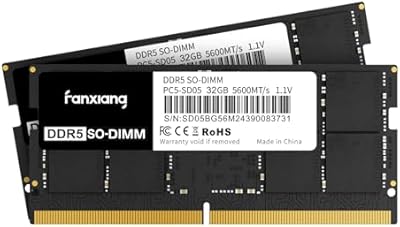
fanxiang SD05 64GB DDR5 SODIMM Laptop RAM
76%
91%
Value for Money
93%
Installation Ease
84%
Stability & Reliability
79%
Performance at Rated Speed
58%
Brand Trust & Reputation
More
A-Tech 16GB DDR5 4800MHz SODIMM RAM
88%
91%
Performance Boost
95%
Ease of Installation
88%
Energy Efficiency
85%
Compatibility with Laptop Systems
92%
Value for Money
More
Crucial 16GB DDR5 4800MHz Laptop RAM
86%
89%
Performance Improvement
93%
Ease of Installation
88%
Multitasking Performance
91%
Compatibility with 12th Gen Intel & AMD Ryzen 7000
86%
Gaming Performance
More
Crucial 64GB DDR5 5600MHz SODIMM Laptop Memory Kit (CT2K32G56C46S5)
89%
94%
System Responsiveness
97%
Multitasking Capacity
91%
Installation Ease
86%
Thermal Management
78%
Value for Money
More
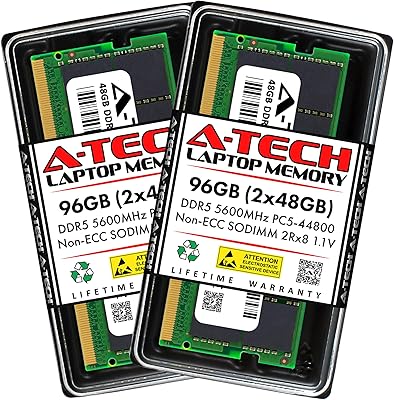
A-Tech 96GB DDR5 5600MHz SODIMM Laptop RAM
84%
83%
System Compatibility
91%
Installation Experience
88%
Real-World Performance
76%
Value for Money
86%
Speed & Bandwidth
More
A-Tech 16GB DDR5 5600MHz RAM Kit
88%
96%
Installation Ease
89%
Performance Boost
92%
Value for Money
88%
Energy Efficiency
91%
Compatibility
More
A-Tech 16GB DDR4 3200MHz SODIMM Laptop RAM
78%
83%
Compatibility
91%
Installation Ease
78%
Performance Uplift
86%
Value for Money
74%
Build Quality
More

FAQ

You need to confirm two things before ordering: that your laptop has a physical DDR5 SODIMM slot (not soldered memory), and that the slot is actually empty or replaceable. Check your laptop's service manual or look it up on the manufacturer's support page. DDR5 and DDR4 slots are physically different, so there is no risk of accidentally inserting the wrong type, but buying the wrong generation is a common and easy mistake to make.

Adamanta is a memory reseller, not a chip fabricator, which is worth understanding upfront. What matters most is what is inside the module, and in this case the DRAM chips are manufactured by Samsung — one of the most reputable names in memory production. Many buyers have confirmed the Samsung chip markings after purchase and found that reassuring. That said, Adamanta does not have the same decades-long public track record as Crucial or Kingston, so factor that into your expectations around warranty support.

In most cases, no. The Adamanta 16GB DDR5 5600MHz SODIMM Laptop RAM operates at JEDEC standard speeds, which means your system should detect and run it correctly without any BIOS adjustments. Some laptops may show a memory change notification on first boot, which is normal — just press the key it prompts to continue booting. Only a small number of laptop platforms require manual memory profile adjustments, and those cases are uncommon.

Yes, if your laptop has two SODIMM slots and your existing stick is also DDR5, you can install this module alongside it. For the best results, both sticks should be the same capacity and speed. Running mismatched sticks can sometimes cause the system to default to a lower speed, so using two identical 16GB DDR5-5600 modules is the cleanest approach if dual-channel is your goal.

The most noticeable difference shows up in multitasking — having many apps, browser tabs, or large files open at the same time feels more responsive because DDR5 offers significantly higher memory bandwidth. For single-threaded tasks or light browsing, the gap is less obvious. Where you will genuinely feel the improvement is switching between heavy apps, rendering previews in photo or video software, or working with large datasets.

DOA reports for this memory upgrade are not widespread, but they do happen occasionally. Keep your purchase receipt and packaging in case you need to initiate a return. Buying through Amazon gives you a straightforward return window, and if the module fails after the return period, you would need to work through Adamanta's warranty process directly. It is worth checking the current warranty terms on the listing before purchasing.

Honestly, for most everyday users, no. CL46 is mid-tier for DDR5, and the real-world difference between CL46 and, say, CL40 modules shows up primarily in synthetic benchmarks and very latency-sensitive workloads. If you are doing standard productivity, studying, or light creative work, you will not feel the difference. Competitive gamers or performance enthusiasts who study benchmark numbers closely might prefer tighter timings, but for the majority of laptop users this is not a meaningful limitation.

Yes, this is a standard SODIMM stick and will work as the sole module in a single-slot or dual-slot laptop. If your laptop has two slots and you install just one stick, it will run in single-channel mode, which is still a perfectly functional setup. Adding a second matching stick later would enable dual-channel and provide a further performance improvement.

This module operates at its rated 5600MHz under standard JEDEC specifications, and there is no XMP or EXPO profile included. Most consumer laptops do not expose memory overclocking options in BIOS anyway, so this is rarely a practical limitation. If your laptop does support memory profile selection, running at the JEDEC-rated speed is safe and stable.

The process is straightforward for most laptops: power down completely, remove the battery if possible, unscrew the bottom panel, locate the SODIMM slot, and press the module in at roughly a 30-degree angle until it clicks flat and the side clips engage. Always ground yourself first by touching a metal surface to discharge static. If you have never done this before, a quick search for your specific laptop model plus the word SODIMM will usually turn up a tutorial or service video that walks you through the exact steps.