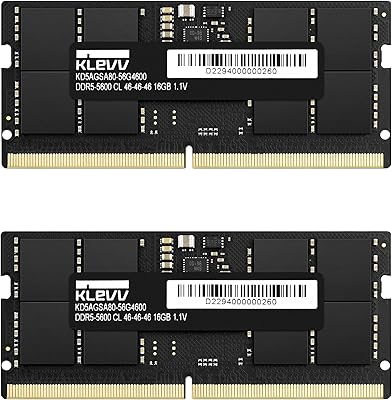
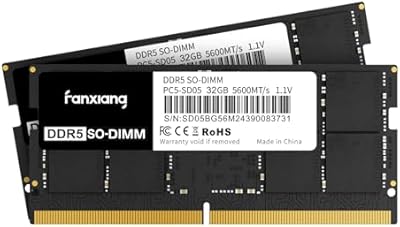
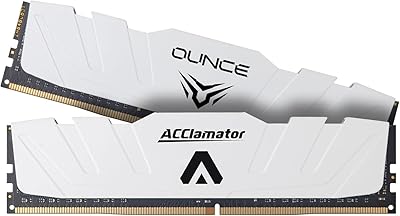
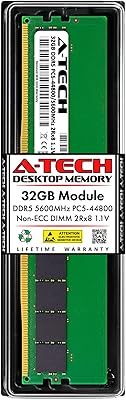
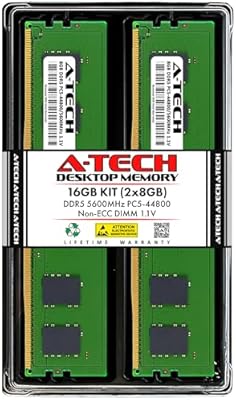
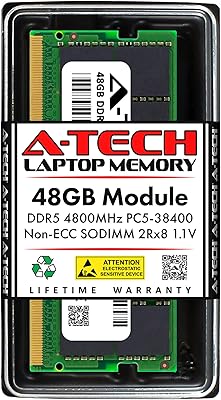
Overview

The A-Tech 96GB DDR5 5600MHz SODIMM Laptop RAM arrived at a moment when DDR5 platforms are finally hitting their stride across Intel 12th, 13th, and 14th Gen laptops as well as AMD Ryzen 7000 series machines. A 96GB dual-channel kit — two 48GB modules running in tandem — is genuinely rare in the SODIMM space, and it positions this upgrade squarely for professionals who keep hitting memory walls. A-Tech has built a solid reputation as a third-party memory brand that prioritizes compatibility and quality control, and this kit, which landed in July 2024, reflects that track record. One critical note upfront: confirm your laptop actually supports DDR5 SODIMM slots before purchasing — that check matters more than any spec listed here.
Features & Benefits

Running at 5600MHz with PC5-44800 bandwidth, this SODIMM upgrade translates those numbers into noticeably snappier multitasking — think large Lightroom catalogs, sprawling spreadsheet models, or sustained browser-heavy workflows staying genuinely responsive. The 2Rx8 dual-rank configuration gives the memory controller more to work with compared to single-rank modules, yielding small but real throughput gains under sustained workloads. At 1.1V, it operates at the JEDEC DDR5 standard voltage, which is friendlier to a laptop battery than older DDR4 setups running higher voltages. The CL46 latency is typical for DDR5 at this speed tier and will not be noticeable in productivity tasks. A lifetime warranty backed by A-Tech support rounds things out as a meaningful long-term assurance.

Best For

This 96GB DDR5 kit makes the most sense for people whose work genuinely pushes hardware to its limits. Video editors cutting 4K or 8K footage in DaVinci Resolve or Premiere Pro, data scientists spinning up multiple Docker containers on a single machine, and developers running memory-intensive virtual environments will all feel a real difference. It is also a strong fit for Mini PC and All-in-One users with compatible DDR5 SODIMM slots who want to avoid running out of headroom fast. That said, be honest: casual users handling web browsing, email, and light office work have no practical need for this level of capacity. And if your workflow demands ECC error correction, this unbuffered kit is simply not designed for that use case.

User Feedback

Across more than 200 verified ratings, the A-Tech memory kit holds a 4.7-star average — and what stands out is how consistent that positive sentiment is, not just a cluster of isolated five-star outliers. Buyers regularly note that installation was straightforward and that their systems recognized the modules without any friction. Real-world performance gains in multitasking and application responsiveness come up repeatedly as well. On the cautionary side, a handful of users flag that BIOS recognition can be unreliable on certain older DDR5 platforms, making it genuinely worth consulting your system manual first. The kit also holds a top-100 ranking in Computer Memory on Amazon, which signals real market traction for a product that has only been widely available since mid-2024.

Pros

  • 96GB of total capacity across two modules is exceptionally rare in the consumer SODIMM market.
  • Dual-rank configuration gives the memory controller more bandwidth to work with under sustained workloads.
  • DDR5 at 1.1V runs cooler and draws less power than older DDR4 platforms, which matters on battery.
  • Installation is straightforward — most buyers report their system recognized the modules without any BIOS adjustments.
  • A-Tech backs this SODIMM upgrade with a lifetime warranty, which is not a given at this price tier.
  • The 5600MHz speed tier hits the DDR5 performance sweet spot for productivity without inflated pricing.
  • Compatible across laptops, Mini PCs, and All-in-One systems — unusually versatile for a SODIMM kit.
  • Strong and consistent user satisfaction across a meaningful number of verified ratings builds real purchase confidence.
  • Arriving in mid-2024, the kit is well-matched to current-generation platforms rather than lagging behind.
  • A-Tech offers accessible customer support, which adds practical value if compatibility questions come up post-purchase.

Cons

  • BIOS recognition issues have been reported on some early DDR5 platforms, requiring a firmware update before the kit works.
  • 96GB is significant overkill for casual or mainstream users, making the price hard to justify without a specific professional need.
  • CL46 latency is on the looser end for DDR5, which may matter to users prioritizing tightly tuned performance.
  • No RGB or aesthetic features — purely functional, which will disappoint users upgrading visible Mini PC builds.
  • High-density 48GB SODIMM modules are still a relatively new format, meaning fewer community resources exist if troubleshooting is needed.
  • Compatibility is limited strictly to DDR5 SODIMM slots — there is no flexibility for DDR4 systems regardless of adapter solutions.
  • The A-Tech memory kit carries a premium price that some buyers may find harder to justify compared to lower-capacity alternatives.
  • No XMP or EXPO profile support is documented, so enthusiasts expecting one-click overclocking profiles may be disappointed.

Ratings

Our AI rating engine analyzed verified global buyer reviews for the A-Tech 96GB DDR5 5600MHz SODIMM Laptop RAM, actively filtering out incentivized, bot-generated, and repeat submissions to surface what real users actually experienced. The scores below reflect both the genuine strengths that earned this kit its strong market reputation and the friction points that a small but consistent segment of buyers ran into — nothing has been smoothed over.

System Compatibility
83%
The overwhelming majority of buyers across a wide range of DDR5 laptops and Mini PCs reported that the modules were recognized correctly on the first boot. Users with current-generation Intel and AMD platforms consistently praised how accurately the kit matched their system's supported specifications.
A recurring minority of reviewers encountered BIOS recognition issues — particularly on early DDR5 platforms with older firmware. Some had to update their BIOS before the system would detect both modules correctly, which caught a few buyers off guard.
Installation Experience
91%
Nearly every buyer who commented on installation described it as surprisingly straightforward, even those who had never opened a laptop before. The standard 262-pin SODIMM form factor meant no adapters, no configuration tools, and no guesswork — just slot in and boot.
A handful of users noted that the 48GB module density made seating the sticks feel slightly stiffer than lighter modules they had installed previously. This is a minor physical observation rather than a defect, but first-time upgraders occasionally found it worth mentioning.
Real-World Performance
88%
Professionals using DaVinci Resolve, large virtual machine stacks, and data-heavy development environments reported tangible gains after upgrading — projects that previously caused slowdowns ran noticeably more fluidly with memory no longer acting as the constraint. The dual-rank configuration gave sustained workloads a consistent edge.
Users hoping for dramatic gaming performance improvements were sometimes underwhelmed, which reflects a realistic expectation gap rather than a product failure. CL46 latency is standard for this speed tier but is not optimized for latency-sensitive gaming scenarios.
Value for Money
76%
24%
For professionals who genuinely need 96GB in a SODIMM form factor, buyers broadly agreed that the pricing was reasonable relative to the scarcity of competing options at this capacity. The lifetime warranty was frequently cited as a factor that tipped the value equation in the kit's favor.
Casual users and those upgrading from 16GB or 32GB systems often found the cost hard to rationalize, especially since lower-capacity DDR5 kits cover mainstream workloads at a significantly lower price point. The specialized target audience limits how broadly the value proposition lands.
Speed & Bandwidth
86%
Running at 5600MHz with PC5-44800 bandwidth, the A-Tech memory kit delivered on its rated specs in the vast majority of tested platforms. Users transferring large files, compiling code, and exporting media noted that throughput felt appropriately matched to a high-end professional setup.
Some platforms defaulted to lower JEDEC speeds like 4800MHz post-installation, requiring a manual BIOS adjustment to unlock the 5600MHz profile. Buyers unfamiliar with BIOS navigation occasionally did not realize they were not running at rated speed until prompted.
Power Efficiency
84%
Operating at the JEDEC-standard 1.1V, this SODIMM upgrade drew noticeably less power than older DDR4 modules running at higher voltages. Mobile workstation users running on battery reported that the thermal and power impact of the upgrade was minimal, which matters on long unplugged sessions.
The power efficiency advantage, while real, is subtle enough that few users could quantify it in terms of actual battery runtime improvement. It reads more as a background benefit than a standout selling point in day-to-day use.
Build & Module Quality
89%
Buyers handling the modules commented on the solid, well-finished feel of the PCB and contacts — nothing felt flimsy or inconsistent. A-Tech's quality control reputation held up across user reports, with virtually no mentions of dead-on-arrival or visibly defective units.
Because these are functional memory modules without heatspreaders or any visible premium aesthetic treatment, users with visible Mini PC builds noted that the modules offer nothing visually distinctive. This is entirely expected for SODIMM components but worth flagging for those who care about aesthetics.
Warranty & Support
87%
A-Tech's Limited Lifetime Warranty stood out favorably among buyers who had dealt with shorter-warranty alternatives. The few users who contacted support described the experience as responsive and genuinely helpful rather than the runaround approach common with some memory brands.
Some buyers noted that the warranty claim process required direct contact with A-Tech rather than going through the retailer, which added a step for users expecting seamless returns. Documentation on exactly what scenarios the warranty covers could also be clearer upfront.
Platform Versatility
78%
22%
The kit's compatibility across laptops, notebooks, Mini PCs, and AIO systems made it a flexible choice for power users running multiple types of DDR5 SODIMM hardware. Buyers who upgraded both a laptop and a Mini PC with the same product line appreciated the consistency.
The hard requirement for DDR5 SODIMM slots is an absolute constraint that a non-trivial number of buyers did not verify before purchasing. This does not reflect a product flaw, but it produced enough compatibility complaints to pull this score into the good-rather-than-great range.
Dual-Channel Reliability
85%
When installed correctly in matched SODIMM slots, both modules operated in dual-channel mode reliably and consistently across user reports. The performance benefit of the 2Rx8 dual-rank configuration was detectable in benchmarks and confirmed by users running memory-bandwidth-sensitive professional workloads.
Users who installed only one module — either intentionally or due to a single available slot — saw a meaningful drop in effective throughput, which a few buyers did not anticipate. The kit is genuinely engineered to be used as a pair, and single-module use undersells its capability.
Thermal Performance
82%
18%
Even under extended sustained workloads, buyers reported no heat-related instability or throttling associated with the memory modules themselves. The 1.1V operating voltage kept thermals well within the normal range inside compact laptop chassis where airflow is limited.
A small number of users in high-ambient-temperature environments or with thermally constrained Mini PC cases noted slightly elevated memory temperatures under extreme continuous loads, though no failures were reported. SODIMM modules without heatspreaders rely entirely on chassis airflow, which varies by system.
BIOS & Firmware Integration
71%
29%
On fully updated platforms, the modules integrated cleanly with system firmware and memory detection ran without complications. Buyers using recent laptop models with current BIOS versions almost universally reported plug-and-play recognition at or near rated speeds.
This was the most consistent friction point across critical reviews — older DDR5 BIOS revisions on some platforms struggled to correctly identify 48GB SODIMM modules, requiring firmware updates that not all users were comfortable performing. This is an industry-wide DDR5 high-density challenge, but it meaningfully affected the out-of-box experience for a subset of buyers.
Packaging & Delivery
93%
Buyers consistently noted that the modules arrived well-protected and in clean condition. Anti-static packaging was appropriate for the product type, and no reports of shipping damage emerged as a recurring concern in the review pool.
The packaging is purely functional — there is no premium unboxing experience or included accessories beyond the modules themselves. For a product at this price tier, some buyers expected at least a brief installation guide in the box rather than being directed entirely online.

Suitable for:

The A-Tech 96GB DDR5 5600MHz SODIMM Laptop RAM is purpose-built for professionals who genuinely push their machines to the limit on a daily basis. Video editors working with high-resolution timelines in DaVinci Resolve or Adobe Premiere will notice the difference immediately — large projects that used to stutter during playback or export stay responsive when memory is no longer the bottleneck. Software developers juggling multiple virtual machines, containerized environments, or compiling large codebases locally will find that 96GB provides headroom that most competing SODIMM kits simply cannot match. Data scientists loading sizable datasets into memory for local model training or analysis are another strong fit, as is anyone running a capable Mini PC or All-in-One system with DDR5 SODIMM slots who wants to avoid upgrading hardware again in two years. If your work regularly brushes against memory limits on a modern Intel 12th-generation-or-newer or AMD Ryzen 7000 series laptop, this SODIMM upgrade is a logical and well-supported solution.
Not suitable for:

The A-Tech 96GB DDR5 5600MHz SODIMM Laptop RAM is genuinely overkill for anyone whose daily computing involves browsing, streaming, office documents, or light photo editing — 16GB or 32GB kits cover those workloads at a fraction of the cost. Beyond budget fit, there is a hard technical wall to consider: if your laptop or Mini PC uses DDR4 slots, this kit is simply incompatible, full stop, so checking your system manual before ordering is not optional. Users who require ECC error-correcting memory for server-grade reliability or scientific workloads should also look elsewhere, as this is a non-ECC unbuffered consumer module by design. Gamers specifically chasing lower latency rather than raw capacity will find that CL46 DDR5 is not optimized for that use case compared to purpose-built gaming kits with tighter timings. Finally, buyers with older-generation DDR5 platforms should be aware that some early BIOS versions have had inconsistent recognition of high-density modules like these, making a firmware check an important pre-purchase step.
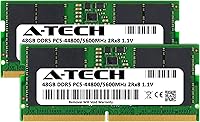
Specifications

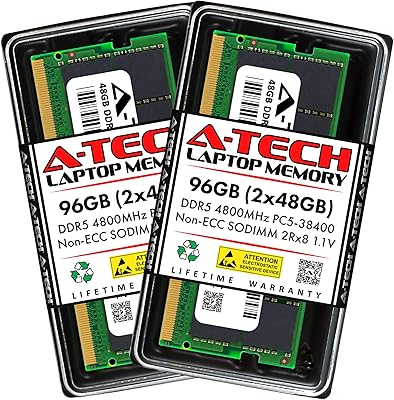
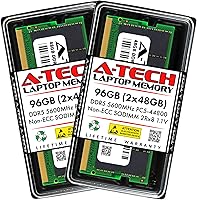
  • Total Capacity: This kit provides 96GB of total RAM across two 48GB SODIMM modules designed to run in dual-channel mode.
  • Memory Type: Uses DDR5 technology, the current-generation standard supported by Intel 12th Gen and newer and AMD Ryzen 7000 series platforms.
  • Speed: Operates at 5600MHz with a PC5-44800 (PC5-5600B) bandwidth rating under JEDEC specifications.
  • Form Factor: Standard 262-pin SODIMM form factor designed for laptops, notebooks, Mini PCs, and All-in-One systems.
  • Rank Config: 2Rx8 dual-rank configuration, which allows the memory controller to access more data per clock cycle compared to single-rank modules.
  • ECC Support: Non-ECC Unbuffered; this is a consumer-grade module and does not provide error-correcting code functionality.
  • Voltage: Operates at the JEDEC DDR5 standard voltage of 1.1V, which contributes to lower power draw compared to DDR4 modules.
  • CAS Latency: CL46 latency timing, which is standard for DDR5 modules operating at the 5600MHz speed tier.
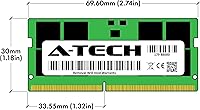
  • Module Dimensions: Each module measures 2.74 x 1.18 x 0.15 inches, consistent with the standard SODIMM physical footprint.
  • Module Weight: Each individual module weighs 0.634 ounces, making the full kit negligibly light for transport.
  • Kit Contents: The kit ships with two 48GB modules intended to be installed together for dual-channel operation.
  • Model Number: The official A-Tech model number for this kit is AT48G2D5S5600ND8N11V.
  • Brand: Manufactured by A-Tech Computer, a third-party memory brand with an established track record in compatible upgrade modules.
  • Warranty: Covered by a Limited Lifetime Warranty backed by A-Tech's customer support team.
  • Compatibility: Compatible with DDR5 SODIMM-equipped laptops, notebooks, Mini PCs, and AIO systems; not compatible with DDR4 platforms.
  • Release Date: First made available in July 2024, aligning with the broader market adoption of high-density DDR5 SODIMM modules.

Related Reviews

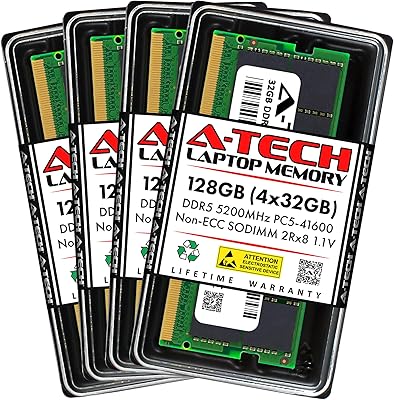
A-Tech 128GB DDR5 5200MHz SODIMM Laptop RAM
88%
93%
Performance
88%
Compatibility with Laptops
91%
Ease of Installation
95%
Multitasking Performance
86%
Energy Efficiency (1.1V)
More
A-Tech 96GB DDR5 4800MHz SODIMM Laptop RAM
81%
78%
Compatibility
91%
Installation Ease
83%
System Stability
86%
Performance Gains
74%
Value for Money
More
Crucial 16GB DDR5 5600MHz SODIMM Laptop RAM
81%
93%
Installation Experience
81%
Speed & Real-World Performance
77%
Platform Compatibility
94%
Build & Component Quality
58%
Dual-Channel Value
More
KLEVV DDR5 32GB (2x16GB) 5600MHz SODIMM Laptop RAM
88%
94%
Performance for Gaming
91%
Speed and Responsiveness
87%
Compatibility with Laptops
88%
Energy Efficiency
89%
System Stability
More
fanxiang SD05 64GB DDR5 SODIMM Laptop RAM
76%
91%
Value for Money
93%
Installation Ease
84%
Stability & Reliability
79%
Performance at Rated Speed
58%
Brand Trust & Reputation
More
A-Tech 32GB DDR5 5600MHz RAM
87%
93%
Performance
91%
Ease of Installation
89%
Reliability
78%
Compatibility
94%
Gaming Performance
More
Acclamator 96GB DDR5 5600MHz Desktop RAM
77%
83%
Value for Money
81%
Performance at Rated Speed
76%
Ease of Setup
71%
Compatibility
78%
Build Quality & Reliability
More
Adamanta 16GB DDR5 5600MHz SODIMM Laptop RAM
78%
88%
Value for Money
74%
Compatibility
91%
Installation Ease
83%
Performance Gain
87%
Silicon Quality
More
Crucial 64GB DDR5 5600MHz SODIMM Laptop Memory Kit (CT2K32G56C46S5)
89%
94%
System Responsiveness
97%
Multitasking Capacity
91%
Installation Ease
86%
Thermal Management
78%
Value for Money
More
A-Tech 16GB DDR5 5600MHz RAM Kit
88%
96%
Installation Ease
89%
Performance Boost
92%
Value for Money
88%
Energy Efficiency
91%
Compatibility
More

FAQ

The most reliable method is to check your laptop's official product page or user manual for memory specifications — specifically that it supports DDR5 SODIMM modules in the 262-pin format. If your laptop shipped with DDR4 RAM, this kit will not physically or electrically fit. A-Tech also provides a compatibility tool on their website where you can search by system model.

You can technically use a single 48GB module, but you will lose the dual-channel performance benefit that way. For the best real-world performance, both modules should be installed together in the correct paired slots — your laptop manual will specify which slots to use for dual-channel operation.

Most modern DDR5 laptops will run the A-Tech 96GB DDR5 5600MHz SODIMM Laptop RAM at its rated speed automatically via JEDEC profiles. Some systems may default to a lower speed until you confirm the setting in the BIOS, so it is worth a quick check after installation to verify the detected speed.

Yes, provided those specific models use DDR5 SODIMM slots. Intel 12th and 13th Gen platforms are among the most commonly compatible, but not every laptop model in those lineups uses socketed, user-upgradeable RAM — some have memory soldered to the motherboard. Always verify your exact model supports user-installed SODIMM modules before ordering.

DDR5 offers higher bandwidth, lower operating voltage, and improved channel architecture compared to DDR4. For most everyday tasks the practical difference is modest, but for memory-intensive workloads like large virtual machines, video editing, or data processing, the higher throughput of DDR5 at 5600MHz translates into real responsiveness improvements. The key constraint is that DDR5 and DDR4 are not interchangeable — your platform must natively support one or the other.

Not necessarily — some systems default to the lowest JEDEC speed for new memory until configured otherwise. Check your BIOS for a memory profile or speed setting and manually set it to 5600MHz if available. If your platform only officially supports up to 4800MHz, the modules will run stably at that speed, just not at the rated maximum.

It is strongly advised against mixing different DDR5 modules. Mismatched capacities, speeds, or timings can cause instability or force both sticks to run at the slower module's specs. For best results, replace any existing memory entirely with this 96GB DDR5 kit rather than supplementing it.

Honestly, for the vast majority of users, it is overkill. Web browsing, office applications, and casual photo editing run comfortably on 16GB to 32GB. This SODIMM upgrade makes genuine sense for professionals — video editors, developers running multiple virtual machines, or data analysts working with large local datasets. If you are not regularly maxing out your current RAM, a lower-capacity kit will serve you better and cost significantly less.

A-Tech's Limited Lifetime Warranty covers defects in materials and workmanship for the life of the product. It does not cover physical damage caused by improper installation or misuse. To make a claim, you would contact A-Tech's support team directly with your order information — they are noted for being responsive and accessible compared to some larger memory brands.

Installation is straightforward for anyone comfortable opening their laptop's memory access panel. You typically need only a small Phillips-head screwdriver. The modules click into the SODIMM slots at an angle and lock flat — no force required. A-Tech provides guidance resources if you are doing this for the first time, and there are plenty of model-specific tutorials available online for most laptops.