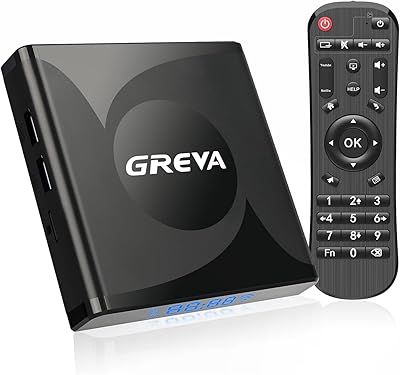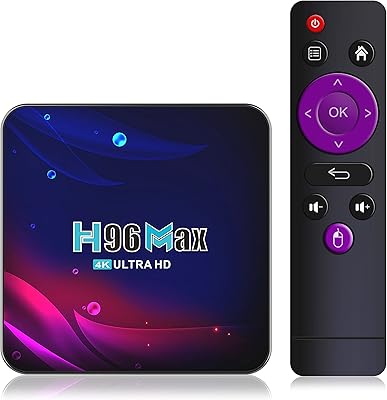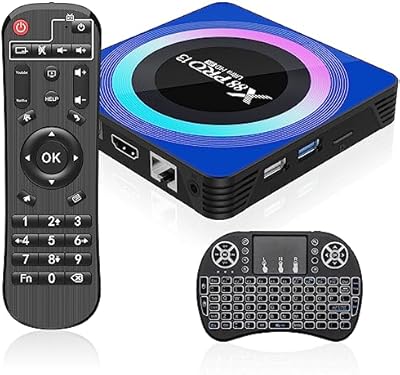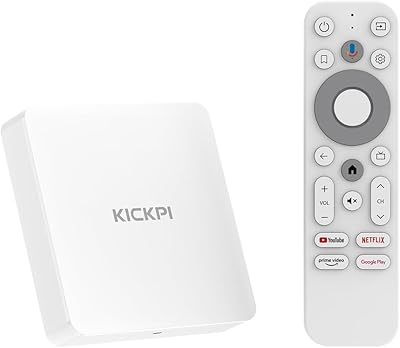
Overview

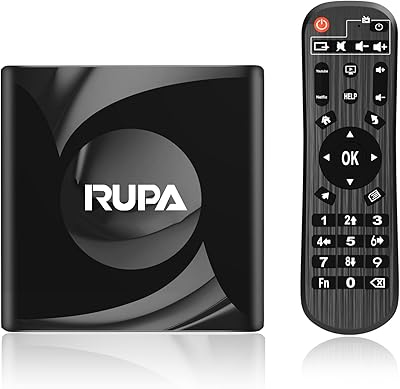
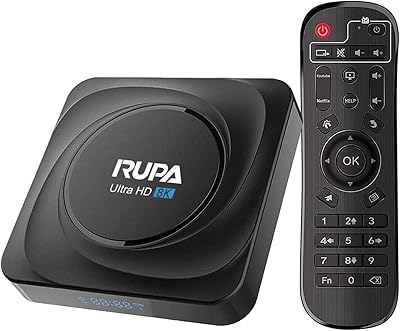
The RUPA 4GB/32GB Android 11 TV Box is a budget-oriented streaming device aimed at anyone wanting to breathe new life into an older TV or replace a sluggish built-in smart interface. Running Android 11, it opens up a broad app ecosystem and sidesteps the restrictions you get with locked-down proprietary sticks. Setup is straightforward — plug it in, connect the included IR remote, and you're streaming within minutes. Core performance comes from the RK3566 quad-core chipset, a mid-range processor that handles everyday streaming capably. Worth noting: the listing dates to 2022 but carries 2025 product branding, a common repositioning tactic in this category that buyers should factor into their expectations.

Features & Benefits

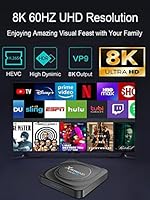
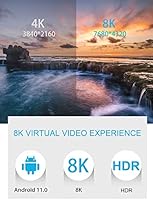
The Gigabit Ethernet port is genuinely the standout here — wired 1000M LAN at this price tier is uncommon, and for households where Wi-Fi reliability is an issue, that alone is a practical win. Dual-band Wi-Fi covering both 2.4GHz and 5.8GHz handles wireless setups capably. The 4GB of RAM keeps multitasking reasonably fluid, and 32GB of storage is adequate for a solid app library, with microSD expansion available up to 1TB. A USB 3.0 port makes accessing local video files from an external drive quick and painless. The HDMI 2.1 output technically supports 8K, but real-world 8K content barely exists on any platform — 4K HDR10+ is where this box realistically performs day to day.

Best For

This Android TV box makes the most sense for a handful of specific buyer types. If you have a non-smart TV collecting dust and want a low-cost way to modernize it without overcommitting, this streaming box fills that gap neatly. Cord-cutters who value the flexibility of a full Android OS — particularly the ability to sideload apps beyond the built-in store — will appreciate it over more restricted sticks. It also suits home media enthusiasts who keep a local video library on a USB drive. And anyone dealing with unreliable wireless at home will find the wired Ethernet option more useful than it sounds on paper.

User Feedback

Most buyers highlight how approachable the initial setup is, and the general consensus is that the value holds up for casual daily streaming. The wired Ethernet option earns consistent praise, particularly from users in older homes with spotty wireless coverage. The main friction point is the app store — it is not Google Play, which catches some buyers off guard. Sideloading APKs resolves this for most, but it adds a step that less tech-savvy users find frustrating. The remote build quality draws mixed comments; it works, but feels lightweight. The 8K marketing also generates skepticism, with many reviewers noting that real-world 4K streaming is the honest performance ceiling here.

Pros

  • Gigabit Ethernet at this price tier is a genuine rarity and makes wired streaming rock-solid.
  • 4GB of RAM keeps everyday app switching and streaming noticeably fluid for a budget box.
  • Android 11 allows sideloading, giving users access to apps that go far beyond the built-in store.
  • MicroSD expansion up to 1TB means running out of storage is rarely a real concern.
  • Dual-band Wi-Fi covers both 2.4GHz and 5.8GHz, so wireless users have flexibility too.
  • USB 3.0 makes accessing an external drive full of local video files quick and practical.
  • HDR10+ support adds visible depth and contrast improvement on compatible displays.
  • Setup is straightforward enough that less technical users can get it running without much help.
  • Bluetooth 5.0 lets you pair wireless headphones or speakers without any fuss.
  • The RUPA box offers a level of connectivity and expandability that most similarly priced sticks simply do not match.

Cons

  • The built-in app store is not Google Play, which means some popular apps require manual sideloading to install.
  • Netflix and a few other major services may not run in their fully certified versions on this streaming box.
  • The included remote feels lightweight and cheaply built compared to what premium devices ship with.
  • The 8K marketing is misleading — practical 8K streaming content does not exist for everyday consumers yet.
  • The product carries 2025 branding despite a listing origin in 2022, which raises transparency concerns.
  • Occasional performance hiccups appear when running graphically demanding or poorly optimized apps.
  • Less tech-savvy users may find the Android-based interface less intuitive than a curated streaming OS.
  • Long-term software support and security updates are uncertain, as is typical for smaller Android box brands.

Ratings

Our AI rating system analyzed verified global buyer reviews for the RUPA 4GB/32GB Android 11 TV Box, actively filtering out incentivized, bot-generated, and duplicate feedback to surface what real users actually experience day to day. The scores below reflect both where this streaming box genuinely delivers and where it falls short, giving you a transparent, balanced picture before you commit to a purchase.

Value for Money
81%
19%
For buyers upgrading a dumb TV on a tight budget, the combination of Gigabit Ethernet, 4GB RAM, and USB 3.0 at this price tier is hard to argue with. Most users feel the hardware justifies the spend, especially compared to more restrictive streaming sticks that cost a similar amount.
A handful of buyers feel the value equation weakens once you factor in the time spent working around app store limitations and sideloading apps that should come pre-installed. If you need everything working out of the box without tinkering, the savings feel less meaningful.
Streaming Performance
76%
24%
Day-to-day 1080p and 4K streaming runs smoothly for the vast majority of users, with minimal buffering on stable connections. The RK3566 chipset handles popular apps like YouTube and Plex without dropping frames under normal conditions.
Heavier or poorly optimized apps occasionally cause slowdowns, and a small number of users report stuttering during high-bitrate 4K HDR content on congested wireless networks. Performance is solid within its class but will not satisfy anyone coming from a higher-end device.
Connectivity
88%
The Gigabit Ethernet port is the single biggest hardware win on this streaming box, delivering wired stability that most devices at this price point simply do not offer. Dual-band Wi-Fi and Bluetooth 5.0 round out a connectivity package that feels genuinely well-specified.
A few users note that the 5GHz Wi-Fi range is average rather than exceptional, with signal dropping off in larger homes where the router is more than two rooms away. The wired Ethernet option compensates, but only if your TV placement allows for a cable run.
App Ecosystem
58%
42%
Android 11 opens up sideloading, which means technically savvy users can install virtually any app they want, from Kodi to alternative app stores. For that audience, the openness of the platform is a genuine advantage over Roku or Fire OS.
The built-in app store is not Google Play, and that catches a lot of buyers off guard. Popular services are missing or available only in limited versions, and less experienced users find the sideloading workaround more intimidating than it should need to be for a consumer device.
Setup & Ease of Use
79%
21%
Physically getting the box up and running is quick — plug in the HDMI, power it up, connect to Wi-Fi or Ethernet, and you are streaming within a few minutes. Users with older TVs frequently mention how much smoother the initial setup was than they anticipated.
The experience gets bumpier once you move past basic setup, particularly around configuring the app store or enabling developer options for sideloading. First-time Android box users often need to consult a YouTube tutorial to get their preferred apps installed correctly.
Build Quality
62%
38%
The compact form factor fits discreetly behind most televisions, and the matte black finish looks clean without attracting fingerprints. Users generally find it solid enough for stationary use without any concerns about it feeling fragile during normal handling.
The overall build is clearly budget-grade — the plastic chassis flexes slightly under pressure and the unit lacks the premium feel of a Chromecast or Apple TV. A few users mention the box running noticeably warm during extended streaming sessions, which raises mild long-term durability questions.
Remote Control
53%
47%
The IR remote covers basic navigation competently, and the button layout is logical enough that most users can work through the interface without needing to reference any instructions. Occasional users find it perfectly adequate for day-to-day channel browsing.
The remote feels lightweight and plasticky in hand, and the lack of any voice control or shortcut buttons is a notable omission even at this price. Several users report inconsistent IR responsiveness when not pointing directly at the box, and a few have replaced it with a third-party Bluetooth remote within weeks of purchase.
Video Quality
77%
23%
HDR10+ support makes a visible difference when watching compatible content on a good display — colors are richer and shadow detail improves compared to standard SDR playback. For 4K HDR streaming at this budget level, the output quality impresses most users.
The 8K output claim is essentially a paper specification — no mainstream streaming platform delivers real 8K content yet, so that figure adds nothing practical to daily use. Some users also note that HDR tone mapping feels inconsistent across different apps, with certain streaming services looking notably better than others.
Storage & Expandability
83%
The combination of 32GB internal storage and microSD expansion up to 1TB makes this streaming box unusually flexible for its price tier. Home media enthusiasts who load up on apps and maintain local video libraries will rarely feel constrained.
Out of the box, the Android OS and pre-installed apps consume a meaningful chunk of the 32GB, leaving around 22 to 25GB of practical free space. Users who skip the microSD card may find themselves managing storage more carefully than expected as their app library grows.
Local Media Playback
84%
The USB 3.0 port handles external drives containing large video libraries quickly and without the stuttering that plagues older or slower USB 2.0 implementations. With a capable media player app installed, users can play a wide range of formats directly without transcoding.
The pre-installed media app is basic, and getting full format support — particularly for MKV files with complex audio tracks — requires installing a third-party player like VLC. A small number of users report occasional audio sync issues with certain file types that require manual adjustment.
Wireless Audio & Bluetooth
74%
26%
Bluetooth 5.0 pairs reliably with wireless headphones and speakers, and the connection stability during video playback is generally good for users who prefer an audio setup separate from their TV. Latency is acceptable for streaming content even if not ideal for gaming.
A few users note that Bluetooth audio introduces a slight delay noticeable during lip-syncing in movies or live content, requiring manual audio offset correction in certain apps. Device memory for paired Bluetooth accessories is also limited, which causes minor inconvenience when switching between multiple audio devices.
Screen Mirroring
69%
31%
Chromecast and DLNA support work reliably for pushing content from an Android phone to the TV, which is a genuinely useful feature for households that switch between personal devices frequently. The setup process for screen mirroring is straightforward once the box is on the same network.
Mirroring from iOS devices is inconsistent, with some users reporting lag or dropped connections that do not occur when casting from Android. DLNA browsing can also feel slow when navigating large network shares, which diminishes the experience for users with extensive home server setups.
Long-Term Reliability
61%
39%
Users who have owned the box for six months or more generally report it continuing to function without major hardware failures, which is reassuring given the budget price point. The passive cooling design means there are no fan components to wear out over time.
Software update cadence is uncertain — as with most smaller Android box brands, there is no clear commitment to ongoing OS or security patches beyond initial setup. The 2022 original listing date versus 2025 branding suggests the underlying product has not changed significantly, raising questions about its long-term software roadmap.

Suitable for:

The RUPA 4GB/32GB Android 11 TV Box is a practical pick for anyone who owns a non-smart TV and wants a no-fuss way to start streaming without spending a lot. It works especially well for cord-cutters who find proprietary streaming sticks too restrictive, since Android 11 allows sideloading apps that fall outside the built-in store — a meaningful advantage for users who want more control over their setup. Households dealing with weak or inconsistent Wi-Fi will appreciate the Gigabit Ethernet port, which is genuinely rare at this price point and delivers noticeably more stable playback. Home media enthusiasts who maintain a local library of films or TV shows on external drives will find the USB 3.0 port a convenient fit. In short, this streaming box rewards buyers who know what they need and are comfortable doing a little light configuration to get there.

Not suitable for:

Buyers expecting a plug-and-play experience identical to a Roku or Amazon Fire Stick may find the RUPA 4GB/32GB Android 11 TV Box a frustrating adjustment, particularly around the app store, which is not Google Play and lacks several popular streaming services out of the box. If you are not comfortable sideloading APKs or adjusting Android settings, the learning curve can feel steeper than expected for a budget device. Anyone chasing genuine 8K playback should also look elsewhere — the hardware can technically output an 8K signal, but real 8K streaming content essentially does not exist on consumer platforms yet, making that spec largely a marketing figure. The build quality and remote are functional but basic, which will disappoint buyers used to the tactile feel of a Chromecast with Google TV or an Apple TV. And if you rely heavily on services like Netflix or Disney Plus in their certified, full-featured versions, compatibility can be inconsistent on non-certified Android boxes like this one.

Specifications

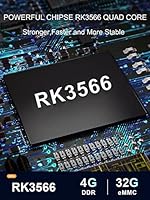
  • Chipset: Powered by a Rockchip RK3566 quad-core Cortex-A55 processor, which handles 4K streaming and moderate multitasking without significant lag.
  • GPU: Includes a Mali-G52 graphics processor, suitable for video decoding and light gaming at this performance tier.
  • RAM: Equipped with 4GB of RAM, providing enough headroom for running multiple streaming apps concurrently.
  • Internal Storage: Ships with 32GB of onboard storage, expandable up to 1TB via a microSD card slot.
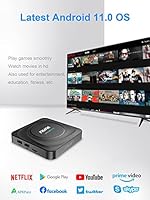
  • Operating System: Runs Android 11.0, which supports sideloading third-party APKs and offers broad app compatibility.
  • Video Output: HDMI 2.1 port supports signal output up to 8K, with practical daily performance centered on 4K HDR10+ content.
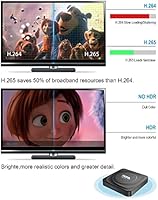
  • HDR Support: Compatible with HDR10+ for improved contrast and color depth on supported displays and content sources.
  • Wired Network: Gigabit Ethernet port supports 100M and 1000M LAN speeds for stable, high-throughput wired connections.
  • Wireless Network: Dual-band Wi-Fi covers both 2.4GHz and 5.8GHz bands for flexible wireless connectivity across different router environments.
  • Bluetooth: Bluetooth 5.0 enables pairing with wireless speakers, headphones, and compatible input devices.
  • USB: One USB 3.0 port supports fast data transfer from external hard drives and flash storage devices.
  • Additional Ports: Also includes a TF card slot, a composite AV output for older displays, and a Micro USB port.
  • Screen Mirroring: Supports Chromecast and DLNA protocols for casting content from compatible smartphones and tablets.
  • Remote Control: Ships with an IR remote control for basic navigation; does not include a voice-enabled or air-mouse remote.
  • Dimensions: Measures 7 x 3 x 2 inches, making it compact enough to sit discreetly behind or beside most televisions.
  • Weight: Weighs 11.2 ounces, light enough for flexible placement without requiring any mounting hardware.
  • Color: Available in black with a matte finish that blends into most home entertainment setups.
  • Codec Support: Compatible with VP9 and AV1 codecs, enabling efficient playback from modern streaming platforms that use next-generation compression.

Related Reviews
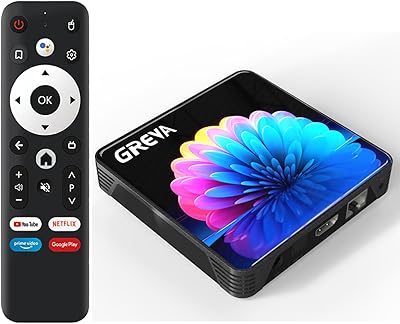
GREVA RK3528 2GB 16GB Android TV Box
68%
74%
Value for Money
67%
Streaming Performance
83%
Setup & Ease of Use
81%
Wi-Fi & Connectivity
61%
Build Quality
More
BuzzTV Classic 4GB/64GB
79%
88%
Streaming Performance
83%
Value for Money
74%
App Compatibility
91%
Setup & Ease of Use
79%
Build Quality & Design
More
RUPA Android 11 TV Box 8GB/64GB
70%
83%
Value for Money
71%
Performance & Speed
88%
Storage & Memory
77%
4K Video Quality
86%
Connectivity
More
Drizzle H96 Max 4G+64GB Android TV Box
68%
83%
Value for Money
87%
Storage & Memory
67%
Streaming Performance
31%
Netflix & DRM Compatibility
81%
Setup & Ease of Use
More
GREVA PRO13 32GB Android TV Box
70%
83%
Value for Money
88%
Setup & Ease of Use
74%
Streaming Performance
86%
Wi-Fi Connectivity
79%
Local Media Playback
More
IDEALROYAL X88PRO13 Android TV Box 4GB/32GB
73%
83%
Value for Money
78%
Streaming Performance
76%
Setup & Ease of Use
58%
App Ecosystem & Compatibility
71%
Build Quality & Design
More
ADDCOLOR R69PLUS (4GB/32GB)
66%
78%
Value for Money
84%
Ease of Setup
67%
Streaming Performance
41%
Netflix & DRM Compatibility
71%
Wi-Fi Stability
More
Sidiwen KP1 Android TV Box
74%
91%
Ease of Setup
74%
Streaming Performance
78%
Picture Quality
82%
Voice Remote Usability
86%
App Availability & Google Certification
More
Formuler Z11 Pro Max
79%
93%
IPTV Streaming Performance
91%
Network Connectivity
88%
Hardware Specifications
86%
4K & Video Quality
83%
Build Quality & Design
More
RUPA PRO13 Android 13 TV Box
68%
83%
Value for Money
88%
Ease of Setup
71%
Streaming Performance
52%
RAM & Multitasking
63%
Build Quality
More

FAQ

It does include a version of Netflix, but the RUPA box is not an officially Netflix-certified device. That means you may encounter a limited version of the app or find that certain features — like downloading for offline viewing — are unavailable. Many users get basic Netflix playback working fine, but if Netflix is your primary service, a certified device like a Chromecast with Google TV or a Fire TV Stick will give you fewer headaches.

Yes, and this is actually one of the more practical advantages of this streaming box over locked-down sticks. Android 11 allows you to sideload APKs from trusted sources, which means you can install apps like Kodi, Downloader, or alternative app stores manually. It takes a few extra steps to enable unknown sources in the settings, but it is straightforward for anyone comfortable with basic Android configuration.

Yes, as long as your TV has an HDMI input, this Android TV box will connect to it without any adapters. The HDMI 2.1 output is backward compatible, so it works with older HDMI 1.4 and 2.0 ports too, though you will only get the resolution and features your TV actually supports.

Dual-band Wi-Fi covering 2.4GHz and 5.8GHz gives you decent wireless flexibility, and the 5GHz band is noticeably more stable for HD streaming. That said, if your router is far from your TV or you have thick walls in between, the wired Gigabit Ethernet port is a much more reliable option and worth using if your setup allows for it.

Mostly marketing, to be honest. The hardware can technically output an 8K signal, but there is virtually no 8K streaming content available on any major consumer platform right now. In real everyday use, 4K with HDR10+ is the practical ceiling, and that is where the box genuinely performs well. Think of 8K as a spec on paper rather than something you will ever actually use.

No, it does not include a voice-enabled remote or built-in Google Assistant support. The included IR remote is for standard navigation only. If voice control is important to you, you would need to pair a compatible Bluetooth remote or use a smartphone as a remote through a third-party app.

Absolutely, and this is one of the more genuinely useful features for home media enthusiasts. The USB 3.0 port handles fast reads from external drives, and with a media player app like VLC or Kodi installed, you can play virtually any common video format directly from the drive. It works well for large local movie collections.

The box ships with 32GB of internal storage, but the operating system and pre-installed apps will use a portion of that — expect around 22 to 25GB of usable space on first boot. If that feels tight for your app library, a microSD card is an easy fix since the box supports expansion up to 1TB.

Basic setup is actually quite simple — plug in the HDMI cable, connect power, insert batteries in the remote, and follow the on-screen prompts. Where it gets slightly more involved is if you want to install apps outside the built-in store or adjust advanced settings. For pure out-of-the-box streaming of apps already available in the store, most users find it approachable.

Yes, most Android remote control apps work fine with this streaming box over Wi-Fi, and some IR blaster apps work too depending on your phone. The box also supports Bluetooth 5.0, so pairing a third-party Bluetooth remote or air mouse is a practical upgrade if you find the included remote limiting. Replacement IR remotes for Android boxes are also widely available and inexpensive.