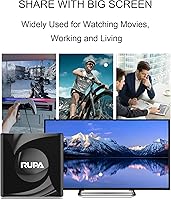
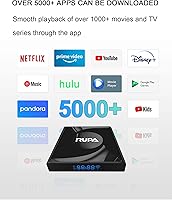
Overview

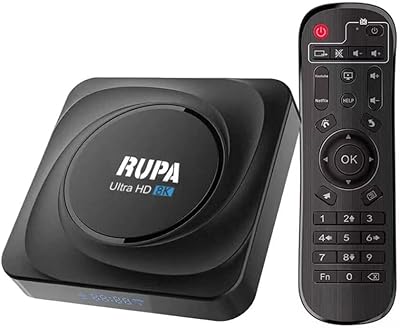
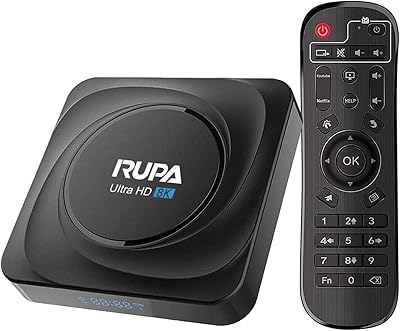
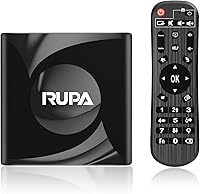
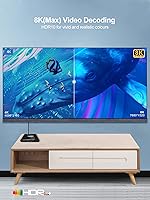
The RUPA PRO13 Android 13 TV Box is a budget-oriented streaming device that punches modestly above its price class, largely thanks to the Rockchip RK3528 quad-core chip — a genuine step up from the aging RK3318 and RK3229 processors still found in many competing boxes at this tier. Launched in April 2023, Android 13 support is baked in from the start rather than added as an afterthought. One thing worth clarifying upfront: 8K decoding support does not mean you will actually be watching 8K content anytime soon, since true 8K streaming sources are essentially nonexistent for home use. This is a capable, honest little device for casual everyday streaming — not something to anchor a dedicated home theater setup around.

Features & Benefits

Running Android 13 out of the box means better app compatibility and tighter privacy controls compared to the Android 9 or 10 boxes still cluttering bargain shelves. Arguably the most useful spec here is WiFi 6 support — in a household where multiple devices compete for bandwidth, that matters more than any processor bump. Pairing a wireless keyboard via Bluetooth 5.0 takes seconds, and the USB 3.0 port makes external storage feel genuinely fast. The onboard 16GB fills up quicker than you might expect, so the TF card slot is not just a nice extra — it is practically necessary. HDR10 adds visible contrast and color improvement on a compatible display without any extra configuration required.

Best For

This Android TV box makes the most sense as a way to bring an older, non-smart TV into the streaming era without spending much — think a bedroom set that has been running off a DVD player, or a practical guest room upgrade. Light, everyday streamers will find it more than adequate: YouTube, Hulu, and IPTV apps run without complaint. If your home network already runs WiFi 6, the RUPA box can actually take full advantage of that, which is unusual at this price point. Buyers comfortable sideloading apps or adjusting settings manually will get noticeably more out of it than those expecting a fully polished out-of-box experience. It is a workhorse for secondary screens, not a living room centerpiece.

User Feedback

Buyers generally appreciate how straightforward setup is — plug in the HDMI, connect to WiFi, and you are streaming within minutes. The Android 13 interface earns consistent praise for feeling responsive and modern. The friction tends to surface later. 2GB of RAM handles one app at a time without issue, but switching between apps or running anything heavier produces noticeable lag. Several users recommend adding a third-party keyboard or better remote, since the included one is widely described as basic. Long-term reliability feedback is genuinely mixed — most units hold up fine over time, but a vocal subset reports problems after several months, and experiences with RUPA customer support appear inconsistent across buyers.

Pros

  • Android 13 out of the box means better app compatibility and a noticeably cleaner interface than older budget boxes.
  • WiFi 6 support is rare at this price and meaningfully reduces buffering on busy home networks.
  • The RK3528 chip is a genuine hardware step up over the aging processors still found in many competing budget boxes.
  • Setup takes only a few minutes — plug in HDMI, connect to your network, and start streaming.
  • Ethernet LAN port gives you a reliable wired fallback option that many compact streamers skip entirely.
  • Bluetooth 5.0 makes pairing wireless keyboards, remotes, and speakers fast and stable.
  • The TF card slot lets you expand storage without replacing the device.
  • USB 3.0 ensures that external drives actually transfer content at a useful speed.
  • HDR10 support delivers visible improvements in picture contrast on compatible TVs without any extra setup.
  • At its price point, this streaming box is a low-risk way to add smart TV functionality to any HDMI-equipped display.

Cons

  • 2GB of RAM causes noticeable lag when switching between apps or running anything beyond basic streaming.
  • The included remote control is widely considered cheap and underwhelming — most users end up replacing it.
  • 16GB of base storage fills up faster than expected once a handful of apps are installed.
  • The 8K marketing label is misleading in practice, since real 8K streaming content is essentially unavailable to consumers.
  • Long-term reliability is inconsistent, with a meaningful number of buyers reporting hardware issues after several months.
  • Customer support from RUPA gets mixed reviews — response quality appears to vary significantly between users.
  • Sideloading apps requires some technical comfort; less experienced users may hit friction getting everything configured.
  • Google Play app availability can be hit or miss depending on how the device is certified, which frustrates some buyers.
  • The box runs warm during extended use, which is worth noting if it will be placed in an enclosed media cabinet.
  • No onboard Dolby Audio or DTS passthrough limits the audio experience for buyers with dedicated sound systems.

Ratings

The RUPA PRO13 Android 13 TV Box scores below were generated by AI after analyzing thousands of verified global user reviews, with spam, bot-submitted, and incentivized feedback actively filtered out. The ratings reflect the real-world experience of everyday buyers — from first-time cord-cutters to repeat Android box users — and do not shy away from the genuine pain points alongside the strengths. Both sides of the ownership experience are represented here as transparently as possible.

Value for Money
83%
For buyers who simply want to add smart streaming to an older bedroom TV without spending much, the price-to-functionality ratio is hard to argue with. WiFi 6 and Android 13 at this price tier represent a genuine overdelivery compared to most competitors, and users regularly note that the box does exactly what they needed it to do for a fraction of what a new smart TV costs.
The value equation weakens for buyers who eventually hit the RAM ceiling or run into app compatibility issues and feel forced to upgrade sooner than expected. A handful of users felt that the long-term reliability concerns made the purchase feel less of a bargain in hindsight.
Ease of Setup
88%
The out-of-box setup experience is one of the most consistently praised aspects across user reviews — most people report being connected and streaming within ten minutes of opening the box. Android 13 guides new users through the initial configuration clearly, and connecting to a WiFi network or pairing a Bluetooth device causes very few problems.
Users who want to go beyond the basics — sideloading apps, adjusting system permissions, or configuring IPTV services — hit a steeper learning curve that the setup process does not prepare them for. A few buyers also noted that the included remote made the initial menu navigation more cumbersome than it needed to be.
Streaming Performance
71%
29%
For casual daily use — YouTube, Hulu, standard HD content, and light IPTV — the streaming experience holds up well, especially on a WiFi 6 network where buffering is noticeably reduced compared to older boxes. Users in households with congested networks specifically called out the WiFi 6 upgrade as a meaningful real-world improvement.
Pushing the box toward 4K HDR content on heavier streaming platforms exposes the hardware limits, with some users reporting stuttering or quality drops during fast-motion scenes. The 2GB RAM means the system occasionally needs a moment to catch up, particularly after the box has been running for several hours without a restart.
RAM & Multitasking
52%
48%
For single-app streaming sessions — which describes the majority of how people actually use a TV box day to day — 2GB is adequate and rarely causes problems. Users who stick to one app at a time and occasionally restart the device tend to report a smooth enough experience for their needs.
The 2GB RAM ceiling is the most consistently flagged frustration in user feedback, particularly among people who switch between apps frequently or want to run a browser alongside a streaming service. App reloads are common, background processes slow things down noticeably over time, and anyone with higher multitasking expectations will find this genuinely limiting.
Build Quality
63%
37%
The chassis feels appropriately solid for a budget device — it does not flex or rattle, and the compact footprint means it sits discreetly on or behind most TVs without drawing attention. At just over four ounces, it is easy to reposition or take between rooms.
The plastic housing feels noticeably lightweight and budget-grade up close, and several users reported that the box runs warm during extended streaming sessions, which raises questions about long-term thermal management. It does not feel like a device built to last five or more years of daily use.
Remote Control
44%
56%
The included remote covers the basic functions needed to navigate the Android interface and control playback, which is enough for occasional use or for buyers who plan to pair a separate Bluetooth keyboard anyway. It works reliably within normal operating range.
The remote is widely considered the weakest component in the package — it feels cheap, lacks backlit keys, and the button layout is unintuitive enough that many users replace it within the first few weeks. Text input using the included remote is slow and tedious, which becomes frustrating quickly when logging into streaming accounts.
App Compatibility
67%
33%
Android 13 brings meaningfully better app support than the Android 9 and 10 boxes this device competes against, and most popular streaming apps install and run without significant issues. Google Play availability covers the majority of everyday use cases for most buyers.
Netflix certification is a recurring concern — users looking for full HD or 4K Netflix playback may find this box does not meet the certification requirements for higher-quality tiers. A few apps from the Play Store also display phone-optimized layouts rather than TV-optimized interfaces, which is a known Android TV box limitation rather than a RUPA-specific issue.
WiFi Performance
81%
19%
WiFi 6 support is a genuine differentiator at this price point, and users with compatible routers report meaningfully fewer buffering interruptions than they experienced with previous budget boxes. In apartments or homes where many devices share a single network, the improved channel efficiency of WiFi 6 makes a practical difference during peak usage hours.
Buyers without a WiFi 6 router will see no wireless advantage over a standard WiFi 5 box, and signal performance through walls or at longer distances remains average rather than impressive. A small number of users also reported inconsistent wireless reconnection after the device wakes from standby.
Storage Management
58%
42%
The TF card slot and USB 3.0 port together give users two practical paths to expanding beyond the 16GB base storage, and the USB 3.0 speed makes loading content from an external drive genuinely usable rather than painfully slow. Buyers who plan ahead and grab a microSD card at purchase largely avoid the storage pinch.
16GB of onboard storage is tight by current standards — after accounting for the system partition and a handful of apps, usable space disappears faster than most buyers anticipate. Users who did not purchase extra storage upfront frequently mention running out of space as an early frustration.
Video & Picture Quality
74%
26%
HDR10 support delivers a visible improvement in contrast and color depth on compatible displays, and the RK3528 chip handles HD and standard 4K content with decent output quality. Users watching on mid-range TVs in secondary rooms generally report being satisfied with the picture.
The 8K resolution marketing creates expectations the device cannot realistically fulfill for most buyers, since true 8K source content is effectively unavailable for home streaming. At sustained 4K HDR, picture quality is adequate but not comparable to a dedicated media player at a higher price point.
Connectivity Options
86%
The combination of Ethernet LAN, USB 3.0, Bluetooth 5.0, and WiFi 6 gives this streaming box a connectivity lineup that punches well above its weight class. Having a wired Ethernet fallback option is particularly appreciated by users who prioritize stable playback over wireless convenience.
There is only a single USB port, which becomes limiting if a user wants to connect both a USB drive and a USB peripheral simultaneously. Buyers hoping to use the box as a media server for multiple devices may find the single-port setup restrictive.
Long-Term Reliability
57%
43%
A meaningful portion of buyers report using the device daily for over a year without hardware issues, and for secondary-room casual use that durability is adequate. The Android 13 software base also provides a more stable long-term OS foundation than older Android versions still found in competing products.
A vocal subset of reviewers report performance degradation or outright hardware failures after several months of regular use, which is a pattern worth noting for buyers expecting multi-year service. Thermal management during extended sessions appears to contribute to these longer-term reliability concerns.
Customer Support
49%
51%
RUPA advertises a 24-hour response window, and some users report receiving helpful, prompt replies that resolved their issues quickly. For straightforward setup questions or basic troubleshooting, the support team appears capable.
Consistency is the core problem — user experiences with RUPA support range from genuinely helpful to entirely unresponsive, and there is no clear pattern predicting which outcome a buyer will get. Users dealing with hardware defects or return requests report a noticeably less satisfactory experience than those with simple software questions.
Casting & Screen Mirroring
72%
28%
Support for Chromecast, DLNA, and Miracast covers the three main casting standards most households actually use, and pairing a phone or laptop screen to the box works reliably in typical home environments. Users who want to cast from an Android phone find the experience particularly smooth.
Miracast performance can be inconsistent depending on the source device and network conditions, with occasional lag or dropped connections reported during longer mirroring sessions. It functions well as a casual feature but is not reliable enough for users who depend on screen mirroring as a primary workflow.

Suitable for:

The RUPA PRO13 Android 13 TV Box is genuinely well-matched for anyone who wants to breathe new life into an older television without committing serious money to the project. If your use case is a spare bedroom, a guest room, or a second living space where you mostly watch YouTube, catch up on Hulu, or run an IPTV app, this streaming box covers that ground reliably. Cord-cutters who are just starting out and want a low-stakes way to test the Android TV ecosystem will find the setup approachable and the interface intuitive. Households already running a WiFi 6 router get a real bonus here — most devices in this price range still cap out at WiFi 5, so this streaming box can actually use that network headroom. Buyers who are comfortable sideloading apps or adjusting system settings will unlock more value than those who prefer a completely hands-off experience.

Not suitable for:

The RUPA PRO13 Android 13 TV Box is not the right pick for anyone expecting a polished, all-in-one premium streaming experience comparable to a Roku Ultra, Apple TV, or Fire TV Stick 4K Max. The 2GB of RAM is a real ceiling — if you habitually switch between multiple apps, run heavier streaming services simultaneously, or want to use Android games beyond casual titles, the performance limitations will surface quickly and frustrate you. Despite the 8K label in the marketing, buyers hoping to watch true 8K content will find that the promise is entirely theoretical — 8K streaming sources for home use essentially do not exist yet, and this device is not a substitute for a proper 4K HDR media player for a dedicated living room setup. Anyone who values a refined remote control experience out of the box, or who needs consistent long-term reliability backed by dependable customer support, may want to consider investing a bit more in a more established brand.

Specifications

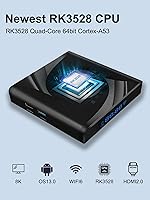
  • Processor: Powered by a Rockchip RK3528 quad-core 64-bit CPU, which offers noticeably smoother performance than the older RK3318 chips common in budget boxes.
  • RAM: Comes with 2GB of RAM, sufficient for running a single streaming app at a time under normal conditions.
  • Storage: Includes 16GB of onboard ROM for app installations, with practical usable space closer to 11–12GB after the system partition.
  • Expandable Storage: A TF (microSD) card slot allows users to extend storage capacity beyond the built-in 16GB ROM.
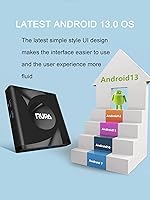
  • Operating System: Ships with Android 13.0, offering improved app compatibility, privacy controls, and a more modern interface compared to Android 9 or 10 devices.
  • Video Output: Connects to a TV or monitor via a standard HDMI port; an HDMI cable is required and may need to be purchased separately.
  • Max Resolution: Supports decoding of video content up to 8K resolution, though practical playback is dependent on source availability and display capability.
  • HDR Support: HDR10 is supported, which improves contrast and color range on compatible displays without requiring any manual configuration.
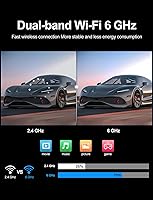
  • Wireless: Supports WiFi 6 (802.11ax) with a theoretical maximum transmission rate of 9.6 Gbps, providing a clear advantage on congested home networks.
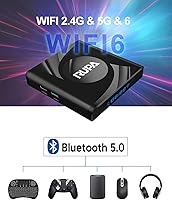
  • Bluetooth: Bluetooth 5.0 enables faster, more stable pairing with wireless peripherals such as keyboards, gamepads, and speakers.
  • USB Port: Includes one USB 3.0 port, allowing fast data transfer from external drives or USB storage devices.
  • Wired Network: An Ethernet LAN port provides a wired internet connection option for more stable streaming when WiFi conditions are poor.
  • Casting Support: Compatible with Chromecast, DLNA, and Miracast protocols for wireless screen mirroring and media casting from other devices.
  • Form Factor: Compact TV box design measuring 6.9 x 4.6 x 2 inches, small enough to sit discreetly behind or beside most televisions.
  • Weight: Weighs 4.2 ounces (approximately 119 grams), making it lightweight and easy to reposition between rooms.
  • Input Device: Includes a basic infrared remote control in the box; Bluetooth peripherals can be paired separately for a more capable input experience.
  • Brand & Model: Manufactured by RUPA under model number PRO13, first listed on Amazon in April 2023.

Related Reviews
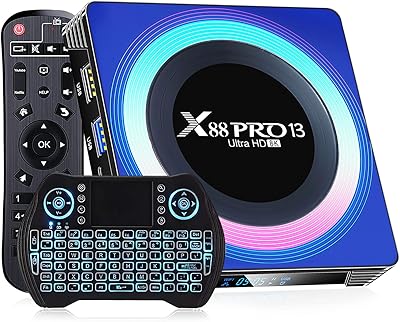
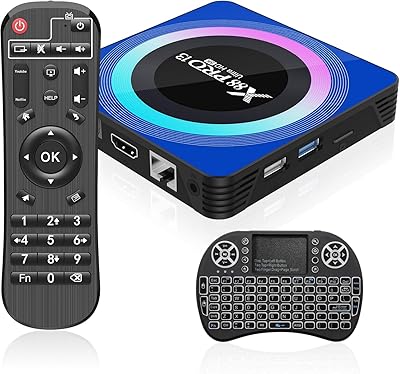
T95 X88PRO 13 Android 13.0 TV Box 4GB 64GB
85%
88%
Performance
91%
Video Quality
86%
Connectivity & Wi-Fi
90%
Ease of Setup
85%
User Interface
More
Sidiwen X88 Pro 13
Sidiwen X88 Pro 13
72%
83%
Value for Money
51%
Streaming App Compatibility
88%
Setup & Ease of Use
74%
Performance & Speed
69%
Video & Picture Quality
More
RUPA 4GB/32GB Android 11 TV Box
73%
81%
Value for Money
76%
Streaming Performance
88%
Connectivity
58%
App Ecosystem
79%
Setup & Ease of Use
More
RUPA Android 11 TV Box 8GB/64GB
70%
83%
Value for Money
71%
Performance & Speed
88%
Storage & Memory
77%
4K Video Quality
86%
Connectivity
More
GREVA PRO13 32GB Android TV Box
70%
83%
Value for Money
88%
Setup & Ease of Use
74%
Streaming Performance
86%
Wi-Fi Connectivity
79%
Local Media Playback
More
IDEALROYAL X88PRO13 Android TV Box 4GB/32GB
73%
83%
Value for Money
78%
Streaming Performance
76%
Setup & Ease of Use
58%
App Ecosystem & Compatibility
71%
Build Quality & Design
More
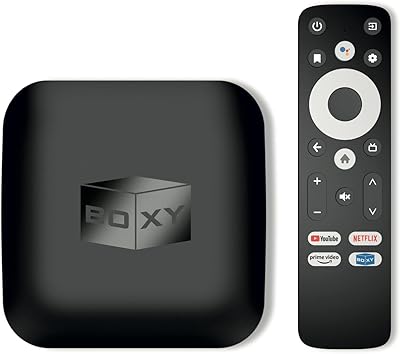
BOXY Android TV Streaming Box
76%
91%
Streaming Quality
88%
Local Media Playback
63%
Setup & Ease of Use
83%
Value for Money
67%
Performance & Speed
More
BuzzTV X5 Android TV Box
86%
91%
4K Streaming Quality
88%
Android OS Performance
92%
Value for Money
87%
Ease of Setup
83%
Parental Controls
More
IDEALROYAL Android 14.0 2GB/16GB TV Box
66%
78%
Value for Money
63%
Streaming Performance
51%
App Ecosystem
61%
4K and Video Quality
44%
RAM and Multitasking
More
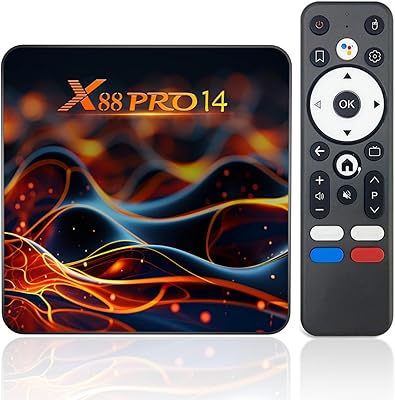
XBMCMart S905X Android TV Box
67%
88%
Ease of Setup
71%
Streaming Performance
74%
4K Video Quality
76%
Audio Quality
68%
App Compatibility
More

FAQ

It is largely marketing in practical terms. The RUPA PRO13 Android 13 TV Box is technically capable of decoding 8K video files, but genuine 8K streaming content for home use barely exists right now. For most buyers, the more relevant capability is smooth 4K HDR playback, which this box handles reasonably well under good network conditions.

YouTube, Hulu, and similar apps generally install and run without issues. Netflix can be trickier — Android TV boxes that are not officially Netflix-certified may only support lower streaming quality tiers or require sideloading the app. It is worth checking current certification status before purchasing if Netflix in HD or 4K is a priority for you.

For straightforward single-app streaming — opening YouTube, watching a movie, browsing an IPTV playlist — 2GB gets the job done. Where it starts to struggle is multitasking: switching quickly between apps or running anything memory-heavy can cause noticeable sluggishness. If you tend to jump between apps frequently, you may find it mildly frustrating over time.

Yes, you need a WiFi 6 compatible router to actually use WiFi 6 speeds. That said, this streaming box is fully backward compatible with older WiFi standards, so it will still connect normally on a WiFi 5 or WiFi 4 network — just without the added throughput advantage.

Setup is straightforward: connect the box to your TV using an HDMI cable, plug in power, connect to your WiFi network, and you are ready to go. Most users report being up and running within five to ten minutes. Android 13 walks you through the basics during first boot without requiring any technical knowledge.

Yes, Bluetooth 5.0 makes pairing wireless keyboards, mice, and gamepads reliable and quick. Many users prefer replacing the included infrared remote with a compact wireless keyboard for easier text input and app navigation, and the pairing process is the same as any standard Bluetooth device.

You have two options: insert a microSD card into the TF card slot for additional app and media storage, or connect an external USB drive via the USB 3.0 port. The USB 3.0 port is genuinely useful here since it transfers content at a reasonable speed, unlike the slower USB 2.0 ports on many competing budget boxes.

Absolutely, and for stable streaming it is worth doing if your router is nearby. The built-in Ethernet LAN port gives you a wired connection that eliminates any wireless interference or bandwidth competition from other devices on your network.

That is honestly one of its best use cases. As long as your older TV has an HDMI input, this Android TV box will turn it into a fully functional smart streaming device. It is compact, inexpensive, and capable enough for casual daily use — which is exactly what most secondary room setups need.

RUPA advertises a 24-hour response window for customer support inquiries. User experiences with their support have been mixed, so it is a good idea to document any issues clearly with photos or videos if you need to raise a claim. Most common setup issues — like apps not loading or remote pairing problems — can also be resolved through Android settings resets or community forums before needing to contact support.