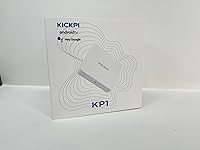
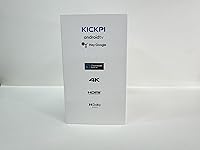
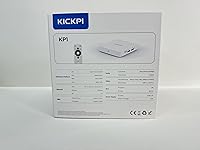
Overview

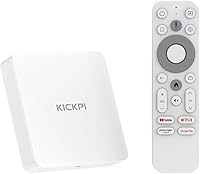
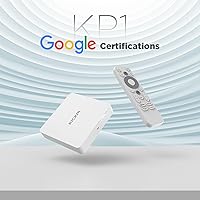
The Sidiwen KP1 Android TV Box enters a crowded market knowing exactly where it fits — affordable, straightforward, and aimed squarely at people who just want streaming to work. Sidiwen isn't a household name, and that will reasonably give cautious buyers pause. Still, the device makes a credible case. It runs Android 11 with an OTA Android 12 update already available, and its compact square build plugs directly into any HDMI-equipped TV. Being Google certified is the detail that separates it from the flood of uncertified knockoffs — it means the apps you actually care about are available through official, supported channels.
Features & Benefits

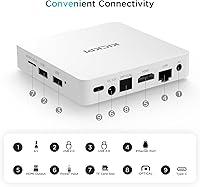
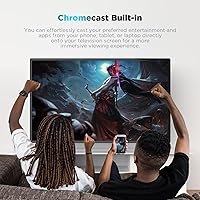
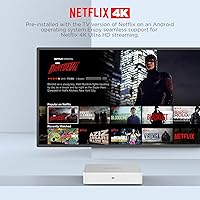
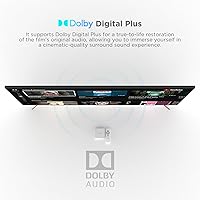
Google certification here is practical rather than symbolic — it unlocks official, fully supported versions of Netflix, Prime Video, Disney+, Apple TV+, and YouTube, all capable of 4K HDR output. Chromecast built-in lets you push content from your phone without digging for a remote. The voice remote and Bluetooth 5.0 make navigation noticeably less tedious than older clicker-only setups. Dolby Audio support is a welcome touch for users relying on TV speakers. Worth being honest about: 2GB of RAM is tight by current standards — comfortable for watching one thing at a time, but not ideal if you're juggling several apps. The Ethernet port gives you a wired fallback when Wi-Fi feels unreliable.

Best For

This Android TV box is a natural fit for anyone with a non-smart TV sitting in a bedroom or guest room. Setup takes minutes — plug into HDMI, connect to Wi-Fi, done. That kind of simplicity appeals to people who have no interest in configuring anything. It also works well for cord-cutters making their first move away from cable, where the goal is simply getting streaming apps onto a TV screen without overspending. Heavy users who switch between multiple apps constantly or need local storage for large media libraries will bump up against the hardware limits. For casual daily streaming, though, this budget streaming device handles the job without drama.

User Feedback

Buyers consistently appreciate how quickly the KP1 streaming box gets them up and running — easy plug-and-play setup is a recurring theme in positive reviews, and the voice remote earns solid marks for responsiveness. Picture quality on mid-range TVs is generally rated well for the price point. On the other side, some users report occasional app lag when switching titles, which aligns with the modest hardware specs. A handful flag Wi-Fi drops or intermittent remote pairing hiccups. Brand trust is a fair concern for a lesser-known manufacturer, and some buyers express uncertainty about long-term support. Overall, feedback suggests a device that delivers on its core promise for light use, with reasonable caveats around longevity.

Pros

  • Setup takes under ten minutes — plug into HDMI, connect to Wi-Fi, and you are streaming.
  • Google certification means Netflix, Disney+, and Prime Video run in their fully licensed, official versions.
  • Chromecast built-in works reliably for casting from Android phones and Chrome browsers.
  • The voice remote is a genuine upgrade over basic IR clickers, especially for quick title searches.
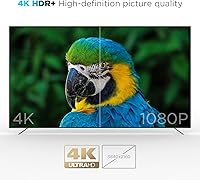
  • 4K HDR output looks solid on mid-range TVs without any manual calibration needed.
  • An Ethernet port provides a dependable wired fallback when wireless conditions are poor.
  • Dolby Audio support adds noticeable depth when paired with even a modest soundbar.
  • The Android 12 OTA update extends the useful lifespan beyond what the launch specs suggest.
  • Compact footprint tucks neatly behind any TV without cluttering the entertainment setup.
  • Competitive pricing makes this budget streaming device an easy recommendation for secondary TVs.

Cons

  • Only 2GB of RAM leads to sluggish app switching and occasional unresponsive moments under load.
  • No 5GHz Wi-Fi band makes the connection vulnerable in homes with crowded wireless networks.
  • The Bluetooth remote occasionally loses pairing after the box powers off, requiring a manual fix.
  • Pre-installed apps clutter the home screen and cannot always be fully removed.
  • iOS casting reliability is inconsistent, with some iPhone users reporting lag and dropped sessions.
  • Audio sync can drift during extended viewing sessions, requiring a restart to correct.
  • Sidiwen offers limited brand accountability, and warranty support is difficult to verify or trust.
  • Software update rollout has been uneven, with some users waiting significantly longer than others.
  • The bundled HDMI cable is short, creating awkward cable management for certain TV configurations.
  • App compatibility gaps exist for niche or regional streaming services despite Google certification.

Ratings

The Sidiwen KP1 Android TV Box has been evaluated by our AI rating system after analyzing verified global buyer reviews, with spam, bot-submitted, and incentivized feedback actively filtered out. The scores below reflect a balanced picture — real strengths and genuine frustrations included — so you can make an informed call before buying. This budget streaming device punches above its weight in some areas and shows expected limitations in others.
Ease of Setup
91%
Buyers consistently single this out as the KP1's strongest suit. Plugging into an HDMI port, connecting to Wi-Fi, and getting to the home screen takes most users under ten minutes with no instructions needed. First-time streaming box owners especially appreciated not hitting any configuration walls.
A small subset of users reported that initial Google account sign-in was slower than expected, and a few encountered remote pairing that needed a reset before working. These are minor friction points, but they do come up often enough to note.
Streaming Performance
74%
26%
For single-app streaming — loading up Netflix or YouTube and watching straight through — the experience is generally smooth. Users on stable Wi-Fi or wired Ethernet connections reported consistent 4K playback without buffering interruptions on mid-range TVs.
Switch between apps frequently and the 2GB RAM starts to show its ceiling. Resume times after backgrounding an app are sluggish, and some users noticed occasional dropped frames when switching content mid-session. It handles one stream well; it handles multitasking less gracefully.
Picture Quality
78%
22%
On a mid-range 4K TV, the output looks genuinely good for the price tier. HDR content on supported apps like Netflix and Prime Video renders with solid color depth, and users watching on 40-to-55-inch displays were largely satisfied with the visual experience.
On higher-end displays, the gap between this box and premium streamers becomes more visible — fine detail and HDR tone mapping don't fully hold up under scrutiny. Users with calibrated or OLED screens noticed the difference more acutely.
Voice Remote Usability
82%
18%
Moving away from a basic IR clicker makes a real difference in daily use. Voice search worked reliably for most buyers when finding titles across apps, and the Bluetooth 5.0 connection meant the remote worked without needing line-of-sight to the box.
A recurring complaint involves the remote occasionally losing its Bluetooth pairing after the box is powered off and back on, requiring a manual re-pair. The voice recognition also struggled with accented speech for some international users.
App Availability & Google Certification
86%
Google certification is meaningful in practice — it means the Play Store is properly licensed, and apps like Netflix, Disney+, and Prime Video install and run in their full, certified versions. Users who had previously owned uncertified boxes noticed the difference immediately.
Certification does not equal a perfect app ecosystem. A handful of niche or regional apps still had compatibility issues, and some users noted that certain Google TV-specific features available on Chromecast with Google TV are absent here since this runs standard Android 11, not Google TV OS.
Chromecast Functionality
83%
Casting from an Android phone or Chrome browser worked reliably for most buyers, making it easy to push YouTube videos or personal media to the TV without fumbling with the remote. Households with multiple phone users found this particularly convenient.
iOS casting was occasionally inconsistent, with some iPhone users reporting lag or dropped cast sessions. A few buyers also noted that Chromecast performance degraded noticeably when the box was under load from a simultaneously running app.
Audio Quality
71%
29%
Dolby Audio pass-through added a real dimension for users connected to even a basic soundbar or AV receiver. Dialogue clarity in streaming content was rated positively, and users without external speakers still found the audio output acceptably clear through TV speakers.
Dolby Atmos is not supported, so users with a capable surround sound setup will not get object-based audio. Some buyers also reported that audio sync drifted slightly during longer viewing sessions, requiring a restart to correct.
Wi-Fi Stability
66%
34%
In apartments or homes with a router nearby, Wi-Fi held up adequately for 1080p and even 4K streaming. Users who switched to a wired Ethernet connection reported the stability issues disappeared almost entirely.
At longer ranges or in homes with crowded 2.4GHz networks, Wi-Fi dropouts were a recurring theme in negative reviews. The box lacks a 5GHz Wi-Fi band, which is a notable omission at this price point and the root cause of most connectivity complaints.
Storage & RAM
58%
42%
32GB of internal storage is workable if you are selective about installed apps — standard streaming apps do not take up much space individually, so casual users can install their go-to services without immediately running out of room.
2GB RAM is genuinely limiting for anyone who installs more than a handful of apps or expects snappy multitasking. Users who loaded up with games or productivity apps alongside streaming services hit noticeable slowdowns, and a few reported the system becoming unresponsive.
Build Quality & Design
69%
31%
The compact square footprint is practical — it tucks behind a TV or onto an entertainment unit without demanding attention. The all-white finish looks clean, and at 4.3 ounces it is light enough that cable tension alone keeps it in place.
The plastic casing feels lightweight in the hands, and users comparing it to more established brands noted it does not inspire confidence in long-term durability. The included HDMI cable was described by several buyers as short, requiring extension for certain TV setups.
Software & OS Experience
67%
33%
Android 11 runs the core streaming apps without issues, and the availability of an Android 12 OTA update gives the device a slightly longer functional lifespan than buyers initially expected at this price. The interface is familiar to anyone who has used an Android device.
The home screen UI is not as polished as Google TV or Fire OS, and several users found the default launcher cluttered with pre-installed apps. Update delivery felt inconsistent — some users received the Android 12 push quickly while others were still waiting weeks later.
Value for Money
81%
19%
For what this budget streaming device costs, the combination of Google certification, Chromecast, voice remote, and 4K HDR output represents solid value — particularly for a guest room TV or as a gift for someone new to streaming.
Buyers who compared it directly to slightly higher-priced established alternatives felt the trade-offs in RAM and Wi-Fi performance narrowed the value gap. If 5GHz Wi-Fi or smoother multitasking matters to you, spending a bit more buys meaningfully better hardware.
Brand Trust & Support
53%
47%
Some buyers reported receiving helpful responses from Sidiwen support when they reached out about remote pairing or setup issues. The OTA update promise also demonstrated a degree of post-launch commitment that budget-tier brands sometimes skip entirely.
Sidiwen is not a recognized brand, and that creates legitimate uncertainty. Multiple reviewers expressed concern about warranty support, replacement parts, and whether the device would continue receiving software attention beyond the initial update push.

Suitable for:

The Sidiwen KP1 Android TV Box is a practical pick for anyone who wants to breathe new life into an older, non-smart TV without spending heavily. It suits households setting up a secondary bedroom or guest room screen where a flagship device would be overkill — you want something that works, not something impressive. First-time cord-cutters who are stepping away from cable and just need reliable access to Netflix, YouTube, and Prime Video will find the setup refreshingly simple. People who regularly cast content from their phones will also appreciate Chromecast built-in working out of the box. If your Wi-Fi router is reasonably close to the TV, or if you can run an Ethernet cable, this budget streaming device performs its core job without constant frustration.
Not suitable for:

The Sidiwen KP1 Android TV Box is not the right choice for anyone who treats their main living room TV as a serious home theater setup. The 2GB of RAM creates a real ceiling — power users who jump between apps, run games alongside streaming services, or keep a large library of installed apps will hit slowdowns that become genuinely irritating over time. Users with high-end OLED or QLED displays may also find the picture processing underwhelming compared to what their screen is capable of delivering. Anyone who needs solid 5GHz Wi-Fi support should look elsewhere, as the absence of a dual-band adapter is a meaningful hardware gap in homes with congested networks. Finally, buyers who place high value on brand reputation, reliable long-term software support, or responsive warranty service may be uncomfortable with Sidiwen's limited track record in the market.
Specifications

  • Operating System: Runs Android 11.0 out of the box, with an Android 12 update available via over-the-air download after initial setup.
  • RAM: Equipped with 2GB of RAM, sufficient for single-app streaming but limited when running multiple applications simultaneously.
  • Storage: Includes 32GB of internal ROM for app installations, with usable space reduced somewhat by the system partition.
  • Resolution: Supports 4K HDR video output, delivering high-resolution content when paired with a compatible 4K television.
  • Audio: Dolby Audio decoding is supported, enabling improved sound output through compatible TVs, soundbars, or AV receivers.
  • Connectivity: Connects via 2.4GHz Wi-Fi, a wired Ethernet port, and HDMI output; no 5GHz Wi-Fi band is included.
  • Bluetooth: Bluetooth 5.0 is built in, enabling the wireless voice remote and connection to compatible speakers or headphones.
  • Special Feature: Chromecast is built into the device, allowing direct casting from Android phones, tablets, and Chrome browsers without additional hardware.
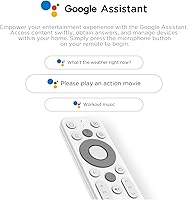
  • Remote Control: Includes a Bluetooth voice remote with a dedicated microphone button for hands-free search and navigation.
  • Certification: Google-certified device, meaning it passes Google's compatibility requirements and supports officially licensed versions of major streaming apps.
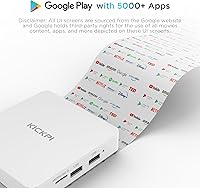
  • Supported Services: Compatible with Netflix, YouTube, Prime Video, Disney+, Hulu, Apple TV+, and other Google Play Store applications.
  • Dimensions: Measures 3.78 x 3.78 x 0.91 inches, making it a compact square unit that fits easily behind or beside a television.
  • Weight: Weighs 4.3 oz, light enough that cable tension alone typically holds it in position without additional mounting.
  • HDMI: An HDMI cable is included in the box, though buyers with constrained TV setups may need a longer third-party cable.
  • Color & Model: Available in White; the unit model is designated KP1, manufactured by Sidiwen.
  • Availability: First listed for sale on Amazon in June 2024, making it a relatively recent entry in the budget streaming box category.

Related Reviews

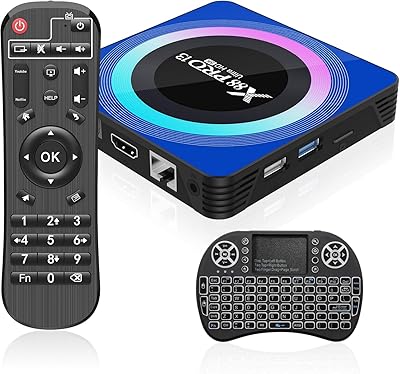
Sidiwen X88 Pro 13
Sidiwen X88 Pro 13
72%
83%
Value for Money
51%
Streaming App Compatibility
88%
Setup & Ease of Use
74%
Performance & Speed
69%
Video & Picture Quality
More
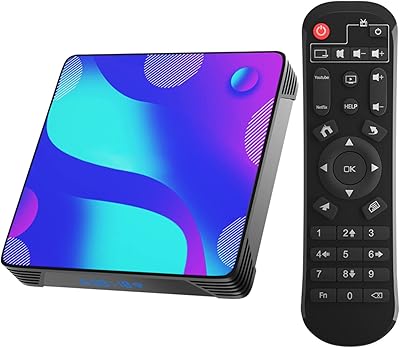
Sidiwen X11 Android TV Box 2GB RAM 16GB ROM
83%
92%
Value for Money
88%
4K Video Quality
85%
Wi-Fi Performance
73%
Bluetooth Connectivity
90%
Setup and Installation
More
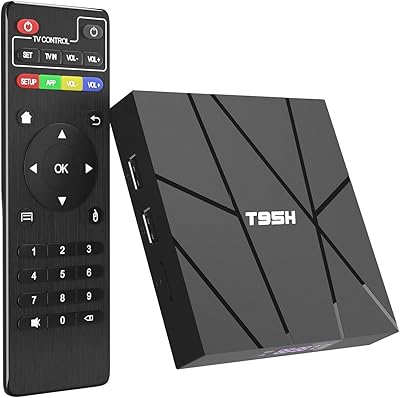
Sidiwen Android TV Box 10.0 H616 2GB RAM 16GB ROM
83%
89%
Video Quality
91%
Ease of Setup
83%
Performance with Streaming Apps
92%
Value for Money
70%
Storage and App Performance
More
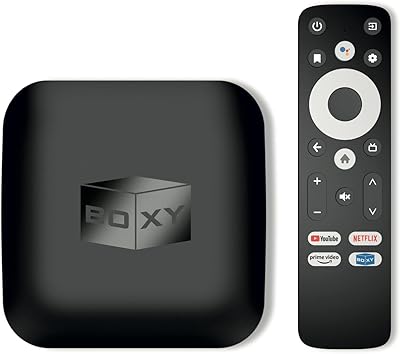
BOXY Android TV Box
BOXY Android TV Box
82%
91%
4K Streaming Quality
88%
Ease of Setup
85%
App Compatibility
78%
Wi-Fi Performance
60%
Ethernet Stability
More
BuzzTV X5 Android TV Box
86%
91%
4K Streaming Quality
88%
Android OS Performance
92%
Value for Money
87%
Ease of Setup
83%
Parental Controls
More
RUPA 8K Android TV Box PRO13
86%
94%
Picture Quality
84%
Performance
91%
WiFi and Connectivity
89%
Setup and Installation
92%
Value for Money
More
EASYTONE X88 Pro 10 Android TV Box 2GB/16GB
69%
78%
Value for Money
84%
Setup & Ease of Use
54%
Streaming App Compatibility
76%
Video & Picture Quality
58%
Performance & Speed
More
IDEALROYAL Android 14.0 TV Box
85%
92%
Value for Money
89%
Streaming Quality (4K HDR)
94%
Setup & Installation
86%
Wi-Fi & Bluetooth Connectivity
65%
Storage Capacity
More
XBMCMart Android TV Box S905X 4K
83%
92%
Value for Money
89%
4K Streaming Quality
86%
Ease of Use
85%
Audio Performance (Dolby DTS)
80%
Build Quality
More
EASYTONE T95Super 2/16 Android TV Box
84%
88%
4K Streaming Quality
91%
Expandable Storage
82%
App Compatibility
95%
Setup & Installation
84%
WiFi Performance
More

FAQ

As long as your TV has an HDMI port, you are good to go. The Sidiwen KP1 Android TV Box connects via HDMI and handles all the smart functionality itself, so it works just as well on a decade-old flat screen as it does on a newer model.
Yes, but with one important condition — your Netflix subscription needs to support 4K streaming, and your TV needs to be a 4K display. Because this box is Google-certified, it runs the official Netflix app with full 4K HDR support enabled, which uncertified boxes often cannot do.

It works the same way as a standalone Chromecast dongle. Open a supported app on your Android phone or Chrome browser, tap the cast icon, and the content plays on your TV through the box. You do not need to switch inputs or use the remote at all once it is set up.

If your router is in the same room or just down the hall, the 2.4GHz Wi-Fi works adequately for 4K streaming. That said, the box lacks a 5GHz band, which is a real limitation in homes with many connected devices. If you have an Ethernet cable run nearby, using it will give you noticeably more stable performance.

Because the remote uses Bluetooth rather than infrared, you do not need line-of-sight at all. It works from across a typical living room or bedroom without any pointing required. The main hiccup some users have experienced is occasional re-pairing needed after the box is powered off and back on.

The box ships with 32GB total, but the Android system and pre-installed apps consume a portion of that. In practice, most users have somewhere in the range of 20 to 24GB free. For casual use with a handful of streaming apps installed, that is plenty — but if you plan to install games or a large number of apps, you may feel the limits.

Yes, Apple TV+ is available through the Google Play Store on this device. Because the box is Google-certified, the Play Store is fully licensed and the Apple TV app installs without issues.

The update brings minor security improvements, some UI refinements, and better app compatibility for newer applications. To get it, go to Settings, navigate to About, and check for system updates while connected to the internet. Not every unit receives it at the same time, so if it does not show up immediately, check again after a few days.

Yes, Bluetooth 5.0 lets you pair external speakers or headphones directly to the streaming box. This is handy for late-night watching without disturbing others, and the connection is stable enough for typical audio use.

That is a fair concern and worth thinking through honestly. Sidiwen is not a well-known brand, and their long-term support track record is limited compared to established names. For a primary living room setup where reliability matters a lot, that uncertainty is worth weighing carefully. For a secondary TV or a low-stakes streaming setup, the risk is more manageable — just go in with realistic expectations about warranty responsiveness.