Overview

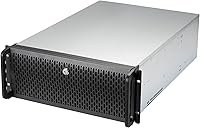
The Rosewill RSV-L4500U 4U Rackmount Server Case is built for one purpose: packing serious storage capacity into a standard rack without compromise. With 15 internal 3.5″ bays, it stands out immediately in a crowded field of 4U chassis that typically top out at eight or ten drives. E-ATX compatibility means you are not limited to compact or budget server boards — full-size workstation and enthusiast motherboards fit without adapter gymnastics. The aluminum construction gives it a sturdy, professional feel, finished in understated silver and black. This is not a case trying to look impressive on a desk; it is a workhorse designed to sit in a rack and do its job reliably.
Features & Benefits

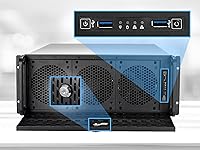
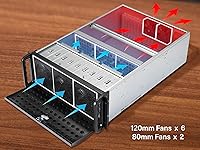
The eight pre-installed fans are the detail that sets this rackmount chassis apart from cases that treat cooling as an afterthought. Six 120mm fans across the front — three of them PWM-controlled — push air directly over the drive rows, while two 80mm fans at the rear exhaust heat from the motherboard area. Seven PCI expansion slots leave real room for an HBA card, a dedicated NIC, and still space to spare. The dual USB 3.0 ports on the front panel are a genuine convenience during initial setup. Front LED status indicators for power, HDD activity, and LAN let you catch issues without logging into a management interface every time.

Best For

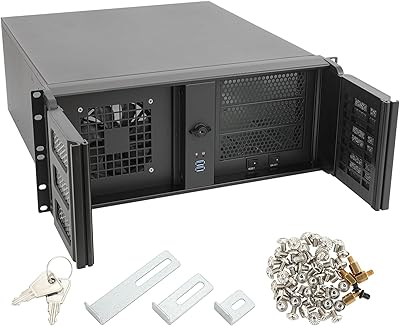
This server case hits a practical sweet spot for home lab builders who need serious drive density without paying for enterprise-grade enclosures. Running a NAS, a Plex server, or a local backup solution with a growing drive count? The 15-bay layout removes any need for external enclosures or daisy-chained storage. Small businesses setting up a dedicated file server will appreciate the E-ATX flexibility and the front panel lock, which matters when the rack sits in a shared office or server closet with regular foot traffic. IT professionals who want to step beyond ATX-only cases without committing to a full enterprise chassis will also find it worth a close look.

User Feedback

Owners consistently praise the drive bay count and the out-of-the-box cooling — most report stable drive temperatures even when all bays are populated. The most common complaint is fan noise at full speed, which is genuinely noticeable in a home setting; this is not a chassis you want running next to your desk. Build quality earns solid marks overall, though a handful of buyers note minor panel alignment issues fresh out of the box. Cable management gets tight once 15 drives are connected, so planning your wiring before the build saves real frustration. Stacked against similarly priced Supermicro or iStarUSA options, most buyers consider this server case strong value for the raw capacity it delivers.

Pros

  • Fifteen 3.5-inch bays deliver exceptional drive density for a non-hot-swap chassis at this price tier.
  • Eight pre-installed fans keep drive temperatures stable even with all bays fully populated.
  • E-ATX motherboard support opens the door to full-size workstation and HEDT boards, not just compact server options.
  • Seven PCI expansion slots leave plenty of room for an HBA, a 10GbE NIC, and additional cards simultaneously.
  • The front panel lock is a genuinely useful physical security feature in shared or semi-public rack environments.
  • Dual USB 3.0 front ports are a real convenience during initial OS installation and system setup.
  • Aluminum construction keeps the chassis rigid without adding unnecessary bulk beyond the expected rack weight.
  • Front LED indicators for power, HDD activity, and LAN status make basic monitoring quick without a management interface.
  • Build quality holds up well for the price point, with solid panel rigidity noted by most long-term users.
  • Competitive value compared to Supermicro or iStarUSA alternatives at equivalent drive bay counts.

Cons

  • Fan noise at full speed is significant and makes this server case a poor choice for any quiet environment.
  • Cable management becomes genuinely difficult once all 15 drive bays are populated with power and data cables.
  • No hot-swap drive support means any drive replacement requires powering down the entire system first.
  • At 31 inches deep and over 31 pounds, this rackmount chassis requires a deep, heavy-duty rack to install safely.
  • Some buyers report minor panel alignment issues straight out of the box, requiring small adjustments before use.
  • The rear 80mm fans are louder per unit than the larger front fans, contributing disproportionately to overall noise.
  • No included rail kit means additional mounting hardware costs must be factored into the total budget.
  • The front USB 2.0 port feels dated alongside the USB 3.0 ports and adds little practical value for most builds.
  • Depth and weight make solo rack installation genuinely awkward; a second person is strongly recommended.
  • Limited documentation inside the box makes first-time rackmount builders work harder during assembly.

Ratings

The scores below for the Rosewill RSV-L4500U 4U Rackmount Server Case were generated by our AI rating engine after analyzing verified buyer reviews from global markets, with spam, incentivized, and bot-flagged submissions actively filtered out before scoring. Each category reflects the genuine consensus of real users — from home lab builders to small business IT teams — with both standout strengths and recurring frustrations weighted transparently into every number.
Drive Bay Capacity
94%
Buyers consistently call the 15-bay layout the single biggest reason they chose this chassis over competitors. For anyone running Unraid or TrueNAS with a growing drive collection, having all drives in one enclosure rather than chaining external units simplifies both cabling and management noticeably.
A small number of users note that without hot-swap support, filling all 15 bays creates a situation where any single drive failure forces a full system shutdown to replace it, which is a meaningful operational trade-off for always-on storage builds.
Cooling Performance
88%
The eight pre-installed fans do their job well — drive temperatures stay controlled even when all bays are populated under sustained read and write loads. Users running high-density Plex or backup servers report that the front-to-rear airflow keeps things stable without requiring aftermarket fan upgrades.
The fixed-speed rear 80mm fans contribute disproportionately to the overall noise signature without adding significantly to thermal performance, and a few users wish Rosewill had standardized on 120mm fans throughout for a quieter and more efficient setup.
Noise Level
51%
49%
For a rack environment — a server room, basement, or dedicated IT closet — the fan noise is entirely expected and unremarkable. Users deploying this server case in proper rack settings rarely mention noise as a concern at all.
In a home office or any living space, the combined output of eight fans running at operational speed is genuinely disruptive. Several buyers specifically regret placing this chassis near their workspace and recommend either a fan controller or strict physical separation from living areas.
Build Quality
78%
22%
The aluminum construction gives the chassis a solid, professional feel that holds up well over time. Most users report no flexing or panel movement once the system is fully assembled and mounted in a rack, which matters when 15 populated drives add significant internal weight.
A recurring complaint in user reviews involves minor panel misalignment straight out of the box — nothing that affects function, but noticeable enough that some buyers had to spend time adjusting panels before the front face sat flush. Quality control appears slightly inconsistent across production runs.
Value for Money
83%
Compared to Supermicro or iStarUSA chassis with equivalent drive counts, this server case comes in at a meaningfully lower price point without gutting the feature set. Home lab builders especially appreciate getting 15 bays, eight fans, and E-ATX support without having to budget for a full enterprise-tier enclosure.
When buyers factor in the separately purchased rack rails and any fan controller they add to manage noise, the total cost of ownership climbs closer to alternatives than the base price suggests, which slightly erodes the value advantage at the final tally.
Motherboard Compatibility
86%
E-ATX support is a genuine differentiator here — most 4U chassis in this category cap out at standard ATX, so buyers who want to repurpose a high-core-count workstation board or an HEDT platform have real options with this rackmount chassis. The interior accommodates large boards without feeling cramped.
A handful of users have reported that very large E-ATX boards with components near the board edges require careful standoff placement, and the included documentation does not walk through E-ATX installation clearly enough to avoid trial and error for first-time builders.
Cable Management
56%
44%
With fewer than ten drives installed, internal cable routing is manageable, and experienced builders can get a reasonably tidy result using right-angle connectors and Velcro ties along the chassis walls.
Once all 15 bays are populated, the interior becomes genuinely congested with power and data cables. Multiple users describe cable management as the most frustrating part of the build, and airflow to drives in the middle rows can be partially obstructed if wiring is not planned carefully from the start.
Expansion Slot Utility
81%
19%
Seven PCI slots give builders real flexibility — running an HBA for drive connectivity, a 10GbE NIC, and still having room for a GPU or secondary card is entirely practical in this chassis. Users building multi-function servers find the slot count a genuine asset over competing enclosures with four or five slots.
The slot brackets included with the chassis are functional but basic, and a few users report that aftermarket full-length cards with large coolers can create tight clearance situations depending on the motherboard layout and power supply cable routing.
Front Panel Security
74%
26%
The keyed front panel lock is a thoughtful inclusion for shared environments — IT managers deploying this server case in open office racks or small co-location setups appreciate having a physical deterrent against accidental or unauthorized drive access without needing an external enclosure.
The lock mechanism feels less robust than the chassis itself, and a few users note it does not inspire confidence as a serious security measure. For high-security requirements it is a starting point, not a solution, and some buyers find the included keys feel lightweight for the purpose.
USB Port Placement
69%
31%
Having two USB 3.0 ports on the front panel is a genuine convenience during initial OS installation and system setup, saving the trouble of reaching behind the rack to plug in a boot drive or keyboard receiver.
The inclusion of a USB 2.0 port alongside the two USB 3.0 ports feels dated and takes up front panel real estate that could have been used more practically. Several users also note the port cluster sits low on the front face, making it slightly awkward to access when the unit is mounted at mid-rack height.
LED Indicators
77%
23%
The front panel LEDs for power, HDD activity, and LAN status give at-a-glance feedback that saves time for anyone managing the server without a dedicated remote monitoring setup. Users running headless builds particularly appreciate the HDD activity light as a quick confirmation that the system is functioning normally.
The LEDs are functional but not configurable, and in a rack with multiple units the indicator brightness can be hard to distinguish from neighboring equipment in low-light conditions. There is no per-bay drive activity indicator, which would have been a useful addition for diagnosing individual drive issues.
Assembly Experience
63%
37%
Experienced builders with prior rackmount experience generally find the assembly process logical, and the wide interior gives enough hand clearance to work comfortably during motherboard and fan connector installation.
First-time rackmount builders report that the included manual is thin and does not adequately cover the specifics of installing larger motherboards, routing cables efficiently, or mounting the unit safely. The weight of the chassis also makes solo assembly awkward, and most users recommend having a second person available.
Thermal Design
82%
18%
The front-to-rear airflow path is well thought out, with the front fan array positioned directly in line with the drive rows to pull cool air across all 15 bays before exhausting through the rear. This targeted approach keeps the drives as the thermal priority, which is appropriate for a storage-focused chassis.
The power supply area and upper motherboard zone get less direct airflow than the drive section, and users with high-TDP CPUs or power supplies note that those components run warmer than in purpose-built server enclosures with more sophisticated zone cooling.

Suitable for:

The Rosewill RSV-L4500U 4U Rackmount Server Case was built for a specific kind of buyer: someone who needs serious drive density in a standard rack slot without paying enterprise prices. Home lab enthusiasts running TrueNAS, Unraid, or a Plex media server with a growing drive collection will find the 15-bay layout genuinely useful rather than aspirational. Small businesses that need a local file server, a backup target, or a lightweight virtualization host will appreciate the E-ATX compatibility, which means they can repurpose a capable workstation board rather than sourcing a purpose-built server motherboard. IT professionals who want the physical security of a front panel lock — common in shared offices, small co-location setups, or server closets with open access — will find that feature practical rather than a gimmick. If you are consolidating multiple drives scattered across external enclosures or older machines, this rackmount chassis offers a clean, single-unit solution that keeps your rack organized and your airflow predictable.
Not suitable for:

The Rosewill RSV-L4500U 4U Rackmount Server Case is a poor fit for anyone expecting a quiet or acoustically managed build. The eight pre-installed fans move a lot of air, and at full speed the noise level is substantial — placing this chassis in a home office, bedroom, or any living space where you spend regular time will likely become an annoyance fast. At 31.1 pounds and 31 inches deep, it also demands a rack with real depth capacity; shallow or lightweight open-frame racks may not accommodate it safely, and the sheer weight makes solo installation awkward. Buyers looking for hot-swap drive bays will need to look elsewhere, as this server case uses standard fixed trays that require a full shutdown to swap drives cleanly. It is also not the right choice for anyone prioritizing a compact footprint or silent operation over raw storage capacity.

Specifications

  • Form Factor: The chassis follows a standard 4U rackmount form factor, designed to fit into 19-inch server racks.
  • Drive Bays: Fifteen internal 3.5″ HDD bays are included, all fixed-tray style with no hot-swap support.
  • Motherboard Support: Compatible with E-ATX and ATX motherboards, providing flexibility for both workstation and server board configurations.
  • Expansion Slots: Seven PCI expansion slots are available, supporting configurations that include HBAs, NICs, and other add-in cards simultaneously.
  • Front Fans: Six 120mm fans are pre-installed at the front, three of which are PWM-controlled for speed adjustment.
  • Rear Fans: Two 80mm fans are mounted at the rear to exhaust heat from the motherboard and power supply area.
  • USB Ports: The front panel provides two USB 3.0 ports and one USB 2.0 port for peripheral and storage device access.
  • Front Panel: A keyed lock is built into the front panel, allowing physical access control to the drives and interior.
  • LED Indicators: Front-mounted LED indicators display real-time status for system power, HDD activity, and LAN connection.
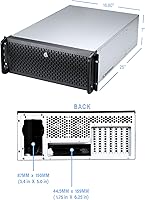
  • Dimensions: The chassis measures 31 × 23 × 11 inches (L × W × H), requiring a deep rack with adequate clearance.
  • Weight: The unit weighs 31.1 pounds unloaded, which should be accounted for when selecting rack hardware and planning installation.
  • Material: The chassis body is constructed from aluminum, providing structural rigidity while keeping weight reasonable for its size class.
  • Color: The exterior finish is silver and black, consistent with a standard professional server room aesthetic.
  • PSU Mount: The power supply mounts at the rear of the chassis using a standard rear-mount configuration.
  • Cooling Method: All cooling is handled by air, with the eight pre-installed fans creating a front-to-rear airflow path through the chassis.

Related Reviews
Rosewill RSV-R4100U 4U Server Chassis Rackmount Case
85%
89%
Cooling Efficiency
91%
Build Quality
85%
Ease of Setup
88%
Expansion Options
92%
Security Features
More
Rosewill RSV-L4412U 4U Server Chassis
85%
91%
Build Quality
93%
Cooling Performance
85%
Ease of Installation
88%
Storage Flexibility
89%
Expandability
More
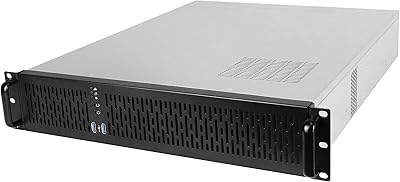
RackChoice N4058 4U Rackmount Server Chassis
84%
90%
Build Quality
85%
Cooling Performance
80%
Storage Capacity
88%
Ease of Maintenance
83%
Security Features
More
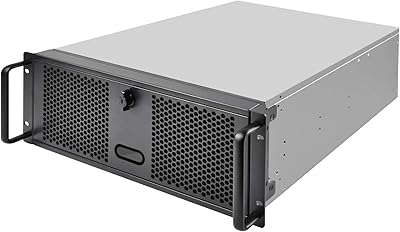
SilverStone RM400 4U Rackmount Server Case
76%
88%
Build Quality
93%
Motherboard Compatibility
91%
Rack Integration
76%
Value for Money
54%
Accessories & Inclusions
More
Rosewill RSV-Z2850U 2U Rackmount Server Case
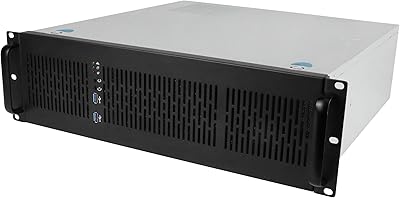
74%
74%
Build Quality
83%
Value for Money
67%
Cooling Performance
61%
Noise Level
81%
Storage Flexibility
More
Rosewill RSV-Z3200U 3U Rackmount Server Case
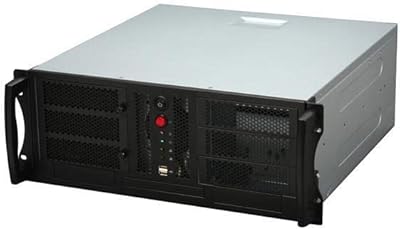
71%
78%
Build Quality
81%
Value for Money
67%
Cooling Performance
59%
Noise Level
83%
Storage Expandability
More
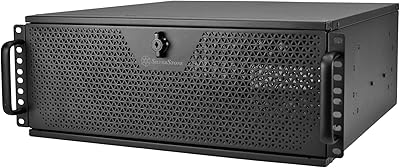
Chenbro RM42300-F 4U Rackmount Server Chassis
86%
93%
Build Quality & Durability
91%
Expansion Slot Flexibility
75%
Cooling Performance
88%
Ease of Installation & Setup
90%
Space Optimization
More
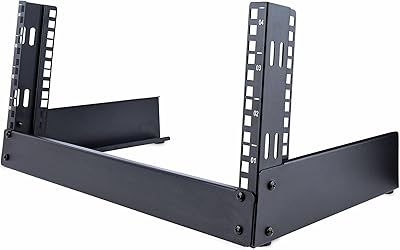
SilverStone SST-RM44 4U Rackmount Server Chassis
79%
93%
Build Quality
91%
Liquid Cooling Support
89%
Motherboard Compatibility
88%
Expansion Slot Count
86%
Rail Installation
More
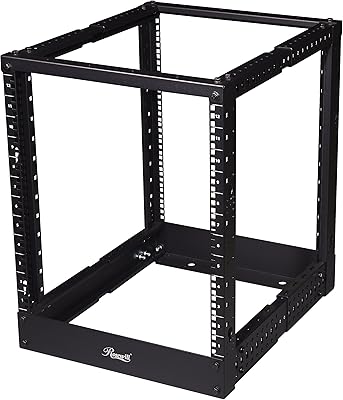
StarTech RK4OD 4U 2-Post Desktop Server Rack
79%
83%
Build Quality
91%
Ease of Assembly
61%
Capacity & Scalability
88%
Value for Money
86%
Footprint & Space Efficiency
More
Rosewill RSR-4P12U001 12U Open Frame Server Rack
67%
83%
Depth Adjustability
44%
Assembly Experience
57%
Structural Stability
71%
Value for Money
53%
Cable Management
More

FAQ

Yes, this server case uses a standard rear-mount ATX power supply bay, so any full-size ATX PSU will install without issue. Just make sure your cables are long enough to reach the drive rows, since the interior is deep and cable runs can be longer than expected.

The bays are designed for 3.5-inch drives, but you can use 2.5-inch SSDs with a 3.5-inch adapter bracket. Those brackets are not included, so you will need to source them separately.

Honestly, it is not quiet. With eight fans running, noise levels are noticeable even at moderate speeds, and at full load it is the kind of sound that belongs in a dedicated server room or basement rack rather than a home office. If noise is a concern, look into fan speed controllers or plan to replace the stock fans with quieter alternatives.

No, rack rails are not included in the box. You will need to purchase compatible rails separately, so factor that into your budget and verify rail compatibility with your specific rack model before ordering.

It supports up to E-ATX, which covers most full-size workstation and enthusiast motherboards. Standard ATX boards fit as well, with room to spare inside the chassis.

No, the drive bays in this server case are fixed-tray style and not hot-swap capable. Swapping a drive requires powering down the system first, which is worth keeping in mind if your use case demands continuous uptime.

It gets tight. Fifteen drives means fifteen SATA or SAS data cables plus power connections, and the interior space fills up quickly. Planning your cable routing before you start populating bays will save you real time and frustration during the build.

It will fit height-wise since it is a 4U unit, but the 31-inch depth is the variable to watch. Measure your rack's internal depth carefully — some budget open-frame racks are shallower than they appear, and the chassis needs full support along its length given its weight.

Three of the six front fans are PWM-controlled, so if your motherboard supports PWM fan headers you can manage their speed through your BIOS or a fan control utility. The remaining fans run at a fixed speed, which limits how quiet you can make the overall system.

It is a useful deterrent rather than a high-security lock. For a shared office or server closet where you want to prevent casual access to the drives, it works well. If you need serious physical security, a dedicated locked rack enclosure would be a better solution.

Where to Buy