Overview

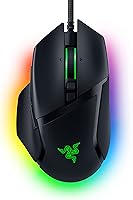
The Razer Basilisk V3 Wired Gaming Mouse sits comfortably in Razer's Basilisk lineup as a mid-range option that doesn't force you to choose between features and affordability. Its most immediately noticeable trait is the right-handed ergonomic shape — a deep thumb rest, sculpted side curves, and a form factor that feels natural whether you game for an hour or four. The wired USB connection keeps input lag essentially nonexistent, which remains a genuine advantage over wireless alternatives at this price tier. It's not a no-compromise enthusiast tool, but for most players it punches well above its cost, with a few minor caveats worth knowing before you commit.
Features & Benefits

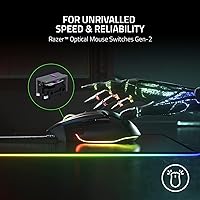
The standout feature for many users is the HyperScroll Tilt Wheel, which lets you toggle between smooth free-spinning for fast page navigation and a clicked, tactile mode better suited to cycling weapons in an FPS or skills in an MMO. The 11 programmable buttons — including the multi-function paddle near the trigger — give you enough real estate for macros, push-to-talk bindings, or ping shortcuts without reaching for a keyboard. Clicks feel crisp and deliberate, courtesy of Gen-2 optical switches that register at 0.2ms and are built for longevity. The Focus+ sensor tracks cleanly across both cloth and hard surfaces. Synapse 3 unlocks full customization but requires installation — an unavoidable software dependency that not everyone welcomes.

Best For

This wired gaming mouse is built around right-handed users who prefer a palm or claw grip — fingertip grip players will likely find the body too wide for comfort. It's especially well-matched to MMO and MOBA players who rely on multiple remappable buttons and don't want to constantly reach for keyboard shortcuts mid-session. The dual-mode scroll wheel also makes it surprisingly capable as an all-day work mouse, toggling between quick document skimming and controlled precision scrolling. If you want RGB lighting synced across a Razer setup, it fits naturally without a wireless price premium. It's also a smart first step up from a basic office mouse for someone getting serious about PC gaming.

User Feedback

With a 4.6-star average across more than 11,000 ratings, Razer's ergonomic mouse earns its reputation largely through long-session comfort and scroll wheel versatility — two things buyers mention consistently without being prompted. Build solidity and click feel also get frequent praise from longer-term owners. On the flip side, some reviewers note the cable is on the stiffer side, which can create minor drag on lower-sensitivity setups. Users with smaller hands occasionally find the body slightly oversized for all-day use. There are scattered reports of scroll wheel or side button wear after a year or more, though this isn't a dominant pattern. Synapse 3 reliance surfaces as a recurring minor frustration across otherwise positive reviews.

Pros

  • Ergonomic right-handed shape reduces wrist fatigue noticeably during multi-hour gaming or work sessions.
  • Dual-mode scroll wheel toggles between free-spin and tactile modes without any software — immediately useful in real use.
  • Eleven programmable buttons give MMO and MOBA players enough room to bind macros, abilities, and comms shortcuts.
  • Gen-2 optical switches deliver crisp, confident clicks with no debounce delay and a long rated lifespan.
  • The Focus+ sensor tracks cleanly on both cloth and hard pads without jitter at typical gaming sensitivity ranges.
  • Wired USB connection means zero input lag and no battery management — plug in and it always works.
  • At its price point, the Basilisk V3 packs a feature set that typically costs more from competing brands.
  • The thumb rest and side grip texture keep the mouse firmly positioned even during warmer extended sessions.
  • RGB underglow and 11 lighting zones sync well across Razer peripherals for users building a coordinated setup.

Cons

  • Synapse 3 software is required for full customization — it installs background processes and demands a Razer account.
  • The braided cable is noticeably stiff, creating real drag resistance for players using wide, low-sensitivity movements.
  • Left-handed users have no viable option here — the design is entirely asymmetric with no ambidextrous variant.
  • Fingertip grip players will find the body too wide and heavy for the fast, flicky style that grip requires.
  • Some users with smaller hands report awkward reach to certain side buttons after extended use.
  • Scroll wheel inconsistency has been flagged by longer-term owners after 18 or more months of heavy daily use.
  • There is no hardware button to disable RGB without launching Synapse, which is a minor but recurring annoyance.
  • Mac users get noticeably fewer Synapse features than Windows users, limiting customization on Apple hardware.
  • No weight adjustment system means buyers stuck with the factory balance have no way to fine-tune feel.

Ratings

The scores below for the Razer Basilisk V3 Wired Gaming Mouse were generated by AI after analyzing thousands of verified global buyer reviews, with spam, bot-submitted, and incentivized feedback actively filtered out. The result is an honest, data-driven breakdown that reflects both what users genuinely love and where real frustrations surface — nothing inflated, nothing buried.

Ergonomics & Comfort
93%
The sculpted right-handed body with its built-in thumb rest earns consistent praise from users who spend four or more hours at a desk daily. Palm and claw grip players in particular report noticeably less wrist fatigue during extended MMO sessions compared to symmetrical mice they previously used.
Users with smaller hands — roughly under a size medium — occasionally report that the body feels slightly oversized, leading to awkward button reach after long stretches. It is strictly a right-handed design, so left-handed players have no path forward with this model at all.
Click Feel & Switch Performance
91%
The Gen-2 optical switches deliver a crisp, tactile click that feels confident without being loud or mushy. Competitive players note the near-instant actuation makes rapid clicking in shooters feel more responsive compared to traditional mechanical switches they had used previously.
A small number of longer-term owners report that the primary buttons develop a slightly looser feel after 12 to 18 months of heavy daily use. The optical switch mechanism, while fast, has a slightly different tactile profile than mechanical switches that some switchers take time adjusting to.
Scroll Wheel Versatility
89%
The dual-mode HyperScroll wheel is genuinely one of the more practical features on this mouse — toggling between free-spin for fast document scrolling and tactile mode for precise weapon cycling in-game takes a single click and works exactly as advertised. Productivity users who also game find it especially useful as an all-day peripheral.
A subset of long-term users has flagged scroll wheel degradation after heavy use, with the tactile mode occasionally feeling inconsistent or the free-spin becoming harder to engage cleanly. The toggle button itself is positioned slightly awkwardly for users with larger thumbs.
Sensor Accuracy & Tracking
88%
The Focus+ optical sensor tracks cleanly across both cloth and hard surface mousepads, with no noticeable jitter or acceleration at moderate to high DPI settings. FPS players testing it on low sensitivity report that cursor movement feels predictable and consistent even during fast flick shots.
At very high DPI settings — above 16,000 — a small number of users note minor tracking inconsistencies on textured hard pads. Most buyers will never push the sensor to those extremes, but it is worth noting for users who prefer ultra-high sensitivity configurations.
Programmable Buttons & Customization
86%
Having 11 remappable buttons gives MMO and MOBA players enough room to bind abilities, macros, push-to-talk, and ping functions without constantly alt-tabbing to reassign keys. The multi-function paddle near the trigger is a genuinely clever addition that most users quickly integrate into muscle memory.
Accessing the full potential of these buttons requires Razer Synapse 3 to be installed and running, which is a non-trivial dependency for users who prefer clean systems or play on shared computers. Without the software, several buttons default to basic functions and profile switching is unavailable.
Software Experience (Synapse 3)
61%
39%
Synapse 3 offers genuinely deep customization — per-profile DPI stages, macro recording, lighting sync across Razer peripherals, and game-specific button remapping are all available. Users embedded in the Razer ecosystem tend to find it a capable hub once set up.
The software requires a Razer account, installs background processes, and has been criticized for sluggish load times and occasional update-related bugs. Users who simply want to remap a couple buttons without cloud accounts or bloatware find the whole experience disproportionately cumbersome.
Build Quality & Materials
82%
18%
The overall shell feels solid with no flex or creaking under normal use, and the matte black finish resists fingerprints reasonably well during gaming sessions. Side grips have enough texture to maintain hold even with warmer hands.
The plastic finish on the top shell can show fine scratches over time, particularly for users who set the mouse down forcefully. Some buyers compare the material quality unfavorably against mice in a slightly higher price bracket, noting it feels marginally less premium up close.
Cable Quality & Desk Feel
58%
42%
The wired connection itself guarantees zero input lag and no charging interruptions, which is a real advantage for competitive play where wireless dropouts — however rare — are unacceptable. The cable length is generous enough for most standard desk setups.
The braided cable is notably stiffer than what users familiar with paracord-style aftermarket cables might expect, and at lower sensitivities the drag is perceptible during wide mouse movements. Several reviewers specifically cite cable stiffness as the one thing they would change about an otherwise strong mouse.
RGB Lighting
77%
23%
The 11-zone Chroma lighting with full underglow looks genuinely striking on a dark desk, and the per-zone color control in Synapse gives enthusiasts a lot of room to personalize. It syncs well with other Chroma-compatible peripherals for users building a unified setup.
For users who do not care about lighting aesthetics, the RGB adds no functional value and requires Synapse to control properly. There is no hardware toggle to turn it off without the software, which is a minor but real annoyance for users in dark rooms who prefer a clean look.
Grip Style Compatibility
74%
26%
Palm and claw grip users consistently report that the contour fits their natural hand position without requiring adjustment, and the thumb rest prevents side finger drift during long sessions. It is one of the more accommodating shapes for claw grip specifically among mice in this range.
Fingertip grip users find the body too wide and heavy to manipulate comfortably at pace, and left-handed players are entirely excluded by design. The grip compatibility is genuinely narrow — buyers who are unsure of their grip style should physically try the shape before purchasing.
Value for Money
87%
At its typical street price, the Basilisk V3 offers a feature density that is hard to match — optical switches, a versatile scroll wheel, double-digit programmable buttons, and a reliable sensor in a single package. First-time gaming mouse buyers especially tend to find the upgrade from a basic peripheral immediately noticeable.
Buyers comparing it against budget competitors will find cheaper options with similar sensor specs, and those considering wireless alternatives may find the price delta smaller than expected. The value proposition is strong but not uncontested, particularly as competitors have closed the feature gap at similar price points.
Durability Over Time
71%
29%
The majority of users report no significant degradation after one to two years of regular use, and the optical switch rating of 70 million clicks suggests the primary buttons should outlast most buyers' upgrade cycles. Side buttons and the scroll wheel also hold up well under moderate daily use.
A pattern of scroll wheel inconsistency and side button mushiness does emerge in reviews from users past the 18-month mark with heavy daily use. Longevity appears reliable for average users but is less certain for those who log four or more hours daily across intensive gaming and productivity tasks.
Weight & Balance
83%
At 4.5 ounces, the Basilisk V3 sits in a comfortable middle ground — light enough for extended sessions without hand fatigue, but with enough heft to feel controlled during deliberate movements. Most users do not feel the need for additional weight adjustments.
Ultralight mouse enthusiasts accustomed to sub-70g peripherals will find the weight noticeably heavier by comparison. There is no weight adjustment system, so buyers who want to fine-tune feel are stuck with the factory balance, which is solid but inflexible.
Setup & Out-of-Box Experience
84%
Plug-and-play functionality works immediately for basic use — the mouse is recognized without drivers on both Windows and Mac, and the default button layout is sensible enough to use productively from the first minute. The physical setup takes under 30 seconds.
The out-of-box experience hits a wall once users want to customize anything beyond the defaults, since that path runs entirely through Synapse 3. Mac users in particular report a more limited software experience with fewer features accessible compared to the Windows version.

Suitable for:

The Razer Basilisk V3 Wired Gaming Mouse is an excellent fit for right-handed gamers who spend long hours at a desk and want a peripheral that handles both competitive play and daily productivity without switching devices. If you play MMOs, MOBAs, or any genre where binding abilities, macros, or communication shortcuts to extra buttons actually changes how you perform, the 11 remappable buttons give you real, tangible flexibility that a standard mouse simply cannot match. The dual-mode scroll wheel is a quietly underrated feature for people who split their day between gaming sessions and browser or document work — the ability to toggle between precision and free-spin scrolling without any software intervention is genuinely practical. Palm and claw grip users with average to large hands will find the ergonomic shape supportive over extended sessions, reducing the kind of wrist tension that accumulates after hours of continuous use. It also suits buyers who want to enter the Razer ecosystem at a reasonable price point without committing to wireless, since the wired connection keeps performance rock-solid and removes charging from the equation entirely.

Not suitable for:

The Razer Basilisk V3 Wired Gaming Mouse is a poor match for left-handed users, full stop — the asymmetric body and thumb rest are built exclusively around a right-handed grip, and no amount of preference adjustment changes that. Fingertip grip players who favor lightweight, narrow mice for fast, low-sensitivity movements will likely find the body too wide and at 4.5 ounces heavier than what that style demands. Users who are sensitive to software overhead or who game on shared, locked-down, or minimalist systems will run into real friction, since unlocking the full button customization and lighting control requires installing Razer Synapse 3 and maintaining an account. If wireless freedom is a priority — whether for cleaner desk aesthetics or the practical convenience of not managing a cable during wide swipes — this mouse offers no compromise on that front, and buyers willing to stretch their budget slightly may find wireless alternatives more compelling. Finally, anyone expecting ultralight performance comparable to dedicated low-weight mice in the sub-70g category should look elsewhere, as this mouse prioritizes comfort and feature density over minimal weight.

Specifications

  • Connection: The mouse connects via a wired USB interface, providing a stable, low-latency signal with no wireless interference or battery dependency.
  • Sensor: It uses a Razer Focus+ optical sensor, designed for precise tracking with minimal jitter across both cloth and hard surface mousepads.
  • Switches: Gen-2 Razer optical switches power the primary buttons, rated for up to 70 million clicks with a 0.2ms actuation speed and no debounce delay.
  • Programmable Buttons: The mouse features 11 programmable buttons in total, including a dedicated multi-function paddle positioned near the trigger for quick in-game actions.
  • Scroll Wheel: The HyperScroll Tilt Wheel supports two modes: smooth free-spin for rapid scrolling and a stepped tactile mode for precision cycling, toggled with a single button press.
  • RGB Lighting: Eleven individually addressable Chroma RGB lighting zones cover the mouse body and include a full underglow strip along the base, customizable via Razer Synapse 3.
  • Weight: The mouse weighs 4.5 ounces (approximately 128g) with no removable weights or internal adjustment system included.
  • Dimensions: Physical dimensions measure 5.12 inches in length by 2.95 inches in width, placing it in the full-size ergonomic category suited to average and large hands.
  • Hand Orientation: The design is exclusively right-handed, featuring an asymmetric ergonomic shell with a built-in thumb rest along the left side of the body.
  • Grip Compatibility: The body shape is best suited to palm and claw grip styles; fingertip grip users may find the width and weight profile less comfortable for extended use.
  • Software: Full button remapping, DPI configuration, macro recording, and lighting control require Razer Synapse 3, available as a free download for Windows and Mac.
  • Platform Support: The mouse is compatible with both Windows and macOS systems, though Synapse 3 offers a broader feature set on Windows compared to the Mac version.
  • Power Source: The mouse draws power directly from the host computer via USB; there is no internal battery, charging port, or power switch.
  • Cable Type: A braided USB cable is included; the cable is fixed and not detachable, and has been noted by users as stiffer than paracord-style aftermarket alternatives.
  • Color: The mouse is available in matte black as the standard colorway, with a textured grip surface on the sides to maintain hold during extended sessions.
  • RGB Color Range: Each of the 11 lighting zones is individually customizable from a palette of over 16.8 million colors using the Synapse 3 Chroma Studio interface.
  • Tilt Wheel: In addition to vertical scrolling, the scroll wheel supports left and right tilt inputs, which can be remapped to any function via Synapse 3.
  • Model Number: The official model identifier is RZ01-04000100-R3M1, which can be used to verify product authenticity and locate compatible accessories or documentation.

Related Reviews
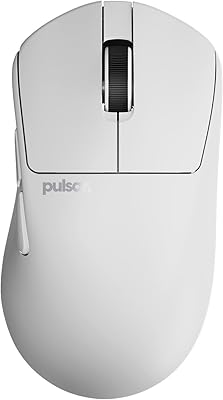
Pulsar Gaming Gears Xlite v3 Medium Wireless Gaming Mouse
88%
93%
Ergonomics & Comfort
91%
Wireless Performance
89%
Battery Life
86%
Build Quality
94%
Precision & Sensor Accuracy
More
Logitech G203 Prodigy Wired Gaming Mouse
85%
92%
Value for Money
89%
Performance
87%
Build Quality
83%
Ergonomics
91%
RGB Lighting Customization
More
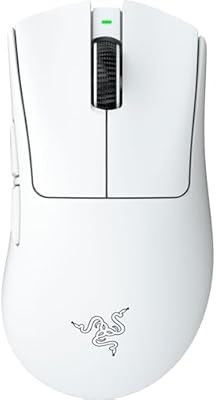
Razer DeathAdder V4 Pro Wireless Gaming Mouse
86%
95%
Precision and Tracking
91%
Build Quality
90%
Battery Life
89%
Ergonomics and Comfort
92%
Wireless Connectivity
More
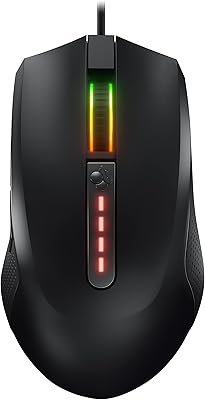
Cherry MC 2.1
Cherry MC 2.1
77%
74%
Sensor Accuracy
71%
Build Quality
82%
Ergonomics & Comfort
88%
On-Board Memory
62%
Software & Customization
More
Razer Kraken V4 X Pokémon Edition
78%
83%
Audio Quality
71%
Microphone Performance
88%
Comfort & Fit
67%
Build Quality
74%
7.1 Surround Sound
More
Pulsar Gaming Gears X3 Wireless Gaming Mouse
86%
94%
Precision & Tracking Performance
89%
Ergonomics & Comfort
91%
Lightweight Design
87%
Durability & Build Quality
90%
Button Responsiveness & Switch Longevity
More
Pulsar X2F Wireless Fingertip Gaming Mouse
80%
94%
Weight & Form Factor
89%
Sensor Performance
91%
Polling Rate (8K Wireless)
88%
Switch Feel & Click Quality
78%
Grip & Ergonomics
More
Trust Gaming GXT 144 Rexx Vertical Ergonomic Gaming Mouse
85%
89%
Ergonomics & Comfort
92%
Precision & Performance
85%
RGB Customization
78%
Software & Configuration
84%
Build Quality & Durability
More
SANWA Wired Ergonomic Mouse
81%
88%
Ergonomic Comfort
85%
Quiet Operation
81%
DPI Adjustability
83%
Build Quality
78%
Compatibility (Mac/Windows)
More
IFYOO G59 Gaming Mouse
86%
88%
Performance
90%
Ergonomics
92%
Connectivity Options
86%
Battery Life
78%
Customizability
More

FAQ

For basic use, no — plug it in and it works immediately on both Windows and Mac without any drivers. The default button layout is functional right away. That said, if you want to remap buttons, record macros, adjust DPI stages, or control the RGB lighting, you will need to install Razer Synapse 3, which also requires creating a free Razer account.

There is a small button just behind the scroll wheel that toggles between the two modes instantly. In free-spin mode the wheel spins smoothly with almost no resistance, which is great for quickly scrolling through long documents or web pages. Tactical mode adds a satisfying click-per-notch feel that makes it much easier to cycle through weapons or inventory slots one step at a time without overshooting.

It can work, but it is worth being aware of the size before buying. The body is on the larger end of the ergonomic category, and some users with smaller hands report that reaching the forward side button or the multi-function paddle requires a slight hand shift. If your hand measures under roughly 17cm in length, you may want to check user comparisons or try it in person if possible.

Yes, but turning it off completely requires Synapse 3 to be installed and running. From within the software you can disable all lighting zones individually or set them to off as a saved profile. Without the software running, the lighting defaults to an active cycling pattern and there is no physical button on the mouse to disable it directly.

For most users, durability is solid — the primary clicks remain crisp and the build does not creak or flex noticeably over time. Where some longer-term owners have reported wear is in the scroll wheel, with the tactile mode occasionally feeling less consistent after 18 or more months of intensive use. The side buttons can also soften slightly with heavy daily pressing, though this is not a dominant complaint across the broader user base.

It works on Mac at a plug-and-play level without any issues — the cursor tracks fine and the standard buttons function normally. The limitation is in the software: Synapse 3 on Mac offers fewer customization options than the Windows version, so advanced features like complex macro recording and full per-app profile switching are more limited. For basic gaming or productivity use on a Mac, it is still a capable choice.

The cable is approximately 2.1 meters long, which is more than adequate for most standard desk configurations. It is not detachable — the cable is hardwired into the mouse body — so it cannot be swapped out for a lighter or more flexible aftermarket cable without modifying the hardware. Users who find the stiffness of the braided cable a problem sometimes use a bungee to reduce desk drag.

You can configure up to five DPI stages in Synapse 3, with the sensor supporting a range from 100 up to 26,000 DPI. Switching between stages during a game is done using the DPI up and down buttons located just below the scroll wheel, which are easy to reach without breaking your grip. The mouse does not have an onboard display showing the current DPI level, but you can assign color indicators to the lighting to distinguish between stages.

The Basilisk V3 does include onboard memory that lets you save up to five profiles directly to the mouse. Once a profile is saved via Synapse 3, those settings travel with the mouse and work on any computer without the software installed. This is useful if you take the mouse to a friend's setup or use it on a machine where you cannot install software.

It handles both roles reasonably well, which is part of what makes it appealing at its price point. The ergonomic shape is comfortable for all-day use, and the dual-mode scroll wheel is genuinely useful for switching between quick document navigation and precise in-game control. The main friction for a shared gaming and office role is the braided cable, which some users find less fluid than a typical office mouse during precise document work, but it is far from a dealbreaker.

Where to Buy